Halloween 3D Print Ideas: 5 Original Props You Can Design
Quick Summary
- The best Halloween 3D print ideas this year are the ones nobody else is printing. Most free Halloween STLs carry non-commercial licenses and were modeled to someone else’s dimensions.
- Designing from your own concept drawing solves three problems at once: fit, licensing, and sameness.
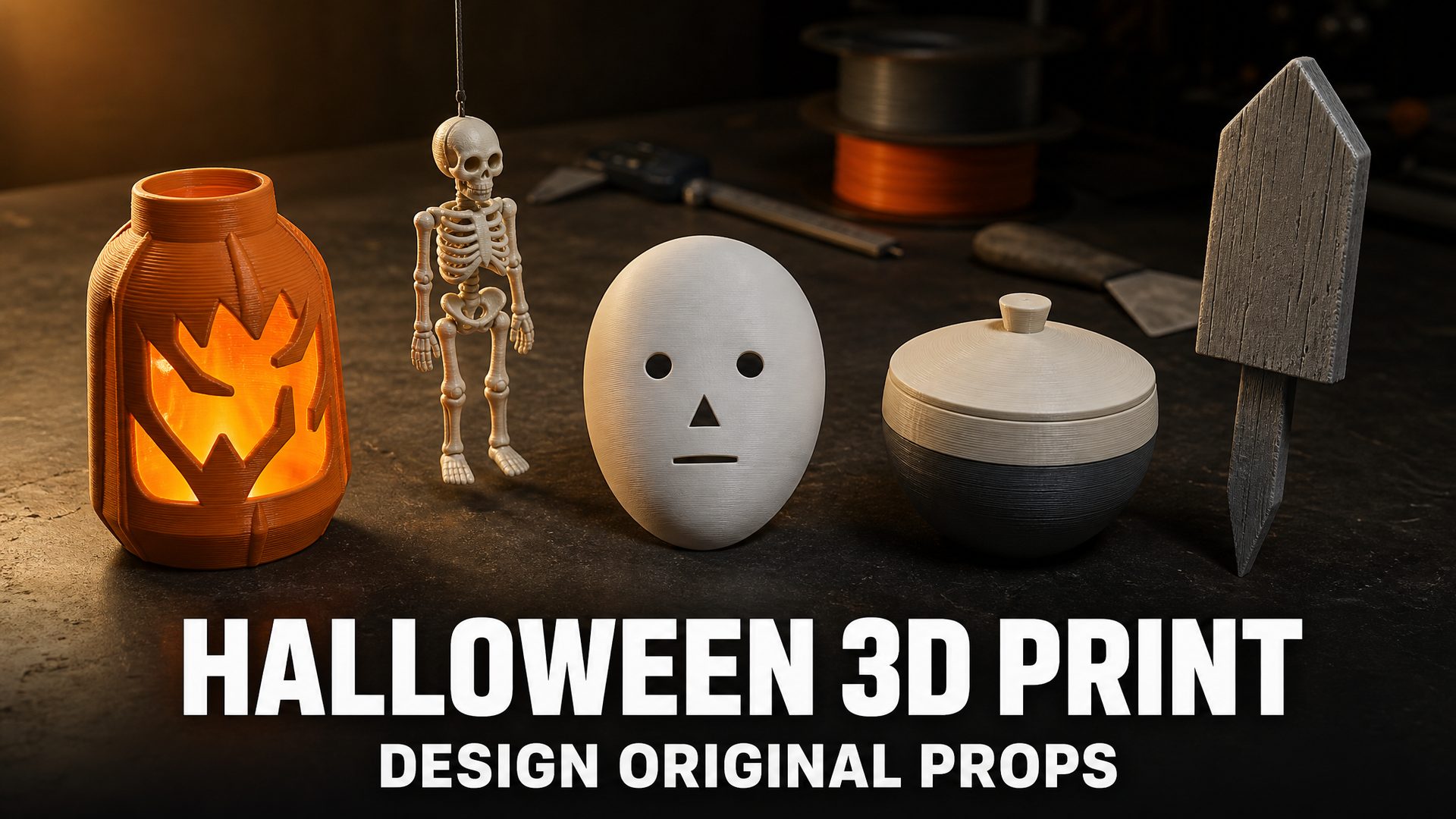
- Five props you can build from a single drawing: a glowing lantern shell, an articulated skeleton, a character mask, a two-color candy bowl, and an oversized yard piece.
- N4D (Neural4D) turns a concept drawing into a printable mesh, and adds Multicolor and Part Split for the two props that need special handling before slicing.
The most useful Halloween 3D print ideas are the ones nobody else is printing. Search for Halloween models and you will find hundreds of downloadable STLs, nearly all of them shared under non-commercial licenses and shaped around the designer’s own printer and taste. This guide takes a different route: five original props you design from your own concept drawing, generate as a printable mesh, and adapt to your machine. Each one comes with the single design decision that determines whether the print actually works, plus a generation brief you can reuse.
Why Original Halloween 3D Print Ideas Beat Downloading STLs
Downloading a model is faster, so the case for designing your own has to be concrete. There are three specific problems that downloading creates, and each one gets worse the closer you get to October 31.
The license problem. “Free download” means free access, not free use. A large share of Halloween models on the major platforms are published under Creative Commons licenses with a NonCommercial clause, or under a platform license that restricts the file to personal use. Where commercial rights do exist, they are frequently sold as an ongoing membership rather than a one-off purchase, and the rights typically lapse when the membership does. Commercial licenses also generally cover the designer’s own original work only. They do not extend to characters owned by a film studio, a game publisher, or a brand, so a licensed file of a recognizable character is still not something you can sell.
The fit problem. A downloaded model was built for the designer’s purpose and the designer’s printer. Scale is not a free adjustment. If you enlarge a lantern shell by 25 percent, its walls get 25 percent thicker and the light stops coming through the way the original did. If you shrink a mask, the eye openings shrink with it and may no longer sit where a face needs them. Redesigning for your own dimensions is often easier than fighting someone else’s.
The sameness problem. One of the most-printed models tracked on a major platform is a human upper arm bone, at roughly 660,000 estimated prints according to third-party tracking data, and articulated skeleton files circulate so widely that they turn up in nearly every seasonal roundup. That is good news for the hobby and bad news for anyone trying to sell or gift something distinct. A file that tens of thousands of people have already printed is a commodity.
None of this requires learning CAD. The barrier to an original prop is one clean concept drawing, and the design decisions below are the ones that actually change the outcome.
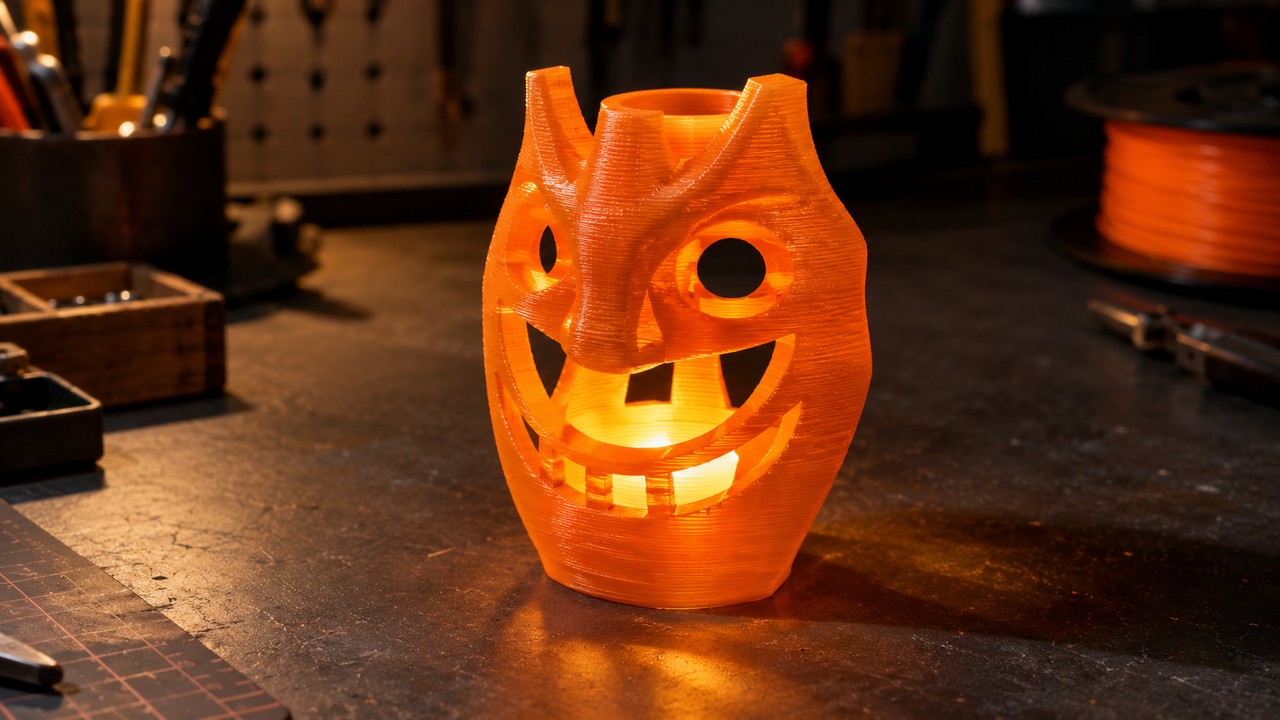
Idea 1: A Custom LED Jack-o’-Lantern Shell
The carved lantern is the highest-value Halloween prop because it only exists after dark, and light is forgiving. Glow hides small surface flaws and reveals form, which means a simple silhouette reads better than a detailed one.
The useful realization is that it does not have to be a pumpkin at all. What makes a lantern work is a thin translucent wall, an enclosed light chamber, and a face that throws light. A standing figure, a tower, a bare tree, a shallow bowl shape: all of them do the same job and none of them look like the seven other pumpkins on the street.
The decision that matters: wall thickness and access to the light. Translucent filament passes light through roughly two perimeters; thick walls turn the glow into a dull orange smear. You also need a way to reach the switch, so build either a removable base or a bottom opening into the concept drawing itself. Adding it afterwards usually means cutting into a wall you wanted intact.
Generation brief. Describe a hollow shell with a carved face rather than a solid prop: “a hollow standing lantern shell with an original abstract carved face, thin even walls, an open flat base, matte surface.” Say “hollow” and “open base” explicitly, because those words change the geometry you get back.
Print notes: print in translucent or natural filament and keep the infill at zero so light passes. Use only a cool battery-powered LED tealight, never a real candle or a hot bulb.
Idea 2: A One-Piece Articulated Skeleton
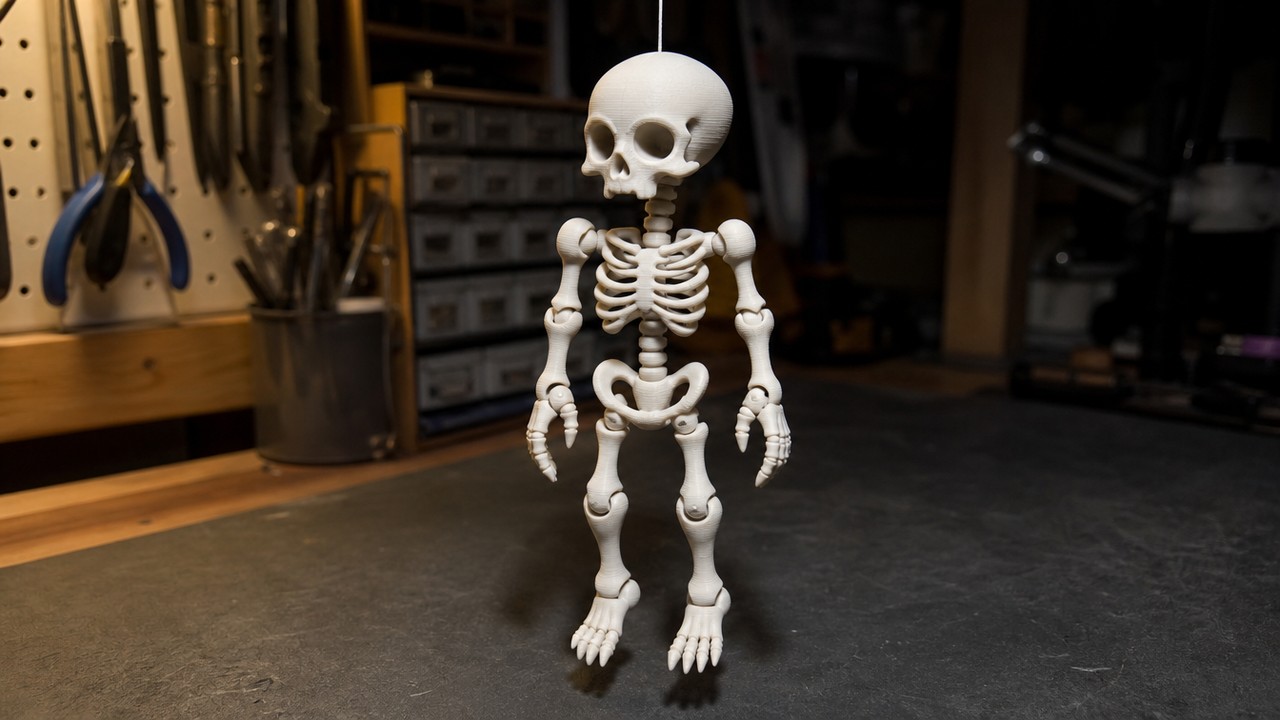
Articulated figures are the most proven shape in Halloween 3D printing. The whole skeleton prints as a single job with the joints already assembled, so it comes off the plate moving, with no glue, bolts, or twine. That is why they dominate the seasonal model roundups every year.
The appeal for an original design is that a skeleton is a structure, not a likeness. Once you are designing the joints yourself, the figure can be any proportion you like: a long-limbed hanging piece, a squat tabletop one, something closer to a bird or an insect than a human. None of those exist as a download yet.
The decision that matters: joint clearance. A printed joint only moves if the gap between the ball and the socket is larger than the dimensional error your printer actually delivers. If the gap is too tight the joint fuses into a solid lump and you cannot separate it without cutting, and if it is too wide the limb flops and will not hold a pose. Most fused joints that people blame on the model are really a clearance value that was set by someone else, on someone else’s machine.
Generation brief. Ask for the assembled state and the moving parts in one description: “a small articulated figure in a single printable piece, ball and socket joints with visible clearance, arms and legs hanging loose, bone-like limbs.” The phrase “with visible clearance” is what keeps the joints from reading as solid.
Print notes: resolve the joint gaps at your slicer’s layer height before committing to a long print, and test the smallest joint first. If it fuses, widen the clearance and reprint rather than trying to force it apart. The image to STL walkthrough covers the export step if you are new to it.
Idea 3: A Character Mask That Prints Clean
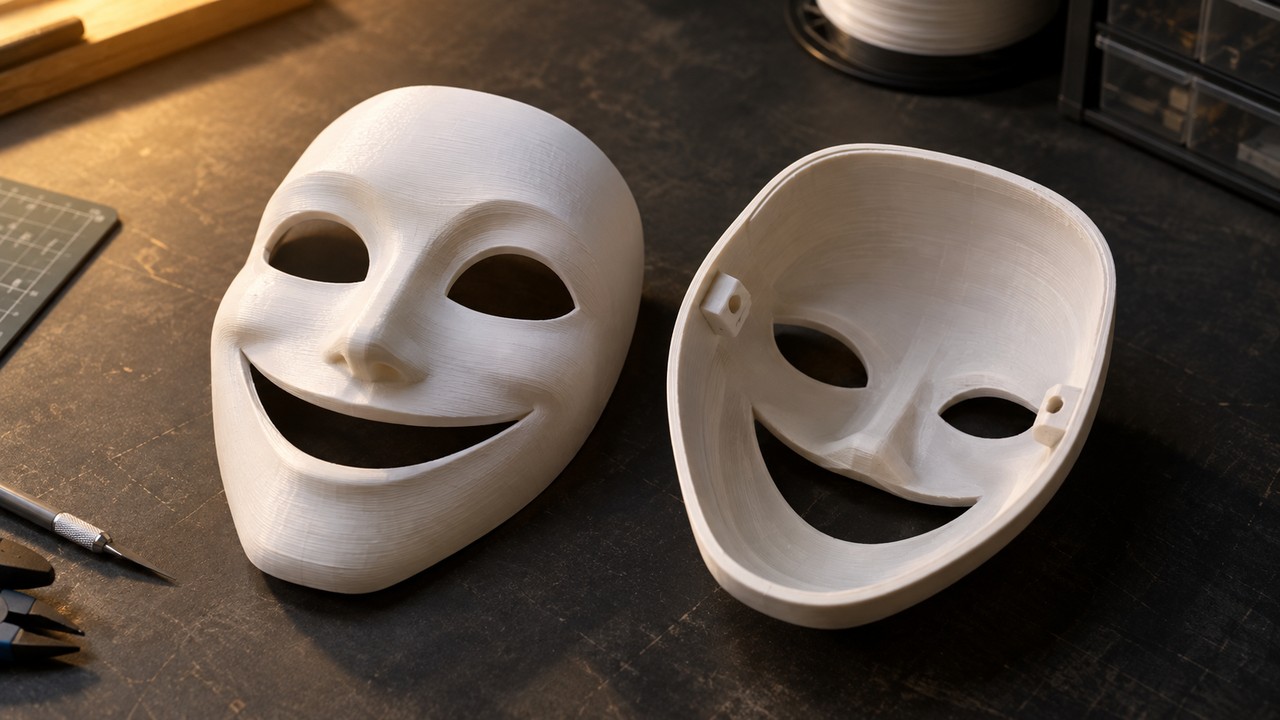
A mask is the prop that most rewards designing it yourself, because a mask has to fit a face. Eye openings, nose clearance, and where the strap sits are all personal, and a downloaded file locks you into the original wearer’s proportions.
The reason masks are also the prop that most often prints badly is orientation. A face is a landscape of overhangs, and if you print it facing upward, every brow and cheekbone needs support. Supports leave scars exactly where the print will be looked at most, which is the front.
The decision that matters: how the mask breaks down. Printing the shell face down hides the support marks inside the hollow, where nobody sees them, and it is the orientation most masks should use. The trade-off is the strap. Anchors printed as thin loops on the shell wall snap off the first time someone pulls the mask on, so either thicken the anchor points considerably in the concept drawing or model them as separate pieces that bolt through a reinforced pad.
Generation brief. Describe a hollow shell with a plain back: “a hollow character mask shell, thin even wall, smooth simple brow, open eye holes, a flat reinforced pad on each inner side for a strap, matte surface.” Asking for the reinforced pads up front is what stops you from drilling into a one-millimeter wall later.
Print notes: for anything a child wears, sand off sharp points and avoid loose magnets, coin cells, and small detachable parts. Home-printed items are not certified toys. The printable design guide covers wall thickness and printability checks in more depth.
Idea 4: A Two-Color Candy Bowl
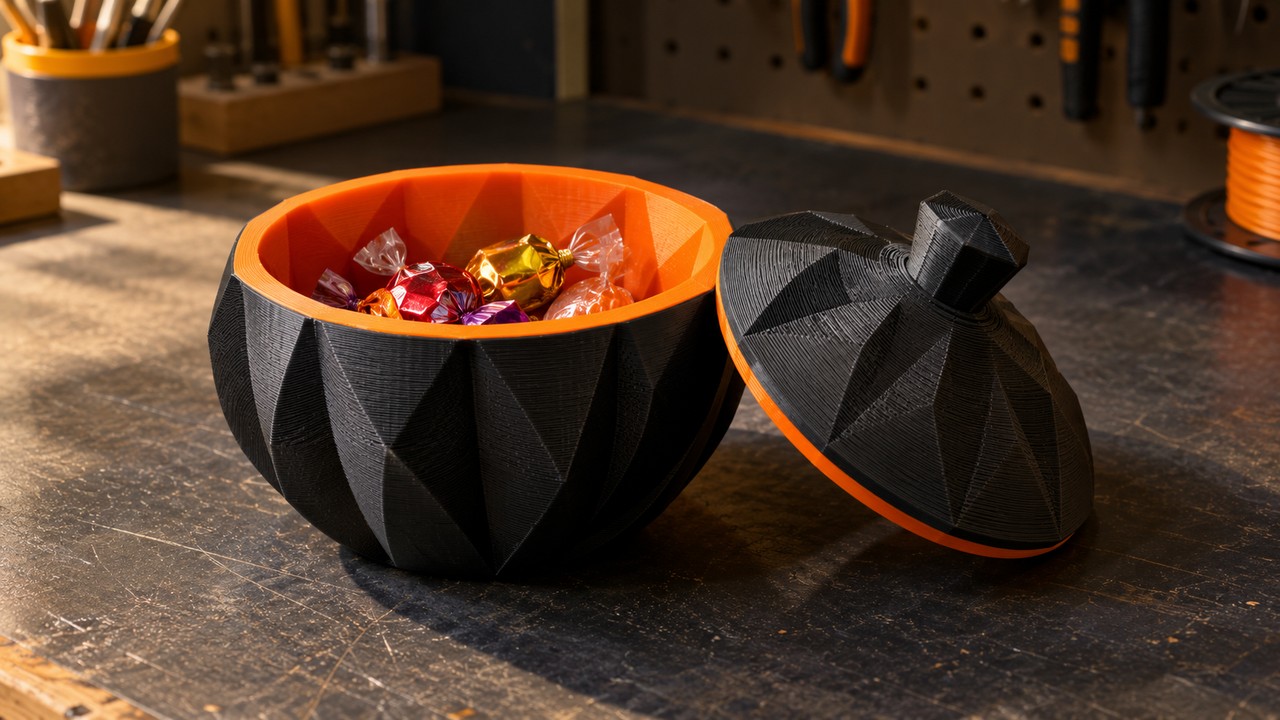
A candy bowl is the cheapest prop on this list in filament terms and one of the highest in daily use, because it is the thing guests actually touch. It is also the clearest case for color separation actually doing work rather than just looking decorative.
The natural split is structural. The outer shell carries the shape and the theme, and the inner bowl is the clean surface that holds the candy. Printing those as two colors is not ornamentation; it makes the boundary between “display object” and “container” legible at a glance, which matters when a bowl is sitting on a dark porch at night.
The decision that matters: whether the two regions can be separated at all. Color separation needs the model to have distinct surface regions to assign colors to, which means the inner bowl needs to be a real geometric feature, not a color you hope gets applied. Design the liner as its own nested volume with a visible rim, and the color split follows the geometry.
How N4D does this. Multicolor works on textured N4D models inside the platform. It reads the model, identifies the coloring regions, and proposes a palette, which you can then adjust between 1 and 8 colors or replace with preset filament colors. Each generation costs 30 Credits, and Credits are returned if the generation fails or times out. The download opens the standard format dialog, defaulting to 3MF with GLB also available. It does not accept local uploads, so the model has to be generated in the platform first.
One boundary worth stating plainly: Multicolor is a software color separation step. It assigns color regions inside the model file. It is not the printer-side multicolor workflow that people usually mean by “multicolor printing,” which is filament swapping through an AMS or a multi-toolhead setup. N4D prepares the color regions in the file; your slicer and hardware still handle the actual material changes.
Generation brief. Describe the nesting explicitly: “a lidded candy bowl, matte outer shell with simple carved facets, a separate inner liner bowl with a visible rim sitting inside the shell, hollow interior.” A rim between the two volumes is what gives the color separation something to follow.
Print notes: ordinary FDM prints are not automatically food safe, because layer lines trap residue between the walls. Keep wrapped candy in the bowl, or print a removable liner that can be washed separately. The coloring workflow guide compares color separation against slicer painting and filament swaps if you want the alternatives.
Idea 5: An Oversized Yard Prop You Split to Fit
Sooner or later every Halloween project runs into the build volume. A marker post, a lantern stand, a figure tall enough to read from the sidewalk: none of them fit on a normal plate, and none of them get smaller just because you want them to.
The mistake is treating splitting as a post-processing problem. Splitting is a design decision, because the cut line determines where the seams land and whether the joints can survive weather and handling. A prop split at an invisible natural seam looks intentional. The same prop split down the middle of its face looks broken.
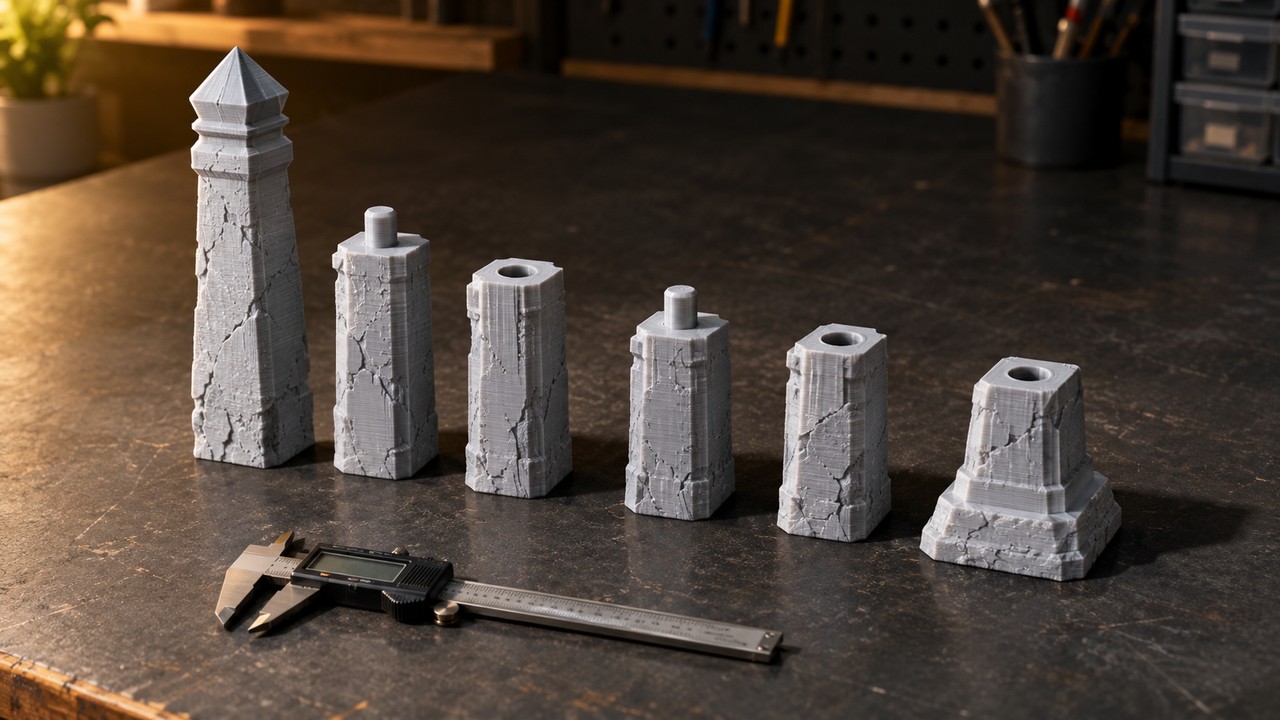
The decision that matters: the connectors, not the cuts. A butt joint held with glue alone will fail outdoors within a season. Pegs, sockets, or a stepped lap joint carry the load and give the glue a surface to work on, and they need clearance the same way printed hinges do. The model splitting guide covers the connector geometry and tolerances in detail.
How N4D does this. Part Split takes one of your own completed N4D models and breaks it into separate parts for printing across several jobs. It is a subscription feature: if you are not subscribed, or your subscription has lapsed, clicking generate is intercepted and nothing is charged. Each split costs 40 Credits and Credits are returned if the split fails. It works on your own finished models in the platform and does not accept local uploads, and it always splits the white model regardless of whether the source had textures. There is a single Smart Split, with no accuracy tiers or custom parameters to tune.
What you get back: the result opens in a viewer listing the parts, with locate, hide, display mode, and exploded view controls for checking the layout before you commit to a print. The download is 3MF by default and contains every part in the current result as a white model.
Two limits worth knowing before you plan around them: neither Part Split nor Multicolor covers slicing, support generation, G-code, or printer jobs. Both prepare model files. Your slicer still does the rest. And Part Split needs a model that already completed successfully in the platform, so generate and finish the prop first, then split it.
Generation brief. Design for the split from the start: “a tall weathered marker post prop, simple cylindrical body with carved notches, flat mating faces at every section boundary, round peg and socket connectors at each joint.” Naming the mating faces and connectors keeps you from having to invent them after the split.
How to Turn Your Own Concept Art into a Printable Model
All five props start the same way: a drawing, then a generated mesh, then an export. The workflow is four steps, and the first one is where most of the quality is decided.
Step 1: Draw the concept
One drawing is enough. What matters is that it reads as a single object with a clear silhouette: a front or three-quarter view, one subject, nothing occluding the outline, and a plain background. Avoid showing the object from an angle that hides the part you care about, because a generator can only work with the shape it can see. Draw the features you decided on above, such as an open base, a nested liner, a reinforcing pad, or a visible connector, directly into the drawing.
Step 2: Generate the mesh
Image to 3D accepts png, jpg, jpeg, and webp files up to 20MB, and you can upload by clicking, dragging, or pasting. Before you generate, choose the topology and the target polycount. Quad topology runs from 1,000 to 100,000 faces and suits parts you intend to rig, animate, or keep editing, while Triangle topology runs from 100,000 to 500,000 and holds finer surface detail. The default is Triangle at 50,000. For a prop that is going straight to a slicer, Triangle at a modest count keeps the file light; for a mask you may want to sculpt further, Quad gives you cleaner edges to work with. Choosing Quad with texture and PBR together costs 35 Credits.
Step 3: Export a printable format
Image to 3D exports OBJ, FBX, GLB, USDZ, STL, and BLEND. STL is what almost every slicer expects, and it carries geometry only. If you exported a 3MF through Multicolor or Part Split, that file brings the color regions or the part breakdown with it.
Step 4: Slice and print
Take the file into your slicer, set the orientation so overhangs land where supports will not mark a visible face, and check the preview before committing. If you want a worked example of the whole chain from generation to a finished physical part, the AI model to physical print walkthrough follows a seasonal project end to end, and the image to 3D print model guide covers the conversion step in isolation.
Two rules for keeping props original
Do not generate recognizable characters. Film, game, and brand characters belong to their owners, and a generated mesh of one is no more sellable than a downloaded STL of one. It also creates a false impression of endorsement, which is why none of the props above reference a franchise. Original designs avoid the problem entirely and are the only ones you can list for sale with confidence.
Check your rights on generated assets. Paid subscribers hold full commercial rights to the assets they generate. Content created on the free plan enters the public domain, and the official request is to credit N4D when it is used commercially. Terms do change, so confirm the current position on the pricing page before you build a product line on it. If selling printed seasonal items is the goal, the miniatures selling workflow and the print-readiness comparison both dig into licensing and what buyers expect.
Ready to Generate Your First Prop?
Print Settings and Safety for Halloween Props
Halloween props fail in a few predictable ways, and most of them are material and setup choices rather than modeling mistakes. The table below covers the settings that decide the outcome for each prop type.
| Prop | Material | The setting that matters | Safety note |
|---|---|---|---|
| Lantern shell | Translucent or natural PLA | Zero infill and thin walls, or the glow turns muddy | Cool battery LED only, never a candle |
| Articulated figure | PLA | Joint clearance resolved at your layer height before the long print | Small loose parts are a choking risk for young children |
| Character mask | PLA indoors, PETG if worn outdoors | Orientation that keeps supports off the face | Sand sharp edges, avoid magnets and coin cells |
| Two-color bowl | PLA for both regions | Color regions must follow real geometry, not a flat tint | FDM prints are not food safe; keep candy wrapped |
| Oversized yard prop | PETG for weather resistance | Connector clearance, plus extra walls at every joint | Anchor anything tall against wind |
Two rules cover most of the accidents. First, light is a heat source only if you let it be: use a cool battery-powered LED tealight or fairy light inside any print, and never a real candle, an open flame, or a hot bulb, because PLA, PETG, and resin all soften well below the temperature of a flame. Second, FDM prints are not food safe by default regardless of filament, because the layer lines create gaps that hold residue; use a removable liner or keep the candy wrapped.
If you are printing for a child, remove sharp points, and avoid loose magnets, coin cells, and small parts that can detach under a tug. A home-printed prop is a prop, not a certified toy. One more thing worth planning around: printed items need to reach whoever is buying them before the holiday itself, so treat the last week of October as the hard deadline for anything shipped rather than a target.
Common Questions About Halloween 3D Prints
Q: Can I sell 3D printed Halloween decorations?
It depends entirely on the license attached to the model. Many Halloween files are published under NonCommercial terms or a personal-use platform license, and commercial rights are often sold as a subscription that lapses when you stop paying. If you generate your own model, the position is simpler: paid Neural4D subscribers hold full commercial rights to the assets they generate, while free-plan content enters the public domain. Never sell a print of a recognizable film, game, or brand character regardless of which license you hold, because those rights belong to the original owner.
Q: How long does it take to print a Halloween prop?
There is no useful single number, because print time scales with the object’s size, your layer height, your nozzle, your wall count, and your infill. An articulated figure can finish in a couple of hours while an oversized yard prop split across six parts can occupy the printer for days. What you can control is the order: prototype the smallest and most failure-prone part first, such as a single joint, so a clearance error costs you twenty minutes rather than a full overnight print.
Q: Is it safe to put a candle inside a 3D printed pumpkin?
No. Do not put a real candle, an open flame, or a hot bulb inside a print. PLA, PETG, and resin all soften well below flame temperature, and a printed shell can deform, sag, or catch. Use a cool battery-powered LED tealight or a fairy light instead. It gives a better glow through translucent filament anyway, because the light source is small and cool enough to sit close to the wall.
Q: Do I need a subscription to use Multicolor or Part Split?
Multicolor is charged per use rather than gated by subscription: each generation costs 30 Credits, and Credits are returned if the generation fails or times out. Part Split is subscription only. If you are not subscribed, or your subscription has expired, clicking generate is intercepted before the split starts and no Credits are deducted; when it does run, each split costs 40 Credits with the same return on failure.
Q: Can I use a picture of a movie character to make a prop?
You can generate a mesh, but you cannot use or sell it safely. Characters from films, games, and brands are protected, and a generated 3D model of one carries the same problem as a downloaded STL of one. It also risks implying an endorsement that does not exist. Designing an original character in the same genre gives you the same visual effect with none of the exposure, and it is the only version you can list for sale.
Conclusion: Make Something Nobody Else Has
Every prop in this list comes down to one decision that a downloaded file has already made for you. Wall thickness and light access for the lantern, joint clearance for the articulated figure, orientation and strap anchors for the mask, a real nested volume for the color split, and connector geometry for the split yard piece. Get those right and the rest is ordinary printing.
Start with the easiest one. Sketch a single lantern shell on paper, generate it, choose Triangle topology at a modest polycount, export an STL, and print it in translucent filament with a battery LED inside. Once you have watched your own drawing glow on the porch, the other four are variations on a workflow you already know.
Turn Your Own Concept Art into a Printable Prop
Upload a drawing, choose your topology and polycount, and export a watertight STL for your slicer. Multicolor and Part Split are there when the prop needs them.
No credit card required • 50 free credits every week