3D Texture Mapping Software: Best Tools for 3D Models
Quick Summary
- 3D texture mapping software projects a 2D image onto a 3D surface through a UV coordinate system, and every other texturing decision depends on that layout.
- Adobe Substance 3D Painter and Mari own hand painting at game and film scale.
- Blender and ArmorPaint cover similar ground at no cost, one through procedural node graphs and the other through open source GPU painting.
- Marmoset Toolbag and Substance 3D Designer hold the baking and procedural authoring stages that most ranked lists skip entirely.
- Neural4D generates a 3D mesh together with its PBR maps in a single configured pass inside Neural4D 3D Studio.
Texture mapping is the step that decides where every pixel of a 2D image lands on a 3D surface. The right 3D texture mapping software turns that step into a controlled process, while the wrong one forces workarounds at export time. The eight tools below are grouped by the pipeline stage each one owns, so the choice follows the workflow rather than the marketing.
Table of Contents
- What 3D Texture Mapping Software Actually Does
- The Four Stages of a Texture Pipeline
- 8 Best 3D Texture Mapping Tools for 3D Models
- Comparison Table: 8 Texture Mapping Tools Side by Side
- How to Choose a 3D Texture Mapping SoftwareHOT
- Where Neural4D Fits in a Texturing Pipeline
- Common Questions on 3D Texture Mapping Software
- Getting From Blank Mesh to Finished Surface
What 3D Texture Mapping Software Actually Does
The technique dates back to Edwin Catmull’s 1974 doctoral work at the University of Utah, which established that a 2D image can be projected onto a curved 3D surface using parametric coordinates. Fifty years later the core idea has not changed: a texture is a flat image, and mapping is the rule set that wraps it around geometry without tearing or stretching.
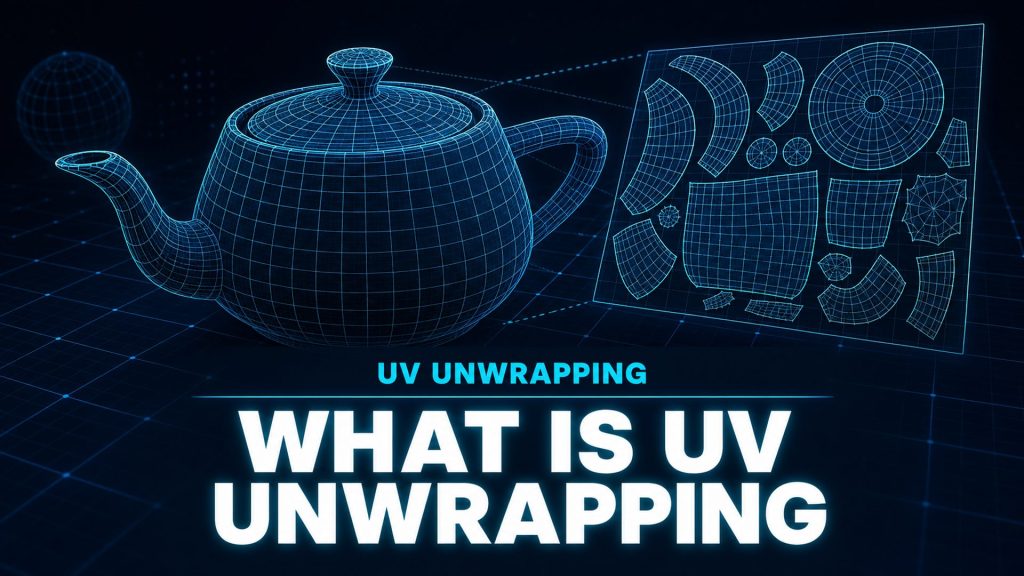
That rule set is the UV layout. Each vertex on the mesh receives a coordinate in a 2D space, and the texture is sampled at those coordinates during rendering. A mesh with no UVs cannot receive a texture at all, which is why UV unwrapping is the real prerequisite for everything that follows in this article.
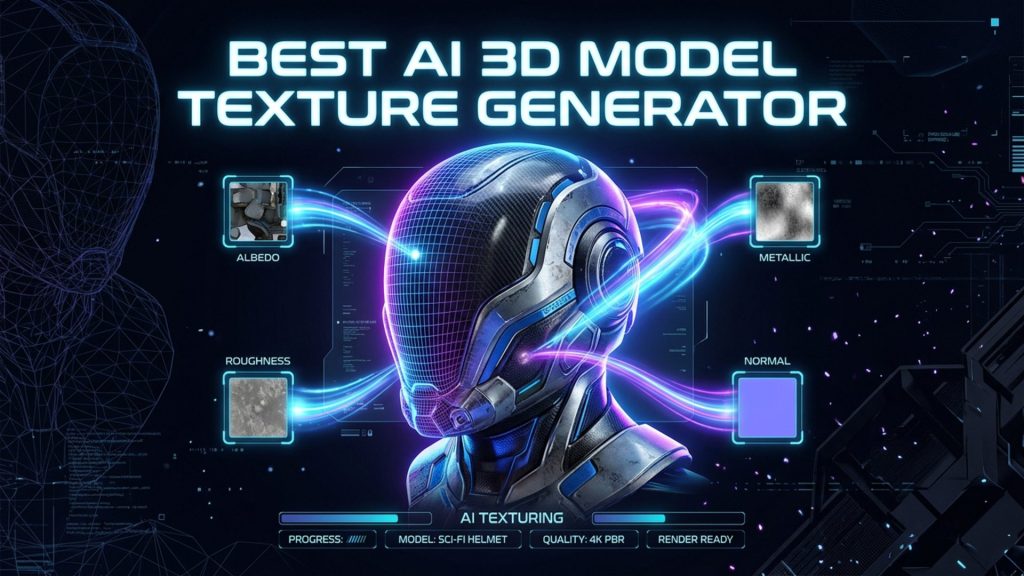
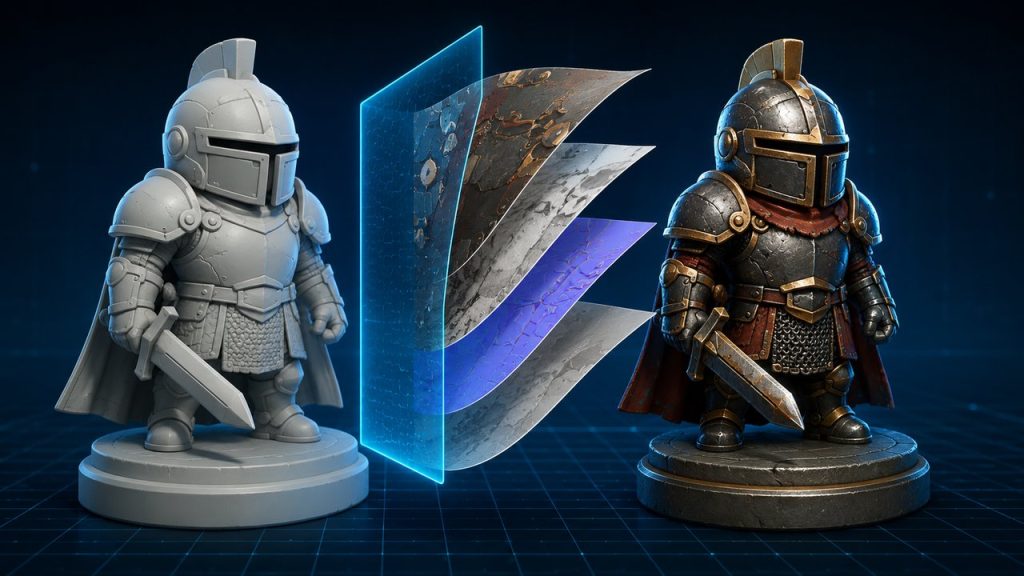
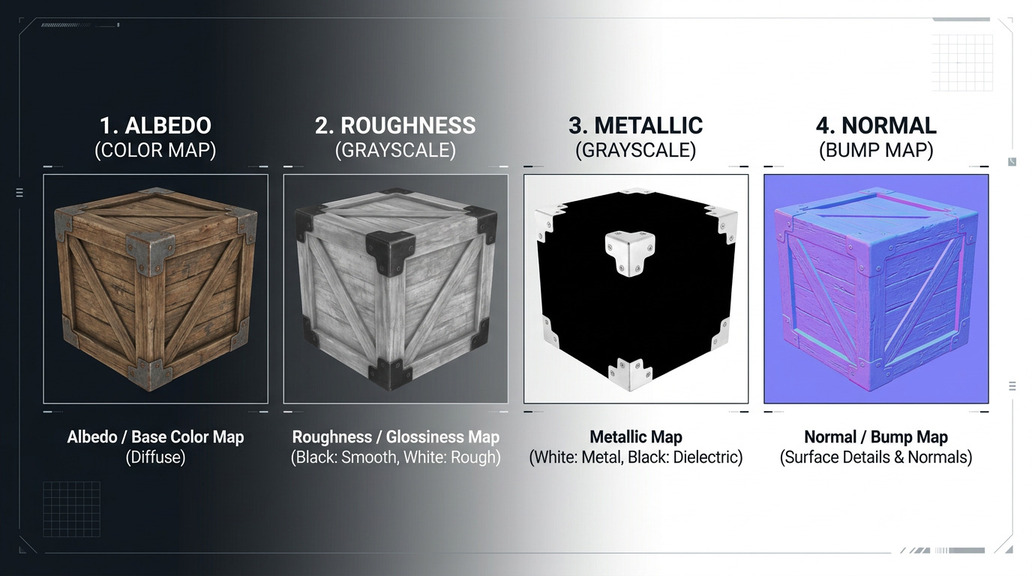
Modern work is mostly PBR texturing, where a surface is described by several separate maps rather than one painted color image. Each map carries a single physical property, and the renderer recombines them under whatever lighting the scene provides. The channel split follows the physically based shading model that Burley formalized in the SIGGRAPH 2012 course notes on physically based shading, and it is why roughness and metallic are stored separately rather than folded into albedo.
| Map | What it controls | Typical format |
|---|---|---|
| Base color (albedo) | The surface color with no lighting baked in | 8-bit sRGB |
| Normal | Surface direction per pixel, adding detail without geometry | 8 or 16-bit linear |
| Roughness | Microsurface scatter, from mirror to matte | 8-bit linear |
| Metallic | Whether the surface behaves as metal or dielectric | 8-bit linear |
| Ambient occlusion | Contact shadowing in crevices and cavities | 8-bit linear |
| Height or displacement | Real geometric offset where the renderer supports it | 16-bit linear |
The practical consequence is that a single texture file is almost never enough. A production asset commonly ships with five to seven maps per material, and the software you pick determines how many of them you author by hand and how many are computed.
The Four Stages of a Texture Pipeline
Most tool roundups rank software on a single axis of quality and leave the reader to guess which one to open first. A texturing job actually passes through four distinct stages, and a tool is worth its license fee only if it covers the stage you are stuck in.
Author → Paint → Bake → Preview
Authoring builds a material procedurally from noise, patterns, and scanned data. Painting applies color and detail by hand through a brush interface. Baking computes map data from geometry, most often transferring high-poly detail onto a low-poly normal map. Preview renders the assembled result in real time so mistakes surface before export.
| Stage | What happens | Who it serves |
|---|---|---|
| Author | Procedural material built from nodes or scanned libraries | Environment and material library teams |
| Paint | Direct brush work on the mesh surface | Character, prop, and product artists |
| Bake | High-poly detail transferred onto low-poly map sets | Game and real-time pipelines |
| Preview | Real-time shading to validate the assembled material | Everyone, before handoff |
Strong tools overlap two stages and weak ones claim all four. Reading the list below by stage is faster than reading it by rank, because a baking specialist and a painting specialist are not competing for the same purchase.
8 Best 3D Texture Mapping Tools for 3D Models
These eight cover the full pipeline between them. Each entry names the stage it owns and the situation it fits, so the list reads as a set of roles rather than a leaderboard.
1. Adobe Substance 3D Painter (Paint)
Substance 3D Painter is the reference point for hand painting on a 3D mesh. Brush strokes project through the surface rather than onto the screen, so paint wraps correctly around curved geometry and stays consistent when the camera moves. Its material system builds complex surfaces from layered smart materials, masks, and generators instead of flat color.
Best for: game artists and product visualization teams who need channel-by-channel control over a PBR set, and who value a mature ecosystem of purchased and shared material libraries.
2. Mari by Foundry (Paint)
Mari was built for texture sets that exceed what a conventional painting application can hold in memory. It handles UDIM workflows natively, where a single asset is divided across dozens or hundreds of texture tiles, each at 4K or higher. Projection painting and node-based procedural layers sit on top of that foundation.
Best for: film and VFX studios texturing hero assets, where a character may carry several hundred UDIM tiles and where pipeline integration matters more than a friendly interface.
3. Blender (Author and Paint)
Blender covers both authoring and painting without a license cost. The Shader Editor builds procedural materials from a node graph, which suits surfaces that need to tile or scale without visible repetition, and Texture Paint mode handles direct brush work on the model. Baking is supported through Cycles.
Best for: independent developers and hobbyists who want modeling, UV work, procedural authoring, and painting in one free application rather than a chain of paid tools.
4. 3D-Coat (Paint and Bake)
3D-Coat combines voxel sculpting with PBR painting and baking in a single application, which removes the round trip between a sculpting program and a painting program. Its auto-retopology and micro-vertex painting handle surfaces that have not been cleanly unwrapped yet.
Best for: artists who sculpt and texture in the same session and would rather not export between two applications to do it.
5. Marmoset Toolbag (Bake and Preview)
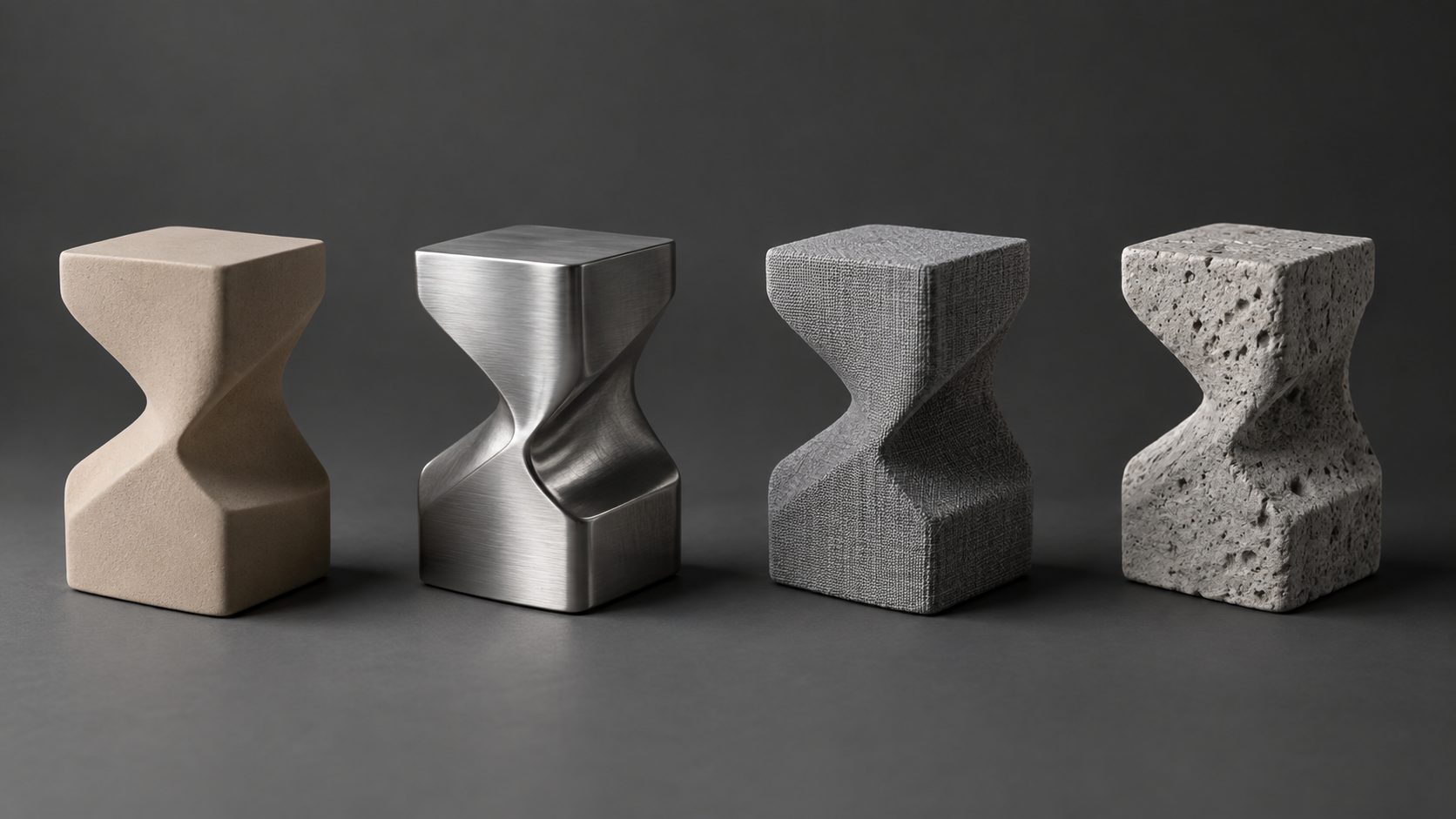
Toolbag owns the stage most lists ignore. It computes normal, ambient occlusion, curvature, and position maps by projecting high-poly detail onto a low-poly cage, then renders the result in a real-time viewer with configurable lighting. Bake errors become visible immediately rather than after a game engine import.
Best for: any real-time pipeline where a high-poly sculpt has to reach a game-ready mesh without losing surface detail. If baking is your bottleneck, this is the specialist rather than the all-rounder.
6. Adobe Substance 3D Designer (Author)
Designer is a node graph environment for building materials from scratch rather than assembling them from a library. A finished graph outputs tiling textures across every PBR channel at once and can expose parameters, so one graph produces concrete, brick, or asphalt by changing a few sliders. It is the tool behind a large share of the materials sold in commercial libraries.
Best for: material artists and environment teams producing reusable, parameterized material sets rather than one-off painted assets.
7. Adobe Substance 3D Sampler (Author)
Sampler turns captured source material into a finished PBR set. Feed it photographs of a wall, a fabric, or a scanned surface, and it produces tiling base color, normal, roughness, and displacement maps, with assisted steps that remove seams and the lighting baked into the source photo. The resulting material then drops straight into a Designer graph or a Painter project without conversion.
Best for: environment artists who need photorealistic surfaces from real-world reference, and teams already working inside the Substance ecosystem who want captured data to arrive pipeline-ready.
8. ArmorPaint (Paint)
ArmorPaint is an open source painting application built on a GPU renderer, with a desktop build and a browser version. It reads standard mesh formats, paints through layers and masks, and exports the usual PBR maps. Development is community driven, so the material library is smaller than the commercial alternatives.
Best for: artists who want Substance-style layer painting without a subscription, and who are comfortable with a smaller ecosystem.
What this list deliberately leaves out. ZBrush Polypaint and Mudbox both paint, but their painting is a secondary feature inside a sculpting application, so they belong in a sculpting comparison. Krita is a 2D editor that handles hand-painted texture authoring without any 3D painting model. Quixel Mixer is excluded for a different reason: Epic Games discontinued it and shipped version 2023.1 as the final build, with no further updates or support, so recommending it to someone starting today would send them onto a tool with no forward path. Each of the others is useful, and none of them is the tool you open to texture a finished model.
Comparison Table: 8 Texture Mapping Tools Side by Side
Read across the stage column first. Two tools that share a stage are direct alternatives; two that do not are usually complements in the same pipeline.
| Tool | Stage | Licensing | External mesh import | Strongest at |
|---|---|---|---|---|
| Adobe Substance 3D Painter | Paint | Subscription | Yes, standard formats | Layered PBR painting with smart materials |
| Mari by Foundry | Paint | Subscription or perpetual | Yes, standard formats | Hundreds of UDIM tiles at 4K and above |
| Blender | Author and Paint | Free, open source | Yes, standard formats | Procedural node materials plus brush painting |
| 3D-Coat | Paint and Bake | Perpetual license | Yes, standard formats | Sculpt, retopologize, and paint in one session |
| Marmoset Toolbag | Bake and Preview | Perpetual license | Yes, standard formats | Cage-based map baking and real-time validation |
| Substance 3D Designer | Author | Subscription | Not mesh based | Parameterized procedural material graphs |
| Substance 3D Sampler | Author | Subscription | Not mesh based | Converting captured photos into tiling PBR sets |
| ArmorPaint | Paint | Free, open source | Yes, standard formats | Layer and mask painting on a GPU renderer |
Two entries break the pattern. Designer works on graphs rather than on a mesh, so import is not part of its workflow at all. Mari sits in the same stage as Painter but targets a different budget bracket and asset scale, which is why both persist in film pipelines.
How to Choose a 3D Texture Mapping Software
Four questions settle the decision faster than any feature comparison, because each one eliminates a group of tools outright.
| Question | If yes | If no |
|---|---|---|
| Do you need to texture meshes you did not create? | Any of the eight, all read external files | A generation pipeline that produces textures alongside the mesh |
| Is the output going into a real-time engine? | Baking matters, so add Toolbag or 3D-Coat | Painting and preview carry the weight |
| Will the same material be reused with variations? | Author procedurally in Designer or Blender | Hand painting is faster |
| Is budget fixed at zero? | Blender or ArmorPaint | The commercial options buy time, not just features |
Scenario shortcuts follow from that. A hobbyist printing textured models needs a tool that exports watertight geometry and reads displacement correctly, which points at Blender or Toolbag rather than at a film-grade painter. An indie game developer usually wants Painter plus Toolbag, because authoring and baking are the two stages that eat schedule time. A material library team should start in Designer and treat painting as an exception. A product visualization artist benefits from Sampler’s captured surfaces, since photorealism there is largely a question of surface variation.
If you want the short version: for texturing a mesh you already have, Adobe Substance 3D Painter is the best overall choice, with Marmoset Toolbag added whenever the result has to bake down for a real-time engine. When the mesh does not exist yet, Neural4D covers generation and texturing in a single pass.
Stop Choosing Between Texturing Tools
Generate the mesh and its PBR maps in one configured pass, then export.
Free plan includes 50 Power credits per week
Where Neural4D Fits in a Texturing Pipeline
Every tool above assumes a mesh already exists. Neural4D approaches texturing from the other end: it generates the mesh and its material maps together, which removes the handoff between a modeling application and a painting application entirely.
Texture generation is configured inside the generation window itself. Both Image to 3D and Text to 3D take the AI Texture options before the run starts, so the maps are computed against the geometry that the same run produces rather than applied to it afterward. Selecting PBR output returns the base mesh and the full map set in one pass instead of two. An untextured base mesh takes roughly 90 seconds, and adding standard textures or full PBR maps increases the total to two minutes or more.
Scope note: Texturing here applies to meshes produced inside Neural4D 3D Studio. The platform does not ingest meshes authored in Blender, Maya, or any other external application, so it is not a substitute for Painter in a pipeline built around imported assets. It is the alternative to that pipeline, not a component inside it.
The supporting pieces matter too. AI UV mapping handles the coordinate layout that section one described as the prerequisite for any texture work, so the UV stage does not have to be done by hand first. N4D runs the whole sequence from a browser tab, with no modeling or painting application installed, and models generated this way export as watertight meshes suitable for printing or engine import. For teams already producing assets this way, generating PBR textures from an image is the fastest route from a reference photo to a shaded asset.
Where the eight tools above give you control over every channel of an existing mesh, Neural4D gives you a finished, correctly mapped asset without opening a painting application at all. The two approaches solve different problems, and picking between them starts with whether the mesh already exists.
Common Questions on 3D Texture Mapping Software
Texture mapping is the projection of a 2D image onto a 3D surface through a coordinate system, usually a UV layout. Texture painting is the act of authoring the pixel values in that image. Mapping defines where each pixel lands on the model, while painting defines what the pixel contains. You can map a texture you never painted, and you can paint a texture that never reaches a model if the UV layout is missing or broken.
Import the mesh into a tool that accepts external files, then verify the UV layout before painting. Most meshes that are purchased or downloaded arrive already unwrapped, so the practical steps are checking texel density, fixing overlapping islands, and confirming that the material slots match the map set you intend to author. If the mesh has no UVs at all, unwrap it first, because every downstream painting and baking operation depends on that layout.
A complete physically based set covers base color, normal, roughness, metallic, and ambient occlusion, plus height or displacement where the target renderer supports tessellation. Emissive maps are added when a surface emits light. Each channel carries one physical property, which is why a single texture file is rarely enough for a production asset.
Stretched textures come from uneven texel density, meaning some UV islands cover far more surface area than others at the same texture resolution. Blurry areas usually have too few pixels per unit of surface, often on large flat faces that were scaled down during unwrapping. Redistributing island scale so that density stays consistent across the model fixes both problems without raising the texture resolution.
Yes, and most production pipelines do. A typical chain authors a procedural material in one application, paints hero details in a second, bakes the result into game-ready maps in a third, and inspects the finished asset in a fourth. The transfer format is the map set itself, so as long as each application reads and writes the same channel layout, the tools combine without conflict.
Getting From Blank Mesh to Finished Surface
The list is short once the pipeline is divided into stages. Painting is the crowded stage, and Painter or Mari covers it depending on asset scale. Authoring belongs to Designer, Blender, or Sampler. Baking belongs to Toolbag or 3D-Coat, and skipping it is the most common reason a real-time asset looks wrong after import. Preview closes the loop.
If the mesh does not exist yet, the calculus changes. AI 3D texture generators such as Neural4D produce the geometry and the material together, which removes the modeling-to-texturing handoff that the eight tools above all assume. The deciding question for 3D texture mapping software is whether the model is already in hand or still has to be created.
Generate the Mesh and the Material Together
Select PBR output before you generate, and the maps arrive with the model.
No installation required, runs in the browser