2D vs 3D Animation: Which Workflow Fits Your Project?
Quick Summary
- The real difference is not flat versus realistic. It is what you own when production ends: a stack of drawings that play back as video, or a rigged asset that can be posed, lit, and filmed again.
- 2D cost grows with screen time and every new angle. 3D front-loads modeling and rigging, then reuses that work across shots, formats, and products.
- Choose 2D for a fixed stylized look at a fixed length. Choose 3D when the same character has to appear in many shots, camera angles, games, or product views.
- AI lowers the cost of getting a 3D asset, not the logic of the decision. A generated clip is still a clip; a rigged model is still the thing you can reuse.
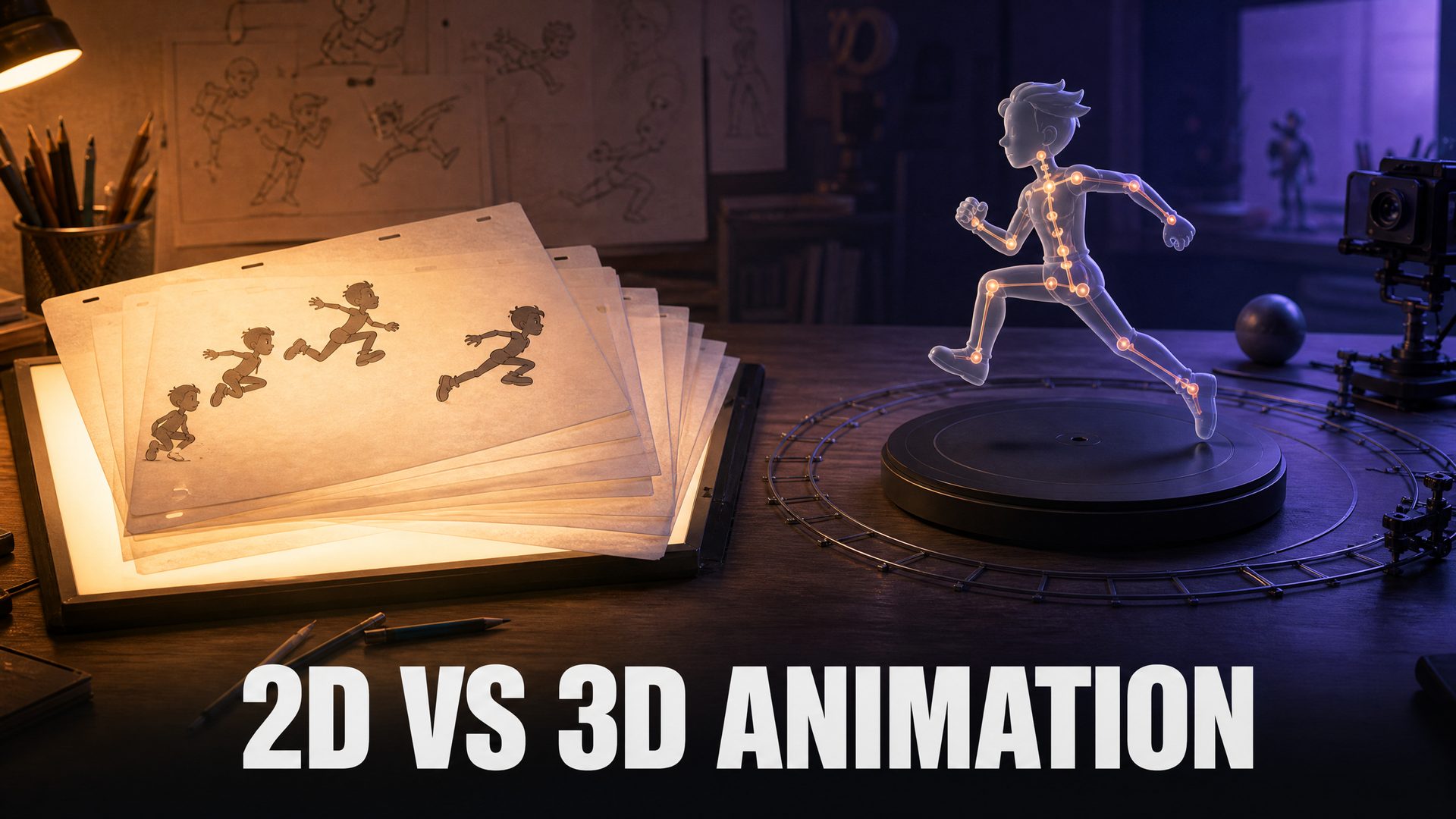
The difference between 2D and 3D animation is not flat versus realistic. It is what the production leaves you with. A 2D project ends with drawings or layered scenes that play back as finished footage. A 3D project ends with a rigged asset that can be posed again, lit differently, filmed from a new angle, and reused in a game, an AR viewer, or a product page. That one difference drives the budget curve, the skills you need, and the projects each workflow actually fits.
What 2D and 3D Animation Actually Are
The two workflows produce moving images in completely different ways, and that difference explains almost every trade-off later in this article.
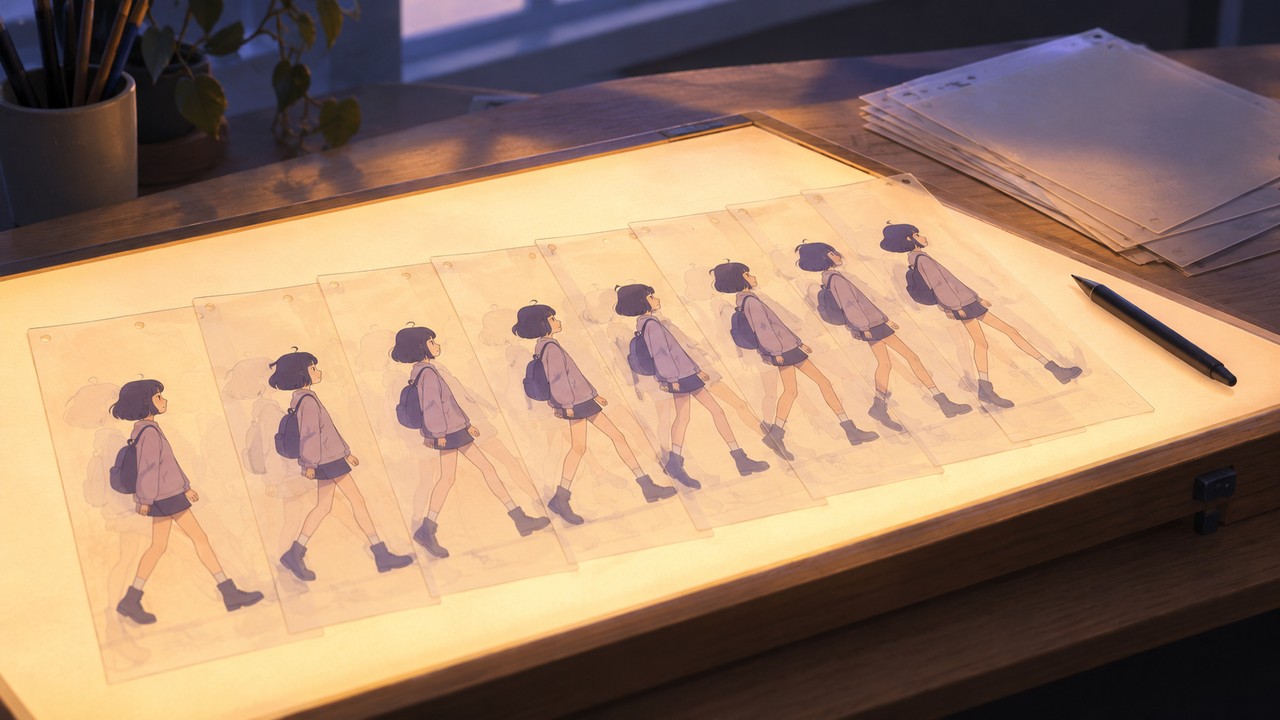
2D animation is a sequence of drawings
In traditional 2D, every frame is drawn. Digital production can replace paper with tablets and cels with layers, and cutout or puppet rigs let an artist move a drawn arm or mouth without redrawing the whole character. The authoring unit is still a picture. At 24 frames per second, a shot is often animated on twos, so about 12 drawings carry a second of footage, and fast action needs more. The camera can pan, zoom, or cut between drawings, but it cannot walk around the subject, because there is no space behind the drawing to walk into.
3D animation is a rigged scene
In 3D, an artist builds a mesh, gives it a skeleton, and poses that skeleton on keyframes. The software interpolates the frames between poses. Lighting is calculated rather than painted, and the camera is a real object inside the scene, so a new angle is a camera move. The same model can be re-posed, re-textured, or placed in a different environment without being redrawn.
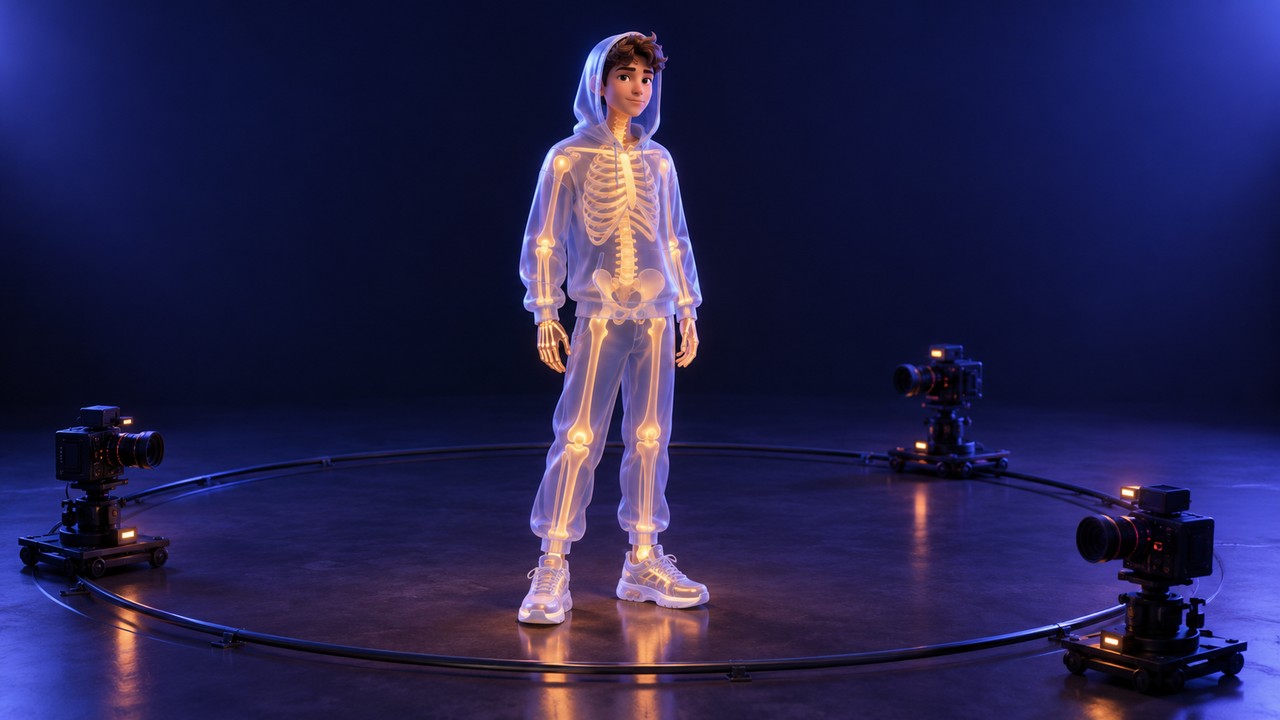
Put simply: 2D animates the picture, while 3D animates a scene that produces pictures. Keep that sentence in mind, because every cost and reuse question below follows from it.
2D vs 3D Animation: The Differences That Change Your Budget
Most comparisons stop at visual style. Style matters, but it rarely decides the budget. These are the dimensions that do.
| Dimension | 2D animation | 3D animation |
|---|---|---|
| What you animate | Drawings or 2D layers, frame by frame or with a cutout rig | A mesh driven by a skeleton and keyframes |
| New camera angle | Redraw the subject for that angle | Move the camera |
| Cost curve | Lower to start, rises with screen time and detail | Higher setup, then cheaper per additional shot |
| Main skill | Drawing, timing, staging, acting on paper | Spatial reasoning, rigging, lighting, software |
| Typical deliverables | Video frames, sprites, layered scenes | Video plus a 3D asset for games, AR, or product use |
| Reuse after delivery | Limited to the art that was drawn | Pose, material, camera, and format can change |
The common claim that 2D is cheaper is only true at the start. A simple 2D shot has no model, no rig, and no render farm, so a short piece with one character and a fixed camera is usually the faster way to a finished video. That advantage narrows as the shot gets longer and more detailed, because every extra second needs more drawings, and every new angle needs art that does not exist yet.
3D inverts the curve. The first shot is expensive: modeling, UV layout, textures, a skeleton, skin weights, and a lighting setup all have to exist before anything moves. After that, a second shot of the same character costs far less, because the expensive parts are already built. The crossover point is not about length alone. It is about how many times you will use the asset.
The skill demand is different rather than higher. 2D rewards drawing ability, timing, and an eye for silhouette and staging. 3D rewards spatial thinking, patience with software, and an understanding of how joints and weight work. An artist can be excellent in one and slow in the other, which is why “which is easier” has no universal answer.
Asset Reuse Is the Real Dividing Line
Reuse happens at three levels, and 3D wins at all three once the asset exists.
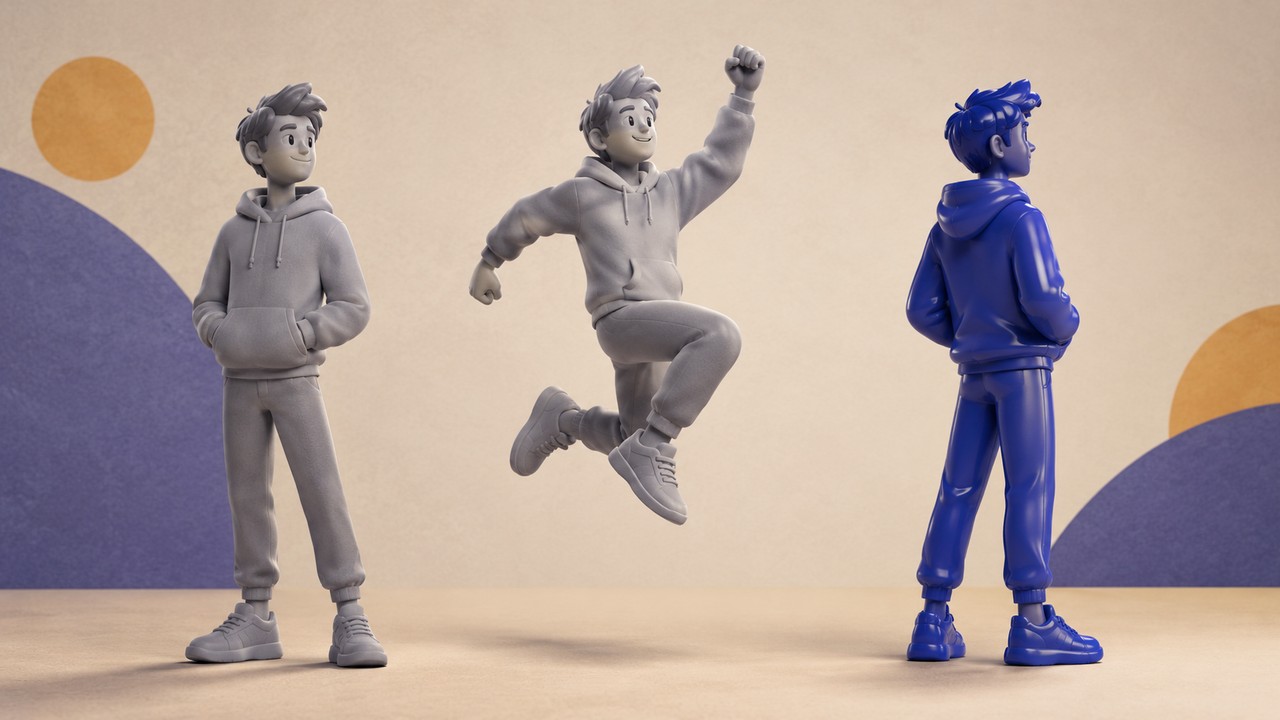
Pose and motion. A rigged character can carry a library of animations: walk, run, wave, sit, fight. In 2D, a cutout rig can reuse body parts, but a genuinely new pose or a new viewing angle often means new art. That is why a 2D character in a game usually appears from one or two directions, while a 3D character can be seen from any direction the camera chooses.
Look and variation. Changing a 3D character’s outfit, color, or material is a texture and material change. The same mesh can become a different character with a new skin. In 2D, a costume change is generally a redraw of every frame in which the costume appears.
Format and destination. A 3D asset can be exported to a game engine, an AR viewer, a product configurator, a 360 degree listing, or a rendered still. A 2D animation stays a flat sequence. If the same character has to appear in a game, a store page, and a video, 3D can serve all three from one source; 2D cannot, because each destination needs its own drawings.
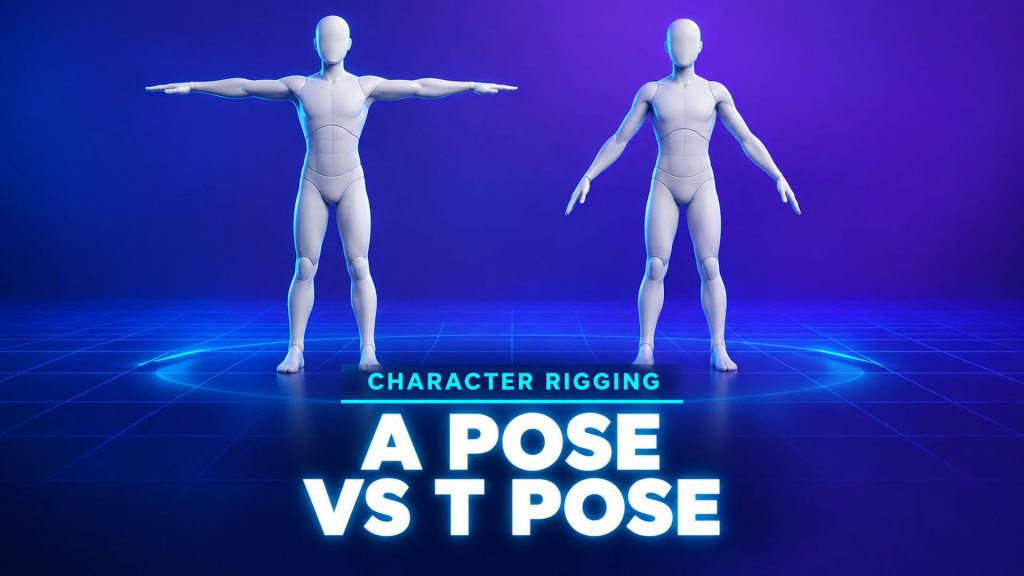
For rigging, the preparation starts before animation. Humanoid models are usually generated or modeled in a standard A-pose or T-pose so the limbs sit away from the body and the rig can bend them cleanly. That is a 3D-specific step with no 2D equivalent.
Reuse only pays if you actually reuse. A one-off clip with a locked camera does not need a rig, and building one would be wasted effort. The honest test is to list every place the character or object will appear after the first video. If that list has one item, 2D is usually the shorter path. If it has several, the 3D setup starts earning its cost on the second use.
Need a Reusable Character Instead of a Single Clip?
How to Choose for Your Project
Skip the abstract debate and match your situation to the output you need.
| Your situation | Better fit | Why |
|---|---|---|
| A short explainer with a fixed style and a locked camera | 2D | No rig or render setup, and the look is fully under the artist’s control |
| A recurring character across many episodes | 2D, unless angles and outfits keep changing | Drawing style is the product, but every new view is new art |
| A playable game character or an interactive scene | 3D | The engine needs a mesh, a skeleton, and animations, not video frames |
| A product model, AR view, or 360 degree listing | 3D | The viewer must orbit and inspect a real object |
| An anime style short with a fast turnaround | Hybrid | A 3D base with cel shading or AI assist can keep the 2D look while reusing the rig |
| A first project by a solo creator | Whichever skill you already have | Drawing skill favors 2D, software comfort favors 3D, and neither is a shortcut around practice |
One practical rule cuts through most of it. Ask what you must deliver after the first video. If the answer is another video with the same character, either workflow can work. If the answer is a game asset, an interactive viewer, a product page, or a shot from a new angle, the request is already for a 3D asset, even if nobody has said so.
If you pick 3D, plan the pipeline before you animate. Modeling and rigging are separate stages, and the quality of the first determines how much the second can do. The AI animation walkthrough shows how those stages connect in a single tool.
Hybrid Approaches: 2.5D, Cel Shading, and Mixed Scenes
You do not always have to choose. Hybrid production is common, and it usually means one of three things.
Cel shading renders a 3D model with flat bands of color and ink-like outlines so it reads as 2D. The model still has a rig and a camera, so the shot keeps 3D’s reuse and camera freedom while looking drawn.
2.5D places flat layers at different depths, either in a 3D scene or in compositing software. It adds parallax and limited camera movement to 2D art without building full geometry.
Mixed scenes combine a 3D character or prop with a painted 2D background, or the reverse. The character keeps its rig and the background keeps its hand-made look.
These approaches inherit the trade-offs of their base. A cel-shaded 3D character is still a 3D asset that can be re-posed and re-cameraed. A 2.5D scene built from flat layers still needs new art for a new angle. The 3D animation pipeline is the same whether the final frame looks drawn or rendered.

Where AI Fits in 2026, and Where It Does Not
AI has changed the entry cost of 3D, not the logic of the decision. The expensive part of 3D used to be building the model. That step is now much faster: a text description or a single image can produce a mesh in minutes, and the artist can choose topology and polycount before generation instead of cleaning up whatever came out.
That matters for animation because topology decides how well a model bends. A quad-based mesh is easier to rig and edit; a triangle mesh keeps more surface detail. Generation settings and pose guidance also help: humanoid characters can be requested in A-pose or T-pose, which requires a subscription, so the limbs are ready for a skeleton.
What AI has not changed is the difference between a clip and an asset. AI video tools can generate a finished moving image in a drawn or rendered style, but the output is pixels, not a rig. You cannot re-pose a generated clip, move its camera, or export it as a game character. That is a different product category from an animatable 3D model.
N4D, an AI 3D generation platform, sits on the asset side of that line. A character can be generated from text or an image with Quad topology for rigging, exported as OBJ, FBX, or GLB, and, when it is a Studio asset at or under 300K polygons, rigged and animated with preset motions inside Animate. The animated result downloads as GLB. The limits are real: Animate takes Studio assets only, motions are preset rather than custom, the current motions are recommended for anime girl style characters, and GLB is the only export format. For a broader look at what AI animation tools can and cannot do, see the AI video generator comparison for animation.
Product scope note
N4D Animate animates static 3D assets generated in N4D Studio. It is not a 2D animation tool and does not accept local model uploads. N4D Video Generation is a separate 2D video feature that outputs MP4 and does not read or produce 3D models, so there is no 3D to video handoff between them.
If your goal is a reusable 3D character, the practical starting point is the AI 3D animation generator, which walks through asset selection, rigging, preset motion, and export. Models that need custom skeletal control still belong in dedicated animation software, and the auto-rigging step is what makes the handoff possible.
Frequently Asked Questions
Q: Is 3D animation harder than 2D animation?
It is a different difficulty, not a higher one. 3D asks for spatial reasoning, rigging knowledge, and comfort with software; 2D asks for drawing skill, timing, and the ability to act through line and pose. Someone with a strong drawing background will usually learn 2D faster, and someone who thinks in systems will usually find 3D more natural. Both require years of practice to reach a professional level.
Q: Is 2D animation cheaper than 3D animation?
Usually at the start, not always overall. A short, simple 2D piece avoids modeling, rigging, and rendering, so it is often the cheaper way to finish. A long project that reuses one 3D character across many shots, angles, and products can cost less than redrawing that character every time. The deciding variable is reuse, not the label on the workflow.
Q: Can you mix 2D and 3D animation in one project?
Yes, and it is common. Cel shading renders a 3D model with flat color and outlines so it reads as 2D, 2.5D layers add depth and parallax to flat art, and mixed scenes place a 3D character in front of a painted background. The hybrid keeps the strengths of its base: a cel-shaded character is still rigged and reusable, while a layered 2.5D scene still needs new art for a new angle.
Q: Does 3D animation always require modeling from scratch?
No. Studios reuse internal assets, buy models, and build on existing rigs all the time. For an independent creator, the options now include generating a base mesh from text or an image, then rigging and animating it. What you cannot skip is the rigging and animation work itself, because a static mesh does not move on its own.
Q: Which is easier to learn, 2D or 3D animation?
Pick the skill you want to build. 2D is easier to start if you already draw, because the tools are simpler and feedback is immediate, but improving the animation itself takes the same long study of timing and weight. 3D is easier to start if you enjoy technical systems, because the software assists with perspective and interpolation, but the rigging and scene setup add their own learning curve.
Q: Can AI turn a drawing into a 3D animation?
AI can turn a drawing into a 3D mesh, and it can apply a preset motion to a rigged model. That is not the same as one click drawing to finished animation. The mesh still needs a usable topology and a skeleton, and the motion still has to suit the character. In N4D, the current preset motions are recommended for anime girl style characters and are applied only to Studio assets under the 300K polygon limit. A custom performance still requires an animation tool.
Conclusion: Pick the Output, Then the Style
Start with the deliverable, not the look. If the project ends with a video and the character will never be seen from another angle, 2D is the direct route. If the character, prop, or scene has to survive the first video as something you can re-pose, re-skin, re-camera, or ship into a game or product page, you are buying a 3D asset, and the setup cost belongs in the plan.
The style is a separate decision. Cel shading can give a 3D asset a drawn look, and 2.5D can add depth to 2D art. What cannot be faked later is the asset itself, which is why the reuse question should come first.
Build a Character You Can Animate Again
Generate a 3D character with animation-friendly topology, rig it, apply a preset motion, and export an animated GLB.
Free accounts refill 50 credits every week