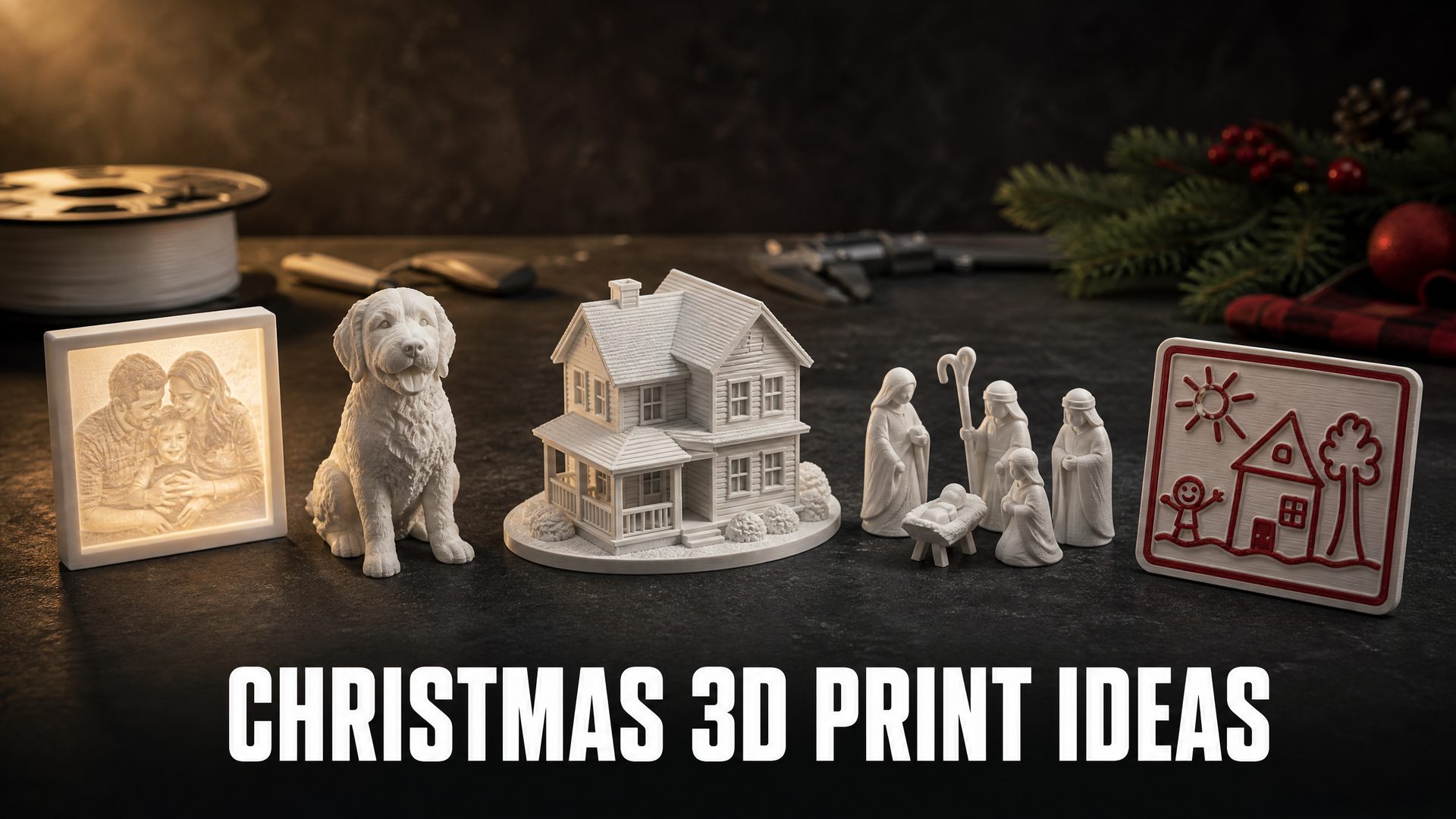
Christmas 3D Print Ideas: 7 Personalized Gifts for Your List
Quick Summary
- The best Christmas 3D print ideas are the ones that could only be for one person. A downloaded snowman is a nice gesture; a print made from a family photo or a child’s drawing is a different kind of gift.
- Seven ideas, organized by recipient: a photo lithophane ornament, a pet or partner figurine, a first home model, a family nativity set, a child’s drawing relief, a tree topper, and a batch of small gifts.
- Each idea comes with the one design decision that decides whether it prints well, plus the photo or description it needs.
- N4D turns a photo or a written description into a printable mesh. The lithophane and multicolor steps are optional, and both have clear limits you should know before you start.
The most useful Christmas 3D print ideas are the ones that could only be for one person. A downloaded snowman is a nice gesture. A lithophane of a grandparent’s wedding photo, a figurine of the family dog, or a model of the first house someone bought is a different category of gift. Personalizing a print no longer requires CAD experience. You need one clear photo or one written description, a way to turn it into a printable mesh, and a plan that fits before December 25. This guide covers seven gifts for a real list, each with the design decision that decides whether it prints well and the settings that matter.
Why Personalized Christmas 3D Print Ideas Beat Downloaded STLs
Downloading a model is faster, so the case for making your own has to be concrete. At Christmas there are three specific problems, and each one gets worse the closer you get to the holiday.
The license problem. Free access is not free use. Many seasonal models are published under a NonCommercial license or a personal-use platform license. Where commercial rights exist, they are often tied to an ongoing membership that lapses when the membership does. None of these licenses cover a character owned by a film studio, a game publisher, or a brand, so a downloaded file of a recognizable character is still not something you can sell. If you generate the model yourself, the rights question is simpler, and the AI tools for 3D printing comparison covers the licensing differences between platforms.
The fit problem. A downloaded model was built for the designer’s purpose and the designer’s printer. Scale is not free. Enlarge a small ornament by 30 percent and its wall gets 30 percent thicker, its hanging loop gets heavier, and the balance on a branch changes. Shrink a figurine and the face loses the detail the designer counted on. Designing for your own size is often easier than fighting someone else’s proportions.
The sameness problem. The most popular holiday files get printed by thousands of people, which is good for the hobby and bad for a gift that is supposed to feel personal. A teacher who receives the same downloadable snowflake from three families can tell. A print made from her own classroom photo cannot be mistaken for anyone else’s.
None of this requires learning CAD. The barrier to a personal gift is one usable photo or one clear description, and the design decisions below are the ones that actually change the result. There is also a limit worth stating at the start: if you need crisp raised lettering, a joint that moves, or a part that fits another part, AI generation is not the best tool. Use a modeling program or a proven STL for those jobs and save the personalized route for gifts where a photograph or a drawing is the starting point.
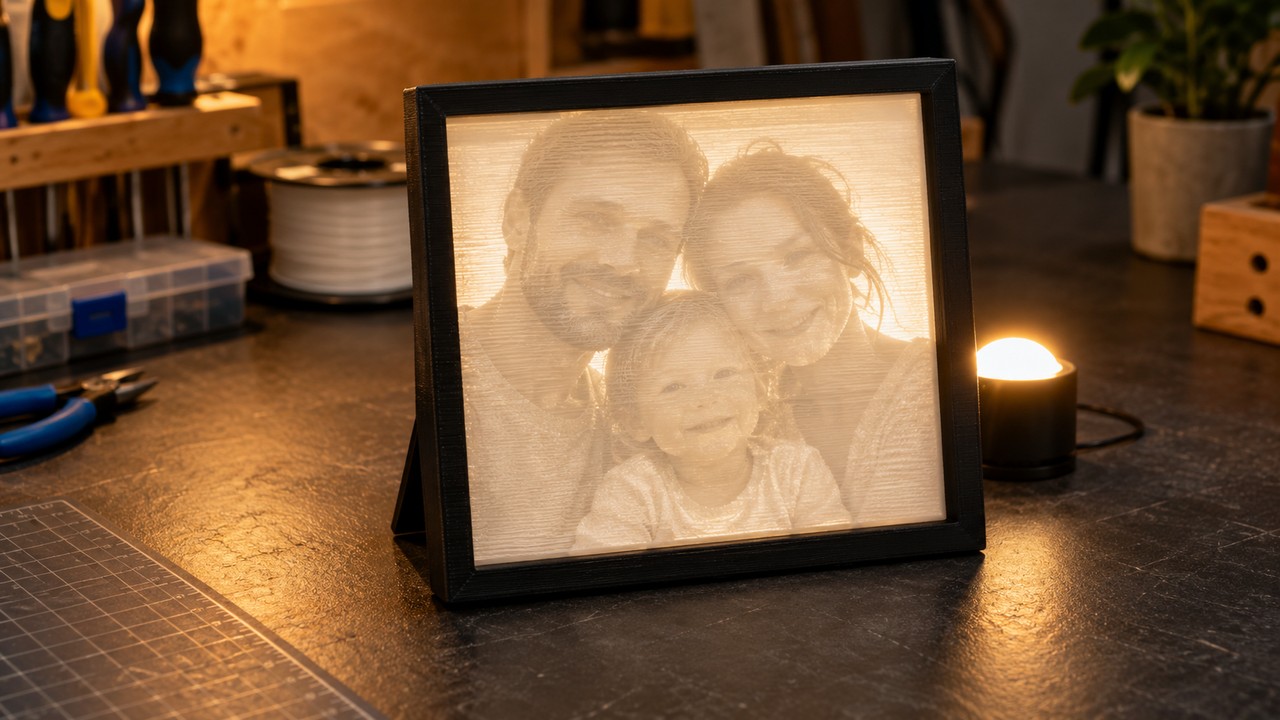
Idea 1: A Photo Lithophane Ornament for Grandparents
A lithophane is a thin panel whose thickness follows the brightness of a photo. Dark areas print thicker and light areas print thinner, so when the panel is backlit the image appears in grayscale relief. It is one of the few 3D printing techniques where the result looks unlike anything a buyer expects from a printer, which is why it lands as a gift.
The decision that matters: the photo, not the machine. A lithophane reads light through plastic, so it needs strong contrast and a clear subject. Choose a photo where one face or one animal fills most of the frame, the background is plain, and the lighting is even. Avoid backlit shots, heavy filters, and small groups where every face becomes a few millimeters wide. For a pet, a side or three-quarter view with clear ears and muzzle reads better than a straight-on shot where the nose disappears.
How N4D does this. The AI Lithophane Maker accepts JPG, PNG, and WebP images and returns a watertight STL. The official page recommends printing the panel vertically with 100 percent infill, a 0.1mm to 0.12mm layer height, a speed around 40mm/s, and a brim, in white PLA or PETG. Those are the settings that give the thickness map enough resolution to read as a photograph.
One limit to plan around: the maker exports a flat panel, not a finished ornament. The page does not document a hanging hole, so budget for a printed frame with a loop, a small stand, or a clip. Decide which one before you print, because the panel’s size and border should match it.
Size and finish. A 60mm to 80mm panel works as a tree ornament when framed. A 100mm to 150mm panel is better as a small backlit display for a shelf or windowsill. Print one at final size before committing to a batch, and check the face at arm’s length rather than under a magnifier. The image should read at the distance it will be viewed.
Idea 2: A Miniature Figurine of a Pet or Partner
A small figurine is the most direct way to turn a photo into an object, and pets are the safest subject. People are forgiving about a dog’s likeness and delighted by the pose. A figurine of a person is harder, but it still works when the goal is a recognizable silhouette and posture rather than a perfect face.
The decision that matters: the photo. Choose a full-body shot, a three-quarter or side view, a plain background, and even light. The subject should be unobstructed, with arms close to the body and simple clothing. Thin straps, jewelry, loose hair, and objects held in front of the body are the details a single image cannot resolve. Dark fur or dark clothing also hides surface shape, so a lighter subject or a side light helps.
How N4D does this. Image to 3D accepts png, jpg, jpeg, and webp files up to 20MB. Triangle topology keeps surface detail, which is the better choice for a figurine that will be printed at 80mm or larger. Export an STL for the slicer. The image to 3D print model guide walks through the conversion if this is your first one.
What not to expect. A single photo gives the generator one view, so the back of the head, the far side of the body, and anything hidden will be inferred. At 80mm to 120mm, the face will read as a suggestion rather than a portrait. That is normal. If you need a closer likeness, a multi-view capture or a sculpted model is the right route, not a single snapshot.
Print notes: print at 0.16mm to 0.2mm with supports under the chin, arms, and tail. Add a small base so the figure stands without a prop. A figurine is also the gift most likely to be handled, so give it three walls and enough infill to survive a drop.
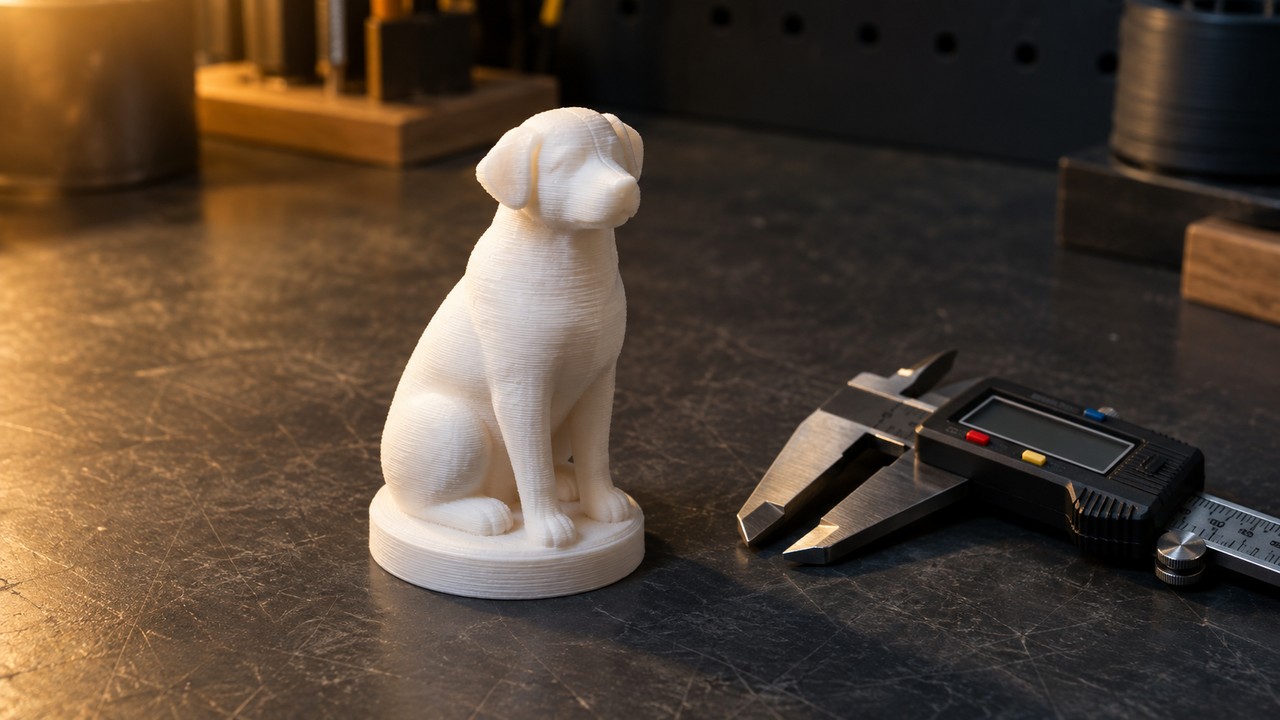
The walkthrough below follows the path from a photo to a printed part in N4D if you want to see the sequence before you upload a family photo.
Idea 3: A First Home Model for a New Homeowner
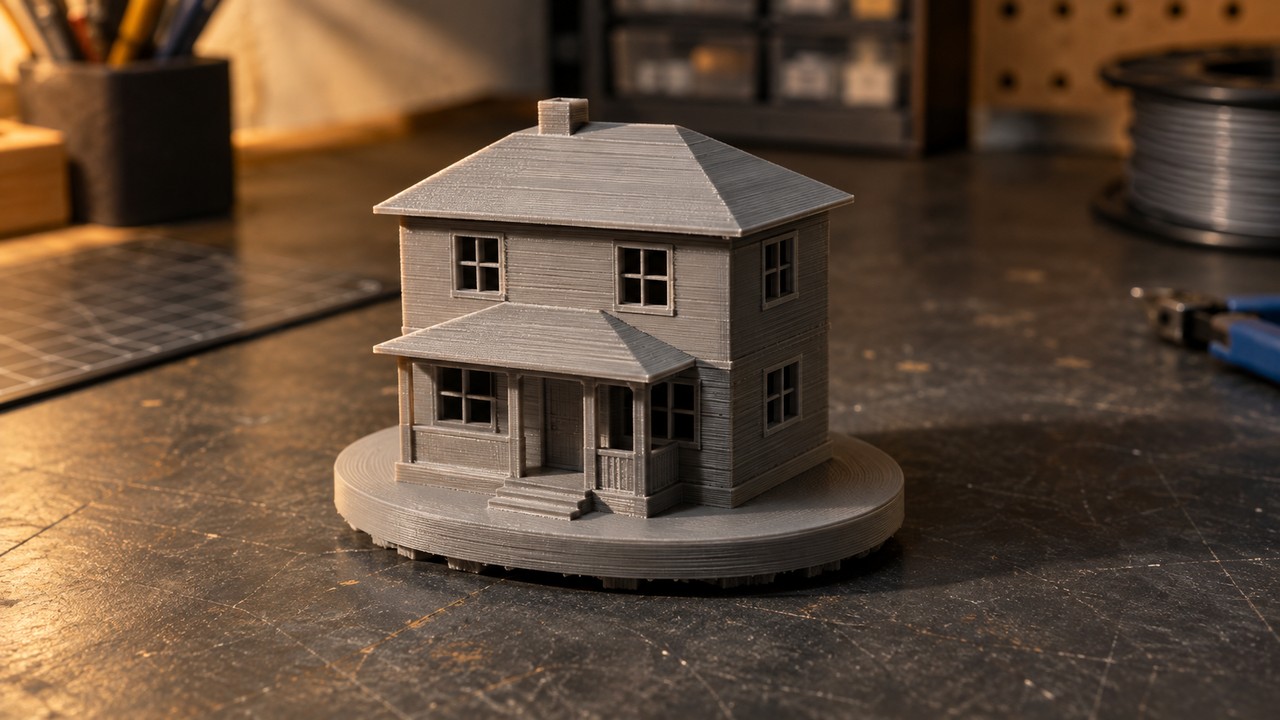
A model of someone’s house is a strong gift for a first Christmas in a new home, and it is one of the cheapest ideas on this list in filament terms. It also avoids the biggest weakness of photo-based gifts: a house is mostly straight lines and repeated windows, so the eye accepts a simplified version.
The decision that matters: simplification. At ornament scale, window frames, porch rails, and roof trim merge into one blob. Choose a size where the main windows stay separate, and keep the frames at roughly 1mm or wider so they survive slicing. Accept that small trim will disappear. A front view is easiest to read. A corner view shows two walls and looks more like a building, but it also doubles the surfaces the generator has to guess. Use a photo you took yourself, not a listing image, both for image quality and for permission to use it.
How N4D does this. Use Image to 3D with a straight-on or corner photo, then export an STL. A flat back is an advantage: rotate the model so the rear wall sits on the build plate, and the print needs little or no support. Add a small oval or rectangular base in your slicer or modeling tool so the house does not tip.
Print notes: 0.2mm layers are fine because the model has no fine surface detail to protect. Use 15 percent infill and three walls. If the model comes back with a hollow or missing rear wall, reprint it with the opening facing the plate, or close the gap in a modeling tool before slicing. A solid, closed model is easier to print and easier to gift.
Idea 4: A Family Nativity Set in One Style
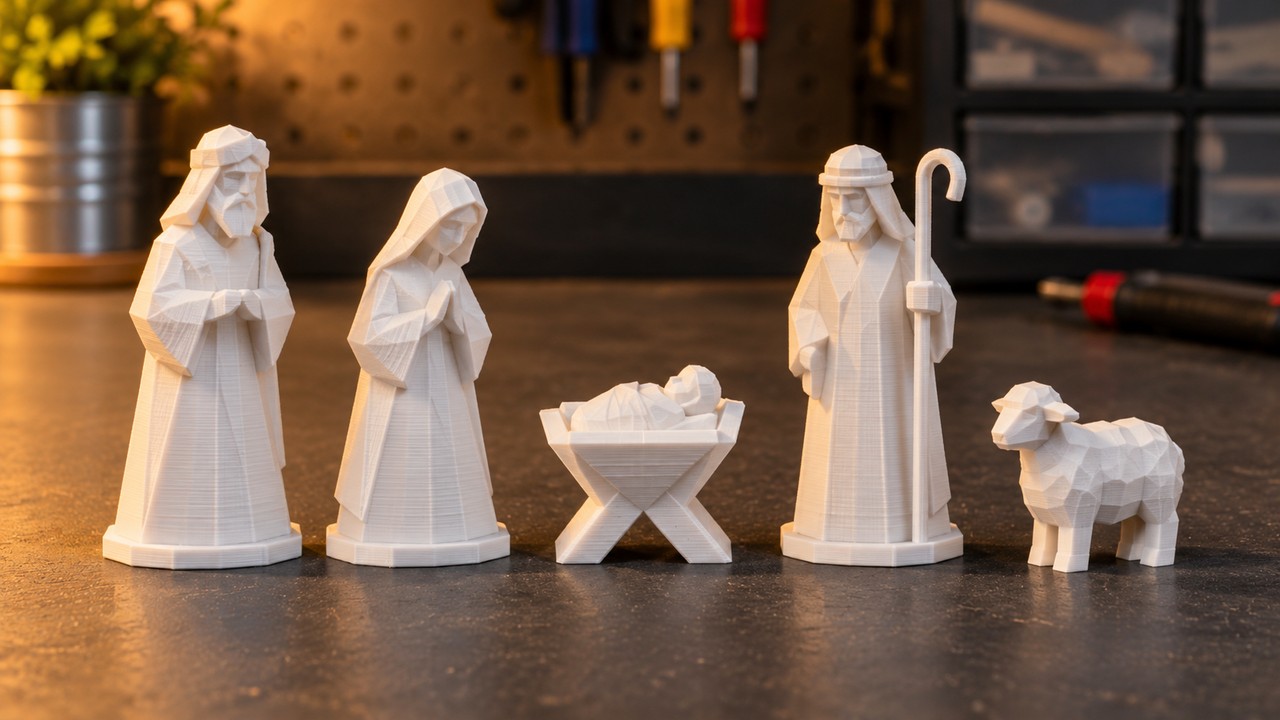
A nativity set is the rare Christmas gift that can grow. Start with three figures this year and add one each year, and the set becomes a family object rather than a single present. The subject is in the public domain, so there is no character license to worry about, and the style can be as traditional or as abstract as the family prefers.
The decision that matters: consistency. Seven figures generated from seven unrelated descriptions will look like seven different sets. Write one base description that fixes the style, proportions, and surface treatment, then change only the figure and its pose. Keep the same polycount and the same print scale for every figure. A simple, faceted, hand-carved look is more forgiving than a realistic one, because small errors read as style.
How N4D does this. Text to 3D turns the description into a mesh without needing a reference photo. Generate one figure at a time, inspect it in the viewer, and regenerate the individual figure if an arm fuses to a staff or a cloak turns into a solid block. Export STL for printing. The model preparation and export guide covers the file settings.
Print notes: print figures at 60mm to 90mm, with 0.16mm layers and supports under robes and staffs. Give each figure a flat, stable base. A set printed in one matte color looks more intentional than a set printed in mismatched filament, and it leaves room to paint later.
Idea 5: A Child’s Drawing as a Two-Color Relief
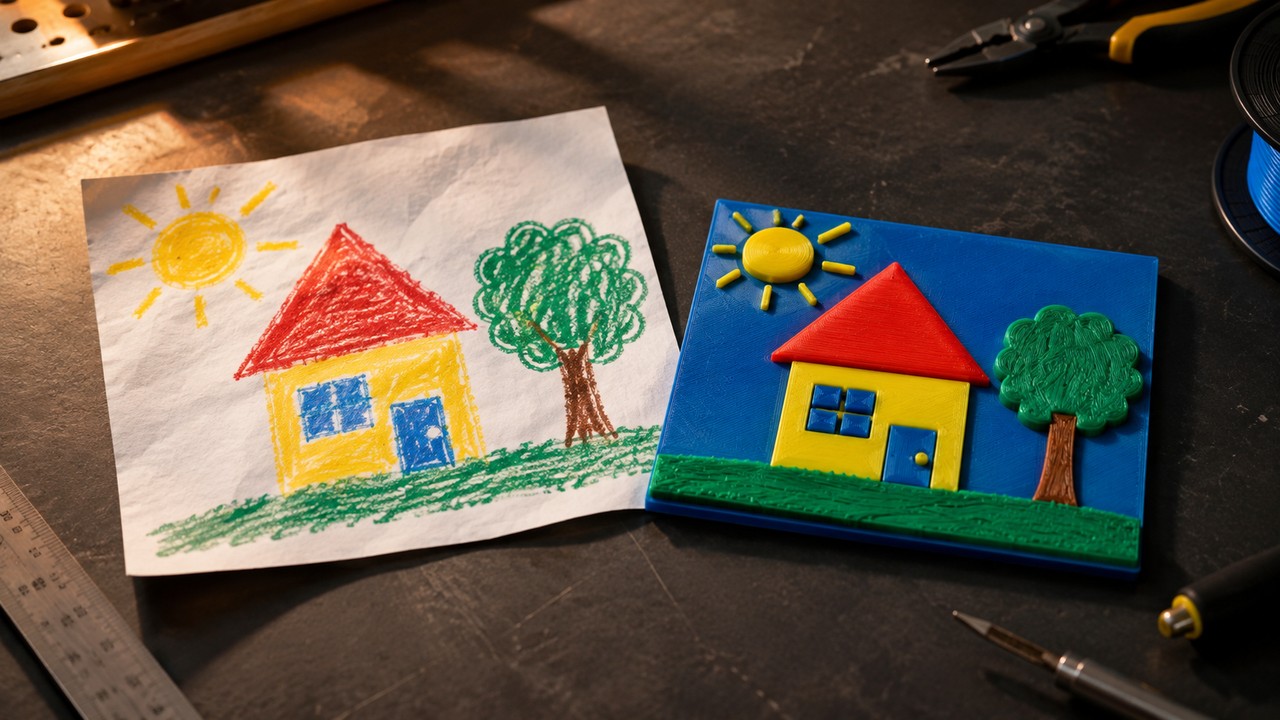
A drawing a child made this year is a gift for a grandparent, and turning it into a physical object is the surprise. The drawing does not need to be good. It needs to be simple enough to survive the translation from paper to plastic.
The decision that matters: simplify before you upload. Large shapes, thick outlines, and a few colors work. Tiny text, thin pencil lines, and crowded scenes do not. Photograph the drawing flat, straight on, with even light and no shadow across the page. If the drawing has a background scribble, crop it or redraw the main shapes on a clean sheet. The scan is not the final artwork; it is the input.
How N4D does this. Use Image to 3D to turn the drawing into a shallow relief, then use Multicolor to separate the color regions. Multicolor works on textured models generated inside N4D, not on local uploads. Each generation costs 30 Credits, Credits are returned if the generation fails or times out, and the download defaults to 3MF with GLB also available. The coloring workflow guide compares this route with slicer painting and filament swaps.
Do not confuse this with a multicolor printer. N4D’s Multicolor is a software color separation step. It assigns color regions inside the model file. Your printer still needs a multi-material system to print those regions in different colors. If you do not have one, print the relief in a single color and paint it. For a child’s drawing, paint is often the better result anyway, because brush control beats a four-color palette on small shapes.
Print notes: a 100mm to 150mm plaque at 0.16mm layers gives the drawing enough area to read. Keep the relief shallow so the print does not need long supports, and put the back flat on the plate. If the child’s drawing includes a name, remember that raised text is a separate skill; leave the name off the model and write it on the frame instead.
Idea 6: A Custom Tree Topper That Balances
The top of the tree is the most visible spot in the room, which makes a custom topper a high-impact gift. It is also the idea most likely to fail at the last minute, because a topper has to do two jobs: look right and stay on the branch.
The decision that matters: weight and socket. A topper printed solid is too heavy for the top branch and will lean or fall. Keep the model hollow, use two walls and low infill, and give it a wide base or a cone shaped socket that fits over the leader branch. If the generated model has no socket, add one in a modeling tool or print a separate base and join the two parts. Test the fit on the tree before Christmas Eve, not after.
How N4D does this. Use Text to 3D for the shape, with a description that names the orientation and the scale: a star, a comet, a snowflake, or a small abstract figure. Export STL and check the underside in the slicer. The printable design guide covers wall thickness and self-supporting shapes if you plan to model the socket yourself.
Print notes: 0.2mm layers, two walls, 10 percent infill, PLA. Print the socket as a separate test piece first so a bad fit costs a few minutes rather than a full print. Keep the finished topper away from hot bulbs; LED lights are the safe choice.
Idea 7: A Batch of Small Gifts for Teachers and Coworkers
Teachers, coworkers, neighbors, and the people who help with the kids all need something small, and this is where a printer earns its place. The goal is not seven unique designs. The goal is one design that prints cleanly, feels considered, and can be repeated without a new setup.
The decision that matters: choose for batch printing, not for show. Pick a design with a flat base, no supports, one color, and a shape that stays interesting at 40mm to 60mm. Small relief plaques, geometric ornaments, and simple magnets all work. Avoid names and dates. A generic shape that looks good on every desk beats a personalized one that only fits one person. Add the personal part on a handwritten tag.
How N4D does this. Generate one model with Image to 3D or Text to 3D, export the STL, and arrange copies across the plate in your slicer. Print one copy first and check the surface and the base before committing to a full plate. If the model has a small hanging loop, print it thicker than looks necessary, because loops are the first feature to break.
Print notes: 0.2mm layers and 15 percent infill are enough for a small gift. Keep the batch on one plate to save time, but leave enough spacing for the parts to cool. If the gifts are for children, skip small detachable parts and magnets.
A December Printing Schedule That Fits
Christmas printing fails on time, not on ideas. The order below puts the slowest and most failure prone work first, and leaves the last week for replacements rather than new projects. Treat the dates as planning targets, not guarantees; print time depends on your machine, layer height, and how many copies you queue.
| When | What to do | Why it goes here |
|---|---|---|
| By the end of October | Write the gift list, pick two ideas, print one test piece at final size, and order filament, frames, magnets, and hanging cord | A test print at the real size catches scale and finish problems while there is still time to change direction |
| First half of November | Generate every photo based model: lithophanes, figurines, house models | Generation is the step most likely to need a second attempt, and a failed model costs no filament |
| Second half of November | Print the long jobs: figurines and nativity figures, one at a time | These are the prints that occupy the machine for hours and cannot be rushed |
| First week of December | Print multicolor reliefs, tree toppers, and batch gifts | Short jobs fit around the long prints and leave room to reprint a failed plate |
| Second week of December | Finish, assemble, paint, and ship | Shipping windows close before the holiday, and finishing always takes longer than expected |
| Last week before Christmas | Replacements only | Any new project started now is a deadline risk, not a gift |
Print Settings and Safety for Christmas Gifts
Most Christmas print failures come from material and setup choices, not from the model. The table below gives the setting that matters for each gift type, plus the handling note that keeps the gift safe after it leaves your bench.
| Gift | Material | The setting that matters | Handling note |
|---|---|---|---|
| Photo lithophane | White PLA or PETG | Vertical, 0.1mm to 0.12mm layers, 100 percent infill, brim | Use a cool battery LED only, and keep the panel away from hot bulbs |
| Photo figurine | PLA | 0.16mm to 0.2mm layers, supports under chin and arms, three walls | Thin limbs and small accessories can break; keep them away from young children |
| House model | PLA | 0.2mm layers, 15 percent infill, flat back on the plate | Add a base so the model does not tip on a shelf |
| Nativity figures | PLA | 0.16mm layers, supports under robes and staffs | Stable bases; small staffs and hands are choking hazards for toddlers |
| Two-color relief | PLA for both colors | Check the 3MF color assignments in the slicer before printing | Needs a multi-material printer, or print one color and paint |
| Tree topper | PLA | 0.2mm layers, two walls, 10 percent infill, hollow | Test the socket on the tree before the tree goes up; keep it away from hot lights |
| Batch gifts | PLA | 0.2mm layers, 15 percent infill, no supports | Skip small detachable parts and magnets for children and pets |
Heat. PLA starts to lose strength near 60 °C, and a hot bulb, a radiator, or a candle can reach that easily. Use cool battery powered LEDs inside any lit print, and never put an open flame or a hot bulb in or against a printed part.
Weight and hanging. A finished print is heavier than the slicer preview suggests. Check the loop, cord, or hook with a gentle pull before it goes on a tree, and keep heavier pieces low on the branches. A gift that falls on Christmas morning is worse than one that never had a loop.
Small parts. Anything under a few centimeters belongs away from toddlers and pets. Magnets and coin cells are a separate hazard even when the print itself is safe. If the gift is for a child, smooth sharp points and skip loose magnets entirely.
Food. Do not use a printed part as a serving dish or a cup. FDM prints have layer lines and small gaps that are difficult to clean, so keep food and drink off the print and use it as a decoration or a holder instead.
Common Questions About Christmas 3D Prints
Q: Can you 3D print Christmas ornaments?
Yes. Small, light ornaments are one of the best uses of a printer, because they print quickly and use little filament. A photo lithophane is the most personal option, but it exports as a flat panel rather than a finished ornament, so you need a printed frame with a loop or a small stand. For a plain ornament, a shallow relief or a geometric shape prints without supports and hangs easily.
Q: What filament works best for Christmas gifts?
PLA is the right default for indoor gifts, decorations, and figures. It prints easily, holds detail, and comes in the widest color range. Use PETG when the piece will be handled often, left outdoors, or exposed to moisture. For a lithophane, white PLA or PETG is the standard choice, because the image depends on light passing evenly through the plastic.
Q: How long does a Christmas gift take to print?
There is no useful single number. Print time scales with size, layer height, wall count, infill, and how many copies you put on the plate. A small ornament can finish in a short session, while a figurine or a set of nativity figures can occupy the machine for hours. Print one test copy before a batch, and start the longest print first thing in the morning rather than late at night.
Q: Can I sell 3D printed Christmas gifts?
If you generated the model yourself, the answer depends on your N4D plan. Paid subscribers own the content they generate and can sell it. Content created on the free plan enters the public domain. If you downloaded a model instead, check its license first; many seasonal files are NonCommercial or personal use only. Do not sell prints of characters owned by a film studio, game publisher, or brand, regardless of which license you hold.
Q: Can I use a photo of a person or a pet?
Use photos you have permission to use, and treat family photos as private. N4D’s license setting lets a subscriber keep a generation private so it does not appear in the community feed. Do not generate public figures or anyone else’s likeness without consent. For a gift, the safest workflow is a photo taken by you, in a private setting, of someone who knows you are making something.
Q: What if the generated model has fused parts?
Look at the mesh in the viewer before you export. Fused arms, staffs, and thin accessories are common in text generated figures, and they are easier to fix by regenerating that one figure than by repairing a printed part. Change one phrase in the description, generate again, and keep the version that reads cleanly. If the model is otherwise right, a modeling tool can separate the fused area before slicing.
Conclusion: Start with One Name on the List
All seven Christmas 3D print ideas come down to the same test: could this gift have been for anyone else? A downloaded model usually could. A lithophane made from a family photo, a figurine of the family dog, or a model of a first house could not. The design decisions above are the ones that decide whether the print carries that meaning or turns into a plastic lump.
Start with the smallest version of the idea. Pick one name, choose one clear photo, and make a single lithophane or a single small figurine. Print it at the size you intend to give, look at it in the light it will be viewed in, and decide from there. Once the first one works, the rest of the list is the same workflow with a different photo.
Make One Gift That Could Only Be for Them
Upload a photo or describe the piece, choose your topology, and export a watertight STL for your slicer.
Free accounts refill 50 credits every week.