The 2026 3D Animation Pipeline: From Pre-Production to AI-Powered Assets
Quick Summary
- The 3D animation pipeline is a structured workflow spanning pre-production, production, and post-production that has remained architecturally stable for decades.
- Traditional tools like Blender and Maya deliver full creative control but require steep learning curves and weeks of manual work per asset.
- AI 3D tools like Tripo and Meshy accelerate asset creation but frequently produce broken geometry, non-manifold edges, and baked-in lighting errors that require extensive cleanup.
- Neural4D’s Direct3D-S2 architecture generates watertight, animation-ready meshes with automatic rigging in a single pass, eliminating the cleanup bottleneck that plagues other AI approaches.
The 3D animation pipeline is the backbone of everything from blockbuster films to indie games, yet most developers and artists waste weeks fixing broken geometry, patching non-manifold meshes, and manually rigging skeletons when they bring AI-generated assets into production. Understanding the 3D animation pipeline is the first step to knowing which stages benefit from automation and which still demand human craft.
- Part 1: What is the 3D Animation Pipeline?
- Part 2: Pre-Production 2.0: Concept to 3D in Minutes
- Part 3: The Production Bottleneck: Modeling, Rigging, Weight PaintingHOT
- Part 4: How Neural4D Fits Into the 3D Animation Pipeline
- Part 5: AI Texture, UV Mapping, and Retopology Automation
- Part 6: Post-Production and Motion Synthesis in 2026
- Part 7: The Future of the 3D Animation Pipeline
- Part 8: Common Questions on the 3D Animation Pipeline
- Start Building Your Pipeline with Neural4D
Part 1: What is the 3D Animation Pipeline?
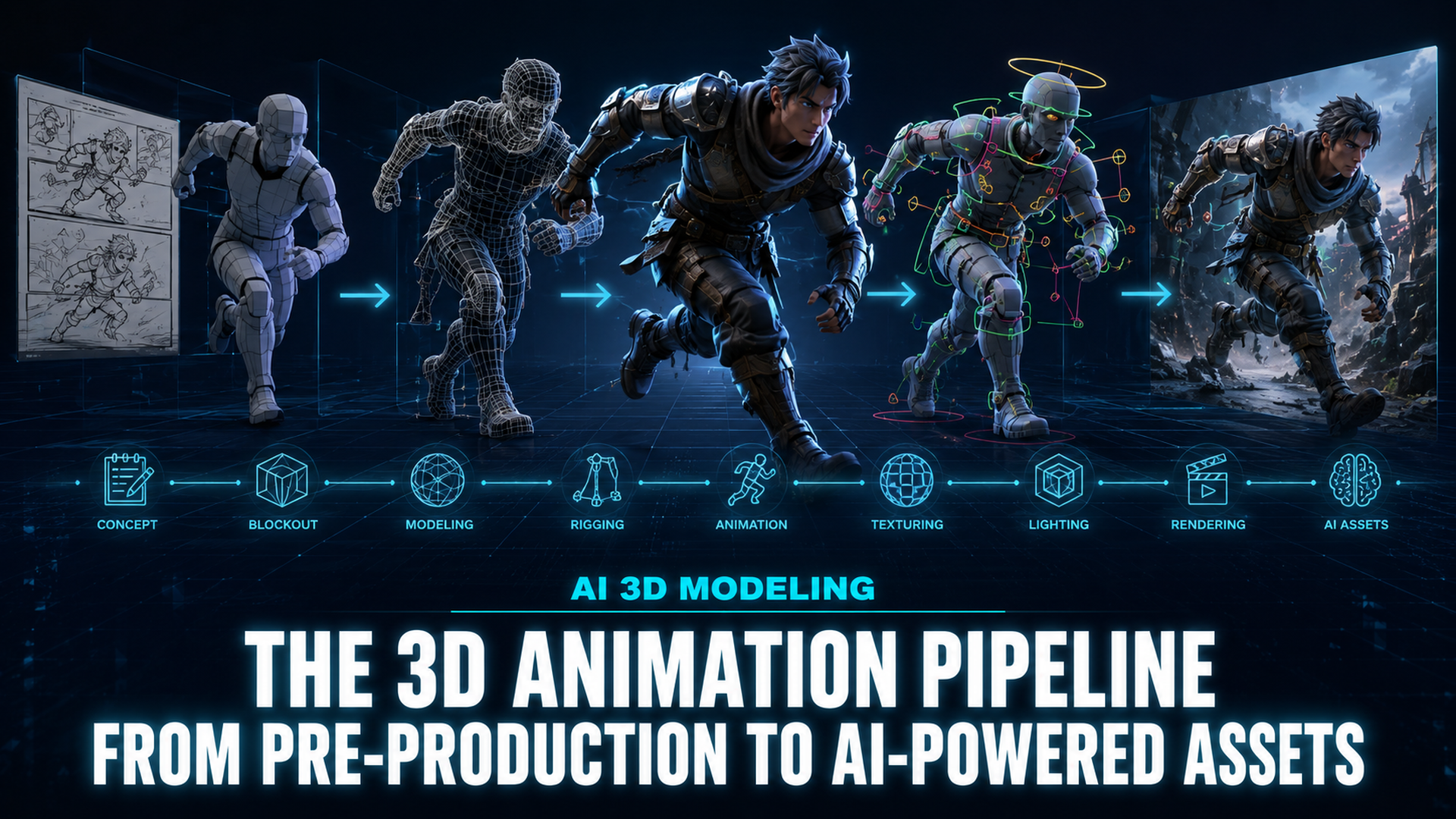
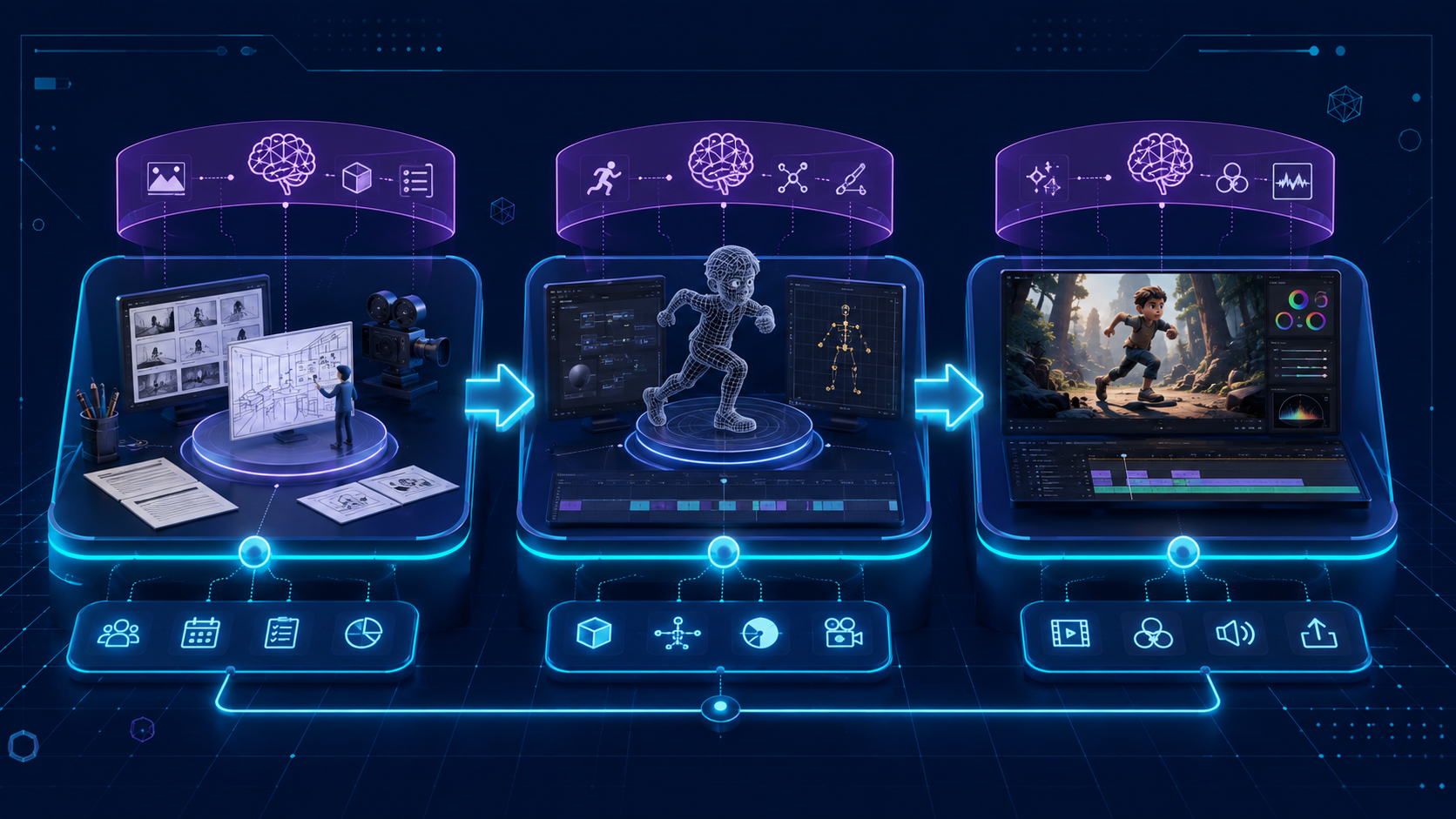
A 3D animation pipeline is the sequence of stages that transforms an idea into a finished animated output. Every studio, from indie teams shipping a Steam game to facilities running 2,000-shot feature films, organizes work through some version of this pipeline. The three macro stages pre-production, production, and post-production have not changed in decades. What has changed is the tooling at each step.
Pre-production covers concept art, storyboarding, design, and asset planning. Production is the heavy lift: modeling, texturing, rigging, animation, lighting, and rendering. Post-production handles compositing, visual effects, color grading, and final delivery. Each stage feeds into the next, and a bottleneck anywhere in the chain delays everything downstream.
The rise of AI 3D generation has introduced a new variable. Tools that claim to shortcut the pipeline by generating complete 3D assets from a single image or text prompt are now widely available. But the gap between “generated a model” and “that model is ready for animation” remains large, and that gap is exactly where most AI pipelines fail.
Part 2: Pre-Production 2.0: Concept to 3D in Minutes
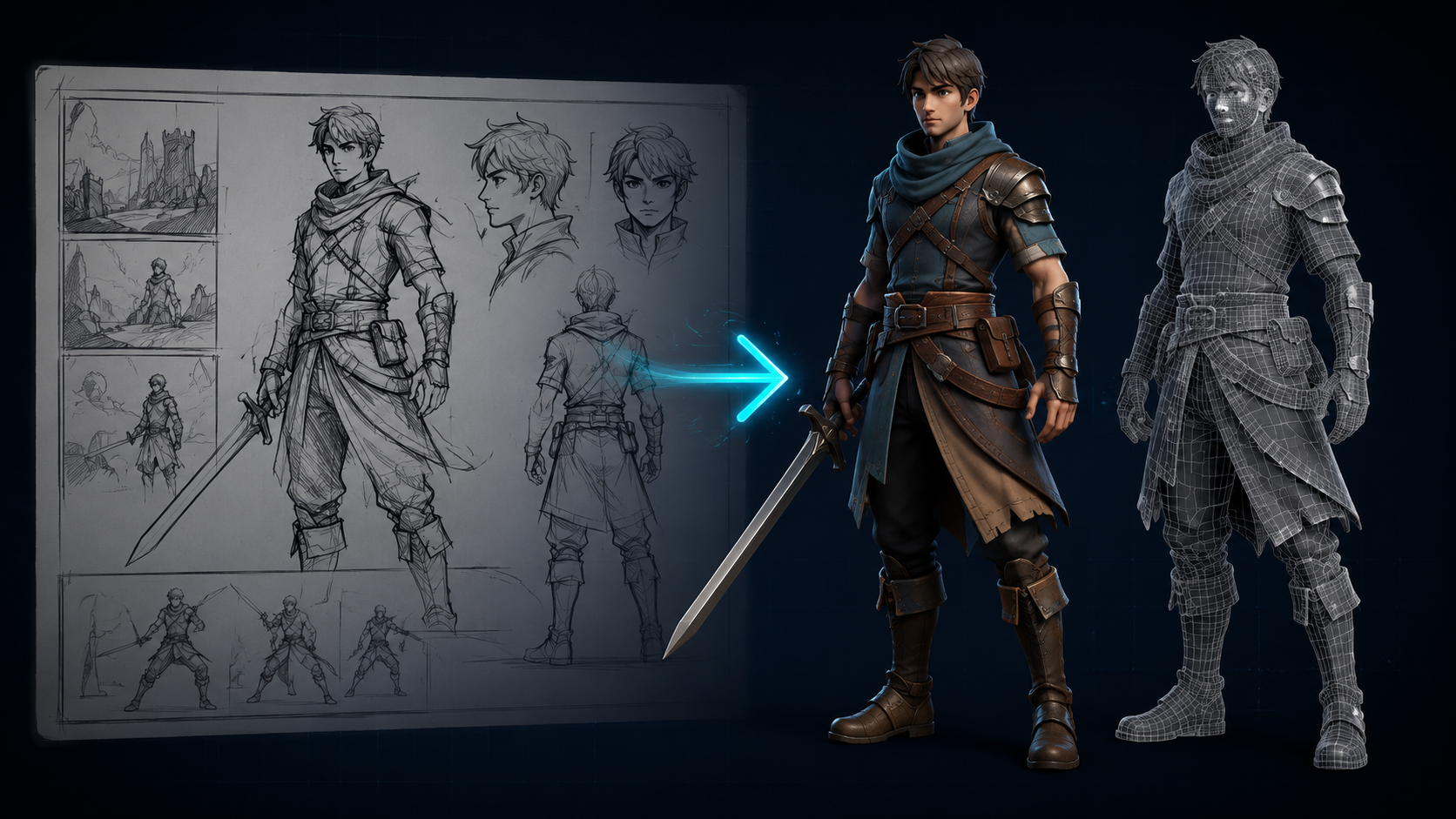
Traditional pre-production is slow. Concept artists produce 2D sketches, modelers interpret those sketches into rough geometry, and the result cycles back for approval before production modeling begins. A single character design can take two to three weeks before a single production-ready polygon exists.
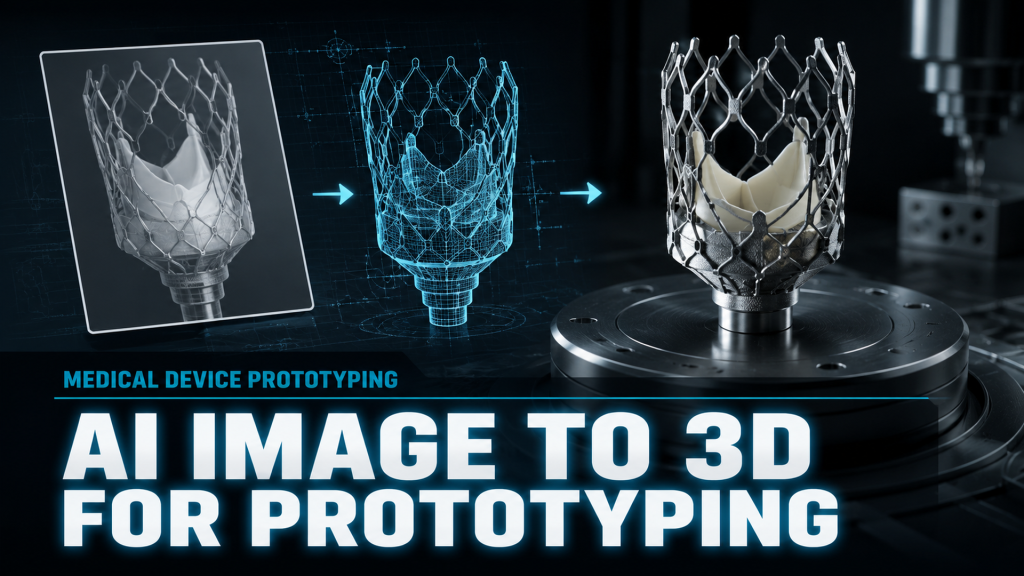
AI text to 3D and image to 3D tools collapse this timeline. A designer can upload a reference photo or type a prompt and receive a 3D mesh in under two minutes. This is transformative for the concept validation loop: instead of waiting days for a rough block-in, the team can evaluate proportion, silhouette, and structural integrity in the same meeting where the reference is shared. For indie developers and small studios with tight budgets, this speed means they can explore five to ten times more design iterations in the same calendar window.
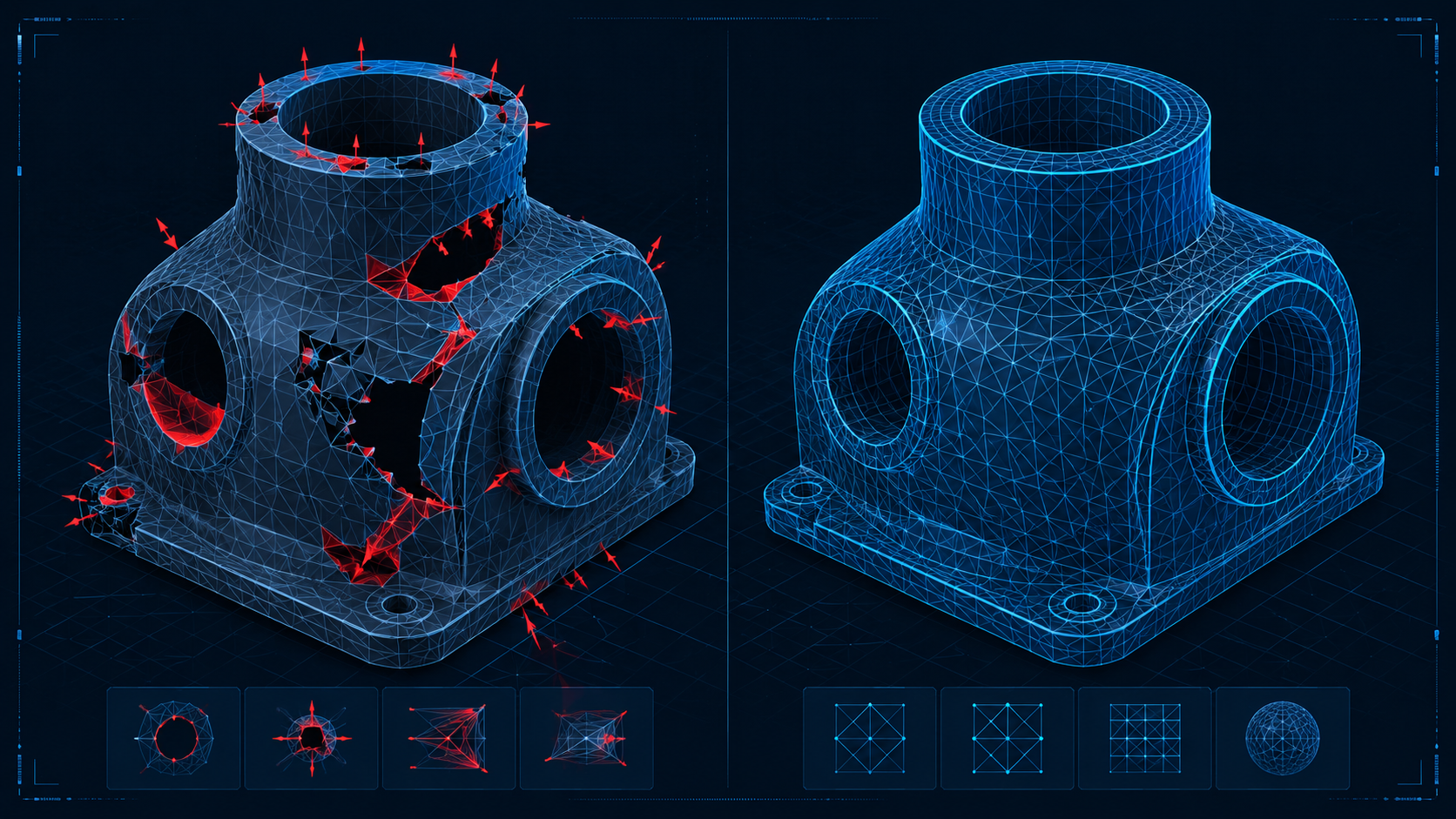
However, not all AI-generated meshes are created equal. Many tools produce geometry that looks correct from one angle but collapses from another. The mesh may have flipped normals, internal floating geometry, or holes that make it unusable for animation. The best image to 3D model AI platforms differ in how well they handle this, and the deciding factor is the underlying reconstruction architecture rather than prompt engineering skill.
Part 3: The Production Bottleneck: Modeling, Rigging, Weight Painting
Production is where the 3D animation pipeline earns its reputation for complexity. Each sub-stage modeling, retopology, UV mapping, texturing, rigging, and weight painting requires specialized knowledge and significant manual labor. A single character can require 40 to 80 hours of modeling and rigging work before the first animation test is possible.
Modeling and retopology are the first hurdle. Raw AI-generated meshes often arrive as dense, unoptimized triangle soup with poor edge flow. Retopologizing a character by hand can take 8 to 16 hours for an experienced artist. AI retopology tools have improved but still struggle to maintain proper edge loops around deformable areas like shoulders and elbows.
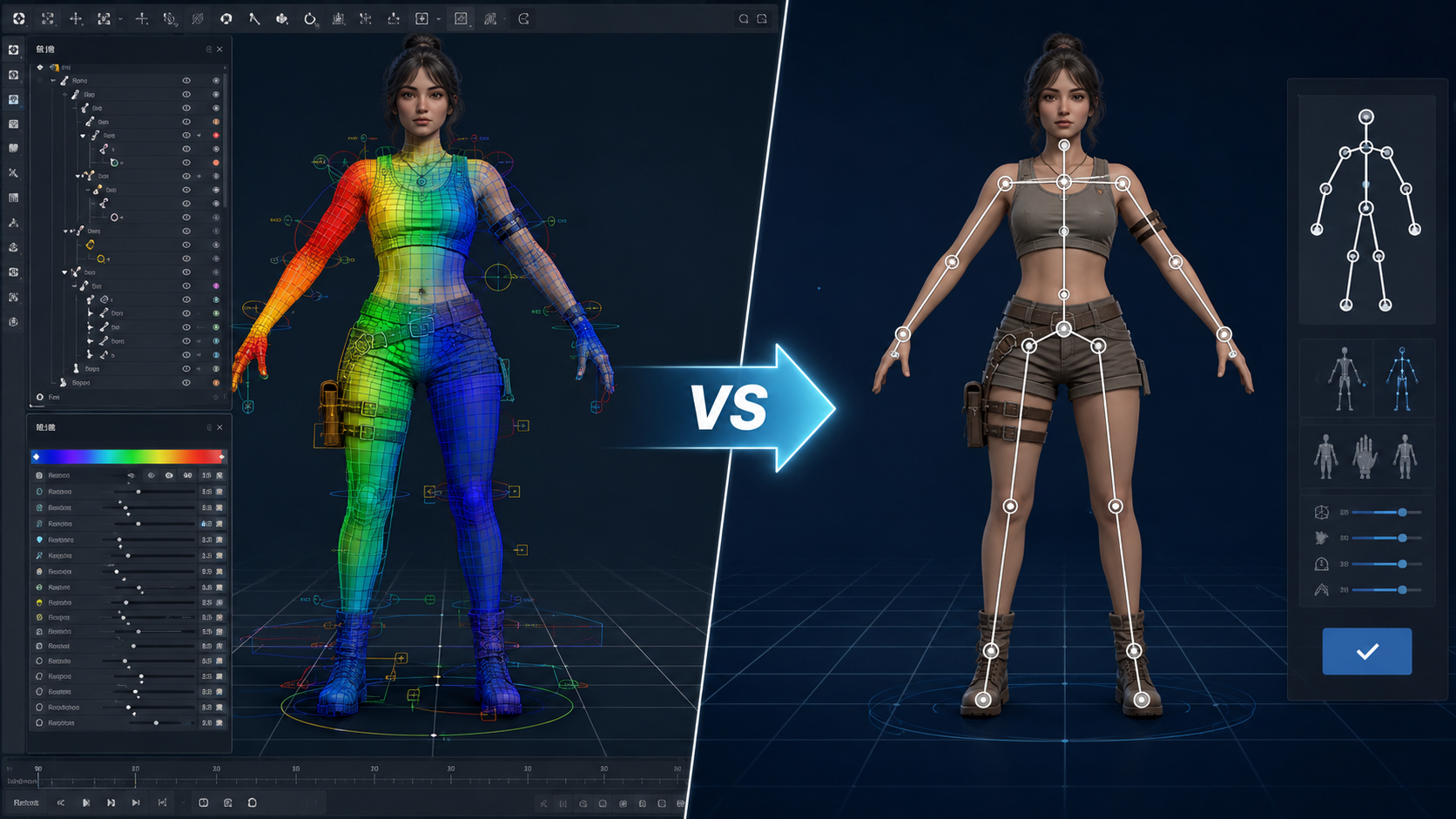
Rigging and weight painting are the most painful bottleneck. Every joint needs a clean deformation setup. Skinning weights must be painted vertex by vertex. This is the stage where broken geometry from AI generation becomes a hard blocker: a mesh with holes, non-manifold edges, or inverted normals will produce unusable deformation regardless of how skilled the rigger is.
The N4D Pipeline Maturity Model
| Tier | Approach | Speed | Cleanup Required | Animation Readiness |
|---|---|---|---|---|
| 1 | Manual (Blender, Maya) | Days to weeks | Minimal (artist controlled from start) | Full |
| 2 | AI + Manual Cleanup (Tripo, Meshy) | Minutes per asset | High (broken geometry, non-manifold edges, baked lighting) | Low to moderate |
| 3 | One-Pass Generation (N4D Direct3D-S2) | Seconds to minutes | Minimal (watertight mesh, SSA-optimized topology) | Full |
Tier 2 tools are where the industry term “3D garbage” originates. These platforms use brute-force probabilistic reconstruction that guesses geometry rather than calculating it volumetrically. The result is assets that look acceptable in a static turntable render but fall apart under deformation, slicing, or real-time engine import. The production cost of fixing Tier 2 assets often exceeds the cost of building from scratch in a Tier 1 tool.
Part 4: How Neural4D Fits Into the 3D Animation Pipeline
Neural4D addresses the Tier 2 problem by design. Its Direct3D-S2 architecture, published at NeurIPS 2025, processes the full volumetric field of an input image rather than approximating depth from 2D features. This produces watertight, manifold geometry with clean topology from the first generation pass. There is no broken geometry to patch because the algorithm never guesses: it calculates.
The platform covers three critical stages of the 3D animation pipeline directly:
Text to 3D and Image to 3D
Generate production-quality meshes from a text description or a single reference photo. The output is a watertight triangular mesh ready for import into any standard DCC tool. The full workflow is: input, generate, regenerate or refine via Neural4D-2o conversational editing, then export to the format your pipeline requires.
AI Auto-Rigging
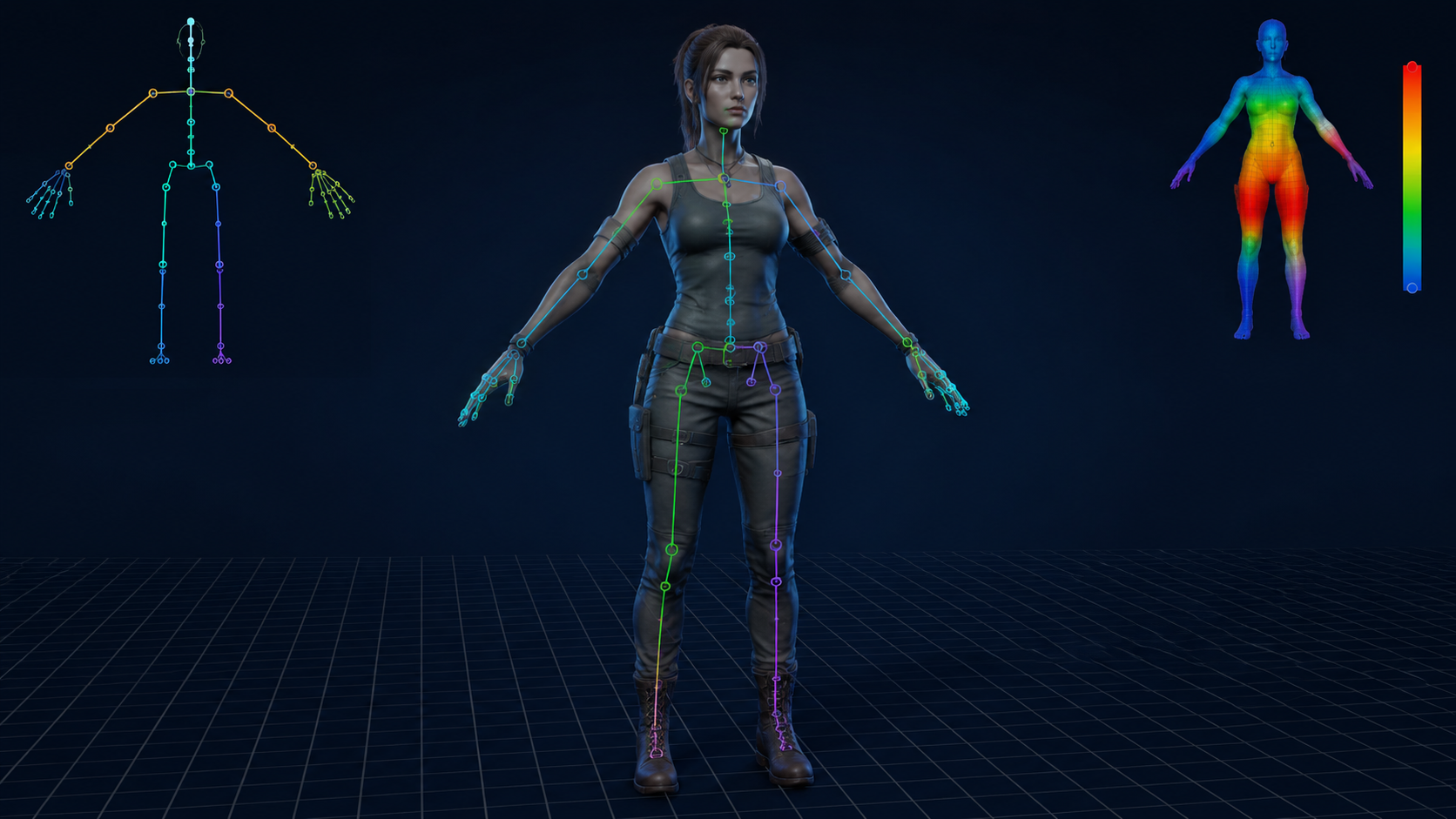
After generating a character or creature model, the AI auto-rigging feature creates a complete skeletal hierarchy with skinning weights automatically. This is the same bottleneck that costs traditional riggers 8 to 16 hours per character, compressed into a single button press. The rigged asset exports directly to game engines via FBX or GLB with deformation data intact.
AI Retopology and AI UV Mapping
For assets that need custom topology or UV layout, Neural4D’s AI retopology and AI UV mapping tools generate production-ready edge flow and zero-overlap UV islands without manual intervention; AI retopology runs from the generation page, where you open the asset and click Remesh. These outputs are designed to drop directly into Unity, Unreal Engine, or web renderers like Three.js.
A critical scope note: Neural4D generates and refines models within its own ecosystem. It cannot import, repair, or retopologize meshes created by third-party tools. If an asset was generated in Blender, Maya, Tripo, or Meshy, Neural4D cannot fix it. The value proposition is not repair: it is generating clean output from the start so that no repair is needed.
Neural4D covers text to 3D, image to 3D, auto-rigging, AI texture, AI retopology, AI UV mapping, and more within a single platform. Explore all pipeline features to see how each stage of the 3D animation pipeline maps to an automated tool.
Skip the Cleanup. Ship the Asset.
Go from concept to a rigged, textured, pipeline-ready 3D model in one pass. No geometry patching. No manual weight painting.
Generate Your First Pipeline-Ready Asset
Free to start. No credit card required.
Part 5: AI Texture, UV Mapping, and Retopology Automation
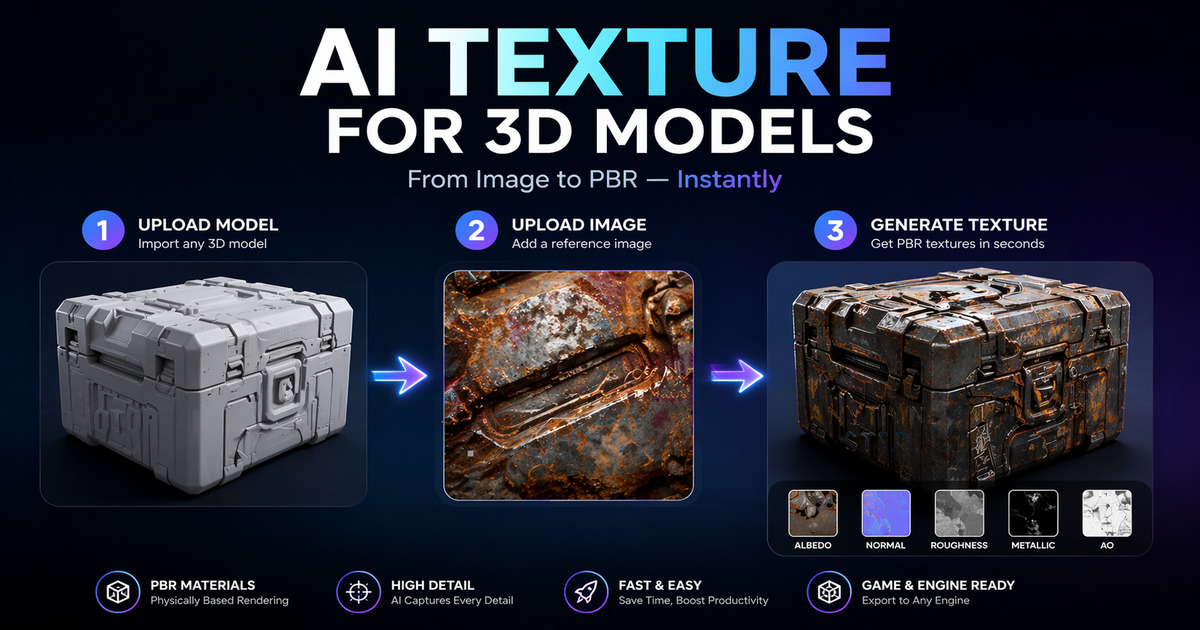
Texturing and UV mapping are often treated as separate disciplines, but in a modern 3D animation pipeline they are a single logical stage: preparing the mesh surface for visual output. Neural4D’s AI texture generation accepts a 2D reference image and maps matching materials onto the existing geometry, generating standard PBR maps including normal, roughness, and metallic channels.
The practical workflow is straightforward: generate a base mesh via Image to 3D, apply AI texture from a reference, let the AI UV mapping tool create non-overlapping UV islands, and export the result with textures embedded. A task that traditionally takes 4 to 8 hours per asset becomes a 5-minute pipeline step.
For studios that need to prepare 3D models for rigging and animation, this automation removes the most common production blockers. Clean UVs mean textures deform correctly with the rig. Proper topology from AI retopology means subdivision and deformation behave predictably. The mesh arrives in the animation department pipeline-ready rather than needing a triage pass.
Key formats and compatibility
Neural4D exports to FBX, GLB, OBJ, STL, and USDZ, covering the import requirements of Unity, Unreal Engine, Blender, Maya, and web-based renderers. PBR texture maps are embedded in the export where the format supports it and provided as separate PNG files for manual assembly.
Part 6: Post-Production and Motion Synthesis in 2026
Post-production in the 3D animation pipeline covers compositing, visual effects, color grading, and final output. While Neural4D handles the asset generation and rigging stages, post-production remains the domain of specialized software like Nuke, After Effects, and DaVinci Resolve. This is also the stage where motion synthesis tools are making significant advances.
Research systems like AniGen (SIGGRAPH 2026) and AnimaSpark demonstrate feed-forward pipelines that generate fully rigged, animation-ready 3D assets with motion data from a single image. These systems predict skeletal hierarchy and skinning weights in a unified pass, suggesting that the line between asset generation and animation will continue to blur.
For practical production today, the output flow is: generate the asset in Neural4D, export to your DCC tool (Maya, Blender, or Unreal), apply animation via keyframe or motion capture, then render and composite in your post-production pipeline. The bottleneck that Neural4D removes is the cleanup and rigging stage that used to occupy two to five days between asset generation and first animation test.
Part 7: The Future of the 3D Animation Pipeline
Three trends will define the next phase of the 3D animation pipeline:
Conversational 3D editing. Neural4D-2o already allows natural language refinement of generated 3D models. Instead of re-modeling a character’s hand position, the artist types rotate the left hand 15 degrees and thicken the wrist and the model updates. This removes the iteration penalty that currently makes AI-generated assets expensive to tweak.
Real-time rigging feedback. Future pipelines will show deformation results during the rigging stage rather than after. If a weight map produces pinching, the system flags it before the animator discovers it three stages later. This shifts quality control left in the pipeline, where fixes cost minutes instead of days.
End of manual weight painting. Auto-rigging accuracy is approaching the point where manual weight painting becomes a rare exception rather than a standard production step. For standard bipedal and quadrupedal characters, the skeleton hierarchy and skinning weights generated by modern AI match what a professional rigger would produce. Edge cases like non-standard anatomy or stylized cartoon proportions will still need human attention, but the baseline work is automated.
The pipeline is not disappearing. It is accelerating. The three-stage structure of pre-production, production, and post-production will remain the organizational framework for 3D animation. What changes is how much time each stage consumes. As AI tools compress production from weeks to hours, the bottleneck shifts from geometry cleanup to creative decision-making. That is a bottleneck worth having.
Part 8: Common Questions on the 3D Animation Pipeline
Start Building Your Pipeline with Neural4D
The 3D animation pipeline has not changed in structure, but the tools have. Generation that used to take days now takes seconds. Rigging that required a specialist now runs automatically. The cleanup bottleneck that made AI-generated assets impractical for production is no longer a hard constraint when the 3D animation pipeline is built around volumetric generation rather than depth estimation.
Neural4D gives you watertight geometry, auto-rigging, AI texture mapping, and PBR export in a single platform. No broken meshes. No manual weight painting. No geometry patching. Just a clean pipeline from concept to animation-ready asset.
Build Your Pipeline on Clean Geometry
Generate, rig, and export production-ready 3D assets in one pass. Free to try.
50 free generations per week. No credit card required.