Types of 3D Printing: FDM vs SLA vs SLS and Beyond (2026 Guide)
Quick Summary
- Types of 3D printing fall into seven ASTM categories, with FDM, SLA/DLP, and SLS being the most widely used across consumer and industrial applications.
- FDM offers the lowest cost and broadest material selection, making it ideal for rapid prototyping and hobby projects where surface finish is not critical.
- SLA and DLP deliver unmatched precision and smooth surface quality for detailed models, jewelry patterns, and dental prosthetics.
- SLS and powder bed fusion technologies produce production-grade parts without support structures, suitable for functional end-use components and complex internal geometries.
- Neural4D’s AI platform generates watertight 3D models optimized for any printing technology, from desktop FDM to industrial SLS.
Choosing the right types of 3D printing technology can be overwhelming with FDM, SLA, SLS, and a dozen acronyms on the market. This guide breaks down each type of 3D printing process by cost, surface quality, strength, and workflow so you can pick the right one for your project.
Contents
- Part 1: The 7 ASTM Categories of 3D Printing at a Glance
- Part 2: FDM: The Accessible Workhorse for Rapid Prototyping
- Part 3: SLA and DLP: Precision Surface Quality for Detailed Parts
- Part 4: SLS and Powder Bed Fusion: Production-Grade Parts Without Supports
- Part 5: Binder Jetting, Material Jetting, and Other Specialized Categories
- Part 6: How to Choose the Right 3D Printing Technology for Your ProjectHOT
- Part 7: Common Questions on 3D Printing Technologies
- Part 8: Start Creating 3D Models for Any Printing Technology
Part 1: The 7 ASTM Categories of 3D Printing at a Glance
The American Society for Testing and Materials (ASTM) classifies all additive manufacturing processes into seven categories. This framework covers everything from a $200 desktop printer to a million-dollar industrial production system. Understanding these categories helps you evaluate any 3D printing technology by its core mechanism rather than brand names.

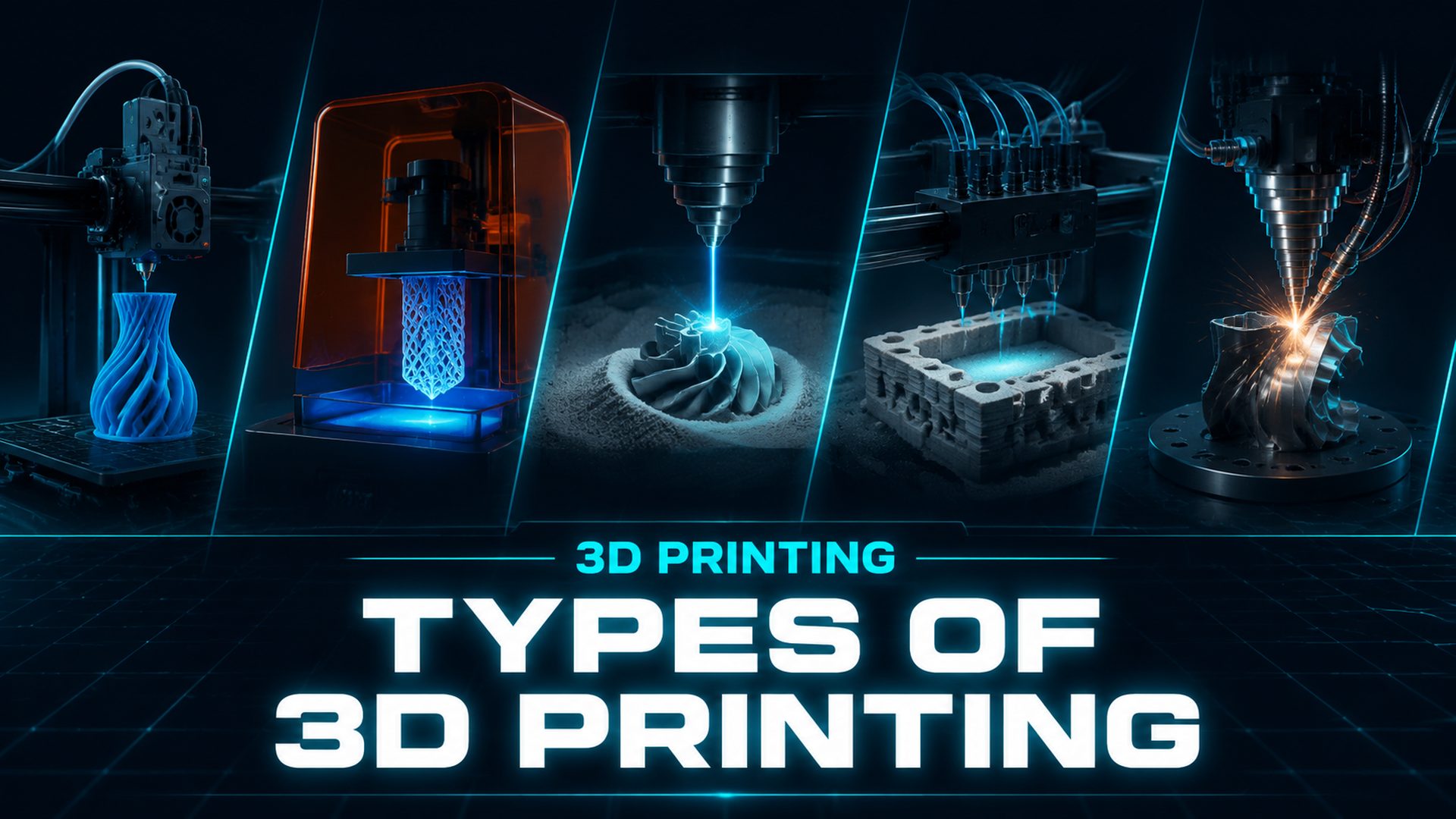
The seven categories are: material extrusion (FDM/FFF), vat photopolymerization (SLA/DLP), powder bed fusion (SLS/SLM/DMLS/EBM), binder jetting, directed energy deposition (DED), material jetting (PolyJet), and sheet lamination (LOM). The seven categories are defined by ISO/ASTM 52900, the international standard for additive manufacturing terminology. Material extrusion dominates by printer count because desktop FDM machines outsell every other category combined, while powder bed fusion leads the industrial segment where production parts are made. The remaining four categories serve specialized niches where their specific advantages justify the investment.
What matters for your decision is not memorizing all seven categories, but understanding how the major types of 3D printing compare on the dimensions that affect your project: cost per part, surface quality, mechanical strength, and workflow complexity.
Do not confuse printing types with printer types. The categories above describe processes, meaning how material is fused into a solid part. Printer types describe the machines that run those processes, and one process can run on several machine form factors. FDM alone spans open-frame hobby printers, enclosed high-temperature systems, and industrial large-format machines. Choose the process first, then the machine that fits your build volume and material.
Part 2: FDM: The Accessible Workhorse for Rapid Prototyping
Fused Deposition Modeling (FDM), also called Fused Filament Fabrication (FFF), is the most common type of 3D printing worldwide. An FDM printer feeds thermoplastic filament through a heated nozzle, melting it and depositing it layer by layer onto a build platform. Think of it as a precisely controlled hot glue gun mounted on a robotic arm.
FDM dominates the entry-level and mid-range 3D printing market because it solves the cost problem first. Desktop FDM printers start under $200, and a kilogram of PLA filament runs about $20 to $30. This price point makes FDM the default choice for schools, hobbyists, and businesses that need rapid iteration on concept models without worrying about per-print cost.
Material Versatility
FDM supports the widest material range of any consumer 3D printing type. Standard PLA is biodegradable and easy to print. PETG adds impact resistance. ABS handles higher temperatures. TPU is flexible like rubber. On the engineering side, polycarbonate (PC) and PEI/ULTEM offer heat resistance suitable for automotive and aerospace applications. Carbon fiber reinforced filaments combine the stiffness of a structural composite with the accessibility of FDM.
Key Limitations
Three constraints define where FDM falls short. First, visible layer lines give FDM parts a rough surface finish that requires sanding or post-processing for a polished look. Second, the Z-axis strength is noticeably weaker because each layer bond is a mechanical joint, not a continuous structure. Third, overhangs and bridges require support structures that leave marks on the part and add post-processing time.
For its limitations, FDM still produces functional parts in a fraction of the time and cost of traditional manufacturing. If your priority is fast iteration, low cost, or large part size, FDM is the right 3D printing type to start with.
Part 3: SLA and DLP: Precision Surface Quality for Detailed Parts
Stereolithography (SLA) and Digital Light Processing (DLP) are vat photopolymerization technologies that use UV light to cure liquid resin into solid plastic. The difference is the light source: SLA uses a single laser point that traces each layer, while DLP projects an entire layer at once using a digital light projector. Both produce parts with dramatically better surface finish than FDM.
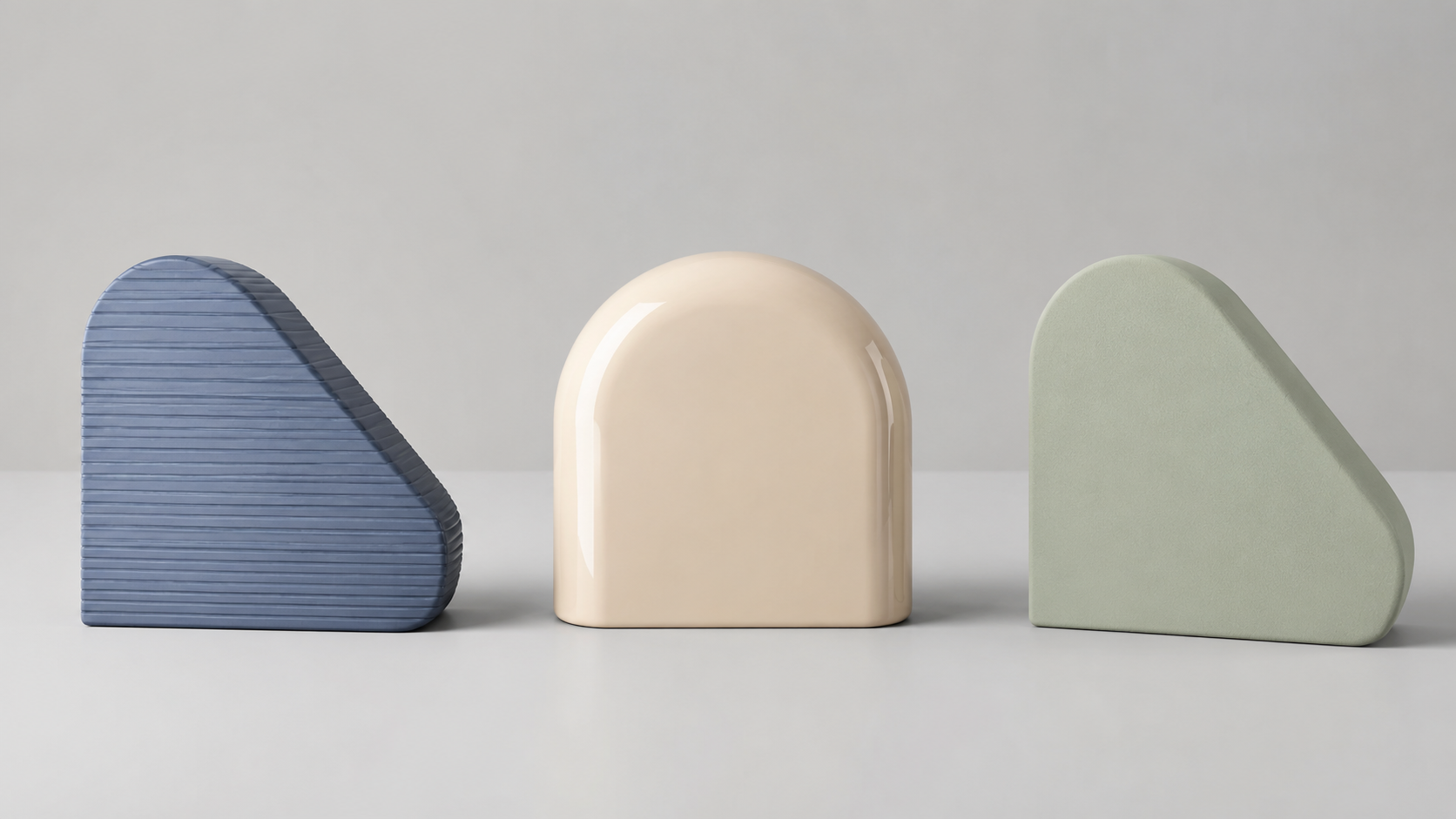
SLA and DLP achieve layer heights as low as 25 microns, which is roughly the thickness of a human hair[2]. This precision makes them the go-to types of 3D printing for jewelry casting patterns, dental models, miniature figurines, and any application where visible layer lines are unacceptable. The printed surface comes out of the machine smooth enough to use as a final product after minimal cleanup.
Resin Selection and Tradeoffs
Standard photopolymer resins produce beautiful parts but are brittle and degrade under prolonged UV exposure. Tough and engineering resins close the gap, offering impact resistance closer to ABS while maintaining surface quality. Biocompatible resins are available for medical and dental use. Castable resins burn out cleanly for investment casting workflows.
The downsides are real. Resin costs $40 to $100+ per liter, significantly more than FDM filament. Post-processing requires washing in isopropyl alcohol and a separate UV curing step. Liquid resin is messy and requires gloves and ventilation. Support structures are required and their removal leaves small marks, though less obtrusive than on FDM parts.
SLA vs DLP: Which One?
SLA lasers produce exceptionally sharp details and smooth surfaces, ideal for jewelry and dental work. DLP prints faster for a given layer count because it cures entire layers at once, but resolution depends on the projector’s pixel size. For most practical purposes, the print quality is comparable, and the choice comes down to build volume and throughput needs.
Part 4: SLS and Powder Bed Fusion: Production-Grade Parts Without Supports
Selective Laser Sintering (SLS) and its metal-focused variants (SLM, DMLS, EBM) belong to the powder bed fusion category. A laser sinters or melts powdered material layer by layer, with the unsintered powder acting as natural support for the part. This is the defining advantage of this 3D printing type: no support structures are needed, enabling geometries that are impossible with FDM or SLA.
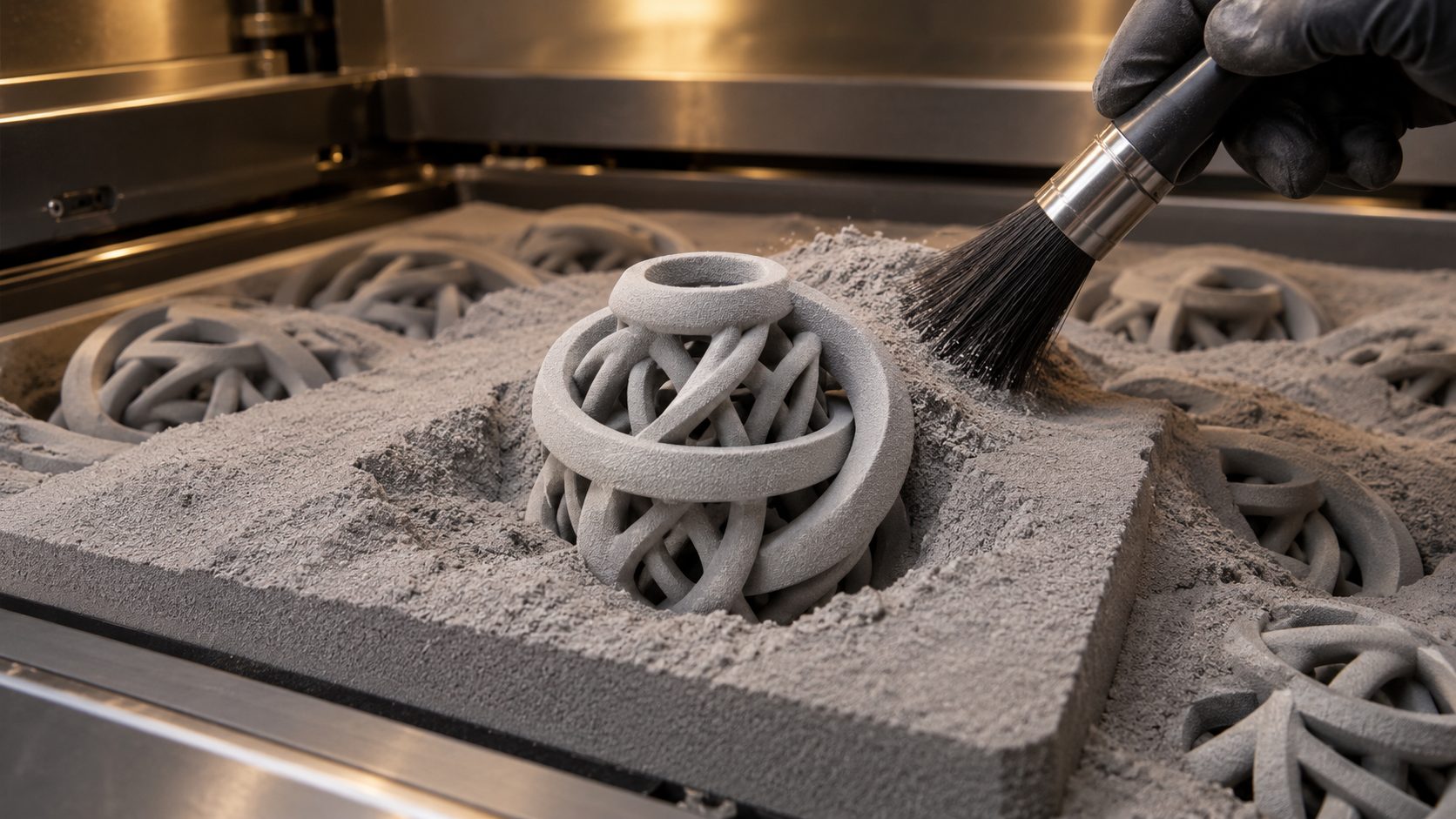
SLS produces nylon parts with near-isotropic mechanical properties, meaning the strength is roughly equal in all directions. This is a critical distinction from FDM, where Z-axis weakness is a design constraint. PA12 (nylon 12) is the standard SLS material, offering excellent impact resistance, fatigue life, and chemical resistance. Glass filled and carbon fiber reinforced nylon variants push stiffness and heat deflection temperature higher.
SLS vs MJF: HP’s Multi Jet Fusion (MJF) is a competing powder bed process that uses an inkjet array to apply fusing agent to each layer, then fuses it with infrared lamps. MJF prints faster than SLS for dense batches and produces more consistent mechanical properties. However, SLS offers a wider material selection and lower equipment cost for smaller operations. Both types produce production-grade nylon parts without supports[4].
Metal Powder Bed Fusion
SLM (Selective Laser Melting) and DMLS (Direct Metal Laser Sintering) fully melt metal powder to produce solid metal parts. EBM (Electron Beam Melting) uses an electron beam instead of a laser, operating in a vacuum. These types of 3D printing are standard in aerospace, medical implant, and high-performance automotive manufacturing where the cost per part is justified by the geometric complexity and material properties that cannot be achieved through machining.
The tradeoff is cost. Industrial SLS machines start around $50,000, and metal systems run from $200,000 to over $1 million[3]. Material costs are also high. For most users, SLS and metal 3D printing are accessed through service bureaus rather than owned in-house.
Part 5: Binder Jetting, Material Jetting, and Other Specialized Categories
FDM, SLA, and SLS cover most everyday printing, but four ASTM categories handle work the big three cannot. Each one solves a specific production problem, and knowing where they fit prevents you from forcing a project onto the wrong process.
Binder Jetting
Binder jetting deposits a liquid binding agent onto a powder bed through an inkjet-style printhead, then cures the bound layer before the next pass. The green part that emerges is porous and fragile, so it goes into a furnace for sintering or infiltration to reach full density. Binder jetting is the fastest route to metal parts at volume because the printhead lays down an entire layer in one pass rather than tracing it with a laser. Metal binder jetting systems run $200,000 to $500,000+, which is why most teams access the process through a service bureau. Use it for high-quantity metal components where per-part cost matters more than peak material density.
Material Jetting (PolyJet)
Material jetting works like an inkjet printer that ejects photopolymer droplets instead of ink, curing each layer with UV light as it lands. The process prints multiple materials in a single build, including rigid and flexible photopolymers, which makes it the standard choice for full-color prototypes, overmolded grips, and anatomical models where color and material variation carry meaning. Material jetting produces the smoothest as-printed surfaces of any 3D printing type. The tradeoff is cost per part and limited material durability, since photopolymers degrade under UV exposure.
Directed Energy Deposition (DED)
Directed energy deposition feeds metal powder or wire into a focused laser, electron beam, or plasma arc that melts the material as it deposits. Unlike powder bed systems, DED is not confined to a build chamber, so it repairs and adds material to existing metal parts rather than printing them from scratch. Aerospace and energy operators use DED to rebuild worn turbine blades and tooling that would otherwise be scrapped. This is the only category where the printer works on a part that already exists.
Sheet Lamination
Sheet lamination bonds stacked sheets of metal, plastic, paper, or composite with heat and adhesive, then cuts each layer to shape. Ultrasonic additive manufacturing, the metal variant, welds aluminum and copper foils together and machines each layer to final dimension. It suits parts that combine dissimilar metals or embed sensors and channels inside a solid metal block. Sheet lamination is the least common of the seven categories because the other six handle most geometry more efficiently.
Part 6: How to Choose the Right 3D Printing Technology for Your Project
There is no single best type of 3D printing. The right choice depends on what you are making and what matters most to your project. Use this decision framework to narrow your options.
| If Your Priority Is… | Choose This Type | Why |
|---|---|---|
| Lowest cost per part | FDM | Filament is $20-30/kg; printers start under $200 |
| Highest surface quality | SLA or DLP | 25-50 micron layers, glass-like finish out of the machine |
| Strongest functional parts | SLS or MJF | Nylon is tough, durable, and near-isotropic in strength |
| No support structures | SLS or MJF | Powder bed acts as self-support for complex geometries |
| Metal production parts | SLM or DMLS | Full density metal with design freedom impossible in machining |
| Large part size (> 300 mm) | FDM (industrial) | Large-format FDM offers the biggest build volumes at lowest cost |
| Full-color or multi-material parts | Material jetting (PolyJet) | Photopolymers print in multiple colors and hardnesses in one build |
| Metal parts at high volume | Binder jetting | Inkjet binder lays a full layer per pass, then furnace sintering sets density |
| Repairing or coating metal parts | DED | Adds material to an existing component instead of printing from scratch |
| Batch production (> 100 units) | MJF or SLS | Nesting parts in powder bed maximizes throughput per build |
Whichever technology you choose, the quality of your final print starts with the quality of your 3D model. A watertight mesh with clean topology eliminates the most common print failures across all types of 3D printing. The best AI tools for 3D printing now handle mesh generation, repair, and format conversion in one step, removing the bottleneck of manual 3D modeling before you can start printing.
For makers who need to convert reference images into printable models, image to STL conversion tools like Neural4D bridge the gap between a 2D photo and a watertight mesh ready for any printer type. The same applies if you need to convert images to STL files for 3D printing at scale.
Generate 3D Models for Any Printer
Upload a photo or text description. Get a watertight, print-ready 3D model in seconds. No manual modeling required.
Free users get 50 Power credits per week. No credit card required.
Part 7: Common Questions on 3D Printing Technologies
Q: What is the strongest type of 3D printing for functional parts?
SLS and MJF produce the strongest functional parts among common 3D printing types. PA12 nylon from SLS offers near-isotropic mechanical properties, high impact resistance, and excellent fatigue life. For metal parts, SLM and DMLS produce fully dense components with strength comparable to wrought materials. FDM parts can be functional but are limited by Z-axis weakness, while SLA parts are typically too brittle for load-bearing applications.
Q: Which 3D printing technology is best for beginners?
FDM is the most beginner-friendly type of 3D printing. Printers are affordable ($200 to $500 for a solid entry-level model), filament is cheap, and the workflow is straightforward: load the filament, slice the model, and print. PLA filament is especially forgiving, requiring no heated bed enclosure or ventilation. SLA produces better looking parts but involves messy resin handling, post-processing, and safety precautions that add complexity for new users.
Q: What causes FDM print failures and how can you prevent them?
The most common FDM print failures include warping (caused by uneven cooling, preventable with a heated bed and enclosure), layer separation (caused by low nozzle temperature or poor layer adhesion, fixed by increasing temperature or reducing layer height), and stringing (caused by oozing during travel moves, minimized with retraction settings). Bed adhesion issues are the leading cause of failed first layers. A clean bed surface, proper z-offset calibration, and the right build plate adhesive (glue stick, painter’s tape, or PEI sheet) prevent most first-layer failures before they start.
Q: How does HP MJF compare to SLS for production parts?
HP MJF offers faster print speeds for dense batches and more consistent mechanical properties across the build volume because it heats powder uniformly rather relying on a single laser scanning path. SLS provides a wider material selection (PA11, glass filled nylon, TPU, flame retardant grades) and lower capital equipment cost for small to medium operations. Both technologies produce production-grade nylon parts without support structures. The choice comes down to batch size and material requirements rather than part quality.
Q: Can you paint and post-process parts from all 3D printing types?
Each 3D printing type responds differently to post-processing. FDM parts sand well and accept standard spray paint and primers, but layer lines may show through gloss finishes. SLA parts can be sanded to a glass-like polish and painted with excellent results, but require thorough washing and UV curing first. SLS nylon parts have a matte texture that accepts dyeing (immersing in hot dye baths) better than paint, though vapor smoothing with acetone-compatible materials can create a sealed glossy surface. Metal DMLS parts can be machined, polished, and coated exactly like conventional machined metal parts.
Q: Can I use multiple 3D printing technologies in one project?
Yes, combining different types of 3D printing is common in professional product development. A typical workflow uses FDM for early concept iterations (fast and cheap), SLA for presentation models and fit checks (accurate surface finish), and SLS or MJF for final functional prototypes and production parts. This multi-technology approach lets you optimize for cost during iteration and performance in the final version. Each transition requires exporting the same 3D model in the appropriate file format for the target printer.
Q: What file formats do different 3D printing types require?
All major 3D printing technologies accept STL files as the universal standard. STL describes surface geometry as a triangular mesh, which slicer software then converts into printer instructions. OBJ is common for color and texture data. 3MF (3D Manufacturing Format) is an emerging standard that preserves color, material, and metadata alongside geometry. For industrial metal printing, AMF (Additive Manufacturing File Format) supports advanced features like lattice structures and graded materials. Neural4D exports directly to STL and OBJ formats compatible with all major printer types.
Part 8: Start Creating 3D Models for Any Printing Technology
The diversity of 3D printing types means there is a technology for every budget, application, and skill level. Whether you need a rough prototype on an FDM printer, a jewelry-ready casting pattern from an SLA machine, or production-grade nylon parts from an SLS service bureau, the common challenge is the same: you need a watertight, print-ready 3D model before any printer can do its job.
Neural4D’s AI for 3D printing platform generates production-quality models from a single photo or text description. The Direct3D-S2 engine outputs mathematically watertight geometry that goes straight into any slicer software without manual repair. Export STL for your FDM printer, OBJ for your SLA workflow, or high-resolution meshes for industrial SLS production. The same model works across all types of 3D printing.
For guidance on preparing and exporting models for 3D printing, Neural4D’s workflow covers mesh validation, format selection, and export settings for every major technology. If you need CAD software for 3D printing, Neural4D integrates directly with your existing design pipeline.
Create Your First Print-Ready Model
No modeling skills needed. Upload a photo, describe what you want, and get a production-quality 3D model optimized for any printer.
Free users get 50 Power credits per week. No credit card required.