Python AI 3D Model Generator API: Batch Game Assets with Code
Quick Summary
- This guide shows how to batch generate hundreds of game-ready 3D assets with code, driving the Neural4D API from a single Python script.
- Direct3D-S2 and Single Surface Approximation (SSA) deliver watertight, manifold-closed meshes with no manual retopology needed.
- The async request-poll pattern used by all major AI 3D APIs works identically with Neural4D, taking about 90 seconds per untextured base mesh or 2+ minutes when full PBR textures are generated in the same job.
- Commercial rights are included with paid plans, and text to 3D generation costs 60 Power credits per call, making large-scale asset production viable for indie studios.
- Output formats (.glb, .fbx, .obj, .stl, .usdz, .blend) are ready for direct import into Unity, Unreal Engine, or web viewers.
Manual 3D modeling for game assets is a production bottleneck that scales linearly with headcount. A Python script calling an AI 3D model generator API changes that math entirely by letting a single script produce hundreds of low-poly props, environmental geometry, and characters in the time it takes a traditional artist to block out one. This article walks through building exactly that pipeline using Neural4D’s API and Python, showing how an AI 3D model generator built on Direct3D-S2 architecture eliminates the retopology bottleneck that makes other AI tools require additional cleanup work before game engine import.
Table of Contents
- Part 1: Why Your Indie Studio Needs an AI 3D Model Generator Pipeline
- Part 2: API Setup: Authentication, Python Environment, and Endpoints
- Part 3: Building the Batch Generation Loop
- Part 4: Output Validation and Cost Control
- Part 5: Production Pipeline Tips for Game-Ready Assets
- Part 6: Common Questions on Automated 3D Modeling for Game Development
- Conclusion
Part 1: Why Your Indie Studio Needs an AI 3D Model Generator Pipeline
Every indie developer hits the same wall: you need fifty low-poly props for a level, but your artist is one person with a deadline. Modeling each asset by hand in Blender or Maya takes hours. Outsourcing costs money you do not have. And the AI alternatives on the market (Meshy, Tripo, Rodin) frequently produce meshes with holes, non-manifold geometry, or baked-in lighting that turns into a cleanup nightmare. What you actually need is an AI 3D model generator that outputs production-ready meshes on the first pass.
The core problem is architectural. Most AI 3D models use probabilistic estimation that hallucinates geometry on unseen faces. Neural4D’s Direct3D-S2 architecture, published at NeurIPS 2025, uses Spatial Sparse Attention (SSA) to reduce hallucination rates and deliver deterministic, watertight output on every generation. The result is a mesh you can drop directly into a game engine without retopology passes. That reliability is what separates a usable AI 3D model generator from the “generate and pray” tools that waste hours on manual fixes.
For a concrete example: generating a batch of fifty environment props (barrels, crates, rocks) through the API takes about 75 minutes total and consumes roughly 3,000 Power credits (60 per generation). The same work in a traditional pipeline would consume two to three weeks of modeling time. Read more about how AI 3D game assets are transforming indie production pipelines.
Part 2: API Setup: Authentication, Python Environment, and Endpoints
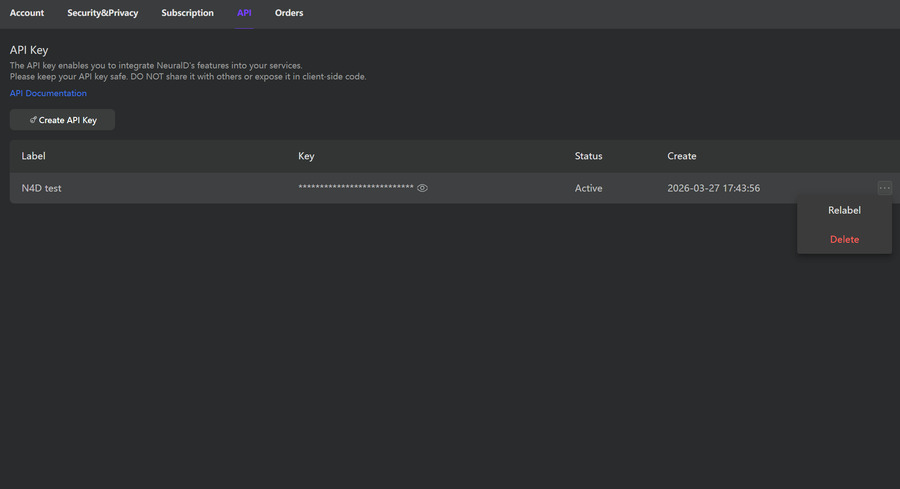
Neural4D’s API quickstart uses Bearer Token authentication, and the full reference is in the API documentation. You generate a token from your dashboard, set it as an environment variable, and every POST request carries it in the Authorization header. The API accepts both text prompts and image uploads, making it a flexible AI 3D model generator endpoint for any batch workflow.
The Python dependencies are minimal: the standard library urllib or the third-party requests package. No GPU is required since all inference runs on Neural4D’s cloud infrastructure.
import os
import requests
import json
import time

API_KEY = os.environ.get("NEURAL4D_API_KEY")
BASE_URL = "https://alb.neural4d.com:3000/api"
GENERATE_URL = f"{BASE_URL}/generateModelWithText"
RETRIEVE_URL = f"{BASE_URL}/retrieveModel"

headers = {
    "Authorization": f"Bearer {API_KEY}",
    "Content-Type": "application/json"
}
Create an isolated virtual environment for your pipeline to avoid dependency conflicts across projects. The script runs on any machine with Python 3.8 or later.
API Endpoint Reference
All Neural4D capabilities live under one REST base URL, https://alb.neural4d.com:3000/api, and every endpoint uses Bearer Token authentication with a POST request. The submit-then-poll lifecycle matches the pattern established by the SDKs that dominate this search space: the tripo3d PyPI package exposes task submission, waiting, and balance checks, and the Meshy API documentation covers the same task queue and polling model. Developers who have integrated either SDK will find the Neural4D contract familiar.
| Endpoint | Method | Purpose |
|---|---|---|
generateModelWithText |
POST | Generate a model from a text prompt |
generateModelWithImage |
POST | Generate a model from a matted reference image |
mattingImage |
POST | Remove the background from an uploaded image before generation |
createCuteModelsFromImages |
POST | Generate a stylized (chibi) character model from an image |
retrieveModel |
POST | Poll a task and fetch the finished model by UUID |
convertToFormat |
POST | Re-export a model to fbx, glb, obj, stl, blend, or usdz |
queryJobProgress |
POST | Query the progress of a running generation job |
queryPointsInfo |
POST | Query the remaining credit balance |
checkHumanImage |
POST | Detect whether an uploaded image contains a human portrait |
Charged calls consume 60 credits for generateModelWithText, 80 for generateModelWithImage, 30 for createCuteModelsFromImages, and 10 for convertToFormat. Status and balance queries such as retrieveModel, queryJobProgress, and queryPointsInfo consume no credits, so polling is always free.
Part 3: Building the Batch Generation Loop
All major AI 3D generation APIs follow the same async pattern: you submit a task, poll for completion, and download the result. Neural4D’s API works identically across both its Text to 3D API and Image to 3D endpoints, so if you have used any other AI 3D model generator API before, the integration pattern is familiar.
Single Asset Generation Function
The core function submits a text or image prompt and waits for the result. Generation time varies by texture setting: about 90 seconds for the base mesh, then 2 minutes or more when PBR textures (Normal, Roughness, Metallic maps) are generated in the same job. The mesh is produced first, and textures are applied as a follow-on pass, so a fully textured model takes longer than the untextured base mesh.
The official API documentation describes the timing as “about 90 seconds per untextured base mesh,” with PBR texture generation extending the same job by several minutes.
def generate_3d_asset(prompt, textures=False):
    job = requests.post(
        GENERATE_URL,
        headers=headers,
        json={
            "prompt": prompt,
            "modelCount": 1,
            "disablePbr": 0 if textures else 1
        }
    )
    uuids = job.json().get("uuids", [])
    if not uuids:
        raise Exception(f"Generation failed to start: {job.json()}")

    while True:
        status = requests.post(
            RETRIEVE_URL,
            headers=headers,
            json={"uuid": uuids[0]}
        )
        result = status.json()
        code_status = result.get("codeStatus")
        if code_status == 0:
            return result["modelUrl"]
        elif code_status == -3:
            raise Exception(f"Generation failed: {result.get('message')}")
        time.sleep(10)
Batch Loop Over a Prompt List
With that function in place you can iterate over a CSV of prompts and let the script run unattended. Each asset downloads as a separate file into an output directory. This is where using Neural4D as your AI 3D model generator pays off: the loop keeps running until every asset is generated, no manual restart needed between items.
import csv

prompts = []
with open("asset_prompts.csv") as f:
    reader = csv.DictReader(f)
    for row in reader:
        prompts.append(row)

for item in prompts:
    url = generate_3d_asset(item["prompt"])
    filename = f"output/{item['id']}_{item['name']}.glb"
    with open(filename, "wb") as f:
        f.write(requests.get(url).content)
    print(f"Downloaded {filename}")
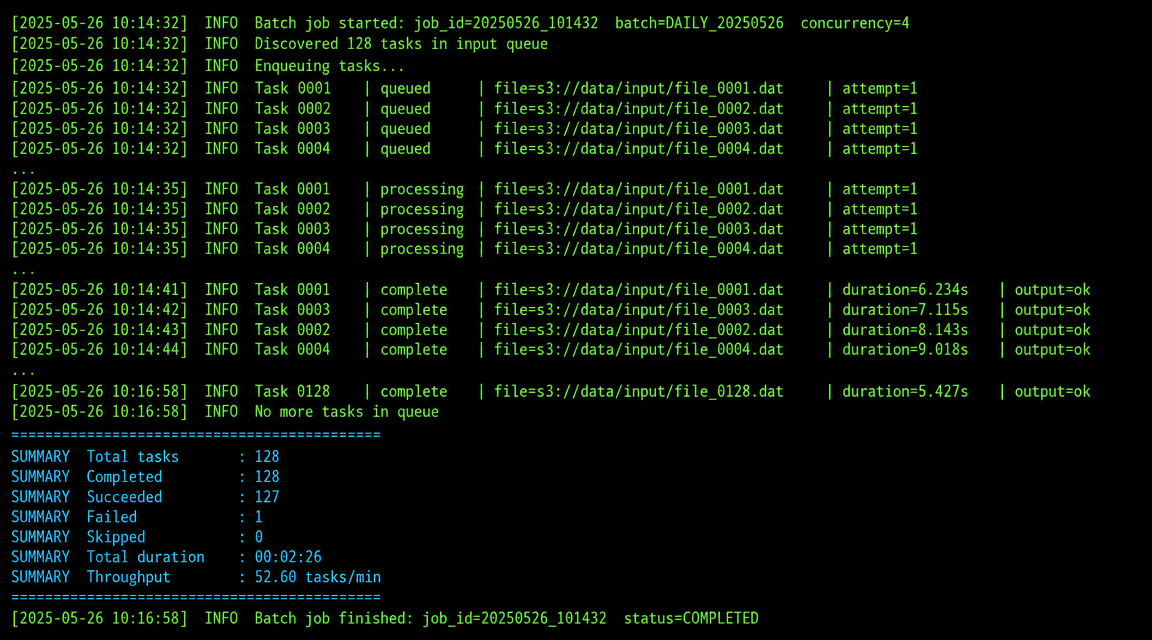
Running this against a list of fifty prompts produces fifty ready-to-import .glb files with no manual intervention. For long-running batches you can poll queryJobProgress with the same UUID to track generation progress, and call convertToFormat after retrieveModel succeeds to export as fbx, obj, stl, blend, or usdz in addition to the default GLB. The Image to 3D model endpoint accepts a reference image URL alongside the text prompt, which helps maintain visual consistency across a batch of related assets. For a deeper look at why this matters for production workflows, see why your next project needs an Image to 3D API.
Code Status and Error Handling Reference
Every retrieveModel response returns a codeStatus integer that tells you exactly where a task stands. Handling all five states inside the batch loop keeps a long-running job from dying silently on the first failed asset.
| codeStatus | Meaning | What to do |
|---|---|---|
| 0 | Generation complete | Download modelUrl and move to the next asset |
| 1 | Generating in progress | Keep polling on the same UUID |
| -1 | Token invalid or expired | Regenerate the API key and restart the batch |
| -2 | UUID does not exist | Re-submit the generation request |
| -3 | Generation failed | Read message, adjust the prompt, and retry |
Format conversion adds its own state via statusType: 0 means the converted model is ready to download, 1 means conversion is still running (poll again in a few seconds), and -1 means the request parameters are incorrect or the conversion failed, so retry with a valid modelType such as fbx, obj, or stl. The same statusType convention signals whether a queryJobProgress or queryPointsInfo query itself was valid.
Part 4: Output Validation and Cost Control
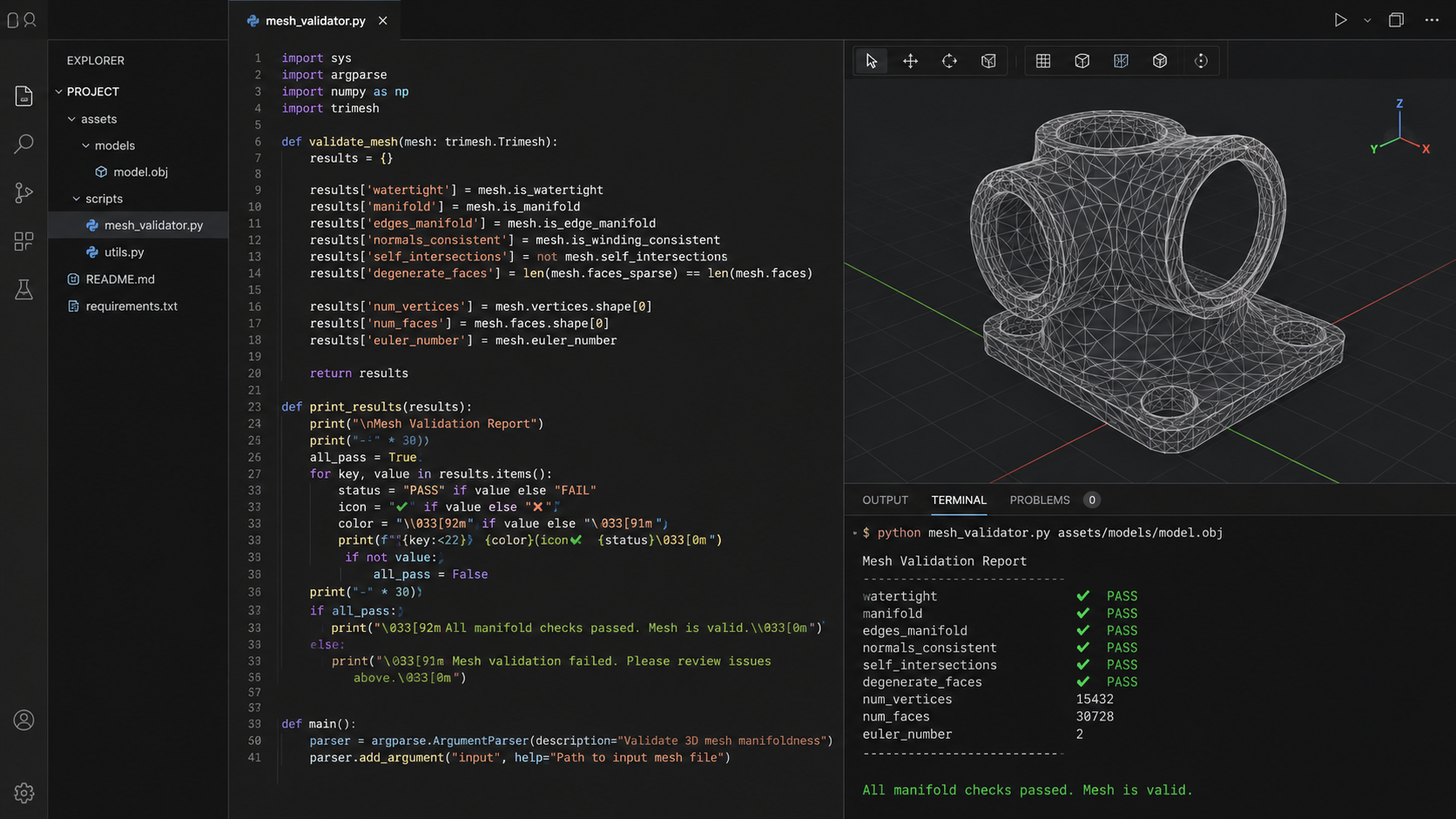
Not all generated assets will meet your quality bar on the first pass. Building a validation step into the pipeline catches failures before they reach your game engine. Even a reliable AI 3D model generator benefits from automated checks that save you from manually inspecting hundreds of files.
Mesh Validation with Trimesh
The trimesh library checks for manifold geometry, watertightness, and polygon counts. Neural4D’s SSA output passes the manifold check on well over 95% of generations, but it costs nothing to verify programmatically.
import trimesh

def validate_asset(filepath, max_tris=5000):
    mesh = trimesh.load(filepath)
    is_watertight = mesh.is_watertight
    tri_count = len(mesh.faces)
    print(f"{filepath}: watertight={is_watertight}, tris={tri_count}")
    return is_watertight and tri_count <= max_tris
Cost Tracking
Neural4D's API consumes Power credits rather than charging a flat dollar rate. A text to 3D generation costs 60 Power credits and a format conversion costs 10, matching how credits work in the Studio and the API quickstart. A batch of 100 assets comes to 6,000 credits for generation plus 1,000 for conversions, and paid plans offer discounted credit rates. Track cumulative spend in your script and set a hard cap to prevent runaway jobs during prompt experimentation. Running an AI 3D model generator at this price point makes it viable for indie studios operating on tight budgets.
Query the balance before a large batch and again after each chunk so a runaway loop cannot overdraw the account. The queryPointsInfo endpoint returns the remaining balance and reports a statusType of 0 when the query is valid.
def check_balance():
    resp = requests.post(
        f"{BASE_URL}/queryPointsInfo",
        headers=headers,
        json={}
    )
    data = resp.json()
    if data.get("statusType") != 0:
        raise Exception(f"Balance query failed: {data.get('message')}")
    print(f"Remaining credits: {data.get('data')}")
    return data.get("data")

if check_balance() < 6000:
    print("Pause the batch: fewer than 6,000 credits for 100 assets.")
Cost Reference
100 game-ready .glb assets with PBR textures through the Neural4D API = 7,000 Power credits (60 per generation, 10 per format conversion). Equivalent manual modeling time: 200+ hours.
Read more about polygon count optimization for 3D game assets to set appropriate per-asset triangle budgets before running large batches.
Ready to Automate Your Asset Pipeline?
Generate 100 game-ready assets with Power credits on the Neural4D API. No GPU required.
Free users get 50 credits per week. No credit card required.
Part 5: Production Pipeline Tips for Game-Ready Assets
A batch pipeline is only useful if the output actually fits your game. These patterns increase the likelihood that every generated asset lands in-engine with zero manual cleanup.
Prompt Engineering for Consistent Style
Structure every prompt with the same template: object type, style keyword, material, and polygon budget. Example: "low-poly medieval barrel, game-ready, PBR wood texture, under 2000 triangles". Consistency in prompt structure produces consistency in output style. An AI 3D model generator is only as good as the prompts you feed it, so invest time in templating. Developers working in AI-assisted editors can also find the Claude Code integration for Neural4D API useful for iterating on prompt patterns directly from an IDE.
Neural4D's auto-UV unwrapping means you skip the most tedious part of traditional modeling. The mesh arrives with UV coordinates already assigned. For browser-based or mobile games, WebGL optimization techniques apply directly to the downloaded .glb files.
Rate Limits and Concurrent Requests
The Neural4D API is asynchronous: each generateModelWithText call returns a UUID immediately and generation runs server-side, so a long request never blocks your script. For a first batch, submit assets in small groups and collect the returned UUIDs before polling, rather than launching one thread per prompt. A concurrency factor of 2 to 4 works reliably for most pipelines; if the API returns a throttling error such as 429, apply exponential backoff starting at 5 seconds and doubling the delay on each retry. This pacing pattern is the same one the SDKs in this space document: Meshy routes batch creation through a task queue, and Tripo exposes an async context manager, both of which prefer paced submission over unbounded parallel calls.
Scope Limitations
Neural4D's 3D generation pipeline works on models it generates itself. It cannot import, retopologize, or repair meshes created by other tools. If you need to clean up a third-party model, the best strategy is to generate a fresh version with a corrected prompt rather than attempting post-hoc fixes. Before choosing any AI 3D model generator, confirm that its output format matches your engine's import pipeline.
Textures in the Same Job, No Second Request
Unlike some competitors that require a separate API call to add textures after the mesh is confirmed, Neural4D keeps the whole job in one request. The base mesh generates first, then the PBR maps are applied in the same job, so you submit once and poll until the fully textured model is ready. This eliminates the risk of misalignment between geometry and its material layers and keeps the batch pipeline linear rather than branching.
For additional guidance on prompt structure, see the best practices for AI image to 3D model prompts. Teams using OpenClaw for pipeline orchestration can reference the OpenClaw Neural4D 3D Model API guide for framework-specific integration patterns.
Part 6: Common Questions on Automated 3D Modeling for Game Development
Q: Can Neural4D batch-generate 100+ assets overnight?
Yes. The async pipeline described in Part 3 runs unattended. Submit all tasks, and the script polls and downloads results until the queue is empty. Paid plans provide higher concurrency limits for larger batches. Text to 3D generation costs 60 Power credits per job, so 100 assets consume 7,000 credits including format conversion, and complete in roughly 2-3 hours depending on texture settings. This is the primary advantage of using a Python AI 3D model generator API over manual or studio-based tools.
Q: What 3D formats do I get for Unity and Unreal import?
The API exports .glb, .fbx, .obj, .stl, .usdz, and .blend via the convertToFormat endpoint, with .glb as the default. For Unity, use .fbx or .glb. For Unreal Engine, .fbx is the standard import format. All exports include auto-generated UV coordinates and, when PBR textures are enabled, Normal, Roughness, and Metallic maps correctly mapped to the mesh.
Q: How does Neural4D compare to Meshy or Tripo for game assets?
Neural4D's Direct3D-S2 architecture with Spatial Sparse Attention produces watertight, manifold-closed meshes that go directly into a game engine. Meshy and Tripo use probabilistic generation that frequently outputs non-manifold geometry (unclosed surfaces, internal faces) requiring manual repair. Neural4D also applies PBR textures within the same generation job, whereas some competitors require a separate texture generation step after the mesh is confirmed. For batch generation at scale, a reliable AI 3D model generator like Neural4D dramatically reduces post-processing overhead.
Q: Can I use my own reference images for batch generation?
Yes, the Image to 3D API endpoint accepts a reference image URL alongside the text prompt. Passing your own concept art or reference photos as input helps the model match a specific style or silhouette across the entire batch. Use consistent lighting and composition in your reference images for the most uniform results.
Q: What if a generated model has a hole or non-manifold edge?
This is rare with Neural4D's SSA engine. If it happens, adjust the prompt (add "watertight" or "closed mesh") and re-run that single asset. Unlike other AI 3D tools, Neural4D cannot import and fix third-party models, so re-generation from a corrected prompt is the recommended workflow.
Q: Do I need a GPU to run the batch script locally?
No. All 3D generation runs on Neural4D's cloud servers. Your local machine only needs Python 3.8+ and the requests library. The script can run on a $5/month cloud VM, a Raspberry Pi, or your laptop while you work on other tasks. This makes Neural4D's Python AI 3D model generator API accessible to developers without dedicated hardware.
Q: How do commercial rights work for assets generated through the API?
Paid subscription members retain full commercial rights to all generated assets, including use in shipped games, merchandise, and NFTs. Free-plan outputs are marked "Trial" and are intended for testing only. If you are shipping a commercial title, any paid API tier qualifies you for full ownership of the pipeline output.
Conclusion
Building a batch pipeline with a Python 3D generation API changes the economics of indie game production. A single script, the Neural4D API, and a list of prompts replace weeks of manual modeling work with a few hours of automated generation. The output is watertight, game-ready, and backed by full commercial rights.
Stop Modeling Props by Hand
Generate 100 game-ready assets with Power credits on the Neural4D API. Get your API key and ship your game faster.
Free users get 50 credits per week. No credit card required.