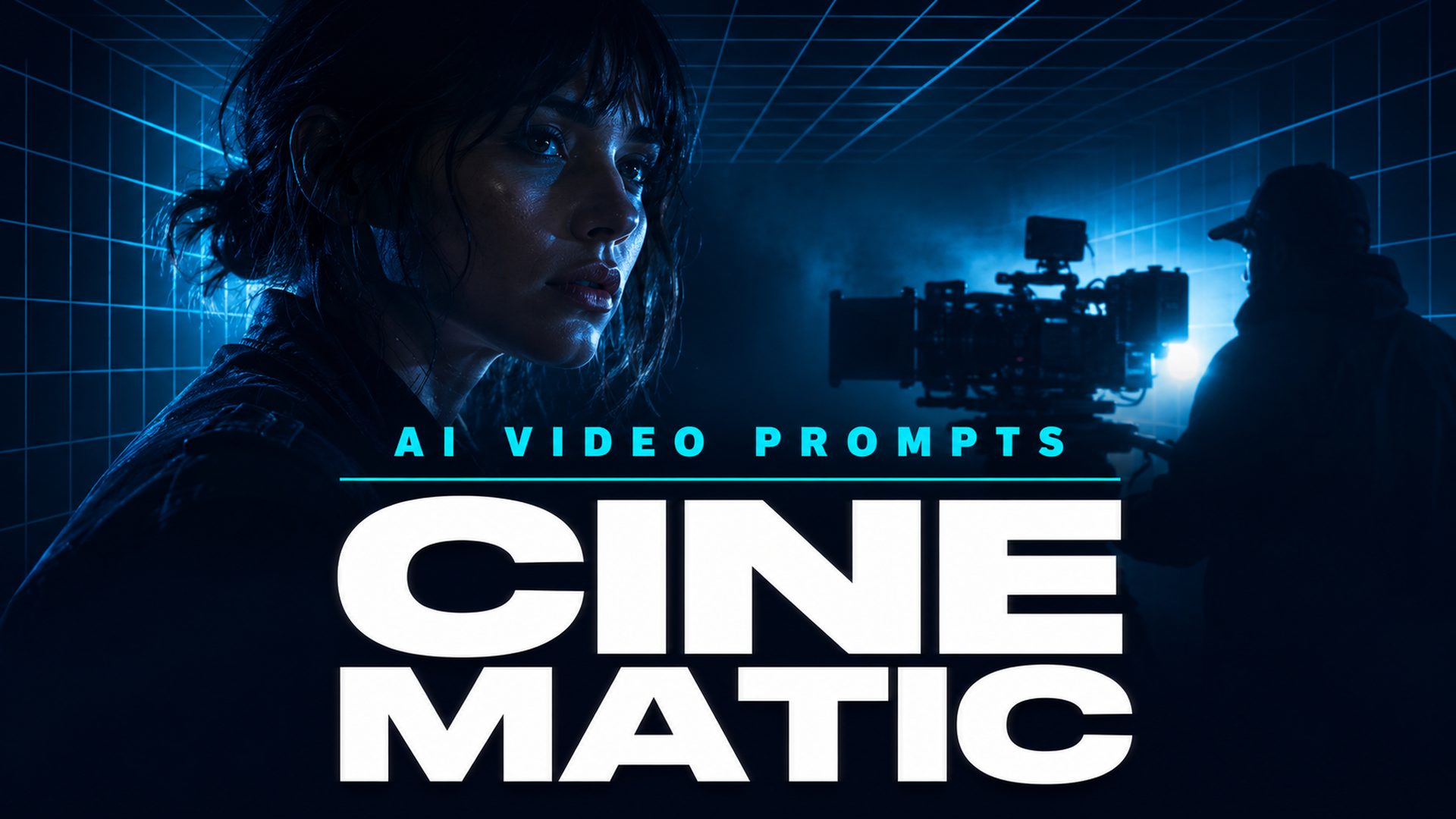
How to Write Cinematic AI Video Prompts: A Complete Guide
Quick Summary
- Cinematic AI video prompts combine camera language, lighting cues, subject details, environmental context, and technical style specifications to produce professional-quality AI-generated video.
- Five core pillars define every effective cinematic prompt: Camera, Lighting, Subject, Environment, and Technical Style.
- The most common reason AI video looks artificial is vague emotional language instead of observable physical description and camera movement.
- Neural4D Text to Video supports prompt-driven cinematic generation with Seedance 2.0, Veo 3.1, and Grok Imagine, where prompt structure directly determines output quality regardless of which model you choose.
Writing cinematic AI video prompts is the difference between flat, lifeless clips and footage that looks like it belongs on a screen. The right prompt structure tells the AI not just what appears in the frame, but how it is shot, how it moves, and how it feels. This guide breaks down the exact framework, templates, and techniques you need to produce cinematic results with any AI video tool.
Table of Contents
- Part 1: What Is a Cinematic AI Video Prompt?
- Part 2: The 5 Pillars of a Cinematic Prompt
- Part 3: Cinematic Prompt Templates for AI Video
- Part 4: Common Mistakes That Kill Cinematic Quality
- Part 5: How Neural4D Text to Video Handles Cinematic PromptsHOT
- Part 6: Common Questions on Cinematic AI Video Prompts
- Conclusion: Start Creating Cinematic AI Videos Today
Part 1: What Is a Cinematic AI Video Prompt?
A cinematic AI video prompt is a structured instruction that tells the video generation model not only what to show, but how to frame, light, and move through the scene. Unlike a basic prompt that describes a subject in simple terms (“a cat on a couch”), a cinematic prompt adds camera language, lighting direction, environmental details, and technical specifications that mirror the decisions a real film crew would make on set.
AI video models interpret text differently than image models. Video generation must account for motion over time, camera positioning, and scene continuity. Research from Google’s VISTA project demonstrates that prompt specificity directly correlates with output quality in text to video generation, with structured prompts producing significantly higher user preference ratings than unstructured descriptions (VISTA, CVPR 2026). A prompt that works well for an image generator will often produce underwhelming video results because it lacks the temporal and spatial cues that a video model needs.
The core difference is specificity. A basic prompt describes. A cinematic prompt directs. Where a basic prompt says “a warrior in a forest,” a cinematic prompt says “a lone warrior with weathered leather armor stands in a misty forest, slow dolly push-in from a low angle, shafts of morning light cutting through the canopy, volumetric fog, shallow depth of field, 35mm anamorphic.” The second version gives the model concrete visual direction instead of relying on its default interpretation.
This applies across all AI video platforms, from Runway and Kling to Seedance and Veo. The quality of the output is gated by the quality of the prompt. Investing time in cinematic AI video prompts returns better footage every time, regardless of which model you use.
Part 2: The 5 Pillars of a Cinematic Prompt
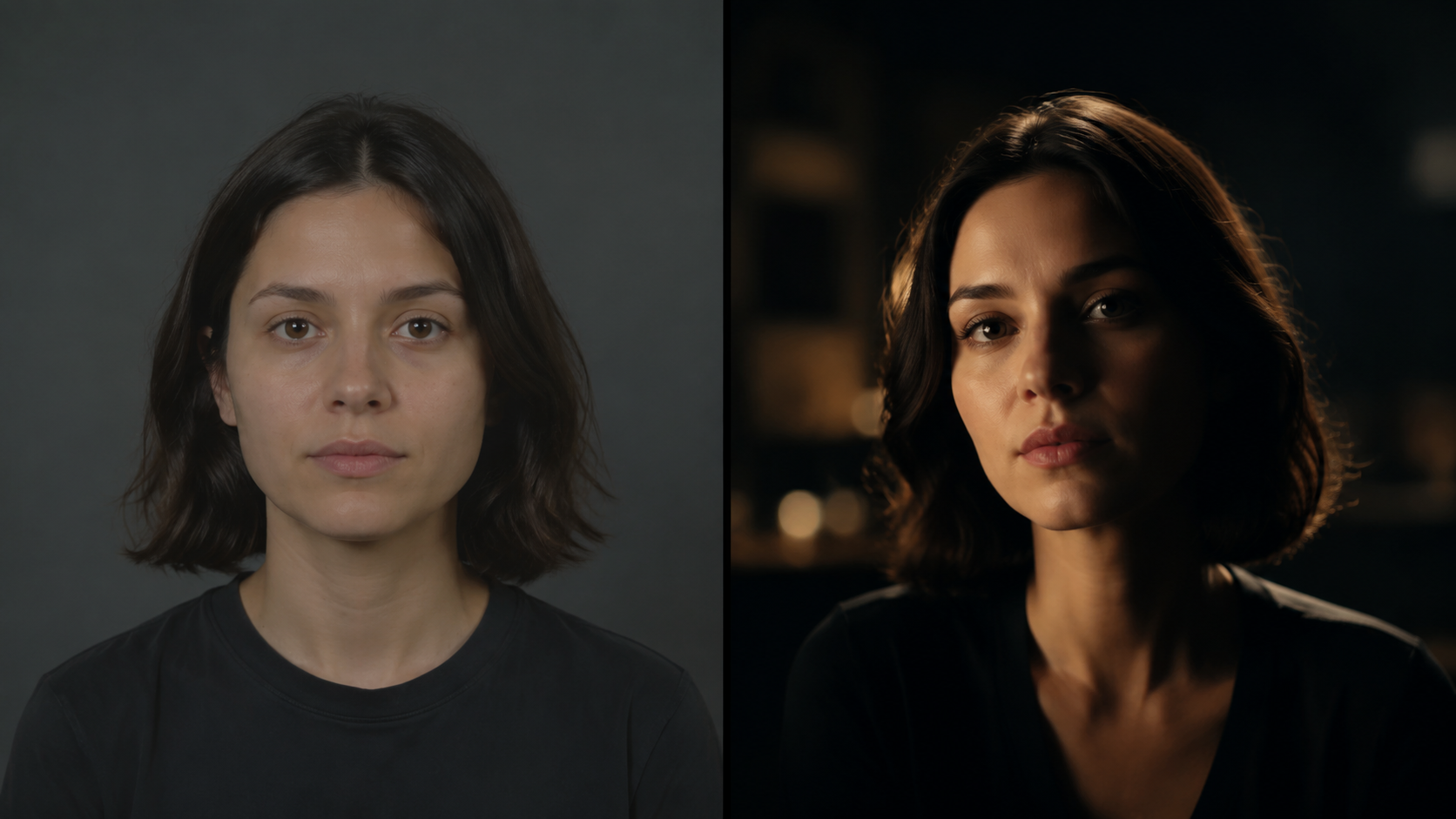
Every effective cinematic AI video prompt can be broken into five components. When one is missing, the output loses cinematic quality. Together, they form a repeatable framework you can apply to any scene idea for crafting cinematic AI video prompts.
| Pillar | What It Controls | Example Terms |
|---|---|---|
| Camera | Movement, angle, and lens choice | dolly in, low angle, orbit, anamorphic, 35mm |
| Lighting | Source, quality, direction, and color | backlit, soft wrap, rim light, golden hour, cool blue |
| Subject | Physical appearance and observable action | weathered leather, relaxed shoulders, subtle smirk |
| Environment | Setting, weather, atmosphere, and mood | misty forest, neon alley, volumetric fog, melancholic |
| Style | Film stock, depth of field, grain, color grading | shallow DOF, film grain, anamorphic flare, teal and orange |
Pillar 1: Camera Language
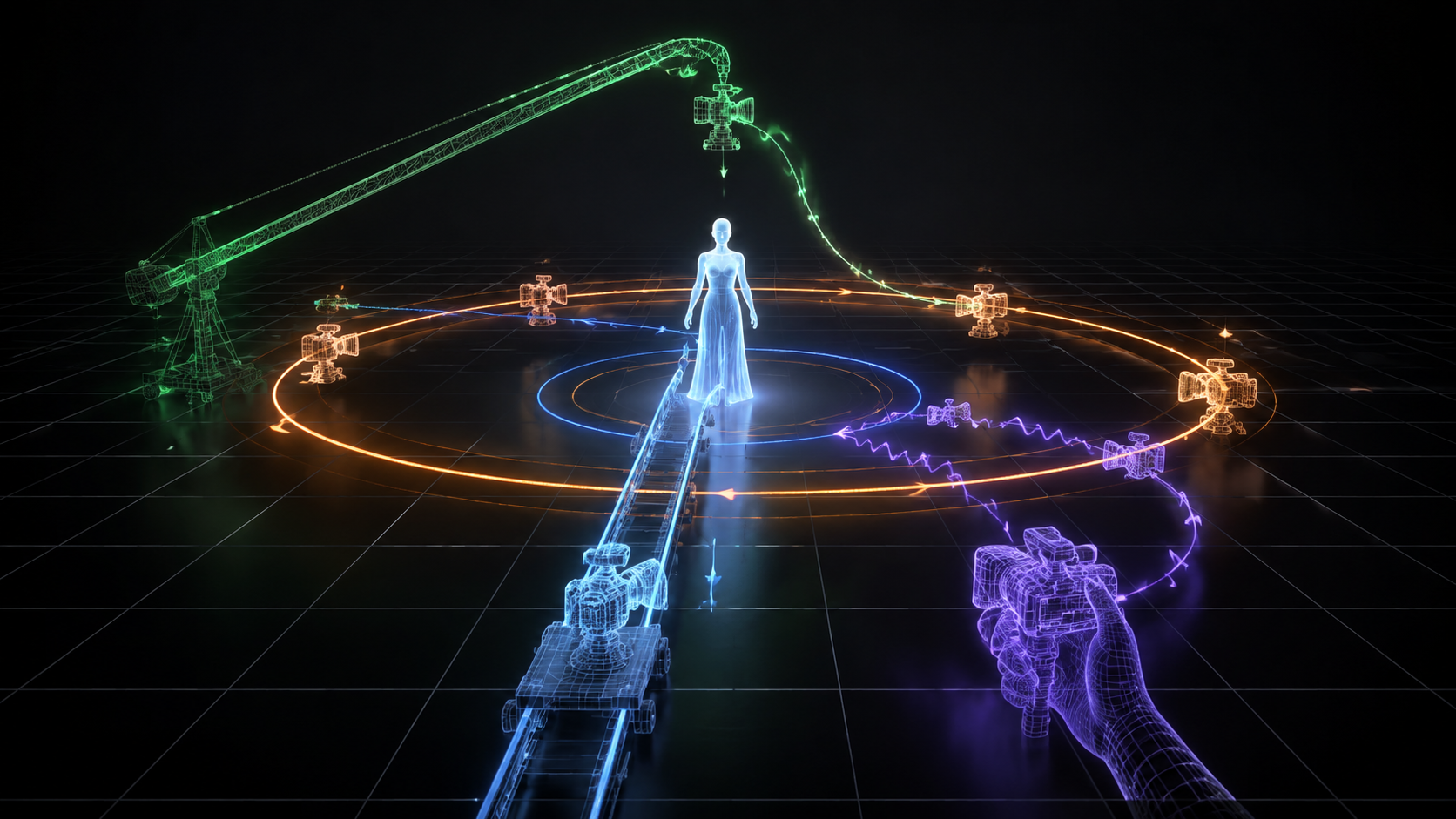
Camera movement is the fastest way to make an AI video feel intentional rather than accidental. The specific movement you choose tells the viewer where to look and how to feel about what they are seeing.
Dolly push-in moves the camera toward the subject. It builds intimacy or tension. Use it for character reveals, dramatic moments, or product emphasis. Pull-back reveal starts close and moves away, useful for establishing context or delivering a reveal at the end of a sequence. Pan and tilt provide horizontal or vertical coverage, good for showing scale or following action. Tracking and follow shots move alongside the subject, ideal for travel sequences, walk-and-talk scenes, or sports footage.
Orbit and arc shots circle around the subject, excellent for product showcases, fashion reveals, or environment establishes. Crane, drone, and rising shots move vertically to create scale and epic openings. Handheld camera adds documentary realism, perfect for gritty or intimate content. Locked-off (no camera movement) looks premium when the scene itself contains strong motion, such as water flowing, crowds moving, or particles drifting.
Camera angle matters equally. A low angle makes the subject feel powerful or imposing. A high angle makes them vulnerable or small. Eye-level creates neutrality and connection. Over-the-shoulder shots place the viewer inside the scene.
For lens specifications, use terms the AI model can interpret literally: “35mm anamorphic,” “wide angle 18mm,” “telephoto compression,” “fisheye distortion.” Avoid abstract lens references like “cinematic lens” without a specific focal length.
Pillar 2: Lighting and Atmosphere
Lighting is the single strongest anchor of realism in AI video. Models default to flat, even illumination when no lighting is specified. Adding one concrete light source transforms the output.
Describe the source of light: “backlit window with warm morning sun,” “practical table lamp casting a warm glow,” “neon sign reflecting off wet pavement,” “overhead fluorescent in a cold corridor.” Then specify quality: soft light wraps around the subject, harsh light creates sharp shadows. Then direction: from camera right, rim light from behind, top-down, or und exposure from below.
Color temperature sets the emotional register. Warm golden light evokes comfort, nostalgia, or romance. Cool blue light suggests tension, night, or technology. Mixed color temperatures create visual interest and depth, such as a warm face in a cool-blue environment.
Pillar 3: Subject and Action
AI video models generate motion based on physical description, not emotional state. Instead of writing “she feels nervous” (which the model cannot visualize), write “she fidgets with her sleeve, glances to the side, takes a shallow breath.” Every emotional cue must be translated into observable behavior.
Include micro-actions. A subtle smirk, a head tilt, fingers adjusting fabric, a blink timed to a pause. These small movements prevent the stiffness that plagues AI video and make characters feel alive. Without them, subjects tend to hover in an uncanny stillness even when the camera moves around them.
Describe clothing with texture words: “weathered leather,” “flowing silk,” “heavy wool,” “metallic armor with scratches.” The model uses these texture cues to generate realistic material movement during motion.
Avoid abstract action verbs. “She walks” is fine but weak. “She strides confidently with relaxed shoulders and a slight sway” gives the model measurable physical parameters. Action descriptions should imply a continuous motion arc with a beginning and end, not a single static pose.

Pillar 4: Environment and Mood
Location, weather, and time of day anchor the scene in a recognizable reality. A prompt that says “a street at night” leaves too much to the model’s default. “A rain-soaked neon alley in downtown Tokyo, 2 AM, steam rising from vents, reflections on wet asphalt” gives the model concrete visual data to work with.
Atmospheric effects add production value: volumetric fog, god rays through clouds, dust particles in sunlight, smoke drifting across the frame. These details cost nothing in the prompt but signal “high production” in the output.
Mood words like “melancholic,” “tense,” “serene,” “epic,” or “mysterious” help the model calibrate color grading and pacing. Place the mood word near the end of the prompt so it acts as a summary modifier rather than the primary instruction.
Pillar 5: Technical Style
The fifth pillar elevates video from “good AI footage” to “footage that looks professionally shot.” These are the finishing specifications that signal a film aesthetic.
Depth of field: “shallow depth of field” blurs the background and focuses on the subject. “Deep focus” keeps everything sharp. Specify which one, because the default varies by model.
Film grain: “subtle 35mm film grain” adds texture and reduces the polished digital look that AI video defaults to. The amount matters: specify “subtle” or “light” rather than “heavy grain” which can overwhelm the image.
Color grading: “teal and orange grade,” “desaturated with warm highlights,” “cold blue shadows,” “vintage Kodachrome.” Color references translate well if they reference known film stocks or grading styles.
Aspect ratio: If the model supports it, specify “2.35:1 anamorphic” for ultrawide cinematic framing, or “16:9” for standard widescreen. Do not assume the model will default to the right aspect ratio.
💡 Pro tip: Stack multiple technical style cues in sequence for the best results. A prompt ending with “shallow depth of field, subtle 35mm film grain, anamorphic flares, teal and orange grade” triggers the model to apply all these simultaneously, creating a layered cinematic look rather than a single filter effect.
Part 3: Cinematic Prompt Templates for AI Video
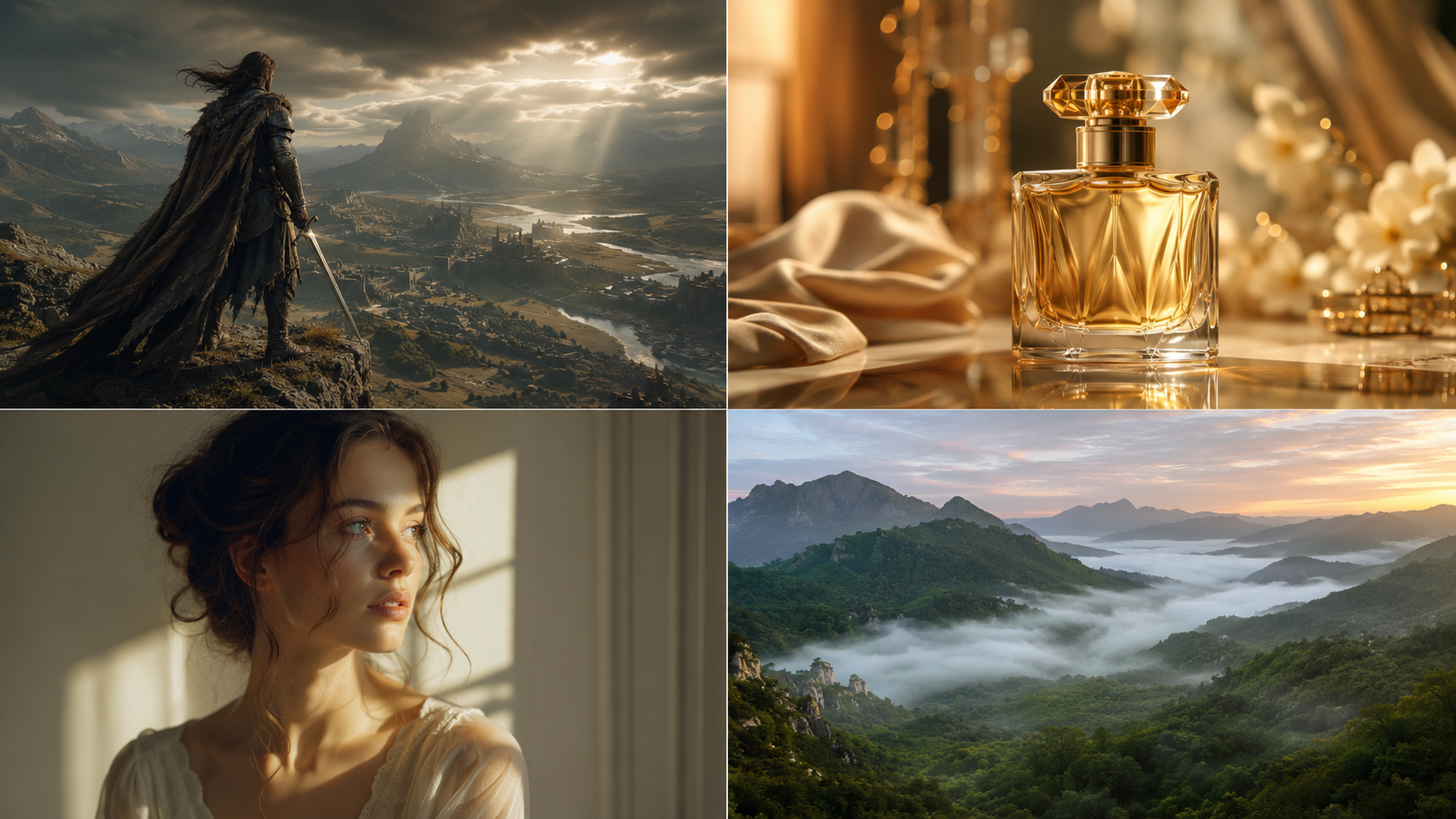
The following templates apply the 5 Pillars framework to specific genres. Each shows how to structure cinematic AI video prompts for different scenarios, with a full prompt text followed by a breakdown of which pillars are doing the work. Adapt the subject, location, and specific camera moves to your project.
🎬 Template 1: Epic Fantasy Cinematic
Pillars used: Camera (dolly push-in, low angle), Lighting (golden sunlight, god rays), Subject (warrior, silver hair, leather armor, cape billowing), Environment (mountain cliff, mist, dawn, wind), Style (shallow DOF, film grain, anamorphic).
💼 Template 2: Luxury Product Commercial
Pillars used: Camera (macro orbit, close-up), Lighting (side lighting, golden highlights, rim light), Subject (perfume bottle, liquid drop, ripples), Environment (dark studio, black marble), Style (shallow DOF, 4K, slow motion).
🧑🎨 Template 3: Portrait and Beauty
Pillars used: Camera (push-in, close-up), Lighting (window light, soft wrap, editorial), Subject (woman, curly hair, subtle smile, eye crinkle), Environment (near window), Style (bokeh, soft focus, warm grade, medium format).
🏃 Template 4: Action Chase Sequence
Pillars used: Camera (handheld tracking, behind-subject), Lighting (neon signs, blue and red alternating), Subject (sprinting figure, tactical gear), Environment (rainy alley, night, wet walls), Style (motion blur, desaturated, gritty).
🏞️ Template 5: Nature Establishing Shot
Pillars used: Camera (aerial crane, sweeping, slow reveal), Lighting (sunrise, warm orange and pink), Subject (birds flying), Environment (valley, mist, fog, hills), Style (deep focus, 2.35:1, warm grade).
Part 4: Common Mistakes That Kill Cinematic Quality
Even experienced prompt writers fall into these traps when crafting cinematic AI video prompts. Recognizing them is the fastest path to better results.
⚠ Mistake 1: Overloading the Prompt
Packing too many subjects, conflicting camera moves, or multiple visual styles into one prompt confuses the model. The output averages everything into a generic middle ground. Stick to one primary subject, one camera movement, and one lighting setup per prompt. If a scene requires multiple elements, generate separate clips and edit them together.
⚠ Mistake 2: Writing Emotions Instead of Actions
“He looks angry” tells the model nothing measurable. “He clenches his jaw, narrows his eyes, and crosses his arms tightly” gives the model physical cues it can actually render. Translate every emotion into observable behavior before writing it into the prompt.
⚠ Mistake 3: Forgetting Camera Movement
Without a camera instruction, the model defaults to a static or randomly drifting frame. The video looks like a security camera recording rather than a film. Always include at least one camera movement term, even for static scenes (where “locked-off” or “static shot” should be stated explicitly).
⚠ Mistake 4: Contradictory Lighting Cues
“Golden sunset lighting” paired with “harsh midday shadows” produces unnatural results because the model cannot reconcile opposing light sources. Similarly, mixing warm and cool color temperatures without a clear dominant source creates muddy, confused lighting. Pick one primary light source and one secondary at most.
⚠ Mistake 5: Relying Only on Style Words
Loading a prompt with “cinematic, 8K, epic, hyperrealistic” without providing actual camera, lighting, or subject details produces flat results. Style modifiers amplify good structural prompts, but they cannot replace missing pillars. Always build the prompt from concrete physical details first, then add style as the finishing layer.
Part 5: How Neural4D Text to Video Handles Cinematic Prompts
Neural4D Text to Video generates clips from text prompts alone, offering a choice of three models: Seedance 2.0, Veo 3.1, and Grok Imagine. Each model interprets your cinematic AI video prompts with different strengths, and because the system does not accept image or video reference inputs, your prompt is the only control you have over output quality, which makes prompt structure especially important.
The 5 Pillars framework applies directly. Neural4D’s video model responds well to structured prompts that include camera movement terms, lighting descriptions, subject details, and environmental context. A prompt that skips camera language will produce a clip with minimal or drifting movement. A prompt with specific lighting direction will render noticeably richer footage than one without it.
For example, generating “a product on a table” produces a basic clip. Writing “a slow orbit around a luxury watch on polished wood, warm directional light from the right with soft shadows, subtle reflections on the metal bezel, shallow depth of field, premium commercial aesthetic” produces footage that looks intentionally shot.
Iteration workflow: The output refinement loop for Neural4D Text to Video is straightforward. Generate the clip from your prompt. Evaluate which pillar is weakest. Adjust the prompt targeting that specific weakness, and regenerate. The model supports unlimited regeneration, so you can refine the prompt iteratively without additional cost per attempt beyond your Power allocation. Compare your results directly against the previous version in the generation history to track which prompt changes produce real quality improvements.
Neural4D currently offers three video models: Seedance 2.0 for balanced general-purpose cinematic video, Veo 3.1 for high-fidelity realism and complex scene composition, and Grok Imagine for stylized and creative interpretations. Each model responds differently to camera movement and lighting instructions, so testing the same cinematic AI video prompts across all three can help you discover which one best suits your specific scene type. See our AI video models comparison for a detailed breakdown of each model’s strengths.
Try a Cinematic Prompt in Neural4D
Write your prompt, generate a clip, see the 5 Pillars in action.
No credit card required. Free users receive 50 Power per week.
Part 6: Common Questions on Cinematic AI Video Prompts
Q: Why does my AI video look artificial even with a detailed prompt?
The most common cause is missing micro-actions and subtle motion cues. Even with good camera work and lighting, subjects that stand perfectly still register as artificial to the human eye. Add small movements: fabric shifting with breath, a glance, a hand adjustment. These micro-actions break the uncanny stillness. Also check for contradictory lighting cues that create physically impossible shadow behavior, which models often render as a flat CG look.
Q: What is the ideal length for a cinematic AI video prompt?
Effective cinematic prompts typically run 30 to 60 words. Very short prompts (under 15 words) lack the specificity needed for cinematic output. Very long prompts (over 100 words) dilute the signal-to-noise ratio and can confuse the model with conflicting instructions. The sweet spot fits all five pillars in 2 to 4 sentences, with the camera movement and lighting as the first two clauses so the model establishes those before interpreting the subject and action.
Q: Can I use multiple camera movements in a single prompt?
Most AI video models generate a single continuous camera move, so combining conflicting movements like “dolly in” and “crane up” in the same prompt typically produces an averaged or erratic result. The exception is sequential movement that flows naturally, such as “track alongside the subject, then slowly orbit as they stop.” If you need multiple distinct camera moves, generate separate clips using individual cinematic AI video prompts and edit them together in post-production rather than asking one model to handle a complex multi-move sequence.
Q: Do different AI video models respond differently to the same cinematic prompt?
Yes, significantly. Models trained on different datasets interpret camera language and lighting terms with varying accuracy. For example, Seedance 2.0 handles structured camera movement instructions (dolly, orbit, crane) with reliable shot consistency, while other models may interpret “dolly in” as a simple zoom effect rather than a physical camera move. The same prompt will produce different framing, motion quality, and lighting across models. Test your prompt structure on the specific model you plan to use before investing time in a full production workflow. Neural4D’s Text to Video feature lets you compare results by iterating the same prompt with adjustments.
Q: Should I include negative prompts for cinematic AI video generation?
Negative prompts are less effective for video models than for image models. Many AI video platforms do not support negative prompting at all, and those that do interpret negative terms inconsistently. Instead of excluding unwanted elements, write positive instructions for what you do want. For example, instead of a negative prompt saying “no blurry background,” write “sharp subject with shallow depth of field and clean background separation” in the positive prompt. This approach is more reliable across different models and avoids the paradoxical effect where negative terms sometimes reinforce the very artifact you are trying to suppress.
Conclusion: Start Creating Cinematic AI Videos Today
Mastering cinematic AI video prompts is a skill that compounds with practice. Each clip you generate teaches you something about how the model interprets your instructions. The 5 Pillars framework gives you a repeatable structure for building cinematic AI video prompts, but the real improvement comes from practicing the iteration loop: generate, evaluate, adjust, regenerate.
Start with one of the templates in Part 3. Swap in your own subject and location. Test it in your preferred AI video tool, then adjust one pillar at a time. You will see measurable quality improvement with each cycle.
Neural4D Text to Video gives you a direct environment to apply these techniques. The AI video generator accepts text prompts and produces clips using Seedance 2.0, with support for the camera language, lighting, and style terms covered in this guide. If you are already working with AI video for e-commerce, social media, or creative projects, read our guide on how to create video with AI from text for a full workflow walkthrough, or explore the Seedance 2.5 review to understand the latest model capabilities.
Generate Your First Cinematic AI Video
Use the 5 Pillars framework to create professional video clips in minutes.
Try Neural4D Text to Video Free
Free tier: 50 Power per week. No credit card required.