The Best Free 3D Model Design Software: 2026 Professional Alternatives to Blender
Quick Summary
Free 3D model design software refers to professional-grade 3D modeling tools available at zero or low cost that produce mesh geometry without expensive seat licenses.
- Tinkercad and SelfCAD are browser-based CAD tools for prototyping and 3D printing.
- FreeCAD, SketchUp Free, and Fusion 360 cover parametric engineering, architecture, and CAD/CAM workflows.
- Blender is the open-source standard for full-pipeline mesh modeling, rigging, and rendering.
- Neural4D generates watertight quad-topology meshes from images in under 60 seconds using the Direct3D-S2 engine.
For engineering and product teams, the primary bottleneck in 3D production is not the software license cost, but the accumulated time spent on manual retopology and mesh cleanup. In 2026, the strategic selection of free 3D model design software is a calculation of "time-to-asset." Traditional modeling suites often result in non-manifold geometry when handled by non-experts, leading to significant delays in Unity or Unreal Engine integration. This guide evaluates the professional landscape of 3D modeling alternatives, focusing on tools that provide watertight mesh output and streamlined pipeline compatibility.
Table of Contents
- Part 1: Defining Utility in 2026 3D Workflows
- Part 2: CAD & Parametric Tools: Tinkercad, SelfCAD, FreeCAD, SketchUp, Fusion 360
- Part 3: Professional Mesh Modeling: Evaluating the Blender Standard
- Part 4: Generative Architecture: Neural4D and Direct3D-S2 Logic
- Part 5: Comparative Analysis of Production-Ready Software
- Part 6: Frequently Asked Questions
- Part 7: Strategic Conclusion: Optimizing Your Asset Pipeline
Part 1: Defining Utility in 2026 3D Workflows
The strategic value of 3D software is no longer anchored to its price point. Instead, technical leads evaluate tools based on their retopology efficiency and export fidelity. Professional-grade free 3D model design software must integrate into existing CI/CD pipelines without introducing "triangle soup" or broken edge flows. In 2026, efficiency is achieved by utilizing compute power to automate the most labor-intensive parts of the modeling process, specifically UV mapping and mesh optimization.
Read also: How to Design 3D House Models
Part 2: CAD & Parametric Tools: Tinkercad, SelfCAD, FreeCAD, SketchUp, Fusion 360
CAD (Computer-Aided Design) tools represent one end of the 3D modeling software spectrum, where dimensional accuracy is non-negotiable and geometric precision takes priority over artistic flexibility.
🔥 Tinkercad (Autodesk)
Tinkercad is a primitive-based assembly workflow. It utilizes constructive solid geometry (CSG) to build 3D assets by merging or subtracting basic solids, ensuring mathematically sound intersections.
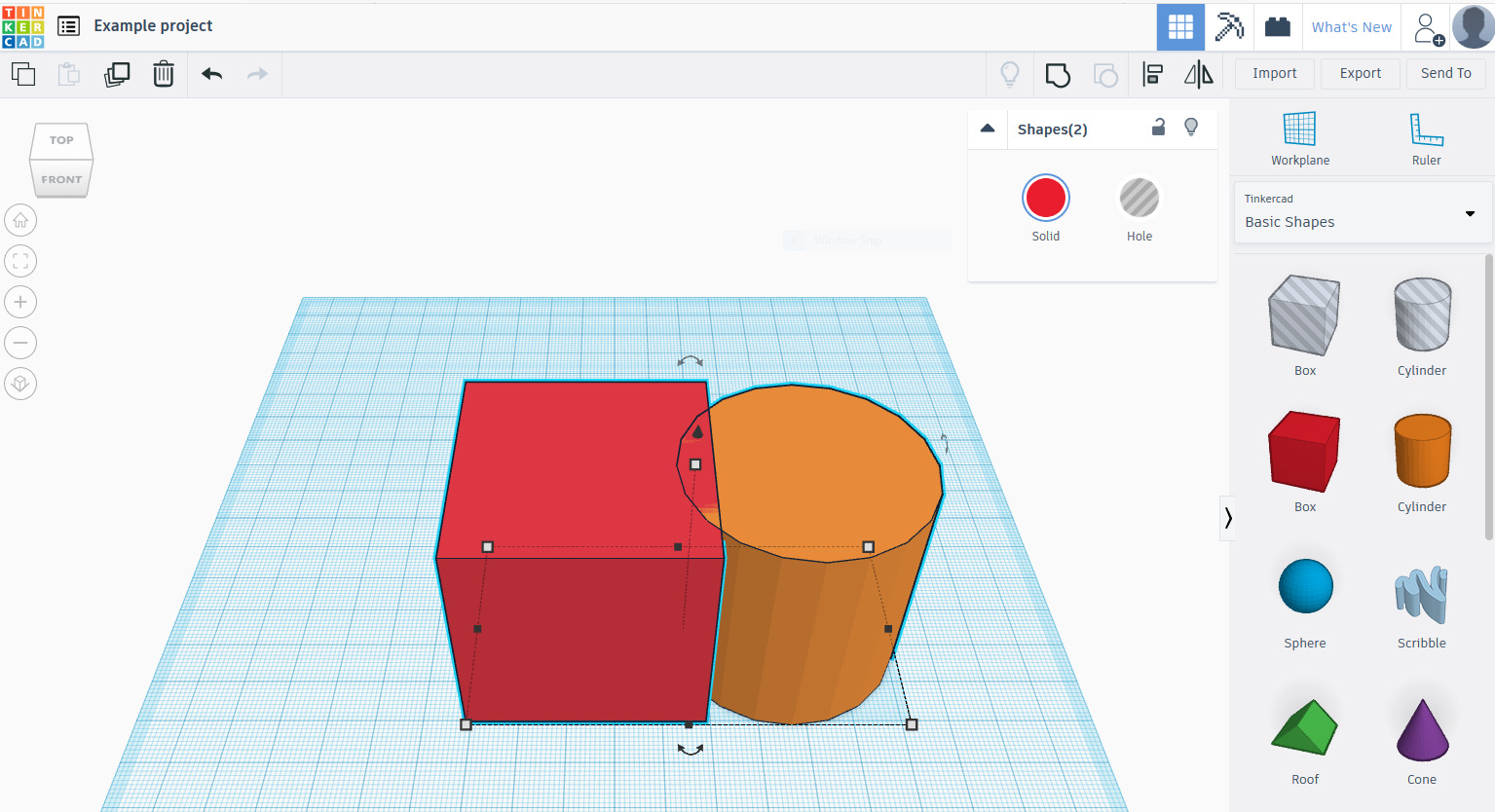
Technical Experience: Tinkercad’s CSG workflow is effective for block-out prototyping, but its lack of vertex-level control means every exported model is triangulated STL requiring significant retopology in Blender or Maya before it is usable in game engines. There is no UV mapping system, no edge flow control, and no material assignment beyond basic color fills. For production teams, Tinkercad functions as a napkin-sketching tool: fast for ideation, but every asset must be rebuilt from scratch in a proper modeling suite before it reaches the pipeline.
🔥 SelfCAD
SelfCAD provides an integrated environment combining parametric modeling with mesh sculpting and an internal slicer for additive manufacturing.
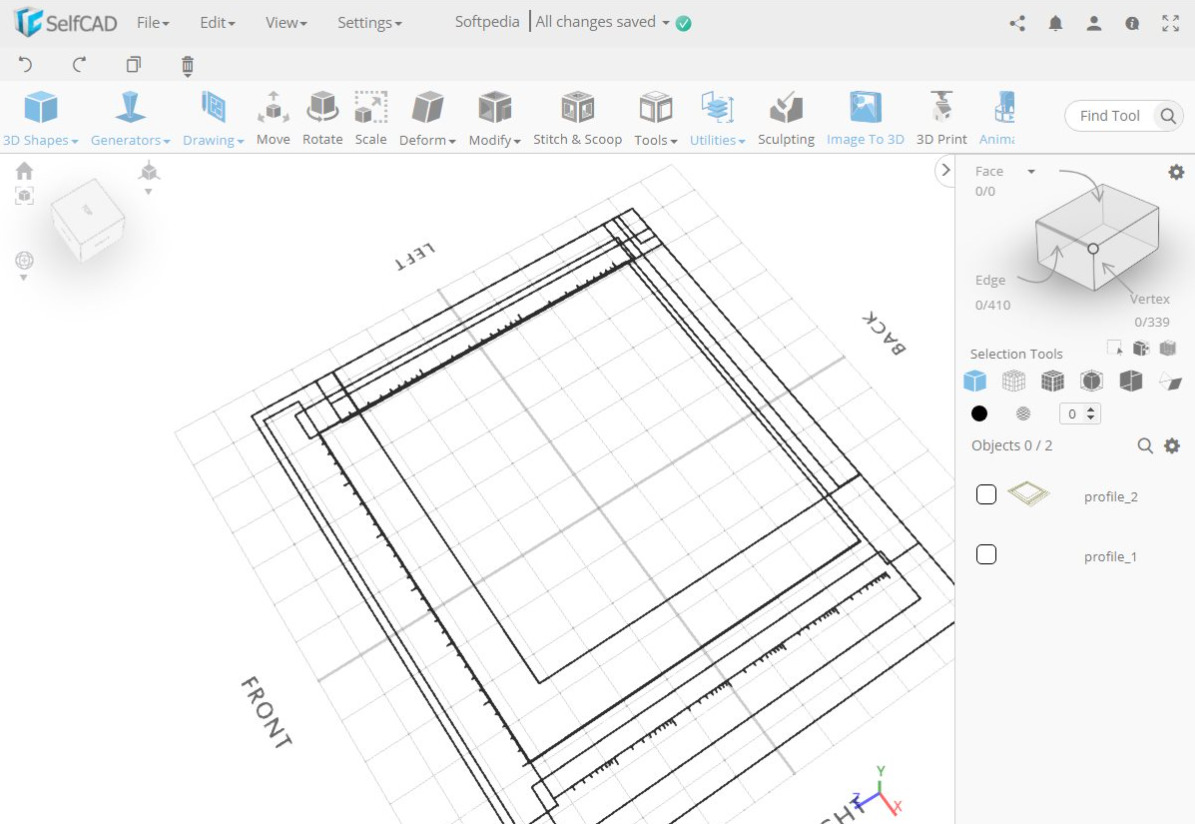
Technical Experience: SelfCAD reduces "software hopping" by centralizing sculpting, parametric modeling, and slicing into a single browser session. Its boolean operations work reliably for mechanical assemblies up to moderate polygon counts. The main ceiling is its sculpting toolset: fine surface detail and dynamic tessellation fall short of ZBrush or Blender’s Sculpt Mode, making it unsuitable for character art or high-frequency surface detail. For maker workflows and functional 3D printing, however, it removes the need for a separate slicer like Cura.
🔥 FreeCAD
FreeCAD is an open-source parametric CAD modeler built on a BREP (Boundary Representation) kernel, designed for engineering and product design workflows that require exact dimensional tolerances.
Technical Experience: FreeCAD’s parametric history tree allows non-destructive constraint-based modeling, making it genuinely powerful for mechanical assemblies and 3D printing prep. Its critical limitation is workflow fragmentation: each design domain (Part, PartDesign, Sketcher, FEM) lives in a separate workbench with inconsistent UI conventions, requiring users to context-switch constantly. STEP and IGES exports are solid, but converting FreeCAD geometry into a game-engine-compatible mesh always requires a dedicated retopology pass. For precision engineering without a commercial CAD license, it is the best free option available.
🔥 SketchUp Free
SketchUp Free is a browser-based push-pull surface modeler widely used in architecture, interior design, and conceptual massing workflows.
Technical Experience: SketchUp’s push-pull paradigm allows architects and designers to produce clean building massing and interior layouts faster than any other free tool. The constraint is geometric quality: SketchUp generates face-based surface models rather than solid BREP or subdivision meshes, meaning exports frequently contain non-manifold edges and missing faces that break physics simulations and game engine importers. The free web tier also restricts export formats to SKP only, blocking direct pipeline integration without a paid upgrade. Best used as a conceptual layout tool, not a final asset source.
🔥 Fusion 360
Fusion 360 is Autodesk’s integrated CAD/CAM/CAE platform that combines parametric solid modeling, T-spline sculpting, and manufacturing simulation in a single cloud-connected environment.
Technical Experience: Fusion 360’s free personal license is one of the most capable zero-cost engineering tools available, covering parametric modeling, CNC toolpath generation, and basic FEA simulation. T-spline sculpting allows organic form-finding that FreeCAD cannot match. The hard ceiling is the commercial license requirement: the free tier explicitly prohibits commercial use and caps active documents at 10, which becomes a friction point immediately for any professional project. At $85/mo for commercial access, it is also the most expensive tool in this comparison. For non-commercial product prototyping and CAM work, the free tier is difficult to match.
Part 3: Professional Mesh Modeling: Evaluating the Blender Standard
When dimensional precision gives way to artistic control, mesh modeling tools become the standard. The core challenge is not finding a free option — it is finding one that does not require months of onboarding before it produces usable output.
🔥 Blender: The Open-Source Standard
Blender is the industry benchmark for open-source 3D modeling software, offering a complete pipeline from sculpting and rigging to Cycles ray-tracing and EEVEE real-time rendering at zero cost. Its depth is also its main liability for teams optimizing for iteration speed.
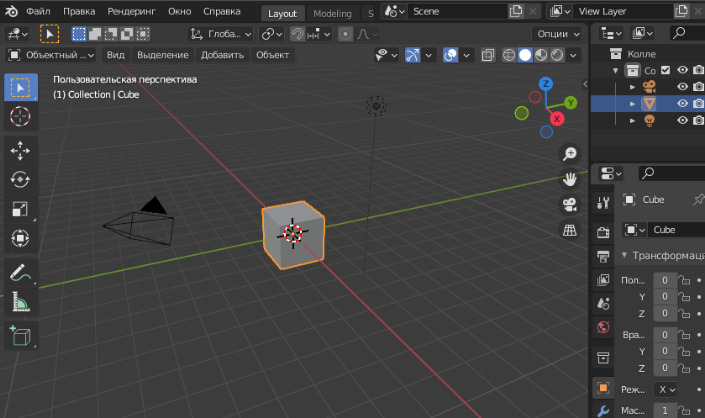
Technical Experience: A trained Blender artist can produce studio-quality assets, but the learning plateau is steep: hotkey-driven workflows, a non-standard viewport navigation model, and context-sensitive menus mean a new team member typically needs 4-8 weeks before they contribute production-ready output. For hero assets and custom rigged characters, Blender is unmatched at zero cost. For high-volume background asset generation, that per-asset time cost accumulates quickly. Modern production teams often supplement Blender with a 3D character creator online free tool to bypass the manual weighting and rigging phases for secondary characters.
Part 4: Generative Architecture: Neural4D and Direct3D-S2 Logic
Generative AI in 2026 has moved beyond simple image projection into native volumetric generation.
🔥 Neural4D
Neural4D leverages the Direct3D-S2 algorithm to automate the generation of production-ready 3D geometry.
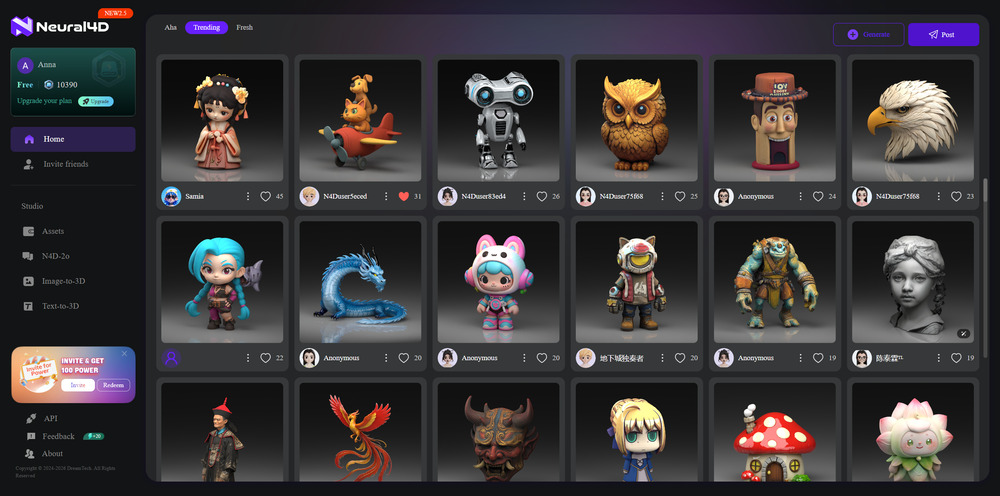
Technical Experience: Neural4D is the best Image to 3D AI tool . It allows users to create 2D photos to 3D models with a focus on quad-dominant meshes. Unlike first-generation AI tools that produced "triangle soup," Neural4D ensures structural integrity for professional export.
Architecture: Direct3D-S2 & SSA
The Direct3D-S2 engine utilizes Spatial Sparse Attention (SSA) to prioritize geometric features during the reconstruction process. This deterministic approach ensures that every export is a watertight mesh, specifically optimized for PBR (Physically Based Rendering) workflows. For enterprise teams, this reduces the "asset cleanup" phase by approximately 85% compared to manual modeling.
Accelerate Your Asset Pipeline
Claim 50 free Power credits per week, download blank (untextured) models for geometry preview, and bypass manual retopology.
Part 5: Comparative Analysis of Production-Ready Software
| Tool | Best For | Mesh Quality | Platform | Pricing | Key Limitation |
|---|---|---|---|---|---|
| Neural4D | Rapid asset generation, production pipelines | Native quad topology, manifold watertight | Browser | Free (50 credits/wk), Pro $18/mo | Newer platform with smaller community and asset library |
| Blender | Full production, VFX, animation, game assets | User-controlled topology, all formats supported | Win/Mac/Linux | Free (open source) | Steep learning curve; slow iteration for non-experts |
| Tinkercad | Low-poly prototyping, education, 3D printing | Boolean/standard, limited to primitive assembly | Browser | Free | No organic sculpting or high-poly support |
| SelfCAD | Maker workflows, additive manufacturing | Mesh/slicer integrated, moderate polygon control | Browser | Free tier, Pro $14/mo | Limited advanced sculpting and animation tools |
| FreeCAD | Engineering, parametric CAD, product design | Parametric BREP, precise dimensional control | Win/Mac/Linux | Free (open source) | UI/UX fragmentation across workbenches; no native mesh-to-BREP conversion; STEP exports often require re-import cleanup in commercial CAD tools |
| SketchUp Free | Architecture, interior design, conceptual modeling | Push-pull surface modeling, limited subdivision | Browser | Free (web), Go $19.99/mo | Free version lacks solid modeling and advanced export |
| Fusion 360 | CAD/CAM/CAE, product engineering, simulation | Parametric BREP, T-spline sculpting, mesh import | Win/Mac + Cloud | Free (personal use), $85/mo commercial | Free tier limited to 10 active documents, no commercial use |
The table above reveals a clear split across the 3D modeling software landscape: CAD tools (FreeCAD, Fusion 360, Tinkercad, SelfCAD) prioritize dimensional precision but require a retopology pass before any game engine or renderer can use the output cleanly. Mesh tools (Blender) give full control but demand significant operator skill. Neural4D is the only entry that outputs animation-ready quad topology natively, making it the highest-leverage option for teams where the bottleneck is asset volume rather than artistic customization. Choose based on your constraint: if it is precision, use CAD; if it is artistry, use Blender; if it is throughput, use Neural4D.
Generate Production-Ready 3D Assets in Seconds
Skip the manual retopology phase. Neural4D's Direct3D-S2 engine converts images to quad-dominant, watertight meshes ready for Unity, Unreal, and Blender.
Free users get 50 credits per week. No credit card required.
Part 6: Frequently Asked Questions
Can I integrate assets from free software into commercial game engines?
While Blender offers total license freedom, SaaS tools like Neural4D grant commercial rights to subscribers. Models generated via free Power credits are ideal for pre-production and technical proof-of-concept before full commercial deployment.
What is the primary cause of mesh failure in game engines?
Most engine export failures stem from non-manifold geometry and flipped normals. Modern free 3D model design software like Neural4D uses volumetric logic to ensure the output is a watertight mesh by design, eliminating manual cleanup.
Is AI generation compatible with existing PBR workflows?
Yes. Platforms using the Direct3D-S2 engine can convert images to 3D models while generating Albedo, Roughness, and Normal maps compatible with standard PBR pipelines in Unity and Unreal Engine.
How do entry-level tools like Tinkercad and SelfCAD prepare geometry for production pipelines?
Tinkercad builds foundational CSG literacy but exports only low-fidelity triangulated meshes that cannot skip the retopology phase. SelfCAD bridges this gap with built-in sculpting and slicing, making it the better choice if your goal is to move directly into 3D printing or low-poly game assets without a separate cleanup tool. Neither tool should be considered production-ready for high-fidelity game or film assets — they serve as preliminary geometry sketchpads before final modeling in Blender or direct generation via Neural4D.
Do these free tools support UV mapping and texture baking?
Blender offers full UV mapping, texture baking, and shader node editing. Neural4D generates PBR maps (Albedo, Roughness, Normal) automatically during export. Tinkercad and SelfCAD do not support UV mapping directly — models from these tools typically require Blender for UV unwrapping before texturing.
Is FreeCAD a good alternative to Blender for 3D modeling?
FreeCAD and Blender serve different purposes. FreeCAD is a parametric CAD tool designed for precision engineering, not organic modeling or animation. It is a strong Blender alternative for mechanical design and 3D printing, but not for character modeling, VFX, or game asset creation where Blender remains the standard.
Part 7: Strategic Conclusion: Optimizing Your Asset Pipeline
Successful 3D production in 2026 relies on a hybrid stack. Use parametric tools for high-precision components, Blender for artisanal hero assets, and Neural4D's Direct3D-S2 for high-volume, high-fidelity background and character assets. The goal is to minimize manual vertex manipulation and maximize pipeline throughput. By selecting tools based on their ability to produce a watertight mesh instantly, you eliminate the hidden costs of "free" software.
Enterprise-Grade Asset Generation
Deploy the Direct3D-S2 engine within your internal workflow. Our API solutions support batch inference and fine-tuning for specific domain requirements.
Explore Enterprise API Solutions
Free users get 50 credits per week. No credit card required.
For beginners evaluating free 3D model design software, start with Tinkercad for understanding mesh basics, then transition to Blender once you need advanced sculpting and animation. For production teams, integrate Neural4D into the pipeline for rapid asset generation and reserve Blender for hero asset refinement. See our full Blender alternatives breakdown for a deeper comparison of mesh modeling tools, and check our Meshy alternative analysis for more AI-powered generation options.