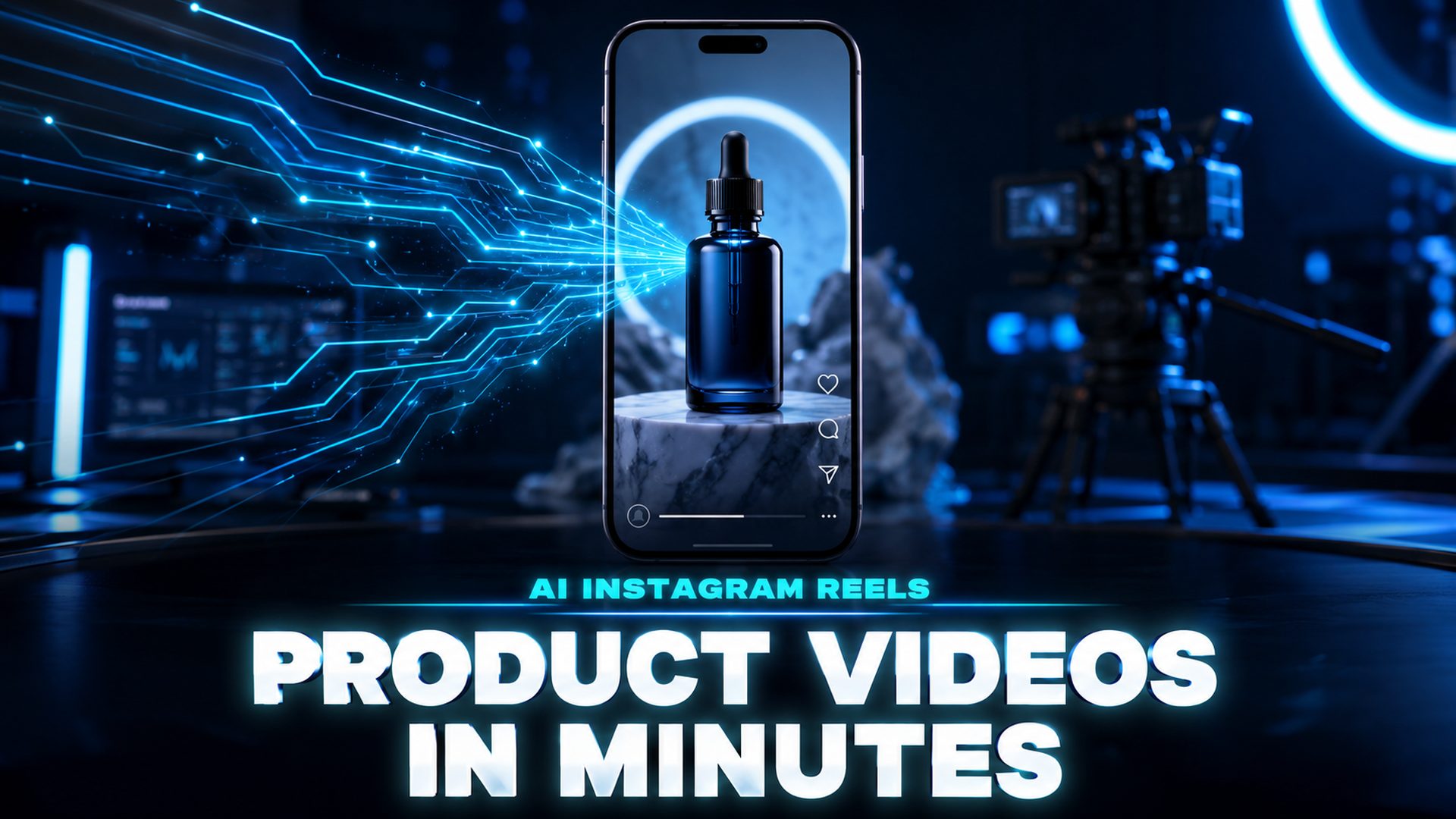
AI Instagram Reels: Make Product Videos in Minutes with Neural4D
Quick Summary
- Neural4D’s Text to Video generates 9:16 vertical product clips from a single text prompt, no camera or editing software required.
- Instagram Reels demand 9:16 aspect ratio, 1080×1920 px resolution, and a hard stop within the first 1.5 seconds or the algorithm suppresses reach.
- The winning prompt structure covers scene, subject, motion, camera path, and atmosphere in one sentence, all configurable before clicking Generate.
- Three camera patterns (orbit, hero reveal, texture close-up) cover the full range of e-commerce Reels formats.
- Neural4D’s Text to Video is independent of the 3D pipeline: no mesh generation, no retopology, just direct text-to-MP4 output.
Most e-commerce brands are still paying $200-$500 per Reel to production crews when an AI Instagram Reels product video workflow can produce the same 15-second clip in under three minutes. Neural4D’s Text to Video feature accepts a plain text prompt, lets you configure aspect ratio and duration before generating, and outputs a lossless 1080p MP4: vertical-native, algorithm-ready, no post-processing required.
Generate your first AI Instagram Reels product video with Neural4D’s Text to Video in under three minutes: no camera, no studio, no editing required.
Table of Contents
- Part 1: Why Instagram Reels Demand a Different Video Pipeline
- Part 2: Setting Up Neural4D Text to Video for Reels
- Part 3: The 5-Layer Prompt Formula for Product Reels
- Part 4: Three Camera Patterns That Convert
- Part 5: Publishing Checklist and Algorithm Rules
- Part 6: Common Questions on AI Instagram Reels
- Start Making AI Instagram Reels Today
Part 1: Why Instagram Reels Demand a Different Video Pipeline
Standard horizontal footage cropped to 9:16 is the most common mistake in AI Instagram Reels production. Instagram’s algorithm detects the reframing and deprioritizes distribution because the content was not built natively for the format. Building for 9:16 from the start is a hard requirement, not a best practice.
The 2026 Watch-Time Weighting V3 update added a second hard threshold: if viewers swipe away before the seven-second mark, the algorithm suppresses that Reel’s reach, regardless of how well it performs beyond that point. This means the hook is not just about grabbing attention. It is about holding it through a specific timing gate.
Traditional production pipelines fail on both counts. A camera shoot produces 16:9 footage. An editor crops it, compresses it, and ships it. The crop kills safe zone framing and the production delay means you cannot afford to run 10-20 variations per concept, which is the volume modern testing requires. Brands posting 3+ Reels per week see 2.8x faster audience growth than those posting once weekly, and that cadence is only sustainable with an AI video workflow.
Neural4D’s Text to Video solves the native format problem at the source: you select 9:16 before generating, so the output is vertical from the first frame. For AI Instagram Reels specifically, the Text to Video feature generates video frames directly from your text prompt: no footage, no editing software, no media library required. You write a prompt, configure the output, and receive an MP4. The system focuses entirely on cinematic video output, optimized for the aspect ratio and duration you selected.
Stop Paying Production Crews for 15-Second Clips
Neural4D generates vertical product Reels from a text prompt. No camera. No studio. No waiting.
50 Power credits free every week. No credit card required.
Part 2: Setting Up Neural4D Text to Video for Reels
The Neural4D Text to Video workflow for AI Instagram Reels is configured before you click Generate. Every parameter you would normally fix in post-production (aspect ratio, resolution, duration) is set upfront so the model generates content that already meets Reels specifications.
Step 1: Access the Text to Video Studio
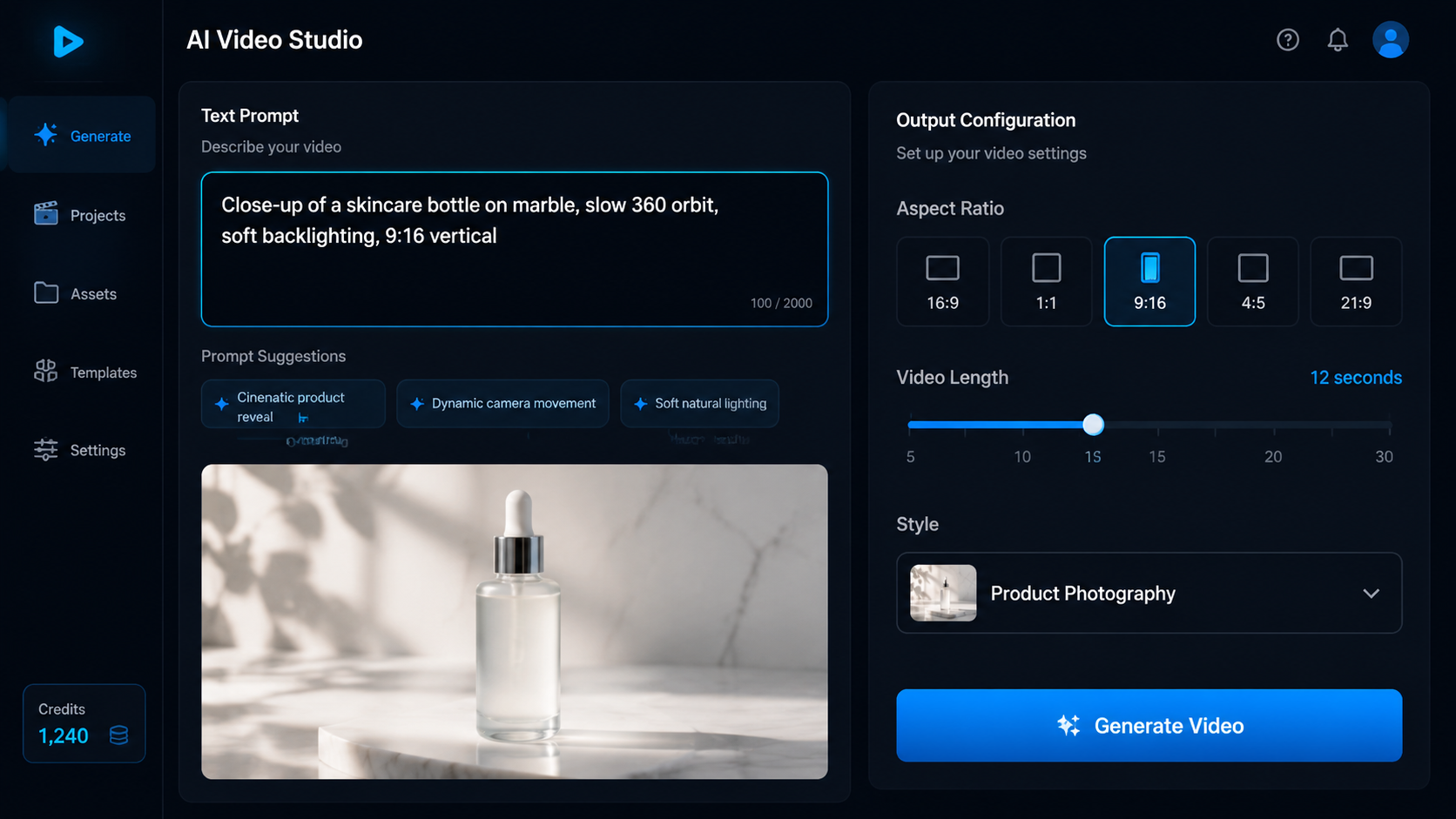
Open Neural4D Studio and navigate to the Text to Video section. You will see a prompt field, output configuration panel, and a style selector. The studio accepts text prompts only for video generation. This feature does not require reference images, though you can describe visual references in your prompt.
Step 2: Configure Output Settings
Set these values before writing your prompt:
| Setting | Value for Reels | Why |
|---|---|---|
| Aspect Ratio | 9:16 | Native vertical format; non-native content is algorithmically penalized |
| Resolution | 1080P | Minimum spec for Reels; lower resolutions compress poorly on mobile screens |
| Duration | 7-15 seconds | Highest completion rates on Reels; cold audience conversion window |
| Style | Product Photography or Cinematic | Optimized motion profiles for product-forward content |
Step 3: Write the Prompt and Generate
Once settings are locked, write your prompt in the text field. Neural4D generates the video in seconds. If the motion or composition does not match your brief on the first run, adjust the prompt and regenerate. The correct workflow for Text to Video refinement is prompt adjustment and regeneration, not post-processing edits.
Part 3: The 5-Layer Prompt Formula for Product Reels
Vague prompts produce generic output. The difference between a clip that stops the scroll and one that gets swiped past in 0.8 seconds is almost always the specificity of the prompt. The AI Instagram Reels prompt that reliably works follows five layers, all in one sentence.
🎯 The 5-Layer Structure
Scene (where the product lives) + Subject (product details: color, texture, key features) + Motion (what moves and how fast) + Camera (angle, path, lens feel) + Atmosphere (lighting, color grade, mood)
Layer 1: Scene
Anchor the product in a specific environment. “A minimalist white studio” reads differently to the model than “a marble countertop with soft morning light diffusing through a frosted window.” The more concrete the scene, the more consistent the output across regenerations.
Layer 2: Subject
Describe the product’s physical properties without referencing brand names or logos. Use color, material, shape, and finish. “A dark amber glass bottle with a matte black pump top” is actionable; “our new serum” is not.
Layer 3: Motion
Specify what moves and at what speed. Static products need simulated motion: “rotating at 10 degrees per second” or “ripple effect moving across the surface from left to right.” The motion layer is where most first-time prompts fail. Omitting it produces a static frame that no generation engine can animate coherently.
Layer 4: Camera
Name the camera move explicitly: slow orbit, dolly-in, tilt-up, static macro. For Reels, “slow 20-degree orbit starting from the front-right angle” and “dolly-in to close-up on the label” are the two most reliable moves for product content. Always add “9:16 vertical” to reinforce the aspect ratio at the prompt level.
Layer 5: Atmosphere
Close with lighting and grade: “soft studio key light from upper left, warm highlights on the cap, clean background.” The atmosphere layer controls the emotional register of the clip and whether it reads as premium, approachable, or high-energy.
A complete 5-layer prompt looks like this:
“A dark amber glass serum bottle with a matte black pump top, centered on a marble countertop, rotating at 10 degrees per second, slow dolly-in camera starting from front-right, soft warm studio lighting from upper left with rim highlight on the cap, dark navy background gradient, 9:16 vertical, cinematic product photography”
This single prompt covers all five layers and gives Neural4D enough specificity to generate consistent, on-brand output. If the rotation speed feels too slow after the first run, change “10 degrees per second” to “20 degrees per second” and regenerate. One parameter change, one regeneration.

Part 4: Three Camera Patterns That Convert
Not every product needs a custom motion concept. Three camera patterns cover the full range of e-commerce Reels formats and each maps to a specific audience and conversion goal.
Pattern 1: Orbit Shot
A slow 360-degree camera rotation around the product. This is the most reliable camera pattern for AI Instagram Reels where shape and finish are the primary selling points: skincare, hardware, accessories, packaged goods. The orbit forces the viewer to follow the product through the full rotation, which directly drives the 7-second retention threshold that the 2026 algorithm requires. Prompt modifier: “slow 360-degree orbit, 12-second duration, single continuous motion, clean gradient background.”
Pattern 2: Hero Reveal
The product emerges from an abstract or atmospheric environment: fog, light burst, depth-of-field shift, or surface reflection reveal. This pattern works for cold traffic because it creates a visual interrupt that stops the scroll before the viewer has processed what they are seeing. The dopamine hit from the reveal buys you the 1.5-second hook window. Prompt modifier: “product emerges from dark atmospheric fog, dramatic rim lighting, fast reveal in first 2 seconds.”
Pattern 3: Texture Close-Up
An extreme macro shot that moves across the surface material of the product: fabric weave, liquid shimmer, leather grain, matte powder. This pattern is the highest-converting format for fashion, skincare, and food products where material quality is the differentiator that photographs cannot communicate at scale. Pair it with a fast cut to a wider shot in the same clip if duration allows. Prompt modifier: “extreme macro sliding across surface texture, shallow depth of field, slow lateral camera drift.”
⚡ Which pattern for which product?
Use orbit for rigid, shape-defined products (hardware, packaging, accessories). Use hero reveal for any product targeting cold audiences who do not know the brand. Use texture close-up for materials-forward products (fashion, skincare, food, crafts) where feel and finish are the purchase trigger.
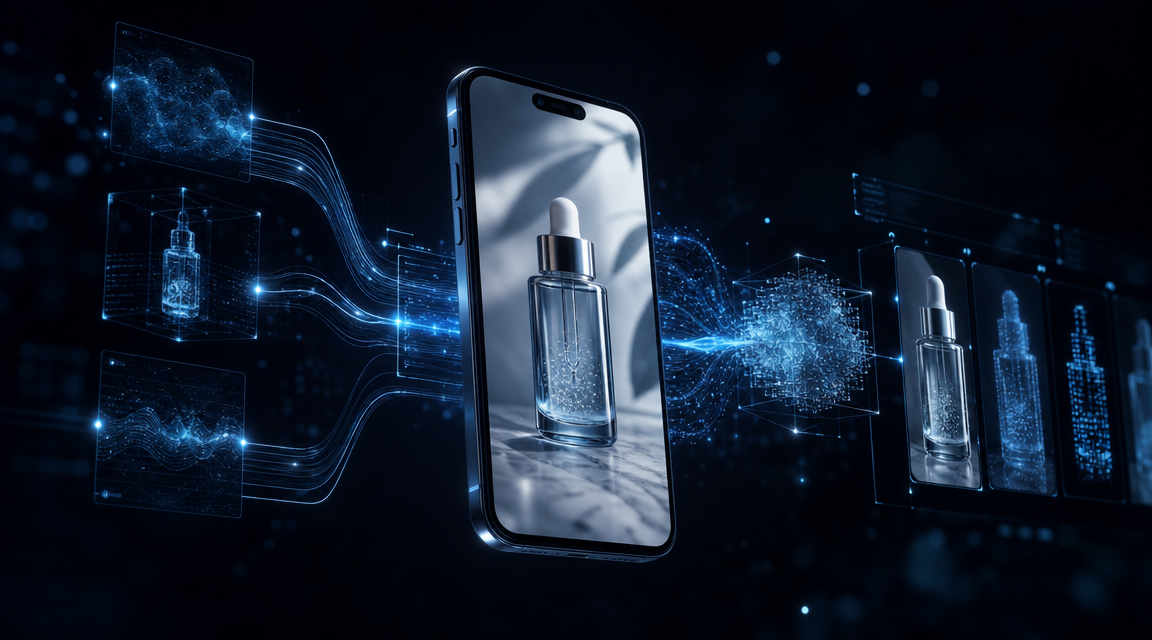
For brands building a full visual product catalog that combines Reels video content with static product imagery, the Neural4D Text to Image feature generates studio-quality product photos from a text prompt, giving you on-brand assets for social feeds, product pages, and ad placements without photography equipment or staging.
Part 5: Publishing Checklist and Algorithm Rules
Generating a technically correct AI Instagram Reel does not guarantee distribution. The 2026 Instagram algorithm evaluates several signals before deciding how broadly to push a new upload, and most AI-generated content fails on one specific point: the Originality Score.
The Originality Score Problem
Meta deployed a Reels Originality Score in Q1 2026 that uses perceptual-hash fingerprinting and caption-cadence analysis to identify recycled or templated content. Channels running template-driven AI videos experienced 60-85% median reach drops in the same quarter. The signal that protects against suppression is first-hand experience: your brand voice in the caption, original audio or a unique voiceover, and product footage that is specific to your catalog rather than generic stock-style clips.
Neural4D-generated AI Instagram Reels pass this filter when you write product-specific prompts rather than generic scene descriptions. “A dark amber glass serum bottle” is your product. “A beautiful bottle” is template output. The specificity of the prompt is the specificity of the output, and the Originality Score responds to specificity.
Pre-Publish Checklist
| Item | Spec | Status |
|---|---|---|
| Aspect ratio | 9:16 (1080×1920 px) | Set in Neural4D before generating |
| Duration | 7-15 seconds for cold traffic | Set in Neural4D before generating |
| Format | MP4, H.264 + AAC, 30fps | Neural4D exports lossless MP4 |
| Captions | Burned-in or via Instagram’s auto-caption | Enable auto-captions before publishing; 40% of Reels watched without sound |
| Caption copy | 125 characters, brand-specific voice | Avoid AI-cadence writing patterns |
| Audio | Original or lightly remixed licensed track | Duplicate audio = lowest distribution tier |
| Safe zones | Keep CTA text above bottom 340px | UI elements overlap this area |
| Upload method | Native to Instagram | Cross-posted content is deprioritized |
Testing Velocity vs. Polish
The most consistent finding from 2026 AI Instagram Reels performance data is that testing velocity matters more than production quality for sub-$100 AOV products. A single producer using Neural4D can ship 20+ variations per week. The right approach is to generate 5-10 hook variants from the same product prompt, run them in parallel, and pull spend toward whatever holds above 50% completion at the 7-second mark. Refine the winner’s prompt for the next batch. This is not a creative workflow. It is a data workflow with AI filling the production gap.
For a broader view of how AI tools are compressing product content timelines, the Neural4D platform overview covers the full Text to Video generation workflow alongside the Text to Image studio, giving brands a unified creative pipeline from a single account.
According to Sprout Social’s Instagram benchmarks, Reels deliver 2.25x more reach than single-image posts and account for 46% of total time spent on Instagram, making them the single highest-distribution surface available to product brands on the platform.
Part 6: Common Questions on AI Instagram Reels
Can I use an existing product photo as a reference inside Neural4D Text to Video?
Neural4D’s Text to Video currently accepts text prompts only. The feature does not take image references as input. To incorporate your actual product visuals, describe the product’s physical properties precisely in the prompt (color, material, finish, shape).
What happens if the AI video shows a competitor’s logo or hallucinated branding?
Neural4D’s generation engine can occasionally surface hallucinated text or label-like patterns when the prompt is underspecified. The fix is to add explicit negative direction to the prompt: “no text overlays, no labels, no visible branding, clean product surface.” Adding this phrase prevents the model from filling in label areas with invented content. If hallucinated elements still appear after one retry, switch the scene context (e.g., from “retail shelf” to “studio table”). Hallucinations often disappear when the environmental context changes.
How does Neural4D Text to Video handle products with highly reflective or transparent surfaces?
Reflective and transparent materials are among the hardest surfaces for any video generation engine. For glass or chrome products, add “subtle reflection, soft diffused rim light, no harsh specular hotspot” to the atmosphere layer of your prompt. Harsh single-point lighting prompts cause overexposed specular blowout on reflective surfaces in AI-generated clips. For transparent containers (clear glass, acrylic), add “visible product interior” if the contents matter, or “frosted glass effect” to reduce transparency rendering complexity and get more consistent output.
Does Neural4D have commercial rights for Reels used in Instagram paid ads?
Paid subscribers on any Neural4D plan have full commercial use rights for all generated content, including use in paid Instagram advertising campaigns. Free plan outputs are marked “Trial” and intended for testing only. Running them in paid ads is outside the free tier’s permitted use. If you are testing clips before committing to a paid plan, generate the ad-ready version on a paid subscription before deploying to Meta Ads Manager.
My Reels are not gaining traction even with good retention. What is often overlooked?
Sends-per-reach is the highest-weight signal for new audience discovery in the 2026 algorithm, and it is the metric most creators ignore. A Reel that holds 70% watch time but generates zero DM shares will plateau after its initial test audience. Write captions that prompt sharing explicitly: “send this to the person who needs to see this,” rather than generic engagement hooks like “comment below.” The share-to-DM action carries more distribution weight than saves, likes, or comments in the current ranking model.
Start Making AI Instagram Reels Today
The brands gaining the most ground on Instagram in 2026 are not the ones with the largest production budgets. They are the ones generating 20 variations per week, reading the retention data, and iterating on the prompt that already works. AI Instagram Reels product videos built with Neural4D’s Text to Video pipeline cost a fraction of traditional production and ship in minutes rather than days: vertical-native, 1080p, algorithm-ready from the first frame.
The setup takes three minutes: open Neural4D Studio, select Text to Video, set 9:16 and 1080P, write a 5-layer product prompt, and click Generate. From there, the workflow is data-driven: run the winner longer, retire what the algorithm suppresses, and keep the prompt library growing.
Your Product Reel Is Three Minutes Away
Neural4D Text to Video: type a prompt, get a 1080p 9:16 MP4. No equipment. No editing software. No waiting for a production crew.
Try Neural4D Text to Video Free
50 free Power credits weekly. Commercial rights on every paid plan.