Old Man 3D Model: How to Generate a Rig-Ready Character
Quick Summary
- You can download an existing old man 3D model from Sketchfab, the Unity Asset Store, CGTrader, TurboSquid, or Free3D, and for most background use cases that is the fastest route. Free tiers usually carry CC0 or attribution terms, so check the license on the individual model before you ship.
- When you need a specific age, face, or outfit, generate one instead. Neural4D takes an old man 3D model from prompt or single photo to a rig-ready mesh with quad-dominant or triangle topology, a watertight surface, and PBR maps.
- Before generating, set the two parameters that decide whether the asset survives rigging: Quad topology for anything that will deform, and the Pose parameter (A pose or T pose) for humanoid characters.
Generating a convincing old man 3D model is one of the most resource-intensive tasks in asset production. It is not just about surface wrinkles. It is about the anatomical realism of thinning skin over skeletal structures and the specific sag of the jawline. Traditional 3D suites force artists to choose between days of manual labor and settling for “triangle soup” assets that break during animation.
Neural4D replaces manual vertex pushing with deterministic AI inference. By using our proprietary Direct3D-S2 engine, we deliver an old man 3D model that functions as a production asset rather than a static sculpt. Whether you are populating a historical RPG with background NPCs or crafting a high-fidelity protagonist, the mesh arrives rig-ready and geometrically sound upon export.
Table of Contents
- Part 1: Stock Old Man Models vs. Generating Your Own
- Part 2: The Geometry of Aging, and Why Legacy Assets Fail in Motion
- Part 3: Direct3D-S2 vs. Triangle Soup, Engineered Deterministic Output
- Part 4: From Reference to Rigged, Scaling Your Character Pipeline
- Part 5: PBR and Texture Depth, Capturing Realism Without the Overhead
- Part 6: Conclusion, Adopting a Generative Strategy for Asset Scaling
- Frequently Asked Questions
Part 1: Stock Old Man Models vs. Generating Your Own
If you need an old man 3D model today, the fastest route may not be generation at all. Asset libraries already hold thousands of elderly characters, many of them free, and the real question is whether a library model matches the character you have in mind.
Where to find an existing old man 3D model
- Sketchfab hosts free elderly character uploads, including scanned heads and rigged models, with an in-browser viewer you can inspect before downloading.
- The Unity Asset Store lists elderly character packs that already ship with humanoid skeletons and sample animations.
- CGTrader, TurboSquid, and Free3D carry the largest catalogs. Filter by rigged or animated if you need deformation, and read the license on the individual model, because a free download is not automatically free for commercial work.
How to choose one
Three criteria decide whether a stock model is usable, and they matter more than the preview render:
- Polygon count against your target platform. A background NPC and a hero character have very different budgets.
- Rigging and animation state. A rigged model saves days, but only if its skeleton matches the retargeting pipeline you already use.
- License and format. Commercial-use terms vary per listing, and the file format determines whether the model can go straight into your engine.
When a library model stops working
Stock assets are built for general use, so they rarely match a specific brief. The face is the usual failure point: you need an old man at a particular age, with a particular build and wardrobe, and the closest match drifts into uncanny territory once it sits next to your hero characters. You also inherit whatever topology the original artist chose, which may not deform well on the joints you actually animate.
That is the point where generating a custom old man 3D model becomes cheaper than searching. The rest of this article covers what a generated elderly character has to get right for production, and how Neural4D handles each part.
Part 2: The Geometry of Aging, and Why Legacy “Old Man 3D Model” Assets Fail During Animation
The complexity of an elderly character lies in the micro-geometry. When you animate a smile or a brow-furrow on a standard old man 3D model, the skin should fold, not just stretch. Most basic generators treat wrinkles as flat texture noise. This creates a “plastic” look where the surface detail remains static while the underlying mesh moves, and the result breaks immersion immediately.
Assets sourced from free repositories often harbor three technical “silent killers”:
- Non-Manifold Geometry: Hidden holes that cause light leaks in rendering or fatal crashes in game engines.
- Disconnected Edge Loops: Vertices placed without anatomical logic, making it impossible for a rigger to paint accurate weight maps.
- Mesh Intersections: Overlapping faces that create flickering artifacts during lighting calculations.
Neural4D approaches generation as a volumetric, spatially-aware process. Our AI 3D assets production ready solutions ensure that every fold of skin on the neck and every crease around the eyes is part of a continuous, logical mesh structure that respects the physics of facial movement.
Part 3: Direct3D-S2 vs. Triangle Soup, Engineered Deterministic Output
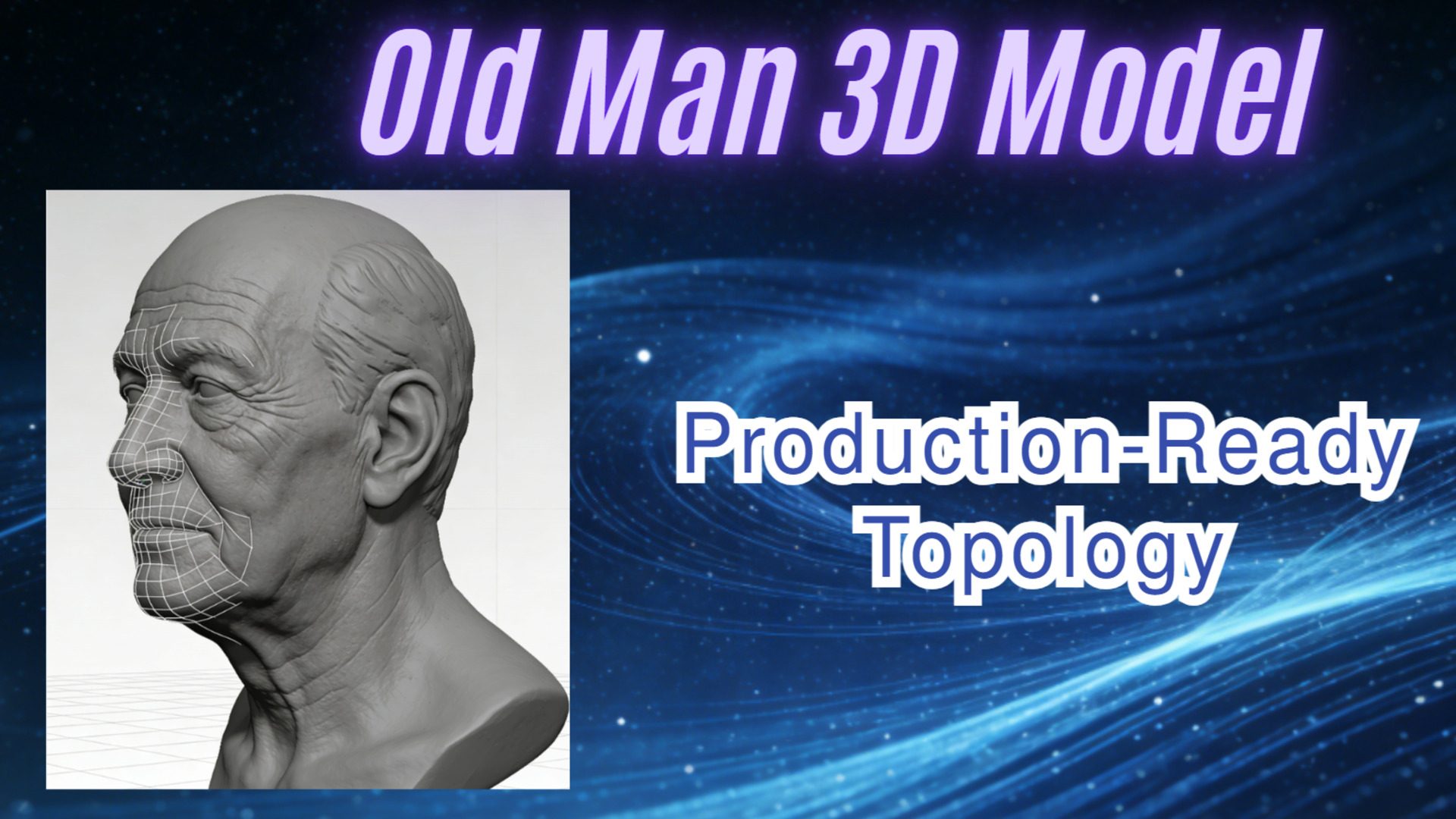
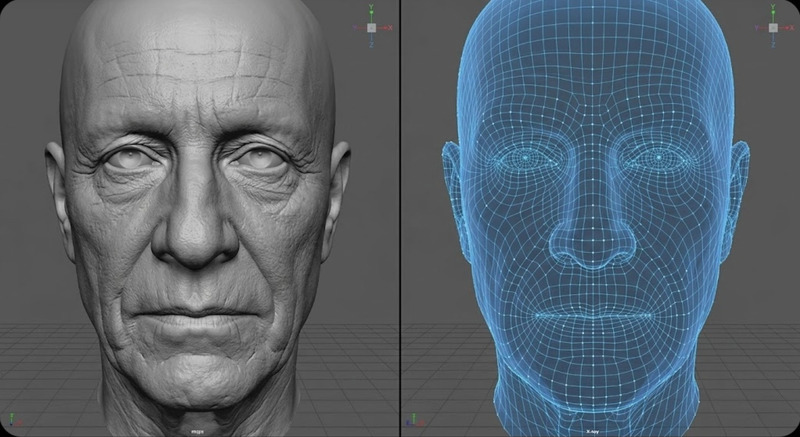
Standard AI generators often output “triangle soup”, a disorganized mess of millions of polygons that bloats file sizes and kills GPU performance. For a professional old man 3D model, you need quad-dominant topology that follows the natural tension lines of the face. Our Direct3D-S2 algorithm is engineered specifically for these industrial constraints. It is a NeurIPS 2025 result, and it reaches roughly 12x the inference speed of the industry baseline through spatial sparse attention, which is what makes interactive iteration practical.
Key technical facts of the Neural4D workflow include:
- 2048³ Native Geometry Resolution: The generation field resolves at 2048³, so thin structures such as fingers, ears, and nose rims keep their volume without the artifacts that come from upscaling a coarser mesh.
- Spatial Sparse Attention (SSA): Geometry detail concentrates in high-complexity areas like the face, while flatter surfaces stay computationally cheap.
- Watertight Output: The mesh is mathematically closed, which makes it printable as well as renderable. See convert image to 3D print model for the printing path.
- Explicit Topology Control: You choose the topology before generation rather than fixing it afterward. Quad runs from 1,000 to 100,000 faces and deforms predictably under a rig, which is why it is the right choice for characters that will bend at the shoulders and jaw. Triangle runs from 100,000 to 500,000 faces and keeps finer surface detail for static or hero-closeup work. The default is 50,000 faces, adjustable by slider or by typing a value.
Eliminate manual retopology overhead today.
Generate rig-ready character assets with professional edge flow in seconds.
Part 4: From Reference to Rigged, Scaling Your Character Pipeline for Unreal and Unity
Indie studios and enterprise developers alike struggle with polygon budgets. A high-poly sculpt might look stunning in a portfolio, but it will stall a VR experience or a mobile game. Manual retopology, the process of drawing a new low-poly mesh over a high-res sculpt, is a tedious, non-creative task that drains talent resources.
Two generation settings remove most of that work before it starts. Set Quad topology for any character that will deform, and set the Pose parameter to A pose or T pose for humanoid characters. A pose and T pose are the standard bind poses in character pipelines: the arms sit clear of the torso, so a rig has no ambiguity about where each limb starts and ends. Characters generated in a standard pose rig more reliably than ones frozen mid-crouch with the limbs tucked in. Pose covers Text to 3D and Image to 3D, and the A pose and T pose options require a subscription. For background on which to choose, see A pose vs T pose.
By integrating how to make 3D characters for games into our core engine, we let you generate a low poly old man 3D model that preserves every ounce of character. Neural4D-2o, our conversational editing model, then refines the result in the same session. You can command it directly: “Simplify the geometry on the clothing while increasing the vertex density on the facial wrinkles.” Each edit costs 30 credits, and the conversation applies only to models generated in that session.
Plan the triangle budget before you generate, because the platform decides it. A supporting NPC in a mobile or VR scene typically sits under 5,000 triangles, a console or PC hero character can carry 15,000 to 50,000, and a cinematic closeup justifies more. Our polygon count guide breaks the same budgets down by platform and by 3D printing use case. If a generated mesh comes back heavier than the budget allows, set a lower target face count and regenerate rather than decimating by hand. For the next stage in the pipeline, rigging the model in Blender covers the manual and AI-assisted routes.
Part 5: PBR and Texture Depth, Capturing Realism Without the Overhead
An old man 3D model requires sophisticated light interaction. Elderly skin is not a uniform surface, and it demands varied roughness to look believable. Most 3D character creator online free tools output generic, waxy skin that lacks the lived-in detail of a professional asset.
Neural4D generates the PBR stack alongside the geometry, exporting three maps that engine lighting reads directly:
- Normal: Surface relief across skin folds, so creases respond to your engine’s lighting instead of sitting flat in the diffuse texture.
- Roughness: Distinct values across the model, letting the oily forehead and the dry, papery skin of the hands read differently under the same light.
- Metallic: Kept near zero across skin, which is what stops an elderly character from looking waxy or plastic.
Texture generation is a separate step from the base mesh, so a fully textured asset takes longer than geometry alone. What you get back is the mesh plus those maps, ready to import rather than re-authored. Export is available as .OBJ, .FBX, .GLB, .USDZ, .STL, or .BLEND, and the format you pick should follow the job. FBX and GLB carry a rigged character into Unreal or Unity, OBJ suits a static quad mesh, and STL is the watertight path to a slicer for printing. Our 3D file format guide covers the tradeoffs in more detail.
Licensing is straightforward by plan. Assets generated on a paid subscription carry full commercial rights. Assets generated on the free plan enter the public domain, and we ask for attribution when they are used commercially. If you are shipping a paid title, that distinction is worth checking before you generate rather than after.
Part 6: Conclusion, Adopting a Generative Strategy for Asset Scaling
The transition from manual vertex pushing to computational asset generation is no longer optional for studios aiming to scale. Building a high-fidelity old man 3D model by hand is a multi-day investment that competes directly with art direction time. With Neural4D, you set topology and pose, generate, refine the result in conversation, and export in the format your engine expects. Whether you are building historical simulations or next-gen RPGs, a generative strategy respects your technical constraints and your timeline. By focusing on the old man 3D model results that fit professional pipelines, you stop fixing broken geometry and start shipping world-class assets.
Read also: Generating Production-Ready Full Body Female 3D Models
Frequently Asked Questions
Q: Is the exported old man 3D model already rigged?
A: No. Neural4D exports the mesh and its PBR maps without a skeleton. What the export does give you is the foundation rigging needs: choose Quad topology and a standard A pose or T pose, and the mesh arrives in the bind pose your pipeline expects, with edge flow planned around the joints that deform. See how to animate a 3D model with AI for the step after rigging.
Q: Can I generate an old man 3D model from a single photo?
A: Yes. Image to 3D infers the 360-degree volume of a character from a single 2D reference, holding anatomical consistency across the back and sides of the model. It accepts png, jpg, jpeg, or webp files up to 20MB.
Q: What polygon count should an old man 3D model have?
A: It depends on the platform. A supporting NPC in a mobile or VR scene usually sits under 5,000 triangles, a console or PC hero character runs 15,000 to 50,000, and a cinematic closeup justifies more. In Neural4D you set the target before generating: Quad topology from 1,000 to 100,000 faces, or Triangle from 100,000 to 500,000, with 50,000 as the default.
Q: Can I use the generated model commercially?
A: Assets generated on a paid subscription include full commercial rights. Assets generated on the free plan enter the public domain, and we ask for attribution in commercial use. Our pricing page has the current terms by plan.
Scale Your Character Assets with Neural4D
Start with the free plan to test the topology and pose settings, then move to a subscription for commercial rights.