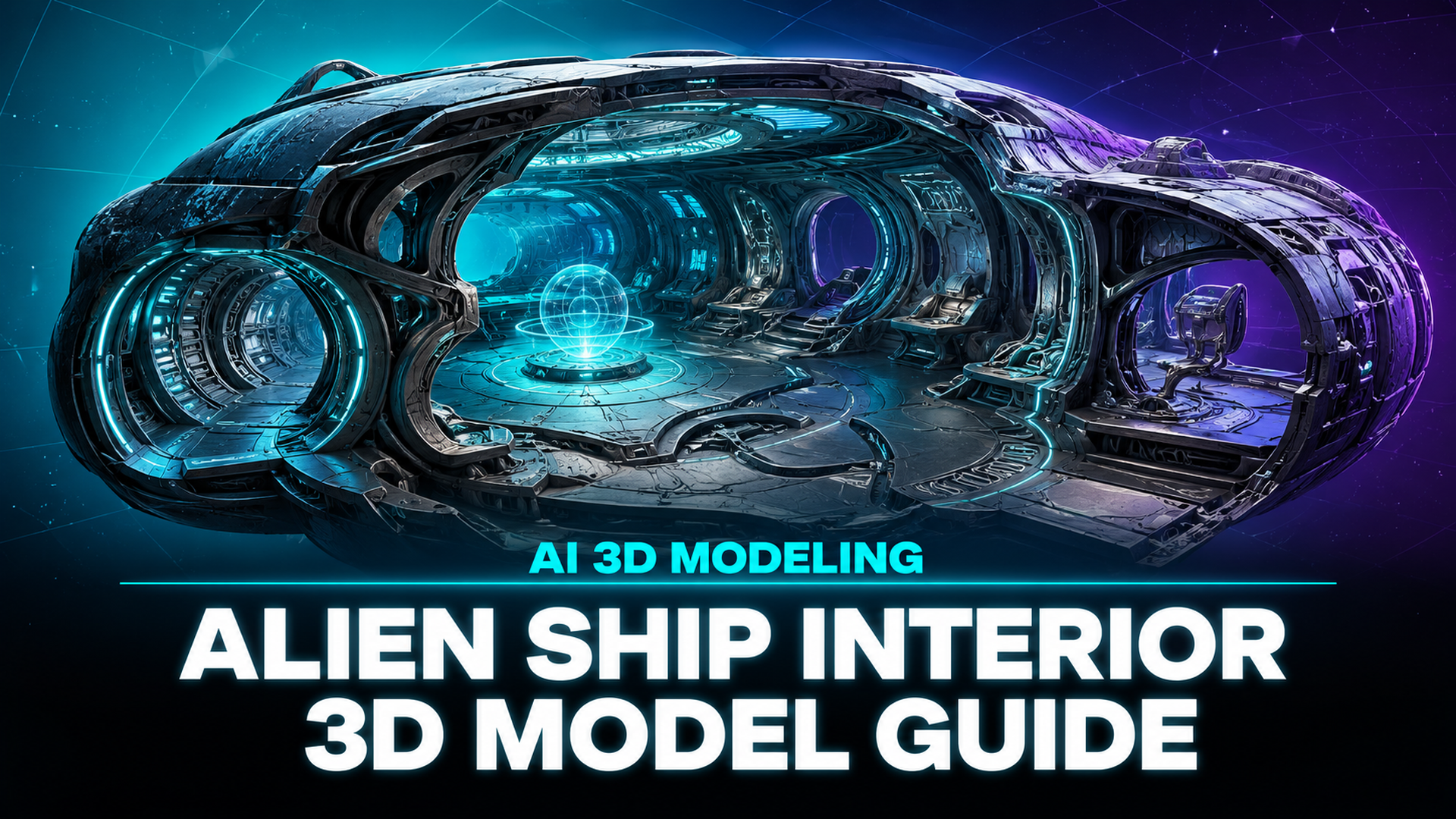
How to Create an Alien Ship Interior 3D Model with AI
Quick Summary
- An alien ship interior 3D model is a digitally created three-dimensional environment depicting the inside of an extraterrestrial spacecraft, used in game development, film VFX, and 3D printing.
- Traditional workflows in Blender or Maya take days of manual modeling, but AI tools like Image to 3D generate base geometry from a single reference photo in about 90 seconds for an untextured mesh.
- Neural4D’s Direct3D-S2 architecture produces watertight, game-ready meshes with optional PBR texture support, making it the fastest path from sci-fi concept to playable asset.
Creating an alien ship interior 3D model no longer requires weeks of manual polygon pushing. With Neural4D’s AI generation pipeline, you can go from a reference image to a game-ready base mesh in minutes, then refine and export directly into your engine of choice.
- Part 1: Why AI Changes How You Build an Alien Ship Interior 3D Model
- Part 2: Designing Your Alien Ship Interior Concept
- Part 3: Generating Your Alien Ship Interior 3D Model from a Reference Image HOT
- Part 4: Refining and Exporting for Game Engines
- Part 5: Where Neural4D Fits in the Sci-Fi Asset Pipeline
- Part 6: Common Questions on Alien Ship Interior 3D Models
- Create Your Alien Ship Interior 3D Model Today
Part 1: Why AI Changes How You Build an Alien Ship Interior 3D Model
Building a detailed spaceship environment has traditionally meant one of two paths: spend weeks modeling every panel, conduit, and console by hand in Blender or Maya, or buy pre-made asset packs that limit your creative control. Neither option gives indie developers and solo creators much room to iterate on unique designs.
AI 3D generation changes this calculus at the base level. Instead of blocking out geometry vertex by vertex, you provide a visual reference: a concept sketch, a photo of a textured surface, or even a text description. The model is reconstructed from that input. The result is a complete mesh you can drop into a game engine, 3D print, or use as a starting point for further detailing.
The Gnomon Workshop’s advanced spaceship design course, taught by a Star Citizen concept artist, dedicates over six hours to interior blocking techniques that have traditionally taken professional teams weeks to complete using manual modeling pipelines in Blender and Photoshop. This shift toward AI-assisted prototyping matters most for environment artists who need to fill large spaceships with varied, believable interiors without blowing their budget or deadline.
Neural4D’s approach centers on the Direct3D-S2 architecture, a neural reconstruction engine that processes the full volumetric space of an input image rather than estimating depth from a flat projection. The result is a watertight mesh with clean topology, not the “triangle soup” that plagued earlier AI 3D tools.
Part 2: Designing Your Alien Ship Interior Concept
Before generating anything, you need a clear visual direction for your alien ship interior. The best AI 3D results start with strong reference material. Think about the aesthetic you want: are you building a smooth organic hive-like interior with bioluminescent walls, or a cold mechanical craft with angular corridors and holographic interfaces?
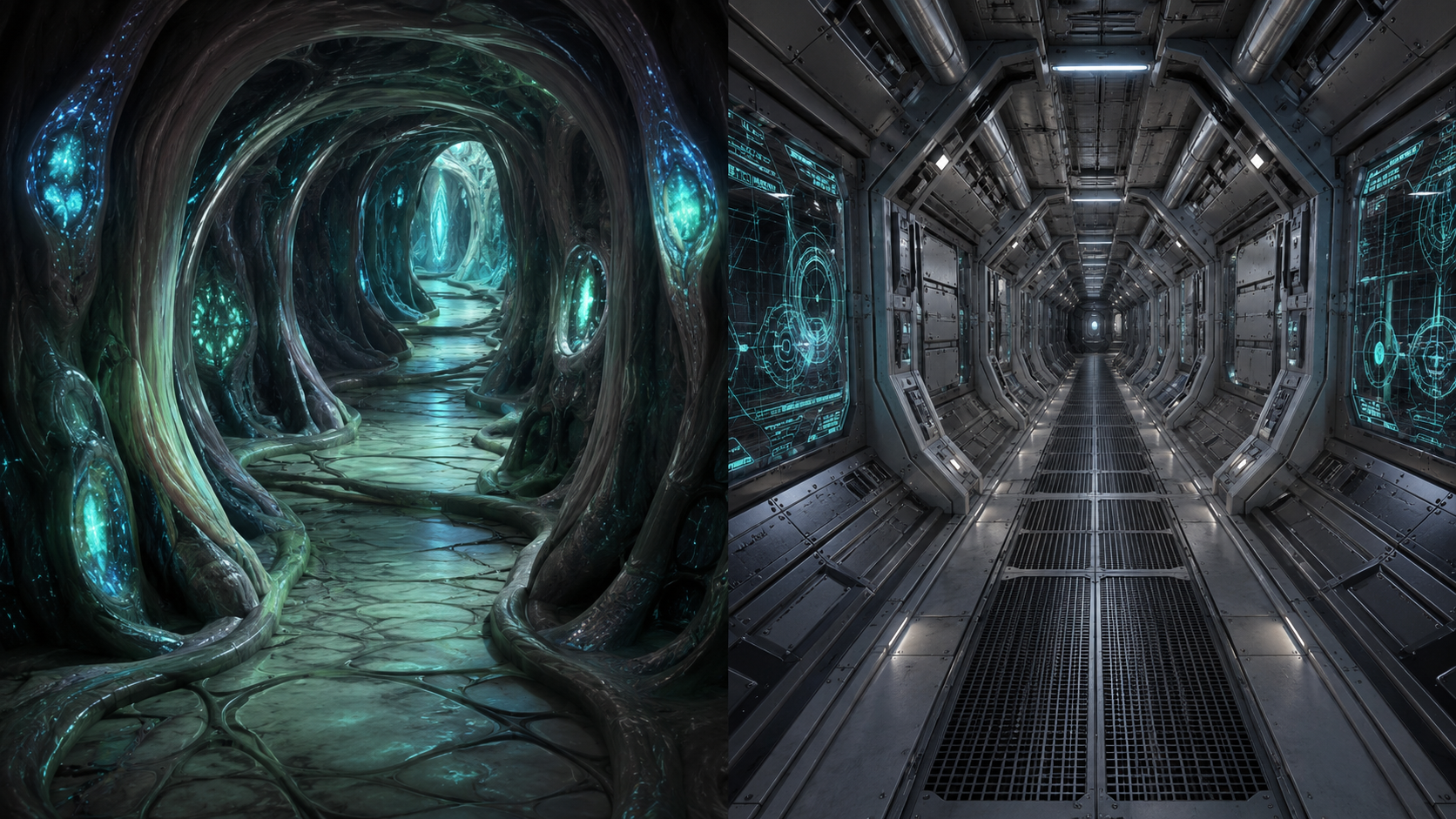
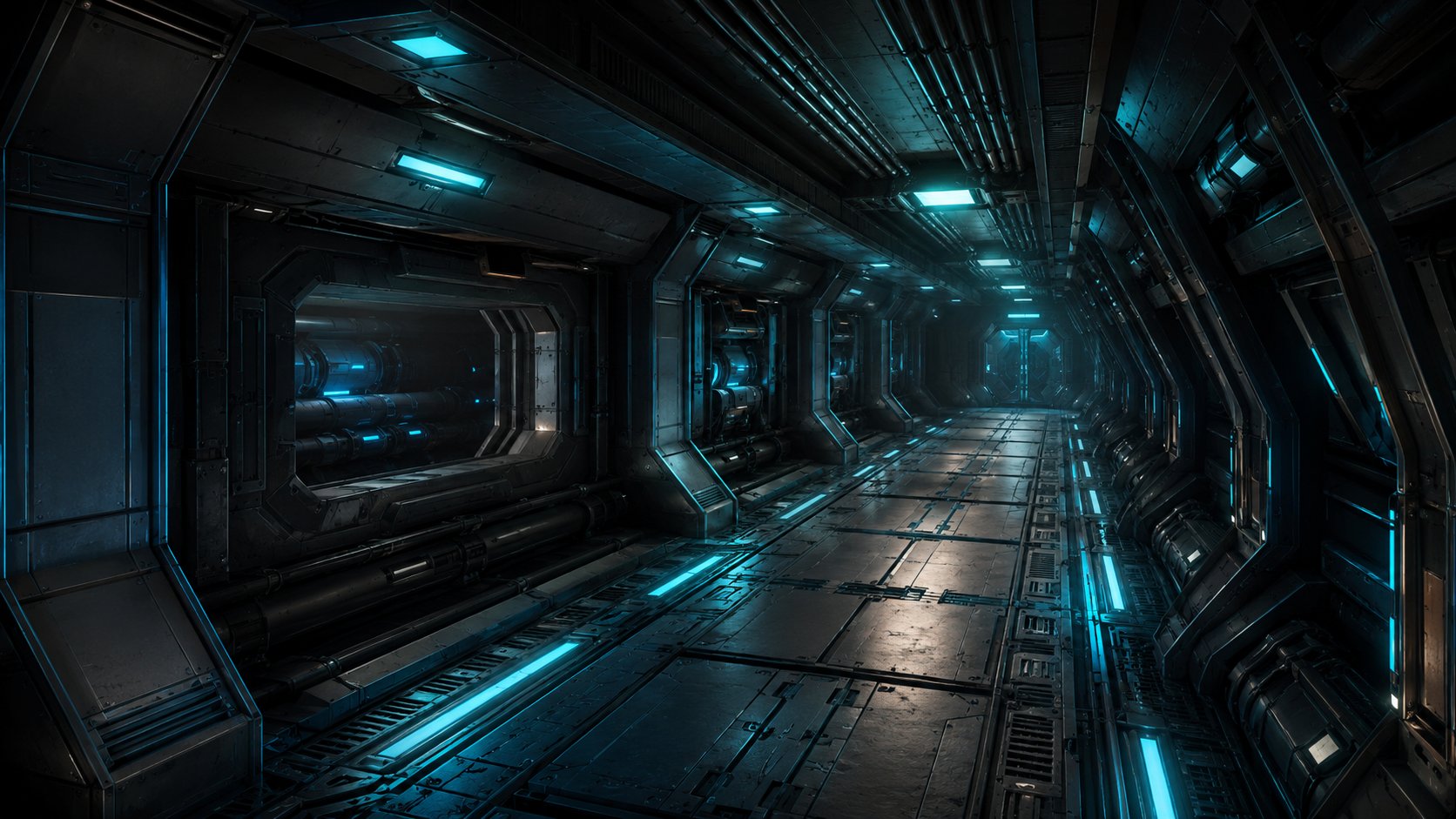
Reference imagery sets the visual direction for your alien ship interior 3D model before generation begins
Reference images for Image to 3D work best when they meet a few criteria. Pick photos with clear lighting and minimal occlusion: a well-lit corner of a room or a single prominent prop like a control console. Avoid cluttered scenes where overlapping objects confuse the depth reconstruction. A single clear subject per generation pass produces significantly cleaner geometry than trying to capture an entire room in one go.
For text prompts in Text to 3D, be specific about materials and atmosphere. “Alien ship corridor with metallic ribbed walls, cyan glow strips along the floor, and a curved organic ceiling” will produce a more usable result than “cool spaceship hallway.” The Direct3D-S2 engine interprets descriptive language into volumetric geometry, so every material and structural detail you name helps the reconstruction.
Pro tip for reference images: Take photos of real-world textures such as brushed metal panels, rubber flooring, and cable bundles, then use them as Image to 3D inputs. The AI will reconstruct these as 3D geometry that you can then arrange into modular interior sections. This technique produces highly believable sci-fi surfaces because they are grounded in real material behavior.
Part 3: Generating Your Alien Ship Interior 3D Model from a Reference Image
This is where the pipeline delivers its biggest time savings. Instead of spending a day blocking out a corridor section, you upload a single reference image to Neural4D’s Image to 3D studio and get a watertight mesh back in roughly 90 seconds for an untextured base mesh. If you need full PBR textures (normal, roughness, and metallic maps), the system generates everything in a single pass, completing the textured GLB in 2 minutes or more depending on complexity.
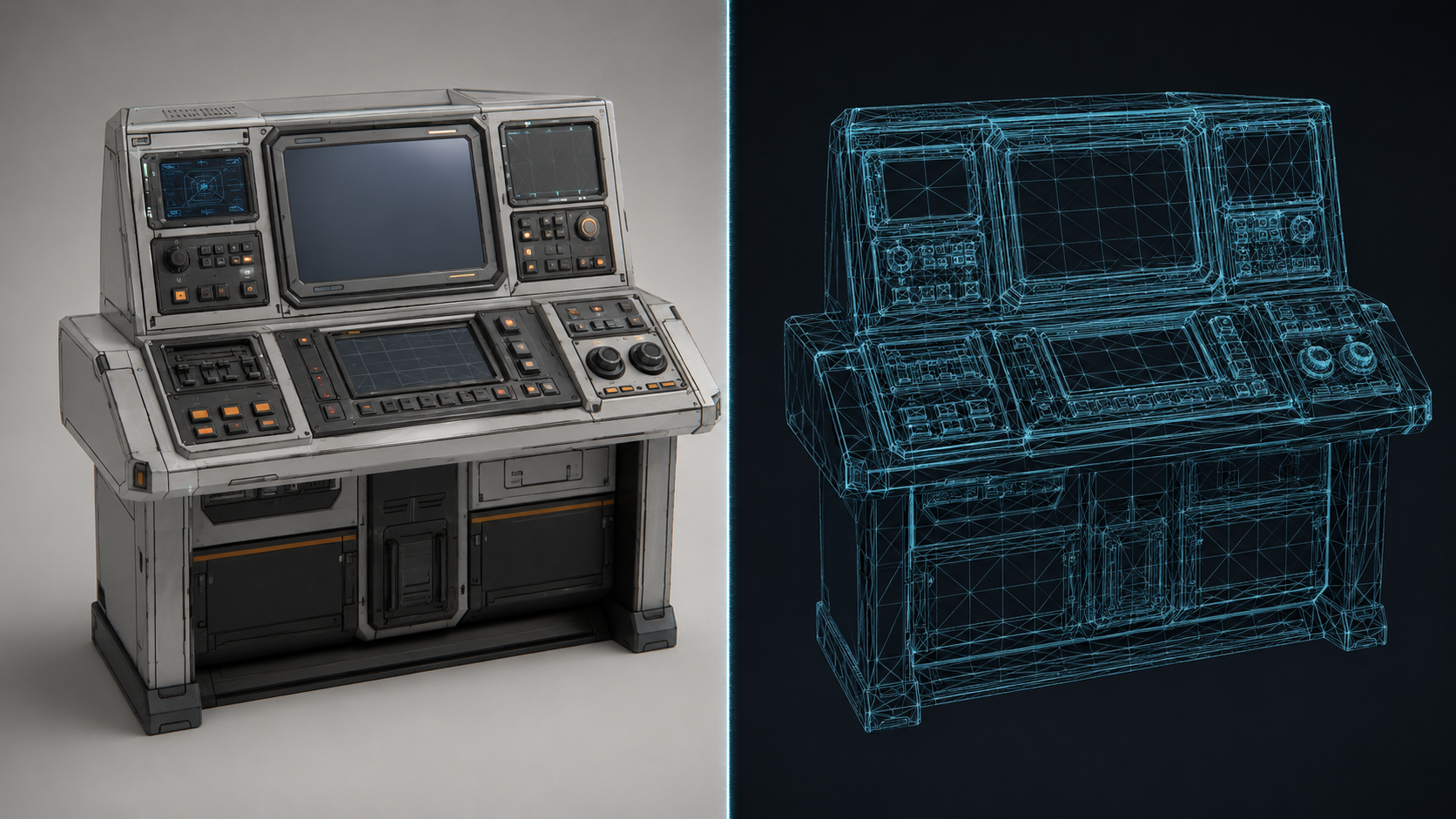
The Image to 3D workflow: upload a reference and receive a watertight base mesh ready for game engine import
The generation workflow is straightforward:
Step 1: Upload or describe. Drag a reference image into Image to 3D, or write a prompt in Text to 3D. For an alien ship interior, a photo of a textured surface or a concept sketch works best. If the result is close but not perfect, hit Regenerate for a fresh inference pass on the same input.
Step 2: Choose your texture setting. Before clicking Generate, select whether you want an untextured mesh (fastest, best for prototyping) or standard textures with full PBR maps. When PBR is selected, the base mesh and all texture maps are computed in the same inference. There is no separate texture generation step to trigger afterward.
Step 3: Review and iterate. Once the model returns, rotate it in the viewport to check for any geometry issues. If a section looks distorted, try a different reference angle or use the one-click Regenerate button for a new inference pass. For finer control, Neural4D-2o lets you refine the model with natural language instructions such as “make the ceiling higher” or “add more panel detail to the walls”, though this editing mode is only available for models generated within Neural4D-2o itself.
This three-step loop (Input, Generate, Regenerate or refine, Export) compresses what used to be a day-long blockout session into a few minutes of iterative work.
Part 4: Refining and Exporting for Game Engines
After generation, you will typically want to do light cleanup and assembly before the model is game-ready. Neural4D exports in GLB, FBX, OBJ, and STL formats, so your model drops directly into Unity, Unreal Engine 5, or Blender without conversion steps.
AI-generated geometry imports cleanly into game engines with proper topology and PBR texture maps intact
The key advantage of Neural4D’s output for sci-fi environments is the watertight manifold geometry. Unlike older AI generators that produced non-manifold meshes full of holes and inverted normals, Direct3D-S2 outputs a closed mesh that passes standard game-engine validation checks on import. No manual hole-patching, no flipped normal hunting.
If you are building modular interior sections such as corridors, rooms, and junction hubs, generate each module separately and assemble them in your engine. Neural4D’s consistent topology across generations means pieces fit together predictably. For creating 3D models for Unreal Engine 5, the GLB export carries embedded PBR maps that map directly to the engine’s material system with minimal adjustment. The same pipeline works for AI 3D game assets in Unity, where the consistent manifold output eliminates the import validation failures common with other AI generators.
Polygon budget management: A single Neural4D generation typically lands in the range suitable for hero props and medium-detail environment pieces. For large environments with many modules, use your engine’s LOD system to manage draw calls. The base mesh topology is clean enough that automatic LOD generation tools in Unity and Unreal produce good results without manual retopology passes.
Part 5: Where Neural4D Fits in the Sci-Fi Asset Pipeline
Neural4D is not a replacement for the entire 3D art pipeline: it is a replacement for the most tedious part of it: the initial blockout and base geometry phase. The table below shows how it compares with traditional tools and other AI generators on the specific use case of creating alien ship interior assets.
| Tool | Time per Asset | Topology Quality | PBR Support | Workflow |
|---|---|---|---|---|
| Neural4D | 90 sec to 2+ min | Watertight, manifold | Yes (single pass) | Input → Generate → Export |
| Blender (manual) | 4-8 hours | Artist-dependent | Manual setup | Model → UV → Texture → Export |
| Tripo AI | 2-3 min | Watertight, lower resolution | Limited | Input → Generate → Export |
| Meshy | 1-2 min | Variable, often non-manifold | Basic | Input → Generate → Export |
Neural4D’s Spatial Sparse Attention (SSA) architecture delivers approximately 12x faster inference than industry-standard volumetric approaches, which translates directly to faster iteration during the design phase. For game developers and environment artists who need to test multiple interior layouts before committing to a final design, this speed advantage means you can generate, evaluate, and discard rough concepts in the time it takes to make coffee.
The platform also supports enterprise API integration for studios that want to embed AI asset generation directly into their existing game asset generation pipeline. Batch inference, custom domain fine-tuning, and SLA-guaranteed uptime are available for production workflows where every minute of downtime costs the team.
Generate Your Sci-Fi Assets in Minutes, Not Days
Stop blocking out corridors by hand. Upload a reference, get a game-ready alien ship interior 3D model, and spend your energy on what makes your world unique.
No credit card required • 50 free generations per week
Compared to traditional tools, Neural4D trades manual vertex control for speed and iteration volume. You lose the ability to push individual polygons, but you gain the ability to generate 50 interior variations in the time it would take to model one by hand. For the early exploration phase of game development, where the question is “what does this spaceship look like?” rather than “is this edge flow correct?”, that tradeoff is heavily weighted in Neural4D’s favor.
Part 6: Common Questions on Alien Ship Interior 3D Models
Q: How detailed can AI-generated alien ship interiors get compared to hand-modeled ones?
AI-generated base meshes from Neural4D capture macro-level structure well: wall panels, floor geometry, structural supports, and large props. They do not yet match hand-modeled micro-detail like individual cable runs, screw heads, or custom decal work. The practical workflow is to generate the base shell with AI, then add surface detail in your engine or modeling tool. For background environments where the player moves past quickly, AI-only output is often sufficient. For hero assets the camera lingers on, plan for a pass of manual detail work.
Q: What type of reference images produce the best results for Image to 3D?
Single-subject photos with even lighting and minimal background clutter produce the cleanest geometry. For alien ship interiors, a photo of a single control console, a wall section with panel detail, or a doorway frame all work well. Avoid wide-angle room shots with many overlapping objects, as the depth reconstruction struggles to separate foreground from background in cluttered scenes. If you must capture a full room, break it into logical sections and generate each as a separate pass.
Q: Can I use AI-generated 3D assets in commercial game projects?
Neural4D’s paid subscription grants full commercial use rights for all generated assets. Free plan outputs are marked as Trial and are intended for testing only. If you are building a commercial game or selling assets on a marketplace, a paid plan is required. The license covers the generated output only. You must own or have rights to any reference images you upload as input.
Q: How does Neural4D handle organic alien interiors versus hard-surface mechanical ones?
The Direct3D-S2 engine performs well on both organic and hard-surface geometry because it reconstructs the full volumetric field rather than relying on surface-specific assumptions. Organic forms like fleshy corridors, tendril structures, and curved alien architecture resolve with smooth, continuous surfaces. Hard-surface elements like metal panels, grating, and equipment consoles retain sharp edges and angular detail. The engine does not bias toward either type. The result quality depends primarily on the clarity of the reference image.
Q: What happens if the AI-generated mesh has gaps or missing sections?
Neural4D outputs watertight manifold geometry by default, so gaps in the mesh surface are rare. When they do occur, the most common cause is an input image with extreme lighting contrast, specifically deep shadows or bright highlights that the model interprets as empty space. If you see missing sections, try regenerating with the same image (the inference has some variance between passes) or adjust the reference image to have more even lighting. For persistent issues, the Regenerate button provides a one-click fresh inference without changing any settings.
Q: Can I combine multiple AI-generated models to build a complete alien ship interior scene?
Yes, this is the recommended approach for full environments. Generate individual modules (corridor sections, room shells, prop pieces) as separate models, then assemble them in your game engine. Neural4D’s consistent topology scale across generations means parts designed from similar reference images will be proportionally compatible. For best results, use the same reference style across all modules so the visual language of your spaceship interior stays cohesive.
Create Your Alien Ship Interior 3D Model Today
The barrier to entry for creating high-quality sci-fi environments has dropped dramatically. What used to require a week of modeling work and a deep understanding of topology, UV mapping, and material baking can now be done in a single afternoon with the right AI pipeline. The key insight is not that AI replaces the artist: it replaces the grunt work so you can focus on the creative decisions that make your spaceship feel alive.
Whether you are building a single diorama for a 3D print or populating an entire spaceship level for a game, the workflow is the same: design a concept, generate the base mesh with Image to 3D, refine and assemble, and ship. The bottleneck is no longer polygon count. It is how many ideas you can prototype before finding the one that works. Your alien ship interior 3D model is only a reference image away.
Start Building Your Sci-Fi World
Upload a reference image, generate your base mesh in seconds, and export directly to Unity, Unreal, or Blender. No steep learning curve required.
50 free generations per week • No subscription required to start