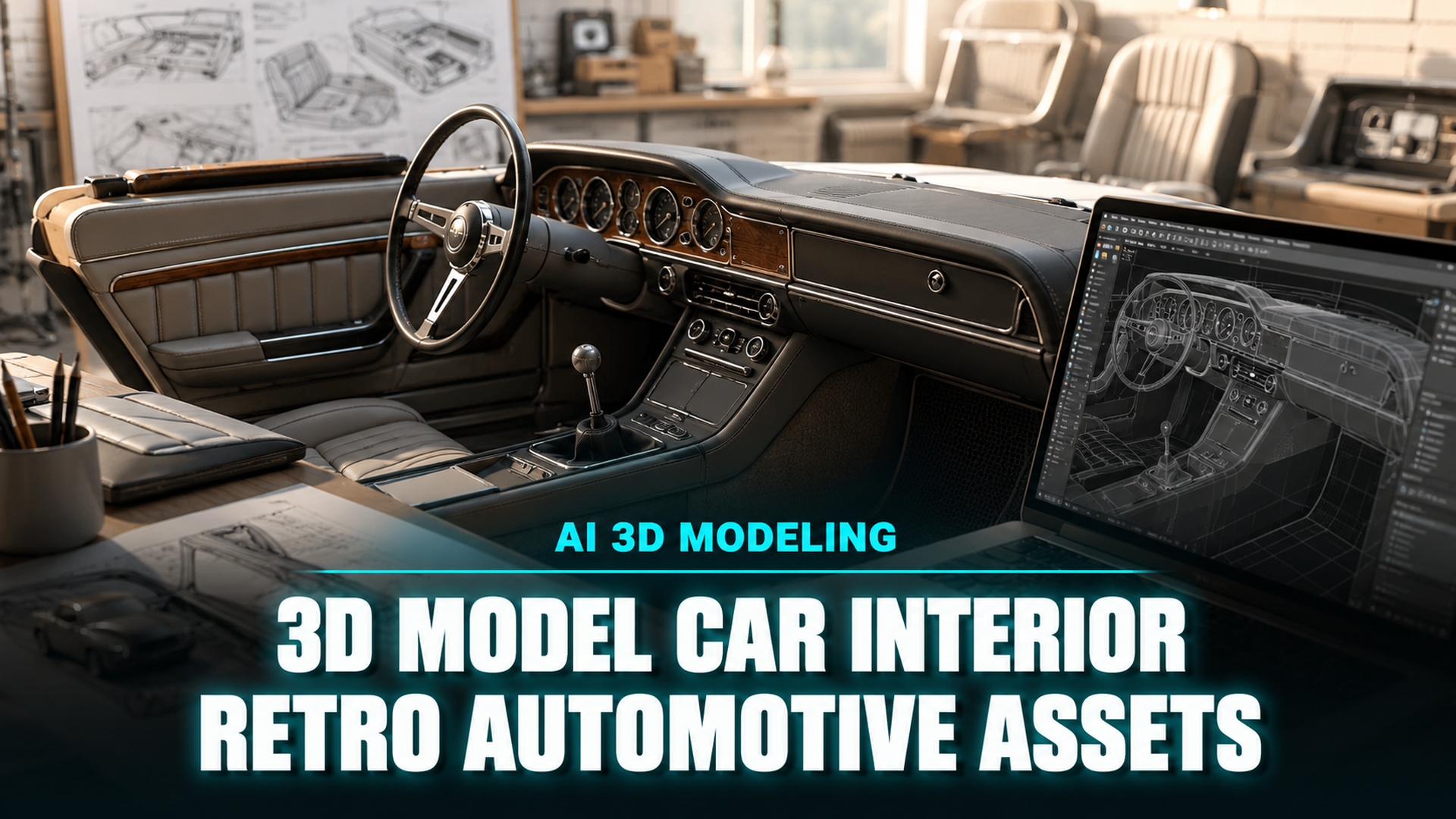
3D Model Car Interior 1990s: Create Retro Automotive Assets with AI
Quick Summary
- A 3D model car interior from the 1990s used to require weeks of manual work in Blender or Maya with specialized modeling skills.
- Tools like 88Cars3D, CGTrader, and TurboSquid sell pre-made retro car models, but custom or specific-year models remain difficult to source.
- Neural4D’s image to 3D converts a single reference photo into a watertight mesh with PBR textures in 2 minutes or more, ready for printing, games, or VR.
The angular dashboards, analog gauge clusters, and broad bench seats of 1990s vehicles are a distinctive design language that 3D content creators increasingly want to capture. Neural4D’s image to 3D converts a reference photo into a production-ready 3D model car interior 1990s enthusiasts can print, render, or import into game engines with no manual retopology.
Table of Contents
- Part 1: The Appeal of 1990s Car Interiors in 3D
- Part 2: Why Traditional Modeling Struggles with Retro Interiors
- Part 3: How Neural4D Handles the Complexity of Retro Car Interiors
- Part 4: Step-by-Step Workflow: From Photo to 3D ModelHOT
- Part 5: Where to Use Your 1990s Car Interior 3D Assets
- Part 6: Common Questions on 3D Model Car Interiors of the 1990s
- Part 7: Start Creating Your Retro Car Interior Models Today
Part 1: The Appeal of 1990s Car Interiors in 3D
The 1990s produced some of the most recognizable car interior designs in automotive history. Hard plastic dashboards with analog gauge clusters, cloth bench seats, chunky steering wheels, and functional center stacks defined an era before touchscreens and digital instrument clusters took over.
For 3D content creators, these interiors represent a rich source of nostalgic assets. Game developers building period-correct driving games need accurate 1990s cabins. 3D printing enthusiasts want scale model cars with detailed interiors that look authentic at 1:24 or 1:64 scale. VR experience creators need immersive retro environments where the cockpit reads correctly at eye level.
The demand extends beyond entertainment. Automotive restoration shops now use 3D scanning and printing to reproduce interior components for classic 1990s vehicles where OEM parts are no longer manufactured. According to industry research, the global automotive 3D printing market is projected to reach $6.67 billion in 2026, driven in part by vintage vehicle restoration and on-demand heritage part production.
The challenge has always been the same: creating a 3D model car interior 1990s style takes specialized skills that most enthusiasts and indie developers do not have. That gap is what makes the retro cabin a strong candidate for AI 3D generation. For those who want an overview of what is already available, free 3D car models have their own tradeoffs worth understanding before starting a project.
Part 2: Why Traditional Modeling Struggles with Retro Interiors
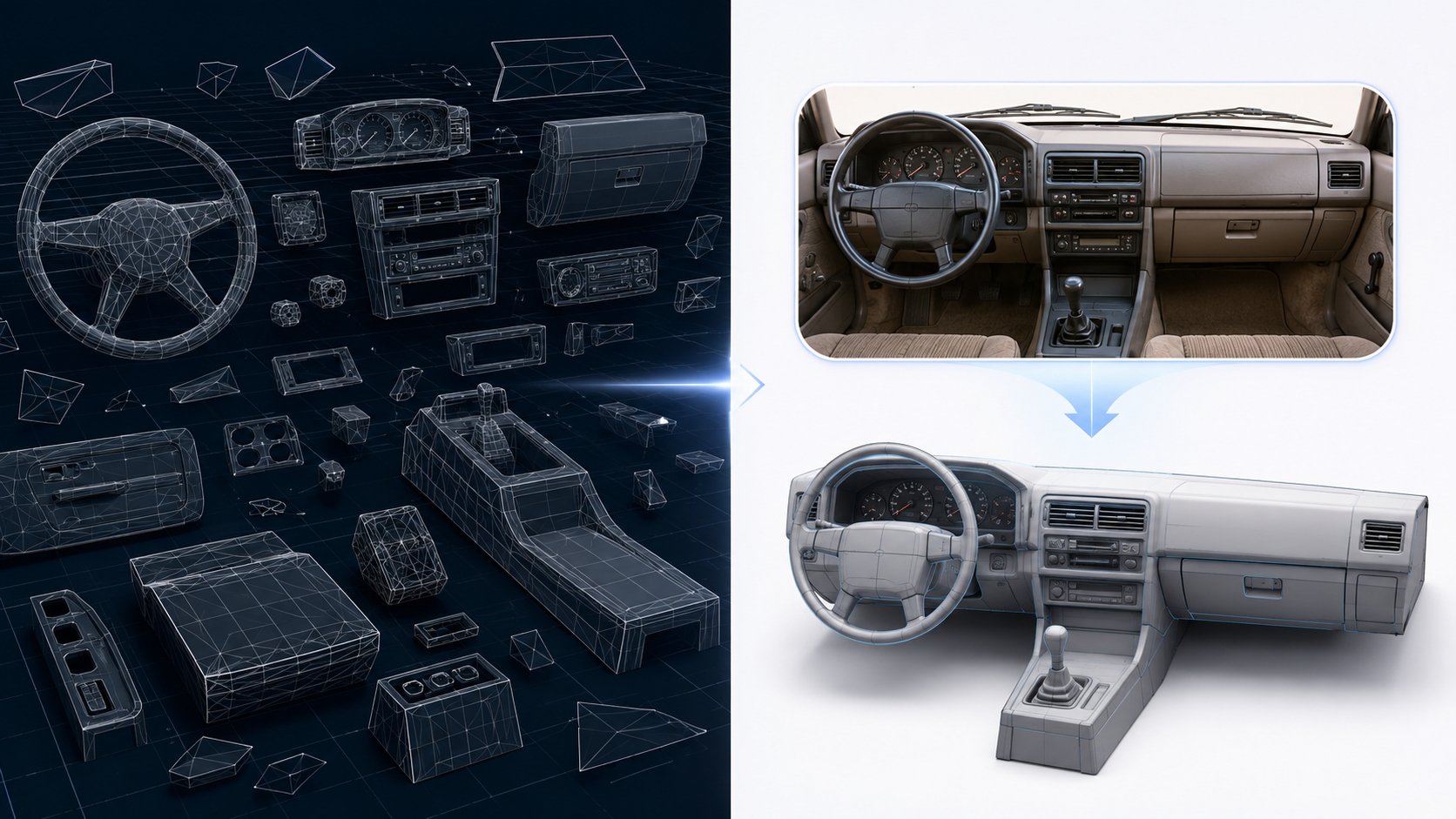
A 1990s car interior is deceptively complex. The dashboard alone contains multiple intersecting surfaces, circular gauge housings, vent louvers, steering column stalks, and asymmetrical center console panels. Each element requires separate modeling operations in traditional 3D software. For anyone seeking a 3D model car interior 1990s era vehicle, this complexity is the first barrier.
The seats present another layer of difficulty. Cloth upholstery textures, foam cushion undulations, and the transition from seat base to seatback all demand careful topology management. In Blender or Maya, a single 1990s car seat can take 8 to 12 hours for a skilled artist to model accurately.
Then there is the steering wheel. 1990s steering wheels were large, often three-spoke or four-spoke designs with integrated horn buttons, cruise control stalks, and branded center badges. Modeling those organic curves and mechanical details accurately is time-consuming even for experienced professionals.
When you add the center console, door cards, headliner, and carpet, a full 1990s car interior represents 40 to 60 hours of dedicated modeling work. For most hobbyists and indie teams, that investment is simply not feasible. And even after all that modeling time, the result still needs UV mapping, texturing, and export preparation before it works in a game engine or a slicer.
Part 3: How Neural4D Handles the Complexity of Retro Car Interiors
Neural4D’s Direct3D-S2 architecture approaches 3D reconstruction differently from photogrammetry or manual modeling. Instead of estimating depth from a flat image, it processes the full volumetric space using Spatial Sparse Attention (SSA), a mechanism that maintains spatial relationships between objects at different depths. This volumetric approach is what makes it suited for a 3D model car interior 1990s scenario where depth layers overlap significantly.
This matters for a 3D model car interior 1990s topic because of the extreme depth variation in a single reference frame. The steering wheel sits close to the camera while the dashboard stretches several feet away, and the seats recede further into the background. A depth-estimation-only approach flattens these layers together. SSA preserves the physical separation between the steering wheel, dashboard, and seats, maintaining their true spatial arrangement in the output mesh.
The results for retro automotive interiors include:
Watertight geometry by default: The mesh has no holes or non-manifold edges, making it ready for 3D printing without repair steps.
Multi-surface dashboard retention: Gauge pods, vent openings, and glovebox lines are captured as continuous geometry rather than flat textures.
Steering wheel spoke separation: Spokes behind the rim are reconstructed as independent volumetric forms, not merged into a single plane.
Seat contour preservation: Cushion depth, side bolsters, and headrest shapes are maintained in the output mesh.
When PBR texture generation is enabled, the system outputs Albedo, Normal, Roughness, and Metallic maps that capture the specific material qualities of a 1990s interior. The matte finish of dashboard plastics, the fabric weave of upholstery, and the glossy sheen of a plastic steering wheel are all separated into independent texture channels. This material separation is critical for game engine use, where baked-in lighting from a single texture map would look wrong under dynamic scene lighting.
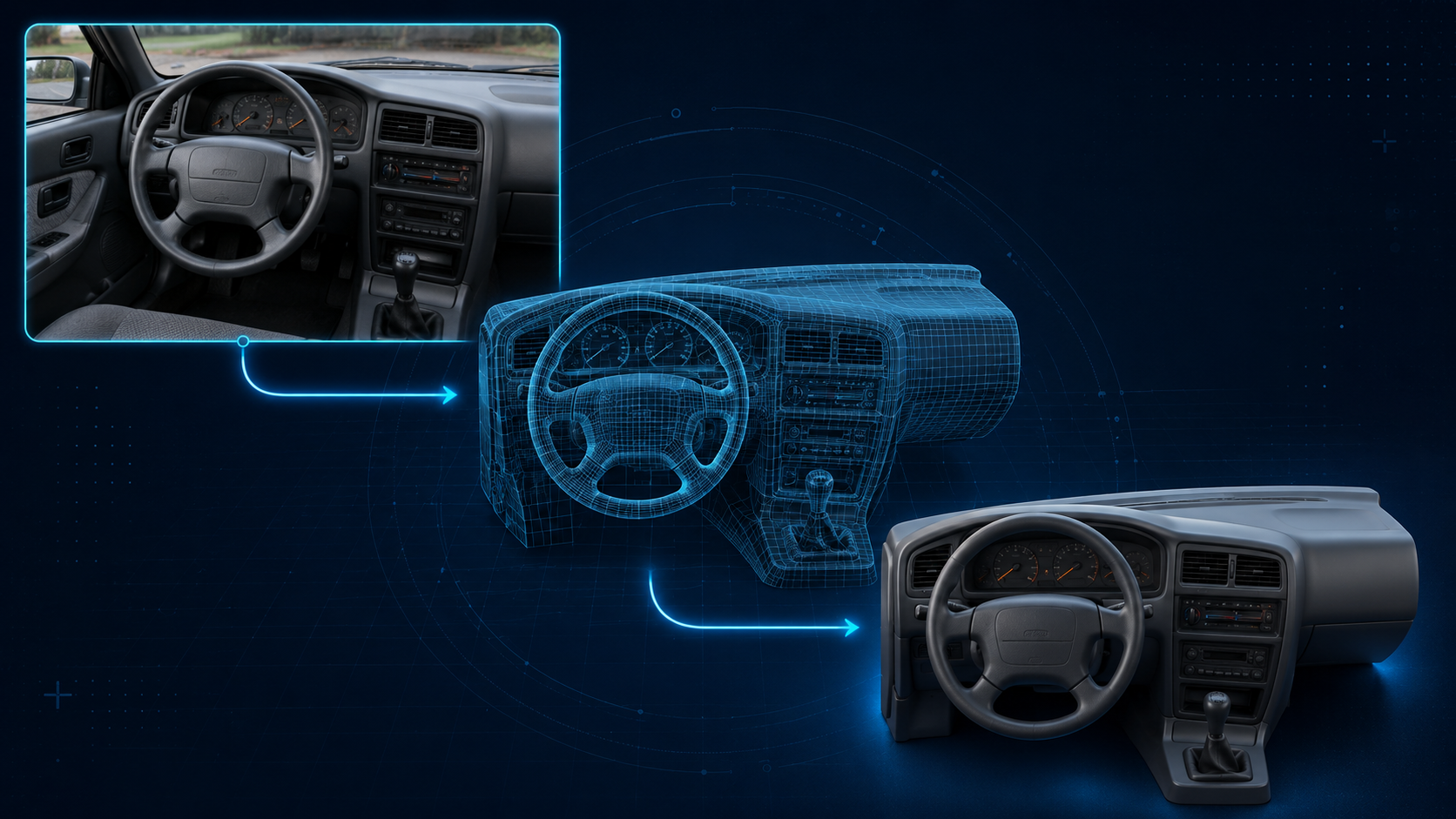
A base mesh of a 1990s car interior from a single photo generates in approximately 90 seconds. With full PBR textures, total generation time is 2 minutes or more. Neural4D’s 3D generation uses the same Direct3D-S2 pipeline whether you are modeling a character, a product, or a car cabin. The Neural4D Image to 3D model feature accepts standard photo formats and outputs production-ready 3D files that can be exported as STL for printing or FBX for engines.
Part 4: Step-by-Step Workflow: From Photo to 3D Model
Step 1: Source a Clear Reference Photo
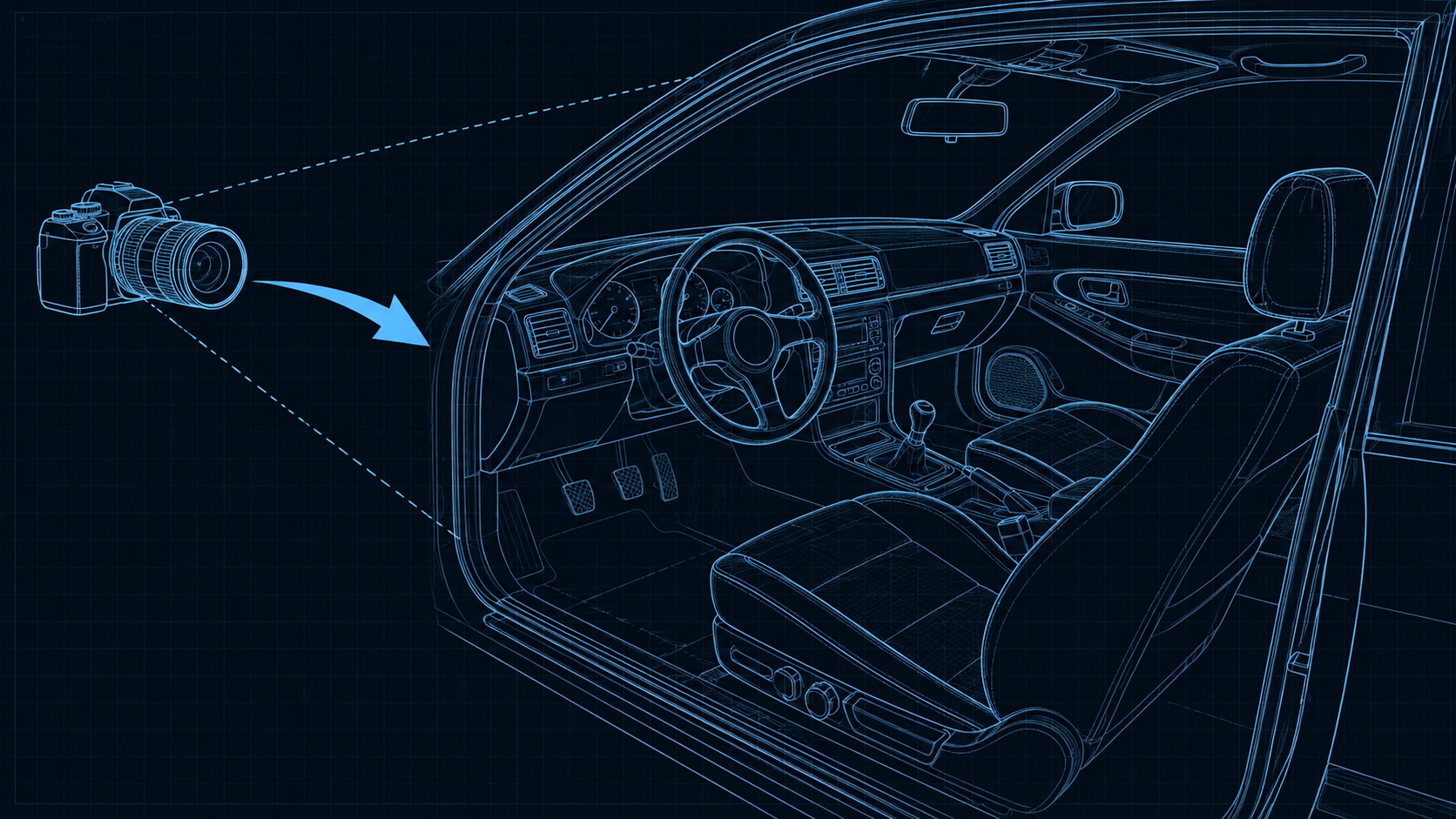
The quality of your 3D output depends directly on your input. For a 3D model car interior 1990s project, the ideal reference is a front-facing or three-quarter shot of the dashboard and front seats taken from the open driver or passenger door. Good lighting that reveals dashboard contours and seat shapes without deep shadows is essential. Avoid wide-angle lenses that distort proportions. A standard smartphone camera at a distance of 2 to 3 feet produces usable results.
Step 2: Upload and Configure
Navigate to the Neural4D studio and select Image to 3D. Upload your reference photo. Before generating, choose your texture preference:
- Standard textures: A single color map that captures the general appearance of the interior materials.
- Full PBR: Albedo, Normal, Roughness, and Metallic maps for accurate lighting response in game engines and renderers.
The system automatically configures the generation pipeline based on the image content. No manual parameter tuning is required.
Step 3: Generate and Inspect
Click Generate. The base mesh processes in approximately 90 seconds. When PBR textures are enabled, the total generation is 2 minutes or more, producing the full textured result in a single pass. The output is a watertight mesh that captures the major structural elements of the interior. The dashboard, steering wheel, and seats should be clearly recognizable from the reference photo.
Step 4: Refine with Regeneration or Neural4D-2o
If the initial output needs adjustment, two paths are available:
- One-click regeneration produces a new variation with the same input settings.
- Neural4D-2o allows conversational refinement of models generated by Neural4D-2o, such as making the dashboard wider, smoothing seat cushions, or adding texture definition to the steering wheel.
Step 5: Export
Neural4D supports OBJ, STL, FBX, GLB, USDZ, and BLEND export. Each format serves a specific use case:
| Format | Best For |
|---|---|
| STL | 3D printing and slicing software |
| FBX | Game engines (Unity, Unreal Engine) with PBR textures |
| GLB | Web viewers and AR Quick Look |
| OBJ | Further editing in Blender, Maya, or ZBrush |
| USDZ | Apple ecosystem AR experiences |
Turn Your Reference Photo Into a 3D Model
Upload a photo of any 1990s car interior and get a watertight mesh with PBR textures in minutes. No modeling experience required.
Free users get 50 Power per week. No credit card required.
Part 5: Where to Use Your 1990s Car Interior 3D Assets
3D Printing Scale Models
Scale model car enthusiasts are the largest audience for a printable 3D model car interior 1990s style. Resin printers at 1:24 or 1:32 scale capture dashboard gauge details and seat contours effectively. The watertight mesh output from Neural4D eliminates the most common 3D printing failure: non-manifold geometry that causes slicing errors and failed prints. AI for 3D printing workflows like this let you go from a reference photo to a physical print without intermediate modeling or repair software.
For FDM printers, scaling the model down to 1:64 (Hot Wheels or Matchbox size) works well for the main body structure. Small interior details such as gauge bezels and switchgear print more reliably in resin at that scale. The manifold geometry from Neural4D means no hole-patching in mesh repair software before slicing.
Game Development
Period-correct racing games, driving simulators, and open-world titles set in the 1990s need accurate interior models for first-person cockpit views. The FBX export with PBR textures drops directly into Unity or Unreal Engine with material assignments intact. At High or Extra High mesh quality, the polygon count supports close-up driver perspectives without visible faceting. For game studios, AI game asset generation accelerates the modeling pipeline for vehicle interiors that would otherwise require dedicated automotive modelers.
VR and Visualization
Virtual reality experiences benefit from the spatial accuracy of Neural4D’s volumetric approach. A 1990s car interior generated from a photo produces a cockpit that reads correctly at VR scale, with the steering wheel at the right distance and the dashboard wrapping around the driver naturally. Precise depth perception is essential in VR, and the Direct3D-S2 pipeline preserves the physical proportions that make an interior feel authentic at 1:1 scale.
Car enthusiasts also use these models for virtual restoration projects. A 1990s interior that is too damaged to photograph in one clean shot can be reconstructed from multiple reference images, giving restorers a digital reference model for planning upholstery or dashboard repairs.
Part 6: Common Questions on 3D Model Car Interiors of the 1990s
Q: Can AI generate a detailed 1990s car interior from a single photo?
Yes, provided the reference photo clearly shows the dashboard, steering wheel, and front seats from an unobstructed angle. The AI reconstructs volumetric geometry from the visible surfaces. Hidden areas behind the steering wheel or below the dashboard line are estimated based on the visible context. For best results, use a three-quarter angle that reveals both the driver side and the center console.
Q: How long does it take to generate a 1990s car interior 3D model with AI?
An untextured base mesh completes in approximately 90 seconds. When PBR textures are enabled, the total generation time is 2 minutes or more because the system calculates Albedo, Normal, Roughness, and Metallic maps alongside the geometry in a single pass. Export time depends on the selected mesh quality and file format but typically adds 10 to 30 seconds. Generation runs on Neural4D’s servers, not on your local machine.
Q: What 3D formats work best for printing or game development?
For 3D printing, export as STL, which preserves the watertight mesh structure needed by slicer software. For game engines, export as FBX with PBR textures, which Unity and Unreal Engine import natively with material slots pre-assigned. GLB is the best choice for web-based 3D viewers and AR Quick Look on iOS, while OBJ suits users who plan further edits in Blender or Maya. Neural4D also supports USDZ for Apple ecosystem AR applications.
Q: Can Neural4D handle the complex geometry of steering wheels and dashboard panels?
Yes. The Direct3D-S2 engine’s volumetric processing handles intersecting surfaces common in car interiors. Steering wheel spokes crossing behind the rim, gauge housings protruding from the dashboard plane, and the transition from the dashboard to the center console are all captured as continuous geometry rather than disconnected fragments. The SSA mechanism maintains correct depth ordering so that foreground elements like the steering wheel do not merge with background dashboard elements.
Q: Is AI-generated car interior geometry clean enough for resin 3D printing?
Yes. Neural4D outputs watertight manifold geometry with no holes, inverted normals, or non-manifold edges. Resin printers require this type of geometry to produce successful prints at high detail levels. At the Extra High quality setting, features as small as dashboard vent louvers and gauge bezels are preserved at 1:24 scale. The geometry is mathematically closed, meaning slicer software processes it without errors.
Q: What types of 1990s car interiors work best for AI 3D generation?
Interiors with strong geometric definition produce the cleanest results. Boxier dashboards from trucks and SUVs (Ford F-Series, Chevrolet Suburban, Jeep Cherokee XJ) tend to reconstruct more accurately because their flat surfaces and defined edges are easier for the volumetric engine to interpret. Curved, organic dashboards from sports cars also work well but may require an extra regeneration pass to refine the complex curves. Interiors with heavy wear, torn upholstery, or aftermarket modifications introduce visual noise that can confuse the reconstruction process.
Part 7: Start Creating Your Retro Car Interior Models Today
Recreating the look and feel of a classic 1990s cabin in 3D no longer demands weeks of manual modeling or a deep understanding of edge flow and topology theory. With Neural4D’s image to 3D, a single reference photo of a 1990s dashboard, seats, and center console becomes a production-ready asset in minutes. The watertight geometry works immediately in slicers for 3D printing, in game engines for interactive experiences, and in rendering pipelines for visualization projects.
Whether you are building a period-correct racing game, printing a scale model of your first car, or prototyping a VR restoration project, Neural4D turns a 3D model car interior 1990s concept into reality faster than any traditional workflow. The same Direct3D-S2 pipeline that generates retro car interiors also supports text to 3D model generation for when you want to describe a custom interior layout from scratch.
Try Neural4D for Free
Upload a photo and generate a 3D model car interior 1990s style today. No subscription needed to start.
50 free Power weekly. Paid plans from $6.90 per week.