Neural4D Coala | An AI CAD Agent for Precise 3D-Printable Parts
Quick Summary
- Coala is Neural4D’s specialized AI CAD agent in the Neural4D Studio, free to try once per account.
- It turns a plain-English description into a high-precision CAD model, so you do not have to memorize commands like
CorLine. - You can also start from a reference image or upload a technical drawing, which Coala reads for geometry, dimensions, and part relationships.
- Deep Thinking now covers every Coala workflow, built for multi-step requests, interdependent dimensions, and complex assemblies.
- A properties panel lets you adjust dimensions in real time, and the model re-renders in about 2 seconds after each change.
- Models export to STL, which means they can go straight to a 3D printer.
- Coala is built for functional parts with exact sizes, from bracket connectors to pixel-style toys, not for organic or artistic surfaces.
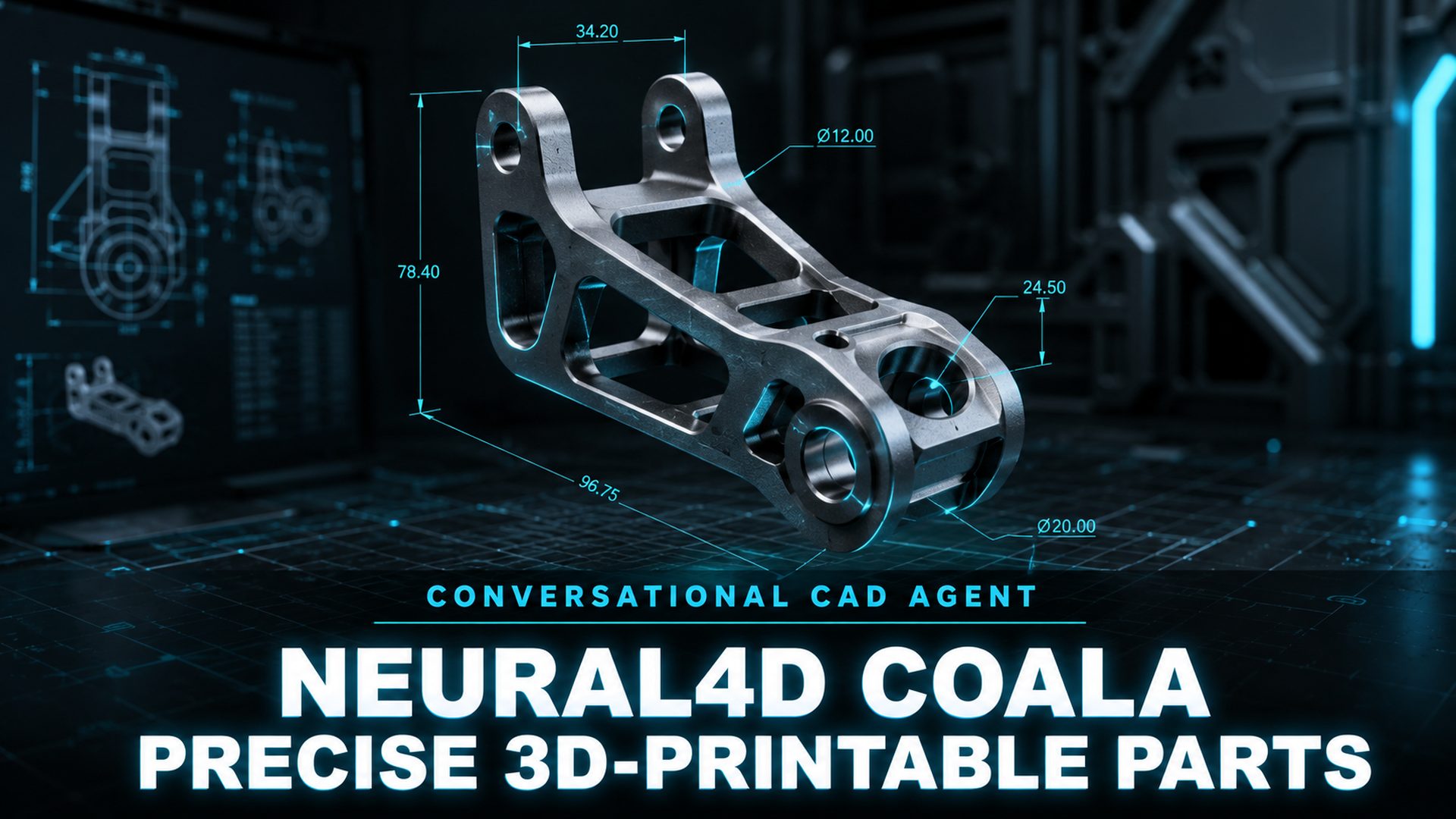
Neural4D Coala brings AI CAD generation to the Neural4D Studio. Coala is a conversational agent for industrial-style modeling: you describe the part you need in plain language, adjust dimensions through a properties panel, and export a printable STL. It can also start from a reference image or an uploaded technical drawing, and Deep Thinking is now available on every workflow for requests that need more reasoning. This post covers what Neural4D Coala does today, what it is designed to produce, and how it fits alongside the rest of the Studio.
Table of Contents
Part 1: What Coala Is, an AI CAD Agent
Neural4D Coala is an AI CAD agent that generates precise models from the input you already have, whether that is a text description, a reference image, or a technical drawing. Where traditional CAD software expects you to know the command line or the toolbar layout, Coala accepts the intent directly: a bracket with a 6 mm hole, a connector that joins two beams, a screw cap with a specific thread. The description is the starting point, not the end of the interaction.
Anyone can open Coala from the Coala agent workspace in the Neural4D Studio, start a new task, and describe the part. Coala is free to try once per account, with no credit card required. The result is a solid model with defined geometry, not a loose artistic shape. This is the core distinction between Coala and a general-purpose 3D generator: Coala aims at parts that have to be the right size, because they are meant to be manufactured.
Scope note: Coala is separate from the AI 3D Agent that routes descriptions across the Studio. The AI 3D Agent dispatches a request to Image to 3D, Text to 3D, image, or video generation. Coala stays in the CAD workspace and produces dimensioned parts instead.
Part 2: Precise Parametric Control With Real-Time Updates
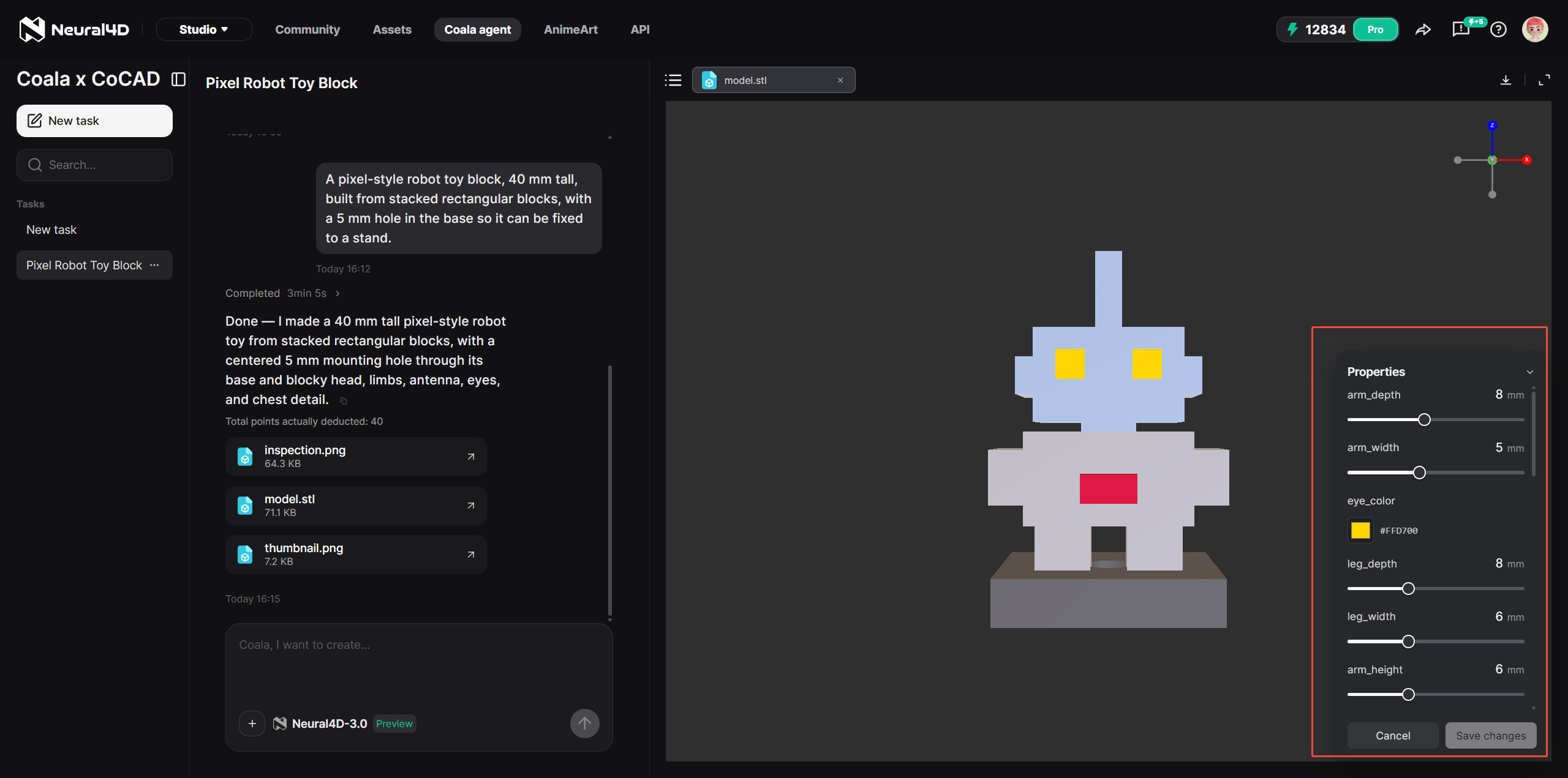
The defining feature of Neural4D Coala is precision. A properties panel exposes the dimensions of the generated part, so you can adjust values such as a chamfer size or a base width without rewriting the description. The change is reflected in a re-render that typically takes about 2 seconds, which makes iterative tuning fast enough to feel interactive.
This is what separates an AI-generated part from an AI-generated illustration. The model is parametric: the numbers in the panel are the geometry, not a side detail. You can lock a dimension that matters, verify the rest, and export when the part matches what the print needs.
Part 3: From an Input to a Printable STL
Neural4D Coala exports STL, the file format used by most 3D printers. You choose how to start the task, and the same properties panel and export path follow from there.
Three ways to start a Coala task:
- Text. Describe the part you want and include the dimensions or requirements that matter.
- Reference image. Upload an image to give Coala a visual reference for the model you want to generate.
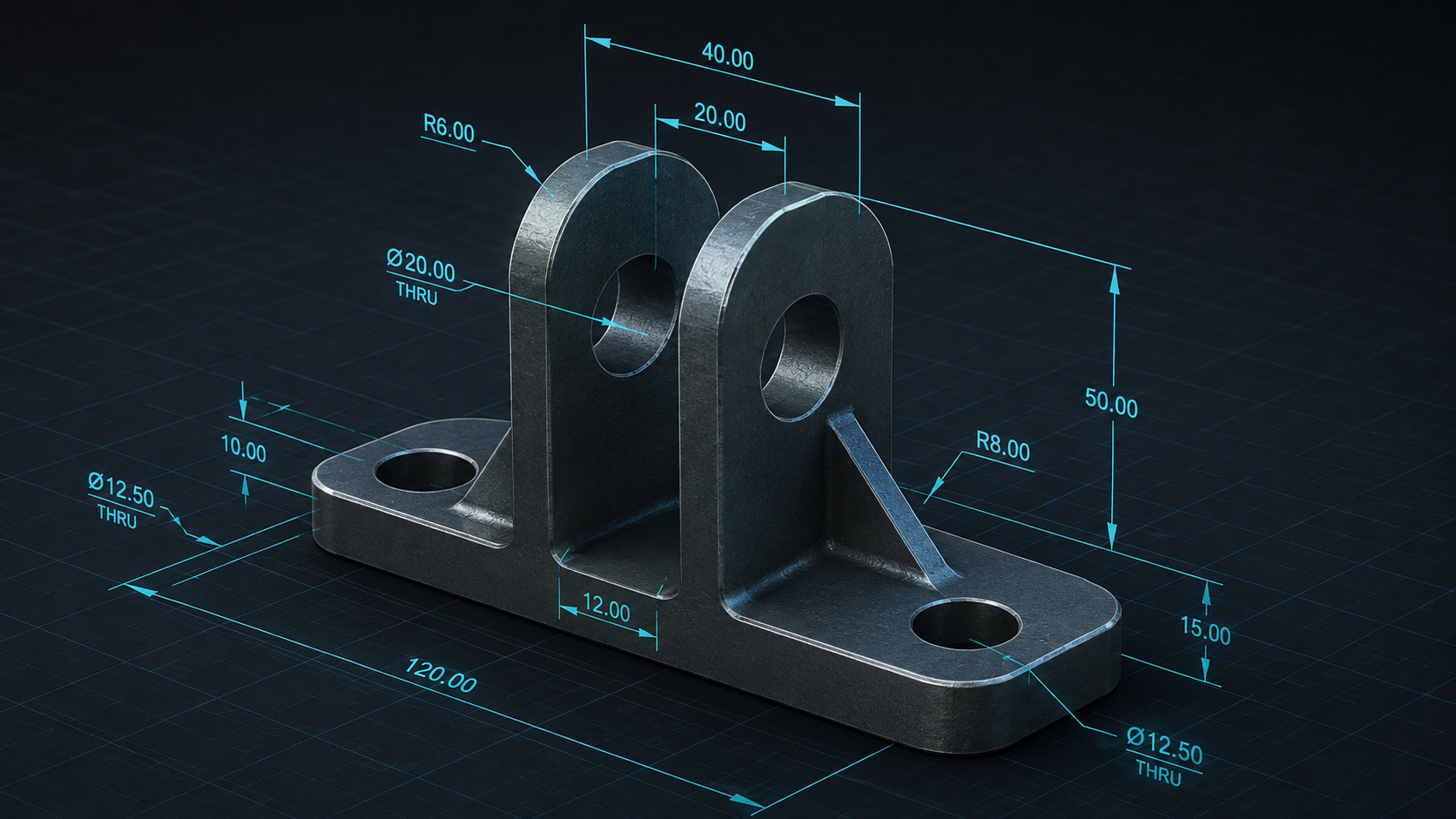
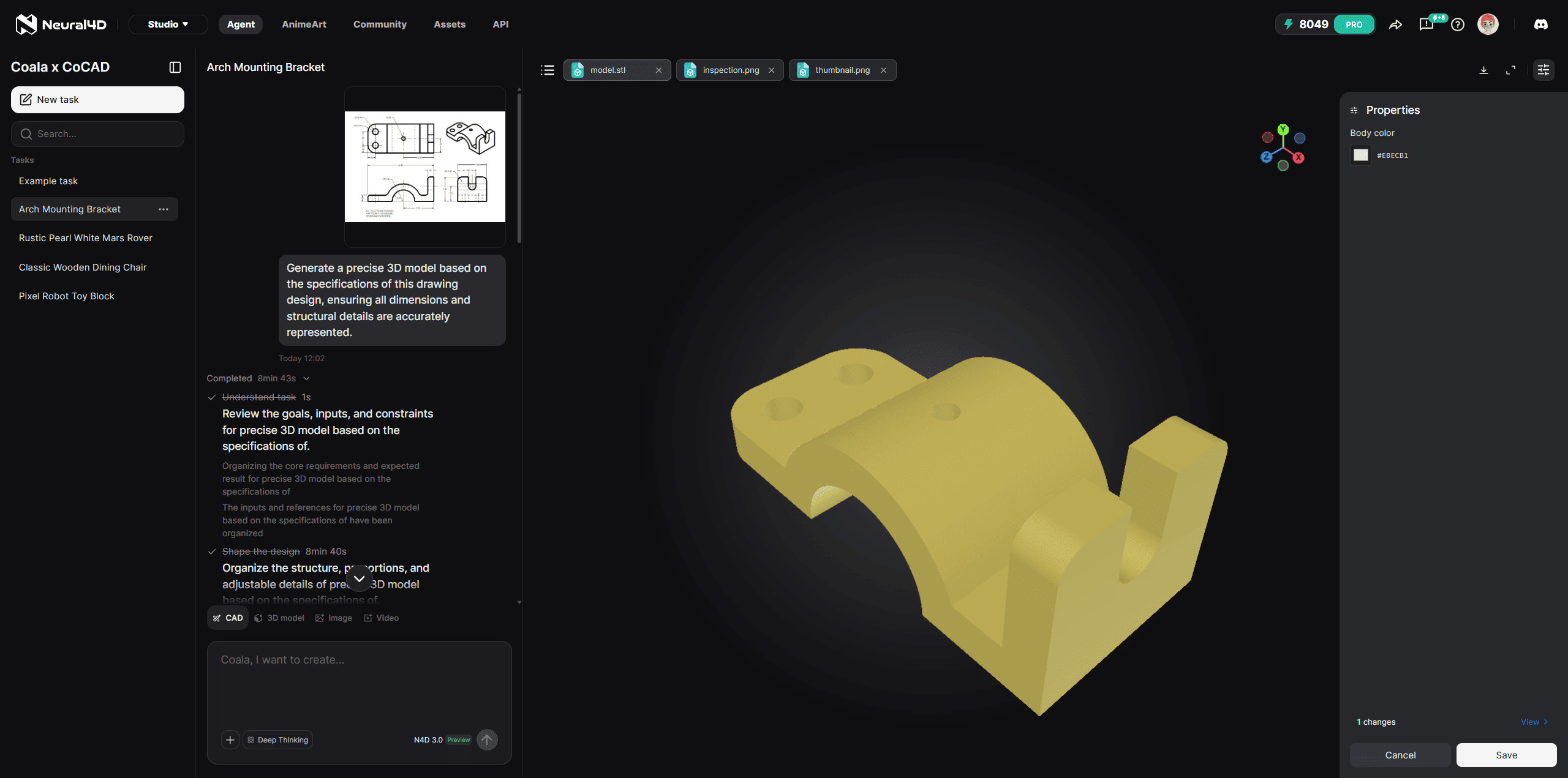
- Technical drawing (Drawing to CAD). Upload a completed drawing, and Coala reads its geometry, dimensions, and structural relationships to generate the corresponding CAD model. This is the fastest route when the design already exists on paper and you would otherwise rebuild it from the beginning.
Whichever input you choose, the task continues the same way:
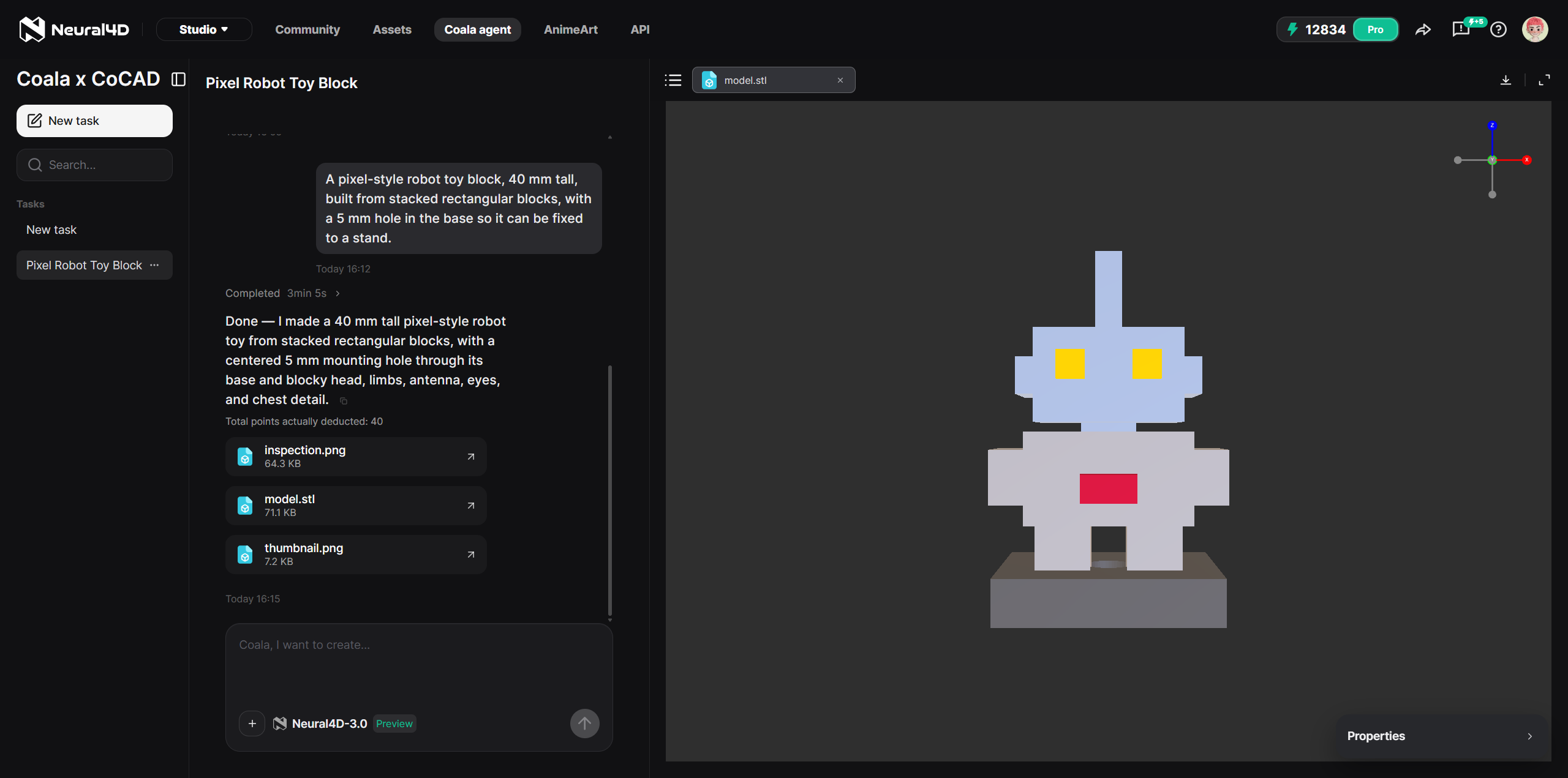
- Review the generated model. Check the geometry in the preview.
- Adjust parameters. Edit dimensions in the properties panel and let the model re-render in about 2 seconds.
- Export the STL. Download the file and slice it for printing.
Because the model is built around exact dimensions, the export is intended to be manufacturable rather than decorative. If you need to refine the result after export, you can return to the Coala task, change a parameter, and export again.
Part 4: Deep Thinking Across Every Coala Workflow
Deep Thinking is available across every Coala workflow. It is a toggle in the task input rather than a separate mode you have to navigate to, and it is not tied to one input type or one class of part: whichever way you start a task, from text, a reference image, or a technical drawing, you can turn it on. When a design needs more than a straightforward generation, you enable Deep Thinking without changing how you start.
It is aimed at the requests that a single pass handles poorly:
- Multi-step tasks where the part has to be built through several modeling operations rather than one shape.
- Interdependent dimensions where changing one value constrains another, so the dimensions have to be resolved together instead of one at a time.
- Complex assemblies where multiple components have to fit and relate correctly, not just a single standalone part.
For a bracket with one sized hole, the standard path is already fast, and turning Deep Thinking on mainly adds reasoning time. For a multi-part assembly or a component whose features reference each other, it is the mode that keeps the result coherent. The practical guidance is to match the mode to the task: reach for it when the part is complex, and skip it when a single description already says everything the model needs.
Describe a part, export an STL
Plain-language CAD generation with parametric control, in the Neural4D Studio.
Free to try once per account, in the Neural4D Studio.
Part 5: What Coala Is Built For
Neural4D Coala fits functional parts with defined sizes. The Coala feature overview breaks down the workspace and its controls. The practical examples line up with the kind of geometry that DIY makers and mechanical design students verify every day:
- Bracket connectors and mounting plates with sized holes.
- Fasteners such as screws, nuts, and caps.
- Structural parts such as stiffening ribs or joining pieces.
- Pixel-style toys and block-style assemblies.
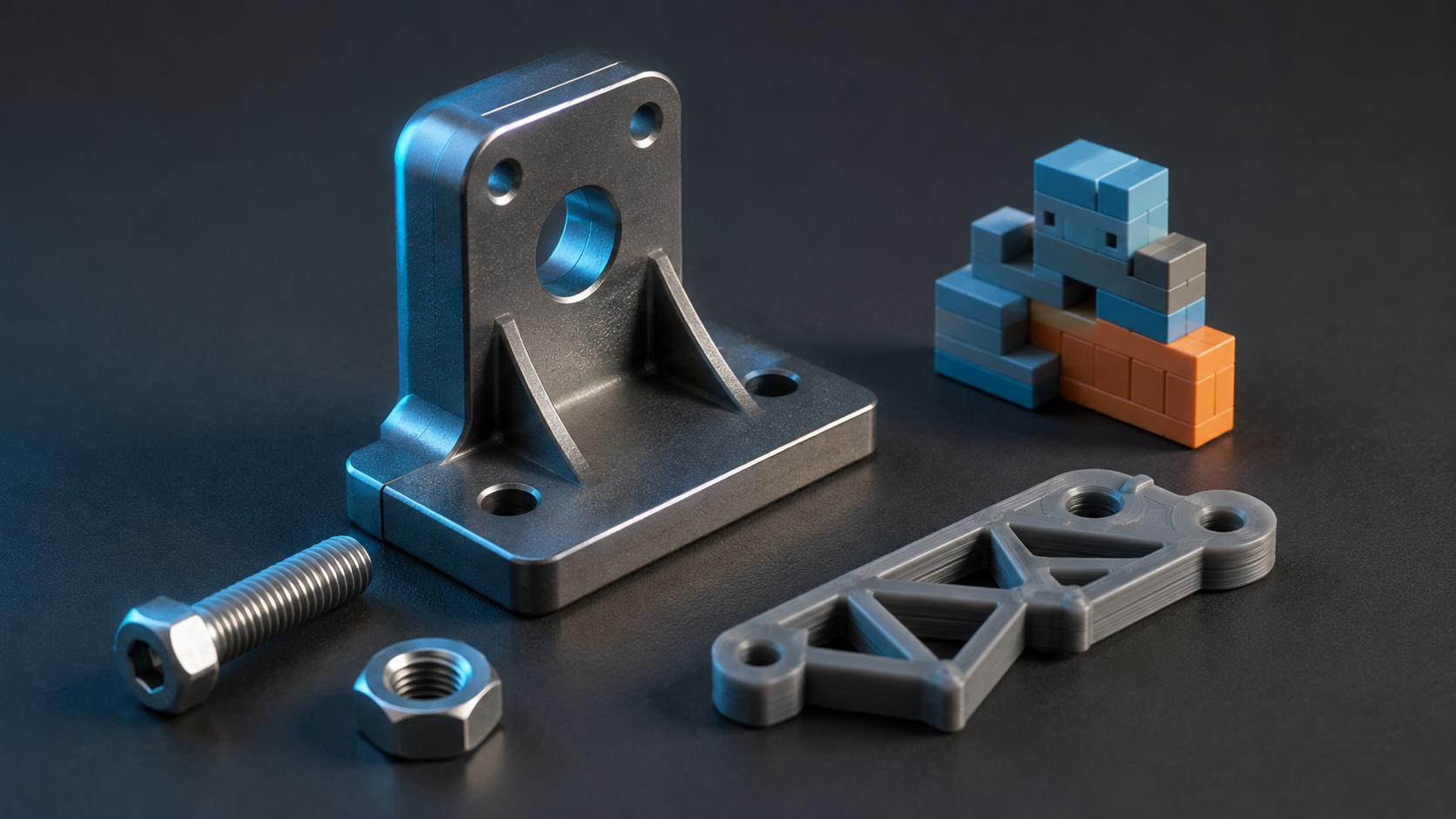
These share one property: they need exact dimensions. A connector that is 0.4 mm off will not fit. Coala is designed around that requirement, which is why the properties panel exists at all.
The boundary is equally explicit. Coala is not the tool for a character, an animal, or a free-form organic surface. For those, the general 3D pipeline in the Neural4D feature set remains the right path. Coala is the specialized lane for parts that have to measure correctly, and the Studio keeps both lanes in one place.
Part 6: Common Questions on Neural4D Coala
Neural4D Coala is an AI CAD agent in the Neural4D Studio. It generates precise CAD models from a text description, a reference image, or an uploaded technical drawing, exposes dimensions in a properties panel, and exports to STL. It is designed for functional parts with exact sizes, such as connectors, fasteners, and structural components.
Drawing to CAD lets you upload an existing technical drawing, and Coala reads its geometry, dimensions, and structural relationships to generate the corresponding CAD model. It is the third way to start a Coala task, alongside text and a reference image, and it removes the need to rebuild a design that already exists as a drawing.
Deep Thinking is a reasoning mode available across every Coala workflow. You can enable it regardless of whether you start from text, a reference image, or a technical drawing. It is designed for requests that involve multiple steps, interdependent dimensions, or more complex assemblies, and for straightforward parts the standard path is already sufficient.
The AI 3D Agent routes a natural-language description to the right workspace, whether that is Image to 3D, Text to 3D, image, or video generation. Coala stays in the CAD workspace and produces dimensioned parts with parameter control and STL export. Coala is the specialized path, the AI 3D Agent is the general dispatcher.
Coala exports STL, the format used by most 3D printers. You can download the STL and slice it for printing. Additional engineering formats such as STEP and IGS are planned for future updates.
No. Coala is designed for functional parts with exact dimensions. It is not intended for characters, animals, or free-form organic surfaces. For those, the general 3D pipeline in the Neural4D feature set is the right tool.
After you adjust a dimension in the properties panel, the model typically re-renders in about 2 seconds. This keeps iterative tuning interactive, so you can compare several dimension sets in one session.
Try Coala
Neural4D Coala is live in the Coala agent workspace, and it is free to try once per account with no credit card required. Start a task from a description, a reference image, or an uploaded technical drawing, turn on Deep Thinking if the part is complex, and export a printable STL. The pricing page details what each plan includes.
Turn a description into a dimensioned part
Describe, adjust the dimensions, and export an STL, all in one workspace.
Free to try once per account, in the Neural4D Studio.