FreeCAD vs Fusion 360: Which CAD Software Is Right for You?
Quick Summary
- FreeCAD is a free, open source parametric 3D CAD modeler that runs on Windows, macOS, and Linux and carries no subscription.
- Fusion 360 is Autodesk’s cloud CAD, CAM, and CAE platform, best known for real-time collaboration and a free tier capped at 10 active documents.
- FreeCAD vs Fusion 360 comes down to cost and control versus polish and cloud integration.
- A third path now exists: conversational AI CAD agents such as Coala generate precision parts from plain text, skipping the parametric learning curve entirely.
Picking a CAD program is usually the first real decision a maker or engineer makes, and the FreeCAD vs Fusion 360 question is where most people start. One is free, open source, and runs on any operating system. The other is a polished cloud platform with a generous free tier and a professional ecosystem. Weighing FreeCAD vs Fusion 360 honestly means looking past brand reputation and comparing price, learning curve, features, and file formats, then checking when an AI CAD agent like Coala is the faster route to a manufacturable part.
Table of Contents
What Is FreeCAD?
FreeCAD is a free, open source parametric 3D modeler released under the LGPL license. Version 1.0 landed in November 2024 after more than 20 years of development, and it runs natively on Windows, macOS, and Linux. The official FreeCAD 1.0 release notes document a reworked assembly workbench and a unified material system. Because it is built on the Open CASCADE geometry kernel, it handles real engineering tasks like STEP and IGES import, mechanical constraints, and CAM toolpaths without paying for a seat.
The core idea is parametric modeling: you sketch a 2D shape, constrain it with dimensions, and then pad, pocket, or revolve it into a solid. Change a dimension later, and the whole model rebuilds around it. That workflow is the standard across industrial CAD, which makes FreeCAD a practical way to learn the discipline without spending a cent. Once you are ready to move a sketch toward a printable file, our image to STL workflow shows how AI can carry a design the rest of the way.
FreeCAD’s structure is workbench-based. Part Design handles solids, Sketcher draws constrained profiles, TechDraw produces dimensioned drawings, and the CAM workbench generates G-code for CNC and 3D printing. There is also an assembly workbench for multi-part designs. Nothing about the program is locked behind a paywall, and there are no watermarks, no document limits, and no revenue thresholds, which keeps FreeCAD vs Fusion 360 a genuine choice rather than a formality.
What you give up is polish. The interface is dense, the default materials are dated, and tutorials assume you already understand concepts like constraints and topology. Users call the learning curve the biggest hurdle, and the community keeps it steep by design, because each workbench has its own toolset. Still, for a student, a hobbyist, or anyone who wants full ownership of their design files, FreeCAD is the most capable free option available, and the FreeCAD 1.0 release notes list the assembly and material changes that have narrowed the gap to commercial tools. If your goal is simply to get a printable model without the steep climb, our guide to the best free 3D modeling software lays out faster alternatives.
What Is Fusion 360?
Fusion 360 is Autodesk’s cloud-connected CAD, CAM, and CAE platform. It combines parametric modeling, sculpting, generative design, simulation, and CAM into one application, and it is the tool most small product teams and freelance designers reach for when they need production software without the six-figure price of a full PLM stack.
Autodesk calls Fusion 360 a “single platform for product development.” The pitch is that you design, simulate, and machine in one place, and the cloud layer makes collaboration straightforward. A file is shared with a link, a teammate comments in context, and the version history is always synced. For teams that live in Google Docs, Fusion’s model of shared cloud storage feels natural. It is also a regular presence on roundups like our list of the best CAD software for 3D printing.
Fusion 360 offers a genuinely useful free tier for personal use. It is capped at 10 active documents, excludes simulation and CAM, and requires annual reactivation. It also carries a revenue restriction: the free license is for non-commercial, home-based work, and Autodesk reserves the right to require a paid subscription once your income from designs crosses a threshold. The result is that the free tier is great for learning but a risky foundation for a business.
The paid tiers add simulation, generative design, CAM, and unlimited storage, and the software runs on Windows and macOS. Fusion 360 does not run natively on Linux, a hard blocker for a meaningful slice of the open source community.
FreeCAD vs Fusion 360: Side-by-Side Comparison
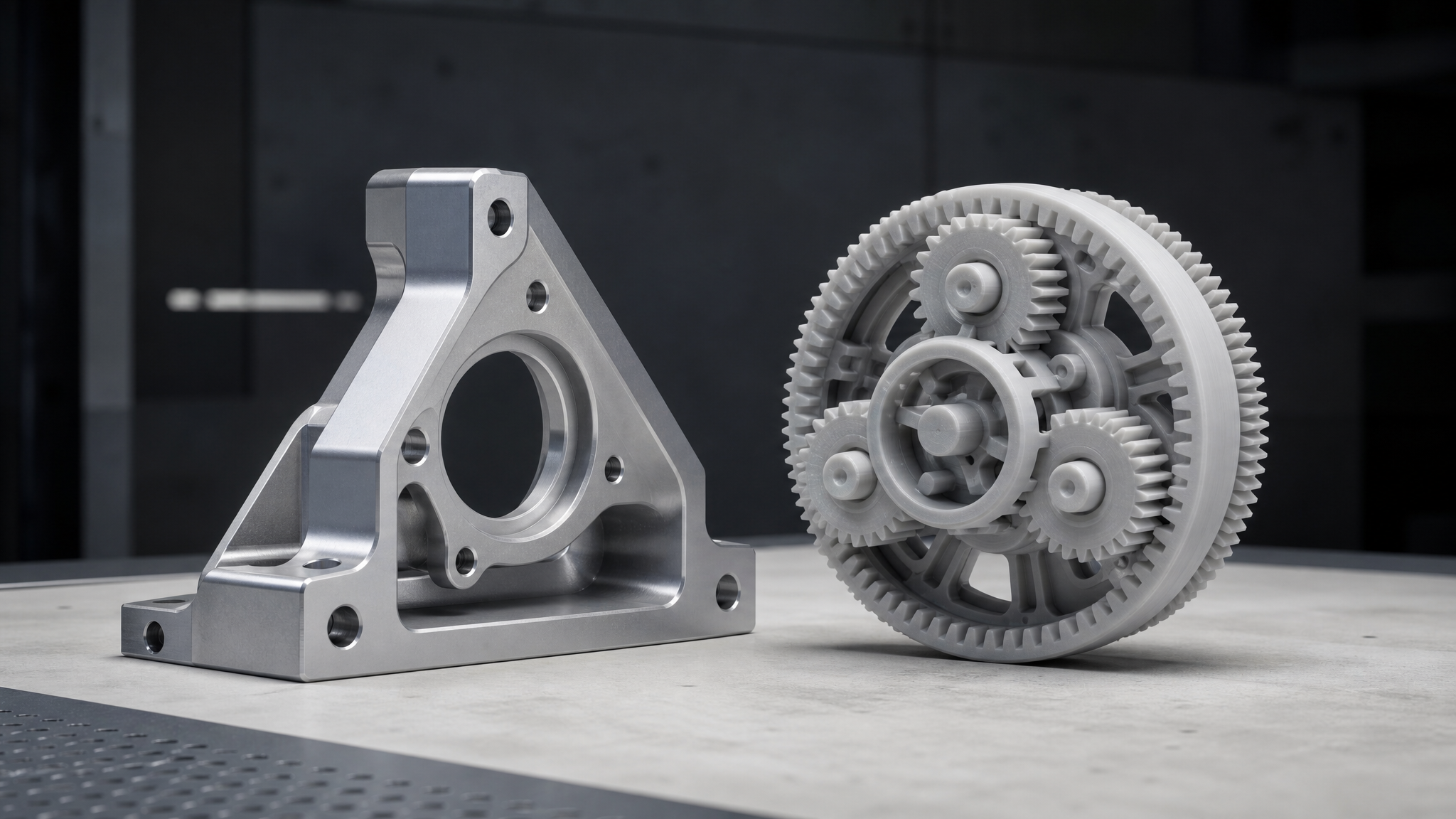
Both programs model the same kinds of parts, but they were built for different environments. The following sections walk through the dimensions that decide which one you actually want to use every day, and the comparison holds up no matter which version of the FreeCAD vs Fusion 360 question brought you here.
Learning Curve & Usability
Neither program is easy on day one. Fusion 360 has a cleaner modern interface, guided onboarding, and an enormous library of official tutorials, so a beginner can go from signup to a first sketched part in an afternoon. The toolbars are organized around tasks, and Autodesk’s learning path is well funded.
FreeCAD is harder to enter. Its workbench model means you first have to learn which workbench owns which tool, and the terminology assumes some CAD background. The 1.0 release made real improvements to the interface, but the raw difficulty remains. Once you are past the learning curve, though, FreeCAD’s flexibility rewards you with total control over every operation, and nothing stops you from automating workflows with Python scripts.
Features & Capabilities
At the core, both tools are full parametric modelers, and for mechanical parts like brackets, enclosures, and machined components they overlap heavily. Fusion 360 goes further with built-in simulation (stress, thermal, modal), generative design, and a sculpting environment for organic shapes. CAM is a first-class citizen in Fusion, with toolpaths for milling, turning, and additive processes.
FreeCAD covers the same ground through workbenches: FEM for finite element analysis, CAM for G-code, and a growing assembly tool. The difference is integration. Fusion’s tools all share one kernel and one cloud file. FreeCAD’s workbenches are more independent and occasionally feel bolted together. For single-part mechanical design, the gap is small. For a full simulation-to-manufacturing pipeline, Fusion is noticeably smoother.
Pricing
FreeCAD is free, permanently, with no feature gates, no watermark, and no subscription to cancel. The only cost is your time, and the only real risk is that community-driven development moves more slowly than a commercial roadmap.
Fusion 360’s free personal tier is capped at 10 active documents and excludes CAM, simulation, and generative design. Paid tiers start around the low hundreds of dollars per year. For a professional, that subscription buys continuous updates, cloud storage, simulation, and priority support, and it is deductible as a business expense. For a hobbyist, the free tier is usable but constraining, and the revenue restriction means you cannot quietly build a commercial practice on it.
File Formats & Interoperability
Both programs speak STEP, IGES, STL, and OBJ, which covers the vast majority of mechanical and 3D printing workflows. FreeCAD also exports FCStd, its native format, and because it is open source it can read and write a wider range of legacy formats without conversion fees.
Fusion 360’s strength is its own cloud ecosystem and native formats, plus clean collaboration around shared files. Its native Fusion format is locked to Autodesk, but it imports and exports STEP well, so data leaves cleanly when you need it to. If you are working with a machine shop that asks for STEP files, both tools deliver them without fuss.
System Requirements & Performance
FreeCAD is the more portable option. It runs on Windows, macOS, and Linux, and it has a low floor, meaning it works on older machines for basic parts. Heavy assemblies and FEM runs still need a capable CPU and plenty of RAM.
Fusion 360 requires a reasonably modern Windows or macOS machine, needs a stable internet connection for cloud operations, and does not run natively on Linux. Because much of the computation happens locally with cloud sync, offline work is possible but degraded. Teams already on Windows with good connectivity rarely notice this. Linux users and people on thin hardware will.
Collaboration & Cloud
This is Fusion 360’s home turf. Real-time co-editing, cloud version history, comment threads on models, and sharing via link are all built in. You can open the same file on a desktop app and a browser, which makes reviewing a design with a remote client painless.
FreeCAD is a local-first desktop tool. Collaboration happens through file sharing, version control, or third-party sync, and there is no official cloud layer. If you work solo or in a team that already uses Git and file hosting, this is fine. If you want an all-in-one cloud workspace, Fusion wins.
Summary Comparison Table
The table below condenses the main differences. It keeps the comparison to FreeCAD and Fusion 360 so the choice stays clear, and Coala is covered separately in the next section.
| Criterion | FreeCAD | Fusion 360 |
|---|---|---|
| Price | Free, open source, no limits | Free tier capped at 10 active docs; paid subscription for full tools |
| License | LGPL, fully owned by you | Commercial subscription |
| Learning curve | Steep; workbench-based | Moderate; guided onboarding |
| Platform | Windows, macOS, Linux | Windows, macOS; no Linux |
| Cloud & collaboration | None built in | Real-time cloud collaboration |
| Simulation & CAM | Workbenches available | Built-in, integrated |
| Export formats | STEP, IGES, STL, OBJ, FCStd | STEP, IGES, STL, OBJ, native Fusion |
| Best for | Hobbyists, students, Linux users | Professionals, teams, cloud-first |
The Third Option: Skip the Learning Curve With Coala
Both programs above share one thing: you spend weeks or months learning parametric modeling before you produce your first real part. That learning curve is the single biggest barrier for non-CAD users who just need a gear, a hinge, or a custom phone case with precise dimensions. Coala removes that step entirely.
Coala is Neural4D’s conversational CAD agent, built for industrial precision modeling. Instead of sketching and constraining, you describe the part in natural language, including the exact dimensions, and Coala produces a high-accuracy model that is designed to be directly manufacturable. It targets precision industrial parts: gears, hinges, storage boxes, custom phone cases, and similar components where dimensions are the whole point. It lives inside the same AI for 3D printing ecosystem that powers Neural4D’s other generation tools.
⚡ What Coala is built for
Coala focuses on parts with exact size requirements, the kind you machine or print to spec. It is intentionally not for organic models like figurines or biological shapes, which remain the domain of sculpting tools or AI mesh generators. Keep the use case precise and Coala is exceptionally fast at it.

The workflow is designed around real-time modification. You can adjust a dimension, such as a radius or thickness, in plain language and Coala updates the model so the result stays accurate and manufacturable. Under the hood it runs a multi-agent architecture with planning, execution, observation, and safety guardrails. Deep Thinking now covers every Coala workflow, so it is available on any task rather than only on assemblies: turn it on when a request spans multiple steps, when dimensions depend on one another, or when the part is a more complex assembly.
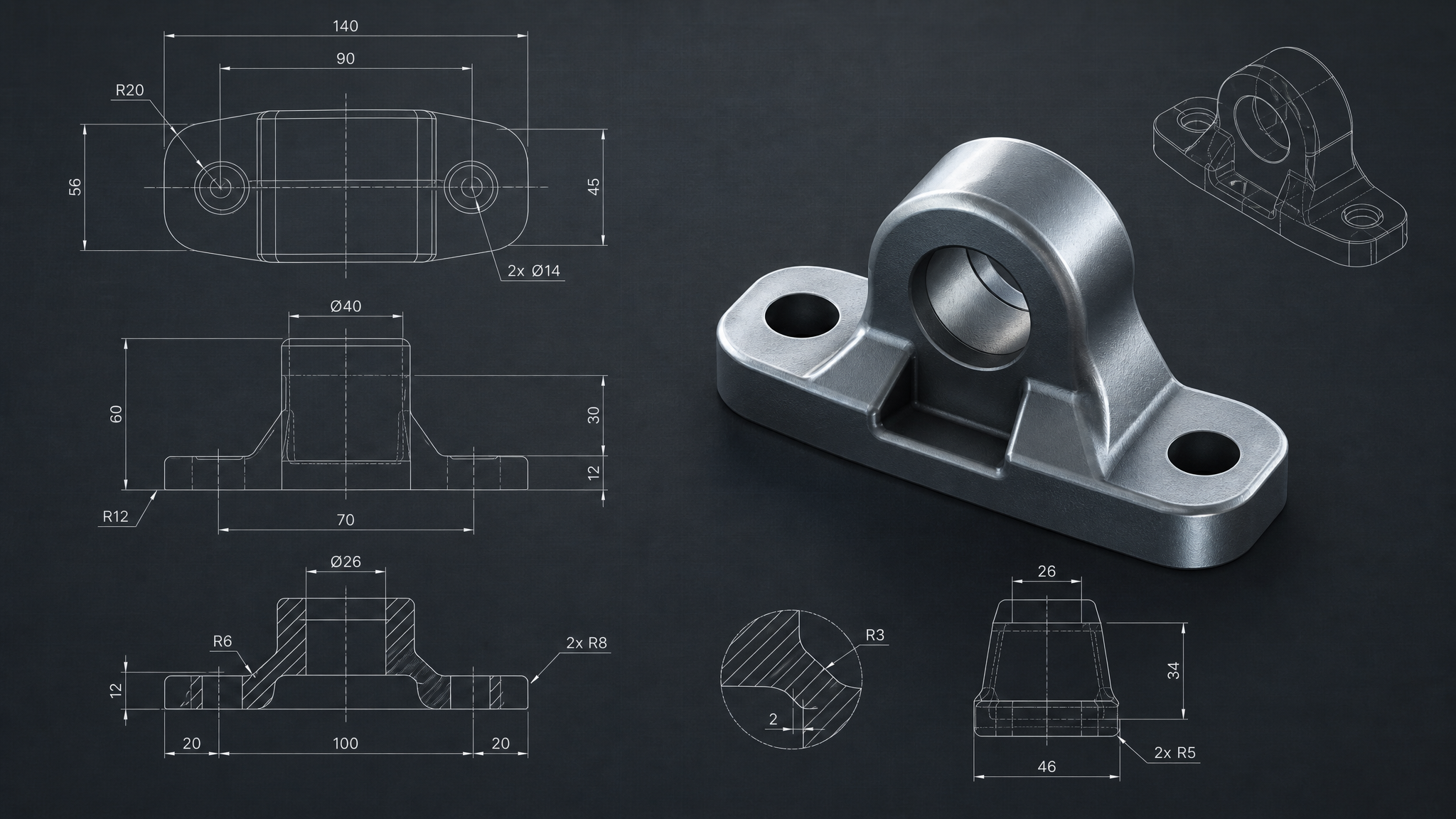
Coala also accepts more than a sentence. Alongside text and a reference image, Drawing to CAD lets you upload an existing technical drawing and have Coala read its geometry, dimensions, and structural relationships to generate the matching CAD model, which skips the redraw step for parts that were already documented. Currently Coala exports STL, the format 3D printing and most machine shops expect. STEP and IGS support are on the roadmap. That makes Coala a practical addition rather than a replacement: use a full parametric tool when you need deep revision control, and reach for Coala when the priority is getting a precise, printable part out of a sentence.
Learning CAD Is Optional. Precision Is Not.
Skip the parametric learning curve. Describe a precise industrial part to Coala and get a manufacturable STL in minutes.
Generate a Precision Part With Coala
Free plan: 50 Power weekly. STL export ready for your slicer or machine shop.
Which One Should You Choose?
There is no single winner in the FreeCAD vs Fusion 360 debate, and Coala changes the calculation for one specific audience. Match yourself to the right tool by what you actually do.
Choose FreeCAD if…
You are a student, hobbyist, or Linux user who wants a capable parametric modeler with no subscription, no watermarks, and full ownership of your files. You are willing to climb a steep learning curve, or you already know the concepts. FreeCAD is also the right pick if you want to script and automate your modeling pipeline.
Choose Fusion 360 if…
You are a professional designer or a small team that wants one integrated platform for design, simulation, and CAM, with real-time cloud collaboration and a polished interface. You are on Windows or macOS, and you are comfortable paying for a subscription, or you fit the free personal tier and accept its 10-document limit.
Choose Coala if…
You need a specific precision part, a gear, hinge, storage box, or custom phone case, and you do not want to spend weeks learning parametric modeling to get it. You want to describe dimensions in plain language and export a directly manufacturable STL. Coala is the fastest route when the goal is a functional part, not a mastery of CAD software.
The Bottom Line
FreeCAD and Fusion 360 are both excellent parametric modelers, and for most mechanical parts they can produce the same result. The real decision is between cost and control on one side and polish and cloud integration on the other. FreeCAD costs nothing and answers to nobody; Fusion 360 delivers a professional, integrated workflow at a subscription price.
Neither tool gets you a part on day one, and that is where an AI CAD agent changes the equation. FreeCAD vs Fusion 360 is a choice between two solid parametric modelers, but if your project is a precision industrial part and your time is worth more than your CAD education, Coala turns a text prompt into a manufacturable model in minutes. The best tool is the one that gets the job done fastest for the work you do.
Describe the Part. Get the Model.
Turn a gear, hinge, or enclosure idea into a precision, manufacturable part with Coala. No parametric modeling required.
Create With Coala in Neural4D Studio
Free plan includes 50 Power every week. Export STL ready for your slicer.
Common Questions on FreeCAD vs Fusion 360
Q: Is FreeCAD better than Fusion 360?
It depends on the job. FreeCAD wins on cost, ownership, and cross-platform support, so it is usually the better choice for students, hobbyists, and Linux users. Fusion 360 wins on polish, integrated simulation and CAM, and cloud collaboration, which matters more to professionals and teams. For a single mechanical part, both are capable; the deciding factors are budget, platform, and how much you value an integrated cloud workflow.
Q: Can FreeCAD be made more like Fusion 360?
Partially. FreeCAD does not offer the same real-time cloud collaboration or unified simulation-to-CAM pipeline, because those are cloud services, not features you can add to a desktop tool. You can close part of the gap with workbenches like FEM and CAM, plus Python automation, and you can mimic version control with Git. What you cannot reproduce is Autodesk’s hosted file sync, co-editing, and integrated generative design.
Q: Do professionals use FreeCAD?
Yes, but less often as a primary production tool. FreeCAD is common in open source hardware projects, small consultancies, and environments that need to run on Linux, and it is popular with engineers who automate design via Python. Most professional teams still choose Fusion 360 or a heavier platform for integrated CAM, simulation, and support. FreeCAD is a legitimate professional tool for specific niches rather than the default across the industry.
Q: Does Fusion 360 have a free version?
Yes. Autodesk Fusion for Personal Use is free for qualifying non-commercial, home-based work, capped at 10 active documents, and it excludes simulation, CAM, and generative design. It requires annual reactivation, and Autodesk restricts it to users who do not earn commercial income from designs. If you are a hobbyist who never sells parts, it works well. If you plan to sell, a paid subscription is the compliant path.
Q: Can Coala replace FreeCAD or Fusion 360 for manufacturing?
For the right workload, yes. Coala is built for precision industrial parts like gears, hinges, and enclosures where exact dimensions matter, and it exports STL for direct manufacturing. Deep Thinking is available across every Coala workflow and adds the extra reasoning that multi-step tasks, interdependent dimensions, and complex assemblies need. It is not designed for deep parametric revision histories, organic sculpting, or multi-user cloud collaboration, so a full parametric tool is still the right choice for long-lived, heavily revised designs. Think of Coala as the fastest path to a manufacturable part when you do not need a full CAD workflow.
Q: Which file formats do FreeCAD and Fusion 360 support?
Both handle STEP, IGES, STL, and OBJ, which covers mechanical design and 3D printing. FreeCAD also uses FCStd as its native format and reads a wide range of legacy formats thanks to its open source ecosystem. Fusion 360 uses its own native Fusion format plus the common standards, and its cloud sharing is built around that native format. For exchanging files with machine shops or CAD partners, STEP is the safe common denominator for both.