Best CAD Software for 3D Printing in 2026: 10 Tools Compared
Quick Summary
- Fusion 360 offers the best balance of power and price for 3D printing hobbyists, with a free personal license and integrated CAD/CAM/CAE tools.
- Tinkercad is the easiest entry point for absolute beginners, browser-based and free, but limited for complex mechanical parts.
- Blender and FreeCAD lead the free, open-source category for artistic sculpting and parametric engineering respectively.
- AI 3D generation tools like Neural4D are emerging as time-saving alternatives for rapid prototyping, generating watertight STL files from text or image prompts in minutes.
- Your choice depends on three factors: skill level, part complexity (mechanical vs organic), and budget.
Finding the best CAD software for 3D printing can mean the difference between a print that works on the first try and one that fails six hours in. With dozens of options spanning free browser tools to professional engineering suites, the decision depends on what you are making, how much you want to spend, and how much time you can invest in learning. The top tools for 2026 break down into clear categories by skill level, budget, and the type of models you print.
- Part 1: Why CAD Software Matters for 3D Printing
- Part 2: Best CAD Software for 3D Printing at Every Level
- Part 3: Parametric vs. Mesh Modeling: What You Need to Know
- Part 4: Where Neural4D Fits: AI 3D Generation as a CAD Alternative
- Part 5: How to Choose the Right CAD Software for Your 3D Printing Needs
- Part 6: Common Questions on CAD Software for 3D Printing
- Start Creating With the Right Tool
Part 1: Why CAD Software Matters for 3D Printing
Every 3D print starts as a digital model. The quality of that model directly determines whether your print succeeds or fails. A model with non-manifold geometry, inverted normals, or thin walls will almost certainly fail mid-print, wasting material and hours of machine time.
CAD (Computer-Aided Design) software gives you the tools to create models that are structurally sound and dimensionally accurate. The best CAD for 3D printing helps you manage wall thickness, support structures, tolerances, and export settings that translate directly to good prints.
The 3D printing software market is projected to reach $35.9 billion by 2030, driven by expanding adoption in prototyping, manufacturing, and hobbyist communities. As the barrier to entry drops, more people are discovering that the software you choose matters as much as the printer itself. Newer AI CAD agents like Neural4D Coala even turn plain-English descriptions into precise, printable parts, and they can now read an uploaded technical drawing to generate the matching model directly.
💡 Key Insight: Research published in Progress in Additive Manufacturing and other industry sources consistently shows that a significant percentage of print failures trace back to issues in the digital model, not the printer hardware. Investing time in the best CAD tools for 3D printing directly improves your success rate.
Part 2: Best CAD Software for 3D Printing at Every Level
| Software | Best For | Price (2026) | Skill Level | Platform |
|---|---|---|---|---|
| Tinkercad | Absolute beginners, education | Free | Beginner | Browser |
| Fusion 360 | Mechanical parts, product design | Free (personal) / $70 mo. | Intermediate | Win, Mac, Web |
| FreeCAD | Parametric engineering (free) | Free | Intermediate | Win, Mac, Linux |
| Blender | Organic sculpting, artistic models | Free | Intermed. to Advanced | Win, Mac, Linux |
| SolidWorks | Professional mechanical engineering | $48/yr (Maker) / $2,820+ yr. | Advanced | Windows |
| Shapr3D | iPad / mobile CAD | Free (basic) / $25 mo. | Beginner to Intermed. | iPad, Mac, Win |
| SketchUp | Architectural, geometric modeling | Free (web) / from $10.75 mo. | Beginner to Intermed. | Browser, Win, Mac |
| OpenSCAD | Code-driven parametric design | Free | Intermediate (coders) | Win, Mac, Linux |
| ZBrush | High-detail digital sculpting | $50/mo or $999 perpetual | Advanced | Win, Mac |
| Onshape | Cloud-native collaborative CAD | Free (public) / from $125 mo. | Intermediate | Browser, iOS, Android |
These ten tools represent the top CAD options for 3D printing available today, spanning every skill level and budget. Here is what each one does best.
Tinkercad: The Beginner’s Gateway
Tinkercad is a browser-based tool from Autodesk that uses drag-and-drop primitives. You can go from opening a browser tab to exporting an STL in under 30 minutes. The tradeoff is simplicity: there is no parametric history, no chamfer or fillet tools, and designs are capped at 200 shapes. It is ideal for quick prototypes, educational projects, and learning the basics of 3D modeling, but you will outgrow it once your designs demand precision.
Fusion 360: The All-Around Champion
Fusion 360 combines parametric CAD, CAM, and CAE in a single platform. The free personal license makes it accessible for hobbyists, while the professional tier serves small manufacturers and engineers. It offers generative design, direct STL/3MF export, and auto-orientation for printing. The learning curve is moderate, but the depth of tools covers everything from stress analysis to mesh repair.
FreeCAD: Open-Source Parametric Power
FreeCAD v1.0 (released late 2024) fixed the infamous Topological Naming Problem. Version 1.1 (March 2026) added improved hole tools and an interactive dragger. It is the only fully parametric open-source CAD that runs natively on Windows, Mac, and Linux. The learning curve is steeper than Fusion 360, and the UI can feel inconsistent, but the price and capability are unmatched for budget-constrained engineers. For a direct head-to-head, see how FreeCAD vs Fusion 360 compare feature by feature.
Blender: Best for Artistic and Organic Prints
Blender excels at sculpting organic shapes: figurines, characters, props with freeform curves. The 3D Printing Toolbox add-on checks for manifold geometry, overhangs, thin walls, and degenerate faces. For automated mesh repair, see our AI 3D model cleanup guide for Blender. Blender is not parametric CAD. If you need to design a bracket with precise hole spacing, Blender alternatives for parametric modeling are worth exploring. For statues, cosplay props, and artistic models, it is the best free option available.
SolidWorks: Industry Standard for Engineering
SolidWorks is the gold standard for mechanical engineering. Its Print3D tool provides built-in thickness, draft, and undercut analysis. The new Maker license ($48/year) makes it accessible beyond enterprise. However, SolidWorks is overkill for most hobbyists. It demands high-end hardware and carries a steep learning curve that only pays off if you are designing complex assemblies professionally.
Shapr3D, ZBrush, SketchUp, OpenSCAD, and Onshape
Shapr3D uses the Siemens Parasolid kernel (same as SolidWorks) and is built for Apple Pencil users. ZBrush is the sculpting heavyweight: it powers the digital clay pipeline used in studios, film, and collectibles, and its mesh output prints beautifully when cleaned and closed. SketchUp offers intuitive push-pull modeling for architectural forms, and if its pricing model does not fit, you can compare top SketchUp alternatives for 3D modeling. OpenSCAD is unique: you write code that generates geometry, making it ideal for customizable, repeatable parts. Onshape runs entirely in a browser with real-time collaboration features, though free users must share designs publicly.
Part 3: Parametric vs. Mesh Modeling: What You Need to Know
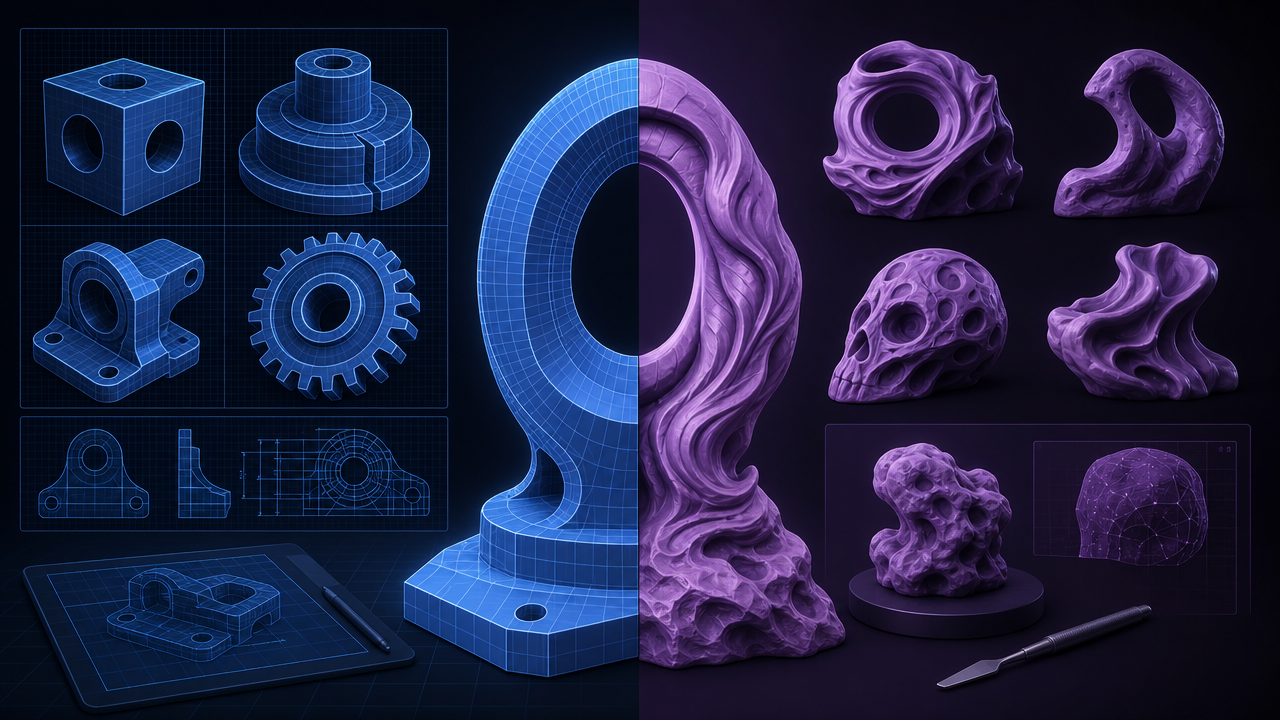
The best 3D printing CAD software falls into two modeling paradigms, and understanding the difference is critical to choosing the right tool for your specific print needs.
Parametric modeling uses sketches with constraints and a feature history tree. Change a dimension, and the entire model updates. This is essential for mechanical parts with tolerances. Fusion 360, FreeCAD, SolidWorks, and Onshape are all parametric.
Mesh modeling manipulates individual vertices, edges, and faces directly. It offers more freedom for organic shapes but makes precise dimensional edits difficult. Blender, ZBrush, and Tinkercad operate in the mesh domain.
In 2026, the best workflows increasingly combine both. Use parametric CAD to establish precise dimensions and structural features, then export the STL for finishing touches in a mesh tool. A growing number of platforms including Fusion 360 now support hybrid environments where you can switch between parametric and direct modeling within the same project.
Part 4: Where Neural4D Fits: AI 3D Generation as a CAD Alternative
Traditional CAD software requires hours or days of manual modeling for every print. But a new category of tools is changing what counts as a top 3D printing CAD program. AI 3D generation platforms like Neural4D can produce watertight, ready-to-print models from a text description or a single photo in minutes.
Neural4D uses a proprietary Direct3D-S2 architecture, published at NeurIPS 2025, that generates native 3D geometry with Spatial Sparse Attention (SSA). Unlike traditional photogrammetry tools that project a 2D image onto a flat mesh, Neural4D reconstructs the full volumetric shape directly. The output is mathematically watertight, meaning the STL file goes straight into your slicer without the mesh repair step that plagues models from other generators.
Generation time matters in a workflow comparison. An untextured base mesh from Neural4D takes approximately 90 seconds. When you select full PBR textures (Normal, Roughness, Metallic maps), the system computes geometry and textures in a single pass, with total time reaching 2 minutes or more. Both cases produce a model that is immediately exportable as STL, OBJ, FBX, or GLB.
Where does this fit alongside traditional CAD? Neural4D is not a replacement for parametric engineering. If you are designing a gearbox with precise tolerance constraints, you need Fusion 360 or SolidWorks. But for rapid prototyping, concept visualization, decorative prints, and cases where the geometry is organic rather than mechanical, Neural4D eliminates the modeling bottleneck entirely. For a deeper breakdown of when each approach wins, see our guide on choosing between AI and traditional 3D modeling.
🏆 Where Neural4D Excels for 3D Printing:
- Ranking among the best AI tools for 3D printing for print-ready output
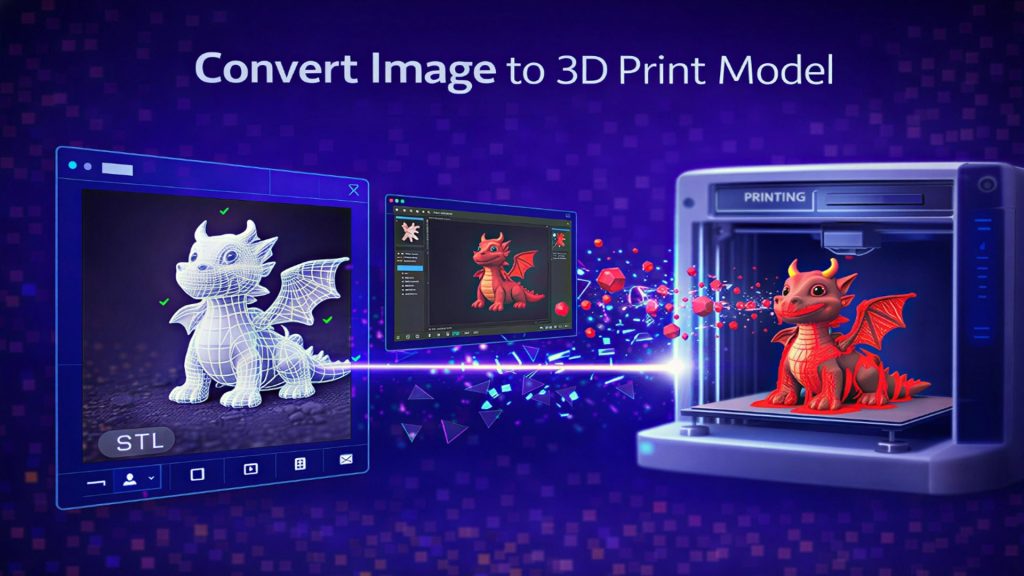
- Converting a single photo into a 3D printable model in under 2 minutes
- Generating prototypes for visual approval before committing to detailed CAD work
- Creating organic sculptures, figurines, and decorative objects without sculpting skills
- Producing models for AI-powered 3D printing workflows where speed matters more than micron precision
For users who need a fast start on a 3D printing project, Neural4D serves as a powerful front-end to the traditional CAD pipeline: generate the base form with AI, export the mesh, then refine dimensions in your preferred parametric tool. This hybrid approach is becoming the standard workflow for makers who value both speed and precision.
Generate 3D Printable Models in Minutes
No CAD experience needed. Upload a photo or describe your idea. Get a watertight STL ready for your slicer.
Free tier includes 50 credits per week. No credit card required.
Part 5: How to Choose the Right CAD Software for Your 3D Printing Needs
With ten strong options and more appearing every year, here is a decision framework based on your specific situation. Selecting the best CAD software for 3D printing comes down to three factors: what you model, how precisely it needs to fit, and your budget for software and learning time.
🎓 You Are a Complete Beginner
Start with Tinkercad. Learn the basics of 3D space, STL export, and how your printer interprets geometry. After 10 to 15 hours of modeling, graduate to Fusion 360 (free personal license) or FreeCAD.
⚙️ You Design Mechanical Parts
Fusion 360 is the best entry point for parametric modeling with a free license. For professional work with complex assemblies, SolidWorks or Onshape are worth the investment.
🎨 You Sculpt Figurines or Art Pieces
Blender is free, powerful, and has an active community. ZBrush offers deeper sculpting tools for highly detailed work. Consider Neural4D if you want to generate base meshes from reference images.
💰 You Have Zero Budget
FreeCAD for parametric parts, Blender for organic models, and Tinkercad for quick experiments. All three export directly to STL and are actively maintained.
📱 You Design on an iPad
Shapr3D is the clear winner for touch-based CAD. It uses the same Parasolid kernel as SolidWorks and exports watertight models by default.
⚡ You Need Speed Over Precision
For rapid prototypes and visual concepts, Neural4D generates models from images or text in seconds. It pairs well with parametric CAD for later-stage refinement.
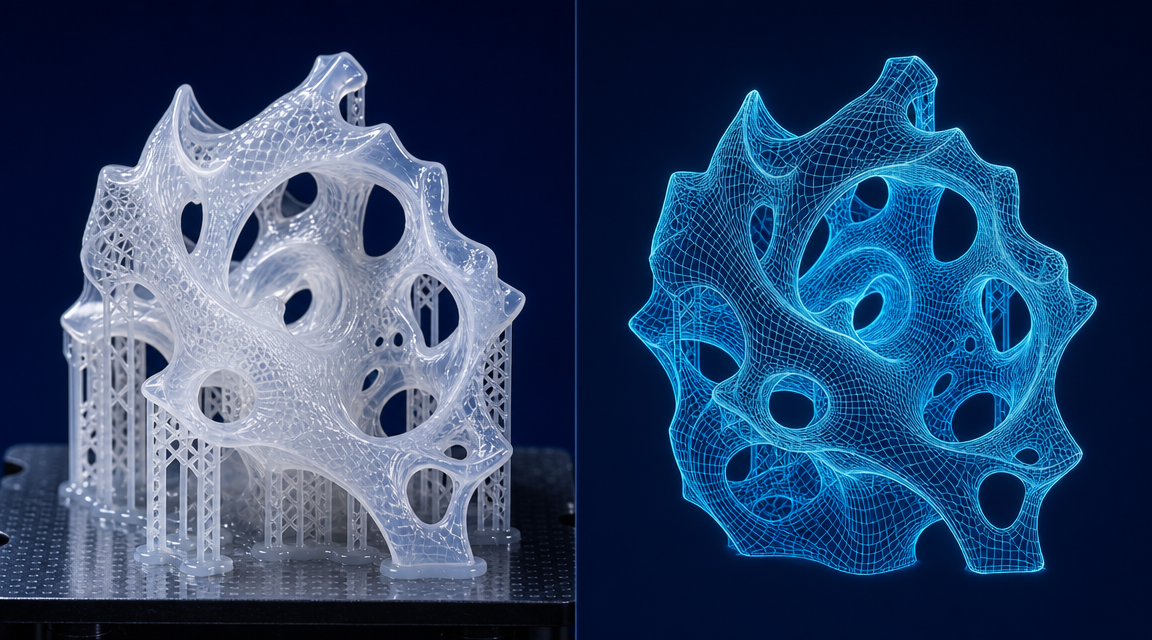
No single tool covers every scenario. The most effective 3D printing practitioners maintain a toolkit of two or three programs, switching between them based on the task. A common stack in 2026 pairs Fusion 360 (mechanical CAD) with Blender (sculpting and mesh repair) and Neural4D (rapid AI generation). Each covers a distinct phase of the design-to-print pipeline.
If you are migrating from an existing tool, check whether your new software supports converting images to STL and whether it exports directly to your slicer. These two features alone can save hours of post-processing per project.
For users dealing with broken or low-quality meshes from other generators, our guide on how AI fixes broken CAD geometry covers common repair workflows. Neural4D’s output is engineered to avoid those problems entirely. The Image to 3D feature reconstructs geometry from a single photo with watertight continuity, eliminating the cleanup step that makes other AI tools impractical for printing.

Part 6: Common Questions on CAD Software for 3D Printing
Q: What is the best CAD software to use for 3D printing?
There is no single best tool. Fusion 360 offers the best all-around balance of capability and cost for hobbyists and professionals. Tinkercad is best for absolute beginners. SolidWorks leads for engineering-grade mechanical parts. Blender is the go-to for organic sculpting. Your choice should match the type of models you print and your willingness to invest in learning the software.
Q: Do I need CAD software for 3D printing?
Yes, unless you are only printing pre-made models from sites like Printables or Thingiverse. Any modification, customization, or original design requires modeling software. AI generation tools like Neural4D can produce ready-to-print models from descriptions or photos, which reduces the need to learn traditional CAD for certain types of prints.
Q: What is the easiest 3D CAD software for a beginner?
Tinkercad is the easiest by a wide margin. It runs in a browser, requires no installation, and uses drag-and-drop shape building. You can export a printable STL in your first session. The limitation is that you will eventually hit its ceiling for complex models. At that point, the transition to Fusion 360 or Shapr3D is the most natural progression path.
Q: Is Fusion 360 still free for 3D printing in 2026?
Yes. Autodesk continues to offer a free personal license for Fusion 360 to hobbyists, makers, and non-commercial users. The free tier includes parametric modeling, mesh tools, and STL/3MF export. Some advanced features like generative design and 5-axis CAM are limited to paid subscriptions. Fusion 360 remains the most capable free option for functional 3D printing parts.
Q: Can AI replace traditional CAD software for 3D printing?
Not entirely, but it is reshaping the workflow. AI tools like Neural4D excel at generating organic shapes, prototypes, and decorative objects from text or images in under two minutes. They cannot match parametric CAD for precision mechanical engineering where exact tolerances and dimension control are required. The emerging best practice is a hybrid pipeline: AI for rapid generation and concept exploration, parametric CAD for refinement and production-ready detailing.
Q: What file format should I export from CAD for 3D printing?
STL is the universal standard supported by every slicer. 3MF is increasingly preferred for modern printers (such as Bambu Lab and Prusa) because it preserves color, material properties, and metadata in a single file. OBJ is useful when you need to keep texture coordinates. Export at the highest reasonable tessellation your printer can handle, typically a deviation of 0.01 to 0.05 mm for FDM printers.
Start Creating With the Right Tool
Choosing the best CAD software for 3D printing determines how efficiently you move from idea to physical object. Tinkercad gets you started with zero friction. Fusion 360 and FreeCAD give you parametric power at no cost. Blender handles organic forms that CAD tools struggle with. And Neural4D introduces an entirely new path: generate ready-to-print models from text or images in seconds, bypassing hours of manual modeling.
The right approach is not to pick one tool and commit forever. Build a workflow that uses the strength of each. Use Neural4D for rapid concept generation and organic forms. Switch to Fusion 360 or SolidWorks when your design demands precise tolerances. Finish and repair meshes in Blender. Export to your slicer and print.
Start with a tool that matches your current skill level and project needs. The best CAD software for 3D printing is the one that gets your model from screen to build plate with the least friction. Whether you choose traditional parametric CAD or AI-powered generation, the goal is the same: turn your idea into a physical object.
Skip the CAD Learning Curve
Generate watertight 3D models from text or images with Neural4D. Printable STL files in under 2 minutes.
Free tier available: 50 credits per week. No credit card needed.