How to Create a Penn Station Interior 3D Model from Photos Using Neural4D
Quick Summary
- Penn Station interior 3D modeling transforms historical photographs of New York’s demolished Pennsylvania Station into digital architectural geometry using AI reconstruction tools.
- Photogrammetry suites like RealityCapture and AI engines like Neural4D Image to 3D both reconstruct 3D models from reference photos, but differ fundamentally in workflow complexity, hardware requirements, and generation speed.
- Traditional manual modeling in Blender, 3ds Max, or Unreal Engine requires days or weeks of skilled labor for a single historic interior scene, putting architectural reconstruction out of reach for most enthusiasts.
- Neural4D’s Direct3D-S2 architecture generates watertight architectural geometry from reference photographs in under 2 minutes, making historic interior reconstruction accessible to anyone with a few source images.
Creating a Penn Station interior 3D model from historical photographs is now possible without months of manual modeling work. Neural4D’s Image to 3D tool converts reference images into textured 3D geometry in a single pass, giving you a solid foundation that you can refine with AI-powered editing tools.
Table of Contents
- Part 1: Why Penn Station : The Case for AI Reconstruction
- Part 2: Choosing the Right Reference Photos
- Part 3: Generating Your Penn Station Interior 3D Model
- Part 4: How Does the AI Model Hold Up?
- Part 5: Applying the 4-Photo Recovery Method to Any Historic Interior
- Part 6: Frequently Asked Questions on AI Architectural Interior Modeling
- Create Your Own Historic 3D Model
Part 1: Why Penn Station : The Case for AI Reconstruction
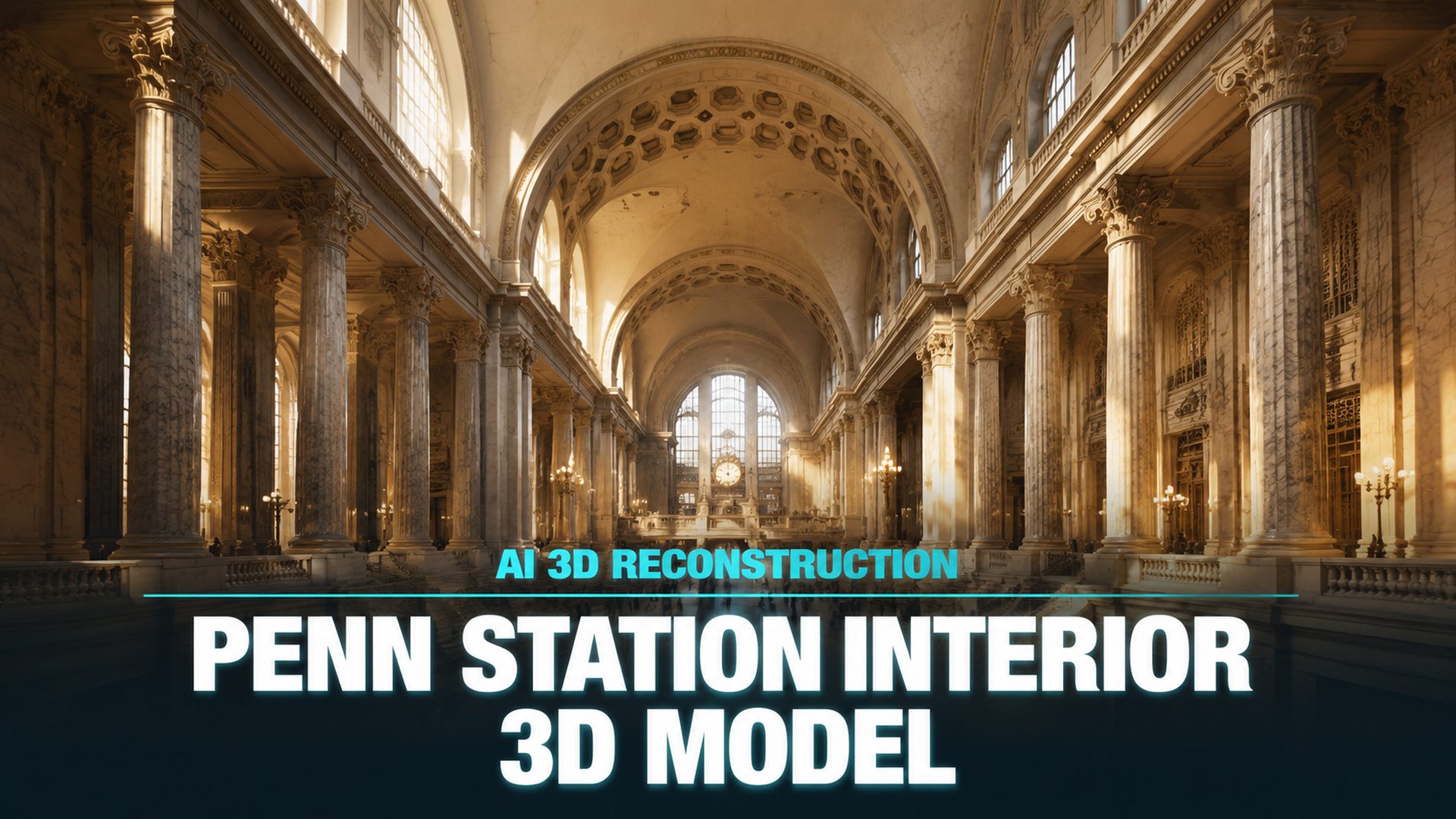
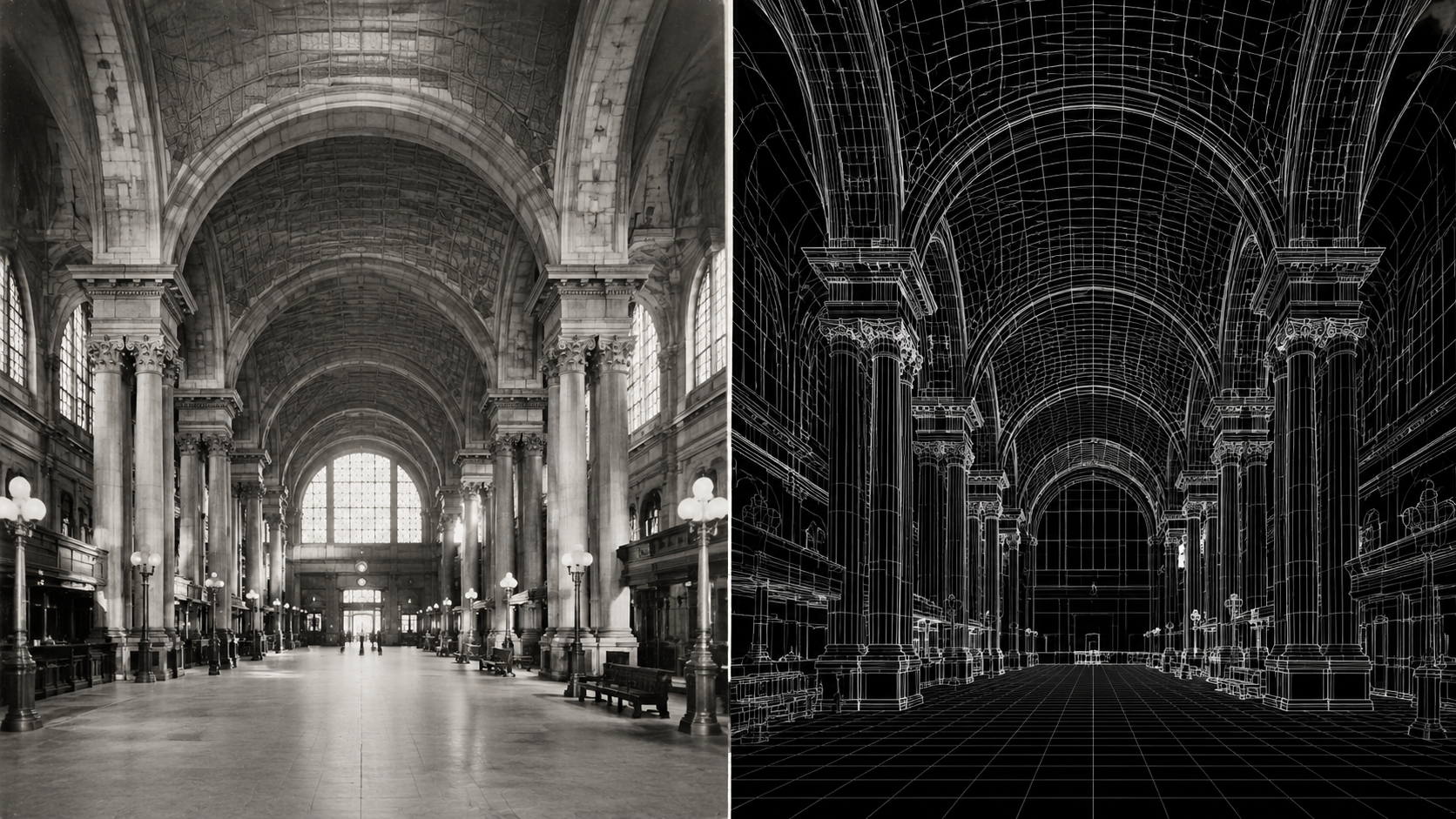
New York’s original Pennsylvania Station, designed by McKim, Mead & White and completed in 1910, was one of the greatest architectural interiors of the 20th century. Its vast vaulted waiting room, lined with travertine marble and flanked by monumental Corinthian columns, was demolished in 1963. Today the only record of that space exists in photographs.
A Penn Station interior 3D model matters because it represents a class of problem that AI handles extraordinarily well: reconstructing structured architectural geometry from limited visual reference. The Beaux-Arts design relies on symmetry, repetitive column grids, arched vaults, and orthogonal sightlines. Those repeated structural patterns give an AI reconstruction engine reliable anchor points to infer depth and proportion from flat photographs.
Traditional 3D modeling of this space would require weeks of work in Blender or 3ds Max. A skilled artist would need to build each column individually, approximate the ceiling curvature from reference photos, and manually texture every surface. The result might be beautiful but the cost in time and skill is prohibitive for most historic preservation projects, game environments, or educational visualizations.
Neural4D’s Image to 3D approach changes this. By feeding the AI three or four reference photographs of Penn Station’s interior, you get back a structured base mesh with correct proportion and volume in roughly 90 seconds. With PBR textures the full generation takes 2 minutes or more in a single pass. This is not a replacement for art direction. It is a replacement for the weeks of manual geometric blocking that currently gatekeeps historic reconstruction.
The Beaux-Arts Advantage 🔹 Symmetrical layouts, repeated column rows, and orthogonal planes are the ideal input for AI 3D reconstruction. The algorithm can propagate known geometry across the structure because it detects the repeating pattern. Irregular organic forms like statues or decorative friezes need more reference coverage.
Part 2: Choosing the Right Reference Photos
The quality of your Penn Station interior 3D model depends almost entirely on the source images you feed into the pipeline. AI 3D reconstruction is not magic. It extracts geometric cues from the visual information you provide. Garbage in, garbage out applies here just as strictly as it does in traditional photogrammetry.
The Three Best Reference Angles for Architectural Interiors
For interior spaces with strong structural geometry, three reference angles give the AI enough parallax to calculate depth:
| Angle | What It Captures | Example for Penn Station |
|---|---|---|
| Front elevation | Vertical proportions, column spacing, arch profile | Looking down the main hall toward the 8th Avenue exit |
| Three-quarter perspective | Depth of the space, ceiling height to floor ratio | From the mezzanine level looking across the waiting room |
| Detail crop | Surface material, decorative elements, lighting direction | Close shot of a column capital and the travertine wall section |
Historical photographs of Penn Station’s interior are widely available through the Library of Congress Prints and Photographs Division and the New York Public Library Digital Collections. These public domain sources provide high-resolution scans that work well for AI input. The Wikimedia Commons file “Penn Station interior.jpg” photographed in 1962 is a common starting point.
What To Avoid in Source Images
Not every historic photograph makes a good input. Low resolution scans below 1024 pixels on the long side force the AI to guess structural details. Wide-angle lenses distort column proportions, making the spacing appear irregular when it was actually uniform. Images with heavy compression artifacts or watermarks create noise that the reconstruction algorithm interprets as surface geometry.
Single-source generation is the most common failure mode. One photo from a single angle produces a flat approximation with no depth on the unseen sides. Three to four images from different angles are the minimum for a structurally coherent output.
Preparing Your Images for Upload
Before uploading to Neural4D’s Image to 3D studio, crop out borders, captions, and any overlaid text. Adjust exposure so that shadow details are visible. AI reconstruction algorithms treat pure black regions as missing data and may hallucinate geometry to fill them. A uniform JPEG or PNG at 1500-2000 pixels on the long side is the sweet spot for quality versus processing speed.
Source Material Rule of Thumb 📷 If you can see the structural grid (columns, beams, arches) clearly in at least two of your reference photos, the AI has enough data to reconstruct the volume. Cropped or close-up-only sets produce fragmented geometry with disconnected spatial zones.
Part 3: Generating Your Penn Station Interior 3D Model
This is the core workflow. Follow these four steps to produce a usable Penn Station interior 3D model from your reference photos using Neural4D’s generation pipeline.
Step 1 : Choose Between Image to 3D and Multi-View to 3D
Neural4D offers two approaches for photo-based 3D reconstruction. Image to 3D works from a single photograph, using the Direct3D-S2 engine to intelligently infer hidden back surfaces. Multi-View to 3D accepts up to six photos from different angles and cross-references their visual data for higher structural accuracy. For architectural interiors like Penn Station where multiple historical photos exist, the multi-view approach produces more faithful geometry because the AI reads actual depth from multiple vantage points rather than inferring unseen surfaces.
Open the Neural4D Multi-View to 3D studio in your browser. Drag and drop your prepared reference images into the upload area. The interface accepts JPEG and PNG formats. Three images loaded from different angles is the recommended starting count for architectural interiors. Select your generation settings. For architectural output where structural accuracy matters more than artistic stylization, keep the default geometry resolution. The system processes all uploaded images together, cross-referencing the visual cues across the set. This is fundamentally different from single-photo reconstruction, which has no parallax data to work with.
Step 2 : Evaluate and Regenerate for Structural Accuracy
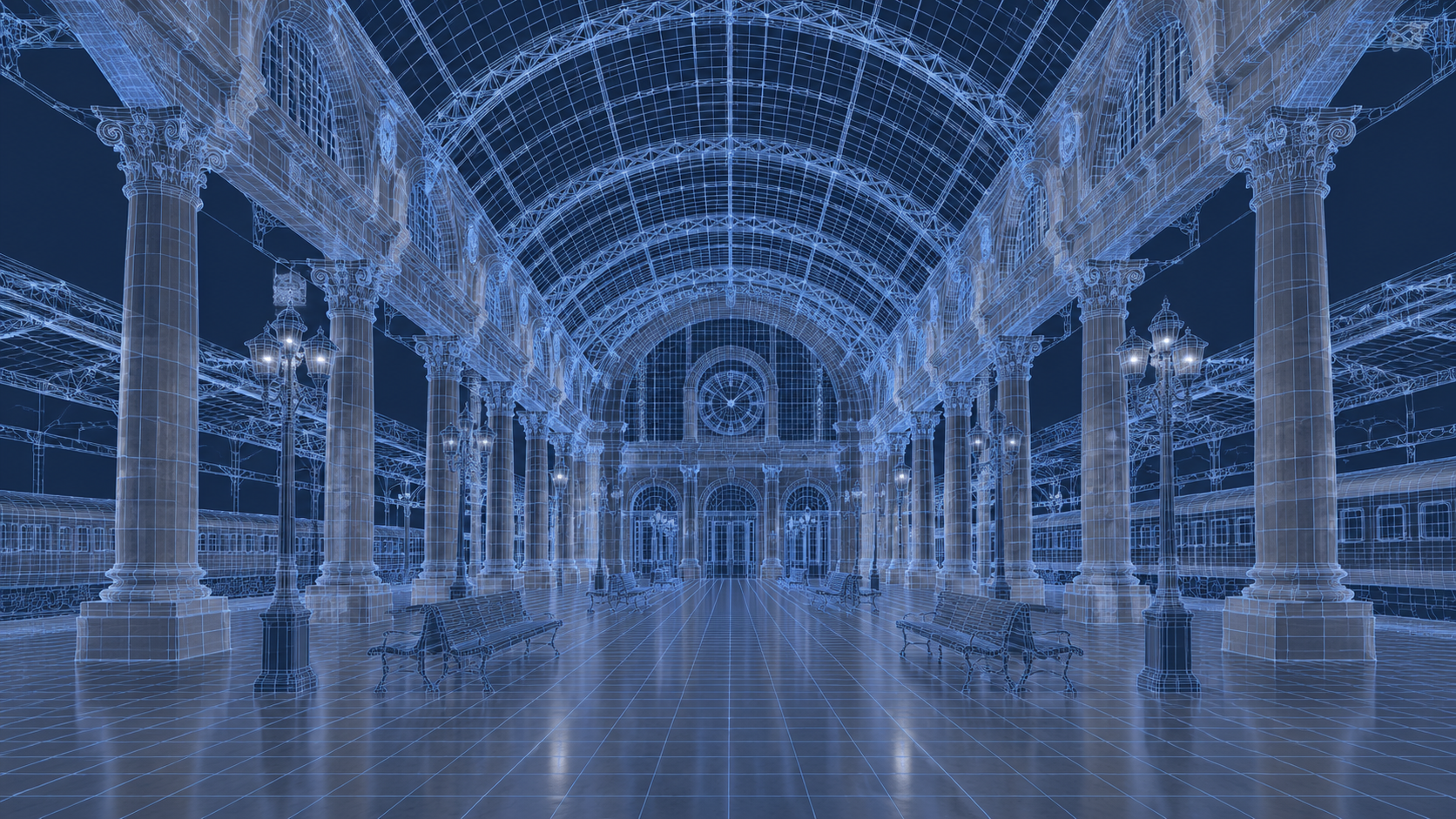
After the base mesh generation completes (approximately 90 seconds for untextured geometry), inspect the result. Rotate the viewport to check the column spacing along the hall. Verify that the ceiling vault height matches the proportions visible in your reference photos. Check that the floor plane is flat and the walls meet the ceiling at consistent angles.
Neural4D supports one-click regeneration. If the first pass has obvious structural errors, adjust your input and regenerate. The most common fix for architectural interiors is adding one more reference angle that shows the problem area clearly. A front-facing shot of a misaligned column row resolves the ambiguity instantly.
What 90 Seconds Buys You ⚡ The untextured base mesh captures volume, proportion, and major structural elements. Columns, arch profiles, ceiling vaults, and floor plans resolve correctly if your source images cover those areas. Small decorative details, text inscriptions, and non-structural elements like furniture or lighting fixtures do NOT appear in the base mesh. Those belong in the polish phase.
See the Final Textured Result
Upload your own historic reference photos and generate a textured 3D model in minutes. Join thousands of architects and game developers using Neural4D.
No credit card required • 50 free Power weekly
Step 3 : Adding Period-Accurate Materials with AI Texture
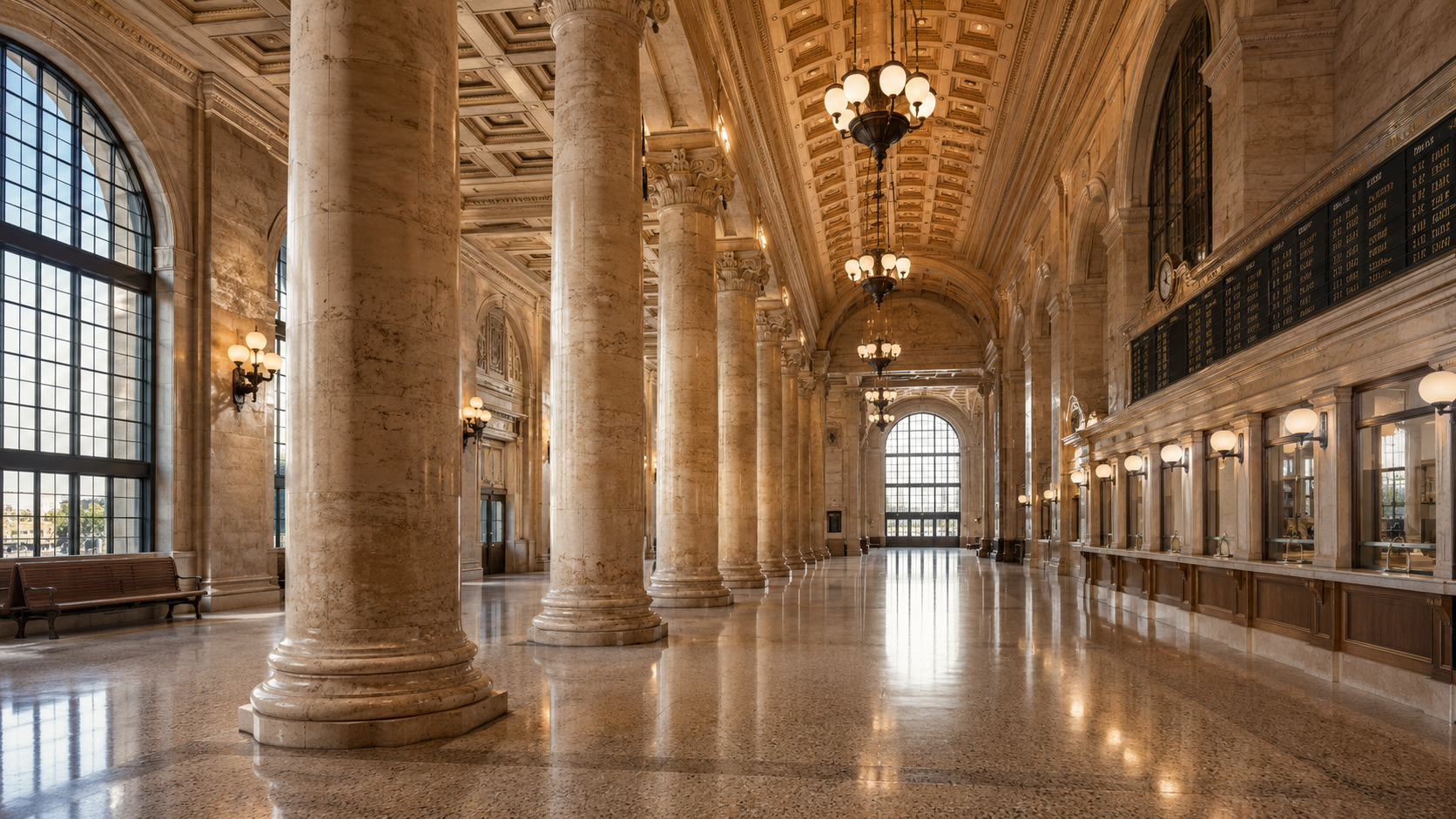
When you generate with PBR textures enabled, Neural4D calculates Normal, Roughness, and Metallic maps alongside the geometry in a single pass. The total generation time for a fully textured model is 2 minutes or more. For a Penn Station interior, the key material zones are:
| Surface | Historical Material | AI Texture Strategy |
|---|---|---|
| Columns and walls | Travertine marble (cream, warm grey) | Upload a detail crop as texture reference; AI matches grain and tone |
| Floor | Terrazzo and stone tile | Generate PBR with roughness around 0.6 to simulate worn stone |
| Ceiling vault | Gilded coffers (painted white by 1960s) | Use AI Texture with a period reference; match the off-white with warm undertone |
| Architectural trim | Brass and dark bronze | High metallic map (0.8-1.0), low roughness for period-appropriate sheen |
Step 4 : Clean Up with AI Retopo and Export
The generated mesh is watertight and production-ready, but architectural visualization often requires specific polygon budgets or topology flow. Use Neural4D’s AI Retopo (open the asset on the generation page and click Remesh) to reduce the polygon count while preserving the column geometry and arch profiles. For game engine import, target a tri count appropriate for your scene density. For static renders, the native output resolution is sufficient.
Export formats: .glb for real-time web viewing or Sketchfab upload, .fbx for Unity or Unreal Engine, .obj for Blender post-processing. Each format preserves the PBR texture maps calculated during generation.
Neural4D-2o for Conversational Refinement 🎯 If a specific column row or arch section did not reconstruct correctly, open the model in Neural4D-2o and describe the fix in natural language. This only works on models generated by Neural4D-2o, not third-party imports. For the initial Penn Station reconstruction, generate with Neural4D-2o from the start if you anticipate needing targeted edits.
Part 4: How Does the AI Model Hold Up?
Honest evaluation matters. A Penn Station interior 3D model generated through Neural4D is not a museum-grade archival reconstruction. It is a production-ready geometric base that captures structural proportion and material zones in minutes instead of weeks. Here is what the current generation quality delivers and where it still needs human judgment.
What Neural4D Gets Right
The Direct3D-S2 architecture excels at structured architectural geometry. Column rows are evenly spaced. Arch profiles match the reference curvature. The floor plan is flat and correctly proportioned to the wall height. For a scene like Penn Station’s main waiting room, where the structural rhythm is the defining visual feature, the AI captures the spatial logic accurately from as few as three reference images.
The watertight mesh output means no hole-patching before export. For 3D printing enthusiasts who want to produce a physical scale model of the Penn Station interior, the .stl file goes directly into the slicer without manual repair. This is a meaningful advantage over photogrammetry outputs, which frequently produce open meshes at wall intersections and column bases.
Where You Need Human Touch
AI reconstruction from photographs cannot read historical blueprints. It reconstructs what the camera saw, not what the architect intended. Ornamental details that are partially occluded in all reference images will be approximated or missing. The delicate ironwork of the Penn Station ticket booths, the clock faces, and the inscription lettering on the friezes are not reliably reconstructed from distant general-view photographs.
Plan for post-generation cleanup: If your use case requires accuracy in those specific decorative elements, you need to model them separately in Blender or your tool of choice and composite them onto the AI-generated base. Neural4D handles the structural skeleton. The ornamental skin is still an art direction task.
Exporting for Blender, Unreal Engine, or Sketchfab
The export format determines what you can do next. For Sketchfab, upload the .glb directly. The PBR textures transfer without re-mapping. For Unreal Engine 5, import the .fbx and assign the Normal and Roughness maps to the material slots. For Blender post-processing, the .obj format preserves the UV layout, so you can paint additional texture detail on top of the AI-generated PBR maps.
Neural4D vs. Photogrammetry for Historic Interiors
🔹 Neural4D Image to 3D: Works from 3-4 reference photos. No special camera rig required. Generates watertight, PBR-textured mesh in 2+ minutes. Best for interiors where only historical photographs exist.
🔹 Photogrammetry (RealityCapture, Meshroom): Requires 50-200 overlapping photos from a controlled shoot. Demands high-end GPU for processing. Produces dense point clouds that need extensive cleanup. Impractical for demolished buildings where photographing the original is impossible.
Part 5: Applying the 4-Photo Recovery Method to Any Historic Interior
The workflow you just used for Penn Station is repeatable for any historic interior with sufficient photographic records. Call it the 4-Photo Recovery Method (4PRM) a structured approach to AI reconstruction that separates the process into four clear phases:
| Phase | Name | What You Do | Output |
|---|---|---|---|
| 1 | Select | Choose 3-4 reference photos from different angles. Prioritize orthogonal structural shots with clear sightlines. | Curated image set with consistent exposure and framing |
| 2 | Seed | Upload to Neural4D Multi-View to 3D. Generate the base mesh with or without PBR textures. | Watertight base mesh with correct volume and proportion |
| 3 | Polish | Apply AI Texture for material fidelity. Use AI Retopo for polygon optimization. Optionally use Neural4D-2o for targeted conversational edits. | Production-ready textured model matching the period material palette |
| 4 | Match | Compare the output against the original reference photos. Identify misaligned elements and re-generate or manually correct specific zones. | Validated model ready for export to game engine, renderer, or 3D print |
Adapting for Exteriors, Ruins, and Fragmentary References
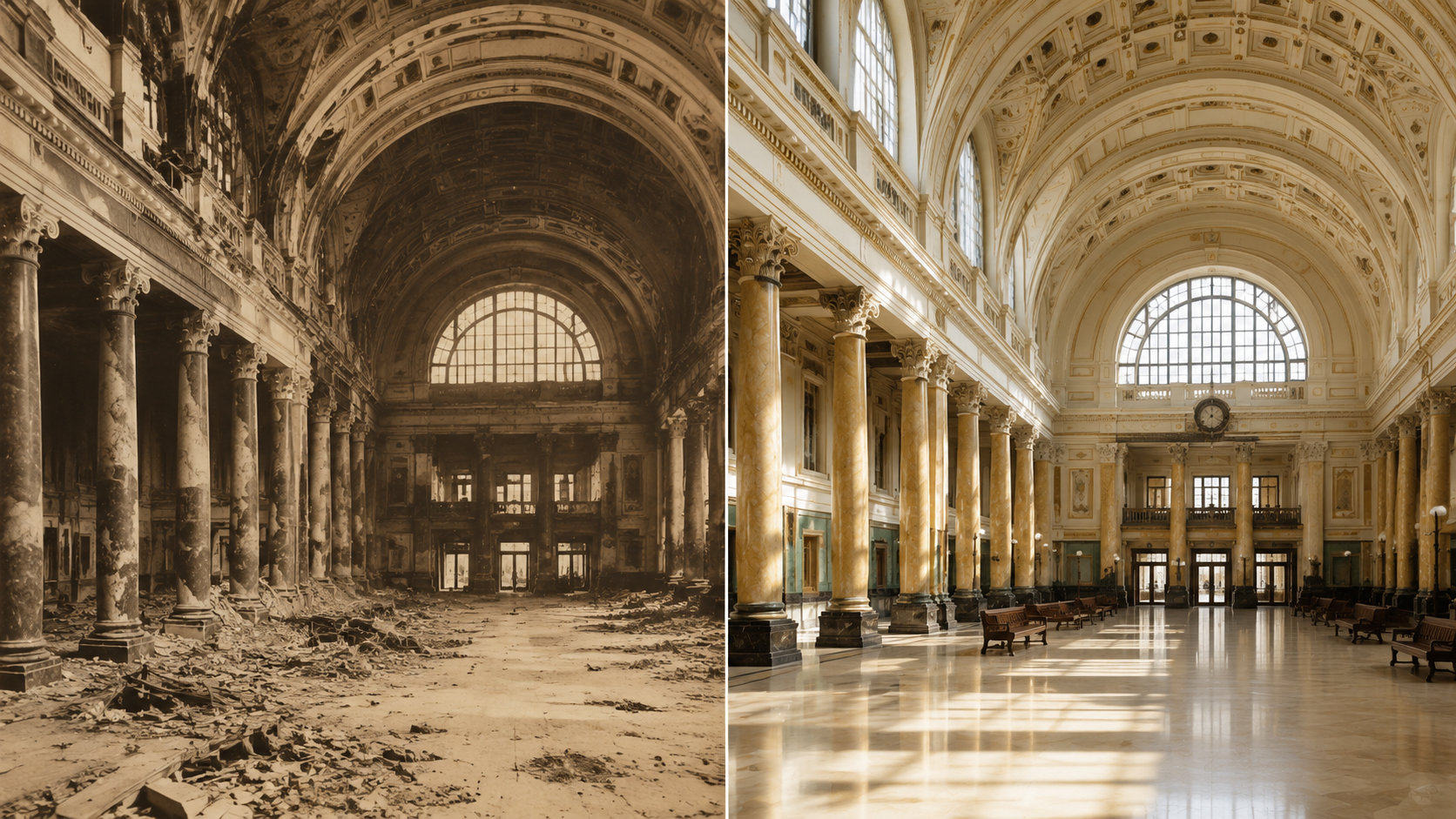
The 4PRM framework adapts to different source conditions. For building exteriors, increase the reference image count to six or more to cover all visible elevations. For ruins where only partial walls remain, feed the AI what exists and let it propose a volumetric fill. You can accept, reject, or modify specific zones using Neural4D-2o conversational editing.
For interiors with no surviving color photographs, black-and-white reference images still produce functional geometry. The AI reconstructs volume from luminance contrast. You will need to research period-appropriate material colors separately and apply them through AI Texture or post-generation material assignment.
Ethical Use : Historical Accuracy vs. Artistic Interpretation
AI reconstruction from photographs creates a plausible version of a lost interior, not a verified replica. When presenting a Penn Station interior 3D model or any AI-reconstructed historic space, clearly label it as a reconstruction based on photographic reference. The line between educational visualization and misleading historical revision is determined by your transparency about the method.
Reconstruct Any Historic Interior
Upload multiple reference photos to Neural4D Multi-View to 3D and get a precise, textured model. No photogrammetry rig needed.
50 free Power every week • No credit card required
Part 6: Frequently Asked Questions on AI Architectural Interior Modeling
Q: Can Neural4D generate a Penn Station interior 3D model from a single historical photo?
A single photo provides no parallax data, so the AI cannot calculate depth. The result will be a flat approximation with the front-facing geometry only. Three to four images from different angles are the practical minimum for a structurally coherent model. If you only have one surviving photograph of a specific interior, consider using it as a texture reference on a manually blocked structural base instead.
Q: How long does the full generation pipeline take for a historic interior?
The base mesh generates in approximately 90 seconds. A production-ready model with PBR textures requires 2 minutes or more in a single pass. The total workflow including photo selection, cropping, upload, generation, and export takes most users under 10 minutes on the first attempt. Repeat attempts for the same interior get faster as you learn which reference angles produce the best results.
Q: Can I reconstruct a demolished building from century-old photographs?
Yes, provided the photographs show the structure clearly from multiple angles. The age of the photograph matters less than its resolution and clarity. Library of Congress and NYPL digital collections contain high-resolution scans of Penn Station from the 1910s through the 1960s that work well. The main constraint is coverage: if only two sides of a building were photographed, the unseen sides will be approximated by the AI.
Q: What file formats can I export for architectural visualization pipelines?
Neural4D exports .glb, .fbx, .obj, and .stl. For real-time architectural walkthroughs, .glb preserves PBR textures and loads directly into web viewers. For Unreal Engine or Unity, .fbx carries the mesh with texture map slots intact. For 3D printing a physical scale model, .stl delivers a watertight shell ready for slicing software. Each format retains the texture coordinates calculated during generation.
Q: Do I need 3D modeling experience to create a historic interior model with Neural4D?
No. The core pipeline of upload, generate, and export requires no 3D software experience. The Image to 3D interface is a browser-based tool with drag-and-drop input. You only need traditional modeling skills if you plan to add decorative details that the AI did not reconstruct, such as period-specific light fixtures, ornamental moldings, or custom furniture that was not visible in the reference photos.
Q: What happens when the AI misinterprets an architectural feature in the reference photo?
Misinterpretations typically happen on reflective surfaces (glass, polished marble), repetitive patterns without clear boundaries, and areas where the reference photos have inconsistent lighting. The fix is iterative: add one more reference photo that clearly shows the misaligned element from a different angle, then regenerate. Neural4D-2o users can also describe the specific fix, for example “widen the third arch by 10 percent” and the model updates accordingly.
Q: Is AI reconstruction more accurate than photogrammetry for historic interiors?
The two methods serve different scenarios. Photogrammetry is more geometrically precise when you can photograph the existing structure in controlled conditions. AI reconstruction is the only option when the building no longer exists and only historical photographs remain. For the original Penn Station interior, which was demolished in 1963, photogrammetry is not possible. Neural4D’s approach fills that gap by working from the photographs themselves as the sole source material.
Q: Can I sell or publish a 3D model of Penn Station I created with Neural4D?
Neural4D’s paid subscription grants full commercial rights to assets you generate. The reference photographs you use must also be cleared for your intended use. Historical photographs of Penn Station from public domain sources like the Library of Congress or NYPL are freely usable. If you use images from commercial archives or private collections, verify the license terms separately. The 3D model itself counts as your original digital creation under standard AI generation terms of service.
Create Your Own Historic 3D Model
You now have a repeatable workflow for turning historical photographs into production-ready Penn Station interior 3D model assets. The 4-Photo Recovery Method works for any historic interior with adequate photographic records. Start with a space you know well, run the Select, Seed, Polish, Match pipeline, and evaluate the output against your own reference collection.
Neural4D’s Image to 3D model feature is the entry point for single-photo reconstruction, while Multi-View to 3D handles multiple reference angles. No specialized hardware, no photogrammetry rig, no weeks of manual modeling. The Direct3D-S2 engine handles the structural foundation. Whether your goal is an educational visualization, a game environment, or a 3D printed architectural model, the workflow is the same.
For interior designers and architectural visualization artists, the 3D modeling for interior design guide covers additional workflows for spaces where the original structure still stands. The photo to 3D model pipeline and the AI 3D Agent for automated batch generation extend the same technology to larger architectural collections.
Create Your Penn Station Interior 3D Model
Upload reference photos. Get a textured watertight model in minutes. No modeling experience required.
50 free Power every week • No credit card needed
Share Your Creation
Tag @Neural4D and use #Neural4D to be featured on our channel.