What is USDZ? A Complete Guide to Apple’s 3D AR Format
Quick Summary
- USDZ is a zero-compression ZIP archive format built on Pixar’s Universal Scene Description (USD), adopted by Apple as the native 3D format for AR Quick Look on iPhone and iPad.
- Unlike formats that split geometry and textures across multiple files, USDZ packages everything into a single file that loads directly into iOS AR without app installation or decompression delays.
- AI tools like Neural4D now generate USDZ files with full PBR textures from a single photo, removing the need for traditional 3D modeling software or export plugins.
What is USDZ? It is a 3D file format co-developed by Pixar and Apple that packages geometry, PBR materials, textures, and animation into a single zero-compression archive. Apple made it the native format for AR Quick Look on iOS, meaning any iPhone or iPad running iOS 12 or later can open a USDZ file and place the 3D object in the real world through the camera without installing any app.
Table of Contents
- Part 1: What is USDZ? Definition, Origin, and Technical Structure
- Part 2: How USDZ Powers iOS AR Quick Look
- Part 3: USDZ vs GLB: Key Differences for 3D AR Content
- Part 4: How to Create a USDZ File HOT
- Part 5: Why Neural4D for USDZ Generation
- Part 6: Common Questions on USDZ
- Understanding USDZ in the Apple AR Ecosystem
Part 1: What is USDZ? Definition, Origin, and Technical Structure
USDZ stands for Universal Scene Description Zip. Pixar originally developed the USD framework as a scene description system for large-scale film production, enabling complex 3D scenes to be composed, edited, and passed between different software tools in the animation pipeline. At WWDC 2018, Apple and Pixar jointly announced USDZ as a compact, single-file distribution format built on top of USD, purpose-built for mobile AR[1].
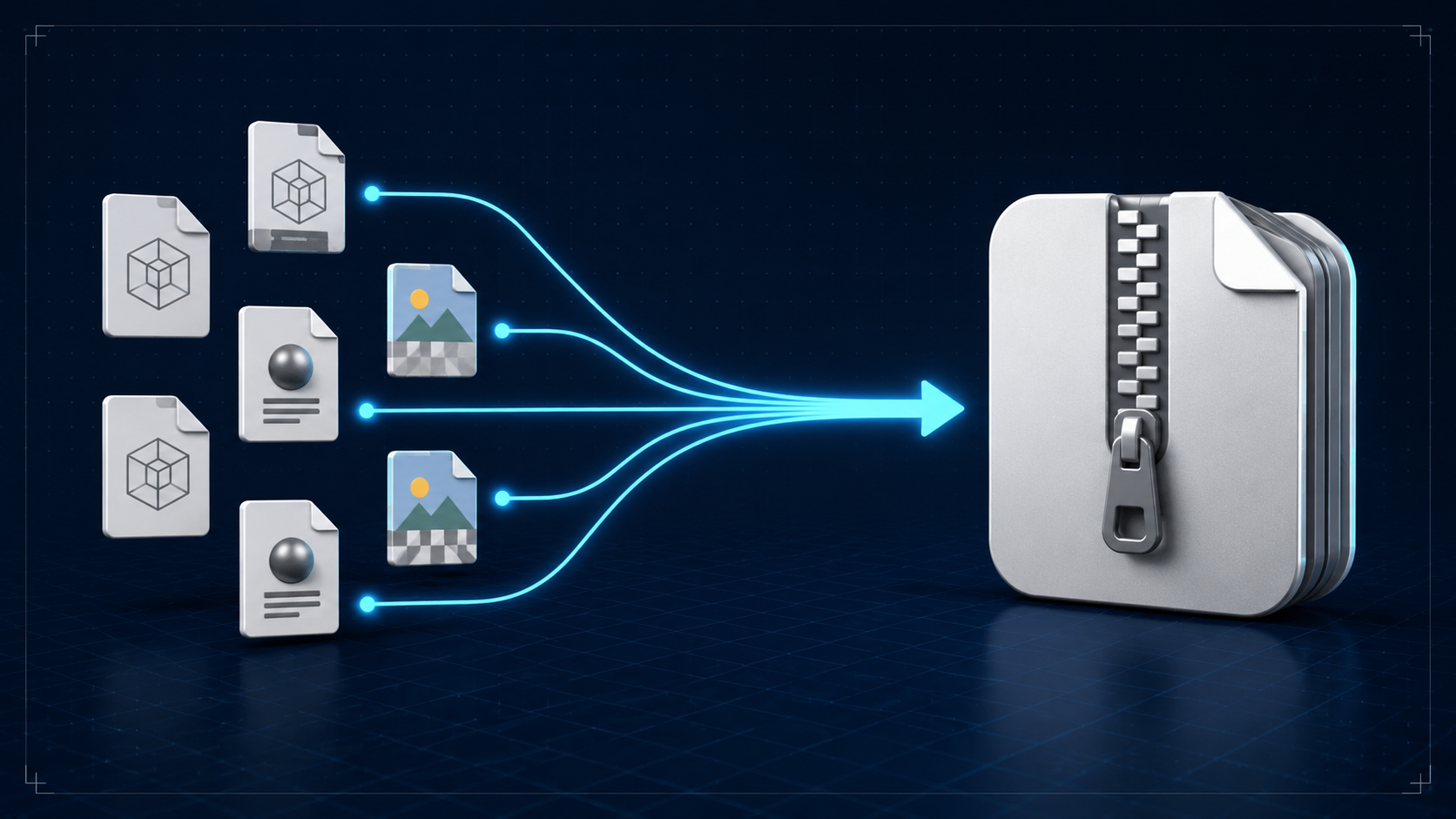
Technically, a USDZ file is a ZIP archive containing one or more USD files (in either USDA text or USDC binary format) plus any associated textures, audio, and material definitions. The archive uses zero compression, which sounds counterintuitive but is deliberate: zero compression allows iOS to memory-map the file directly and load assets on demand without decompressing the entire archive into RAM. Rename a .usdz file to .zip and you can inspect its contents directly.
USD family breakdown The USD format comes in three variants. USDA is human-readable ASCII. USDC is compact binary for performance. USDZ is the ZIP archive that bundles either of the above with textures and audio for distribution. The zip compression is set to STORE (0 percent), not DEFLATE, because AR Quick Look needs random access to individual assets inside the archive.
Now that we have covered what is USDZ technically, the next question is what makes it different from other 3D formats. It serves as a distribution container rather than an authoring format. You do not model directly in USDZ. You create assets in tools like Blender, Maya, or AI generators and then package them into USDZ for delivery to iOS devices. The format is read-only for consumers, which is why Apple adopted it: it guarantees a consistent rendering experience across all iOS devices.
Part 2: How USDZ Powers iOS AR Quick Look
Understanding what is USDZ also means understanding how it behaves in AR Quick Look. AR Quick Look is Apple’s built-in augmented reality viewer, available on every iPhone and iPad running iOS 12 or later. When a user taps a USDZ link in Safari, Messages, or Mail, the operating system launches Quick Look in AR mode without opening any third-party app. The camera feed appears, and the 3D model renders on top of the real-world view with real-time lighting, contact shadows, and physics-based rendering.
The technical advantage of USDZ in this workflow is memory-mapped loading. Because the archive stores data without compression, the system can map the file into virtual memory and access individual assets as needed. A model with 100 MB of textures does not need to decompress 100 MB before rendering. The system reads only the mip level required for the current viewport distance, which is why Quick Look feels instant even with large files.
AR Quick Look also supports:
- Physics-based rendering using the USDPreviewSurface material model, which reads albedo, normal, roughness, and metallic maps from the USDZ file
- Contact shadows that ground the object on real-world surfaces
- Object occlusion where real objects in the camera feed can block the 3D model
- Animation playback for USDZ files containing skeletal animation data
- Sharing via the standard iOS share sheet
This native integration is the reason USDZ is non-negotiable for any 3D content targeting Apple devices. Android uses GLB (glTF Binary) for its AR Core platform, and the web uses GLB for WebXR. But on iOS, AR Quick Look only accepts USDZ, and its deep integration with Safari, Mail, and the operating system means there is no workaround for native AR preview.
Part 3: USDZ vs GLB: Key Differences for 3D AR Content
Understanding what is USDZ becomes clearer when you compare it directly against GLB. Both serve as single-file distribution formats for 3D content, but they target different ecosystems and have different technical foundations.
| Property | USDZ | GLB (glTF 2.0 Binary) |
|---|---|---|
| Developed by | Pixar and Apple | Khronos Group |
| Primary platform | iOS / visionOS | Android, Web, cross-platform |
| AR integration | AR Quick Look (native, no app required) | AR Core / WebXR (browser-based) |
| Compression | Zero compression (memory-mapped) | Binary with optional Draco mesh compression |
| Material system | USDPreviewSurface (PBR) | KHR materials (PBR) |
| Animation | Full USD skeletal animation | glTF animation system |
| E-commerce support | Shopify native, Amazon (iOS) | Amazon (Android), web AR viewers |
The practical difference for content creators comes down to platform targeting. If your audience is primarily iPhone and iPad users, USDZ is the only native choice. If you need cross-platform AR, you should serve both formats: detect the device in the browser and deliver the appropriate file. Most e-commerce platforms do this automatically Shopify serves USDZ to iOS and falls back to the preview image on other devices.
An important technical difference is how the two handle materials. GLB uses the KHR materials extension which wraps around the same PBR concepts as USDPreviewSurface, but the two systems calculate metalness and roughness differently. Converting between them with automated tools often produces visible shifts in material appearance, especially on metallic surfaces. For production assets, generating the USDZ directly from the source tool is safer than converting from GLB.
Part 4: How to Create a USDZ File
Knowing what is USDZ leads naturally to the question of how to create one. There are several approaches, ranging from traditional 3D software to modern AI generation.
Traditional Methods
If you already have a 3D model in Blender, Maya, or Cinema 4D, you can export to USDZ through USD export plugins. Apple provides the usdz_converter command-line tool (macOS only) that converts OBJ or GLTF files to USDZ, and RealityConverter for batch processing. These methods give you full control over the geometry but require modeling expertise and familiarity with USD material setup.
The traditional workflow is: model in your 3D application, bake PBR textures, export as OBJ or FBX, convert to USDZ via Apple’s tools, then verify in AR Quick Look. For a single product model, this process takes hours for an experienced artist. If you are deciding between workflows, this guide on how to choose between AI and traditional 3D modeling breaks down the time, cost, and quality tradeoffs.
AI Generation Method
AI-powered 3D generation compresses this pipeline significantly. With tools like Neural4D, you upload a single photo and the system generates a fully textured 3D mesh with PBR materials. Neural4D’s AI Image to 3D generation uses the Direct3D-S2 architecture to reconstruct geometry from a single 2D image, and exports directly to USDZ with albedo, normal, roughness, and metallic maps included.
The AI workflow is: upload a JPG or PNG photo to Neural4D, wait for AI mesh generation (base mesh in about 90 seconds, full PBR texture in 2 minutes or more), export as USDZ from the format selector, and preview on iPhone via AR Quick Look. The Neural4D Image to 3D workflow handles the coordinate system conversion, material mapping, and unit scaling automatically.
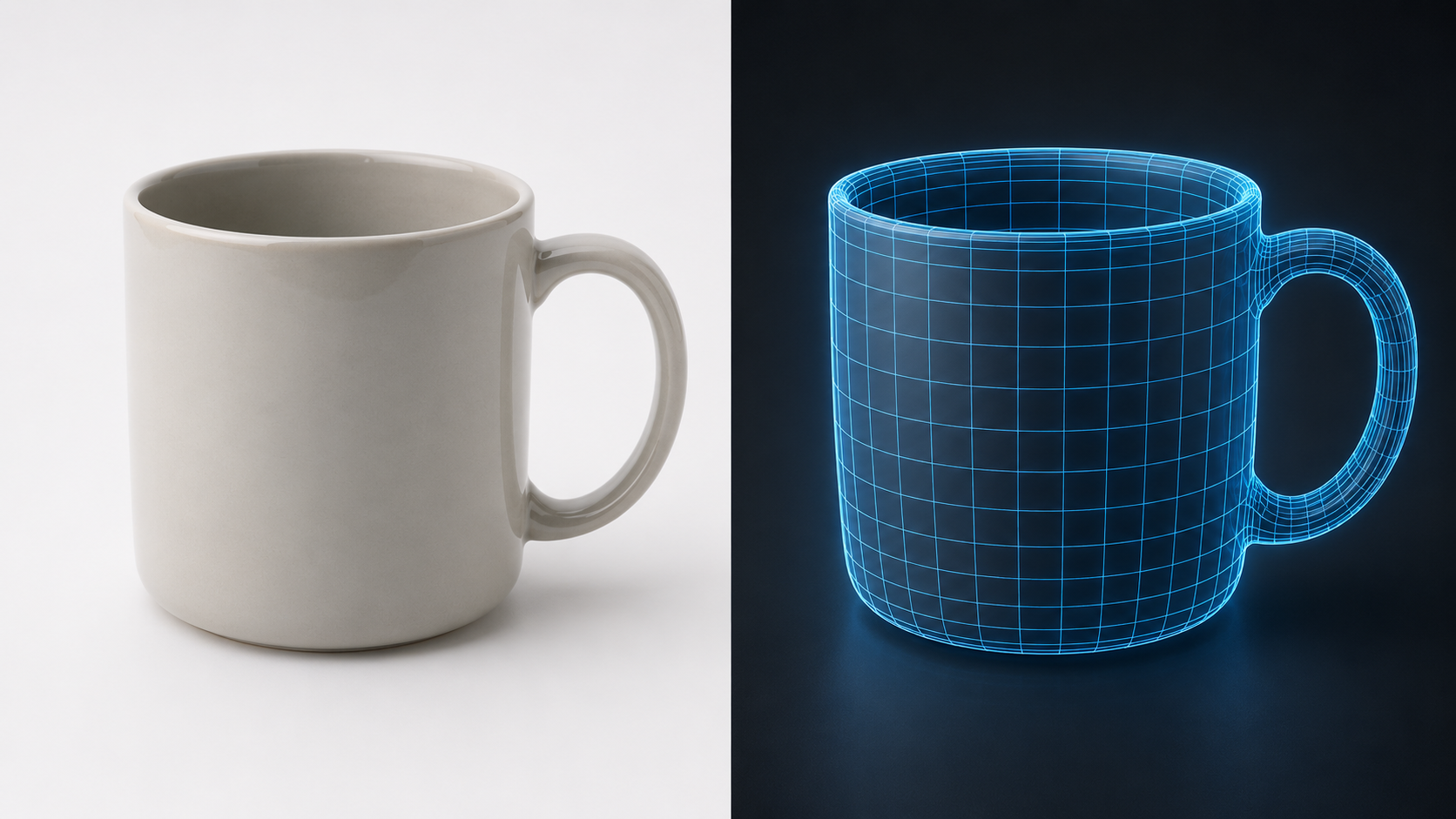
No 3D modeling software, no USD export plugins, no command-line conversion. The entire process from image to AR preview runs in a web browser and the built-in iOS Quick Look viewer.
Part 5: Why Neural4D for USDZ Generation
Not all AI 3D generators produce USDZ files that work correctly in AR Quick Look. Several factors determine whether an exported file will render accurately on iOS.
Native USDZ export. Neural4D supports USDZ export for AR and iOS directly from the generation output. The system packages geometry, UV coordinates, and PBR texture maps into a single .usdz file without intermediate format conversion. This avoids the material shift problem that happens when converters translate between KHR materials and USDPreviewSurface.
PBR texture preservation. Neural4D computes albedo, normal, roughness, and metallic maps during the generation pass. These maps are required for correct rendering under AR Quick Look’s dynamic lighting. A model exported without full PBR maps (for example, one that uses baked vertex colors instead) will appear flat or incorrectly lit when placed in AR, because Quick Look evaluates the material model against the real-world camera feed.
Watertight geometry. The Direct3D-S2 architecture with Spatial Sparse Attention (SSA) produces watertight manifold geometry at up to 2048 cubed native resolution. The output does not require mesh repair, hole-patching, or retopology before AR deployment. For Apple spatial computing workflows on visionOS, the same USDZ file loads natively into the shared space alongside other volumetric content.
Real-world unit scaling. Neural4D sets real-world scale automatically during export. AR Quick Look places the model at 100 percent scale, so correct units (centimeters or meters) prevent the model from appearing toy-sized or building-sized in AR.
Generate Your First USDZ Model in Minutes
Stop wrestling with Blender export plugins and USD conversion tools. Neural4D generates and exports production-ready USDZ files from a single photo or text prompt.
Free tier includes 50 Power per week. No credit card required.
Part 6: Common Questions on USDZ
Q: What is USDZ and how is it different from regular USD?
USDZ is a ZIP archive that packages USD files (either USDA text or USDC binary) with textures and assets into a single distributable file. Regular USD files are scene description files used in content creation pipelines. USDZ is the delivery format designed for consumers. Think of USD as the source file format and USDZ as the published package.
Q: What devices support USDZ for AR?
Any iPhone or iPad running iOS 12 or later supports USDZ through AR Quick Look. Apple Vision Pro (visionOS) also loads USDZ natively. Mac computers can open USDZ files in the Quick Look preview in Finder, but full AR mode requires an iOS device with a camera. The format is not natively supported on Android or Windows, where GLB is the standard AR format.
Q: Can I convert GLB to USDZ without losing textures?
Yes, conversion tools exist, but texture fidelity is not guaranteed. GLB uses the KHR materials specification while USDZ uses USDPreviewSurface. The two handle metalness, roughness, and normal map calculations differently. Automated converters often produce visible shifts in metallic appearance. For critical AR assets, generate USDZ directly from the source tool or verify the output on an actual device after conversion.
Q: What is the file size limit for USDZ in AR Quick Look?
Apple recommends keeping USDZ files under 15 MB for reliable performance on mobile connections. Files under 5 MB load instantly even on slower networks. Since USDZ uses zero compression, a 15 MB file represents the raw sum of geometry and textures. If your file exceeds 15 MB, reduce texture resolution from 2048 to 1024 or simplify the mesh before packaging.
Q: Does USDZ support animations?
Yes, USDZ supports skeletal animation and transforms. The format carries USD’s animation system, which includes skinning, blendshapes, and timed attribute animation. AR Quick Look plays these animations when the file is opened on iOS. This makes USDZ suitable for product demonstrations where the model needs to rotate, open, or demonstrate a mechanical function in AR.
Q: How do I create a USDZ file from a photo?
The most efficient method is AI-based 3D generation. Upload a photo to Neural4D, the AI reconstructs the geometry and PBR textures, and you export directly as USDZ. The process takes about 2 minutes and requires no modeling software. Traditional methods involve modeling the object manually in 3D software (Blender, Maya), exporting as OBJ or FBX, and converting to USDZ using Apple’s usdz_converter command-line tool.
Q: Is USDZ better than GLB for e-commerce?
For iOS audiences, USDZ is mandatory AR Quick Look integration is a native OS feature that does not require user permission or app installation. GLB works in a browser-based AR viewer but requires the user to grant camera permissions to the web page, adding friction. For cross-platform stores, serve USDZ to iOS and GLB to Android. Platforms like Shopify handle this detection automatically.
Q: What software supports USDZ export?
Blender supports USDZ export via the USD export add-on. Pixar’s USD SDK provides command-line tools for packaging. Apple provides RealityConverter for macOS and the usdz_converter tool. Neural4D supports native USDZ export from AI-generated 3D models with full PBR textures. For cross-platform publishing, Neural4D also supports GLB format for web and Android AR.
Understanding USDZ in the Apple AR Ecosystem
USDZ is not just another 3D file format. It is the distribution container that connects 3D content creation to Apple’s AR ecosystem, and its zero-compression architecture, native iOS integration, and PBR material support make it the standard for mobile AR on Apple devices.
What is USDZ in practice? It is the format that lets a customer tap a link on a product page and see that product in their living room without installing anything. It is the format that e-commerce platforms, AR marketing agencies, and iOS developers use to deliver immersive product experiences at scale.
AI generation has removed the traditional barrier to creating USDZ files. You no longer need weeks of 3D modeling training or expensive software licenses. A single photo, an AI model generator that supports native USDZ export, and an iPhone are all it takes.
Skip the Export Plugin Hassle
Neural4D generates production-ready USDZ files directly. Upload an image, get a textured 3D model, and open it in AR Quick Look in 2 minutes.
Free tier includes 50 Power per week. Generate your first USDZ in minutes.