Types of 3D File Formats
Quick Summary
- 3D file formats split into mesh formats (OBJ, STL, PLY, glTF), scene and animation formats (FBX, USD), and engineering or CAD formats (STEP, IGES, 3DM).
- STL and 3MF exist mainly for 3D printing, while FBX, glTF, and USD carry color, materials, rigs, and animation across software.
- No single format wins everywhere: OBJ is the open interchange staple, STL rules printing, glTF leads the web and real-time, FBX dominates game animation, and USD anchors large VFX and film pipelines.
- Neural4D exports STL, OBJ, and FBX directly from AI generation, so you can skip lossy conversion and download the exact format your printing or game pipeline needs.
Every 3D model you download, print, or drop into a game engine is locked inside one of many types of 3D file formats, and each one stores a different slice of the model: raw triangles in STL, geometry plus materials in OBJ, or a whole scene with rigs and animation in FBX, glTF, and USD. This guide groups the formats into families, explains the ones you will actually meet, and tells you which type to pick for 3D printing, games, film, CAD, and the web.
On this page
How 3D File Formats Store a Model
The fastest way to make sense of the different types of 3D files is to stop thinking about individual extensions and think about what a file actually carries. A 3D model can be described at several levels, and each format family captures one level.
Mesh formats store the surface only, as a list of vertices and the triangles or polygons that connect them. A mesh has no thickness, no material logic, and no skeleton. Formats in this family include OBJ, STL, and PLY. glTF also stores a mesh, but it adds much more on top, which is why it deserves its own treatment below.
CAD and engineering formats store the model as a mathematically defined solid instead of a flat triangle shell. A STEP file remembers that a shape is a cylinder with a certain radius, not just a cloud of triangles that happens to look cylindrical. This matters for CNC machining and engineering, where you need precision and parametric intent rather than a decimated surface.
Scene and animation formats wrap a mesh together with everything a moving asset needs: PBR materials, texture references, bone rigs, blend shapes, animation clips, and camera or light setup. FBX and USD live in this family, and glTF sits on the border because it stores rich PBR and animation while remaining lightweight.
The practical consequence is simple. If two formats share the same family, converting between them is cheap and mostly lossless. The moment you move across a family boundary, such as exporting an STL from a STEP solid or trying to force animation into an OBJ, something gets thrown away, and that is where most format pain comes from.
| Family | Common formats | What it stores | Typical jobs |
|---|---|---|---|
| Mesh, static | OBJ, STL, PLY | Geometry, normals, UVs, basic materials | Interchange, 3D printing, scanning |
| Mesh, real-time | glTF, GLB | Geometry, PBR materials, textures, simple animation | Web, AR, mobile, game engines |
| Scene and animation | FBX, USD | Geometry, materials, rigs, animation, cameras | Game animation, film, VFX pipelines |
| CAD and engineering | STEP, IGES, 3DM | Precise solid geometry, parametric intent | Engineering, CNC, industrial design |
Formats also differ in one more dimension: whether they store binary or text data, and whether they are open or proprietary. Open formats such as OBJ, STL, glTF, and USD are documented and readable by many tools. Proprietary formats such as FBX and a native file like 3DM are owned by a company and can change without warning, which is a real risk when you archive assets for years.
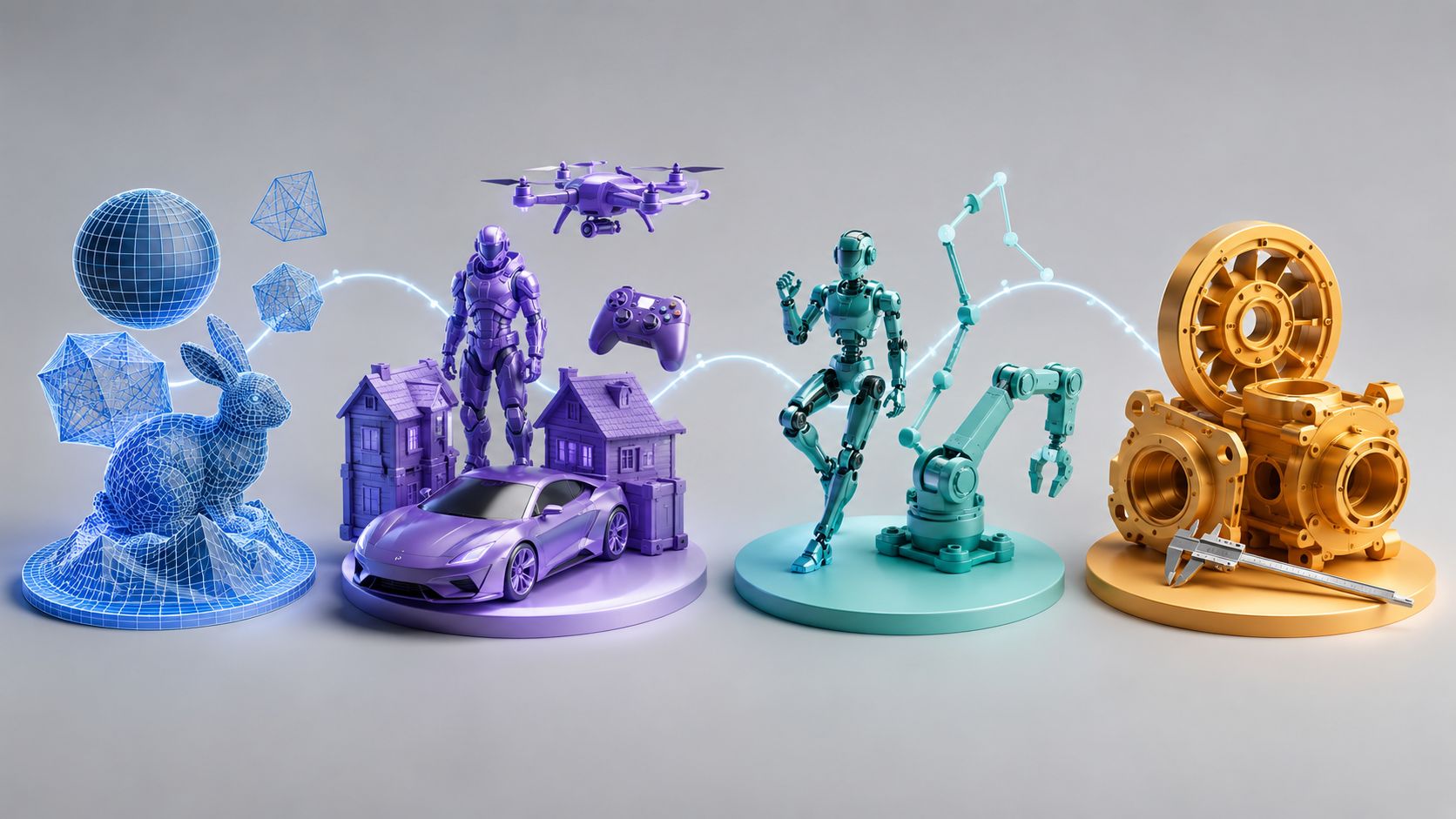
3D file formats grouped by family and use case.
The Most Common 3D File Formats
These are the formats you will meet in tutorials, marketplaces, slicers, and game engines. Each entry covers what the format stores, where it shines, and its real limits.
OBJ
OBJ is the open interchange workhorse. A text file that stores vertices, UVs, normals, and polygon faces, it pairs with a companion MTL file for basic material colors and texture references. Because OBJ is simple, public, and understood by almost every 3D tool ever written, it is the safest format for handing geometry between programs and for static game props.
Its limits are the flip side of that simplicity: no animation, no bone rigs, and no compression, so heavy meshes export large. For static delivery and cross-software exchange it is hard to beat, but reach for FBX or glTF the moment the asset needs to move.
FBX
FBX was created by Kaydara in the 1990s, was acquired by Autodesk in 2006, and became the de facto standard for rigged and animated assets moving between DCC tools and game engines. It carries geometry, materials, textures, bone hierarchies, blend shapes, and animation clips, which is why animated characters for Unity, Unreal, and Roblox are usually delivered as FBX.
The catch is ownership. FBX is proprietary and closed, the file format changes across Autodesk versions, and it carries a lot of scene data you rarely need for a single model. Those factors are pushing many teams toward glTF and USD, but FBX remains the least-friction choice for animated game assets today. For a format-by-format breakdown of the two animation-capable formats, compare glTF versus FBX.
glTF and GLB
glTF is the open standard from the Khronos Group designed for the web and real-time engines. It stores geometry with PBR materials and supports skeletal animation and morph targets, and it is built to stream efficiently over the internet. GLB is the binary packaging of glTF: the same data in a single self-contained file, which is why GLB files drop directly into AR quick-look, three.js, and game engines.
glTF has become the default for interactive and ecommerce 3D because it is small, open, and render-ready without conversion. The trade-off is that complex proprietary DCC features and huge production scenes are out of scope, so film-scale pipelines lean on USD instead. GLB and glTF are two views of one standard, detailed in our GLB versus glTF comparison.
STL
STL, created by 3D Systems in 1987 for stereolithography, describes a model purely as a shell of triangles with no color, texture, or units. That bareness is exactly why it became the lingua franca of 3D printing: every slicer reads it, every model site offers it, and it is trivial to validate.
The price is precision and information. Because STL approximates curved surfaces with triangles, export settings decide how smooth the result is, and the format silently drops color, material, and unit metadata. Most hobby printing still runs on STL, and it remains the safest bet for sharing a printable model. For a closer look at how it behaves next to the other printable staple, read whether OBJ or STL is better for printing.
USD and USDZ
Universal Scene Description, or USD, started at Pixar and was open-sourced in 2016 to handle enormous, collaborative VFX and film scenes. It layers composable scene graphs, so many artists can build a shot from reusable assets without copying data, which is why USD anchors modern film, game, and industrial pipelines and why Apple chose it as the backbone of AR. USDZ is the packaged single-file form of USD used in AR quick-look and iOS.
USD is powerful but heavier to learn and run than a simple mesh format. For a single downloadable character it is overkill, while for a studio pipeline it is becoming unavoidable, and it is often the format large teams graduate to once glTF stops being enough.
3MF
3MF is the modern 3D printing format backed by the 3MF Consortium and companies including Microsoft and Prusa. It was designed to fix everything STL loses: it stores color, materials, unit scale, and print-ready metadata such as per-part properties and supports multiple objects in one file.
Support is growing quickly in slicers, but STL still has the distribution lead, so sharing files for someone else to print often means exporting STL anyway. When your own printer and slicer accept 3MF, it is the better format to keep as your master print file.
STEP and IGES
STEP, standardized as ISO 10303, is the language of engineering exchange. It stores precise solid models with tolerances so a part designed in SolidWorks can be machined from a Fusion or FreeCAD file without rebuilding it. IGES is the older engineering interchange format that still appears in legacy CNC workflows, while STEP is now the better-documented choice. When the destination is a machine, not a renderer, STEP is the format to use.
PLY
PLY, or the Polygon File Format, was developed at Stanford in 1994 and stores mesh geometry with arbitrary per-vertex attributes such as color and normals. Because it can carry dense colored point data compactly, PLY is the default for 3D scanning output and photogrammetry before cleanup. It is a capture and research format rather than a delivery format, so you will usually convert PLY scans into OBJ or glTF for actual use.
Native tool formats
Every major tool also saves its own native file: .blend for Blender, .max for 3ds Max, .c4d for Cinema 4D, .ma and .mb for Maya, .skp for SketchUp, and .3dm for Rhino. These preserve everything the tool knows, including undo history, scene hierarchies, and plugin data, and they are the right format while you are still editing. The rule is simple: work in the native format, then export a mesh or scene format for delivery.
How to Choose the Right 3D File Format
The shortest selection path is to match the format to the destination. When you need to weigh the types of 3D file formats side by side, the matrix below shows what each major format stores, then the scenarios walk through the common destinations.
| Format | Geometry | Color and PBR | Rigs and animation | Open? | Typical size | Best for |
|---|---|---|---|---|---|---|
| OBJ | Yes | Basic, via MTL | No | Yes | Medium | Static interchange, props |
| STL | Triangles only | No | No | Yes | Small to medium | 3D printing |
| PLY | Yes | Per-vertex color | No | Yes | Large | Scans, point clouds |
| 3MF | Yes | Yes | No | Yes | Medium | Color and multi-material printing |
| glTF / GLB | Yes | Full PBR | Limited | Yes | Compact | Web, AR, real-time |
| FBX | Yes | Yes | Full | No | Large | Animated game assets |
| USD / USDZ | Yes | Yes | Full | Yes | Large | Film, VFX, large pipelines, AR |
| STEP | Solid, precise | Minimal | No | Yes | Medium | CAD, CNC, engineering |

Match the format to the destination: STL and 3MF for printing, glTF for the web, FBX for games, USD for film.
Use the checklist before you export: does the asset need to animate? Then it must be FBX, glTF, or USD, never OBJ or STL. Does it need color and materials on the web? Then glTF or GLB. Is it going to a slicer? Then STL or 3MF. Is it going to a CNC machine or a CAD partner? Then STEP.
3D printing: STL or 3MF
Slicers consume triangle geometry, which is why STL dominates print sharing and why 3MF is the better master file when your slicer supports color and multiple materials. Export at a sensible resolution and keep a copy of the original mesh, because STL cannot be edited back into a clean model. If you need a printable file from scratch, turning an image into a printable STL sidesteps modeling entirely.
Real-time games: FBX for animated characters, GLB for props
Game engines accept both FBX and glTF. Use FBX when the asset carries a rig and animation, because it is the format engines and marketplaces expect for characters. Use GLB for static props and simple interactive content where a smaller, streaming-friendly file matters. Our pairwise breakdown of OBJ versus FBX shows why static props may not need FBX at all.
Animation and film: FBX and USD
Inside a film or large studio pipeline, USD is the backbone for assembling shots from reusable assets, while FBX remains the common hand-off format between DCC tools for rigged characters. For indie animation, FBX is usually enough. Either way, never animate from an OBJ or STL, because the geometry has no rig to move.
Web and AR: glTF and GLB
If the model renders in a browser, an online configurator, or an AR view, glTF or GLB is the answer. They are open, compact, stream fast, and carry PBR materials that render correctly without a DCC round trip. GLB is the single-file form to embed, which is why it is the default for interactive product views.
CAD and engineering: STEP
When a part must be machined, simulated, or shared with an engineering team, export STEP so the solid model and its tolerances survive. Mesh formats approximate the surface and cannot be machined accurately. Keep native files as the source of truth and STEP as the exchange copy.
One cross-cutting habit applies to every format above: define your export settings once. Pick a unit system and keep it consistent, choose a consistent axis orientation, and set a resolution that matches the destination. A model that imports at the wrong scale or tilted on its side is almost always an export-unit or axis problem, not a broken file, and it is covered in the questions below.
Generate STL, OBJ, or FBX Without Format Hassles
Most format problems happen during conversion: you find a model, export it to the wrong family, and lose textures, rigs, or precision. AI generation removes that step entirely. Neural4D builds the mesh for you and lets you download the file in the format your destination actually needs. Browse the full lineup of Neural4D 3D format converters to see every supported output in one place.
Start from a single photo or a text prompt, and Neural4D generates a clean, production-ready mesh you can export directly. For printable parts, generate an STL from an image with geometry built for slicing, as covered in the printing section above. For game and animation assets, create FBX models from a text prompt, or convert a photo into an OBJ mesh when you need a simple, open interchange file.

Generate once, then export the exact format your pipeline needs.
Generate once, export the exact format you need
Neural4D turns a photo or a text prompt into a clean mesh and exports STL, OBJ, or FBX, so you skip the lossy conversion step.
Free credits to start, no format guessing required
Common Questions About 3D File Formats
Q: Which 3D file format should I learn first as a beginner?
Learn OBJ and STL first. Both are open, simple, and show up in every tutorial, marketplace, and slicer, so you will see their behavior constantly. OBJ teaches you how meshes, UVs, and material references work, and STL teaches you how geometry becomes a physical print. Once you understand those two, formats like FBX and glTF are easier to grasp because you can see exactly what they add on top.
Q: Is FBX becoming less relevant now that glTF and USD are widely used?
FBX is losing ground in two specific places: the web, where glTF is the clear default, and large film pipelines, where USD dominates. But in game engines and character marketplaces it is still the expected format for rigged and animated assets, and that is unlikely to change quickly because so many tools and storefronts are wired around it. The practical reality in 2026 is that FBX, glTF, and USD coexist: glTF for delivery to the web, FBX for animated game characters, and USD for assembling large collaborative scenes.
Q: Why does my model import at the wrong scale or with the camera tilted?
Almost always because export settings disagree about units and axes. Some formats, like STL, store no unit at all, so a model meant in centimeters may import as if it were meters or millimeters depending on the importer. And some tools use a Y-up world while others use Z-up, so a model that looks correct in one app arrives rotated in the next. Check the exporter for a unit option and an axis-conversion option, and keep those settings consistent across every tool you use, rather than re-saving files to work around it.
Q: Can I convert between 3D file formats without losing textures or rigs?
Only when the source format actually contains that data and the target format can hold it. Converting OBJ to FBX keeps geometry and textures but not rigs, because OBJ never had a rig. Converting a STEP solid to STL keeps the shape but turns it into a triangle shell you can no longer edit as a solid. Before converting, ask what the format family can hold; if the data exists on both sides the conversion is safe, and if it does not, no converter can invent it.
Q: Is one file format enough for both 3D printing and real-time game engines?
Not really, and trying to force it usually causes problems. STL and 3MF are built for slicing and print reliably, but they are poor in games because they carry no materials or rigs. glTF and FBX are great in engines, but slicers do not consume them directly. Keep separate master files for each destination, or use a pipeline that generates the right format on demand, which is what AI model generation is well suited for.
Q: What is a 3DM file, and what is it used for?
A 3DM file is the native format of Rhino, the NURBS-based modeling tool popular in industrial design and architecture. Because Rhino uses NURBS surfaces and open geometry rather than triangle meshes, a 3DM file can hold very precise curves and surfaces. It is used mainly for working inside Rhino and for exchanging with other Rhino users. When a 3DM model leaves that workflow, it is usually exported to STEP for engineering or to a mesh format like OBJ or glTF for rendering, printing, and games.
Pick a Format, Then Start Creating
You do not need to memorize every extension in this guide. Remember the family rule: match the format to the destination, keep native files as your source of truth while you edit, and export the delivery format last. STL or 3MF for printing, glTF and GLB for the web and real-time, FBX for animated game assets, USD for large pipelines, and STEP for engineering.
The same logic applies when a model starts life in an AI generator. Choose a tool that lets you download the types of 3D file formats your destination actually needs, instead of forcing you through a lossy conversion, and the whole pipeline gets simpler.
Stop converting, start generating the right format
Describe your model or upload a photo, and Neural4D exports STL, OBJ, or FBX ready for your slicer or game engine.
Free credits to start, STL, OBJ, and FBX exports included