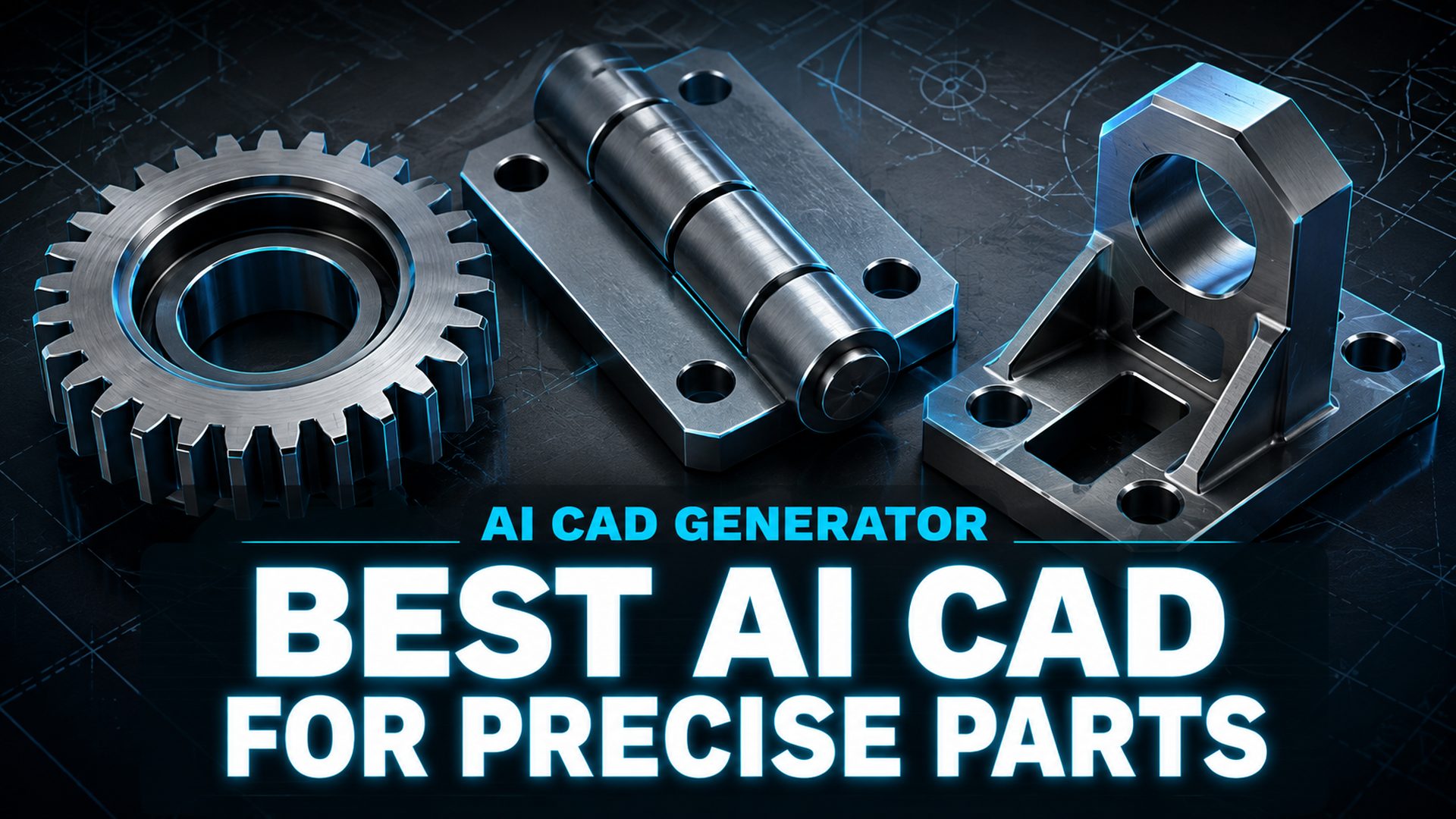
Best AI CAD Generator in 2026: 6 Tools for Precise, Printable Parts
Quick Summary
- AI CAD generators turn text prompts into dimensioned geometry instead of pictures, producing either editable parametric solids or watertight printable meshes.
- Zoo and AdamCAD export clean STL files for 3D printing, while Prompt2CAD and Backflip AI deliver editable STEP solids for professional CAD workflows.
- Independent testing shows most text to CAD tools still struggle with medium to high complexity parts such as detailed gears and multi-port manifolds.
- Coala, Neural4D’s conversational CAD agent, turns natural language, a reference image, or an uploaded technical drawing into precise industrial parts with adjustable dimensions and watertight STL export for printing.
Choosing the best AI CAD generator comes down to one question: do you need an editable parametric solid or a watertight printable mesh? This article compares six tools that turn text into dimensioned geometry, with the export formats, precision limits, and decision criteria you need to pick the right one for parts that actually print.
Contents
- What Makes an AI CAD Generator Worth Using in 2026
- The 6 Best AI CAD Generators in 2026
- AI CAD Generator Comparison Table
- How to Choose the Best AI CAD Generator for Printable PartsHOT
- Where Neural4D Fits: Coala, the Conversational CAD Agent
- Limitations: What AI CAD Generators Still Cannot Do
- Common Questions on AI CAD Generators
- Try the Right AI CAD Generator for Your Next Part
What Makes an AI CAD Generator Worth Using in 2026
An AI CAD generator is software that converts a text prompt, a sketch, or a short specification into dimensioned geometry you can measure, edit, and export. It is a different category from an AI image generator that draws a picture of a drawing. The output has real coordinates, real wall thickness, and a real export path into manufacturing.
The single most important distinction is the output family. Parametric solids are feature-based geometry, usually delivered as STEP files, that reopen and edit inside Fusion 360, SolidWorks, or Onshape. Mesh output is triangle geometry, usually STL or OBJ, that slices cleanly for 3D printing but carries no parametric history. Almost every tool on the market does one of these well and the other poorly.
Text to CAD is also an active research area, not a marketing label. At NeurIPS 2024, researchers presented Text2CAD, a spotlight framework that converts beginner-to-expert text prompts into sequential parametric CAD models. In parallel, AI-assisted design features embedded in mainstream CAD packages climbed from under 15% in 2022 to more than 57% in 2026, so standalone generators are no longer the only route into AI-driven design.
We evaluated every tool against five criteria: parametric editability, export formats, dimension control, complexity ceiling, and fit into an existing workflow. A text to STL workflow covers the simplest case, but precision work demands more than a file format; it demands control over the geometry itself.

The 6 Best AI CAD Generators in 2026
We selected six tools that cover the full spectrum, from browser-based makers to professional CAD pipelines. Every entry notes the output format, the editing model, and the complexity ceiling, because those three facts determine whether a part ends up on your print bed or inside a CAD assembly.
1. Coala (Neural4D): Conversational CAD for Precise Industrial Parts
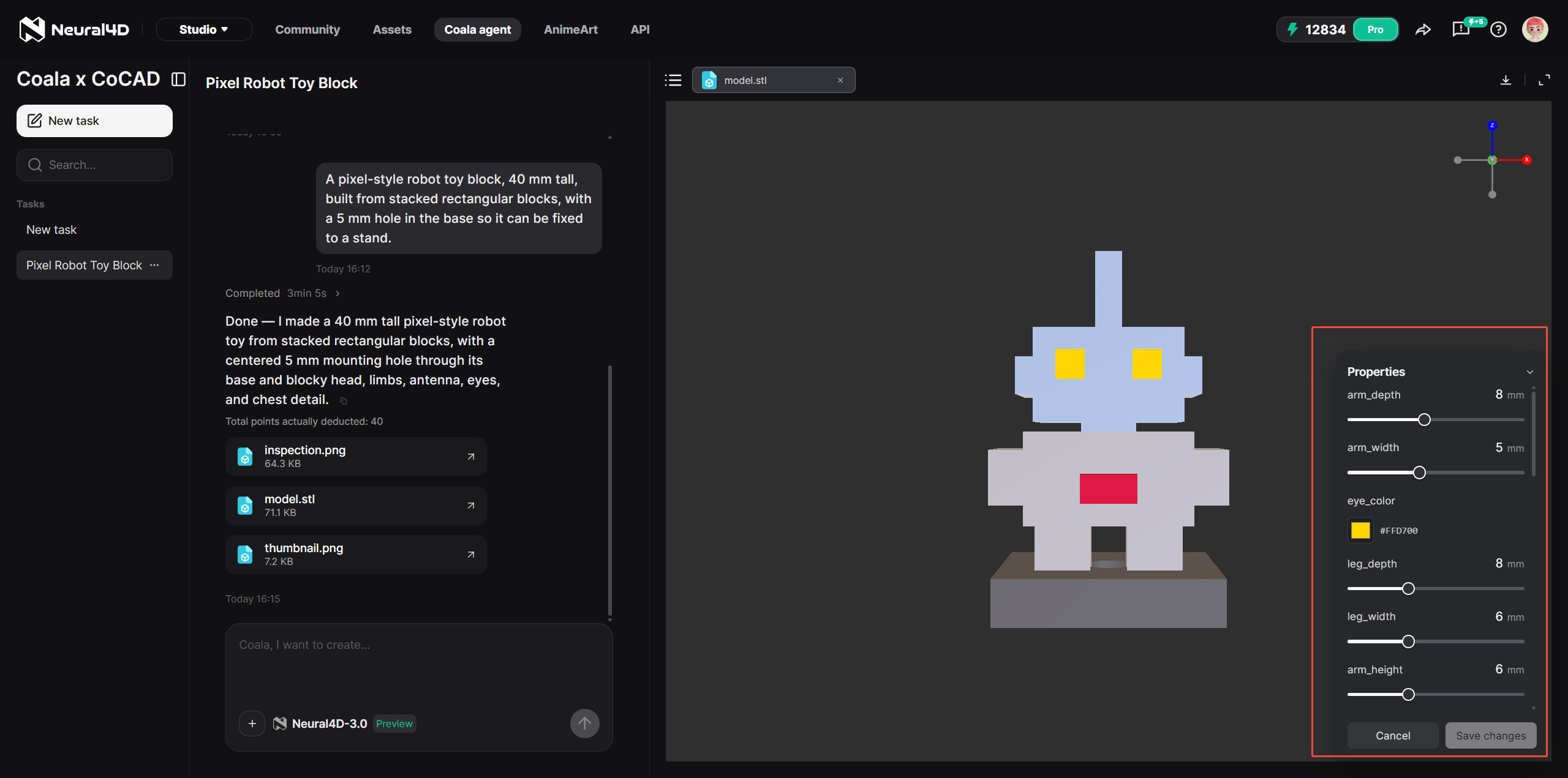
Coala is Neural4D’s conversational CAD agent and the closest thing on this list to a dialog-driven CAD workflow. You describe the component in natural language, tune the dimensions in a preview panel, and export a file ready for 3D printing. It is built around a multi-expert agent loop that plans the geometry, executes the modeling operations, and validates the result against the requested dimensions.
What makes Coala different in practice is parameter control. Width, depth, radius, fillet, and base width are exposed as adjustable values that you can change and re-render without rebuilding the whole design. This is exactly the iteration loop that surfaced again and again at the Formnext 3D printing show: users did not want a decorative shape, they wanted to modify an existing result without regenerating from scratch.
Coala exports a watertight manifold STL and checks geometry integrity and printability before delivery, which removes the two classic failure points in AI-to-print workflows. The tool targets parts with exact dimensions such as gears, hinges, storage boxes, custom phone cases, brackets, connectors, and replacement parts. It is not built for organic or freeform models, which remain the domain of mesh generators. See the Coala AI CAD agent for the full capability list, and note that STEP and IGS export are on the roadmap for professional CAD workflows.
Two recent updates widen both the input side and the complexity ceiling. Drawing to CAD accepts an uploaded technical drawing and reads its geometry, dimensions, and structural relationships to generate the corresponding CAD model, so a drawing you already have becomes a starting point instead of a document you redraw. Deep Thinking is now available across every Coala workflow, aimed at requests that span multiple steps, carry dimensions that depend on each other, or form a more complex assembly.
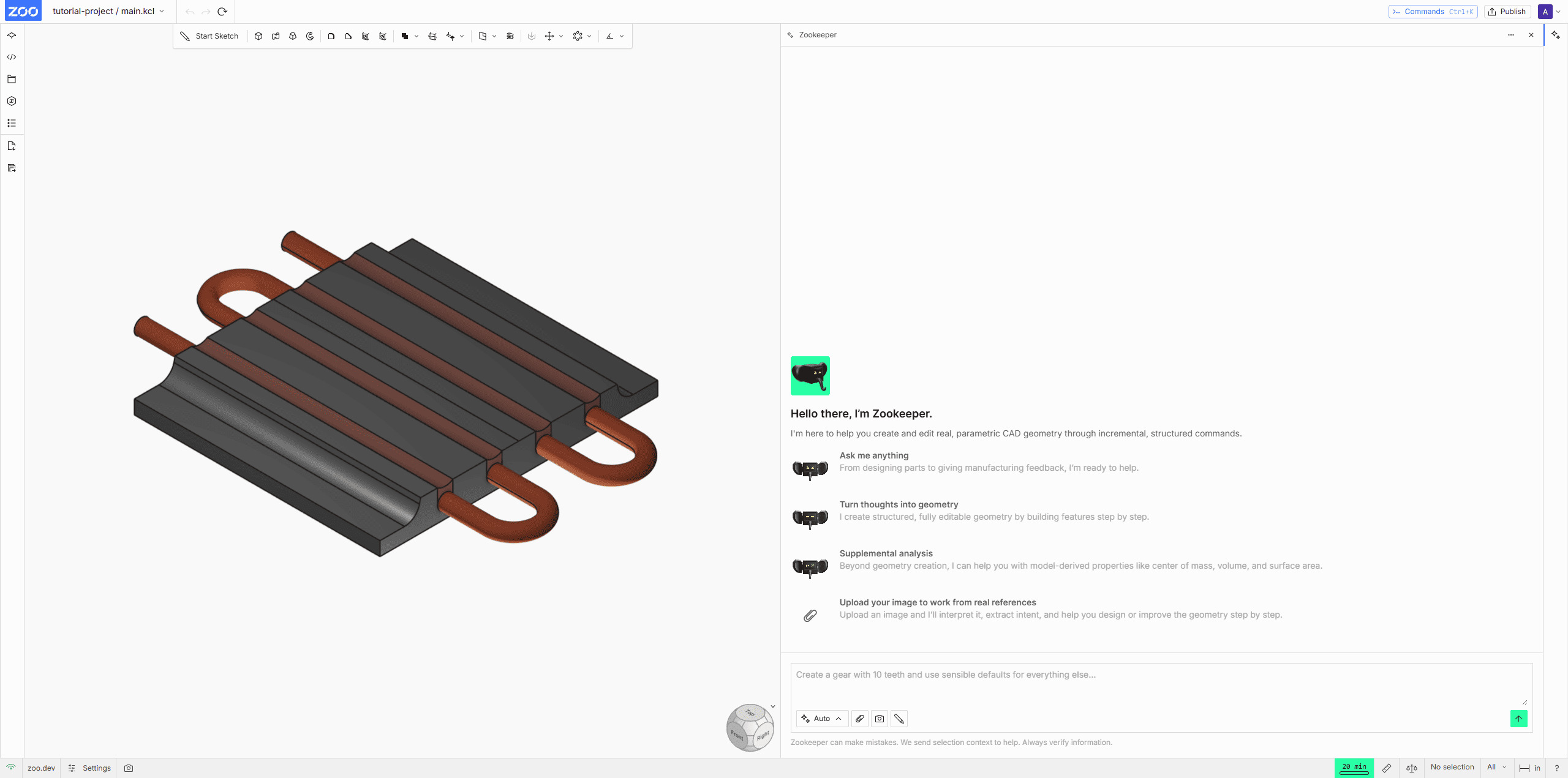
2. Zoo (Zookeeper): Geometry as Code
Zoo builds on an open-source geometry kernel and turns text into KCL, a scripting language for geometry. The conversational agent writes and executes KCL with engineering tooling such as mass, volume, and surface area checks. Export options are broad: STL, STEP, FBX, GLB, glTF, OBJ, PLY, and KCL.
Zoo is accurate on simple dimensioned parts, for example a 20 mm cylinder specified precisely in the prompt. Independent testing found that it fails on medium and high complexity geometry such as a 24-tooth gear and a multi-port manifold. Pricing starts at 20 free credits per month, with paid plans from $20. It is a strong choice for concept visualization and print prototypes, and a weak choice for production engineering.
3. AdamCAD: Browser-Based Parametric CAD from Text
AdamCAD generates OpenSCAD parametric code from a text prompt and runs entirely in the browser, with a live preview and a slider for every numeric dimension. Dragging a slider updates the geometry instantly, which gives it the feel of an AI-powered TinkerCAD.
Its exports are print-oriented: watertight manifold STL plus OBJ, GLB, FBX, and DXF. Testing shows AdamCAD handles simple and medium mechanical parts well, including a dimensionally accurate 24-tooth gear with editable parameters. It is open source under the Adam umbrella with paid tiers from about $6 a month, and its creative mode covers non-engineering shapes. The main limitation is the same complexity ceiling as the rest of the category.
Status note: AdamCAD has since evolved into Adam, an AI CAD copilot backed by Y Combinator that edits feature trees and runs BOM, sourcing, and documentation workflows directly inside Onshape, Fusion, and SolidWorks. If you are evaluating it for 2026, treat the in-CAD copilot as the current product.
4. Prompt2CAD: STEP Solids That Reopen in Fusion
Prompt2CAD is one of the few tools that outputs a true parametric STEP model that imports directly into Autodesk Fusion for further editing. Recent updates improved spatial reasoning around part relationships, assemblies, and reference-image interpretation, and the tool covers housings, brackets, and general mechanical components.
This makes Prompt2CAD the right pick when the AI output is a starting point rather than the final deliverable. The STEP file carries real feature intent into a professional CAD session, which is exactly what most text to CAD tools fail to provide.
The workflow is iterative rather than one-shot. You can refine the model in conversation, for example “make the flange 0.5 mm thicker”, and the agent updates the geometry and re-renders it, exporting a parts list or BOM alongside the model. Pricing is pay as you go, with 160 free trial credits and then $10 per 1,000 credits, so it scales with actual use instead of a flat subscription.
5. Leo AI: Concept to DFMA-Ready Assemblies
Leo AI is trained on millions of CAD files and converts sketches, specs, or descriptions into design-for-manufacturing assemblies. Its strength is early product development: it reasons about parts as a system rather than as isolated geometry.
The free plan outputs image-only previews with no STEP or STL export, which makes it a concept tool rather than a production generator. Teams that need a fast feasibility read before committing to a detailed CAD session will get the most value from it.
6. Backflip AI: Scan to Editable Parametric CAD
Backflip AI converts 3D scans, STL files, and meshes into editable parametric CAD models with feature trees built the way an engineer would build them. It is available as an Autodesk Fusion add-in and a web app, and it exports STEP files for further engineering.
The practical win is cost. Reverse engineering a part traditionally runs around $1,500; Backflip AI brings that down to roughly $10 per part for moderate-complexity machined and turned parts. It is the strongest option when your source material is a physical object rather than a text prompt.
AI CAD Generator Comparison Table
| Tool | Output Type | Parametric Editing | Key Exports | Best For | Complexity Ceiling |
|---|---|---|---|---|---|
| Coala (Neural4D) | Conversational CAD agent | Width, depth, radius, fillet, base width; re-render without rebuild | STL (watertight manifold) | Precise industrial parts and printable replacements | Simple to medium parts; complex assemblies with Deep Thinking |
| Zoo (Zookeeper) | KCL geometry-as-code | Text-to-edit and sliders on desktop | STL, STEP, FBX, GLB, KCL | Concepts and print prototypes | Simple parts |
| AdamCAD | OpenSCAD parametric code | One slider per dimension | STL, OBJ, GLB, FBX, DXF | Makers and hobbyists in the browser | Simple to medium parts |
| Prompt2CAD | Parametric STEP solids | Edit in Fusion after import | STEP | CAD workflows that need feature intent | Medium parts |
| Leo AI | DFMA product assemblies | Prompt-based; no STEP on free plan | Image-only on free plan | Concept ideation and feasibility | Medium assemblies |
| Backflip AI | Parametric solids from scans | Feature trees in Fusion and web | STEP | Scan-to-CAD and reverse engineering | Medium machined and turned parts |
How to Choose the Best AI CAD Generator for Printable Parts
The fastest way to choose is to decide where the geometry must end up. A print bed and a CAD assembly demand different tools, and matching the destination removes most of the guesswork.
| Your Situation | Best Pick |
|---|---|
| Precise industrial part with natural-language dimension control | Coala (Neural4D) |
| Quick printable STL for a simple or medium part | AdamCAD or Zoo |
| Editable STEP solid to reopen in Fusion or SolidWorks | Prompt2CAD |
| Scan or mesh to convert back into editable CAD | Backflip AI |
| Early concept exploration and design feasibility | Leo AI |
Match the complexity to the tool. Independent tests show that simple to medium parts succeed across the category, while detailed gears and multi-port manifolds break most text to CAD tools. If your part has moving or interlocking geometry, state every dimension explicitly in the prompt and expect to verify the result with calipers before manufacturing.
For a broad look at the traditional side of this decision, the roundup of the best CAD software for 3D printing covers the conventional tools you might pair with an AI generator. The same selection logic applies: choose the tool that produces the file format your downstream process actually consumes.
Design precise parts by typing, not modeling
Coala turns a one-line description into a dimensioned industrial part with watertight STL export.
Try Coala once for free per account. No credit card and no CAD software required.
Where Neural4D Fits: Coala, the Conversational CAD Agent
Most AI CAD generators treat text as a way to draft a mesh. Coala treats text as a way to drive a CAD agent. The underlying architecture runs a multi-expert closed loop: cognitive intent parsing reads what you asked for, tool orchestration plans and executes the modeling operations, and execution validation checks the result against the requested dimensions. That loop is the difference between a random shape and a part with intent.
The practical consequence is dimension control. When you tell Coala the wall thickness or the fillet radius, that value becomes a parameter you can tune in the preview and re-render. This is what separates a decorative mesh from a part you can actually manufacture, and it is why the Formnext feedback on parameter editing aligns so closely with the product.
The boundary matters just as much. Coala is built for industrial parts with exact dimensions, and it is explicitly not for organic or freeform models such as figurines. For those, Neural4D’s text to 3D and image to 3D pipeline generates watertight meshes instead, which keeps each tool in the domain it handles best.
Deep Thinking has shipped and now covers every Coala workflow, so it is available whichever way you start. Switch it on when a request spans multiple steps, when one dimension constrains another, or when the target is a more complex assembly rather than a single part. On the roadmap, STEP and IGS export are planned so parts can move directly into professional CAD workflows. Until those ship, the current export surface is watertight STL, which already covers the 3D printing path end to end. For a full walkthrough of the Coala workflow, read the Neural4D Coala product overview.
Limitations: What AI CAD Generators Still Cannot Do
The category has a measurable complexity ceiling. In “We Tested 7 Text-to-CAD Tools”, Xometry Pro ran three benchmark parts, a simple 20 mm cylinder, a 24-tooth gear, and a multi-port manifold block with internal channels. Zoo passed the cylinder but failed on both the gear and the manifold, while Leo AI returned concept images without usable dimensions on the harder parts. No text to CAD tool on the market today reliably handles dense assemblies or organic surfaces, so plan your prompt accordingly.
AI generators produce geometry, not engineering intent. Feature trees, drawing automation, tolerance studies, and standards compliance still belong in professional CAD software. Treat AI output as a strong first draft and finish the engineering there.
Precision is not guaranteed. A model is not a certification of 0.1 mm tolerance, so verify critical dimensions with calipers before you manufacture anything structural. The safe workflow is to generate, measure, adjust, and regenerate, which is exactly the loop Coala’s parameter panel supports.
Most generators are not repair tools either. They cannot take an existing STL or scan and fix it, and they will not fill holes in geometry you bring in from elsewhere. Starting from a clean generation is the reliable path, which is why watertight 3D models matter at the source.
What to expect in practice
✅ Simple brackets, enclosures, flanges, and replacement parts generate cleanly in most tools.
❌ Detailed gears, multi-port manifolds, and assemblies still fail across the category.
⚡ A watertight STL slices well, but print success still depends on your printer, material, and slicer settings. See how to prepare and export models for 3D printing.
Common Questions on AI CAD Generators
Q: What is the best AI CAD generator?
There is no single winner because the tools split by output type. Coala is the strongest pick when you need precise industrial parts with natural-language dimension control and watertight STL export. AdamCAD and Zoo are better for quick printable meshes on simple parts, Prompt2CAD and Backflip AI for editable STEP solids, and Leo AI for early concept work. Choose by your destination: a print bed or a CAD assembly.
Q: Can AI generate CAD files?
Yes, with an important distinction. Some tools output parametric solids, usually STEP, that reopen and edit in Fusion 360 or SolidWorks; Prompt2CAD and Backflip AI work this way. Others output mesh files such as STL and OBJ that print well but are not parametric. A third group only renders 2D drawing-like images, which are not CAD files at all.
Q: Can AI generate STL files?
Yes. Most text to CAD tools export STL, and a watertight manifold mesh is what you want for slicing. Coala exports a watertight manifold STL and checks geometry integrity and printability before delivery. An AI STL generator is the closest comparison if you only need a printable mesh without CAD intent.
Q: Can AI-generated CAD models be edited after creation?
It depends on the format. Parametric tools such as Prompt2CAD and Backflip AI reopen as editable solids in professional CAD. Zoo exposes KCL code and AdamCAD exposes OpenSCAD parameters with sliders. Coala lets you adjust width, depth, radius, fillet, and base width in the preview panel and re-render, so you do not rebuild the design from scratch. Plain STL meshes, by contrast, are not parametric and need remeshing to edit.
Q: How is Coala different from a regular text to 3D tool?
A text to 3D tool reconstructs organic mesh geometry from a description or an image. Coala is a conversational CAD agent that plans and executes modeling operations on parts with exact dimensions. The practical difference is editability: Coala surfaces real parameters such as radius, thickness, and base width that you can tune and re-render, whereas a mesh generator gives you a closed shape you must remodel to change.
Q: Is text to CAD accurate enough for manufacturing?
For simple and medium parts with explicit dimensions, yes. AdamCAD and Zoo produce dimensionally accurate simple parts, and Coala is designed for industrial geometry with exact dimensions. Independent testing found that most tools fail on medium to high complexity parts such as detailed gears and multi-port manifolds. State every dimension in the prompt, and verify critical measurements with calipers before you manufacture.
Q: Does Coala support STEP or IGS files?
Not yet. Current exports are watertight STL, which covers 3D printing directly. STEP and IGS export are planned so parts can move into professional CAD workflows, so treat those two as roadmap items until they appear in the product. Deep Thinking, the mode built for multi-step and complex assembly work, has already shipped and covers every Coala workflow.
Q: What is the difference between text to CAD and image to 3D?
Text to CAD produces dimensioned parametric geometry for engineering. Image to 3D reconstructs a mesh from a photo, which is the right tool for organic and complex forms. They complement each other: use Coala for a bracket, a gear, or a phone case that needs exact dimensions, and image to 3D for models with freeform surfaces. Neural4D provides both in one pipeline.
Try the Right AI CAD Generator for Your Next Part
The best AI CAD generator is the one that matches your destination: an editable STEP solid for professional CAD, or a watertight printable STL for your print bed. For precise industrial parts with natural-language dimension control, Coala is the strongest starting point because it exposes the parameters that actually matter to manufacturing.
Generate your next precise, printable part with AI
Describe the component, tune the width and radius, export a watertight STL, and slice it straight for printing.
Coala covers gears, hinges, brackets, enclosures, and replacement parts. For organic models, use Neural4D image to 3D instead.
Share Your Creation
Tag @Neural4D and use #Neural4D to be featured on our channel.