AI Jewelry Design: 5 Proven Steps From Concept to STL
Quick Summary
- AI jewelry design with generative tools converts text descriptions or images into 3D mesh geometry in under 2 minutes, replacing days of manual CAD work.
- The full pipeline runs: AI concept generation → 3D model creation → refinement → STL export → 3D printing or investment casting.
- AI 3D print jewelry work starts with a castable resin or wax pattern; direct metal printing is a separate route with its own wall thickness limits.
- Neural4D generates watertight, manifold-ready 3D models from a single image or text prompt, with base mesh available in ~90 seconds and fully textured output in 2+ minutes.
- AI-generated jewelry models still need human oversight on stone settings and wall thickness, which is why the workflow winning in 2026 is hybrid.
AI jewelry design replaces weeks of manual CAD work with seconds of AI inference, but the path from a generated mesh to a castable STL file is not automatic. This article breaks down the complete workflow: which AI tools actually produce production-ready geometry, how to export watertight STL files for 3D printing or lost-wax casting, and where human expertise still decides whether a ring, necklace, pendant, or bracelet survives the casting process.
- Part 1: What Is AI Jewelry Design and 3D Modeling?
- Part 2: AI Jewelry Modeling vs. Traditional CAD: Charting the Trade-offs
- Part 3: Building Jewelry Models with AI: A Step-by-Step Workflow
- Part 4: From AI Model to STL: Preparing for Print and Cast
- Part 5: Where Neural4D Fits in the AI Jewelry Pipeline
- Part 6: Common Questions on AI Jewelry Design
- Start Creating AI Jewelry Designs Today
Part 1: What Is AI Jewelry Design and 3D Modeling?
AI jewelry design covers the whole path from an idea to manufacturable geometry: you describe a piece in natural language or supply a reference photo, and a generative model produces both the visual concept and the three-dimensional mesh behind it. The modeling half of that path is what this guide is about. Instead of pushing individual vertices in CAD software, you describe what you want and the model’s architecture (typically a transformer-based system like Direct3D-S2) infers the full volumetric shape from sparse input data.
The underlying mechanism matters more than most tutorials admit. Early AI 3D generators operated on probabilistic depth estimation: they guessed the unseen side of an object from a single viewpoint, which produced hollow-looking backs and broken topology. Modern systems like Neural4D’s Spatial Sparse Attention (SSA) process the full volume simultaneously, reducing hallucination and delivering watertight, manifold-ready output that can actually survive a slicer check.
For jewelry specifically, AI 3D modeling handles four distinct phases:
Four phases of AI jewelry modeling:
- Concept generation: Text or image prompt produces a photorealistic 2D render of the proposed jewelry piece.
- Mesh construction: The 2D reference is reconstructed into a 3D mesh with full volumetric geometry.
- Refinement: Parametric adjustments (stone size, band width, prong position) via conversational AI or direct mesh editing.
- Export: The final model is exported as STL, OBJ, FBX, GLB, USDZ, or BLEND for 3D printing or casting.
The critical distinction: phase one produces images of jewelry, not jewelry you can hold. Only phases two through four generate physical, manufacturable geometry. A photorealistic AI render of a diamond ring is a marketing asset. A watertight STL file is a production asset. This article is about the latter.
AI 3D Print Jewelry: Where Design Meets the Printer
“AI 3D print jewelry” describes a chain rather than a single tool, and three different things get called by that name. They produce very different objects:
- Printed prototype: the fastest route to something you can hold. Generate a mesh, export STL, print in resin, and you have a physical maquette for client review the same day.
- Castable pattern: the route most jewelers use for metal. Print in castable resin or wax, invest it, burn it out, and cast directly from the printed pattern.
- Digital asset only: the mesh is used for AR try-on, an online store listing, or a product configurator, and nothing is printed at all.
For 3D print jewelry work, the castable pattern route is the one that matters commercially, and it carries the strictest requirements of the three. That is why wall thickness and manifold checks keep returning later in this guide.
Part 2: AI Jewelry Modeling vs. Traditional CAD: Charting the Trade-offs
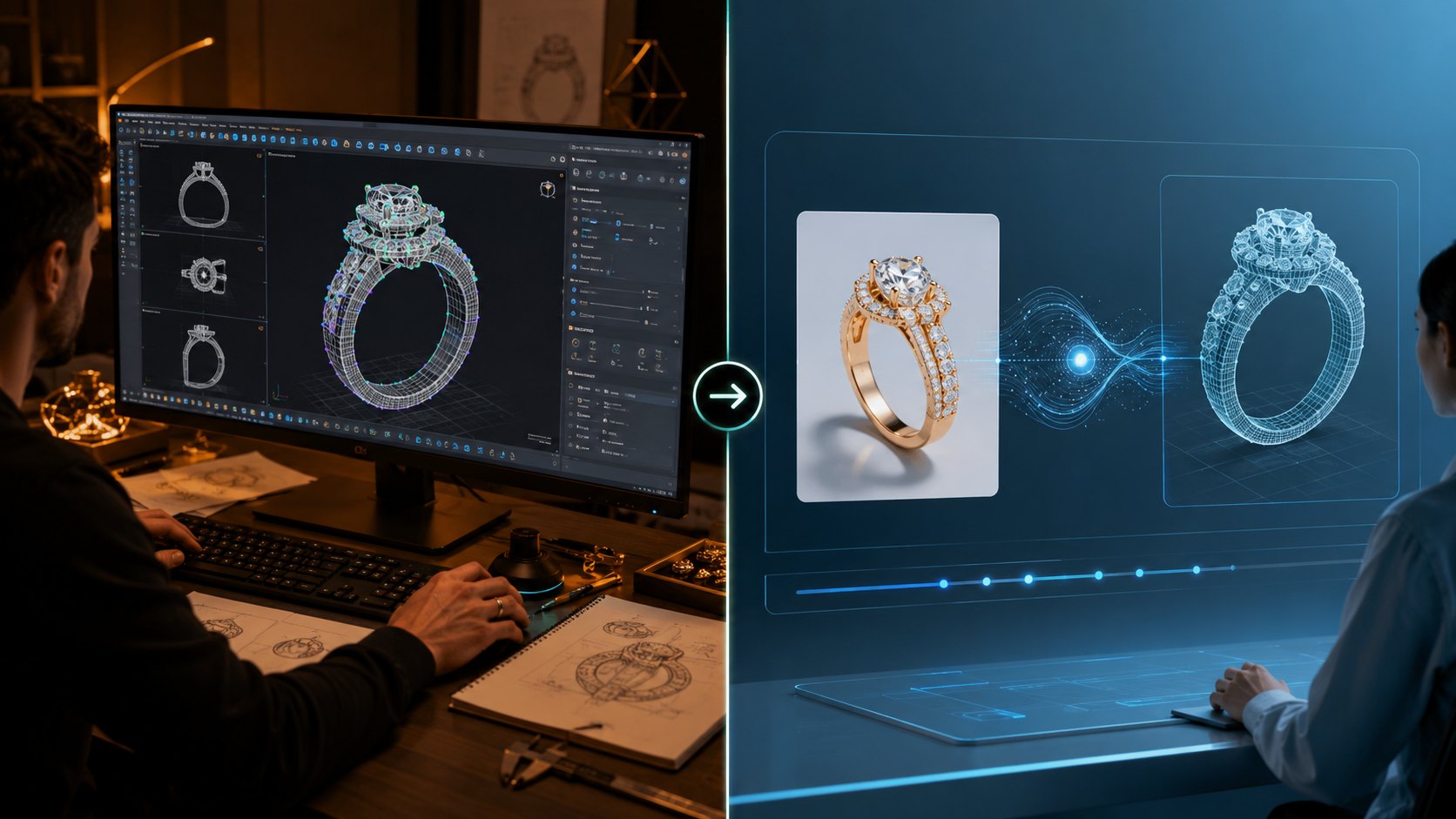
Traditional CAD tools (Rhino, MatrixGold, JewelCAD) give you pixel-level control over every surface, edge, and fillet. An experienced CAD jeweler can model a ring with exact prong dimensions, calculated shrinkage allowances for casting, and stone-seat geometry that holds a diamond securely. The trade-off? A single custom ring design takes 8 to 16 hours for a professional CAD modeler, and training to that level requires years.
AI 3D jewelry modeling collapses the ideation phase from hours to seconds and the mesh generation phase from days to minutes. But it introduces its own constraints:
| Factor | Traditional CAD | AI 3D Modeling |
|---|---|---|
| Time to first design | 8-16 hours | 2-5 minutes |
| Learning curve | 6-24 months | 30 minutes |
| Precision control | Full (every vertex) | Limited (prompt + regenerate) |
| Manufacturing readiness | Directly castable | Requires manual cleanup |
| Design variation exploration | Slow (1-2 per day) | Fast (20-30 per session) |
| Stone-setting accuracy | Engineered to spec | Must be verified manually |
| Topology quality | Clean, quad-based | Selectable at generation (Triangle or Quad) |
The takeaway is not that AI replaces CAD. It is that AI replaces the sketching phase. The jeweler who can iterate 30 AI-generated concepts before breakfast and then hand-select one for precision CAD finishing will produce more, better work than the jeweler who hand-sketches every piece from zero.
Jewelry 3D Model Generator: What the Tool Will and Will Not Do
A jewelry 3D model generator is not CAD, and judging it by CAD standards is why so many first attempts at 3D jewelry design end in disappointment. What these tools reliably deliver is volume: a convincing ring, pendant, or band with closed topology, produced in minutes. What they do not deliver is dimensioned geometry. A generated band does not know the difference between a US size 6 and a size 9, and a generated prong does not know the girdle diameter of the stone it is meant to hold.
That splits the work into two stages. Use the generator for form and proportion, then lock the dimensions in CAD or a mesh editor. Neural4D is positioned for the first stage: the Image to 3D studio returns the base mesh, and sizing happens downstream.
Part 3: Building Jewelry Models with AI: A Step-by-Step Workflow
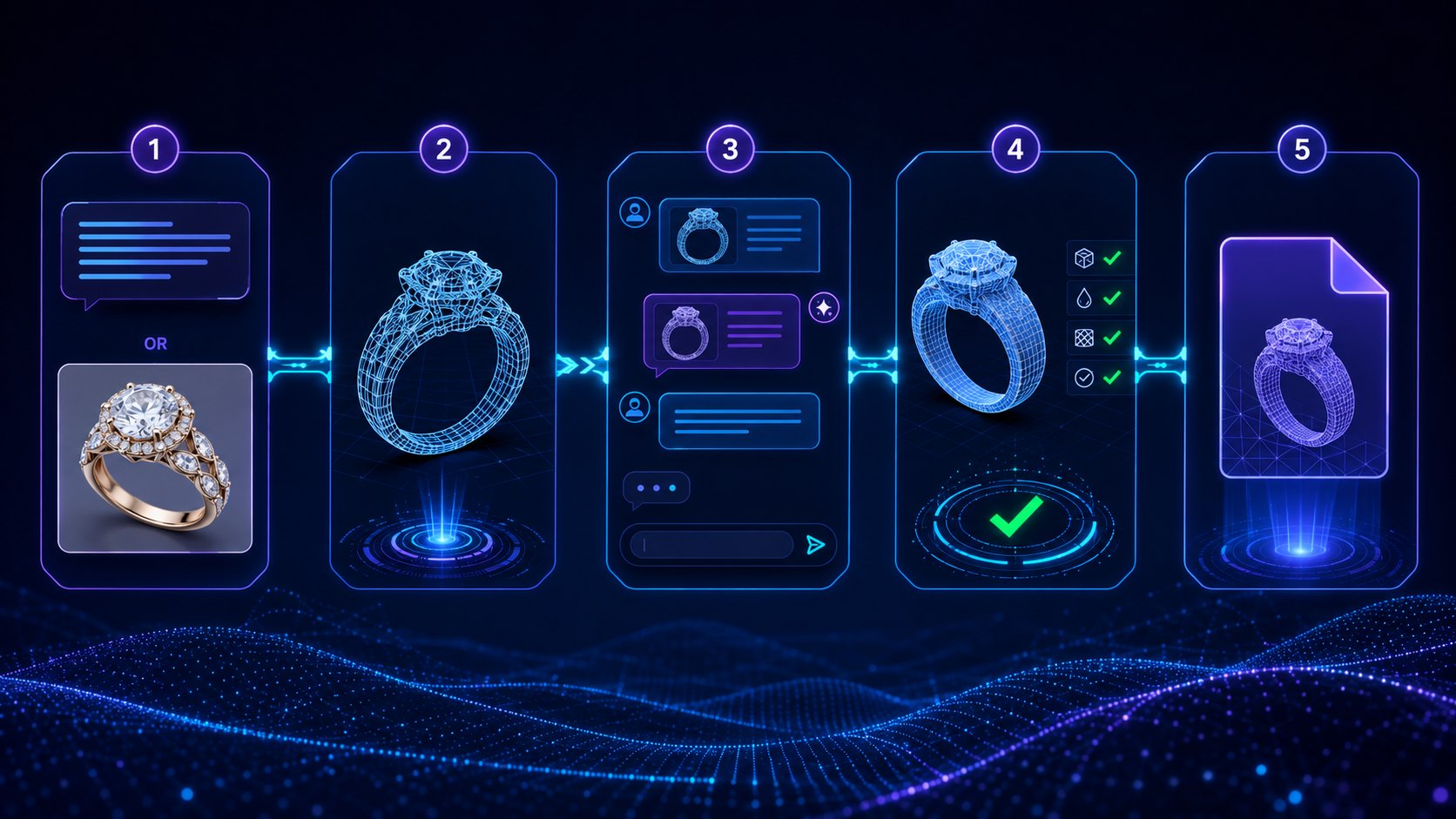
The practical workflow for AI 3D jewelry modeling runs in five stages. Each stage has specific tool requirements, output formats, and quality checks that determine whether the final piece survives casting.
Step 1: Concept Generation with AI Image Tools
Start with a text prompt describing the piece: metal type, gemstone, style period, and any distinctive features. A ring prompt might specify a six-prong round brilliant setting in platinum; a necklace prompt might specify a bezel-set pendant drop and a chain gauge. Tools like Midjourney or Stable Diffusion generate 20 to 30 photorealistic variations in under a minute. The purpose here is visual direction, not production geometry. Save 2-3 top candidates as your design brief.
Step 2: Convert the 2D Concept to 3D Mesh
Upload the selected reference image to an AI 3D generation platform. Convert images to 3D models with AI using Neural4D’s Image to 3D feature: the Direct3D-S2 engine processes the full volume in a single pass, returning a watertight triangular mesh with clean topology. For jewelry, untextured base mesh generation takes approximately 90 seconds. If you need PBR materials (metallic roughness maps for gold, silver, or platinum finishes), the full textured GLB takes 2 minutes or more.
Step 3: Refine via Neural4D-2o or a Mesh Editor
AI-generated meshes capture overall shape but may miss fine jewelry details. Use Neural4D-2o‘s conversational interface to adjust proportions: widen the band, resize the stone setting, or smooth edge transitions. Neural4D-2o edits the model you generated in the same session, so the change is applied through natural language rather than manual vertex work. For structural modifications like adding sprue attachment points or adjusting wall thickness, transfer the mesh to Blender or ZBrush for targeted edits.
Step 4: Validate Topology and Wall Thickness
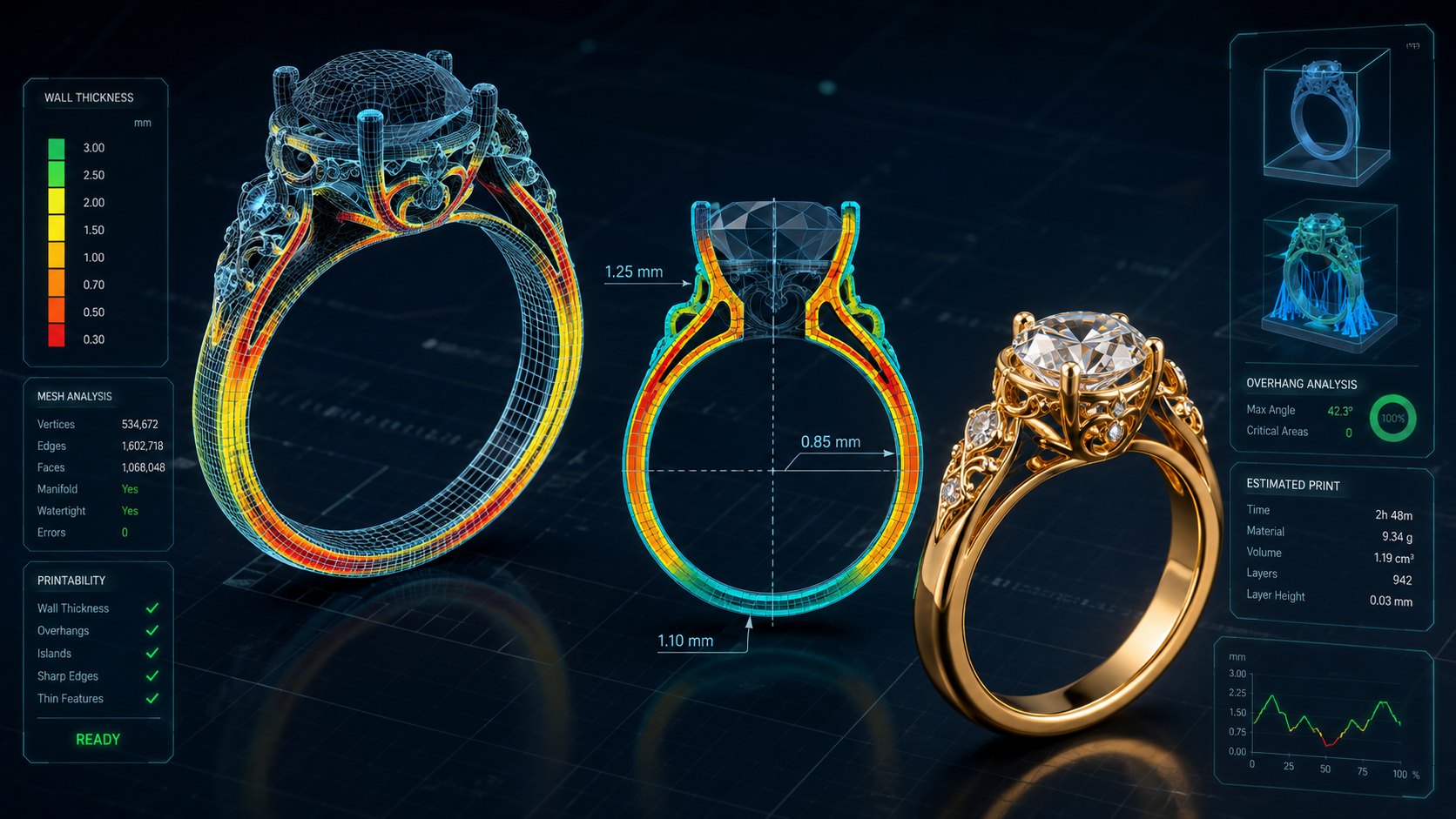
Run a manifold check. The mesh must be watertight with no naked edges, zero self-intersecting faces, and minimum wall thickness of 0.5 mm for metal casting (0.3 mm for resin printing). Neural4D’s SSA output typically passes the manifold test without manual patching, a significant advantage over probabilistic generators that produce non-manifold geometry requiring hours of repair.
Step 5: Export as STL
Convert your final model to STL format for 3D printing or lost-wax casting. Choose a moderate export resolution: excessive polygon counts bloat the file without improving surface finish for casting, and casting houses work more easily with a lean mesh.
Part 4: From AI Model to STL: Preparing for Print and Cast
Exporting an STL from an AI model generator is the simplest step. Making that STL survive a burn-out kiln or a resin printer requires specific preparation that AI alone cannot guarantee today.
3D Printed Jewelry: Choosing the Print Route
Once the mesh clears its checks, the print method decides what you actually end up with. Three routes cover almost all jewelry production, and they are not interchangeable.
| Route | Material | Choose it when |
|---|---|---|
| Castable pattern | Castable resin or wax | You need metal pieces and will use lost-wax casting |
| Direct resin print | Engineering or castable resin | You need a prototype, sample, or resin wearable |
| Direct metal print | Steel, titanium, silver | The geometry will not cast cleanly, or you want no foundry step |
Most 3D printed jewelry in precious metal still goes through the castable pattern route, because casting scales across a whole collection at a fraction of the per-piece cost of metal printing. Direct metal printing earns its place on pieces whose geometry will not cast cleanly, and on short runs in steel or titanium where no foundry is involved.
Why AI-Generated Meshes Need Casting Prep
AI models are trained primarily on photographs of finished jewelry, not on production CAD files. They learn how a ring looks from the outside but have no intrinsic understanding of interior wall thickness, hollow cavities, or sprue placement. A mesh that looks perfect on screen can fail casting for three reasons:
- Non-manifold edges: The slicer or casting software cannot determine inside from outside.
- Inconsistent wall thickness: Thin sections cool faster, causing shrinkage cracks in the metal.
- Missing stone-seat geometry: Prongs that look visually correct may lack the structural depth to hold a stone under setting pressure.
Recommended Prep Workflow
After the AI generates the base mesh and you export the STL, run these checks before sending to production:
- Mesh validity: Use Netfabb or Meshmixer to auto-repair any non-manifold edges. Neural4D’s output rarely needs this step, but third-party generators often leave non-manifold holes that must be patched by hand.
- Wall thickness analysis: Set a minimum thickness of 0.5 mm for metal casting. Mark thin sections in the analysis tool and thicken them manually.
- Stone-setting verification: Check prong height and claw grip radius. AI output tends to undershoot the structural geometry that actually holds the stone, so verify prong depth against the stone’s girdle before casting.
- Shrinkage compensation: Scale the STL by 1.5-2.0% (depending on the metal) to account for cooling contraction after casting.
For a deeper technical walkthrough of the AI to STL pipeline, refer to the text to STL guide on the Neural4D blog, which covers format-specific export settings and slicer compatibility.
Part 5: Where Neural4D Fits in the AI Jewelry Pipeline
Most AI 3D generators on the market today produce meshes that look plausible in a viewer but fail practical tests: broken topology, non-manifold surfaces, baked-in lighting that cannot be separated from the albedo, and probabilistic hallucination of hidden geometry. Neural4D’s approach differs at the architecture level.
The Direct3D-S2 engine (published at NeurIPS 2025) processes 2048³ native volumetric resolution using Spatial Sparse Attention, reducing geometric hallucination and producing watertight, manifold-ready meshes from single-image or text input. For jewelry applications, this means:
- Clean topology from the first pass: The output mesh passes manifold checks without manual repair in most cases, cutting the prep workflow from hours to minutes.
- PBR material separation: Unlike competitors that bake lighting into the texture map (making the model look correct only in one lighting environment), Neural4D generates separate albedo, normal, roughness, and metallic maps. A gold ring generated in Neural4D reflects light correctly in any engine or viewer.
- Topology control before generation: You choose Triangle or Quad-dominant output and set a target polycount before the mesh is built. Quad topology is the better starting point when the model will be edited or rigged afterward; Triangle preserves more fine surface detail.
The Image to 3D studio accepts reference photos or AI-generated concept renders and returns a production-ready mesh.
The AI Texture feature generates PBR materials for a mesh you created in the Neural4D 3D Studio, which is useful when you want to preview the same geometry in different metal finishes before committing to casting. It works on models generated in the platform and does not accept an externally modeled file.
Neural4D does not replace the CAD modeler’s judgment on stone-setting mechanics, sprue placement, or shrinkage compensation. What it replaces is the modeling session that previously consumed the first day of every new jewelry project.
Generate Jewelry-Ready 3D Models in Minutes
Upload a concept image or describe your jewelry design. Neural4D returns a watertight, manifold-ready mesh with PBR materials.
Free accounts refill 50 credits every week.
Part 6: Common Questions on AI Jewelry Design
AI can generate watertight 3D meshes that pass manifold checks and slicer validation, but the output is a base mesh, not a finished production file. Stone settings, wall thickness uniformity, and sprue placement still require human verification. Neural4D’s Direct3D-S2 output typically needs less manual cleanup than other generators because its volumetric approach produces fewer non-manifold edges.
The answer depends on your position in the pipeline. For concept exploration with clients, Midjourney or Stable Diffusion generates photorealistic 2D renders fastest. For actual 3D mesh generation, Neural4D produces the cleanest topology among AI options, with PBR material separation and conversational refinement via Neural4D-2o. For parametric precision after the AI pass, transfer to Rhino or MatrixGold for final dimension locking.
Most AI 3D platforms export STL, OBJ, or GLB natively. On Neural4D, the export menu includes direct STL output, along with OBJ, FBX, GLB, USDZ, and BLEND. After export, run a manifold check in Meshmixer or Netfabb, verify wall thickness (minimum 0.5 mm for casting), and scale the model by 1.5-2.0% for metal shrinkage compensation before sending it to production.
An untextured base mesh generates in approximately 90 seconds on Neural4D. A fully textured GLB with PBR maps takes 2 minutes or more because the system calculates separate albedo, normal, roughness, and metallic maps in a single pass. Concept exploration adds 20-30 seconds per image variation. Total time from prompt to first STL export is typically under 5 minutes.
The mesh geometry itself is accurate enough for printing a master pattern, but casting success depends on preparation steps that AI does not automate. Wall thickness verification, sprue attachment, and shrinkage scaling are manual steps. A generated mesh with consistent wall thickness gives the foundry a more predictable starting point than a hand-sculpted wax pattern, but the prep work still requires a human operator.
Start Creating AI Jewelry Designs Today
The gap between AI-generated jewelry concepts and castable STL files is narrower in 2026 than it has ever been. Platforms like Neural4D now deliver watertight, manifold-ready meshes with PBR material separation from a single image or text prompt. With AI jewelry design, the first-draft modeling time drops from a full workday to under two minutes, and the remaining preparation steps (wall thickness verification, stone-setting checks, and sprue placement) are finite, learnable skills rather than the multi-year CAD apprenticeship they replace.
Your First Jewelry Model Is Two Minutes Away
Upload a reference photo or describe your design. Neural4D generates a watertight, PBR-ready 3D mesh you can export as STL for printing or casting. See the Neural4D pricing for plan details.
Generate Your First Jewelry Model
Free accounts refill 50 credits every week. Paid plans start at $19.9/month.