Optimize 3D Models for WebGL: Tools, Techniques, and AI Workflow 2026
Quick Summary
- Unoptimized 3D models stall WebGL scenes with load times over 3 seconds, tanking both UX and conversion rates.
- glTF/GLB is the only format purpose-built for WebGL; OBJ and FBX require intermediate conversion and bloat file size.
- Polygon reduction, KTX2 texture compression, LOD systems, and draw call batching are the four core optimization levers.
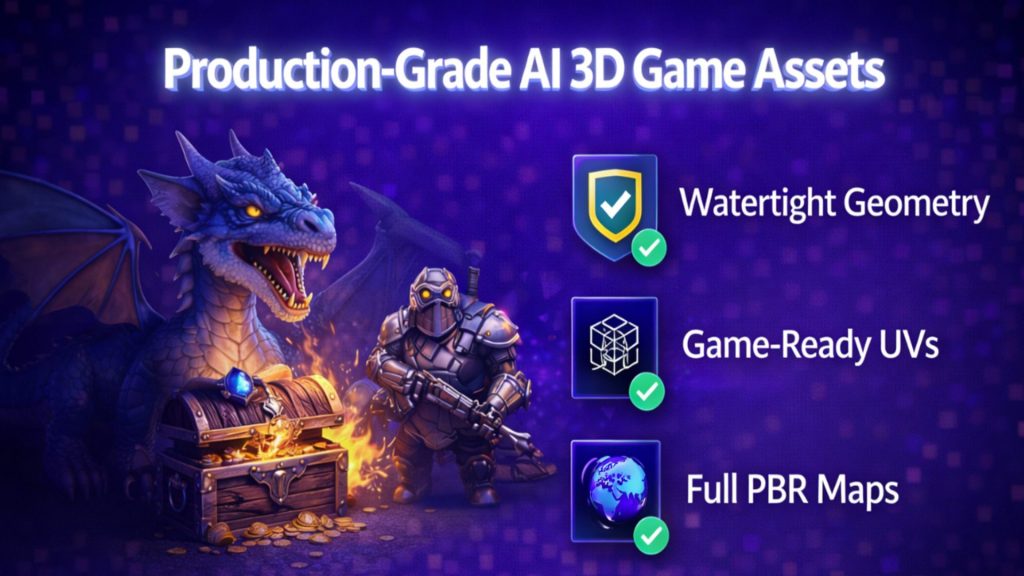
- AI tools like Meshy and Tripo output triangle soup that requires a full retopology pass before it is browser-ready.
- Neural4D exports a watertight GLB with PBR textures in a single generation pass, skipping the manual cleanup loop.
Most teams trying to optimize 3D models for WebGL are solving the wrong problem. They spend hours in Blender decimating geometry on a model that was broken before they started. Watertight topology, native glTF export, and correct PBR material separation are not post-processing tasks: they are prerequisites that should come out of the generation step, not be fixed after it.
Table of Contents
- Part 1: The Real Cost of Unoptimized 3D Models on WebGL Performance
- Part 2: Traditional Optimization Tools: Decimation, Compression, and LODs
- Part 3: The AI Workflow: How to Skip Retopo and Get WebGL-Ready Directly
- Part 4: Advanced WebGL Optimization Techniques for 2026
- Part 5: Final Checklist: Optimize, Export, and Deploy in 5 Steps
- Part 6: Common Questions on WebGL 3D Optimization
- Get Web-Ready 3D Models Without the Manual Loop
Part 1: The Real Cost of Unoptimized 3D Models on WebGL Performance
The 3-Second Rule: How File Size Kills Conversion Rates
Browser users abandon pages that take more than 3 seconds to load. For a WebGL scene carrying a 26 MB unoptimized OBJ file, that threshold is crossed on any mid-range device before the first frame renders. The Echobind engineering team published a real case study documenting this exact problem: a product viewer model dropped from 26 MB to 560 KB after proper optimization, and the scene became functional on mobile browsers for the first time.
That is not a cosmetic improvement. It is the difference between a product working and not working for the majority of your users.
Vertex Counts, Draw Calls, and Texture Memory: The Invisible Bottlenecks
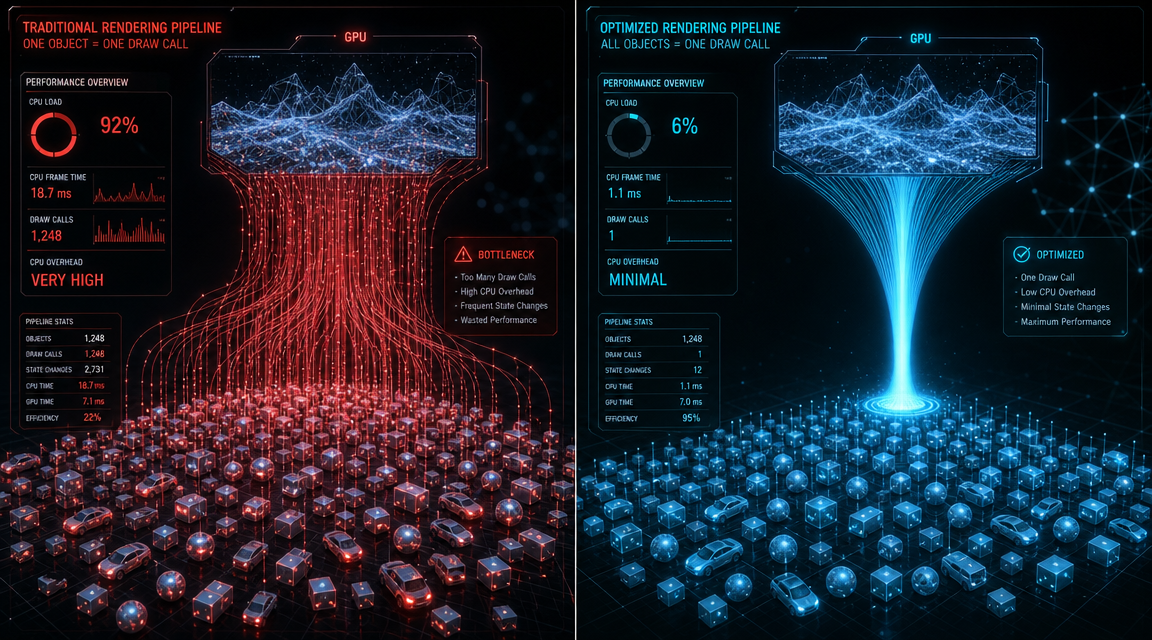
Frame rate in a WebGL scene is constrained by three separate costs: geometry processing (vertex count), CPU-to-GPU submission overhead (draw calls), and GPU memory bandwidth (texture size). When you optimize 3D models for WebGL, polygon count is only one of these three variables. A model with 500,000 triangles is not inherently slow. The same model split across 200 separate mesh objects, each triggering an individual draw call, is slow regardless of its triangle budget.
The GPU has to pause during every draw call to receive new state from the CPU. Keeping draw calls below 500 per frame is the commonly cited threshold for stable 60 fps in WebGL on desktop. On mobile browsers running WebGL, that limit is lower. A single scene with instanced geometry reduces 1,000 separate object submissions to one GPU call.
Why glTF/GLB Is the Only Format You Should Ship to the Browser
OBJ separates geometry, material, and texture data into multiple files. FBX is a proprietary binary format built for offline desktop tools, not browser transmission. Both require intermediate conversion steps that add latency and introduce failure points. glTF (GL Transmission Format), the open standard from the Khronos Group, was designed specifically for efficient 3D transmission over the web. GLB is the binary container of glTF that packages geometry, textures, and PBR material data into a single compact file.
To understand the practical difference between GLB and alternative formats, see our comparison of the top text to GLB tools available in 2026. The glTF specification itself is maintained by the Khronos Group, whose official glTF overview covers the full technical rationale for the format.
Part 2: Traditional Optimization Tools: Decimation, Compression, and LODs
📊 The Optimization Tax
A single game asset retopologized manually in Blender takes an average of 45 minutes according to community benchmarks in the r/3Dmodeling subreddit. Across a library of 100 assets, that is 75 hours of labor before the first model reaches a browser. For studios shipping web-based product configurators or interactive catalogs, this is the hidden cost most project timelines do not account for.
Source: r/3Dmodeling community data, 2025
Polygon Reduction via Decimation and Retopology
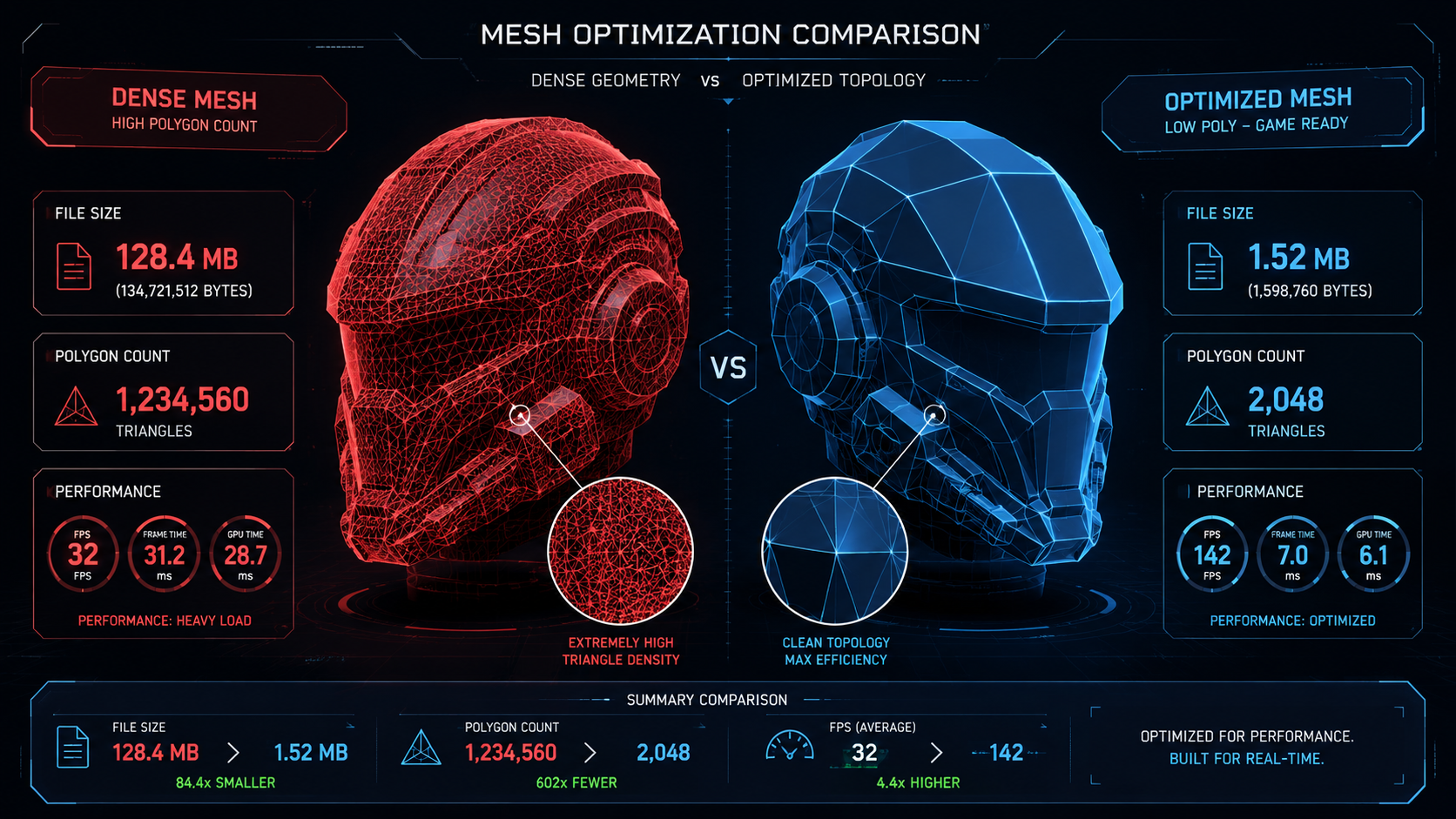
Decimation is the most direct way to optimize 3D models for WebGL at the geometry level. Blender’s Decimate modifier and Maya’s Reduce tool both offer automatic decimation with a ratio slider. A typical product hero model targeting WebGL should sit between 5,000 and 25,000 triangles depending on scene complexity and device targets.
Decimation preserves the shape but rarely produces clean topology. For animation or procedural use cases, manual retopology (rebuilding the mesh with intentional edge flow) is still needed. For static display in a web viewer, decimation alone is usually sufficient. Use normal maps to recover surface detail that the reduced geometry can no longer hold.
Texture Compression with KTX2 and Basis Universal
Raw PNG textures embedded in a GLB file can reach 50 MB or more for a 4K PBR set. KTX2 with Basis Universal supercompression reduces that to GPU-native compressed textures that decompress on the graphics card, never consuming system RAM at full size. The ETC1S encoding mode achieves the deepest compression with some quality loss; UASTC mode preserves more detail at a larger file size.
The gltfpack tool from the meshoptimizer library can convert all textures in a GLB to KTX2 in a single command. If you need a purpose-built tool for texture generation before this step, check the best AI 3D model texture generator options currently available.
Level of Detail (LOD) Generation for Distant Objects
LOD systems maintain multiple versions of a mesh at different polygon counts. The render engine switches between them based on camera distance. An object 50 meters away in a 3D scene does not need 25,000 triangles; a 500-triangle proxy is visually identical at that distance and saves significant GPU bandwidth.
Three.js LOD, Babylon.js LOD, and the MSFT_lod glTF extension all support automatic LOD switching. For web product viewers with a single hero object, LOD is less critical. For environment scenes with many objects at varying depths, LOD can reduce geometry load by 60 to 80 percent.
Part 3: The AI Workflow: How to Skip Retopo and Get WebGL-Ready Directly
Why AI-Generated Models Often Fail the Web Test
Meshy and Tripo generate meshes quickly. The output is often not ready for WebGL without post-processing. The typical failure pattern is triangle soup: a dense, unstructured mesh with no consistent edge flow, self-intersecting faces, and non-manifold geometry. Load that in a Three.js scene and you get rendering artifacts, broken normals, and textures that bleed across surfaces.
Both tools rely on probabilistic mesh reconstruction from 2D projections. The algorithm guesses depth from the visible front face and fills the back with interpolated geometry. The result is plausible-looking from one angle, broken from another. If you need an alternative to tools with these consistency problems, the best free Meshy alternative comparison covers the current options in detail.
Neural4D Export: Watertight GLB with PBR Textures in One Pass
Neural4D uses the Direct3D-S2 architecture, developed from research published at NeurIPS 2025 in collaboration with Nanjing University, DreamTech, Oxford University, and Fudan University. The engine does not estimate depth from a 2D projection. It processes the full volumetric space of the input to compute a mathematically closed, watertight mesh. Every exported model has no holes, no non-manifold edges, and no self-intersections.
The Image to 3D workflow is configured before generation. Select standard textures or full PBR maps upfront. When PBR is selected, the base mesh and all PBR texture maps (Normal, Roughness, Metallic, Albedo) are computed in a single pass. The untextured base mesh takes approximately 90 seconds. With PBR textures included, the full generation takes 2 minutes or more depending on complexity. The result is a production-ready GLB that drops directly into a WebGL viewer without a retopology pass.
To see how the Image to 3D workflow handles the full process from photo to GLB export, the convert image to GLB guide walks through each step.
Stop Spending Hours on Retopology
Generate a watertight GLB with full PBR textures in a single pass. No manual cleanup. No broken normals.
50 free credits per week. No credit card required.

Reducing a Neural4D Model from Generation to Browser-Ready in Under 3 Minutes
The typical post-generation workflow for a Neural4D GLB is: export, run gltfpack for geometry compression and texture optimization, upload to your WebGL viewer or CDN. For most product visualization use cases, no additional topology work is needed. The watertight geometry passes standard mesh validators, and the PBR maps integrate with Three.js, Babylon.js, and model-viewer without shader modifications.
For game assets requiring specific poly budgets, Neural4D-2.5 lets you refine the generated model using natural language instructions, adjusting proportions, surface detail, and geometry density before export. This eliminates the separate software round-trip that manual retopology requires.
Part 4: Advanced WebGL Optimization Techniques for 2026
Texture Atlasing and Batching for Reducing Draw Calls
A texture atlas consolidates multiple individual material textures into a single large texture sheet. The renderer makes one texture bind call instead of one per object. Combined with mesh merging (collapsing multiple distinct objects into a single draw buffer), atlasing is one of the highest-impact optimizations available for scenes with many assets.
⚡ Draw call reference targets for WebGL scenes:
💻 Desktop: Keep below 500 draw calls per frame for stable 60 fps
📱 Mobile WebGL: Target below 200 draw calls per frame
🔄 With instancing: a scene of 1,000 identical objects becomes 1 draw call
Draco Compression vs. gltfpack: Which Wins for Your Use Case?
Draco is Google’s open-source geometry compression library. It applies lossy or lossless compression to mesh indices and vertex attributes. Teams that need to optimize 3D models for WebGL at the byte level use Draco for its sheer compression ratio. Draco reduces mesh binary size by 90 percent or more in many cases, with the tradeoff that the client browser must decode the mesh before rendering, adding a few hundred milliseconds of CPU time at load.
gltfpack is a broader optimization pipeline. It handles geometry quantization, mesh simplification, texture compression to KTX2, and Draco encoding in a single pass. For most web 3D workflows, gltfpack run on a clean input GLB is the right default. Use Draco alone when you need to minimize disk size and your target framework already handles the decompression overhead gracefully.
For teams building interactive product catalogs or web-based game asset libraries, the AI 3D game assets guide covers how Neural4D fits into batch asset production pipelines for web games.
Instancing: 1,000 Objects in a Single Draw Call
WebGL instanced drawing (via drawArraysInstanced or drawElementsInstanced) sends geometry data to the GPU once and instructs it to render that geometry N times with different transformation matrices. A parking lot with 200 identical cars, a forest with 500 identical tree variants, a UI scene with 300 icon sprites: all of these collapse to one or two draw calls with instancing.
Three.js exposes this via InstancedMesh. Babylon.js uses SolidParticleSystem or thin instances. The constraint is that instanced objects must share the same geometry and material. If your scene has repeated elements, identify them early and design your asset pipeline around instancing from the start.
Part 5: Final Checklist: Optimize, Export, and Deploy in 5 Steps
Step 1: Generate or Import with Watertight Geometry
Step 2: Compress Textures to KTX2 and Apply Your Atlas
Step 3: Export as Binary GLB with Embedded Textures
Step 4: Run gltfpack for Final Byte-Level Compression
gltfpack -i model.glb -o model-opt.glb -cc applies geometry quantization and Draco-compatible compression. Verify the output in a glTF validator before uploading.Step 5: Test on a Mid-Range Android Device Before Pushing Live
Part 6: Common Questions on WebGL 3D Optimization
How do I reduce the polygon count of a 3D model for WebGL without losing quality?
Use Blender’s Decimate modifier or Maya’s Reduce tool to lower triangle count while keeping the silhouette intact. Pair the decimated mesh with a normal map baked from the original high-poly version. The normal map fakes the surface detail that the reduced geometry can no longer hold. For a web product viewer, target between 5,000 and 25,000 triangles per hero object depending on device targets.
What is the best file format to use for WebGL: glTF, GLB, USDZ, or OBJ?
GLB is the correct choice for WebGL. It is the binary container of the glTF 2.0 specification, packages geometry, PBR materials, and textures into a single file, and is natively supported by Three.js, Babylon.js, and model-viewer without additional plugins. USDZ is optimized for iOS AR viewers. OBJ requires multi-file handling and has no built-in PBR support. FBX is a proprietary offline format not designed for browser transmission.
When should I use Draco compression vs. gltfpack for my web 3D scene?
Use gltfpack as your default pipeline. It runs geometry quantization, mesh simplification, and texture compression to KTX2 in a single pass, and can optionally apply Draco encoding. Use Draco alone only when you need to minimize download size and your runtime framework already has Draco decompression built in (Three.js DRACOLoader, for example). Draco adds CPU decoding time at load; gltfpack’s quantization achieves similar size reductions with lower client-side overhead.
Why is my 3D model loading slowly on a mobile browser even after optimization?
The most common culprits after basic optimization are texture memory, draw call count, and shader complexity. A model with 10 separate mesh objects, each with its own material, submits 10 draw calls even at low polygon counts. Merge meshes and use a texture atlas to reduce submissions. If your model uses custom shaders, profile the fragment shader in Spector.js or Chrome’s WebGL inspector: complex per-pixel calculations scale with screen resolution and can drop frame rate on low-end mobile GPUs.
Can AI generate a 3D model that is already optimized for WebGL?
Neural4D’s Direct3D-S2 engine outputs a watertight GLB with embedded PBR textures directly from a photo or text prompt. The mesh is closed and manifold, which means it passes standard WebGL mesh validators without post-processing. The untextured base mesh generates in approximately 90 seconds; with PBR textures selected, the full generation takes 2 minutes or more. The result requires gltfpack for final byte-level compression but skips the retopology and UV-unwrapping steps that make manual or competitor AI workflows time-intensive.
How many draw calls should my WebGL scene have?
For desktop WebGL targeting 60 fps, keep draw calls below 500 per frame. For mobile WebGL, the practical ceiling is closer to 200 per frame on mid-range hardware. Scenes with repeated elements should use instanced drawing (Three.js InstancedMesh, Babylon.js thin instances) to collapse multiple objects into a single GPU submission. Profile with Chrome DevTools or Spector.js to identify which objects are contributing the most draw calls.
Get Web-Ready 3D Models Without the Manual Loop
The conventional path to WebGL-ready assets runs through decimation, manual retopology, UV unwrapping, texture baking, format conversion, and finally compression. Each step is a place for errors, and the total time cost for a single asset often exceeds a full workday. For teams shipping interactive web experiences at scale, that workflow is the bottleneck.
The practical shift in 2026 is generating assets that bypass most of that loop from the start. Neural4D’s Direct3D-S2 architecture produces watertight, manifold GLB files with PBR textures in a single generation pass. Pair the output with a gltfpack run and you have a browser-ready file. The full pipeline from photo upload to optimized WebGL asset takes under 5 minutes. That is the reason to optimize 3D models for WebGL at the source rather than after the fact.
For teams comparing AI generation tools, the Neural4D Image to 3D guide covers the full workflow including export formats and polygon budget controls.
From Photo to WebGL in Under 5 Minutes
Watertight GLB, PBR textures, and a clean export ready for Three.js or Babylon.js. No retopo. No UV errors. No broken normals.
50 free credits per week. Commercial rights on paid plans.