
How to Create Images with AI from Text for E-Commerce: 2026 Guide
Quick Summary
- AI text-to-image tools let you generate product photos directly from a text description, no camera required.
- The key to quality output is a structured prompt: product details, background, lighting, and style in one description.
- You can optimize AI-generated images for Amazon listings and Shopify product pages without any external editing tools.
- Neural4D lets you chain a generated image directly into a 3D model for AR shopping experiences.
- Paid plans on Neural4D grant full commercial rights to all generated assets.
Most e-commerce sellers spend $30 to $200 per product on traditional photography. Creating images with AI from text for e-commerce cuts that cost to near zero and produces results that meet Amazon and Shopify listing standards. This guide covers the full workflow: writing prompts that work, optimizing output for marketplace compliance, and chaining generated images into 3D models for AR product views.
Table of Contents
- Part 1: Why AI Image Generation Is Replacing Product Photography in 2026
- Part 2: How to Generate Images with AI — The Core Workflow
- Part 3: Optimizing AI Images for Amazon, Shopify, and Social Ads
- Part 4: Chaining Text to Image into 3D — The Neural4D Advantage
- Part 5: Common Mistakes When You Create Images with AI
- Part 6: FAQ on Creating AI Images for E-Commerce
- Part 7: Start Creating — Your Next Step
Part 1: Why AI Image Generation Is Replacing Product Photography in 2026
Traditional product photography has a fixed cost structure. You book a studio, hire a photographer, ship the product, and wait for edited files. That process costs between $30 and $200 per image, and it does not scale when you have hundreds of SKUs.
The numbers behind the shift are significant. According to Fortune Business Insights, the AI image generator market reached $484 million in 2026 and is on track to grow at a 17.4% CAGR through 2034. Over 150 million people now use AI image generators monthly, and among e-commerce merchants already using AI tools, content generation is the top use case at 69%.
📊 2026 AI Image Generation: Key Numbers
💰 Market size: $484M in 2026 (Fortune Business Insights)
👥 Monthly active users: 150M+ globally
🛍️ E-commerce adoption: 69% of merchants use AI for content generation
📉 Cost per image: traditional photography $30–$200 vs. AI generation near $0 at scale
The shift is not just about cost. AI-generated images can be produced in seconds, resized or re-styled for different platforms, and regenerated with minor prompt changes to test different backgrounds, lighting, and color treatments. That flexibility is difficult to replicate with a physical shoot.
The critical question is not whether to adopt AI image generation. It is which workflow produces images that actually convert on product listings and which tools give you full commercial rights to the output.
Part 2: How to Generate Images with AI — The Core Workflow
Every AI image generation tool, regardless of which underlying model it uses, takes a text prompt and returns a raster image. The quality difference between a usable product photo and a generic AI output comes down entirely to how that prompt is structured.
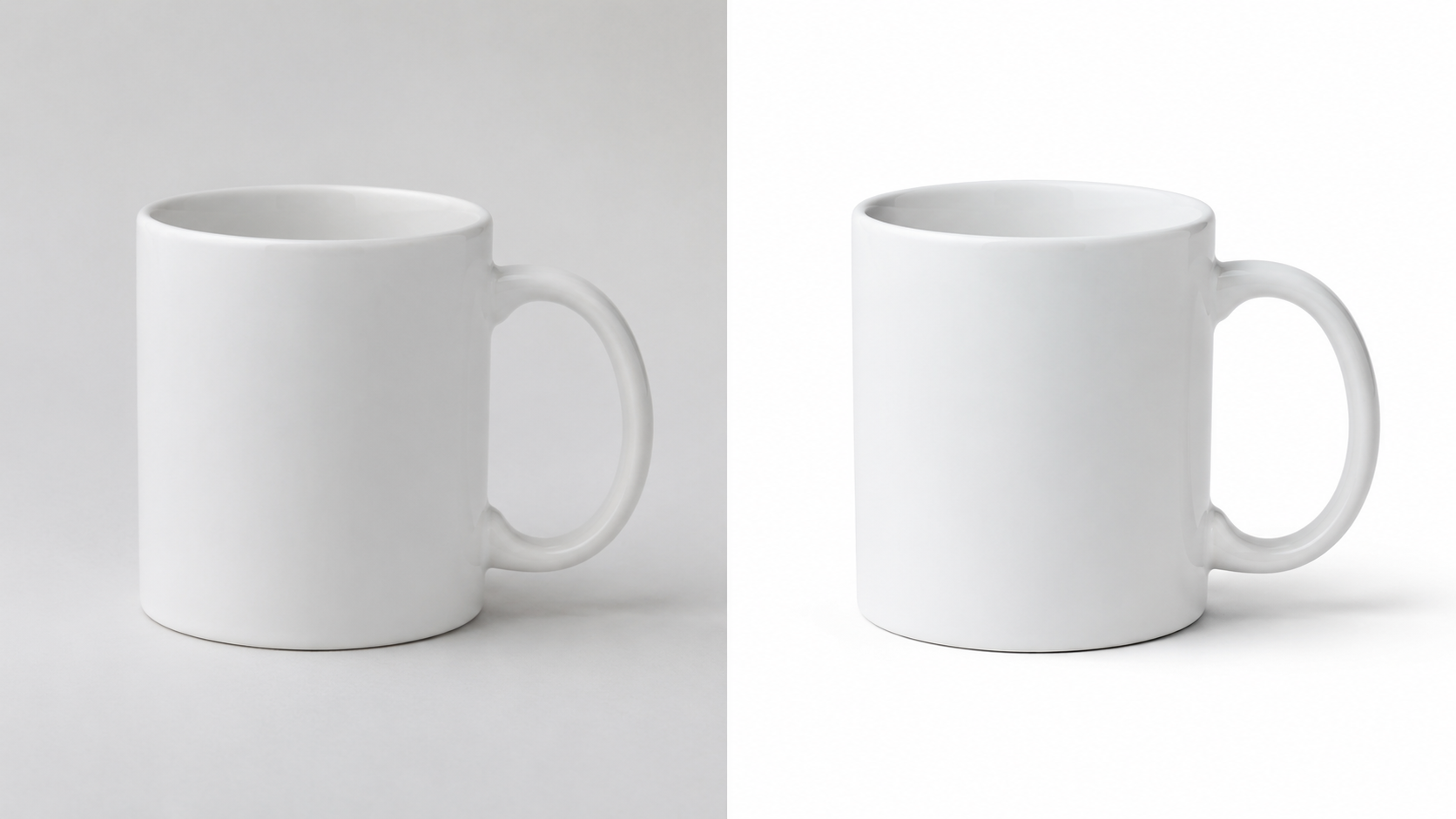
Step 1 — Write a Structured Product Prompt
A useful prompt for product photography has five components: the product itself, the material or finish, the background, the lighting, and the style reference. Omit any of these and the model fills in the gaps with a generic guess.
❌ WEAK PROMPT
a coffee mug on a table
✅ STRUCTURED PROMPT
matte black ceramic coffee mug with a geometric handle, placed on a white marble surface, soft studio lighting with a subtle left-side shadow, product photography, white background, no text, no logo
The second prompt gives the model reference points for geometry, material, background, and lighting. The output will be consistent and platform-compliant without post-processing.
⚡ Prompt Structure Template
[Product name] + [material/finish] + [background color/surface] + [lighting style] + [camera/style keyword] + [negative terms: no text, no logo, no watermark]
Step 2 — Generate and Batch Variants
Generate at least 4 variants of each prompt before selecting a final image. Minor wording changes (swapping “soft studio lighting” for “natural window light” or “white background” for “lifestyle kitchen setting”) produce significantly different outputs that can be A/B tested on your Shopify product page or used as different creative assets for paid social.
On Neural4D, the Text to Image workflow is designed for this kind of batch generation. You define the prompt once and generate multiple outputs in a single session, then select or refine based on the results.
Ready to Create Images with AI That Convert?
Generate product photos from a text description. No studio, no photographer, no minimum spend.
Text to Image is launching soon. Join the free plan now to get early access.
Step 3 — Negative Prompts and Platform Compliance
Most AI image platforms support negative prompts: terms you explicitly tell the model to avoid. For marketplace compliance, always include: no text, no watermark, no brand logo, no distortion, no blur. Amazon’s main image requirements specifically prohibit text overlays and require a pure white background (RGB 255, 255, 255). A negative prompt that includes “pure white background, no shadows” produces images that pass Amazon’s main image check without manual editing.
Part 3: Optimizing AI Images for Amazon, Shopify, and Social Ads
Generating an image is the first step. Getting it to meet the technical standards of each platform is the second. Requirements differ between Amazon, Shopify, and social ad placements, and the prompt you write can handle most of these differences at generation time rather than in post-processing.
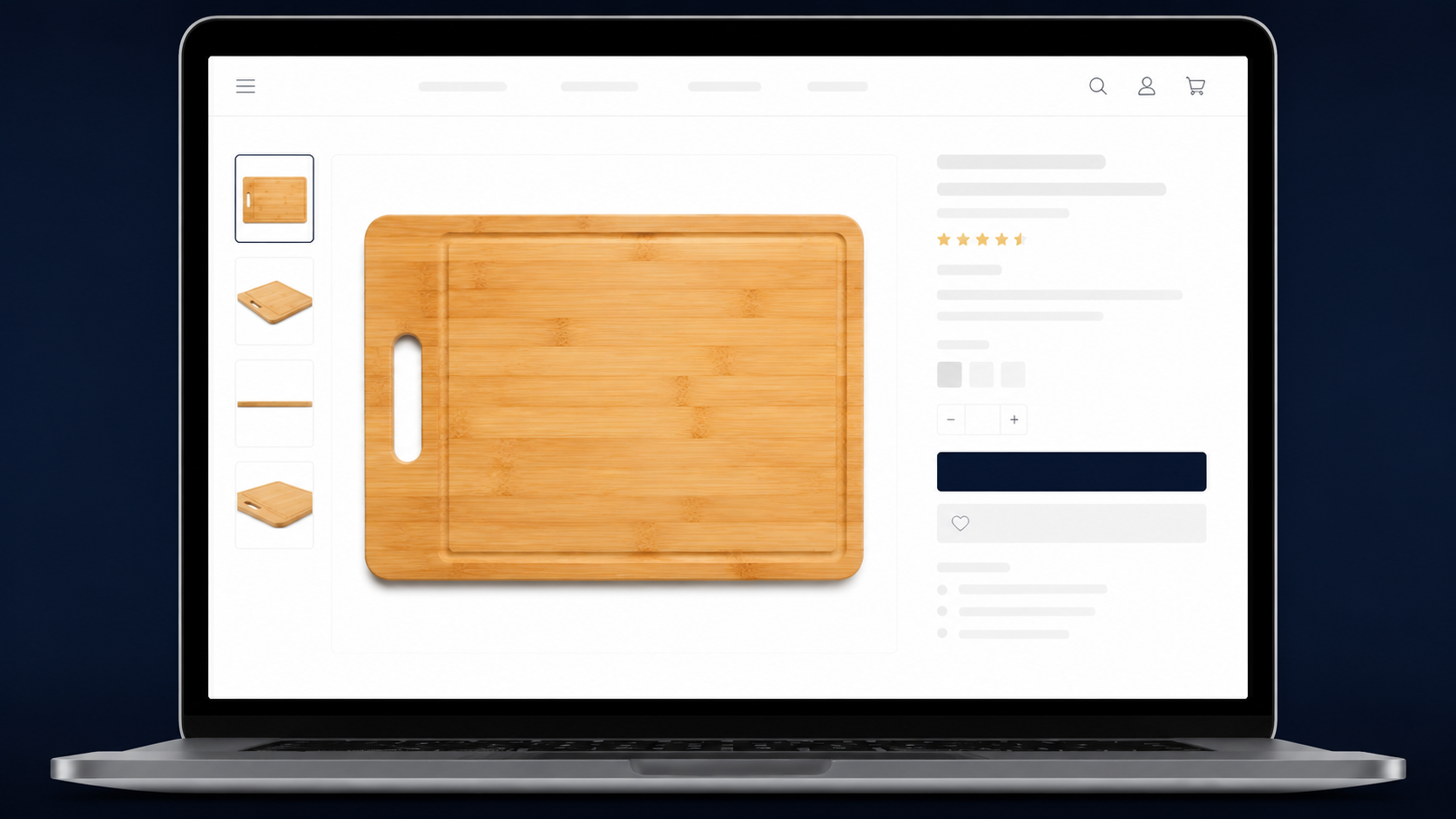
Amazon Main Image Requirements
Amazon requires main product images to have a pure white background, show the product filling at least 85% of the frame, and contain no text, watermarks, or inset images. A prompt built around those constraints produces a compliant image in one generation pass. Here is a copy-ready example:
✅ AMAZON-READY PROMPT
bamboo cutting board, top-down view, pure white background (RGB 255 255 255), soft overhead studio lighting, no shadows, no text, no logo, product photography
If you need multiple marketplace-compliant images from a single AI generation session, check our guide on 3D product rendering for Amazon GLB, which covers the full pipeline from product image to AR-ready asset.
Shopify Product Page Images
Shopify does not enforce a background color standard, which gives you more creative flexibility. Lifestyle images, contextual backgrounds, and multi-angle views all perform well. The key constraint is aspect ratio: Shopify recommends a 1:1 or 4:3 aspect ratio for product page images to prevent cropping on mobile. Specify the aspect ratio in your prompt or select it in the platform settings before generating.
If you want customers to rotate or view the product in 3D, you also need a 3D model. The fastest workflow is to generate the 2D product image first, then use it as input for a 3D conversion, which is covered in Part 4. Our guide on adding 3D models to Shopify AR covers the full integration steps.
Social Ad Creatives
Paid social campaigns benefit from variety. AI image generation makes it cheap to produce 10 or 20 creative variants from a single product description, testing different backgrounds, lighting moods, and lifestyle contexts. Generate each variant with the target platform’s aspect ratio in mind: 1:1 for Instagram Feed, 9:16 for Reels and TikTok, 1.91:1 for Facebook News Feed. Specify the ratio and composition direction in the prompt.
Part 4: Chaining Text to Image into 3D — The Neural4D Advantage
Most AI image tools stop at a flat 2D output. Neural4D extends that workflow: take the product image you generated from a text prompt, and convert it into a 3D model for AR shopping experiences, 360-degree product views, or AR-enabled mobile apps.
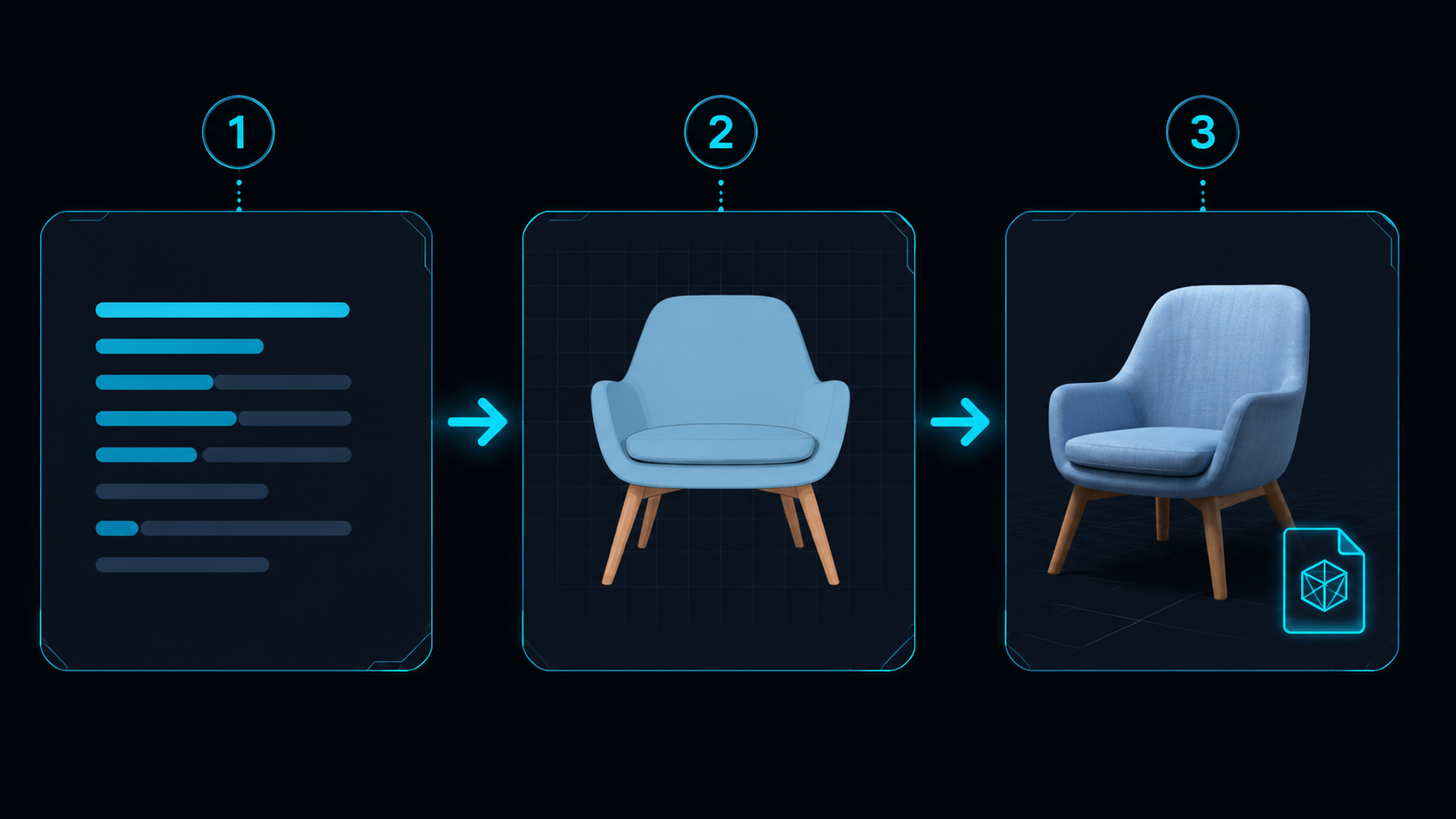
Why 3D Matters for E-Commerce Conversion
Shopify data consistently shows that products with 3D and AR experiences generate higher add-to-cart rates than products with static images alone. The bottleneck has historically been the cost and time required to produce 3D models. Neural4D removes that bottleneck by taking a 2D image as input and outputting a textured GLB file directly.
The base mesh generation takes approximately 90 seconds. With full PBR textures applied, total generation time is 2 minutes or more depending on the complexity of the surface materials. The output is a production-ready GLB file with Normal, Roughness, and Metallic maps included, compatible with Shopify’s AR viewer, Amazon’s 3D product viewer, and web-based AR implementations.
The Two-Step Workflow
Step one: generate a clean, well-lit product image from text using Neural4D’s Text to Image feature. Step two: upload that image to Neural4D’s Image to 3D tool. The 3D model inherits the material appearance from the 2D image, so a well-generated product photo produces a better 3D model than a raw product photograph with inconsistent lighting.
This workflow is covered in detail in our guide on converting an image to a 3D model using AI.
Where Neural4D Fits in Your Workflow
The Direct3D-S2 architecture that powers Neural4D’s 3D generation was published at NeurIPS 2025 by researchers from Nanjing University, Oxford University, Fudan University, and DreamTech. It processes full volumetric geometry rather than estimating depth from a flat projection, which is why the output produces watertight meshes without manual hole-patching. For e-commerce sellers, that means a 3D model that drops directly into Shopify’s AR viewer without any additional editing in Blender or Maya.
Part 5: Common Mistakes When You Create Images with AI
Most AI-generated product images that fail marketplace review or convert poorly share the same set of prompt and workflow errors. Here are the three that appear most often.
Mistake 1 — Over-Generic Prompts
A prompt like “a product on a white background” gives the model almost no constraints to work with. The result looks generic because it is generic. Every detail you add to the prompt (material, finish, angle, lighting direction) constrains the output toward a specific result. Think of the prompt as a shot list, not a creative brief.
Mistake 2 — Wrong Aspect Ratio for the Platform
Generating a landscape-format image for a Shopify product page that expects 1:1 will result in visible cropping or letterboxing. Set the aspect ratio before generating, not after. Most AI image tools, including Neural4D, let you specify the output ratio as part of the generation settings. This is much faster than cropping after the fact and avoids losing the product in the frame.
Mistake 3 — Not Using Commercial-Rights-Safe Generation
Some AI image platforms generate outputs that include elements from training data in ways that create licensing ambiguity. For commercial use, confirm that the platform you use grants explicit commercial rights to generated outputs. Neural4D’s paid plans grant full commercial use rights to all generated assets. Free plan outputs are marked “Trial” and are limited to testing.
✅ Pre-Generation Checklist
🔹 Prompt includes: product + material + background + lighting + style + negative terms
🔹 Aspect ratio set to match target platform
🔹 Negative prompt includes: no text, no logo, no watermark, no blur
🔹 Commercial rights confirmed for your subscription plan
🔹 Generate 4+ variants before selecting final
Part 6: FAQ on Creating AI Images for E-Commerce
Can I create images with AI that don’t look obviously AI-generated?
Yes. The key is specificity in the prompt. Include concrete lighting terms like “studio softbox lighting” or “natural window light from the left,” specify material properties like “brushed steel” or “matte ceramic,” and always add negative prompts to exclude artifacts. Vague prompts produce generic results; specific prompts produce photorealistic ones.
How do I generate product images with AI if I only have a text description of the item?
Write the prompt as a product spec sheet rather than a creative description. Include: product category, primary material, color and finish, key geometric features (shape, proportions), background, and lighting style. Neural4D’s Text to Image feature is optimized for this kind of structured input and produces output suitable for marketplace listings without additional editing.
Are AI-generated product images safe to use on Amazon without copyright issues?
Yes, provided you use a platform that grants commercial rights to generated outputs. Avoid prompts that reference specific artists’ names or trademarked visual styles. Use descriptive terms for lighting and composition instead. Neural4D’s paid plans grant explicit commercial use rights to all outputs, which meets Amazon’s requirements for seller-submitted images.
Can I create images with AI and then turn them into a 3D model?
Yes. This is Neural4D’s core workflow. Generate a product image from text using Text to Image, then upload that image to the Image to 3D tool. The 3D model inherits the material appearance from the generated image and exports as a GLB file compatible with Shopify’s AR viewer and Amazon’s 3D product viewer. Base mesh generation takes approximately 90 seconds; full PBR texture generation takes 2 minutes or more.
How many images can I create with AI for free before paying?
Neural4D’s free plan includes 50 Power credits per week, which covers multiple image generation sessions for testing prompt quality and output style. Paid plans unlock higher concurrency, more credits, and full commercial rights to all generated assets.
Part 7: Start Creating — Your Next Step
The workflow is repeatable: structured prompt, batch generation, platform optimization, optional 3D conversion. Creating images with AI from text for e-commerce at this level of quality no longer requires a photographer, a studio, or a 3D modeling background. It requires a well-written text description and a generation platform that gives you commercial rights to the output.
For sellers already using Shopify AR or Amazon’s 3D product viewer, Neural4D’s Text to Image plus Image to 3D chain produces the entire asset stack from a single text input. Start with the free plan to test prompt quality against your product catalog, then move to a paid plan when the output meets your listing standards.
Stop Outsourcing Product Photography
Generate product images and 3D models from a text description. Shopify AR and Amazon GLB ready.
Generate Your First Product Image
Free plan: 50 credits/week. Commercial rights included on paid plans.