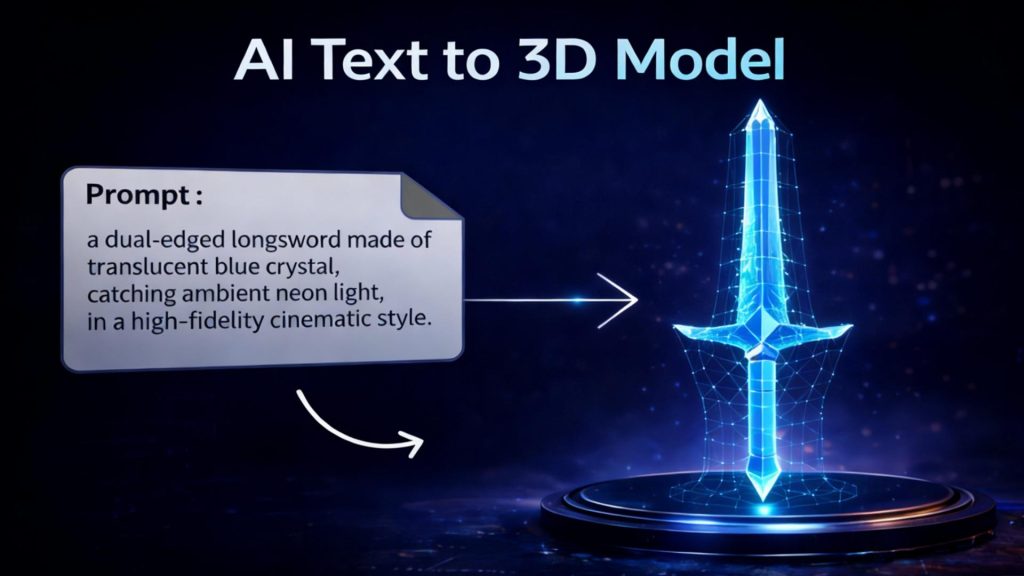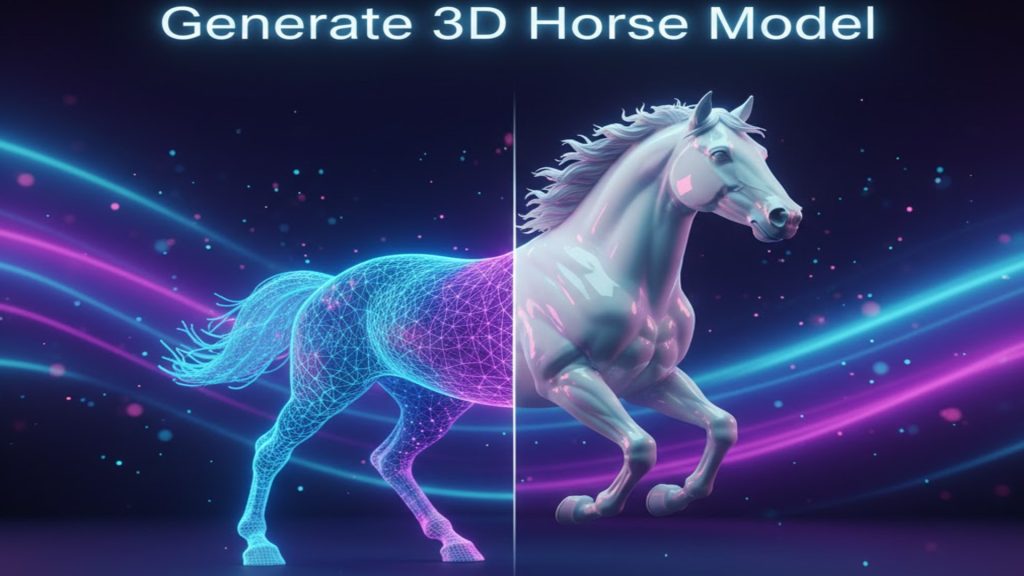
Edit 3D Model with AI: How Neural4D-2o Conversational Editing Works
Quick Summary
- Traditional AI 3D generators force a manual round-trip to Blender or ZBrush whenever the output needs changes.
- Neural4D-2o is a conversational 3D editing tool built into the generation interface: type a prompt, the model updates in place.
- Edits carry full session memory, so follow-up prompts reference prior instructions without restarting the generation.
- Output exports in .FBX, .GLB, and .STL with watertight geometry preserved throughout.
The ability to edit 3D model directly inside an AI generation interface has been the missing step in every AI 3D pipeline. Neural4D-2o fills that gap: rather than exporting a nearly-correct mesh and manually reworking it in Blender or ZBrush, you type a plain-language instruction and the model updates in place, with full memory of everything you changed before.
Table of Contents
- Part 1: The Problem with Editing AI-Generated 3D Models
- Part 2: What Neural4D-2o Conversational Editing Actually Does
- Part 3: Real Use Cases Where In-Interface Editing Changes the Workflow
- Part 4: How to Edit 3D Model with Neural4D-2o (Step by Step)
- Part 5: Neural4D-2o vs. Traditional 3D Editing Software
- Part 6: Common Questions About Editing 3D Models with AI
- Conclusion
Part 1: The Problem with Editing AI-Generated 3D Models
The generation-to-edit gap is the most expensive step in any AI 3D pipeline. A model that is 90% correct still requires manual intervention before it can be used. The traditional workflow looks like this:
- Generate in the AI tool.
- Export as .OBJ or .GLB.
- Import into Blender, ZBrush, or Maya.
- Manually select, sculpt, or retopologize the problematic area.
- Re-export and recheck.
For a single adjustment, this process can take 30 to 90 minutes. Multiply that across a product catalog, a game asset library, or a design iteration cycle and the time cost becomes the primary barrier to using AI 3D generation at scale.
📊 2026 Pipeline Reality
In production pipelines, the average AI-generated 3D model requires 1.8 manual editing rounds before it is pipeline-ready. Each round means switching tools, losing generation context, and rebuilding edits from scratch if the base model needs to change. The bottleneck is not generation speed. It is the edit loop.
The same problem existed in image editing before inpainting became standard. Once inpainting was available, you no longer had to regenerate the whole image to fix one area. The equivalent for 3D is conversational in-interface editing, and that is exactly what Neural4D-2o delivers.
Part 2: What Neural4D-2o Conversational Editing Actually Does
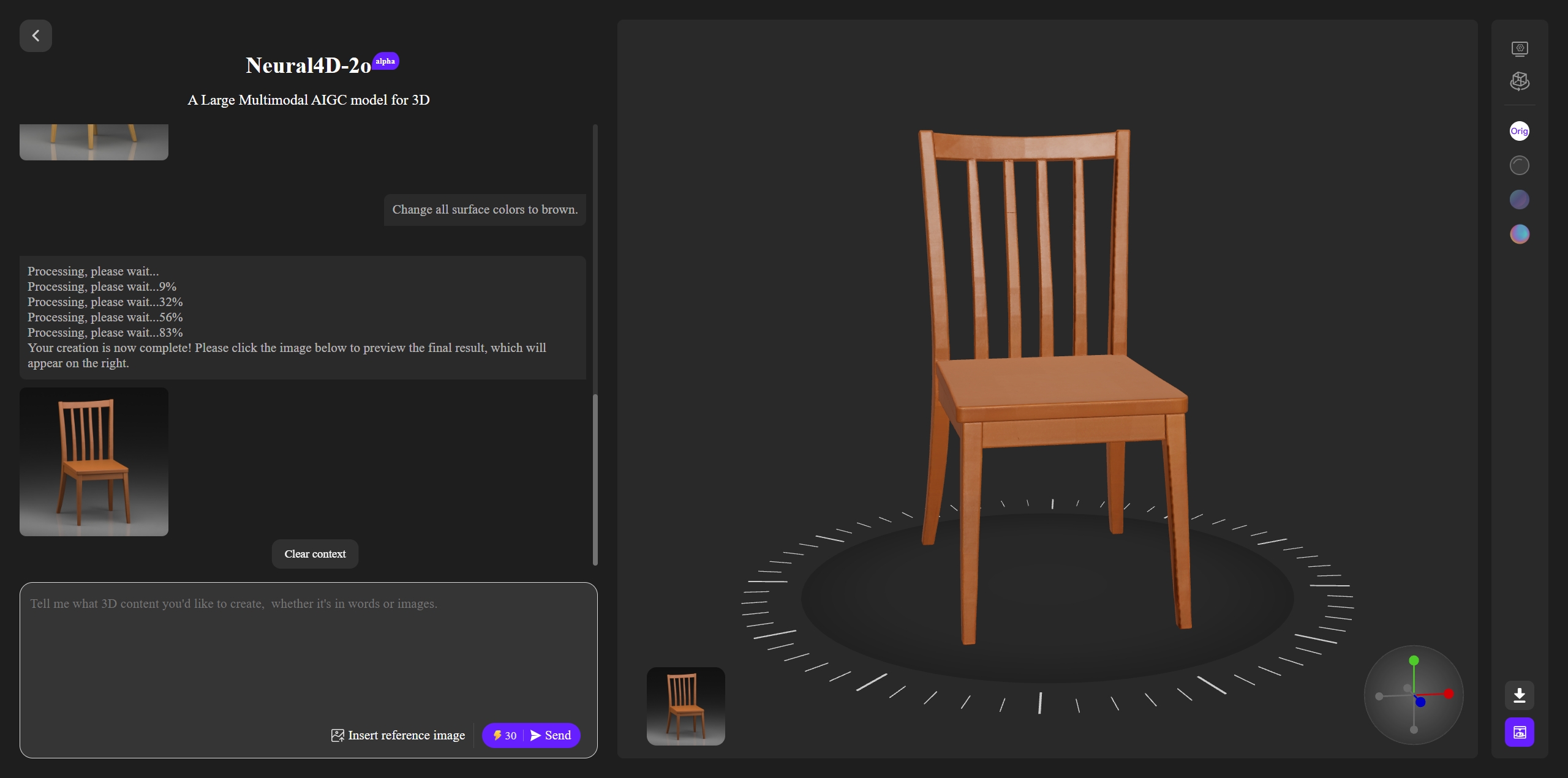
Neural4D-2o: the chat panel and 3D viewport share the same interface. Type an edit; the model updates in place.
Neural4D-2o is not a separate editing tool bolted onto a generator. The editing interface is the generation interface. When you create a model with Neural4D using any of the best AI 3D model generators, the same session persists, and you can type instructions to modify any aspect of the result without leaving the page.
Three properties make this different from generic AI chatbots applied to 3D:
- Contextual memory: Neural4D-2o remembers the entire edit history. If you say “restore the base shape from before” it knows what that means. If you say “apply the same texture change to the back side,” it applies the prior instruction to the new target.
- Multi-modal input: You can combine text instructions with uploaded reference images. “Make the handle look more like this photo” is a valid prompt. The model uses both the verbal description and the visual reference to compute the edit.
- Structural awareness: Edits are not purely visual. When you say “thicken the base for 3D printing,” Neural4D-2o understands that the geometry needs to be structurally sound at that thickness, not just visually thicker. The output remains watertight.
Part 3: Real Use Cases Where In-Interface Editing Changes the Workflow
Game Asset Iteration
Game asset pipelines require dozens of proportion and silhouette variations before a design is locked. With traditional generators, each variation means a new generation from scratch, and there is no guarantee that two separate generations will have consistent topology for rigging. With Neural4D-2o, you generate one base asset and then iterate: “make the shoulders wider,” “reduce the pauldron size by 20%,” “add a chest plate in the same style as the shoulders.” Each instruction refines the same mesh, so the topology stays consistent and the rig binds cleanly across all variations.
3D Printing Preparation
3D printing has specific geometry requirements that most AI generators do not account for by default. Thin walls crack. Overhangs above 45 degrees require support structures. Connectors need tolerance gaps. Neural4D-2o handles these through plain language: “add 2mm wall thickness to the outer shell,” “reduce the overhang angle on the left arm,” “widen the socket by 0.3mm for a friction fit.” The model applies these as structural edits, not just visual adjustments, and the output remains watertight for slicing. For the full STL export workflow, see how to convert an image to STL.
E-Commerce Product Visualization
Product 3D models for e-commerce need to match exact dimensions and material properties. A generated model of a chair might be close, but the seat width is off by 4cm and the upholstery texture reads as velvet rather than leather. Instead of exporting and manually editing, you type: “set the seat width to 52cm,” “change the upholstery material to smooth leather with a slight sheen.” Neural4D-2o applies the PBR texture change and the dimensional adjustment in the same session, with no file transfer required.
Architectural Visualization
Architects working with AI-generated structural models frequently need to adjust proportions to match client feedback without regenerating the entire scene. Neural4D-2o allows targeted editing: “raise the ceiling height by 0.8 meters,” “widen the window openings to match the updated floor plan,” “change the exterior cladding from concrete to wood panel texture.” The contextual memory means the model understands which window you mean when you say “the large one on the south wall,” because you have already referenced it in a prior prompt.
Edit Your 3D Models Without Switching Tools
Type a prompt. See the model update. No Blender required.
No 3D software experience required. Exports in .FBX, .GLB, and .STL.
Part 4: How to Edit 3D Model with Neural4D-2o (Step by Step)
The full workflow from generation to export-ready edited model takes four steps inside a single interface.
Step 1: Generate or Import Your Base Model
Open Neural4D-2o and either generate a new model from a text prompt or image (see our guide on how to convert an image to a 3D model with AI), or import an existing model you want to edit. For a full walkthrough of the interface, see the step-by-step guide to using Neural4D-2o. The interface loads the model into the viewport and opens the conversational panel alongside it.
Step 2: Describe the Edit in Plain Language
Type your first edit in the chat panel. Be specific about what you want to change and why, since Neural4D-2o uses the intent to determine whether the edit is visual or structural. For example: “The back legs are too thin for printing. Increase their diameter to at least 8mm while keeping the tapered shape.” The model processes the instruction, applies the change, and renders the updated mesh in the viewport.
Step 3: Iterate Without Restarting
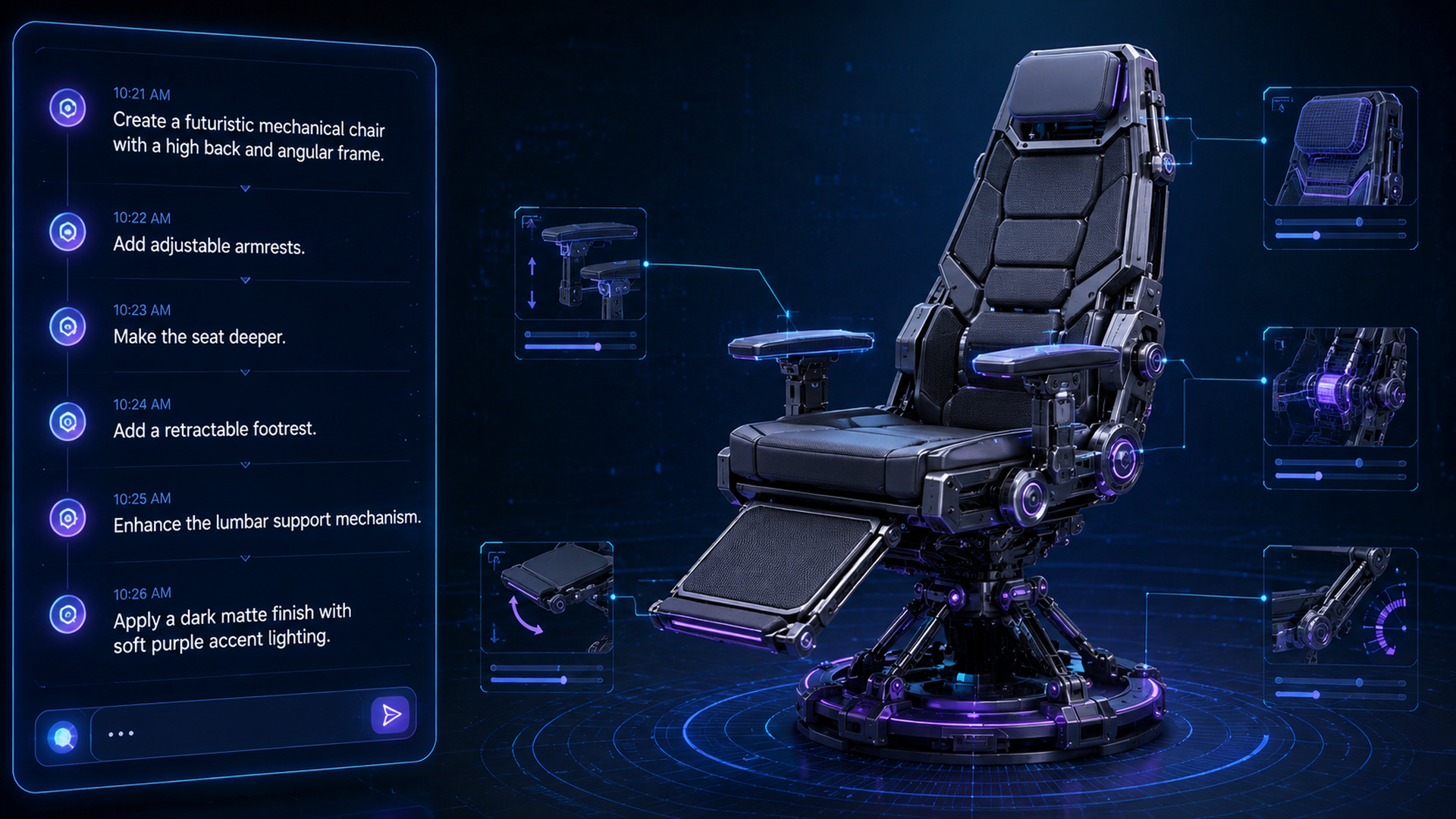
Continue editing with follow-up prompts. Because Neural4D-2o maintains the full session context, you can reference earlier decisions: “Now apply the same leg thickness to the front legs,” or “The seat height looks better at the previous version, can you revert just that part?” Each prompt is aware of all prior changes in the session.
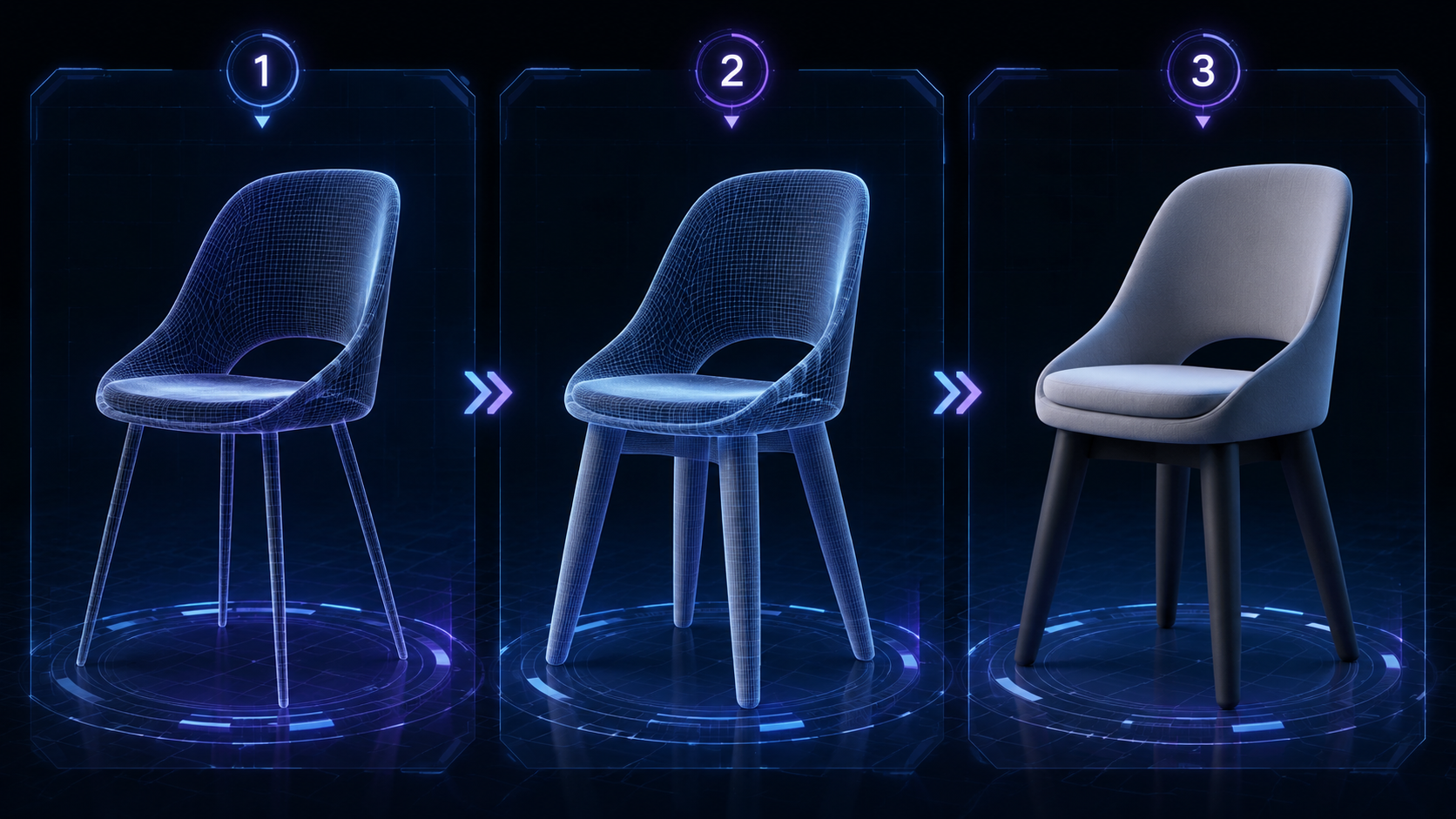
Three consecutive edits on a single chair model in Neural4D-2o: each prompt refines the previous state without restarting the generation.
Step 4: Export in Your Target Format
When the model matches your requirements, export in the format your pipeline needs. Neural4D-2o exports to .FBX for rigging workflows, .GLB for web and Unreal Engine 5, and .STL for 3D printing. The exported file reflects every edit made in the session, with watertight geometry preserved throughout.
Part 5: Neural4D-2o vs. Traditional 3D Editing Software
| Capability | Neural4D-2o | Blender (Manual) | ZBrush (Manual) |
|---|---|---|---|
| Edit method | Natural language prompt | Tool-based selection and sculpt | Brush-based sculpt |
| Context memory | Full session history | Undo stack only | Undo stack only |
| Structural edits (print-ready) | Yes, automatic | Manual Boolean / Solidify | Limited, manual remesh needed |
| Texture editing | PBR via text prompt | Material nodes (technical) | Polypaint (manual) |
| Learning curve | None (natural language) | High (50+ hr to competence) | High (100+ hr to competence) |
| Time per edit round | Under 2 minutes | 30 to 90 minutes | 20 to 60 minutes |
| Export formats | .FBX, .GLB, .STL | 30+ formats | .OBJ, .ZTL, .STL, limited others |
| Required skill level | None | Intermediate to advanced | Advanced |
✓ Where Neural4D-2o Wins
Proportion adjustments, material and texture changes, print-readiness fixes, and iterative design refinement. Any edit that takes 30 minutes in Blender takes under 2 minutes in Neural4D-2o, with no 3D software expertise required.
− Where Traditional Software Still Wins
Fine-grained vertex-level sculpting, custom shader networks, character facial rigging, and highly complex organic surface detail. If your edit requires selecting 200 specific vertices or building a custom material node tree, Blender remains the right environment.
The trade-off is clear: traditional software offers more granular control and a wider format library, but that power requires years of training to unlock. Neural4D-2o covers the most common editing needs in any production pipeline and is accessible to anyone who can describe what they want in a sentence. For specialized sculpting (facial expressions, organic surface detail at character scale), see the best Blender alternatives for 3D modeling if you need a middle ground. For everything else in a production cycle, Neural4D-2o eliminates the round-trip entirely.
Part 6: Common Questions About Editing 3D Models with AI
Q: Can I edit 3D model with AI without knowing how to use Blender?
Yes. Neural4D-2o requires no prior 3D software experience. All edits happen through plain-language prompts inside the generation interface. You describe the change you want in a sentence, and the model applies it. Blender or ZBrush are only needed if you require vertex-level sculpting or custom shader networks beyond what conversational editing covers.
Q: What kinds of edits can I make through text prompts in Neural4D-2o?
Neural4D-2o handles proportion and scale changes (“widen the shoulders by 15%”), PBR texture swaps (“change the surface material to brushed aluminum”), geometry fixes for 3D printing (“add 2mm wall thickness to the outer shell”), and structural adjustments (“reduce the overhang angle on the left arm”). Edits involving complex organic surface detail or vertex-level selection still require traditional sculpting tools.
Q: Does Neural4D-2o remember what I changed earlier in the session?
Yes. Neural4D-2o maintains contextual memory throughout the editing session. Each new prompt is aware of all previous instructions, so you can say “apply the same texture change to the back side” or “revert just the leg thickness to what it was two steps ago” and the model understands the reference without you needing to re-describe the prior state.
Q: Can Neural4D-2o fix geometry for 3D printing?
Yes, through structural-intent prompts. Neural4D-2o understands requests like “thicken the base to at least 3mm for printing,” “correct the non-manifold edges on the connector,” and “smooth the transition between the arm and the body.” The model outputs watertight geometry compatible with standard slicers. For complex multi-part mechanical assemblies where tolerance gaps need to be calculated from engineering specs, manual verification in a slicer is still recommended.
Q: What happens if I want to undo a specific edit without losing everything else?
Because Neural4D-2o tracks the full session history, you can instruct it selectively: “revert the seat height change from step 3 but keep the texture update.” The model applies the reversal without rolling back subsequent changes. This is different from a linear undo stack, which would require undoing every change after the one you want to reverse.
Q: What file formats does Neural4D-2o export after editing?
Neural4D-2o exports edited models in .FBX, .GLB, and .STL. FBX is compatible with Unity, Unreal Engine 5, and Blender for rigging workflows. GLB is the standard for web 3D viewers and UE5 Nanite pipelines. STL is accepted by all major 3D printing slicers. All export formats preserve the edits made during the session and maintain watertight mesh geometry.
Conclusion
The generation-to-edit gap has been the hidden cost of AI 3D since the category began. Every tool that generates well but forces a manual round-trip for corrections is half a pipeline. Neural4D-2o closes that gap by making the edit interface and the generation interface the same place, with contextual awareness and structural quality guarantees preserved throughout.
For game asset iteration, 3D printing preparation, product visualization, and architectural refinement, the ability to edit 3D model through conversational prompts removes the dependency on Blender expertise and the time cost of tool-switching. The result arrives in the format your pipeline needs, watertight and ready to use.
Edit Your First 3D Model Through Conversation
Neural4D-2o. No exports. No Blender. Just type what you need.
Start Editing Free with Neural4D-2o
Backed by DreamTech AI research. Watertight mesh output guaranteed.