The Best 3D Modeling Software for Beginners in 2026
Quick Summary
- 3D modeling software for beginners ranges from browser-based tools like Tinkercad that require zero installation to professional-grade applications like Blender that offer complete creative freedom at no cost.
- Tinkercad and SketchUp Free are the easiest entry points for absolute beginners, while Fusion 360 and FreeCAD serve users moving into mechanical design and parametric engineering.
- Blender remains the most powerful free option but demands a significant time investment, making it better suited for users committed to organic modeling, animation, or game asset creation.
- Neural4D introduces AI-powered 3D generation as a new beginner category, producing production-ready textured models from a single image or text prompt with no manual modeling skills required.
Choosing the right 3D modeling software for beginners determines how fast you progress and whether you stick with the hobby long enough to create something you are proud of. The wrong pick leads to frustration and abandoned projects.
- Table of Contents
- Part 1: What to Look for in Beginner 3D Modeling Software
- Part 2: The Best 3D Modeling Software for Beginners : ReviewedHOT
- Part 3: AI 3D Modeling : A Faster Path for Beginners
- Part 4: How to Choose the Right Software for Your Goals
- Part 5: Common Questions on 3D Modeling Software for Beginners
- Start Creating Today
Part 1: What to Look for in Beginner 3D Modeling Software
Not all 3D tools are built the same way, and the differences matter more when you are just starting out. Before comparing specific options, it helps to understand the three main categories and how they match different goals.
CAD vs. Sculpting vs. AI Generation
CAD (Computer-Aided Design) tools like Tinkercad, Fusion 360, and FreeCAD work with precise measurements, parametric constraints, and geometric primitives. They are ideal for mechanical parts, product design, architectural modeling, and anything that needs exact dimensions. The learning curve is moderate, and the output is typically engineering-grade.
Digital sculpting and polygonal modeling tools like Blender focus on freeform manipulation of vertices, edges, and faces. These are the right choice for characters, creatures, organic shapes, and animation. Blender is the dominant free option here, but the learning curve is steep, and mastering basic workflows takes weeks to months.
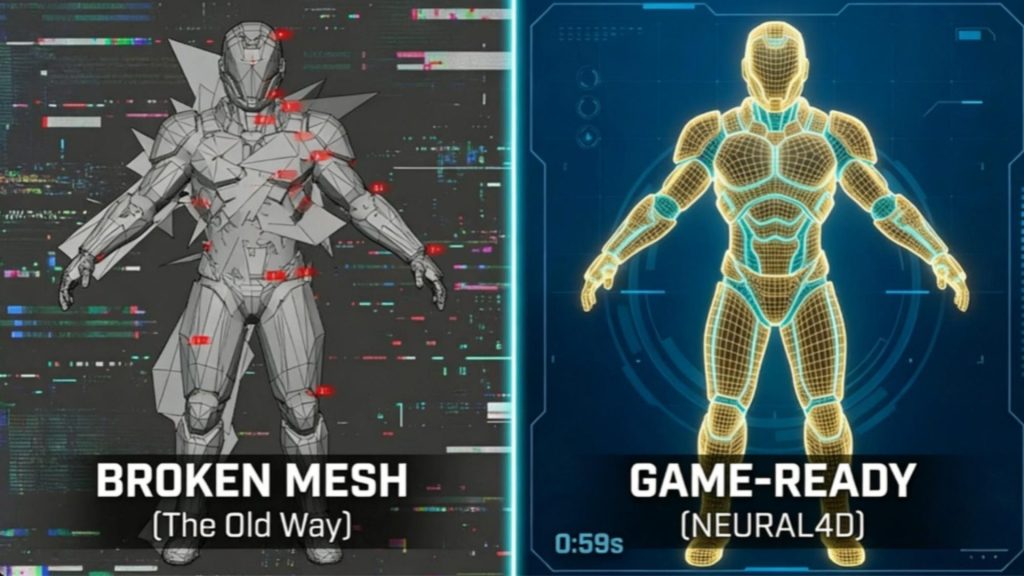
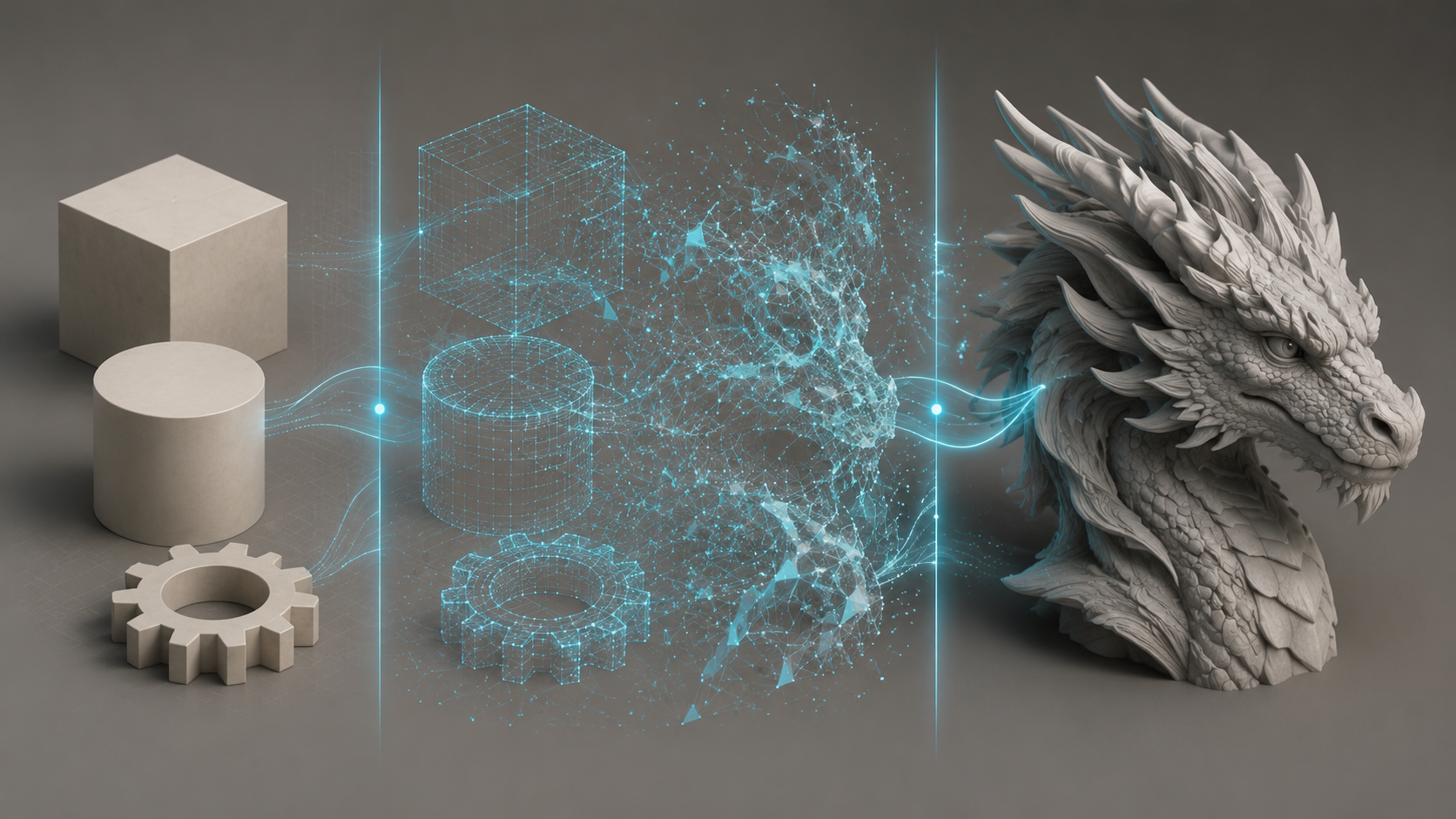
AI-powered 3D generation platforms like Neural4D sit in a new category. They accept text descriptions or reference images as input and produce fully textured 3D models automatically. No manual modeling is required. This category is ideal for beginners who want production-ready 3D assets without spending months learning software.
📊 Market context
The global 3D modeling software market was valued at approximately $35.9 billion in 2025 and is projected to grow at a CAGR of 7.2% through 2033, driven by adoption in gaming, e-commerce, manufacturing, and 3D printing. According to a 2025 industry report by Grand View Research, the accessibility barrier remains the single largest friction point for new users entering the field, with 68% of prospective users citing software complexity as their primary hesitation.
Key Criteria for Beginners
When evaluating 3D modeling software for beginners, focus on these factors:
Learning curve. How quickly can you create your first real model? Browser-based tools like Tinkercad let you produce something usable in under 30 minutes. Blender can take 40 to 60 hours before basic workflows feel comfortable.
Cost. Every tool on this list has a free tier or is entirely free. The paid options justify their price through advanced features, not beginner accessibility.
Platform and hardware requirements. Browser-based tools require only a modern web browser. Desktop applications need a dedicated GPU and sufficient RAM, especially for rendering and high-poly sculpting.
Export flexibility. The software should export formats compatible with your target output, whether that is STL for 3D printing, GLB for web AR, or FBX for game engines.
Part 2: The Best 3D Modeling Software for Beginners : Reviewed
Here is a head-to-head comparison of the six most popular 3D modeling tools for beginners in 2026, evaluated across the criteria that matter most when you are just getting started.
| Software | Learning Curve | Price | Platform | Best For | AI Features | Export Formats |
|---|---|---|---|---|---|---|
| Neural4D | 1/5 | Free credits | Browser | AI 3D generation, instant results | Built-in Direct3D-S2 engine | GLB, OBJ, FBX, STL |
| Tinkercad | 1/5 | Free | Browser | Absolute beginners, education | None | STL, OBJ, SVG |
| SketchUp Free | 2/5 | Free | Browser | Architecture, interior design | Extensions available | STL, DWG |
| Fusion 360 | 3/5 | Free (personal) | Win, Mac | Mechanical design, CAD | Generative design | STL, STEP, IGES, OBJ |
| FreeCAD | 3/5 | Free | Win, Mac, Linux | Parametric engineering | Python scripting | STEP, IGES, STL, OBJ |
| Blender | 4/5 | Free | Win, Mac, Linux | Organic modeling, animation | Add-on ecosystem | OBJ, FBX, GLB, STL |
Neural4D anchors the table as the first row because it sets the reference point for ease of use. With a learning curve rating of 1 out of 5 and a browser-based interface that requires no installation, it is the fastest path to a production-ready 3D model for anyone who has never touched modeling software before.
Tinkercad : The Best Starting Point for Absolute Beginners
Tinkercad is a free, browser-based 3D design tool from Autodesk that uses a drag-and-drop block-building approach. You combine basic geometric shapes, resize them, and group them into complex models. No installation, no account upgrade pressure, no hidden paywall. It is the standard first stop for students, educators, and anyone who wants to understand 3D design concepts before committing to a more advanced tool.
The tradeoff is capability. Tinkercad runs out of headroom fast. Once you need precise dimensions, complex curves, or multi-part assemblies, you will need to migrate to a more powerful application. That limitation is actually a feature for beginners: it forces you to learn the fundamentals of spatial thinking without overwhelming you with menus.
Blender : Maximum Power at Zero Cost
Blender is a completely free, open-source 3D creation suite used by independent artists and major studios alike. It covers modeling, sculpting, texturing, rigging, animation, simulation, rendering, and compositing in a single application. If you are willing to invest the time, Blender can take you from absolute beginner to professional without spending a dollar on software.
The catch is real. Blender has a steep learning curve that many informal guides understate. Expect 40 to 60 hours of practice before the interface and basic workflows feel natural. The payoff is that once you learn Blender, you own a skill that transfers across the entire 3D industry.
⚡ Quick tip for Blender beginners
Start with the donut tutorial by Andrew Price (Blender Guru) on YouTube. It walks through the entire pipeline from modeling to rendering in a single project. Complete that before branching into character sculpting or hard-surface modeling.
Fusion 360 : Industry-Grade CAD for Free
Autodesk Fusion 360 offers a free personal-use license for hobbyists and makers. It is a professional parametric CAD tool with integrated CAM, CAE, and generative design capabilities. If your goal is functional parts, mechanical assemblies, or product prototypes, Fusion 360 is the industry-standard choice at a price beginners can afford.
The parametric workflow means every dimension is editable. You can go back to any step in your design history and change a measurement, and the model updates automatically. This is invaluable for iterative design and correcting mistakes without starting over.
SketchUp Free and FreeCAD : Specialized Alternatives
SketchUp Free is a browser-based tool built around an intuitive push-pull modeling system. It excels at architectural modeling, interior space planning, and woodworking projects. The free version includes core modeling tools and access to the 3D Warehouse, a vast library of community-contributed models.
FreeCAD is an open-source parametric modeler designed for mechanical engineering. It runs natively on Windows, macOS, and Linux. The interface is less polished than Fusion 360, but it is completely free with no feature restrictions. Engineers and hobbyists who prefer open-source software often choose FreeCAD as their primary parametric tool.
Part 3: AI 3D Modeling : A Faster Path for Beginners
The most significant shift in 3D modeling over the past two years is the emergence of AI-powered generation. Instead of learning to manipulate vertices, edges, and faces by hand, you describe what you want in text or supply a reference photo, and the AI constructs the geometry, UV maps, and even PBR textures automatically.
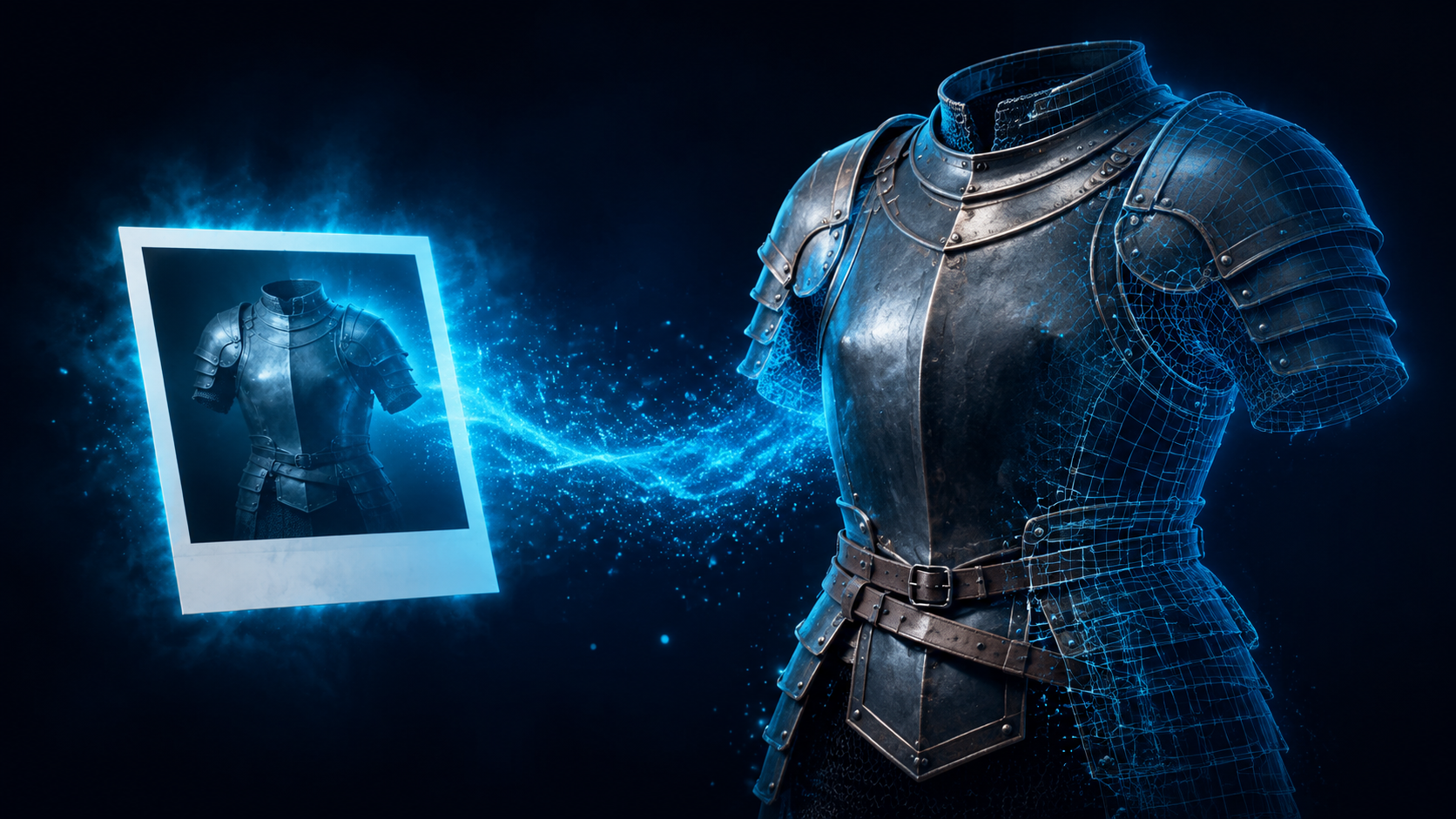
Neural4D is the platform that best represents this category for beginners. Developed by researchers from Nanjing University, DreamTech, Oxford University, and Fudan University, it uses the proprietary Direct3D-S2 architecture and Spatial Sparse Attention (SSA) to generate watertight, textured 3D models from text prompts or single images. The entire process runs in a browser.
For a beginner, the practical difference is dramatic. Where Blender requires weeks of tutorials before producing a presentable model, Neural4D produces a production-ready GLB with PBR materials in roughly two minutes from a single image. The base mesh is generated in about 90 seconds, with additional computation time for standard textures or full PBR maps, and the total is two minutes or more for a fully textured output.
The workflow is straightforward: upload a photo or type a description, click Generate, review the result, and export in GLB, OBJ, FBX, or STL format. One-click regeneration lets you iterate without rebuilding from scratch. For models generated by Neural4D-2o, the conversational editing feature lets you refine details using natural language commands.
🎯 Where Neural4D fits for beginners
Neural4D does not replace learning traditional modeling for users who want to become professional 3D artists. What it does is remove the time barrier for everyone else. If you need a 3D model for a 3D printing project, a game prototype, an e-commerce product visualization, or a school assignment, Neural4D delivers a production-ready asset in minutes rather than days. The model scope is limited to assets generated within Neural4D itself. It is not an importer or repair tool for third-party generated meshes, but a clean generator from the start.
Skip the Learning Curve
Generate production-ready 3D models from a single image or text description. No software to install. No tutorials to watch.
Part 4: How to Choose the Right Software for Your Goals
The best 3D modeling software for beginners depends entirely on what you want to create. Use this decision guide to match your goal to the right tool.
💡 I want to try 3D modeling with zero commitment
Start with Tinkercad. You can create your first model in under 30 minutes. No download, no account needed beyond a free sign-up. Move to Fusion 360 or Blender when you hit its limits.
⚙️ I want to design mechanical parts and products
Use Fusion 360. The free personal license covers everything a hobbyist needs. The parametric workflow means you can iterate on dimensions without redoing geometry.
🎨 I want to create characters, creatures, or animations
Learn Blender. It has the most complete free toolchain for organic modeling, sculpting, and animation. Budget 40 to 60 hours of focused practice before you feel productive.
🏭 I want to model buildings and interior spaces
Choose SketchUp Free. The push-pull system is intuitive for architectural forms, and the 3D Warehouse provides thousands of ready-made components.
🤖 I want 3D models now without learning software
Use Neural4D. Upload a photo or type a description, and the AI generates a textured, watertight 3D model in about two minutes. Export directly to STL for 3D printing or GLB for web and game engines. Each account receives free weekly credits, so there is no upfront cost to try it. Start on the Neural4D website with any modern browser.
Part 5: Common Questions on 3D Modeling Software for Beginners
Yes. Thousands of professional 3D artists are self-taught using free tutorials on YouTube, structured platforms like CG Cookie or Blender Cloud, and project-based practice. The key is choosing software that matches your goal so you are not fighting the tool while learning the fundamentals. Starting with Tinkercad for spatial reasoning or Neural4D for understanding 3D output expectations before moving to Blender or Fusion 360 is a common successful pathway.
Tinkercad is the easiest free option by a wide margin. Its drag-and-drop block interface requires no reading of manuals or watching of tutorials before you start creating. Neural4D is arguably even simpler for users who want a finished 3D asset rather than the experience of manually modeling, since it generates the complete model from a single input.
Start with objects that have clear geometry and no organic curves: a coffee mug, a phone stand, a keychain tag, a simple table. These teach you the core operations of extrusion, loop cutting, scaling, and merging without the frustration of complex forms. Once you can model these consistently, move to objects with curves (a bottle, a lamp) and then to assemblies of multiple parts.
Blender is powerful and free, but it is not easy for beginners. The interface has a reputation for being unintuitive, and the sheer number of tools and panels can overwhelm new users. That said, for someone committed to learning 3D modeling as a serious skill, Blender is the best long-term investment because it covers the entire pipeline at zero cost.
With consistent daily practice, most beginners can create simple but presentable models within two to four weeks. Functional proficiency in a specific software typically takes two to three months. Mastery depends on the complexity of your goals, but the first milestone, a model you are willing to show someone else, is achievable faster if you start with the right tool for your objective.
Tinkercad is the best first choice for 3D printing beginners because it exports clean STL files directly and surfaces common issues like non-manifold geometry early. Neural4D is a strong alternative for beginners who want to skip the modeling step entirely and generate printable STL files from images. For functional parts that need precise dimensions, Fusion 360 is the standard once you outgrow Tinkercad.
Start Creating Today
The best 3D modeling software for beginners is the one you actually open and use. Every tool on this list is free to start with, so there is no financial barrier to exploring what fits your style. Pick one based on your goal from the decision guide above, build your first model this week, and iterate from there.
For the fastest possible path from zero to a production-ready 3D model, Neural4D requires no tutorials, no installation, and no prior experience. Upload a photo or type a description, and the Direct3D-S2 engine generates a watertight, textured asset you can export directly to your slicer, game engine, or online store.
Create Your First 3D Model in Minutes
No download required. No experience needed. Just describe what you want and let AI handle the geometry.
New users receive free Power credits every week. No credit card required.
Share Your Creation
Tag @Neural4D and use #Neural4D to be featured on our channel.