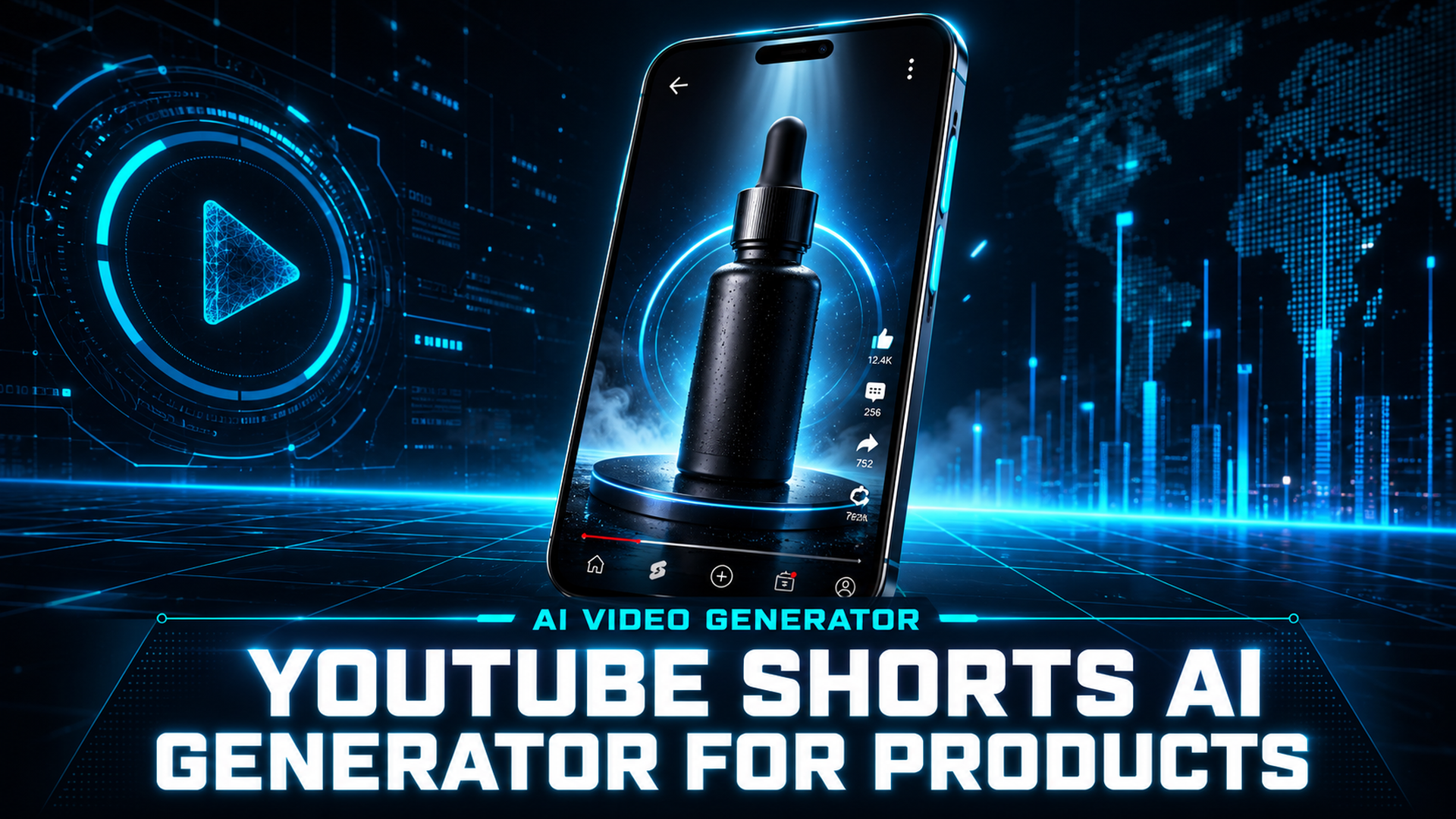
How to Make AI YouTube Shorts: Zero-Editing Product Videos from a Text Prompt
Quick Summary
- To make AI YouTube Shorts properly, your tool must generate native 9:16 video from text, not crop or assemble it after the fact.
- InVideo, Canva, and Opus.pro are AI-assisted editors, not generators: they require footage uploads, template selection, or timeline editing before output.
- YouTube Shorts requires 9:16 aspect ratio, 1080×1920 px resolution, and 15-60 seconds for peak engagement.
- Neural4D Video Generation is powered by Seedance 2.0 and outputs 9:16 vertical video from a text prompt with no assets, no editing, and no camera equipment.
- Neural4D generates 5-15 second lossless MP4 clips at up to 1080P; for longer Shorts, chain multiple generated clips.
If you want to learn how to make AI YouTube Shorts the right way, the first thing to understand is that most tools in this category do not actually generate video. They edit, reframe, or assemble footage you already have. True text-to-video generation takes a written product description and outputs a finished vertical Short with no manual steps. This guide walks through the workflow, specs, and prompt structure for making AI YouTube Shorts using Neural4D Video Generation, where you type a prompt, choose 9:16, and export an MP4 ready to upload.
Table of Contents
- Part 1: Why Most Tools to Make AI YouTube Shorts Still Require Editing
- Part 2: How to Make AI YouTube Shorts with Neural4D Video Generation
- Part 3: YouTube Shorts Specs Your AI Tool Must Match
- Part 4: Neural4D vs. InVideo, Canva, and Opus.pro
- Part 5: Writing Prompts That Make AI YouTube Shorts Product-Ready
- Part 6: Common Questions on Making AI YouTube Shorts
- Start Making AI YouTube Shorts with Neural4D
Part 1: Why Most Tools to Make AI YouTube Shorts Still Require Editing
When most people search for how to make AI YouTube Shorts, they expect a one-prompt workflow. What they actually find is an industry where the phrase is used loosely. Scroll through the top results and you will find tools that are, in practice, AI-accelerated editing platforms. They use AI to cut, caption, and reframe existing footage. You still have to bring the footage.
This matters because the core workflow pain for product sellers and content creators is not editing speed. It is the cost and logistics of getting footage in the first place. A product shoot for a single Shorts video can cost anywhere from $200 to $500 when you factor in a videographer, lighting, and post-production. The “AI” part of these tools kicks in only after you have already solved that problem, which is the opposite of what most creators expect when they search for how to make AI YouTube Shorts.
The actual barrier is asset creation, not editing. Most people learning how to make AI YouTube Shorts want to skip the shoot entirely, not just speed up the timeline. Most platforms on the market today have not addressed this gap. They market around AI speed and automation, but the core workflow assumption is that footage already exists.
What “AI-assisted editing” actually means for your workflow
A true AI-assisted editor ingests raw footage or stock clips, then uses AI to auto-cut, generate captions, and resize to 9:16. Tools like Canva Magic Media cap video generation at 10 seconds and require you to assemble components on a drag-and-drop timeline. Opus.pro is purpose-built to repurpose long-form videos into Shorts, which means its input is always an existing video file.
InVideo goes further than most: its text-to-video mode generates a full video from a script. But the workflow still defaults to stacking AI-sourced stock clips with an on-screen presenter, which produces a generic stock-footage aesthetic rather than a custom product visualization. When your product is physical, that gap shows immediately on screen.
For e-commerce sellers generating product content for YouTube Shorts, the relevant metric is: how many unique product videos can you create per hour, and how much do they cost per clip. Traditional AI editing tools still scale linearly with footage procurement costs. Neural4D removes that ceiling entirely by generating the video from a text description of the product.
Part 2: How to Make AI YouTube Shorts with Neural4D Video Generation
The fastest way to make AI YouTube Shorts from scratch is with Neural4D’s Video Generation feature, which is powered by Seedance 2.0, ranked first on the Artificial Analysis Video Arena with an Elo score of 1,269. The feature accepts a text prompt, applies physics-based motion simulation and temporal coherence, and outputs a lossless MP4. No footage uploads, no timeline editing, no template selection required.
The workflow to make AI YouTube Shorts with Neural4D Video Generation is three steps: write your product description as a prompt, select the 9:16 aspect ratio and your target resolution, and click Generate. If the output needs refinement, you adjust the prompt and regenerate. There is no editing interface to learn, no export preset to configure, and no account-level asset library to maintain.
Output specs that matter for Shorts: clips generate at 5-15 seconds per generation, in resolutions from 480P to 1080P. The 9:16 vertical format is a native option, not a post-crop resize. A 15-second product demo at 1080P exports as a lossless MP4 with no additional configuration. For longer Shorts (up to 60 seconds), chain three or four generated clips in any free video joiner, each covering a distinct product angle.
Neural4D is built on research from Nanjing University, DreamTech, Oxford University, and Fudan University. The Video Generation product is independent of the 3D generation pipeline, so everything here applies whether or not you use the 3D tools. You can access the video generator directly at the Neural4D studio without needing any prior 3D workflow experience.
For sellers already using Neural4D for product visuals, this creates a fully text-driven content pipeline: generate product images with Image Generation, and learn how to make AI YouTube Shorts and other short-form video ads with Video Generation, all from the same platform and the same prompt-based interface. If you already create AI product videos for Instagram Reels with Neural4D, the same prompt workflow applies directly to Shorts production.
Part 3: YouTube Shorts Specs Your AI Tool Must Match
YouTube Shorts has a strict technical classification system. A video only appears in the Shorts feed if it meets the platform’s format criteria. Getting these wrong means your content bypasses the Shorts algorithm entirely, regardless of how well the video is produced.
⚡ YouTube Shorts technical requirements (2026)
- Aspect ratio: 9:16 mandatory (vertical format only)
- Recommended resolution: 1080×1920 px (minimum 720×1280 px)
- Maximum duration: 3 minutes (15-60 seconds optimal for engagement)
- Optimal duration for e-commerce: 15-25 seconds (show product value without drop-off)
- Format: MP4 with H.264 encoding
- Critical: first 1.5-3 seconds determine 60% of viewer retention, so show the product immediately
Neural4D’s Video Generation natively supports 9:16 output at 1080P. When you select 9:16 in the studio, the generation runs at vertical aspect ratio from the start, not as a cropped or resized horizontal video. This is the single most common technical error creators make when they try to make AI YouTube Shorts with general-purpose video generators: they generate a 16:9 clip and crop it, cutting off key visual elements and reducing sharpness at the edges.
YouTube Shorts is the highest-engagement short-form platform for product content, with a 5.91% average engagement rate across the platform. Shoppable Shorts convert at 3-5 times higher than traditional YouTube ads. The 200 billion daily views the platform processes means a technically correct, well-prompted product video has substantial organic reach potential with no paid distribution required.
Neural4D generates 5-15 second clips per prompt, which lines up well for anyone who wants to know how to make AI YouTube Shorts without complex sequencing. For a standard 15-second Shorts format, a single generation covers the full clip. For a 30-second product walkthrough, use two generation runs: one for the hero product shot and one for the use-case or call-to-action closing scene. The only external tool required is a basic video joiner to stitch them, which takes under 60 seconds with any free app. To scale this further or explore how the same approach works for e-commerce product listings, the guide on creating e-commerce video from text with AI covers the full multi-clip workflow.
Make Your First AI YouTube Short Today
No footage. No editing software. Just a text description of your product.
Free plan includes 50 Power credits per week, no credit card required
Part 4: Neural4D vs. InVideo, Canva, and Opus.pro
Every AI tool that promises to help you make AI YouTube Shorts operates on different assumptions about what assets you already have. The comparison below uses Neural4D as the reference point, since it represents the true zero-asset generation model that the others do not match.

| Tool | Input Required | Editing Required | 9:16 Native | Product Video Fit |
|---|---|---|---|---|
| Neural4D | Text prompt only | None: adjust prompt and regenerate | ✅ Yes (native generation) | ✅ Direct product description to video |
| InVideo | Script or topic | Moderate (stock clip selection, voice-over) | ⚠️ Resize/crop required | Generic stock aesthetic for physical products |
| Canva | Assets + text | High (drag-and-drop assembly, timeline) | ⚠️ Template-based | 10-second Magic Media cap; assembly-heavy |
| Opus.pro | Existing long-form video | Minimal (automated repurposing) | ✅ Auto-crop from existing footage | Requires footage; does not generate new content |
Where each tool fits
InVideo works well for information-style Shorts where stock footage is acceptable: product explainer content, tutorials, and list-style videos where the visual is illustrative rather than the actual product. If you need to show your specific physical product, stock B-roll will not match, and InVideo cannot generate custom product visuals from a description.
Canva is strongest for brand-consistent graphics and template-driven social content. For Shorts specifically, its 10-second Magic Media cap is a hard constraint, and assembling a 30-second video requires significant manual work on the timeline. The tool is excellent for static product images and designed graphics but is not a reliable way to make AI YouTube Shorts at scale when you need custom product video production.
Opus.pro solves a different problem: it takes an existing 20-minute podcast or tutorial and extracts Shorts clips automatically. That is genuinely useful for repurposing existing long-form content. It is not a generator. If you have no footage to start with, Opus.pro does not apply. For brands building product videos from scratch, it is in a different category entirely.
Neural4D fits when you want to create custom product video content without procurement logistics: new product launches, limited-edition item promotions, product line variations, or seasonal campaign content where reshooting is not practical. If you also need AI video generators beyond the Shorts use case, the comparison guide on the best Sora alternatives for video generation covers additional options and their tradeoffs in depth.
Part 5: Writing Prompts That Make AI YouTube Shorts Product-Ready
Prompt quality is the only variable in a true text-to-video workflow. When you make AI YouTube Shorts with Neural4D, the entire output is generated from your written description, so the prompt determines everything: composition, lighting, motion, and how clearly the product is featured. A vague prompt produces a generic scene. A specific prompt produces a product-forward 9:16 video ready to upload.
Prompt structure for product Shorts
Effective product prompts follow a four-part structure: product + scene + lighting + motion. Each element corresponds to a distinct visual decision that the model needs to resolve. Leaving one out forces the model to guess, and its default guess is rarely what you want for a product video.
Prompt structure template:
[Product description] [scene/background] [lighting style] [motion description] [format note]
Example for a skincare product:
“A frosted glass serum bottle with a gold dropper cap, rotating slowly on a clean white marble surface, soft diffused studio lighting, subtle bokeh background, vertical product showcase, 9:16 format, cinematic quality.”
Example for a tech product:
“A matte black wireless earbud case opening smoothly, revealing the earbuds inside, dark studio background with blue-white rim lighting, slow-motion reveal, vertical format, sharp product detail.”
Common prompt mistakes that hurt product video quality
The most common issue is under-specifying the product. “A skincare product on a table” gives the model too much latitude. The model does not know your brand, your bottle shape, or your color palette. The more physical detail you include (material, color, shape, finish), the more accurately the output reflects your product category.
The second common issue is forgetting to specify motion. Neural4D’s Seedance 2.0 engine applies physics-based motion simulation, which means a static product prompt may produce a still or near-still frame. For Shorts, motion keeps viewers watching past the first second. A slow rotation, a liquid pour, a product opening: these are the motion verbs that translate directly to engaging short-form video. For creators who want to understand how prompt-driven AI video generation differs from TikTok-style short video creation, the complete guide on creating TikTok videos with AI covers prompt strategy for both platforms in more depth.
If a first generation is not quite right, adjust a single element of the prompt and regenerate. Do not rewrite the entire prompt after one attempt. Change one variable at a time: swap the lighting description, add a motion verb, or be more specific about the product surface finish. This iterative approach is the practical answer to how to make AI YouTube Shorts that actually look on-brand, and it is faster than trying to write a perfect prompt on the first pass.

Part 6: Common Questions on Making AI YouTube Shorts
To make AI YouTube Shorts from scratch with no footage, use a true text-to-video generator like Neural4D. You only need a text prompt: no footage uploads, no asset library, no stock clips required. The model generates the video from your written description. Other tools like Opus.pro require existing footage as input, and Canva requires you to assemble uploaded assets on a timeline. The zero-upload workflow is specific to text-to-video generators like Neural4D.
Yes. 9:16 is a native aspect ratio option in Neural4D’s video generator, not a post-processing crop. When you select 9:16 before generating, the model composes the scene at vertical orientation from the start. This preserves the full resolution of the output and avoids the composition errors that occur when a 16:9 video is cropped to fit the Shorts format after the fact.
Adjust one element of your prompt and regenerate. Neural4D’s text-to-video workflow uses prompt iteration rather than a visual editing interface. If the lighting is too flat, add a more specific lighting instruction (for example, “hard directional rim lighting” or “soft diffused studio light”). If the product is not centered, specify the composition explicitly. Changing one variable at a time makes it easier to identify which element improves the output rather than rewriting the entire prompt and losing what was already working.
No editing skills are required to make AI YouTube Shorts with Neural4D. The Video Generation interface is entirely prompt-based: write a description, set the aspect ratio and resolution, and download the MP4. There is no timeline editor, no keyframe animation, and no effects panel to configure. The only optional external step is joining multiple generated clips if you want a Shorts video longer than 15 seconds, which any free video joiner handles in seconds.
The key distinction is whether you need to bring footage. InVideo and Canva are AI-assisted editors: they accelerate editing workflows but assume you already have assets or are comfortable with stock footage for your product visuals. Neural4D generates the product video from a text description with no prior assets. For brands with physical products who want to create custom video content at scale without photography or videography, Neural4D removes the upstream logistics that make InVideo and Canva impractical for high-volume product content.
Start Making AI YouTube Shorts with Neural4D
YouTube Shorts product videos require three things: the right format, a clear product visual, and enough motion to hold attention past the first two seconds. Traditional production workflows make scaling this expensive. AI-assisted editing tools reduce the editing time but do not remove the asset procurement step. When you want to make AI YouTube Shorts from text rather than editing pre-existing footage, the workflow finally addresses the root cost problem. Not every tool marketed as an AI video creator actually generates new video from a text description, and that distinction determines whether you still need a camera or not.
Neural4D’s Video Generation, powered by Seedance 2.0, outputs natively vertical 9:16 MP4 at up to 1080P from a text description of your product. No camera, no footage, no editing timeline. The free plan includes 50 Power credits per week, which covers multiple generation runs for product testing before any spending commitment. For brands producing social content at scale, the workflow compresses what used to be a multi-day production cycle into a prompt and a click. The same platform handles product 3D models and product images through separate features, making it a consolidated AI content stack for e-commerce sellers. You can explore how it applies to static product visuals in the guide on 3D product rendering for e-commerce.
For e-commerce sellers and content creators, the calculus is straightforward: a workflow to make AI YouTube Shorts that requires no assets and no editing, generates native 9:16 at 1080P, and costs nothing to test is the lowest-friction path to consistent Shorts output. Neural4D is that tool.
Make AI YouTube Shorts from a Prompt
Neural4D generates 9:16 product videos at 1080P from a text description, powered by Seedance 2.0, ranked #1 on the AI Video Arena.
50 free Power credits per week, start without a credit card