Furniture Image to 3D Model: A Practical Workflow for Ecommerce and Interior Design
If you are building a catalog, staging interiors, or preparing assets for product visualization, a furniture image to 3D model workflow can save an enormous amount of time. The real question is not whether a chair, sofa, or table can be reconstructed from an image. The real question is whether the output is accurate enough, clean enough, and editable enough to save time instead of creating a second round of repair work.
- Part 1: Why Furniture Image to 3D Model Matters Now
- Part 2: How Furniture Image to 3D Model Conversion Works
- Part 3: The Real Problems with Traditional and AI Furniture Modeling
- Part 4: A Better Furniture Image to 3D Model Workflow with Neural4D
- Part 5: FAQ – Furniture Image to 3D Model Questions
- Part 6: Conclusion – Turn Furniture Photos into Usable 3D Assets Faster
Part 1: Why Furniture Image to 3D Model Matters Now
This keyword is growing because the business need is real. Furniture brands want better product presentation. Interior designers want faster scene building. Ecommerce teams want stronger visuals, room-view experiences, and more scalable content production. A good 3D asset helps all three.
Furniture Catalogs Keep Growing, but Modeling Capacity Does Not
A catalog is rarely just one chair or one sofa. It expands into variants, finishes, materials, dimensions, and seasonal collections. Modeling every item by hand is possible, but it is slow and expensive. That makes furniture image to 3D model tools attractive, especially when teams already have high-quality reference photos.
The Value Is Not Just 3D. It Is Faster Commerce and Visualization
Most teams are not searching this keyword because they want experimental AI output. They want assets that help sell products, support visualization, and reduce repetitive production work. If a product image can become a usable 3D object, it can support ecommerce pages, room staging, layout previews, and future AR experiences. For a broader primer on this workflow category, see how to convert image to 3D model using AI.
Furniture visualization is moving toward higher asset volume, faster launch cycles, and richer product experiences. That shifts the conversation from “Can we make a nice render?” to “Can we produce usable 3D furniture assets at scale without slowing the team down?”
Need a faster way to turn furniture photos into usable 3D assets?
Start with Neural4D Image to 3D
Built for teams that need cleaner geometry, faster asset prep, and less rework.
Part 2: How Furniture Image to 3D Model Conversion Works
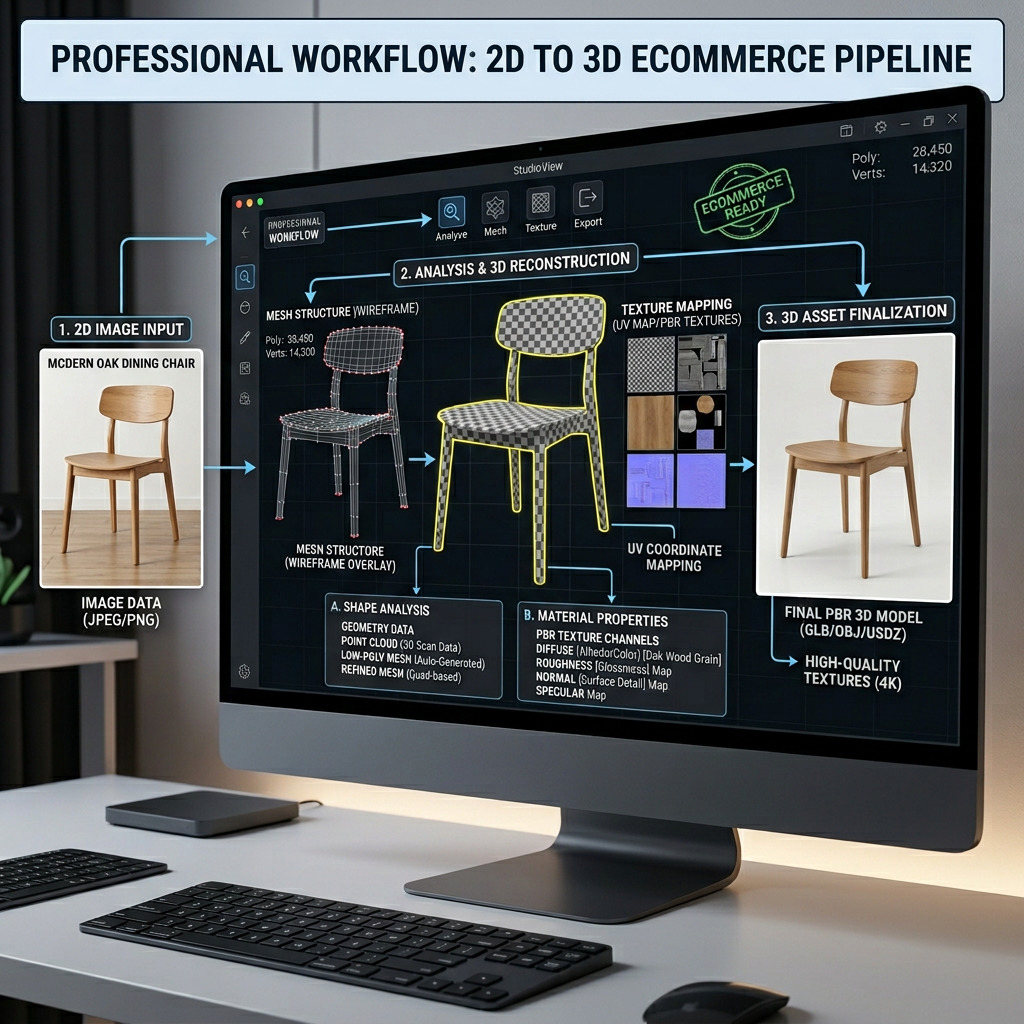
At a basic level, the system takes one or more images and tries to infer shape, depth, structure, and surface behavior. That sounds straightforward. In reality, furniture is one of the harder categories because people notice proportion errors immediately.
Shape Reconstruction Is More Than Silhouette Matching
A convincing chair or sofa is not just the outer outline. The system has to infer depth, thickness, angles, and connections between parts. A weak model may get the front view right and still fail on side depth, leg spacing, or support structure.
Materials and Surface Separation Matter More Than Most Demos Admit
Furniture often combines multiple materials in one object. Upholstery, wood, metal, stitching, gloss, matte sections. If the tool cannot separate those visual cues well, the result looks muddy. That hurts both rendering quality and later editing. Texture quality also matters later in the pipeline, especially if teams want a more polished material finish, which is why image-based material workflows like generate PBR texture from image are getting more attention.
Single Images Usually Create the Biggest Scale Errors
This is one of the biggest hidden problems in a furniture image to 3D model workflow. A single photo does not always reveal true depth or proportions. That is why some generated assets look acceptable in isolation but feel wrong as soon as they are placed into a room scene or compared with real products.
Part 3: The Real Problems with Traditional and AI Furniture Modeling
Most furniture teams are caught between two imperfect paths. Manual modeling gives control, but it is slow. Fast AI generation looks efficient, but weak output often pushes the cost into cleanup, revision, and material repair.
Manual Modeling Is Still Too Slow for Repetitive Catalog Work
Hand-building every stool, armchair, bed frame, and side table is hard to justify when the source visuals already exist. Skilled modelers should not spend all day recreating familiar product forms from scratch if the first pass can be accelerated safely.
Low-Quality AI Output Often Fails in Predictable Ways
This is where the market still frustrates users. Edges become soft. Cushions lose structure. Metal frames and fabric surfaces merge together. The model may technically exist, but it is not production-friendly. It looks more like a demo artifact than a reliable furniture asset.
The Real Cost Is the Cleanup Queue
A fast generation step means very little if someone still has to rebuild the model afterward. That is why teams complain about heavy meshes, messy topology, and materials that need to be redone by hand. The time saved upfront gets erased by downstream corrections.
Part 4: A Better Furniture Image to 3D Model Workflow with Neural4D
This is where Neural4D becomes useful. Not because it removes every decision from the process. Because it reduces the repetitive work and gets you closer to a usable furniture asset faster.
Cleaner Geometry Changes the Real Workflow
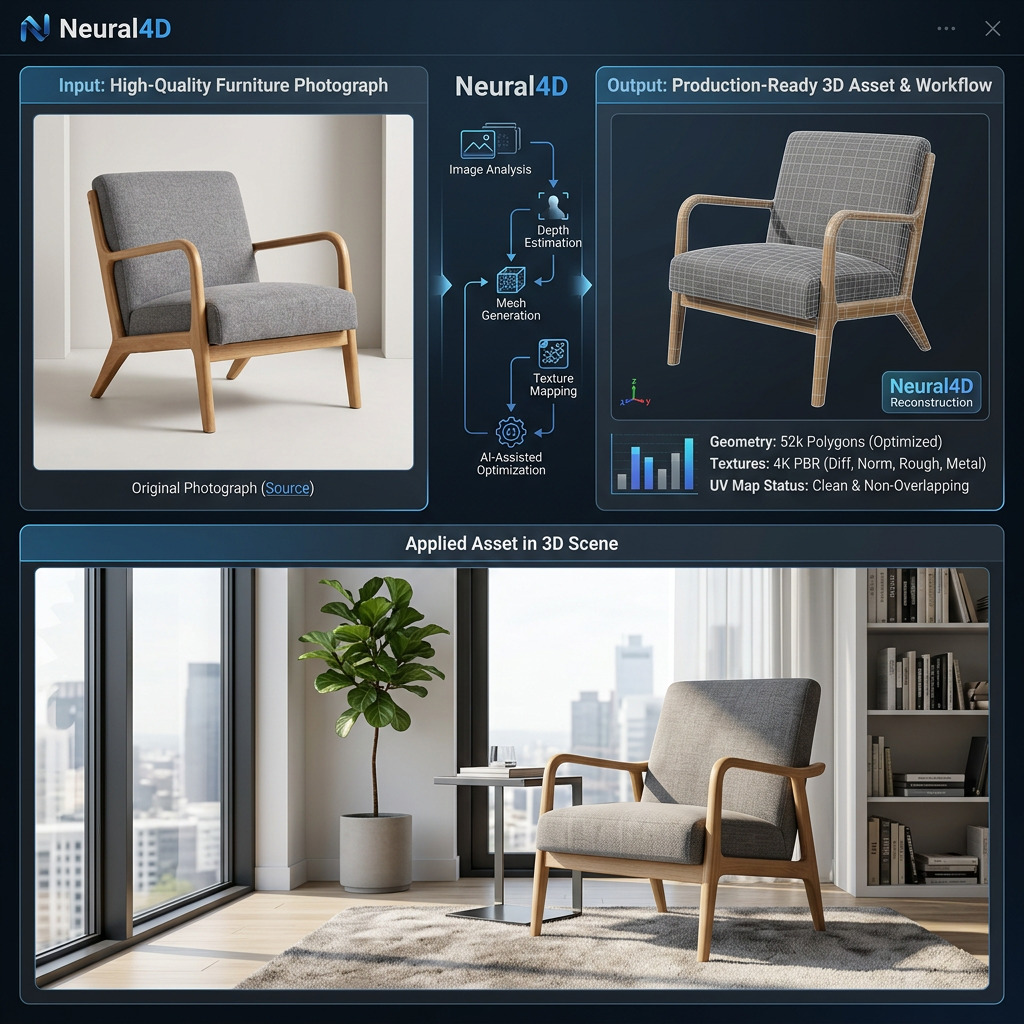
Neural4D uses the Direct3D-S2 architecture to generate native volumetric geometry rather than weak surface approximations. That matters for furniture because structure is visible. If the geometry is unstable, the object looks wrong immediately. Cleaner starting geometry means less manual correction and better downstream use.
The Base Mesh Is Fast, but the Bigger Win Is Usability
The base mesh can be generated in around 90 seconds. That applies to the base mesh stage only. If texturing is needed, that takes additional time. The bigger advantage is that the model starts from a stronger foundation. That means fewer broken surfaces, fewer reconstruction issues, and fewer hours wasted rebuilding what the system should have captured correctly.
Why This Fits Ecommerce and Interior Visualization Better
A stronger furniture image to 3D model workflow is useful because it supports actual production goals. Ecommerce teams need better product visuals. Design teams need room-ready objects. AR workflows need believable forms. Neural4D fits best when the goal is not just to generate a 3D object, but to create a furniture asset that can move through real business workflows with less friction. Teams evaluating broader image-to-3D options can also compare this against best image to 3D model AI workflows.
For a related workflow explanation, see why your next project needs an image to 3D API.
Part 5: FAQ – Furniture Image to 3D Model Questions
Part 6: Conclusion – Turn Furniture Photos into Usable 3D Assets Faster
If you need a furniture image to 3D model workflow that supports real production, the right question is not whether AI can make a model from a photo. The right question is whether the asset is usable enough for ecommerce, interior visualization, and room-scene workflows without dragging the team into another cleanup cycle. That is where better geometry, better workflow logic, and better editability create the real advantage.
Turn Furniture Photos into Cleaner 3D Assets
Try Neural4D Image to 3D Studio
A faster option for teams that need usable furniture models, not just visual demos.