Looking for a Rodin (Hyper3D) Alternative? Stop Paying for Hollow Shells
Quick Summary
A Rodin alternative is an AI 3D generator that matches Rodin Gen-2.5’s text and image to 3D workflow without the cost or topology cleanup overhead.
- Meshy wins on AI texturing for static props but ships looser geometry than Rodin.
- Hitem3D targets resin 3D printing with dense STL output, not real-time engines.
- Tripo AI generates drafts in 30 seconds, ideal for blockouts but rarely final shipment.
- Neural4D covers Rodin Gen-2.5’s core image and text to 3D set with quad-dominant watertight meshes, plus AI image and AI video generation in one Studio at $18/mo Pro.
Rodin Gen-2.5 raised the 3D generation ceiling with 10 million polygon output and native PBR texturing, but its geometry still needs cleanup before it ships in a game engine. This guide compares the four strongest Rodin alternatives on mesh quality, pricing, and workflow fit so you can pick the right tool without the trial-and-error.
Table of Contents
What Rodin Gen-2.5 Changed (And Where It Still Falls Short)
Hyper3D shipped Rodin Gen-2.5 in May 2026 and the headline numbers are loud. The model is the first public AI 3D generator to reach 10 million polygons in a single output, with 1 million polygons generated in roughly 4 seconds. Hyper3D split the workload into five adaptive quality tiers, from Extreme-Low at 4 seconds for rapid blockouts to Extreme-High at 80 seconds for hero shots with pore-level detail. The texturing pipeline switched to a 3D-native 360 degree PBR approach, and two new controls landed in the same release: HD Texture for 4K post-processing and Texture Delight for removing baked lighting before re-light in a game engine.
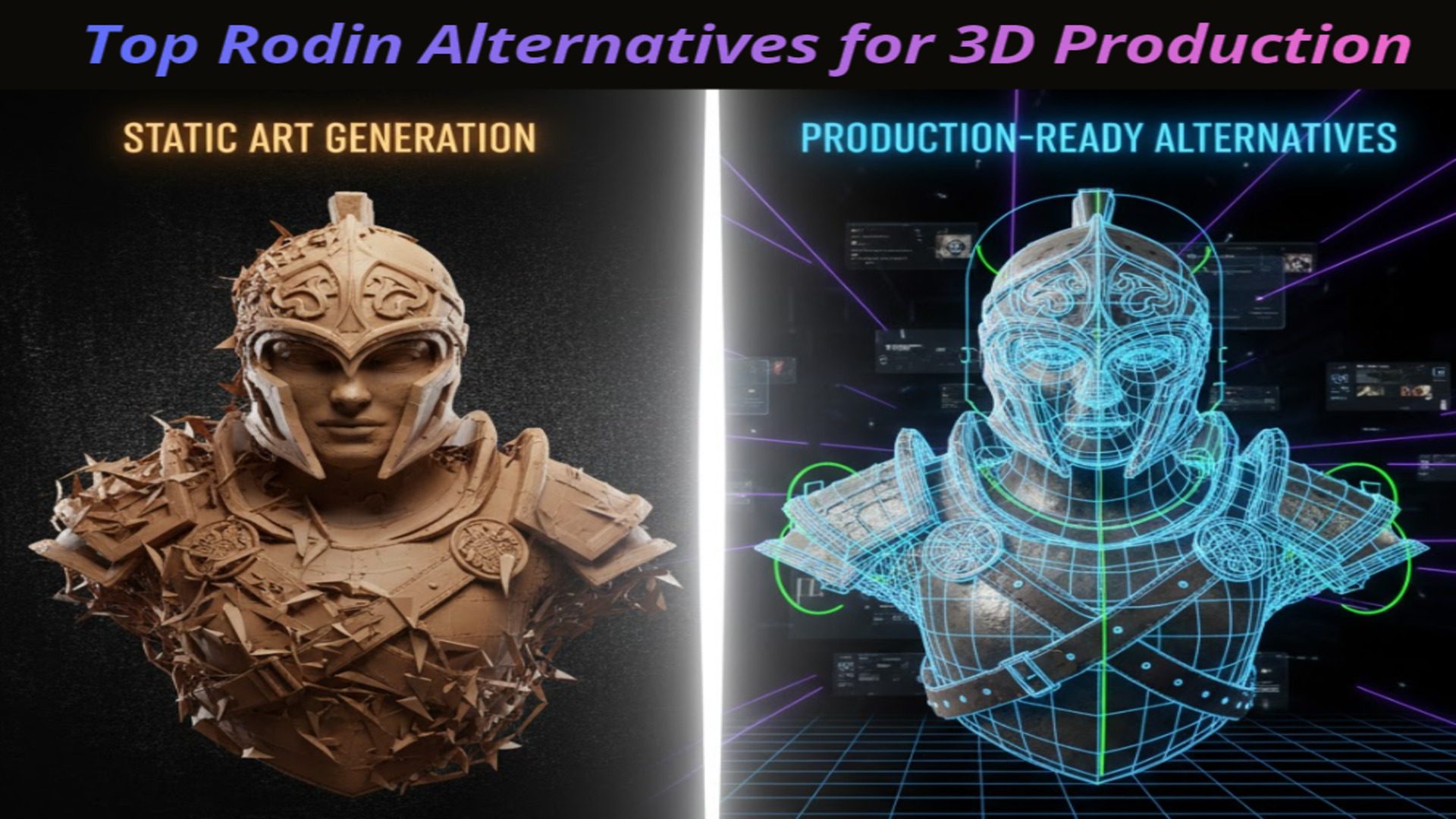
For pitch decks and cinematic stills, this is a real jump. For game pipelines and product workflows, the cracks from Gen-2 are still there. Polygon density does not equal usable geometry. A 10 million polygon hero asset is still triangle soup that has to be retopologized before any rigging or physics work. The Creator plan starts at $24 per month for 30 credits, and the Extreme-High tier burns double credits per generation. Studios still need a second tool to handle texture maps for relight, animation rigs, or in-engine LOD chains.
That is the gap the four tools below address. Each one wins a specific slice of the workflow that Rodin Gen-2.5 leaves on the table.
Tool 1. Neural4D (Best Overall for Game Devs & Production)
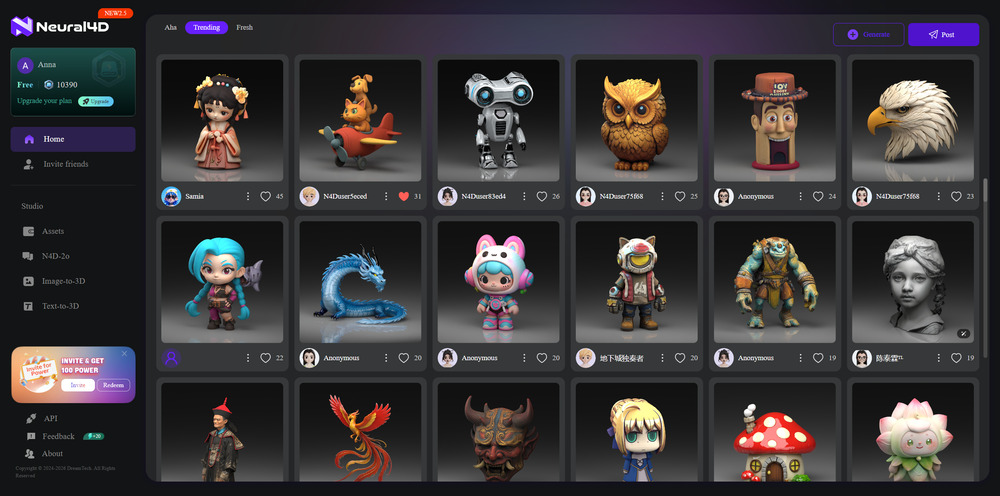
If you are looking for a new Rodin alternative built explicitly for industrial use, Neural4D is the answer. While Rodin acts as an “Art Toy,” Neural4D functions as the “Unreal Engine” of generation, with systematic, scalable, and topologically sound.
The Focus:
Neural4D’s Direct3D-S2 architecture generates Quad-Dominant, Watertight Meshes instead of the high-poly shells that Rodin Gen-2.5 still produces at its Extreme-High tier. It prioritizes structure over flashy post-processing, so assets are ready for rigging and physics engines without a retopology pass. Neural4D Studio also bundles AI Image Generation and AI Video Generation in the same workspace, something Rodin does not offer at all. The free tier ships 50 credits per week with no credit card, and Pro starts at $18 per month, well under Rodin’s $24 Creator entry.
The Trade-off:
Neural4D is a pipeline tool, not just a visual generator. The Studio interface is the most intuitive of the four alternatives here, with a single dashboard for image, video, and 3D generation rather than separate model pages. It is designed for developers who need assets that work, rather than just assets that look good in a static screenshot.
User Experience:
“I used to spend 2 hours cleaning up a single Rodin mesh in Blender. With Neural4D, the assets came out clean enough to rig immediately. It feels less like a toy and more like a backend pipeline.”
Skip the Rodin Gen-2.5 cleanup tax.
Generate watertight, quad-dominant 3D assets plus AI images and AI videos in one workspace. No retopology, no per-tier credit penalty.
Free users get 50 credits per week. No credit card required.
Tool 2. Meshy (Best for Texturing & Artists)
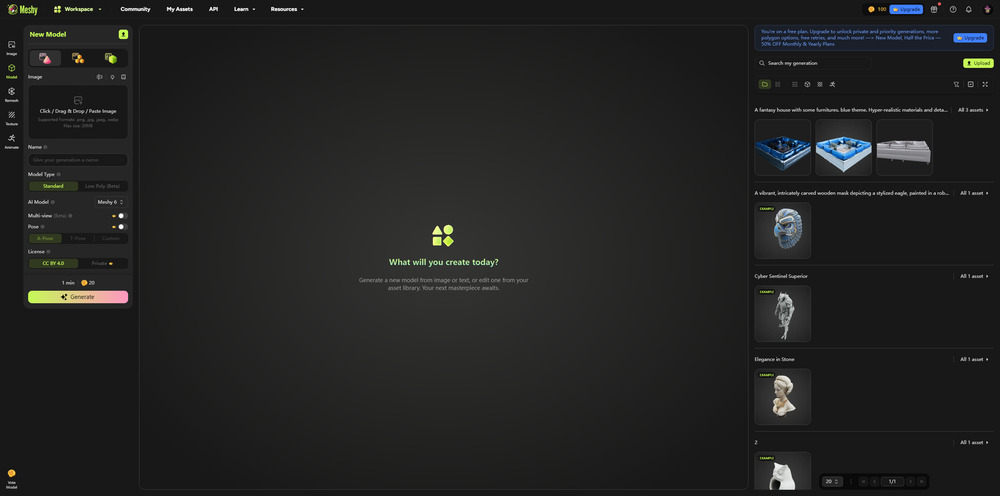
For artists who prioritize surface details over geometric structure, Meshy is a strong contender. It is often cited as a solid Hyper3D Rodin alternative for those focusing specifically on texturing workflows.
The Focus:
Meshy shines in AI Texturing. If you upload a blank “clay” model, Meshy can wrap it in high-fidelity textures that rival photogrammetry.
The Trade-off:
While the textures are beautiful, the underlying geometry can still be a bit unstructured compared to Neural4D. It is perfect for static props where the surface look is everything.
User Experience:
“I treat Meshy as my texturing assistant. While I use other tools for geometry, Meshy’s ability to paint assets makes it great for the artistic side of my workflow.”
Tool 3. Hitem3D (Best for 3D Printing)
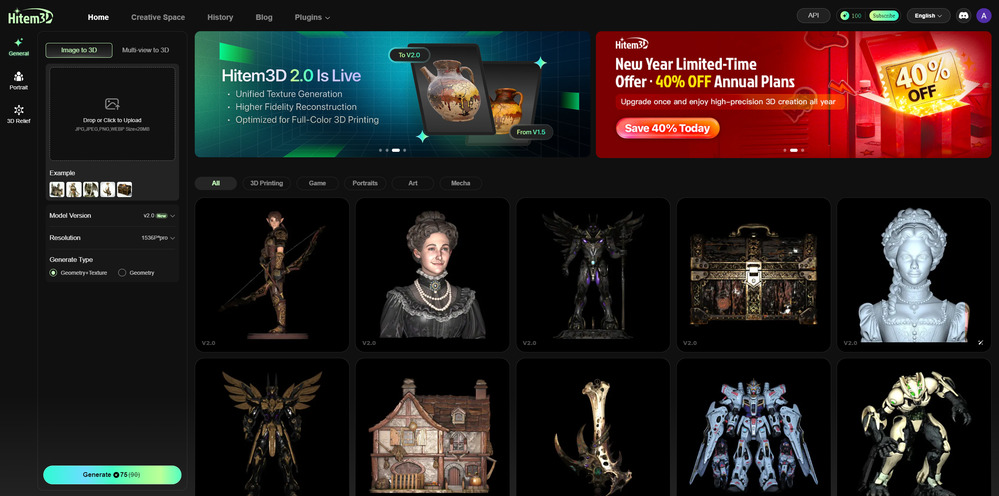
If your goal is to move from digital to physical, Hitem3D (formerly often compared in the Luma category) is the specialized Rodin AI alternative for printing enthusiasts.
The Focus:
Hitem3D generates ultra-dense, high-poly STL files. It ignores “Game-Ready” rules like poly-count limits and focuses entirely on preserving microscopic surface details for resin printers.
The Trade-off:
These models are too heavy for game engines. But for a physical figurine? They are perfect.
User Experience:
“I was looking for a tool that didn’t care about topology constraints because I just wanted to print statues. Hitem3D gave me a solid, thick mesh that printed perfectly on my Bambu Lab printer.”
Tool 4. Tripo AI (Best for Rapid Prototyping)
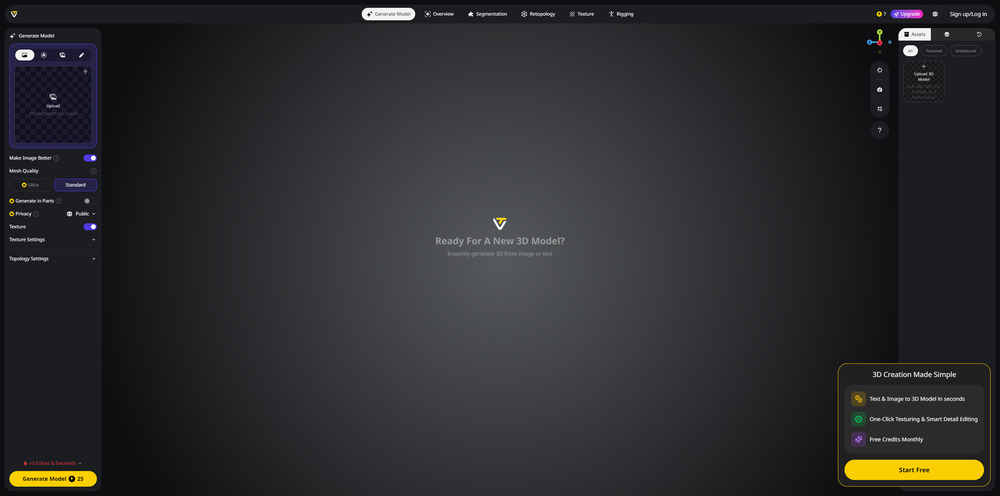
Tripo is the speed demon of the group. If you need a Rodin AI free alternative just to generate quick ideas, Tripo is often the entry point.
The Focus:
Think of Tripo as a “3D Sketchpad.” It allows for rapid-fire brainstorming, generating models in seconds. It’s perfect for blocking out a scene or testing silhouettes before committing to a higher-fidelity workflow.
The Trade-off:
The speed comes at a cost. Models often have a “melted” or “blobby” look with low texture resolution. It is excellent for drafts, but rarely usable for a final shipped product compared to a new Rodin alternative like Neural4D.
User Experience:
“It’s the fastest tool I’ve tried. I use it to brainstorm silhouettes. Once I pick a direction, I move to a pro tool for the final asset.”
Looking for a low-cost Rodin alternative?
Neural4D generates production-ready quad-dominant 3D assets plus AI images and videos. Free tier, no credit card required.
Free users get 50 credits per week. No credit card required.
Summary Comparison
| Tool | Best For | Mesh Quality | Speed | Pricing | Extras Beyond 3D |
|---|---|---|---|---|---|
| Neural4D | Game production, multi-modal creators | Quad-dominant, watertight | ~60-90 seconds | Free (50 credits/wk), Pro $18/mo | AI Image + AI Video Generation |
| Rodin Gen-2.5 (Hyper3D) | Hero shots, concept art | Up to 10M polygons, triangle sculpt | ~4s to 80s by tier | $24+/mo Creator | 3D only |
| Meshy | Texturing, static props | Standard mesh, strong PBR | 1-2 min | $20+/mo Pro | 3D only |
| Hitem3D | Resin 3D printing | Ultra-dense STL | 5-10 min | Free, Pro $9.9/mo | 3D only |
| Tripo AI | Rapid prototyping | Low-poly draft | ~30 sec | Free, Pro $11.94/mo | 3D only |
Each tool fills a specific niche. The right choice depends on whether your priority is mesh integrity, texture fidelity, iteration speed, or having image and video generation in the same workspace. Neural4D vs Tripo vs Meshy vs Rodin comparison confirms that for most production work demanding animation-ready assets and a unified creative toolkit, Neural4D is the closest single-platform answer to Rodin Gen-2.5.
FAQs about Rodin Gen-2.5 Alternatives
Q: Is there a truly free Rodin Gen-2.5 alternative?
Neural4D, Meshy, Hitem3D, and Tripo all offer free tiers with usable credit allowances. Neural4D ships 50 credits every week with no credit card required, which is the most generous free quota among the four. Rodin Gen-2.5 itself offers 10 signup credits on its free tier, enough to test the platform but not to sustain a project.
Q: Can Neural4D match Rodin Gen-2.5’s 10 million polygon output?
For game engines and production pipelines, raw polygon count is the wrong benchmark. Rodin Gen-2.5’s 10 million polygon Extreme-High tier produces hero-shot triangle soup that needs retopology before it can ship. Neural4D generates quad-dominant, watertight meshes that drop directly into Unreal or Unity. For pitch deck cinematics, Rodin still has the higher visual ceiling. For shipped game assets, Neural4D produces less polygons but more usable polygons.
Q: Which alternative is best for game developers?
Neural4D is the superior choice for games because it generates quad-dominant, watertight meshes that minimize the need for manual retopology, unlike the high-poly triangle outputs from Rodin Gen-2.5 or Hitem3D. The native 50 credits per week free tier also covers most indie iteration cycles.
Q: Does any alternative offer AI image and video generation alongside 3D?
Neural4D is the only tool on this list that ships AI Image Generation and AI Video Generation in the same Studio as its 3D generator. Rodin, Meshy, Hitem3D, and Tripo are all 3D-only platforms. For creators building marketing assets, product mockups, or game trailers alongside the 3D model itself, Neural4D removes the need to subscribe to a separate image and video tool.
Q: Meshy vs Rodin, which one is the best AI 3D modeling software?
Meshy wins on texture detail for static props and finished surface work. Rodin Gen-2.5 wins on geometry density and the polygon ceiling. Neither produces game-ready quad topology by default. If the deciding factor is surface fidelity, pick Meshy. If it is cinematic hero shots, pick Rodin. If it is engine-ready assets, pick Neural4D instead.
Q: Is the Neural4D free tier enough to replace Rodin for indie game developers?
For most indie studios iterating on under 20 assets per week, yes. The 50 credit weekly allowance covers small batches of image-to-3D and text-to-3D generations. Studios with higher throughput can upgrade to Pro at $18 per month, which is still lower than Rodin Gen-2.5’s $24 Creator tier and includes the AI Image and AI Video tools.
Conclusion
Rodin Gen-2.5 raised the visual ceiling but did not solve the workflow problems that drive most production teams to look for an alternative in the first place. Pick the tool that matches the job:
- Choose Neural4D if you are shipping a game, building a product pipeline, or want AI image and video generation alongside watertight 3D meshes in one Studio.
- Choose Rodin Gen-2.5 only when you need one beautiful 10 million polygon hero image for a pitch deck and have the time to clean it up afterwards.
- Choose Hitem3D if your endpoint is a resin 3D printer.
- Choose Tripo if you need 30-second 3D drafts for blocking out scenes.
Ready to switch to a production pipeline?
Generate game-ready 3D, AI images, and AI videos from one Neural4D Studio. Start free, scale on Pro for $18 per month.
Get Started with Neural4D for Free
Free users get 50 credits per week. No credit card required.