What Is Retopology in 3D Modeling? A Complete Guide
Quick Summary
- Retopology rebuilds a 3D model’s polygon mesh into a cleaner layout with organized edge flow.
- A clean mesh animates without distortion, renders faster, and imports cleanly into engines and CAD software.
- Manual retopology is slow and skill-heavy; automatic tools and AI generation remove most of the work.
- For 3D printing, a dense watertight mesh often needs no retopology at all.
- Neural4D generates clean, organized topology at the source, so a separate retopology pass becomes optional for many models.
What is retopology, and when does a 3D model actually need it? Retopology rebuilds the polygon mesh of a model so it animates, renders, and prints reliably. This guide explains the process, compares manual and automatic methods, and shows how AI-generated 3D models are changing the workflow.
Table of Contents
- Part 1: What Is Retopology in 3D Modeling?
- Part 2: Why Retopology Matters for Animation and Rendering
- Part 3: Manual vs Automatic Retopology MethodsHOT
- Part 4: When Do You Actually Need Retopology?
- Part 5: How AI-Generated 3D Models Change the Retopology Workflow
- Part 6: Common Questions on Retopology
- Start From a Clean Topology
Part 1: What Is Retopology in 3D Modeling?
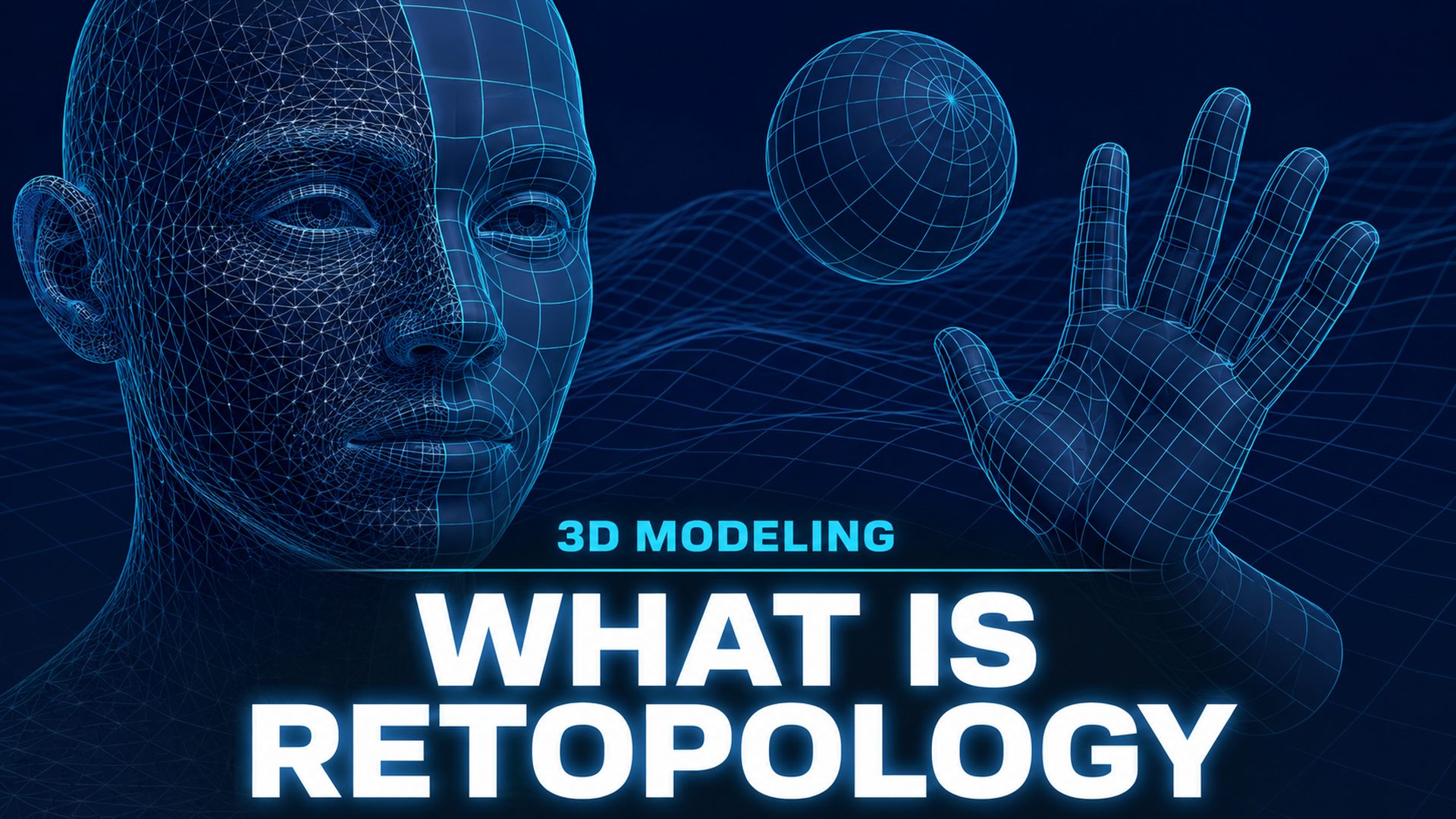
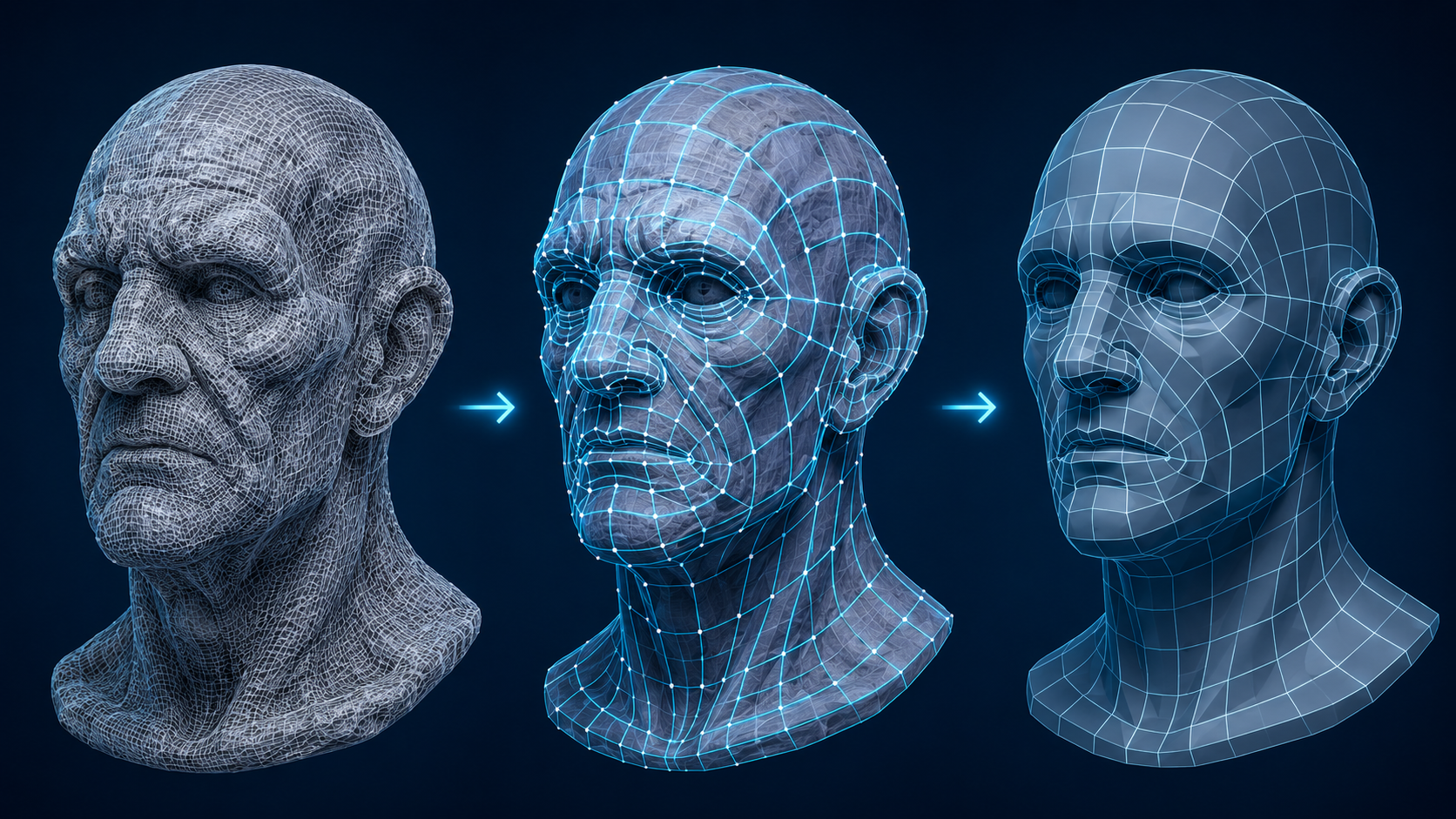
What is retopology? In 3D modeling, retopology is the process of rebuilding the polygon mesh of a model into a cleaner, more efficient layout. The shape stays visually identical, but the underlying geometry is reconstructed with a better arrangement of vertices, edges, and faces.
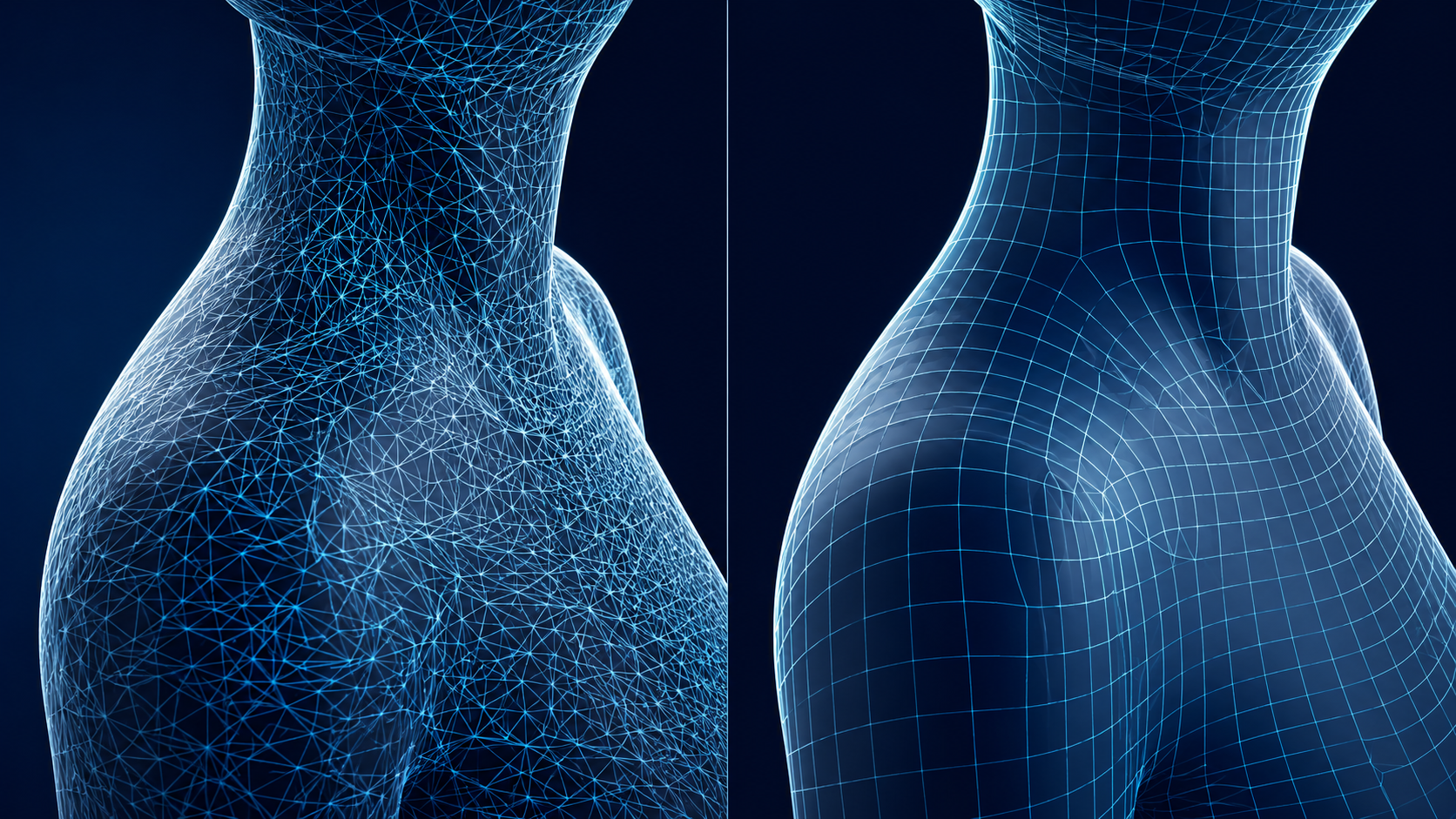
Topology refers to how the polygons of a mesh connect and flow across the surface. A sculpt or a 3D scan can contain millions of messy triangles with no logical order. Retopology replaces that dense soup with a lower polygon count that follows the contours of the shape.
The distinction matters. Topology is the arrangement itself, and retopology is the act of recreating it. Clean topology uses mostly quads and aligned edge loops, while a dirty mesh has uneven triangles, poles, and wasted density. Building clean quad-dominant meshes automatically is still an active research area; recent autoregressive models such as QuadGPT show where automated generation is heading.
Part 2: Why Retopology Matters for Animation and Rendering
Animation is where retopology earns its keep. Edge loops need to follow the natural bend points of a model, the elbows, knees, and shoulders. When edge loops align with those joints, a rig deforms the mesh smoothly. Without them, the geometry stretches and collapses in ugly ways during a pose.
Game engines and real-time renderers are equally strict. They have polygon budgets, and draw calls rise with vertex count. A dense scan that looks fine in a viewport can destroy frame rate in a game level. Retopology cuts the count while keeping the silhouette.
Texturing and UV mapping also depend on clean geometry. Organized edge flow produces fewer UV seams and less distortion when you unwrap a model. For production work, most teams expect an asset to arrive already retopologized, and artists who need a faster workflow often look for alternatives to Blender for 3D modeling that automate the cleanup steps. Put simply, what is retopology worth in production terms is measured in the hours it removes from every asset.
Part 3: Manual vs Automatic Retopology Methods
Manual retopology is the classic approach. An artist draws edge loops by hand on top of the high-poly model, using tools in Blender, Maya, or ZBrush. Every vertex is placed deliberately to follow the shape and the future rig. It produces the best results, and it is also the slowest part of a 3D pipeline.
Automatic retopology tools trade a little control for massive speed. Options like ZRemesher, Instant Meshes, and the built-in remesh tools in Blender generate a cleaner mesh from a dense input in seconds. The output is usually good enough for rendering and printing, though edge loops are not always placed with animation in mind.
The practical workflow is a tradeoff. For hero assets that get animated, artists still hand-retopologize or heavily clean automatic output. For background props, automation wins. If you generate meshes with AI, the cleanup burden can be near zero, which is why cleaning up AI-generated meshes in Blender is a topic most teams learn once and rarely repeat.
Stop Retopologizing by Hand
Generate 3D models with clean, organized topology from the very first pass.
Free plan includes 50 Power per week, no credit card required.
Part 4: When Do You Actually Need Retopology?
Retopology is not mandatory for every 3D asset. The deciding factor is how the model will be used. An animated character, a game-ready prop, and a 3D print all have different requirements.
| Use case | Needs retopology? | Why |
|---|---|---|
| Character animation | Yes | Edge loops at joints control deformation; without them the mesh distorts. |
| Game engine assets | Usually | Polygon budgets and draw calls punish dense, messy meshes. |
| 3D printing | No | Slicers need a watertight manifold mesh, not clean edge flow. |
| CAD and engineering | Yes, with constraints | Simulation and CAM expect organized, well connected geometry. |
| Background renders | Optional | Dense meshes render fine; retopology mainly saves memory and time. |
Notice what drives the decision. What is retopology useful for comes down to how the model is consumed. Animation and real-time performance reward clean topology. Printing and simple renders reward a closed, watertight mesh even if it is dense. Many beginners retopologize everything out of habit, and that wastes hours on assets that would be fine as-is.
For CAD and engineering work, the bar is different. Clean, organized geometry feeds simulations and digital twin workflows correctly, which is why fixing broken CAD geometry for digital twins with AI has become a practical pipeline step.
Part 5: How AI-Generated 3D Models Change the Retopology Workflow
AI generation changes the retopology equation because clean topology can be built at the source. When a generator outputs organized geometry from the start, the separate manual cleanup pass disappears for many assets.
Neural4D’s 3D pipeline is built around this idea. Its Neural4D AI Retopo feature and its image to 3D generation produce clean, organized topology and watertight output, so a model is game-ready or print-ready without a dedicated retopology step. Textures can be handled in the same pass, with AI-generated PBR textures applied directly to the mesh.
The scope matters. Neural4D’s 3D features operate on models generated by Neural4D itself, so the cleanest approach is to remesh a 3D model at the source rather than treating the tool as a repair kit for messy output from other generators.
Part 6: Common Questions on Retopology
Q: Why is retopology so difficult, and what does the skill focus on?
Retopology is difficult because edge flow is a judgment call, not a formula. The artist must read a complex surface and decide where loops must follow to support deformation and shading, then place every vertex manually. The skill comes from seeing the shape as a future rig, and that takes years of practice. Automation handles the easy parts, but the design decisions stay hard.
Q: How long does retopology take?
The range is enormous. A simple prop can be retopologized by an experienced artist in under an hour, while a detailed character with clothing and hair can take several days. Automatic tools shrink this to seconds or minutes, but the output may still need cleanup before animation. The fastest path is to start from a generator that already outputs clean topology.
Q: Do you need retopology for 3D printing?
No. Slicers do not care about quad flow or edge loops; they only need a closed, watertight, manifold mesh. A dense scan prints perfectly well if it is watertight. The one real concern is whether the mesh has holes or inverted normals, since those break the slicing step. Clean up the mesh, but you can skip the full retopology pass for printing.
Q: Can you skip retopology if a 3D model is generated by AI from scratch?
Only if the generator outputs clean, organized topology to begin with. Check the wireframe before committing to the model: look for aligned edge loops and a reasonable polygon count. If the mesh is a dense triangle soup, it needs the same cleanup as a scan. Generators that build topology natively, rather than as a byproduct, let you skip the retopology step entirely.
Q: What actually goes wrong if you animate a model without retopology?
The mesh deforms badly at joints. Without edge loops aligned to elbows and knees, the geometry stretches, pinches, or collapses when posed, producing visible artifacts. Weight painting also becomes painful because vertices are not grouped along sensible lines. The model may render fine standing still, and then fall apart the moment you move it.
Q: Does hard-surface geometry need the same retopology approach as organic character meshes?
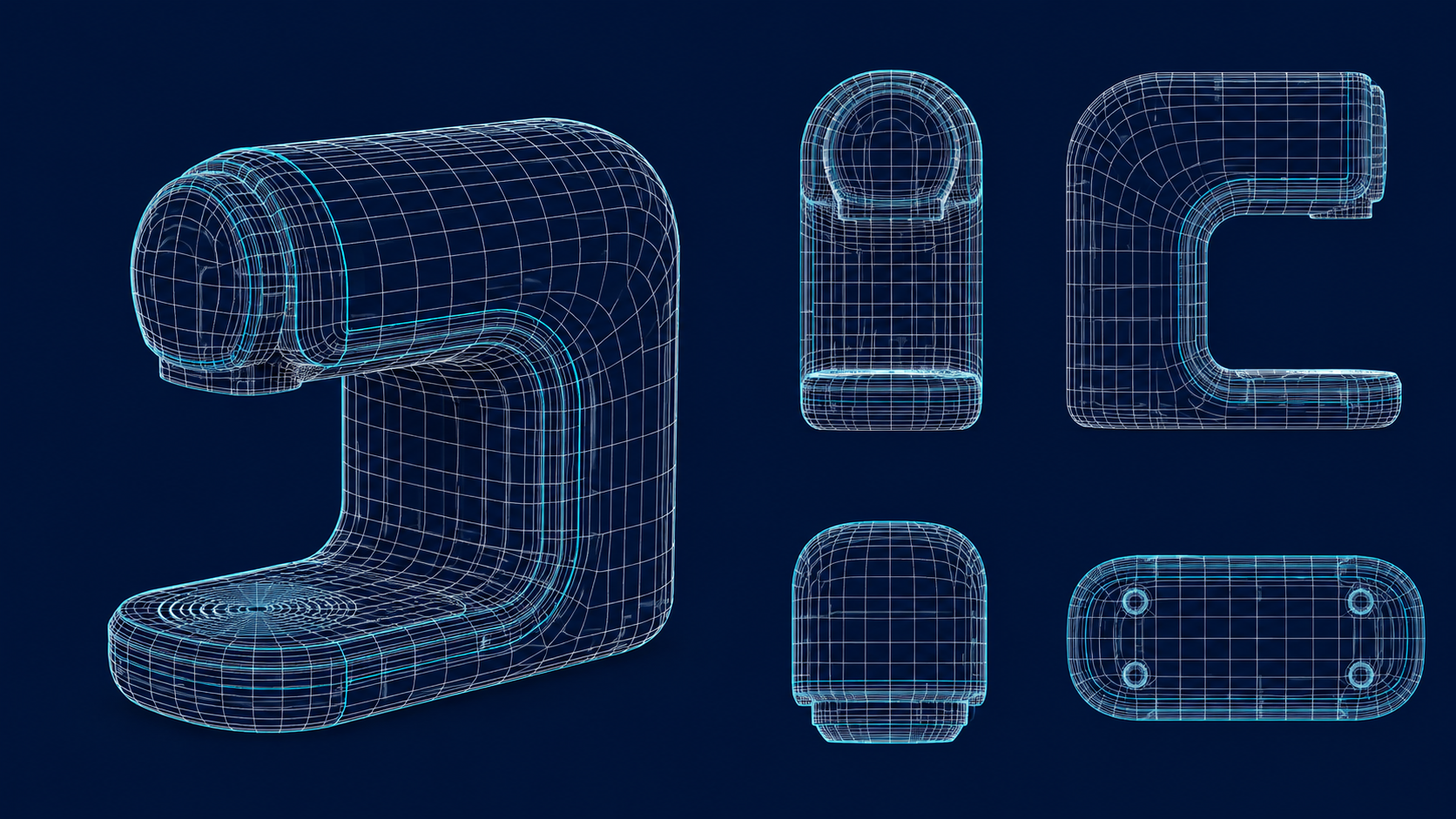
No. Organic characters need dense edge loops around joints and smooth flowing topology to deform cleanly. Hard-surface pieces like vehicles, weapons, and industrial parts can use mostly flat quads and even n-gons in hidden areas, because they deform little or not at all. The priority for hard surface is clean shading and beveled edges, not loop alignment for a skeleton.
Start From a Clean Topology
Retopology exists because most meshes are built messy. It is a repair step, and it is valuable for animation and game work. But it is not a law of 3D, and it should not be a bottleneck. What is retopology in practice today is increasingly a decision about where you start, not a chore you must always do.
Generate assets with clean topology from the beginning, and the manual retopology pass disappears for most models. If you need to move a clean mesh into another tool, exporting FBX works directly and keeps the topology intact, as this guide to importing FBX files into Blender shows.
Make Retopology Optional
Get 3D models with organized, watertight topology from your first generation.
Clean topology, no manual retopology pass required.