How to Create TikTok Videos with AI in 2026: Complete Step-by-Step Guide
Quick Summary
- AI handles every stage of TikTok video production: scriptwriting, footage generation, voiceover, captions, and scheduling.
- The standard 2026 workflow uses four stages: script, generate, polish, and publish.
- Neural4D Video Generation, powered by ByteDance’s Seedance 2.0 model (ranked #1 globally), turns text prompts into finished clips.
- Faceless AI content on TikTok earns $1 to $2 per 1,000 views through the Creator Rewards program.
- Videos under 15 seconds have the highest completion rates and receive algorithmic preference.
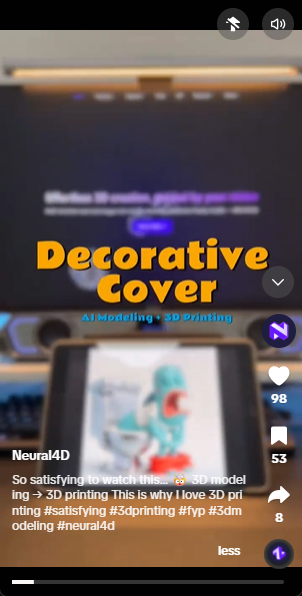
@neural4d See how Neural4D turns ideas into reality. Follow us on TikTok for more!
Learning how to create TikTok videos with AI in 2026 means replacing a full production pipeline (camera, editing software, voiceover booth) with a text prompt and a few clicks. The tools available today handle script generation, text to video rendering, lip-synced avatars, auto-captioning, and even cross-platform scheduling. The workflow below walks through each stage so you can publish your first AI-generated TikTok video today, no prior editing experience required.
- Why Create TikTok Videos with AI in 2026
- Step 1. Script and Plan Your AI TikTok Video
- Step 2. Generate Video with Text to Video AI
- Step 3. Polish with Captions, Voiceover, and Music
- Step 4. Optimize and Schedule for Distribution
- Common Questions on AI TikTok Video Creation
Why Create TikTok Videos with AI in 2026
The barrier to entry for TikTok content has never been lower. A 2026 survey of 500 creators found that 72 percent now use at least one AI tool in their production pipeline. The main reason is speed: what used to take 45 minutes of recording, editing, and captioning now takes under 10 minutes from prompt to publish. The key enabler is the new generation of text to video models that produce usable footage from a single sentence.
Neural4D Video Generation uses ByteDance’s Seedance 2.0 as its default generation model, the same architecture that scored #1 on the Artificial Analysis Video Arena with an Elo of 1,269, outperforming Google Veo 3, OpenAI Sora 2, and Runway Gen-4.5. This matters for TikTok creators because Seedance 2.0 was built by the same company that runs TikTok, making the output format, motion quality, and audio sync optimized for short-form video from the ground up. If you want to know how to create TikTok videos with AI, starting with a tool that uses TikTok’s own video generation model gives you a natural compatibility advantage.
AI video tools have split into clear categories. Text to video engines generate footage from prompts. Repurposing tools extract highlights from long-form content. Avatar platforms produce presenter-led clips. But for the core task of turning a text idea into TikTok-ready footage, Neural4D Video Generation with Seedance 2.0 offers the most direct path: type a prompt, optionally upload a reference image, adjust resolution and aspect ratio, and generate.
The financial incentive is real. Faceless AI content accounts on TikTok report earnings of $1 to $2 per 1,000 views through the Creator Rewards program as of early 2026, with top performers in niches like finance motivation and book summaries scaling to six figures annually through consistent daily posting. Industry tracking data confirms these ranges.
Step 1. Script and Plan Your AI TikTok Video
Every video starts with a script. The hook is everything. The process of how to create TikTok videos with AI starts long before you open a video tool. TikTok’s algorithm weights completion rate above raw view count, and completion rate is determined in the first two seconds. If the viewer does not know what they are watching by the time the second second passes, they swipe.
Write a hook that poses a specific question or presents an outcome the viewer wants. Examples: “I turned a $5 thrift store lamp into a $200 antique flip using nothing but text prompts” or “Three AI tools that replaced my entire video production team.” The hook must be specific. Generic hooks like “AI is changing everything” get scrolled past.
Keep the full script between 60 and 90 words for videos under 30 seconds. Use a six-beat structure: hook (first 3 seconds), problem statement, failed attempts, discovery, result, then a soft call to action. Feed this structure into an LLM like Claude or GPT-4 with your topic and let it generate 5 to 10 script variations. Pick the one with the strongest opening line.
Script Templates That Work
For faceless educational content: “Generate a 15-second script about [topic]. Hook: surprising statistic. Structure: problem, then solution. End with a question to drive comments.” For product demos: “Describe the before state in the first 5 seconds. Show the product at second 6. List exactly three benefits. End with a CTA.”
Step 2. Generate Video with Text to Video AI
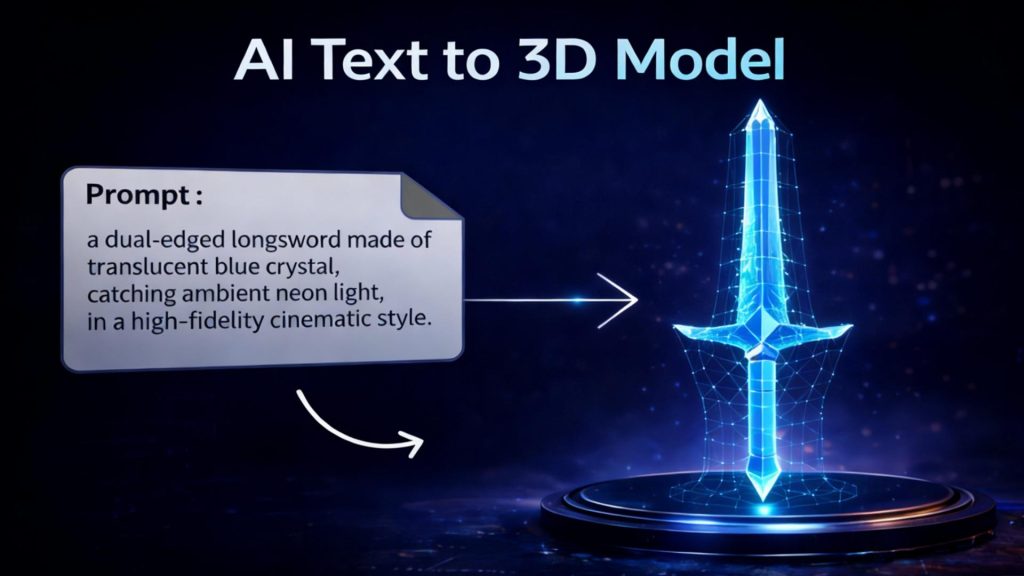
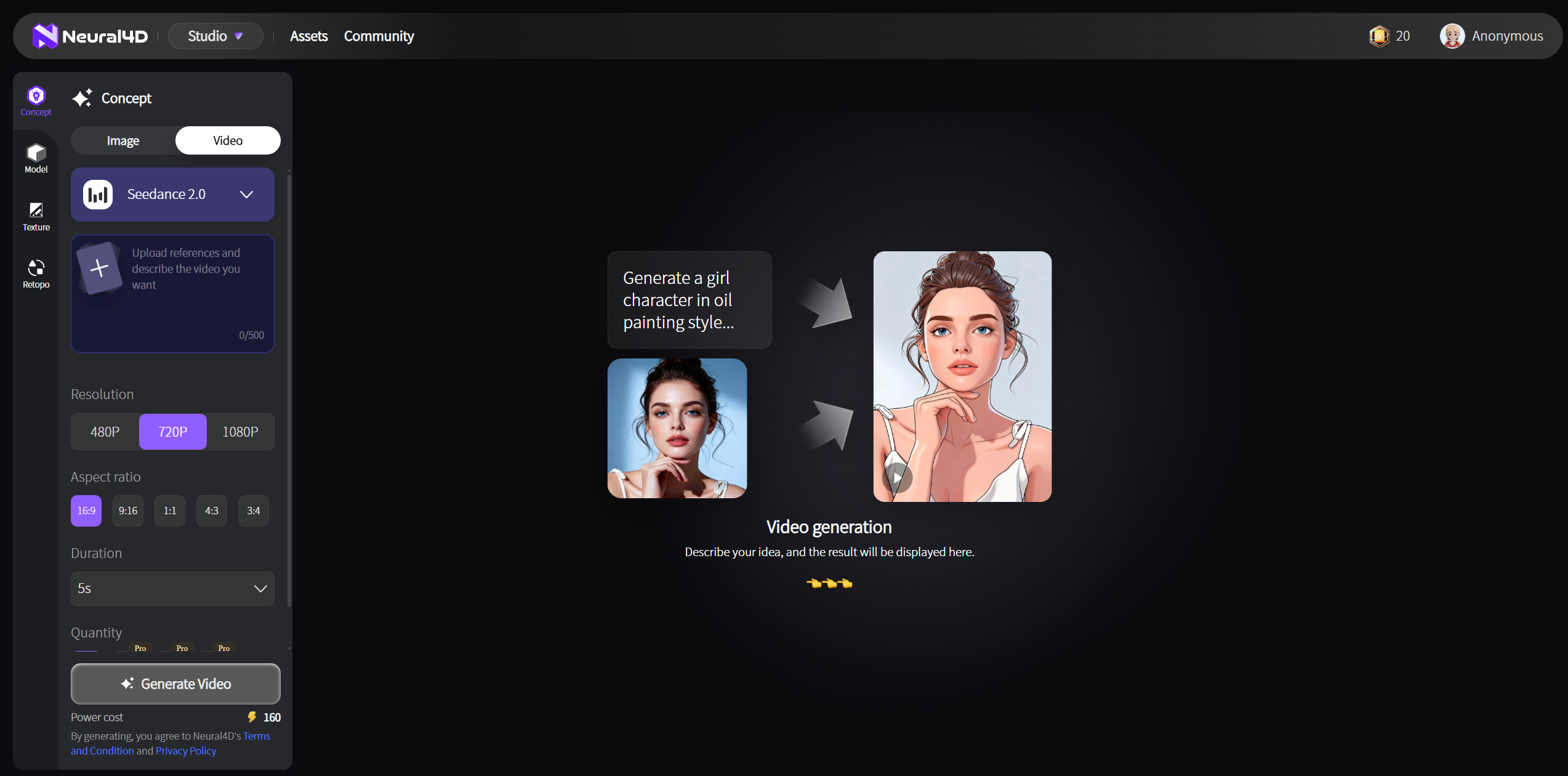
This is where Neural4D Video Generation does the heavy lifting. The core question when learning how to create TikTok videos with AI is which generation tool fits your content type, and Neural4D’s answer is straightforward: type a text prompt, optionally upload a reference image, choose your resolution and aspect ratio, and click generate. The underlying Seedance 2.0 model handles the rest: scene composition, motion, audio-video sync, and output in 9:16 vertical format ready for TikTok.
Seedance 2.0 is ByteDance’s flagship video model and ranks #1 globally on the Video Arena leaderboard. Because ByteDance is TikTok’s parent company, Seedance 2.0 understands short-form video language natively: quick cuts, trending visual styles, and beat-synced timing. It supports 1080p to 2K output resolution, generates dual-channel stereo audio alongside the video, and maintains character consistency across scene transitions, capabilities that matter when you are producing multiple clips for a content calendar. The usable rate is roughly 90 percent, compared to the industry average of 20 percent, which means fewer regenerations and faster turnaround.
Neural4D Video Generation puts this model behind a simple interface. Enter a text prompt describing your scene or story. Upload a reference image if you want the visual style to match an existing asset. Adjust the resolution, aspect ratio, and duration to fit your target platform: 9:16 for TikTok, 16:9 for YouTube, or 1:1 for Instagram. The system generates the clip with no timeline editing, no layer management, and no export settings to configure. This is the core workflow for anyone who wants how to create TikTok videos with AI without learning video editing software.
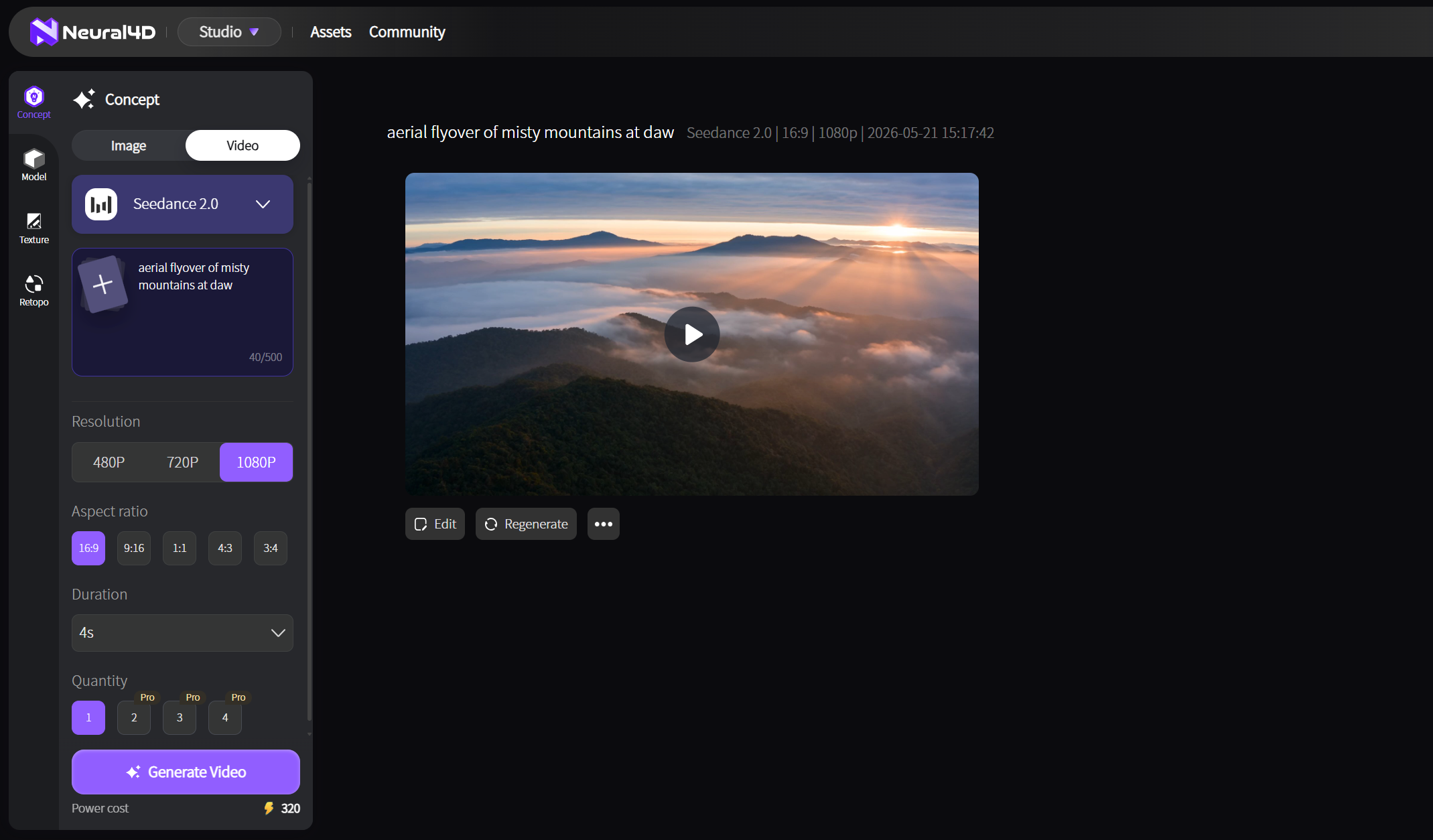
Generate TikTok-Ready Video From a Text Prompt
Neural4D Video Generation with Seedance 2.0 produces 1080p-2K clips with audio, no editing required. Type your prompt and publish.
Generate Your First TikTok Video Free
Free tier includes 50 Power per week: Seedance 2.0 included at no extra cost
Step 3. Polish with Captions, Voiceover, and Music
Raw AI-generated footage rarely performs well without post-processing. Post-production is where many beginners drop the ball when figuring out how to create TikTok videos with AI. The three non-negotiable additions are captions, voiceover, and properly paced transitions.
Auto-captions are mandatory. Over 80 percent of TikTok users watch with sound off. CapCut and OpusClip both generate captions with roughly 95 percent accuracy. Review the timing manually. A caption that lags behind the audio by more than half a second causes viewers to swipe away. Adjust the offset until the text syncs with the spoken words frame-accurately.
Voiceover quality is the main differentiator between amateur AI content and clips that look professionally produced. ElevenLabs leads for synthetic voice quality in 2026, offering emotion sliders, pause injection, and tone controls. The voice should match the content: fast-paced and slightly casual for entertainment, measured and warm for educational topics. Pair it with a lip-sync tool if you are using an AI avatar, or layer it over AI-generated footage for a faceless format.
Background music should come from TikTok’s own library whenever possible. Videos using trending sounds receive algorithmic preference in the For You Page feed.
Step 4. Optimize and Schedule for Distribution
Publishing strategy determines whether an AI-generated video reaches 500 views or 50,000. The final stage of how to create TikTok videos with AI is understanding timing and distribution. TikTok pushes new posts to an initial test window of roughly 200 to 500 people. Performance in the first 60 minutes determines broader distribution.
The key metric is watch time: videos with over 70 percent average completion rate are fast-tracked to larger audiences. AI-generated content has a natural disadvantage here because generic or repetitive visuals reduce retention. The fix is to front-load the hook and include at least one visual surprise mid-video: a sudden camera zoom, a text overlay that reveals a counter-intuitive stat, or a quick scene change.
Posting frequency matters more than individual video polish. Accounts that post three to five times per week consistently outperform accounts that publish one high-production video per week. Stagger posts by 15 to 30 minutes rather than batch-publishing them simultaneously to avoid saturating your follower feed.
Hashtag and Caption Strategy
Use three to five hashtags maximum. The first should be niche-specific, the second should target the content format (for example, #AIVideo, #AIContent), and the third can target a trending topic. Place the topic keyword naturally in the first line of the caption. TikTok’s search algorithm indexes captions, so including relevant terms improves discoverability outside the For You Page. Post between 7:00 PM and 10:00 PM in your target audience’s time zone for the highest initial engagement.
Common Questions on AI TikTok Video Creation
Yes. Faceless AI content is one of the fastest-growing categories on TikTok. Neural4D Video Generation with Seedance 2.0 generates footage from a text prompt. No camera, no actors, no on-camera presence required. Add AI voiceover with ElevenLabs and post. Faceless accounts in finance motivation, book summaries, and tech news consistently reach millions of monthly views.
If you are learning how to create TikTok videos with AI, the minimum stack is three tools: a scriptwriting tool (Claude or GPT-4), Neural4D Video Generation with Seedance 2.0 for footage and audio generation, and a captioning tool (CapCut or OpusClip). Neural4D handles both video and audio in one pass, which removes the need for a separate voiceover tool for most clips.
Videos between 7 and 15 seconds have the highest completion rates. For educational or storytelling content, 30 to 60 seconds is acceptable if the information density justifies the length.
TikTok requires all AI-generated content to be labeled with the appropriate AI disclosure flag in the post metadata. As long as the content does not use copyrighted characters, music, or images without a license, AI-generated videos are permitted on the platform.
Neural4D Video Generation is the simplest option for text to video: type a prompt, optionally upload a reference image, adjust resolution, and generate. No timeline, no layers, no export settings. The Seedance 2.0 model handles both video and audio in one pass. CapCut is also a solid free option if you need timeline-based editing later.
AI handles both. Use an LLM like Claude or GPT-4 to generate the script and caption text. A 2026 creator survey found that AI-scripted videos perform equally to human-written scripts when the hook structure is specified in the prompt. Feed your topic plus the six-beat hook structure into the LLM and it produces publish-ready copy.
You can start for free. Neural4D offers 50 free Power per week, and Seedance 2.0 generation is included at no extra cost above the standard Power rate. CapCut’s AI features are also free with a basic account. A full paid stack including Neural4D, ElevenLabs Pro, and a scheduling tool runs roughly $30 to $50 per month for creator-level usage. That is significantly less than hiring a video editor or buying camera equipment.
Start Creating AI TikTok Videos Today
Neural4D Video Generation with Seedance 2.0 turns text prompts into ready-to-publish clips with audio, motion, and character consistency. No camera, no studio, no editing skills needed. Learning how to create TikTok videos with AI starts with a single prompt on Neural4D.
Create Your First AI TikTok Video Free
50 free Power per week: generate your first clip in under 10 minutes