How to Convert Any Image to GLB in Seconds with AI (2026 Guide)
GLB is the self-contained binary format for 3D on the web. It packages geometry, node hierarchy, and PBR textures into a single file that loads instantly in Unity, Unreal Engine, Three.js, Babylon.js, Shopify AR, and mobile viewers. An image to GLB converter skips manual retopology entirely and outputs a production-ready asset directly from a photo.
The 3D content bottleneck is real. Whether you are building an indie game or a high-end e-commerce store, waiting days for a single asset to be modeled and textured is a project killer. Most developers are searching for a reliable image to GLB workflow that actually works in production environments without requiring hours of mesh cleanup.
Neural4D solves this by replacing old-school reconstruction with native volumetric logic. Instead of a messy point cloud, you get a clean, functional model. This guide shows you how to master this process using the latest spatial intelligence architecture.
- · Part 1: What is a GLB File and Why Does it Matter?
- · Part 2: The Challenges of Traditional Image to 3D Workflows
- · Part 3: How to Generate a GLB from an Image Using Neural4D
- · Part 4: Neural4D vs Other Image to GLB Tools
- · Part 5: Common Use Cases for Image to GLB Generators
- · Part 6: Common Questions About Image to GLB Conversion
- · Part 7: Conclusion
Part 1: What is a GLB File and Why Does it Matter?
A GLB file is the binary container format for glTF 2.0, the open standard for 3D on the web. It packages geometry, node hierarchy, animations, and PBR textures into a single portable file. Unlike the legacy .obj format that depends on external .mtl and texture files, a GLB is self-contained and ready for immediate transmission.
For developers using Three.js or Babylon.js, GLB is the ideal format. It offers the best balance between visual fidelity and file size. When you use an image to GLB generator, you are not just creating a shape. You are building a portable asset that works across Unity, Unreal Engine, and mobile AR viewers.
Efficiency matters. Using a proven image to GLB tool ensures your assets are small enough for mobile users but detailed enough for high-end rendering. This format ensures your materials look consistent whether they are viewed on an iPhone or a workstation.
Part 2: The Challenges of Traditional Image to 3D Workflows
The old way of working is broken. Traditional pipelines require an artist to manually draw the wireframe over a 2D reference. This takes days. Even worse, many early AI generators produced “spaghetti topology”. This disorganized mesh makes the model impossible to animate or edit.
Another major pain point is non-manifold geometry. These are holes in the mesh that cause rendering glitches in game engines and total failure in 3D printing. If your image to GLB tool does not produce watertight meshes, you will spend more time fixing the asset than it would have taken to model it from scratch.
- ❌ Dead Shadows: Lighting is baked into the texture, making the model look static and fake under new engine lights.
- ❌ Vertex Soup: Thousands of disconnected points that inflate file sizes and crash mobile AR browsers.
- ❌ Zero Control: No way to refine details without starting the entire generation over and hoping for a better seed.
Part 3: How to Generate a GLB from an Image Using Neural4D
The Neural4D 3D Studio is built on the Direct3D-S2 architecture. This is not just a reconstruction tool. It is a generative engine that understands volume. Here is the official streamlined workflow to get your assets ready for production.
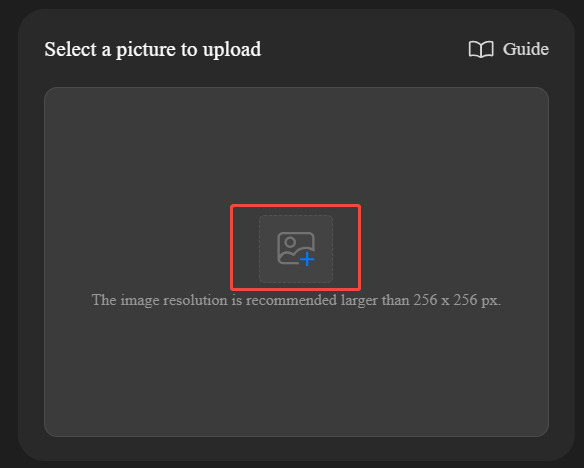
Step 1: Upload
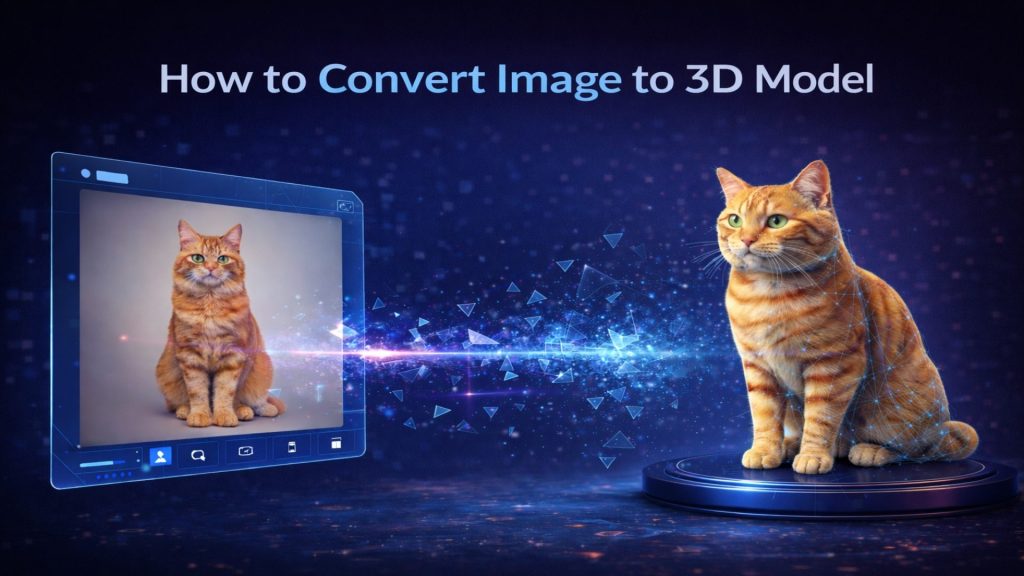
Upload or drag a high-contrast 2D photo or sketch into the Image to 3D studio. Choose an image with clear boundaries and good lighting. A slight angle is the sweet spot for generation. It gives the algorithm enough data to understand depth and back-side geometry without guessing blindly.
Step 2: Select Preferences
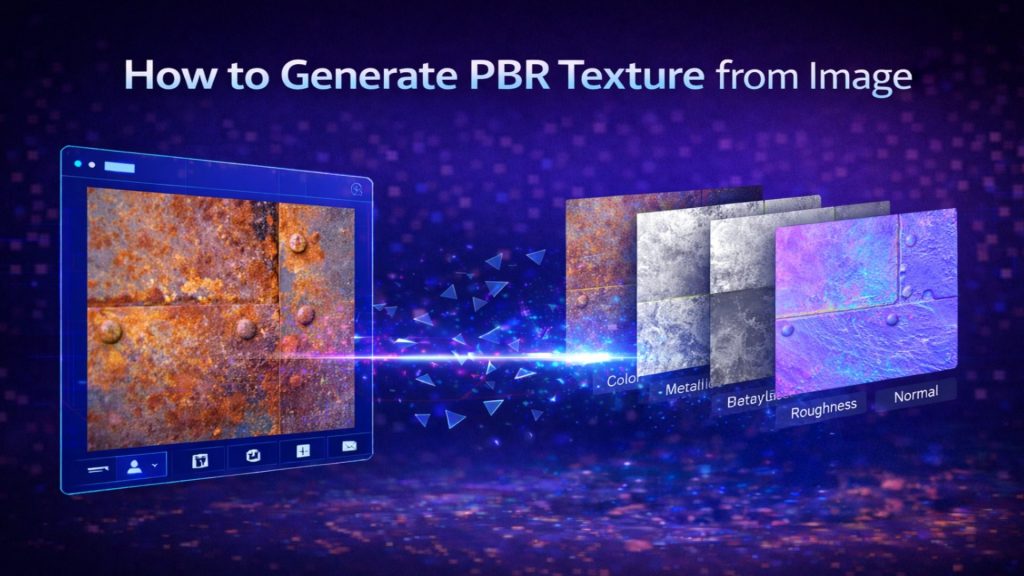
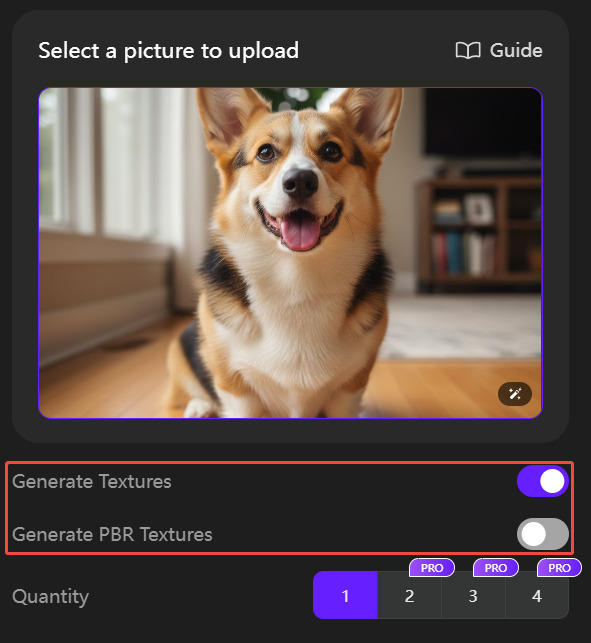
Before initiating the process, choose whether to enable “Generate Textures” and “Generate PBR Textures”. Selecting PBR ensures your final GLB asset will react correctly to lighting in any 3D environment. For e-commerce or AR use, PBR is required. For game prototypes where speed matters more than material accuracy, the base mesh without PBR is fine.
Step 3: Generate
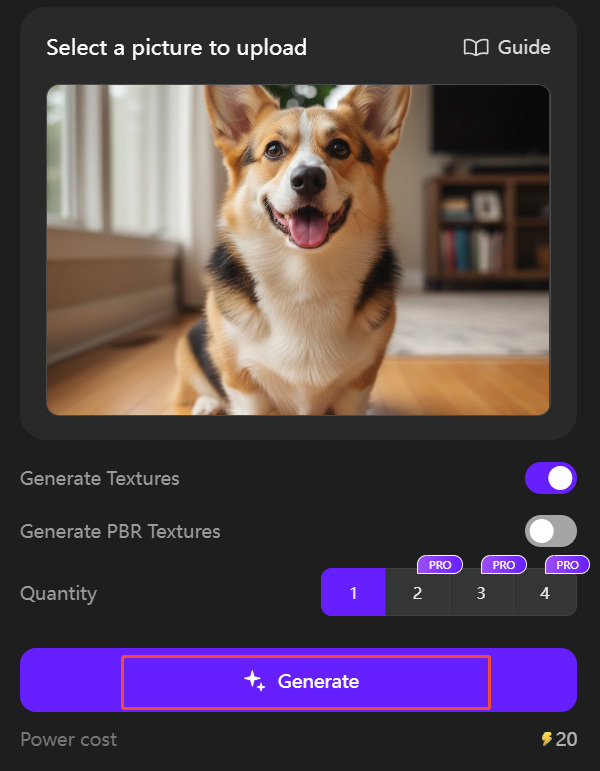
Click “Generate”. The Direct3D-S2 engine processes the volumetric data and renders your complete 3D asset. The system outputs a high-fidelity base mesh in roughly 90 seconds. A fully textured GLB with PBR maps typically completes in 2 to 3 minutes. If you need a different variation of details, use the “Regenerate” function to get a new iteration instantly.
Step 4: Download & Customize
Click the generated model and select the format you need from the bottom left corner. Choose GLB for immediate web and AR use. You can also export to .obj, .fbx, or .stl. Your asset is now ready to be dropped into a web viewer or an AR scene.
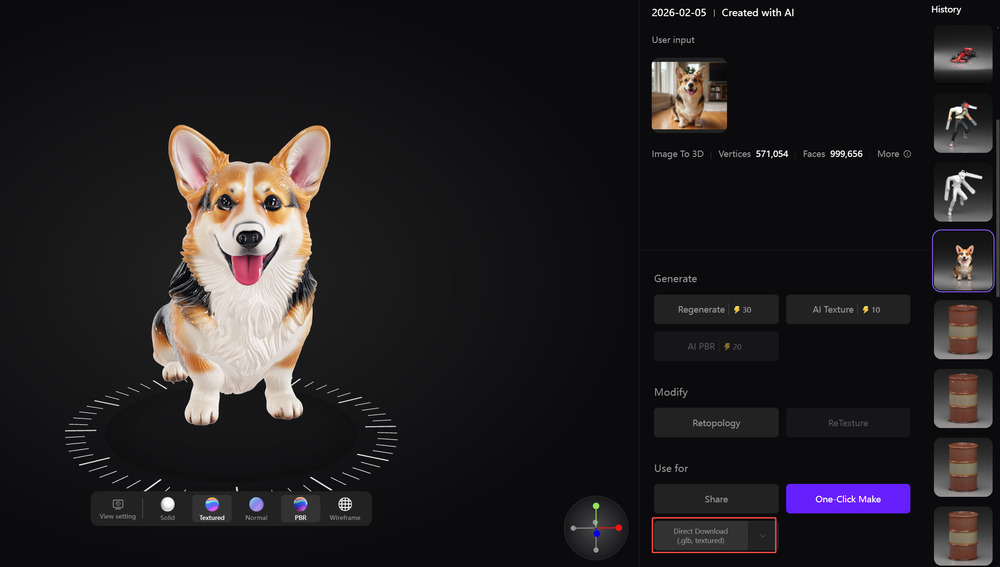
Watertight meshes. Clean topology. PBR textures. Production-ready in minutes.
Used by 80,000+ indie developers and 3D printing professionals.
Export Formats Explained
Neural4D exports to four formats from the same generated asset. Choosing the right format for your pipeline saves conversion time downstream.
| Format | Best For | PBR Textures | Self-Contained |
|---|---|---|---|
| GLB | Web, AR/VR, Unity, Unreal, Shopify | ✓ Yes | ✓ Yes (binary bundle) |
| OBJ | Blender cleanup, 3D printing prep | External .mtl | ✗ Requires .mtl + textures |
| FBX | Animation rigs, Maya, 3ds Max | ✓ Embedded | ✓ Yes |
| STL | 3D printing slicers (Bambu, Prusa) | ✗ No (geometry only) | ✓ Yes |
| USDZ | iOS AR (Apple Vision Pro, iPhone AR Quick Look) | ✓ Yes | ✓ Yes |
| BLEND | Blender native editing, full scene preservation | ✓ Embedded | ✓ Yes |
For the full list of supported formats and technical specifications, see the Neural4D supported file formats guide.
For Shopify AR and web viewers: always use GLB. See the full guide on adding 3D models to Shopify for AR sales for the complete upload workflow.
For e-commerce product renders: GLB with PBR textures produces the most accurate lighting match to your product photos. See the 3D product rendering for e-commerce guide for Amazon and GLB-specific workflows.
Tips for Getting the Best Results
Input quality directly determines output quality. A few adjustments to your source image dramatically improve mesh accuracy and texture fidelity.
- Use a slight 3/4 angle. Front-on photos give the AI insufficient depth data for the back face. A 15 to 30 degree angle gives enough side-view information to infer the full volume.
- Clean, contrasting backgrounds. White or neutral backgrounds produce the cleanest edge detection. Complex backgrounds bleed into the mesh boundary.
- Good lighting, no harsh shadows. Soft, even lighting preserves surface detail. Hard shadows get interpreted as geometry and create false indentations in the mesh.
- Minimum 512×512 pixels. Low-resolution images produce blocky UV maps. For e-commerce-quality PBR textures, use 1024×1024 or higher.
- Single subject per image. The engine maps one object. Multiple objects in a scene create ambiguous depth boundaries and degrade topology quality.
Part 4: Neural4D vs Other Image to GLB Tools
The market has multiple image to GLB generators. Most produce toy-grade output. Professional pipelines require watertight geometry, real PBR maps, and reliable topology for rigging or printing.
| Tool | Speed | Watertight Mesh | PBR Textures | API |
|---|---|---|---|---|
| Neural4D | 90s (mesh) / 2-3 min (PBR) | ✓ Guaranteed | ✓ Full (Normal, Roughness, Metallic) | ✓ REST API |
| Meshy | ~2 min | Variable | ✓ Yes | ✓ Yes |
| Tripo AI | ~30s-2 min | Variable | ✓ Yes | ✓ Yes |
| imgto3d.io | ~15s | Basic | ✓ Included | ✓ Yes |
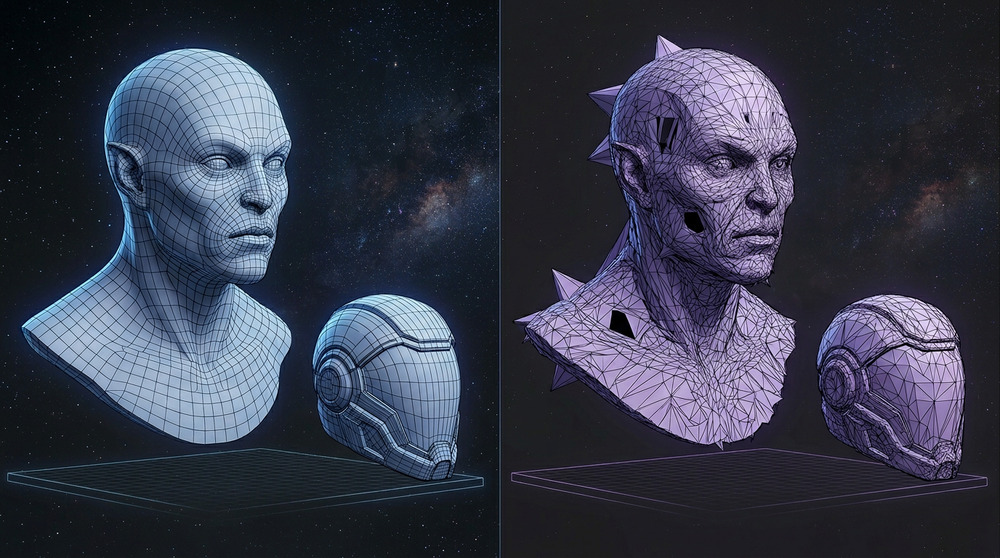
Neural4D stands out because of its Direct3D-S2 foundation, developed in top academic labs. The SSA mechanism ensures high resolution without the wait times typical of older architectures. For production workflows where mesh quality matters, Neural4D is the only tool that guarantees watertight output.
If you need a broader comparison of image-to-3D tools, see the best image to 3D model AI tools roundup.
Part 5: Common Use Cases for Image to GLB Generators
Speed is the new competitive advantage. Being able to turn a sketch or a photo into a 3D asset in minutes opens up workflows that were previously impossible for small teams.
E-commerce and Web3D: Online shoppers want to see products from every angle. By converting product photos to GLB, brands can offer immersive AR try-on experiences directly in the browser. Shopify AR, Amazon 3D, and Google Shopping all support GLB natively. AR product viewers reduce return rates by letting customers inspect dimensions and materials before purchasing.
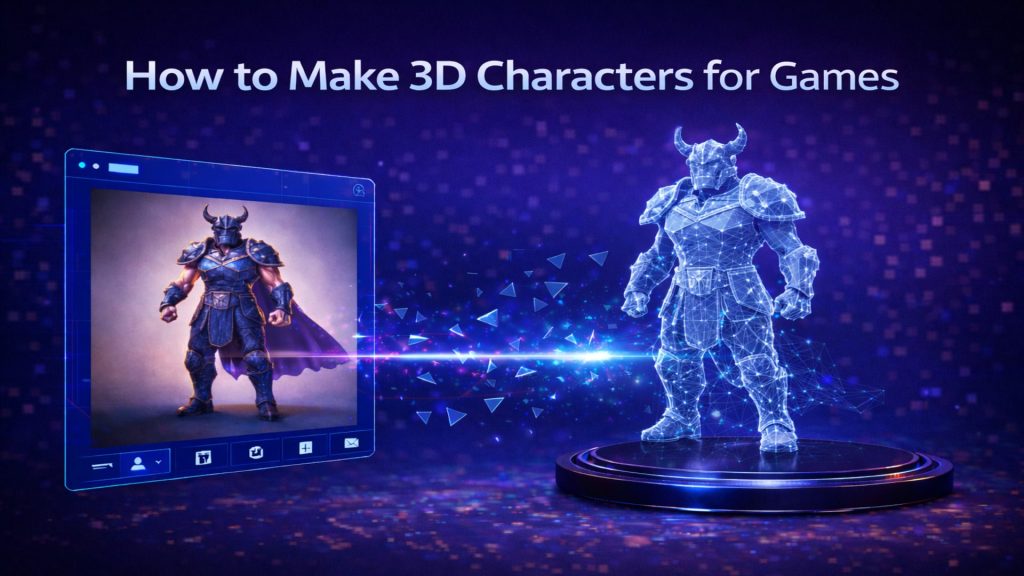
Game Development: Indie studios use Neural4D to create production-ready game assets like props, environment pieces, and background NPCs. This lets the art team focus on hero characters while the AI handles repetitive modeling.
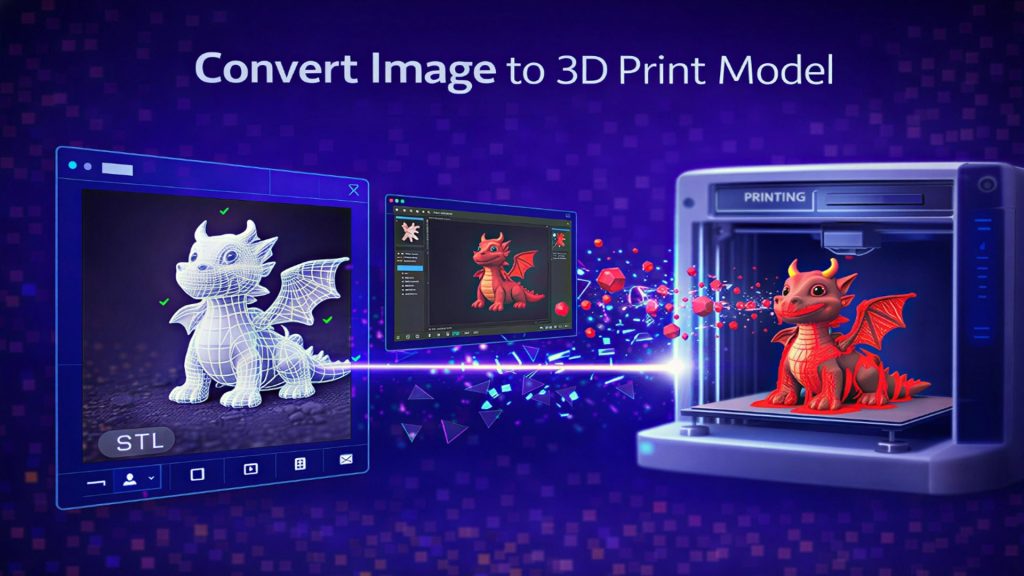
3D Printing: STL export from the same generation workflow means physical prototypes are one step away. The watertight mesh guarantee is critical here: non-manifold geometry causes slicer failures in Bambu Studio and PrusaSlicer. Neural4D outputs print-ready geometry by default, with no manual mesh repair needed.
AR and VR Development: GLB is the native format for WebXR, Apple Vision Pro, and Meta Quest. Converting product sketches, architectural props, or character concepts to GLB lets AR/VR developers populate scenes without commissioning custom models for every asset.
Architecture and Interior Design: Furniture manufacturers and interior designers convert product photography directly to GLB for use in room-planning apps and virtual staging tools. A single photo of a chair or lamp becomes a scene-ready asset in under 3 minutes.
Part 6: Common Questions About Image to GLB Conversion
The Neural4D Direct3D-S2 engine outputs a high-fidelity base mesh in roughly 90 seconds. A fully textured GLB with PBR maps (Normal, Roughness, Metallic) typically completes in 2 to 3 minutes. Processing time scales with texture resolution, not mesh complexity.
Yes. Unlike tools that produce non-manifold geometry, the Neural4D engine is designed to output watertight, closed-surface meshes. This makes them immediately usable for 3D printing and physics simulations in Unity or Unreal Engine without additional mesh repair.
Neural4D accepts JPG, PNG, and WEBP inputs. For best results, use images with a minimum resolution of 512×512 pixels, a clear subject against a neutral background, and even lighting without hard shadows.
Yes. Neural4D offers a free tier with included Power credits on signup. Free users can generate and download GLB files with the base mesh. PBR texture generation and commercial usage rights require a paid plan.
GLTF is a JSON-based format that references external texture and geometry files. GLB is the binary-packed version of GLTF that bundles all assets into one file. For web deployment, AR viewers, and game engines, GLB is preferred because it loads with a single HTTP request.
Assets generated by paid subscribers include full commercial usage rights. You can sell these models as part of a game, use them in marketing materials, or integrate them into client projects without legal restrictions.
Yes. The downloaded GLB is a standard 3D file that opens in Blender, Maya, Cinema 4D, or any glTF-compatible editor. For AI-assisted mesh refinement, re-upload to Neural4D Studio and use the conversational refinement tool to adjust details without starting over.
Part 7: Conclusion – Scaling Your 3D Production
The transition from 2D to 3D is the biggest shift in digital content since the move to video. For creators, the challenge is keeping up with the volume of assets required for modern apps and games. By choosing a high-performance image to GLB workflow, you remove the friction between an idea and a finished product. Stop fighting with broken topology and start leveraging the speed of the Direct3D-S2 engine. The future of 3D creation is fast, watertight, and production-ready.
Stop Modeling. Start Generating.
Join the 2026 3D revolution with Neural4D. Pro-grade assets. Zero learning curve.
Get Started with 50 Free Power
No credit card required for trial. Weekly refills included.