Best Meshy Alternatives with Free Plans in 2026
For a free online Meshy alternative, start by comparing N4D, Tripo and Hi3D on the output you actually need. Rodin is another option if you want to preview results before paying to confirm them. A free account can help you evaluate a tool, but it does not automatically include textured downloads, private models or commercial rights.
The best choice depends on where the model goes next: an editing application, a game engine, a web page or a slicer. This guide separates browser-based generators from Spline’s interactive design workflow and locally run models, so you can compare the relevant costs and restrictions.
Editorial disclosure: This guide is published by N4D, one of the tools discussed. Features and free-access conditions were reviewed against official sources on October 29, 2026. The recommendations describe documented workflows, not a new controlled output-quality or speed benchmark. Existing product screenshots are historical interface references, not evidence of current prices or comparative performance.
Quick Summary
- Browser-based generation: Compare N4D, Tripo, Rodin and Hi3D using the same input, then check whether your plan lets you download the result you want.
- Free does not mean unrestricted: Credits, exports, materials, visibility and licensing have separate conditions.
- Web interactivity: Spline is useful for building an interactive scene, but its free plan currently includes no AI credits.
- Local control: Stable Fast 3D, TRELLIS.2 and Hunyuan3D 2.1 can run on your hardware. Compute, setup and model-license conditions still apply.
Quick Picks by Workflow
- Want to choose topology before generating? Evaluate N4D’s Text to 3D or Image to 3D workflow, with Triangle as the default and Quad available as an option.
- Want to compare detailed and lower-poly generation paths? Look at Tripo’s H Series and P Series, then verify the model version your plan permits you to export.
- Want to inspect a preview before committing credits? Review Rodin’s pay-by-result workflow. Free preview access and final export rights are different benefits.
- Want generation alongside print-preparation tools? Compare Hi3D’s image-based workflow, model splitting and slicer handoff with your printer’s requirements.
- Need an interactive scene for a website? Consider Spline as a scene-building and publishing tool. Budget separately for its paid AI-generation credits.
- Prefer to manage generation locally? Start with the hardware and license checks in the local-model section before choosing a model.
These are starting points by task, not a first-to-last quality ranking. A visually convincing preview is only one part of a usable asset.
Free Access and Download Limits
Before calling a tool a free Meshy alternative, separate four questions: can you generate, can you download, does the download include the materials you need, and can you use the asset for your intended project? Also check whether the allowance renews or is a one-time grant.
Conditions checked: October 29, 2026. The table covers public web-app offers, not API billing or individually negotiated plans. Credits are not equivalent between vendors.
| Tool | Free access and cycle | Downloads and materials | License and visibility |
|---|---|---|---|
| N4D | The Free plan includes welcome credits. Check the current grant and balance in your account. | Confirm your account’s download entitlement before committing to a workflow. Paid plans explicitly list textured model downloads; a free textured-download allowance was not established by the public pricing page. | The pricing FAQ describes free-plan content as public domain and asks for N4D credit on a commercial page. Paid plans list private models and commercial use. N4D plan conditions. |
| Tripo | 200 credits per month. | Free exports are restricted to H2.5. Official pages disagree on the export count, so verify your account’s remaining allowance. Higher-version generation access does not imply export access. | Official pages also conflict on free commercial use. Read the Tripo conditions note before using a free output commercially. Tripo plans. |
| Rodin / Hyper3D | Free exploration before confirmation, followed by a pay-by-result credit decision. | The Free plan lists exports from legacy models. Do not treat free previews as unlimited final-model or textured exports. | Creator and higher plans list broader export and use rights. Check the selected result and plan license. Hyper3D plan conditions. |
| Hi3D, formerly Hitem3D | 100 lifetime credits on the published Free tier, rather than 100 new credits every month. | Trial access covers selected features and models. Verify the download cap and texture entitlement in your account; generation credits alone do not establish them. | Free assets have attribution conditions; paid plans support private and commercial use. Consult the applicable asset license and terms. Hi3D plans and product FAQ. |
Before switching just to get a free download: Meshy’s current help page lists 100 monthly credits and 10 monthly downloads of untextured Meshy 6 Lite models. Newer-model and textured downloads have different restrictions. Check the Meshy Free plan rules against the model you selected before assuming every Meshy download requires a subscription.
Meshy Alternatives Compared
The useful comparison is the workflow each tool exposes. Geometric resolution, polygon count and texture dimensions measure different things, so they should not be collapsed into a single quality score.
| Tool | Inputs and controls | Materials and delivery | Useful evaluation task |
|---|---|---|---|
| N4D | Text or image input; choose Triangle or Quad and a target face count before generation. | Optional Texture and PBR stages; OBJ, FBX, GLB, USDZ, STL and BLEND downloads, subject to account access. | Inspect how the chosen topology and density behave in your next editing application. |
| Tripo | Text, image and multi-view workflows; H Series for detailed geometry and P Series for structured mesh generation. Access varies by plan. | Retopology, UV and texture tools; FBX, OBJ, GLB, USDZ, STL and 3MF export options. Free export remains model-specific. | Compare the supported model families and carry one permitted export into your DCC tool or engine. |
| Rodin / Hyper3D | Text and image generation, with multi-image and mesh-control options on applicable plans. | Plan-dependent low-poly, high-definition texture, baked-normal and export features. | Judge the preview, then confirm the cost and available export before accepting a result. |
| Hi3D | Text or image-based creation, including additional reference views on supported workflows. | Texturing, splitting and print-preparation tools; supported exports include STL, OBJ, 3MF, GLB and USDZ. | Check the resulting geometry, scale and supports in your own slicer. |
Online Tool Details
N4D: Topology Choices Before Generation
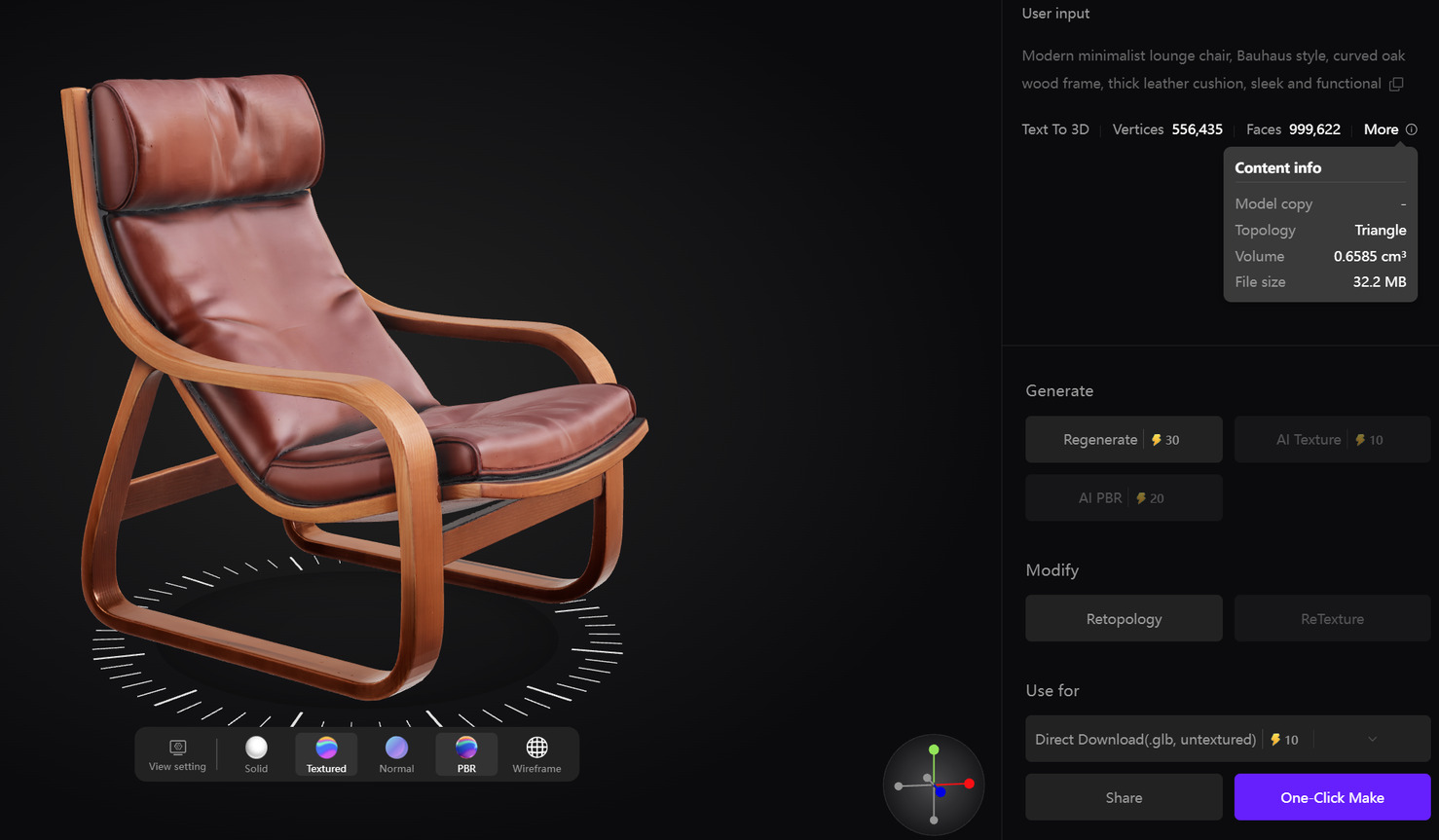
N4D is worth evaluating if you want to choose a topology and target density before generating from text or a reference image. Triangle is the default; select Quad when you want to evaluate a quad-based mesh for continued editing. Texture and PBR are optional additions, so inspect the geometry before deciding which material stages you need.
- Good fit: Creating a new asset with explicit topology choices, then checking it in a modeling application.
- Free limitation: The Free plan is an evaluation starting point. Check current credits and download permissions rather than assuming unlimited textured exports.
- Export check: Open the file in the destination application and inspect face layout, normals, scale and materials. Follow the N4D Quad generation and download guide.
- Scope limitation: N4D-2o edits models generated in its current session. AI Texture applies to models generated in 3D Studio. These are not a route for uploading an arbitrary Meshy mesh to repair or retexture it.
For the detailed two-product decision, see the N4D vs Meshy feature comparison. This guide keeps its focus on alternatives and free-access conditions.
Tripo: Detailed and Structured Mesh Workflows
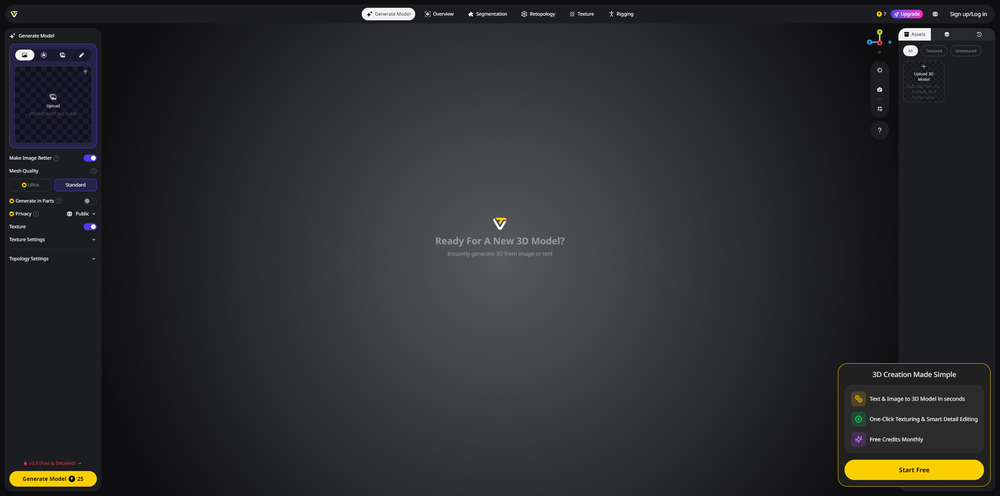
Tripo documents separate H Series and P Series workflows, alongside retopology, UV, texture and export tools. Its texture documentation also covers uploaded models, which is relevant if you need to work on geometry created elsewhere. These capabilities make it a broader evaluation candidate than a tool chosen solely for a headline generation time. See Tripo’s workflow overview and Texture & PBR documentation.
- Good fit: Comparing detailed generation with structured-mesh workflows and follow-up processing.
- Free limitation: 200 monthly credits do not unlock every model for export. Free downloads are restricted to H2.5.
- Export check: Confirm the permitted version and format, then inspect the exported face layout and material connections. Consult Tripo’s export documentation.
- Limit: A generation preview is not evidence that the result meets your polygon budget or is ready to rig.
Official conditions need clarification: The pricing page lists 15 H2.5 exports and labels free models non-commercial. The export guide says 25 per month, while the pricing documentation describes free commercial use with attribution. Verify the current allowance and applicable license in your account or with Tripo before relying on a free output for commercial delivery.
For a wider shortlist in the same category, see our Tripo alternatives guide.
Rodin: Preview Before Confirming a Result
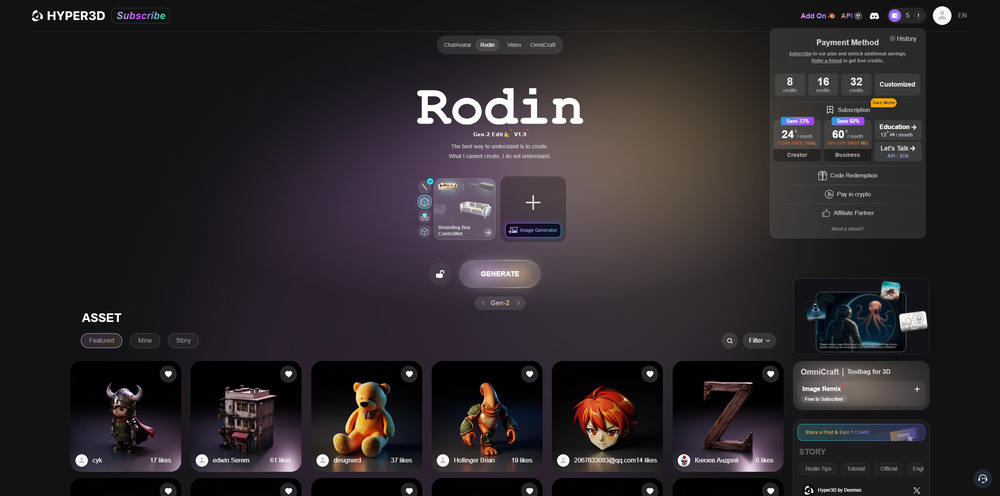
Rodin’s useful distinction for evaluation is its preview-before-confirmation workflow. Its public pricing separates free exploration from accepting results with credits. Paid offerings add controls such as Smart Low-Poly, high-definition textures and baked normals, with higher-tier options for high-poly quads. Review the selected plan rather than treating all of these as free features.
- Good fit: Inspecting shape and material previews before deciding which result to accept.
- Free limitation: Free exploration and legacy-model exports are not unlimited new-model downloads.
- Export check: Confirm the result’s cost, texture options, output format and usage rights before spending credits.
- Limit: A high-detail preview does not establish deformation quality, anatomical accuracy or time saved in your pipeline.
Use the current Hyper3D plans for conditions and our Rodin alternatives guide for other candidates.
Hi3D, Formerly Hitem3D: Generation and Print Preparation
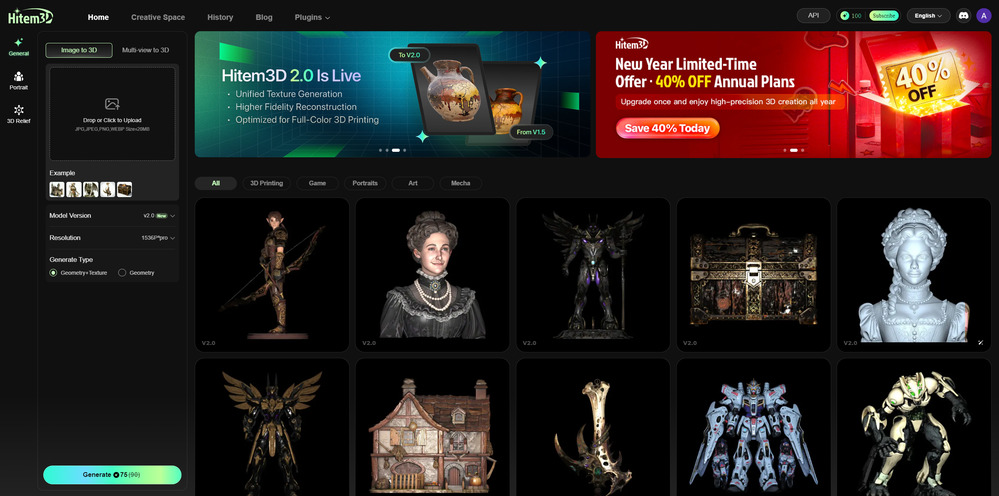
Hi3D combines generation with tools for splitting models, color preparation, arrangement and slicer handoff. Its current site lists STL, OBJ, 3MF, GLB and USDZ exports. That makes it relevant to evaluate when the next task is print preparation, without assuming every generated object is dimensionally accurate or ready to manufacture. See the official feature overview.
- Good fit: Evaluating generation and print-preparation steps in one platform.
- Free limitation: The published 100-credit allowance is lifetime, not monthly. Selected tools and downloads remain subject to plan limits.
- Export check: Confirm the available format, texture or color data, and download quota, then inspect dimensions, thin features, supports and slicing.
- Limit: Trial credits and a printing-focused interface do not guarantee tolerances, strength or successful prints.
Free assets have attribution conditions; the Hi3D terms tie usage rights to the applicable plan. Check the asset license rather than assuming paid output removes every attribution obligation. For more options, see our Hitem3D alternatives guide.
Which Alternative Fits Your Workflow?
Compare the work required after generation, using the same input and the same destination application. Count a result as useful only after you can download it, open it and complete the task it was generated for.
- For further editing: Inspect selectable parts, actual face count and edge layout. Try a small local edit or deformation in your own application. Quad topology alone does not prove an asset will deform well.
- For games or web viewers: Check the polygon budget, file size, material connections and appearance under the destination lighting.
- For printing: Check scale, wall thickness, disconnected pieces, non-manifold geometry, supports and the slicer’s preview. A closed surface alone does not establish manufacturability.
- For cost comparison: Record credits used for attempts, materials and processing separately from download and licensing requirements.
When topology and continued editing are the main decision, use our Meshy T2 topology and editing comparison. Version history belongs in the Meshy 7 release timeline and 7.1 changes guide; a version announcement is not a substitute for checking the model and settings currently available to your account.
Spline: A Different Route for Interactive Web 3D
Spline is a browser design environment for building scenes, materials, animation and interactions, then publishing an experience. Consider it when the deliverable is an interactive page or app scene, rather than only a mesh file. Its documentation explains the design and publishing workflow.
The free-plan boundary matters: Spline currently lists no AI credits on Free and includes a watermark on free web exports. AI 3D generation consumes credits included with paid plans. A free scene editor should therefore not be presented as free AI model generation. See Spline pricing and AI 3D generation conditions. Verify the output and embedding option you need before choosing a plan.
CSM: Current Availability Could Not Be Verified
CSM appeared in an earlier version of this guide. During the October 29, 2026 review, its official website, Cube application and documentation could not be reached, so its current signup, generation, download and licensing conditions could not be verified. It is not included in the active free-tool shortlist. This access result does not by itself establish that the service has permanently closed.
Local Open-Source and Open-Weight Options
A locally run model can avoid a hosted generator’s recurring subscription, but it still requires compute, installation and maintenance. Model licenses also differ. A hosted demo or third-party API can have its own price and availability, even when the underlying model is downloadable.
Stable Fast 3D: Single-Image Reconstruction
Stable Fast 3D reconstructs a textured mesh from one image and supports local GLB output with UV unwrapping. Its official repository estimates about 6 GB of VRAM for the default single-image settings. This makes it a candidate for a smaller-memory local evaluation than the documented TRELLIS.2 setup, without claiming equivalent output quality. See the official repository and setup instructions.
Free-use boundary: It uses the Stability AI Community License, not an unrestricted MIT license. Commercial use has registration and revenue-related conditions; the agreement provides a free route for eligible organizations below US$1 million in annual revenue and requires separate licensing above its threshold. Review the model’s license for the rules applicable to you. Hardware, electricity and any rented GPU remain your costs.
TRELLIS.2: A Local Image to 3D Stack
Microsoft’s TRELLIS.2 provides image to 3D generation and textured-asset export. Its published setup is tested on Linux and calls for an NVIDIA GPU with at least 24 GB of memory. Do not plan a standard deployment around the earlier claim that 16 GB is sufficient. Check the official prerequisites against your hardware and software environment.
Free-use boundary: The project releases its model and code under MIT, while some dependencies have their own licenses. There is no included cloud-compute budget or guaranteed always-available free hosted service. Inspect exported geometry and materials in your target application; a downloadable model is not a guarantee of cleanup-free production assets. Review the project license and dependency notices.
Hunyuan3D 2.1: Separate Shape and PBR Texture Stages
This local option refers specifically to Hunyuan3D 2.1, not every Hunyuan web or API offering. Its published pipeline separates shape generation from PBR texturing. The repository lists 10 GB VRAM for shape, 21 GB for texture and 29 GB for the combined shape-and-texture setup. Those are documented requirements, not a measured result on your machine. See the official model and setup notes.
Free-use boundary: The Tencent Hunyuan 3D 2.1 Community License has geographic and commercial conditions. It excludes the EU, UK and South Korea from its licensed territory and includes a separate-license condition for large services. It should not be described as unrestricted worldwide commercial use. Read the version-specific license before deployment or distribution. Budget for GPU use and integration as well as any later cleanup.
Questions About Free Use
Is there a completely free online Meshy alternative?
There are online tools you can start using without a paid subscription, but this shortlist does not establish an unlimited, no-cost service with textured downloads, private models and unrestricted commercial rights. Compare the specific free allowance and export conditions. Running a local model avoids a hosted subscription but does not make compute and setup free.
Does a free generation include a free textured download?
Not necessarily. Generating geometry, adding textures and downloading the result can have different entitlements. Choose the model version and material options first, then check whether your account can export that exact result. An upgrade prompt can reflect the selected model or output, not simply an empty credit balance.
Can I use free AI-generated 3D models commercially?
There is no rule shared by all tools. N4D describes free content as public domain and requests attribution on a commercial page; Tripo’s public guidance currently conflicts; Hi3D applies an asset license with attribution conditions. Local models have their own agreements too. Check the terms for the tool, model and plan you actually used, as well as your rights to the reference input.
Which option should I try for 3D printing?
Choose a workflow that lets you export geometry and inspect it in your slicer. N4D offers topology choices before generation, while Hi3D includes print-preparation tools. Neither a format label nor a closed mesh alone proves that dimensions, wall thickness or supports are correct for your printer. Use a small test model before committing to a larger job.
Do I need a GPU to use these tools?
The browser-based options handle generation on their services. For local generation, requirements vary: Stable Fast 3D documents about 6 GB VRAM for its default GPU settings, while TRELLIS.2 documents at least 24 GB. Hunyuan3D 2.1 separates its shape and texture memory requirements. Check the full repository instructions rather than comparing model names alone.
Choose Your Next Step
Choose the next task before the subscription. Shortlist the online generator whose inputs and controls fit your project, confirm the free export and license conditions, and test one asset in the application where it will be used. If you prefer local control, verify the hardware and version-specific license first.
Try N4D with Your Own Reference Image
Choose the topology and material options for your project. Review the Credits shown before submitting, then inspect the generated result.
Before deciding on a paid workflow, review the current N4D plans and download conditions.