Godot vs Unity: Which Engine Fits Your 3D Game Project in 2026
Quick Summary
- Godot vs Unity is a comparison between the commercial engine with the largest release volume in games and a fully open source engine that is now the fastest growing in indie development.
- Both engines ship a free tier, but their licensing splits above $200,000 in annual revenue, where Unity moves to per-seat subscriptions and Godot stays MIT licensed with no threshold at all.
- Unity is the stronger choice for 3D rendering ceilings, console certification, and third-party tooling, while Godot is the stronger choice for 2D workflow, editor responsiveness, and permanent license terms.
- The 3D asset pipeline is the axis most comparisons skip: Unity reads FBX for rigged meshes, Godot treats glTF and GLB as native, and the wrong export format costs more rework than the engine choice itself.
- Neural4D generates watertight meshes with clean topology that export as engine-ready GLB or FBX, which keeps 3D asset production independent of the engine decision.
The Godot vs Unity decision usually gets argued on features that never touch your schedule. What settles it is narrower: how each engine handles licensing as revenue grows, how deep your 2D or 3D needs actually run, and whether your asset pipeline can hand the engine meshes it imports without cleanup. Six checks resolve it in order.
Table of Contents
- What Actually Separates Unity and Godot in 2026
- Licensing and Cost: The Real Difference at Scale
- 2D and 3D Rendering: Where Each Engine Wins
- Scripting Language and the Talent Pool
- The Asset Pipeline: FBX, glTF, and What Each Engine Wants
- The 6-Check Engine Decision MatrixHOT
- Where Neural4D Fits in Either Pipeline
- Common Questions About Godot vs Unity
- The Verdict: Pick the Engine That Fits Your Assets
What Actually Separates Unity and Godot in 2026
Godot vs Unity comes down to six checks, and most teams only need three of them to reach a decision. Unity is the stronger engine for 3D rendering ceilings, console certification, and third-party tooling. Godot is the stronger engine for 2D workflow, editor responsiveness, and license freedom. Everything else, including the benchmark arguments that fill forum threads, matters far less than how much 3D asset work your project requires.
Run the numbers and the split becomes visible. Unity powers roughly 48% of all games on Steam, while Godot’s share of newly released indie titles sits near 7%. A third data point shows why the two figures do not contradict each other: at GMTK Game Jam 2026, Godot became the most used engine for the first time in the event’s nine-year history, taking 47% of accepted entries against Unity’s 34%. Unity owns commercial release volume. Godot owns early-project momentum, and that momentum is converting into shipped games, with Godot titles on Steam rising from about 618 in the 2023 to 2024 window to roughly 2,864 in 2025 to 2026.
The one axis most comparisons skip
Pricing and rendering get the attention, but the axis that decides whether a project ships on schedule is asset production. Every prop, character, and environment piece has to be built somewhere, exported in a format the engine accepts, and imported without breaking its materials. An engine that fights your asset pipeline costs more hours than one that renders slightly better.
That cost has been falling. Automated pipelines now produce AI 3D game assets fast enough to fill blockouts and background props in a single session, and both engines have matured their import tooling. The format mismatch between them has not gone away, and it is the fourth check below.
Licensing and Cost: The Real Difference at Scale
Licensing is the cleanest split between the two engines, and it is the one that shows up on a spreadsheet rather than in a benchmark.
Godot’s MIT license
Godot ships under the MIT license and is stewarded by the Godot Foundation, a nonprofit. There is no revenue threshold, no per-seat fee, no royalty, and no runtime fee. A studio can earn any amount from a Godot game and owe nothing to the engine vendor. The tradeoff is structural rather than financial: Godot’s development depends on donations and corporate sponsors, so roadmap priorities are set by contributors rather than a sales team.
Unity’s threshold model
Unity’s Personal tier is free while annual revenue and funding stay under $200,000. Above that line, the engine moves to per-seat Pro and Enterprise subscriptions. The per-install Runtime Fee that Unity announced in September 2023 was withdrawn in September 2024, and the current model is a straight subscription with no revenue share. For a solo developer, that usually means paying nothing at all. For a ten-person studio above the threshold, it means a recurring line item that scales with headcount rather than with sales.
⚡ Where licensing actually bites: a Godot project’s engine cost is fixed at zero forever. A Unity project’s engine cost grows with the team, so a studio that plans to expand from three people to fifteen should model the subscription as part of headcount planning, not as a one-time tool purchase.
🔹 The stability argument cuts both ways: Godot’s license cannot be changed by a vendor decision, which is exactly the reassurance developers went looking for after 2023. Unity’s counterargument is that a funded vendor ships faster and supports enterprise customers with contractual SLAs, which Godot’s contributor model does not offer.
2D and 3D Rendering: Where Each Engine Wins
Rendering is where the two engines stop being interchangeable, and the split runs in opposite directions for 2D and 3D work.
2D: Godot’s dedicated pipeline
Godot treats 2D as a first-class rendering mode with its own coordinate system, its own physics engine, and pixel-snapping controls. Unity’s 2D tooling is built on top of its 3D renderer. That works well in practice, with Hollow Knight, Celeste, and Cuphead all shipping on it, but it adds a layer of indirection when you need precise pixel alignment across many sprite layers.
3D: Unity’s higher ceiling
Godot 4 runs a Vulkan-based Forward+ renderer with PBR materials, VoxelGI, SDFGI, and volumetric fog. It is genuinely capable for stylized and mid-scope 3D, and the gap narrows with each release. Unity’s High Definition Render Pipeline targets a higher ceiling with advanced lighting, shader authoring, and post-processing, while the Universal Render Pipeline covers mobile and mid-range hardware with better performance tooling.
The gap shows up during optimization. Unity ships a mature profiler and frame debugger, which matters when a scene starts dropping frames. Godot’s 3D profiling tools are usable but less developed, and hitting the same visual target takes more manual tuning. Neither engine is the bottleneck on small scenes; both become one on large ones.
Scripting Language and the Talent Pool
GDScript, C#, and GDExtension in Godot
Godot’s default language is GDScript, a dynamically typed, Python-like language that most new developers pick up in days rather than weeks. C# is supported for larger codebases, and GDExtension allows C++ or Rust modules for performance-critical systems. The Node and Scene architecture keeps code small: a script attached to a node receives lifecycle callbacks without the boilerplate that a GameObject and Component setup requires.
C# and the hiring market in Unity
Unity uses C# exclusively, with static typing and first-class IDE support in Visual Studio and Rider. The real advantage is not the language, it is the labor market. A studio hiring Unity developers draws from a much larger pool, and C# experience transfers to backend, tooling, and application roles outside game development entirely.
GDScript experience does not transfer anywhere else. That is the honest cost of Godot’s ergonomics. For a solo developer or a small team that intends to stay small, it never becomes a problem. For a studio that expects to hire, it narrows the candidate pool to people willing to learn a language used by one engine.
The Asset Pipeline: FBX, glTF, and What Each Engine Wants
Neither engine cares where a mesh came from. Both care a great deal about the container it arrives in, and this is where the two diverge most in daily practice.
Godot treats glTF as native
Godot 4 imports glTF and GLB natively. Drop a GLB into the project and meshes, materials, and textures appear in the scene tree already connected. glTF is an open standard maintained by the Khronos Group, and Godot’s model export documentation recommends it as the primary target. FBX is supported through a built-in converter, but that conversion step is an extra place for data to go missing. Godot can also read Blender files directly through the same glTF path, and the workflow is documented end to end in this guide to using AI generated 3D models in Godot.
Unity splits FBX and glTF by asset type
Unity’s native route is FBX for anything with a skeleton. As Unity’s model import documentation describes, the Mecanim animation system reads bone hierarchies, blend shapes, and animation clips directly out of an FBX import, and the inspector exposes rig mapping and animation compression per asset. Static props are cleaner as GLB, because PBR materials arrive pre-assigned and avoid the missing-material problem that sends developers hunting for texture files. glTF also works in Unity through the glTFast package.
The rule that holds across both engines is simple. If the asset has a skeleton, export FBX. If it does not, export GLB. That single line prevents more import failures than any other habit. The step-by-step version is covered in this guide to importing 3D models into Unity.
Where import actually breaks
Format choice is the easy part. Import failures cluster in four places, and all four are worth checking before a large batch rather than after. The comparison of glTF vs FBX covers the format-level tradeoffs in more depth; the friction below is what surfaces at import time.
- Coordinate systems. Unity is left-handed with Y up and Z forward. Godot is right-handed with Y up and negative Z forward. A model facing forward in Unity often lands facing backward in Godot.
- Materials. Unity’s Standard, URP, and HDRP Lit shaders do not exist in Godot, so imported FBX materials frequently arrive with no shader assigned. Godot’s StandardMaterial3D also uses different parameter names and channel packing.
- Skeletons and animation. Bone naming conventions and clip slicing differ between the two, and Unity’s humanoid Avatar system has no Godot equivalent.
- Scale. Verify import scale on every asset and treat one unit as one meter. A mesh authored at the wrong scale will look correct in isolation and wrong the moment it stands next to anything else.
The 6-Check Engine Decision Matrix
Six checks, each with a clear winner and a trigger for when that check should override the others. Work through them in order. The first check that matches your situation usually settles the decision on its own.
| Check | Godot | Unity | This check decides when |
|---|---|---|---|
| Licensing and cost at scale | MIT licensed, no revenue threshold, no seat fee, no royalty | Free under $200,000 annual revenue, then per-seat Pro or Enterprise | Projected revenue is climbing past the threshold or headcount is growing |
| 2D pipeline depth | Dedicated 2D renderer, coordinate system, and physics | 2D rendered through the 3D pipeline | The project is 2D first rather than 3D with 2D elements |
| 3D rendering ceiling | Forward+ with PBR, VoxelGI, SDFGI, and volumetric fog | HDRP for high-end visuals, URP for mobile and mid-range | Photoreal output or large open scenes are a requirement |
| Console and platform shipping | Console support through third-party providers | Native console SDKs and mature mobile tooling | A console release is on the roadmap |
| Scripting and hiring | GDScript, C#, and GDExtension for native modules | C# only, with a large external talent pool | You are hiring, or the team already writes C# |
| Asset pipeline fit | glTF and GLB natively, FBX by conversion | FBX for rigged assets, GLB for static props | The existing asset library is already in one format |
How to break a tie
When the checks split evenly, the tiebreaker is your existing asset library. Switching engines is cheaper than re-exporting, re-importing, and re-validating every mesh you already own, because the material and skeleton problems above apply to the whole library at once. The engineering detail behind the format decision is worth reading before a migration rather than during one, and the 3D file formats for game engines breakdown covers the format-level constraints.
Switching engines mid-project almost never pays for itself. The cost is not the code, which is small on most projects, it is the asset library and the team’s accumulated familiarity with the editor.
Stop Losing Days to Asset Production
Generate watertight, engine-ready meshes from a text prompt or a single image.
Free plan includes 50 Power every week, no card required.
Where Neural4D Fits in Either Pipeline
Engine choice does not change where most of a project’s 3D content comes from. It changes what format that content has to arrive in, which is a solvable problem.
Neural4D generates 3D meshes from a text prompt or a single reference image using the Direct3D-S2 architecture presented at NeurIPS 2025. The geometry pass runs at 2048-cubed native resolution, and Spatial Sparse Attention brings inference to roughly 12 times the speed of comparable pipelines. An untextured base mesh completes in about 90 seconds. Adding PBR textures takes additional computation, and a fully textured, production-ready GLB takes 2 minutes or more, generated in a single pass rather than triggered as a second manual step.
Adoption of AI generation in game development is still uneven, and the gap between usage and trust explains why. The GDC 2026 State of the Game Industry survey found that 36% of developers personally use generative AI while 52% believe it is harming the industry, and only 19% use it to create assets. That leaves the majority of generated meshes judged unfit for production, with geometry quality as the usual reason. It is the specific problem Direct3D-S2 targets.
| Approach | What it produces | Time to a first engine-ready asset |
|---|---|---|
| Neural4D | Watertight mesh with clean topology and PBR materials, exported as GLB or FBX | About 90 seconds for an untextured base mesh, 2 minutes or more with PBR textures |
| Manual modeling in Blender or Maya | Full control over topology, edge flow, and UV layout | Hours to days per production asset |
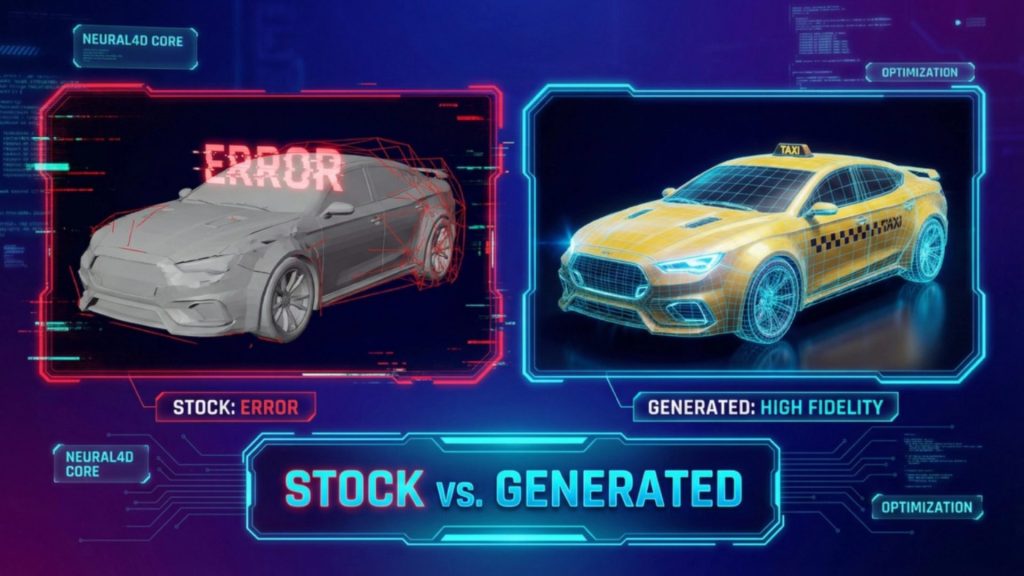
| Third-party AI 3D generators | Variable quality, frequently triangle soup that needs retopology before import | Minutes to generate, plus an unpredictable cleanup pass |
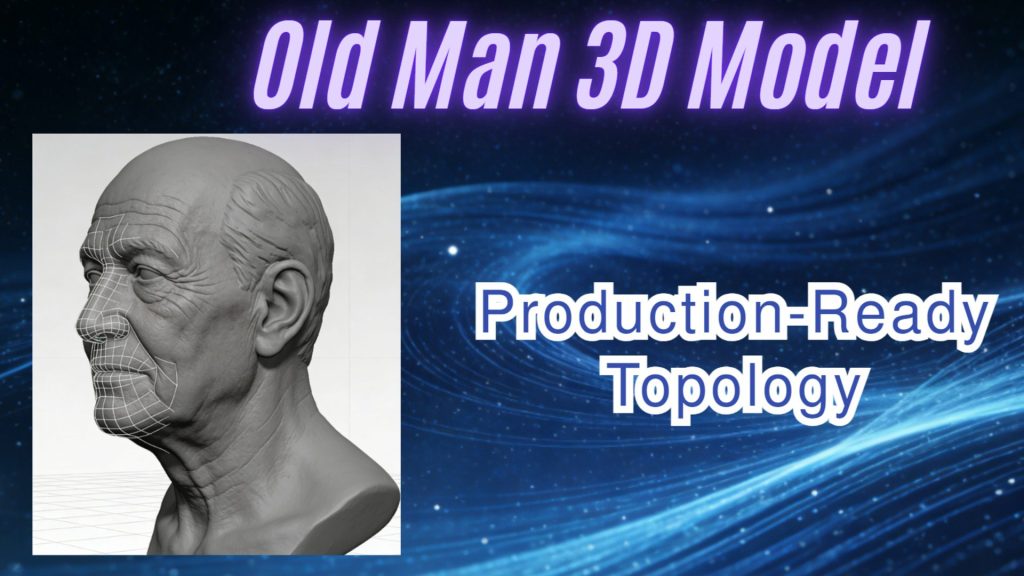
Because the output is watertight, the export step does not need a retopology pass first. That matters more for Godot, whose glTF importer expects a clean scene graph, but it applies to both engines. Assets generated in N4D export as GLB, which Godot imports natively and Unity accepts for static props, or as FBX for anything rigged. The full range of output is documented on the AI game asset generator page.
Two limits are worth stating plainly. Neural4D is a generation tool, not a replacement for a digital content creation application. The meshes it produces are not rigged, and it does not import or repair models created in other tools or by other generators.
Common Questions About Godot vs Unity
Q: Should I learn Unity or Godot first?
Learn the one that matches the first thing you want to build. If the first project is 2D, Godot’s GDScript and node structure remove setup work that Unity requires. If the goal is a 3D portfolio piece or a role at an established studio, Unity’s C# ecosystem and larger hiring pool make the same hours worth more. The concepts that transfer, including scene graphs, component architecture, and physics, are close enough that switching later costs weeks rather than months.
Q: Why are people moving from Unity to Godot?
Three reasons, in order of weight. Licensing predictability comes first: Godot’s MIT license cannot be changed by a vendor decision, and the September 2023 Runtime Fee announcement showed developers that Unity’s terms can move. Project weight comes second, because Godot’s editor opens faster and the engine footprint is smaller, which shortens iteration loops on small teams. The 2D workflow comes third. The movement is real but narrow: Godot’s adoption is concentrated in 2D games and small-scope 3D projects rather than commercial 3D releases.
Q: Can Godot handle AAA games?
Not at the visual fidelity that AAA production targets today. Godot 4 renders PBR materials with SDFGI, VoxelGI, and volumetric fog, which covers stylized and mid-scope 3D convincingly, but matching the lighting and shader complexity of a High Definition Render Pipeline title requires manual work the engine does not yet automate. Console shipping is the harder blocker. Godot’s console support comes through third-party providers rather than first-party SDKs, which adds a vendor relationship and a cost to every multi-platform release.
Q: Is Unity overkill for 2D games?
For most 2D projects it is heavier than necessary, though not incapable. Unity has shipped major 2D titles and its tooling works, but it renders 2D through its 3D pipeline and carries the project setup, package management, and build times of a full engine. Godot’s dedicated 2D renderer, separate 2D physics, and pixel-snapping controls suit sprite-based work better. Unity remains the stronger choice for a 2D project when the team already knows Unity or the game needs a mature ad mediation and in-app purchase stack for mobile monetization.
Q: What happens to my existing Unity assets if I switch to Godot?
Meshes survive and almost nothing else does. FBX and GLB files import into Godot, but their materials do not carry over, because Unity’s Standard, URP, and HDRP Lit shaders have no Godot equivalent. Imported meshes typically arrive with no shader assigned and need remapping to StandardMaterial3D. Skeletons need re-validation because bone naming conventions differ, and Unity’s humanoid Avatar system has no Godot counterpart. Scenes and prefabs do not convert at all, so the node tree has to be rebuilt. Coordinate systems also flip, so verify the facing direction and import scale on every mesh.
Q: Does the engine I choose change how I generate 3D models with AI?
It changes which export format you need, not whether generation works. Neural4D produces the same watertight mesh regardless of the target engine, and the decision is which container to write it into: GLB imports natively into Godot and covers static props in Unity, while FBX is the safer route for anything with a skeleton. The engine also sets how much cleanup happens after import. Godot’s glTF importer expects a clean scene graph, so an asset with non-manifold geometry or detached sub-meshes creates more work there than the same asset would in Unity.
The Verdict: Pick the Engine That Fits Your Assets
Godot vs Unity resolves differently depending on which check lands first for your project, and that is the honest answer. No engine wins all six, and any comparison claiming otherwise is selling something.
Choose Godot if the project is 2D first, the team is small and intends to stay small, the license terms need to be permanently predictable, or the budget cannot absorb per-seat subscriptions at scale. Choose Unity if the project is 3D first, ships to a console, needs photoreal or large open scenes, or will be built by a team you are actively hiring.
The part that does not change is where your meshes come from. Whichever engine you pick, the pipeline that produces engine-ready assets is worth more than the renderer behind it. Watertight geometry with clean topology imports cleanly into both engines. Triangle soup does not, and no renderer compensates for it.
Generate Your First Engine-Ready Asset Today
Text or image in, watertight GLB or FBX out. Import it into Godot or Unity and keep building.
Paid plans include full commercial rights on every asset you generate.
Share Your Creation
Tag @Neural4D and use #Neural4D to be featured on our channel.