Best Blender Alternatives for 3D Modeling in 2026: Traditional and AI Tools Compared
Quick Summary
Blender alternatives are 3D modeling tools that replace or supplement Blender’s workflow for specific use cases, from professional animation to AI-driven asset generation.
- Autodesk Maya and Cinema 4D are the industry standards for professional character animation and motion graphics respectively.
- ZBrush leads for organic sculpting; Houdini dominates VFX and procedural simulation pipelines.
- SketchUp and FreeCAD serve beginners and CAD/engineering users who need simpler geometry workflows.
- Neural4D generates production-ready 3D meshes from images or text in under 90 seconds using the Direct3D-S2 framework, eliminating UV unwrapping and manual retopology entirely.
Blender is free and capable, but its steep learning curve consistently ranks as the top frustration among 3D creators. The tools below cover every major use case: professional studio pipelines, game asset production, digital sculpting, CAD engineering, and AI-native generation. Each solves a specific Blender pain point better than Blender itself.
- Part 1: Best Blender Alternatives for Professional Studios
- Part 2: Best Blender Alternatives for Sculpting and Concept Art
- Part 3: Best Blender Alternatives for CAD and Engineering
- Part 4: Best AI Blender Alternatives for Rapid Asset Creation
- Part 5: Tool Comparison Matrix
- Part 6: Export Format Compatibility
- Part 7: Frequently Asked Questions
Part 1: Best Blender Alternatives for Professional Studios
Professional production pipelines have decades of tool investment and team workflows built around specific software. These three alternatives are the actual industry standards used in film, TV, and AAA game studios.
Autodesk Maya: Industry Standard for Character Animation
Autodesk Maya is the tool of choice for character animation in film and television. Its rigging system, HumanIK solver, and Arnold renderer integration make it irreplaceable for studios running complex character pipelines. The learning curve is steep, but Maya’s node-based architecture gives technical directors precise control over every aspect of character deformation.
Best for: Feature film animation, AAA game character rigs, VFX pipelines requiring USD interchange.
Pricing: $285/month or $2,285/year.
Key limitation: Cost and complexity make it impractical for solo creators or small studios without dedicated technical staff.
Cinema 4D: Best for Motion Graphics and Broadcast
Cinema 4D by Maxon is the standard tool for motion graphics and broadcast design. Its MoGraph toolset lets designers create complex procedural animations that would require extensive scripting in Blender. Native integration with Adobe After Effects via Cineware makes it the default choice for motion designers who live in the Adobe ecosystem.
Best for: Broadcast motion graphics, product visualization, designers transitioning from 2D to 3D.
Pricing: $94/month or $719/year. Bundled Redshift renderer included.
Key limitation: Weaker character animation tools compared to Maya. Not ideal for game pipelines.
Houdini: Best for VFX and Procedural Simulations
Houdini by SideFX is the dominant tool for destruction, fire, water, and particle simulations in visual effects. Its node-based procedural workflow means every simulation is fully non-destructive and reproducible. Studios like ILM and Weta use Houdini for large-scale environmental effects that no other tool can match at the same quality level.
Best for: Large-scale VFX simulations, procedural world generation, Houdini Engine integration in Unreal/Unity.
Pricing: Free Apprentice tier; Indie at $399/year; commercial from $4,495/year.
Key limitation: Extremely steep learning curve. Not designed for asset modeling workflows.
Skip the Learning Curve Entirely
Neural4D generates production-ready 3D assets from a single image. No rigging, no UV mapping, no poly editing required.
Free users get 50 credits per week. No credit card required.
Part 2: Best Blender Alternatives for Sculpting and Concept Art
ZBrush: Unmatched Organic Sculpting Detail
ZBrush is purpose-built for high-polygon organic sculpting. Character artists at game studios and film houses use it to sculpt creature skin, facial detail, and fabric folds at resolutions impossible in Blender’s sculpt mode. ZBrush’s Dynamesh and ZRemesher tools automate the topology management that costs hours in Blender workflows.
Best for: Creature and character sculpting, 3D printing detail work, concept art for game and film production.
Pricing: $39.95/month or $359.95/year (Maxon One bundle available).
Key limitation: No native animation tools. Requires a separate application for rigging and rendering.
SketchUp: Simplest Entry Point for Architectural Modeling
SketchUp reduces architectural 3D modeling to a push-pull interface that beginners learn in hours rather than weeks. Its 3D Warehouse library gives access to millions of pre-built furniture, fixtures, and building components. For interior designers and architects who need quick massing models, SketchUp is significantly faster than Blender’s mesh workflow.
Best for: Architecture, interior design, spatial planning, beginner 3D modeling.
Pricing: Free (web); Pro from $349/year.
Key limitation: Not suitable for character animation, organic modeling, or game assets.
Part 3: Best Blender Alternatives for CAD and Engineering
FreeCAD: Open-Source Parametric Modeling
FreeCAD is a free, open-source parametric CAD modeler built for engineering and product design. Unlike Blender’s mesh-based approach, FreeCAD uses constraint-driven sketches and part bodies, meaning dimensions are editable at any point in the design history. It exports STL and STEP natively, making it a practical Blender alternative for 3D printing and mechanical parts.
Best for: Mechanical parts, 3D-printable functional components, engineering students.
Pricing: Free and open-source.
Key limitation: UI is complex for non-engineers; less polished than commercial CAD tools.
Part 4: Best AI Blender Alternatives for Rapid Asset Creation
AI-native 3D tools skip the entire manual modeling phase. Instead of building geometry vertex by vertex, they generate production-ready meshes from images or text descriptions in under two minutes. For studios and creators who need volume over manual precision, these tools represent a fundamental shift in the 3D workflow.
Neural4D: Cleanest Geometry for Production Pipelines
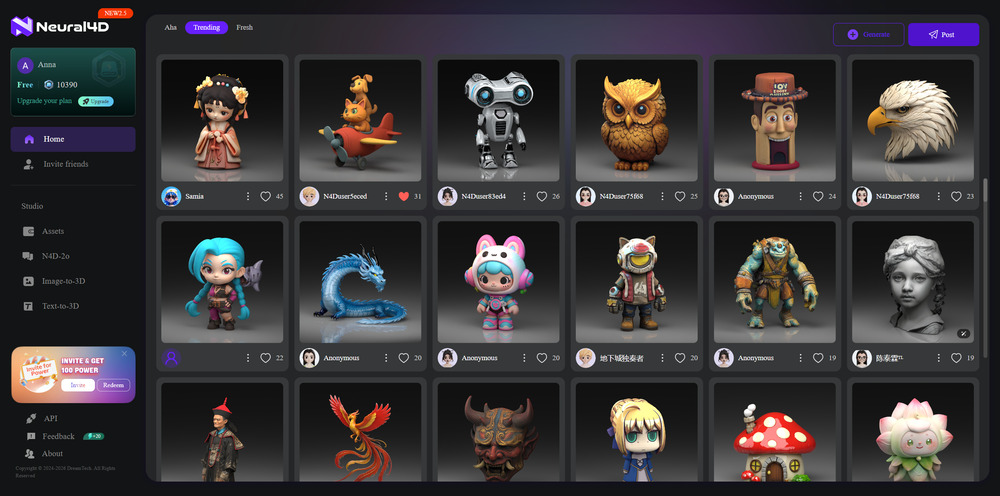
Neural4D is the best Blender alternative for creators who need high-fidelity 3D assets without installation or manual modeling. Developed by DreamTech in collaboration with Nanjing University, the Direct3D-S2 framework uses Spatial Sparse Attention (SSA) to process geometric data at up to 1024³ resolution. The result is clean, watertight mesh geometry that passes directly into game engines and rendering pipelines without cleanup.
The TEXTRIX texturing system generates materials natively in a Latent 3D Attribute Grid, eliminating the UV unwrapping stage that accounts for a significant portion of manual 3D production time. Output formats include GLB, FBX, OBJ, STL, and USDZ, covering every major pipeline from game engines to AR viewers.
For studios moving prop and environment asset production to AI-assisted workflows, Neural4D’s mesh quality eliminates the Blender cleanup step that typically adds hours to AI-generated asset pipelines from other tools.
Best for: Game-ready props, e-commerce product visualization, rapid prototyping, AR/VR assets.
Pricing: Free (50 credits/week); Pro $18/month.
Key limitation: Newer platform; does not support importing and retopologizing third-party models.
Tripo AI: Automated Rigging for Animation-Ready Assets
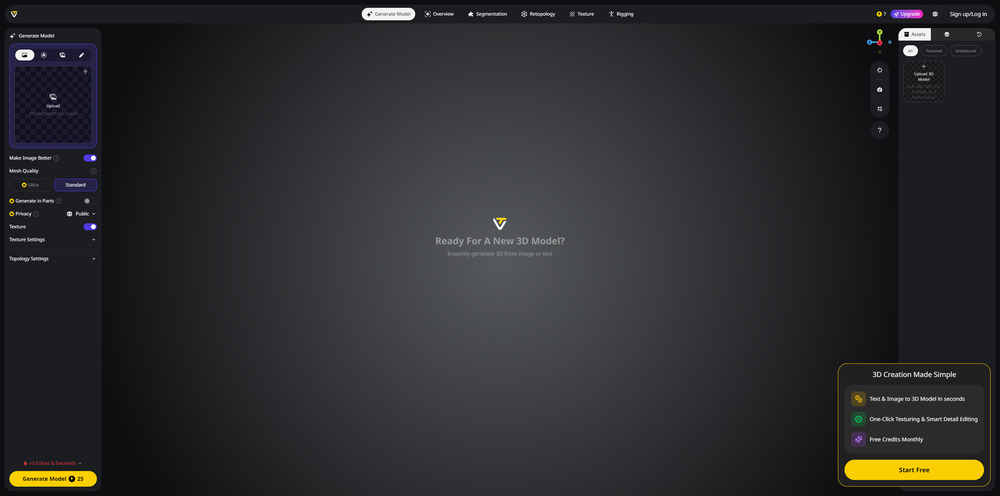
Tripo AI specializes in the rigging and animation workflow that makes Blender notoriously difficult for non-technical users. Its Automated Rigging Engine generates a bone structure and weight painting from an image in under 60 seconds, which is a complete replacement for Blender’s Weight Paint mode for social media and XR character assets.
Best for: Social media character animation, XR avatars, creators who need motion-ready assets without rigging knowledge.
Key limitation: Mesh quality is lower than Neural4D for production-critical geometry.
HYPER3D: Photorealistic Material Generation
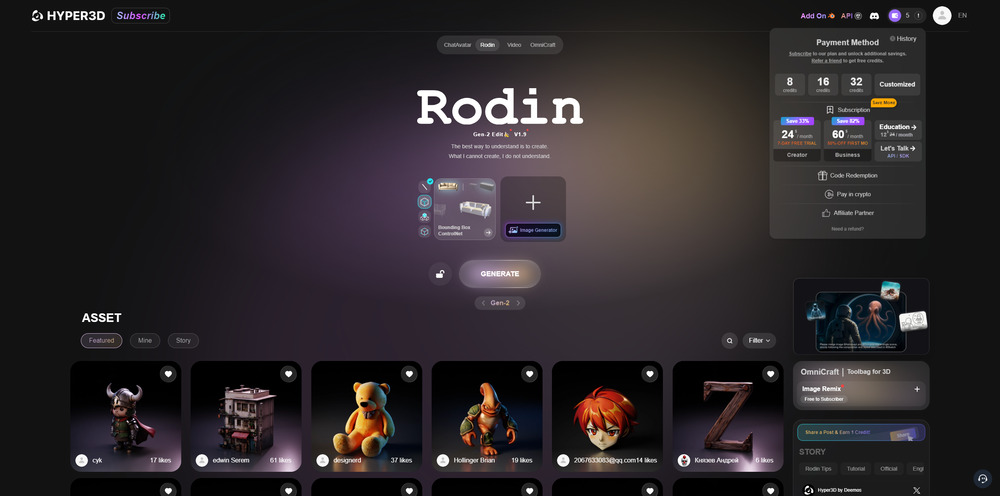
HYPER3D focuses on material accuracy. Its AI Delighting system strips real-world lighting from source photos to generate a clean albedo map, and its PBR value prediction produces physically accurate roughness and metallic maps without manual tweaking. This makes it particularly effective for architectural visualization projects where material accuracy matters more than geometry complexity.
Best for: Architectural visualization, product rendering, scenes requiring photorealistic surface materials.
Key limitation: Geometry quality is secondary to material output.
Read More: How to Generate PBR Texture from Image
Meshy.AI: High-Volume Game Asset Production
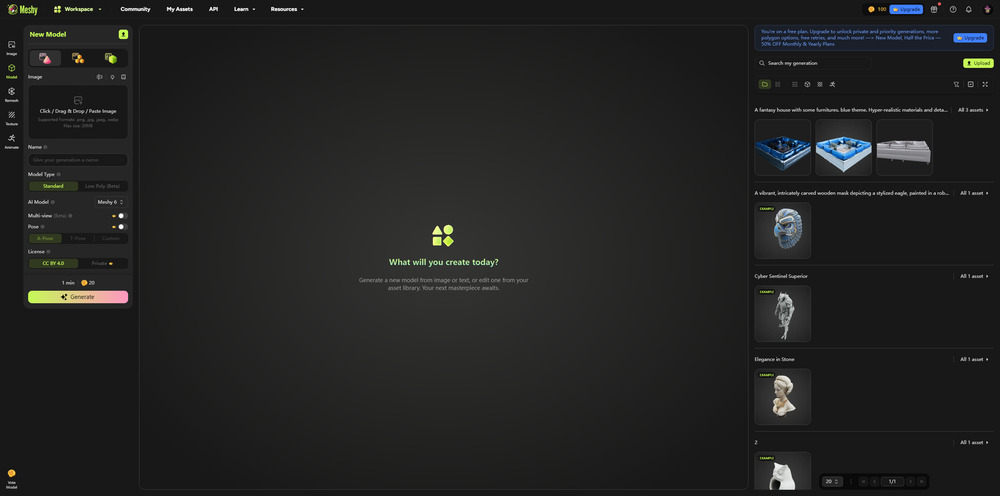
For indie developers who need large volumes of props and environment assets, Meshy.AI offers a fast text-to-3D cycle with Smart Remesh topology cleanup. Its free tier and rapid iteration loop make it a practical Blender alternative for game asset prototyping where speed matters more than polygon precision.
Best for: Indie game prop libraries, rapid iteration on environment assets, creators on a budget.
Key limitation: Smart Remesh produces cleaner topology than raw AI output but still requires inspection for production use.
Read More: Best Meshy Alternative: 7 Free Online AI 3D Tools
Part 5: Tool Comparison Matrix
| Tool | Best For | Pricing | Learning Curve | Key Limitation |
|---|---|---|---|---|
| Neural4D | AI rapid asset generation, game-ready props | Free (50 credits/wk); Pro $18/mo | Very low | No third-party model import |
| Autodesk Maya | Film/TV character animation, AAA games | $285/mo or $2,285/yr | Very steep | Cost, complexity |
| Cinema 4D | Motion graphics, broadcast design | $94/mo or $719/yr | Moderate | Weaker character animation |
| ZBrush | Organic sculpting, creature art | $39.95/mo or $359.95/yr | Moderate | No animation tools |
| Houdini | VFX simulations, procedural generation | Free (Apprentice); Indie $399/yr | Very steep | Not for asset modeling |
| SketchUp | Architecture, interior design | Free (web); Pro $349/yr | Very low | No animation or game use |
| FreeCAD | Engineering, 3D printing functional parts | Free | Moderate | Complex UI for non-engineers |
| Tripo AI | Animation-ready character assets | Free tier available | Very low | Lower mesh quality |
| HYPER3D | Photorealistic material generation | Free tier available | Low | Geometry quality secondary |
| Meshy.AI | High-volume indie game assets | Free tier; $20+/mo | Very low | Topology needs inspection |
The right choice depends on your pipeline stage. For production-critical geometry that needs to reach a game engine or renderer without cleanup, Neural4D’s Direct3D-S2 output is the strongest AI option. For professional character animation that must meet broadcast standards, Maya remains the industry default despite its cost.
Part 6: Export Format Compatibility
A Blender alternative is only practical if its output works in your downstream pipeline. The following formats are the current production standards across game engines, rendering software, and AR platforms:
- .fbx / .obj: The backbone of game engines (Unreal Engine, Unity). Supported by every tool in this list.
- .glb / .gltf: The standard for web-based 3D and real-time AR. Neural4D, Meshy, and Tripo all export GLB natively. Essential for Shopify AR product visualization.
- .stl: Required for 3D printing. Neural4D’s watertight mesh output is particularly reliable for STL; converting images directly to STL is a common use case.
- .usdz: Apple’s AR format for iOS Quick Look and RealityKit. Supported by Neural4D and most AI tools.
- .usd / .usda: The emerging interchange standard for large studio pipelines (Maya, Houdini). Blender added USD support in 3.0; Maya and Houdini have native USD pipelines.
Generate Game-Ready 3D Assets in Seconds
Upload an image. Neural4D returns a clean, watertight mesh with full PBR textures. Export as GLB, FBX, STL, or USDZ for any pipeline.
Free users get 50 credits per week. No credit card required.
Part 7: Frequently Asked Questions on Blender Alternatives
Is there a better alternative to Blender?
It depends on your use case. For professional character animation, Autodesk Maya is the industry standard with a deeper rigging toolset. For organic sculpting, ZBrush handles polygon counts and detail resolution that Blender’s sculpt mode cannot match. For AI-generated assets where manual modeling is not required at all, Neural4D produces cleaner mesh output than building manually in Blender for the same asset category.
Is Blender still relevant in 2026?
Yes, Blender remains highly relevant as a free, full-featured generalist tool. It is widely used in independent film, archviz, and game modding communities. However, for studios that need specialized performance at scale, purpose-built tools like Maya (animation), ZBrush (sculpting), or Houdini (VFX) consistently outperform Blender in their respective domains. AI tools are increasingly replacing Blender for asset generation workflows where speed matters more than manual control.
Why do professional studios avoid Blender?
Studios built their pipelines around Maya, Houdini, and 3ds Max years before Blender reached professional viability. Switching requires retraining artists, rebuilding pipeline integrations, and migrating proprietary tools. Beyond inertia, Maya’s rigging and simulation toolset is genuinely more mature for production-scale character work. Blender has closed the gap significantly since version 2.8, but the switching cost for established studios outweighs the licensing savings in most cases.
What is the best free Blender alternative?
FreeCAD is the best free alternative for engineering and 3D printing workflows. SketchUp Free covers basic architectural modeling. For AI-generated 3D assets, Neural4D’s free tier provides 50 credits per week with no credit card required, covering game-ready asset generation, GLB/FBX export, and full PBR texturing. Houdini Apprentice is free for non-commercial use and covers VFX simulation at professional quality.
Which Blender alternative is best for game development?
For manual asset creation, Autodesk Maya combined with ZBrush covers the full AAA game character pipeline. For environment props and rapid asset volume, Neural4D generates game-ready GLB and FBX files with correct topology and PBR textures without manual modeling. Meshy.AI is also commonly used for indie game studios that need high prop counts on a tight timeline. The polygon count requirements for game assets vary significantly by platform, so review those specs before choosing a generation tool.
Can AI tools fully replace Blender?
For asset generation workflows (creating individual props, characters, or product models), AI tools like Neural4D, Meshy, and Tripo are increasingly replacing the Blender modeling phase. For simulation, rigging-heavy animation, compositing, and visual effects, Blender and specialized tools remain necessary. The most practical 2026 workflow for many studios combines AI generation for asset creation with traditional tools for animation and effects work downstream. For the compositing, simulation, and motion graphics stages of that pipeline, our roundup of the best VFX software breaks down the leading tools.