Text to 3D Model AI: Can Prompts Really Create 3D Models?
Most 3D software tries to be everything for everyone. It usually ends up as a bloated mess of features that nobody actually asked for. We see this constantly in the AI Text to 3D model space. You type a prompt, wait for a minute, and get a model that looks like melted plastic. It might work for a quick social media post, but it is useless for a game engine or a high-end 3D printer.
The industry is obsessed with “more” – more pixels, more polygons, more complexity. We think that is backwards. The real bottleneck is no longer the technology itself; it is the time wasted on fixing what the AI got wrong. At Neural4D, we took a different approach. We looked at the specific problem of structural reliability and decided to fix just that. Using Neural4D Text to 3D, you can move from a concept to a high-fidelity mesh without the typical AI hallucinations that plague lower-end tools.
How Neural4D Converts Text to Structure
Generating a 3D object from text is not about magic – it is about math and spatial logic. Most tools just guess what a shape looks like based on flat 2D pixels. This is why you often see distorted limbs or floating parts in generated models. Neural4D utilizes the Direct3D-S2 algorithm, a breakthrough from NeurIPS 2025, to understand the actual physics of 3D geometry.
The system employs a spatial sparse attention (SSA) mechanism. Think of this as the AI focusing only on the “bones” and critical junctions of an object rather than wasting compute on empty space.
It does not just draw a shape in a vacuum; it calculates the structure at a 1024³ resolution. This ensures that a chair has legs that meet the base at the correct angle and a character has a consistent anatomical flow.
The Intelligence Behind the Mesh
By prioritizing structural integrity from the first second of inference, we avoid the “bloated” look. This is essential for professional creators who need clean topology. When you export a model from Neural4D, you aren’t just getting a visual shell. You are getting a mesh that supports PBR materials and is ready for automatic re-topologization. This precision is why our inference speed is 12 times faster than the industry standard – we aren’t just adding more polygons, we are making the time you spend modeling more efficient.
Step-by-Step AI Text to 3D Model Workflow
You do not need distractions when you are on a deadline. You need a workflow that is predictable and repeatable. Here is how to use AI Text to 3D model technology to get results that are actually usable in a production environment:
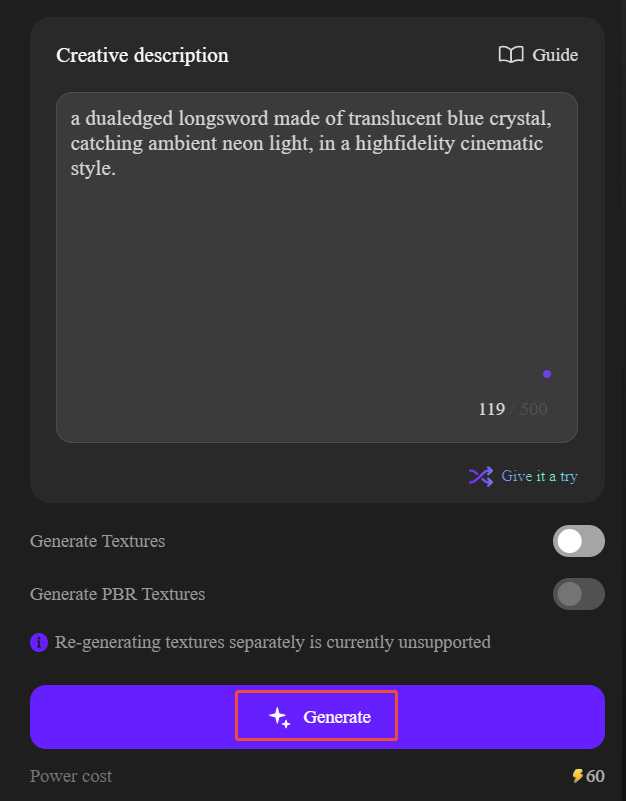
- Input the Vision: Enter your prompt in the Neural4D Text-to-3D workspace. Don’t just type “a car.” Describe the materials, the era, and the specific mechanical details.
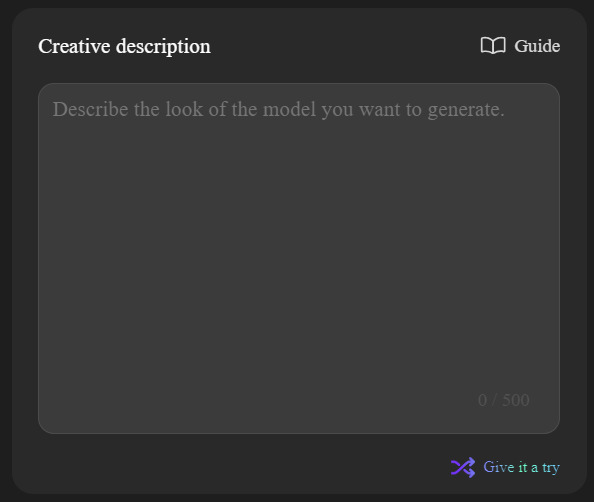
- AI Generation: The engine processes your description through the Direct3D-S2 pipeline. You will get a volumetric preview in seconds, allowing you to check the silhouette and scale immediately.
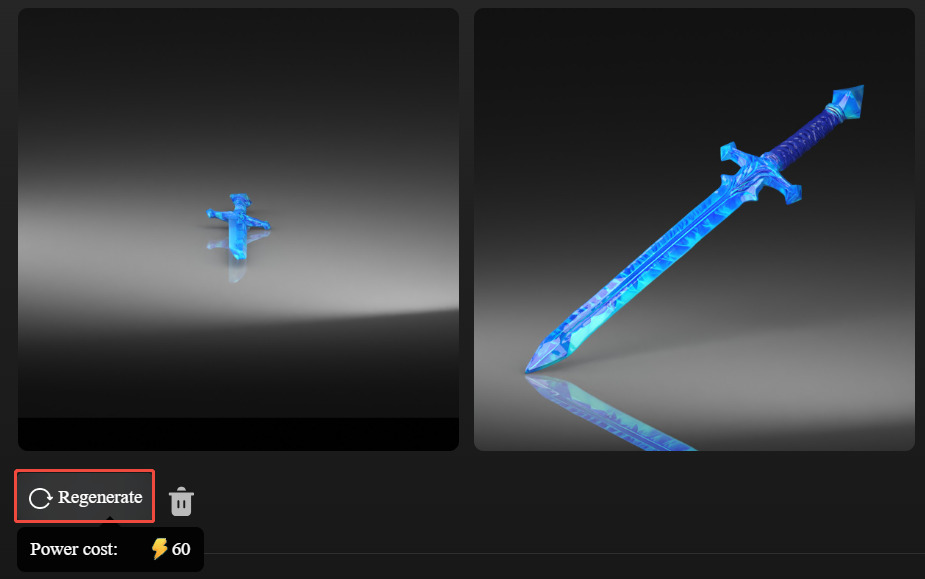
- Regenerate (Optional): AI is a collaborative tool. If the first geometric output isn’t exactly what you pictured, hit the regenerate button. This allows the system to offer a different interpretation of your text while maintaining high resolution.
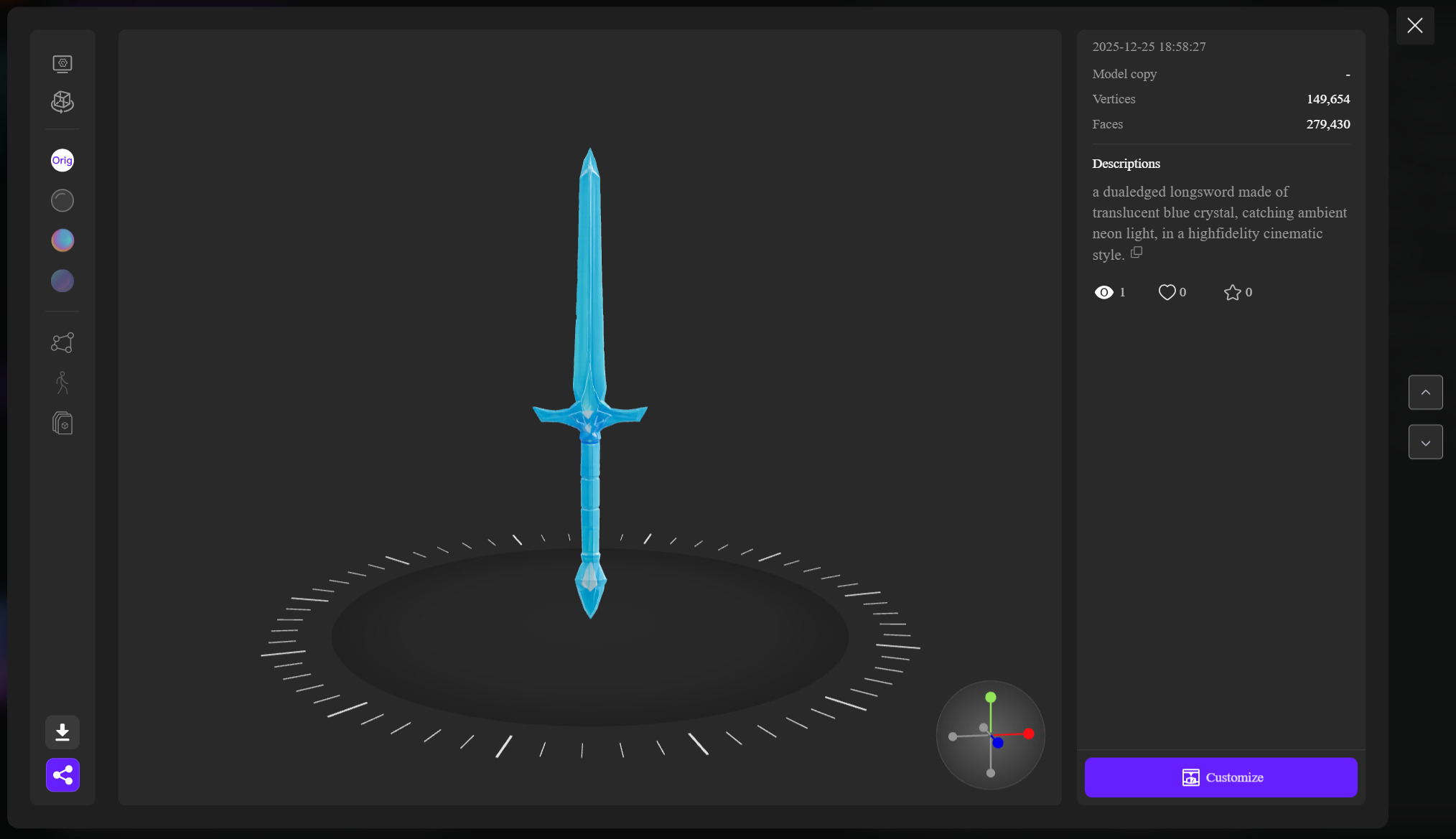
- Production Export & Customize: Once the model looks right, export the watertight mesh. Because our topology is clean, the file is ready for a 3D printer or a game engine like Unreal without hours of manual cleanup.
From Digital Concept to Physical Product
Neural4D offers a seamless bridge between the virtual and physical worlds. The Customize feature allows you to turn your digital asset into a tangible object immediately. After refining your 3D model, you can scan a dedicated code on the same page to place an order for a high-quality physical version of your creation. This transforms a simple “digital draft” into a real-world memory or a physical prototype in one click.
Prompt Writing: Specificity as a Tool for Control
The quality of an AI output is a direct reflection of your clarity. If your prompt is vague, the AI has to guess. And when AI guesses, it usually fails the professional test. To gain control, you need to think like a technical director.
Stop using one-word prompts. A free AI text to 3D model tool might give you a generic shape for the word “helmet,” but it won’t understand the difference between a medieval knight’s visor and a carbon-fiber racing helmet. To get the most out of Neural4D, include four specific pillars in your description: Subject, Material, Lighting, and Style.
The Art of the Technical Prompt
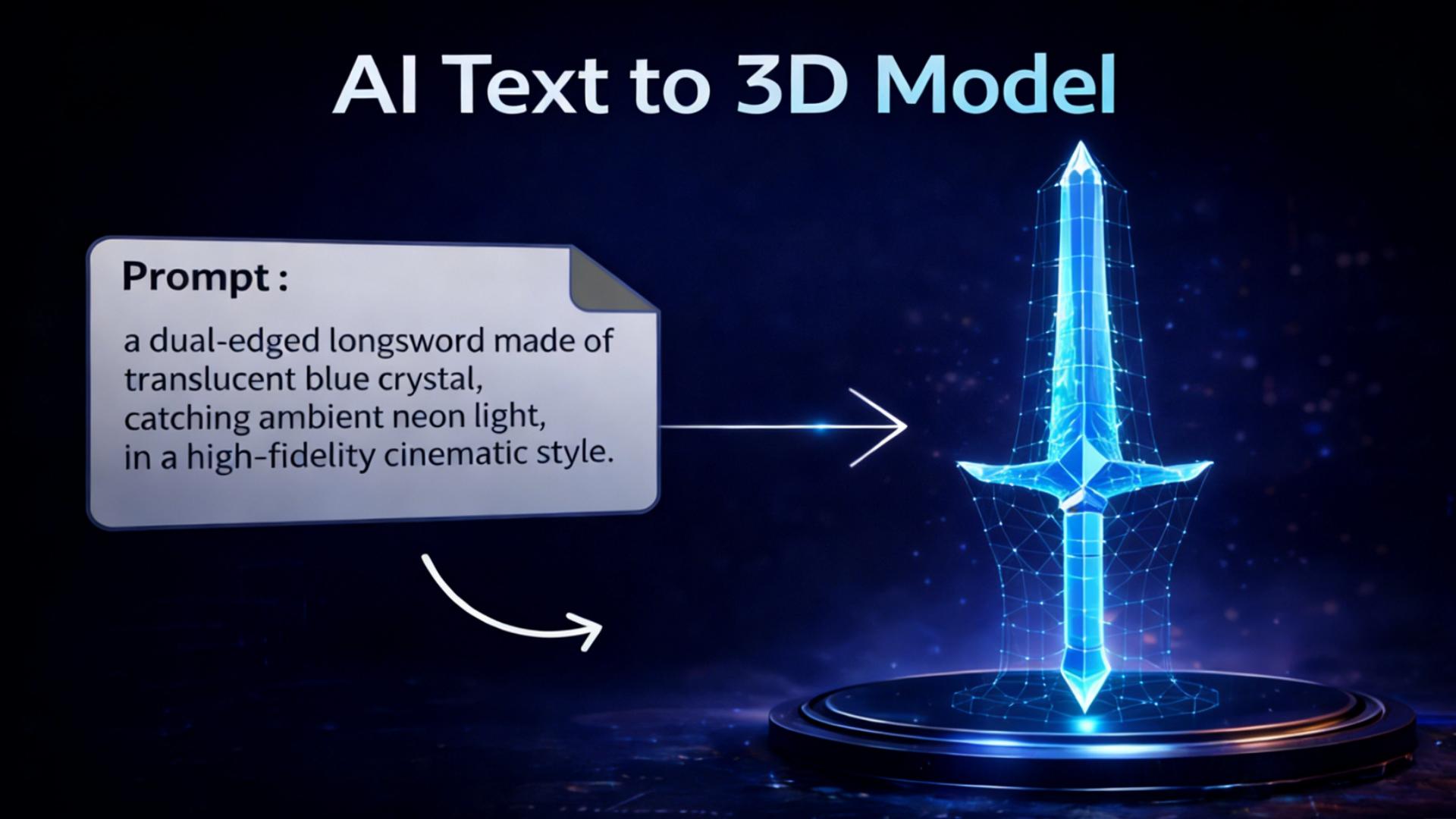
Instead of “a sword,” try “a dual-edged longsword made of translucent blue crystal, catching ambient neon light, in a high-fidelity cinematic style.” By defining the “how,” you reduce the AI’s margin for error. For those who need to push these details even further after the initial export, the multimodal Neural4D-2.5 model is available as an advanced conversational editor for iterative detail adjustments.
Why 2025 is the Turning Point for Text-to-3D
We are moving past the era of AI toys. Market data indicates that the global Digital Twin market is projected to reach approximately $23.59 billion in 2025, with a compound annual growth rate (CAGR) that shows no signs of slowing down. This massive growth is driven by a desperate need for real-time, simulation-ready assets in sectors ranging from urban planning to industrial design.
In this environment, “visual accuracy” is no longer enough. According to reports by MarketsandMarkets on Digital Twin Growth, professional tools must now provide physically accurate volumes for real-time interaction. Traditional manual modeling for these massive datasets is too slow and too expensive. This is where AI to generate 3D models from text becomes a necessity rather than a luxury.
Is Text-to-3D Ready for Production?
The real bottleneck in 3D production is no longer the technology; it is time. If a tool can save you three hours a week by providing a mesh that does not need fixing, it has done its job. Neural4D delivers production-grade assets because we prioritize the “boring” but vital parts of modeling: clean topology, watertight structures, and PBR compatibility.
We are not just printing 3D geometry; we are capturing a specific vision in space. Whether you are building a virtual world or prototyping a physical product, Neural4D Text to 3D is designed to bridge the gap between a written idea and a usable asset.